
E
EQ2Alyza
Guest
Updated: July 28, 2021
Tifa's Final Heaven
7th Heaven Modding Tutorial
Maintained by Tsunamods
★ VIDEO TUTORIAL ★
Step 1
Download and install 7th Heaven 2.0
LINKS: DOWNLOAD HERE
Step 2
Download mods from the Browse Catalog tab
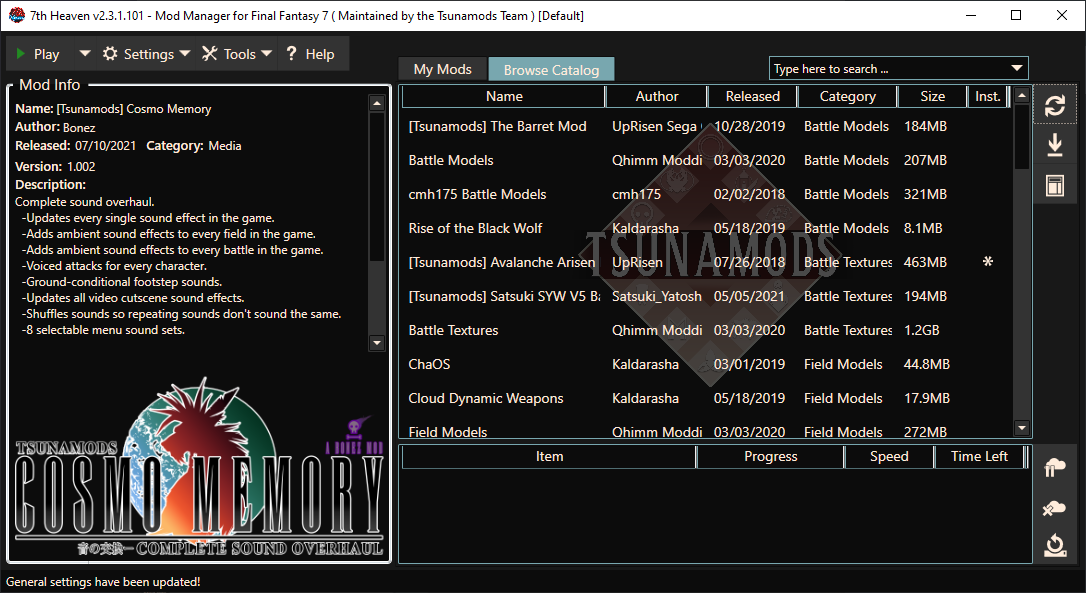
NOTE: If there are any issues downloading within the 7th Heaven client, please visit below for direct downloads.
DIRECT DOWNLOADS
Step 3
Use the right side panel to Autosort, Activate and Configure your mods.
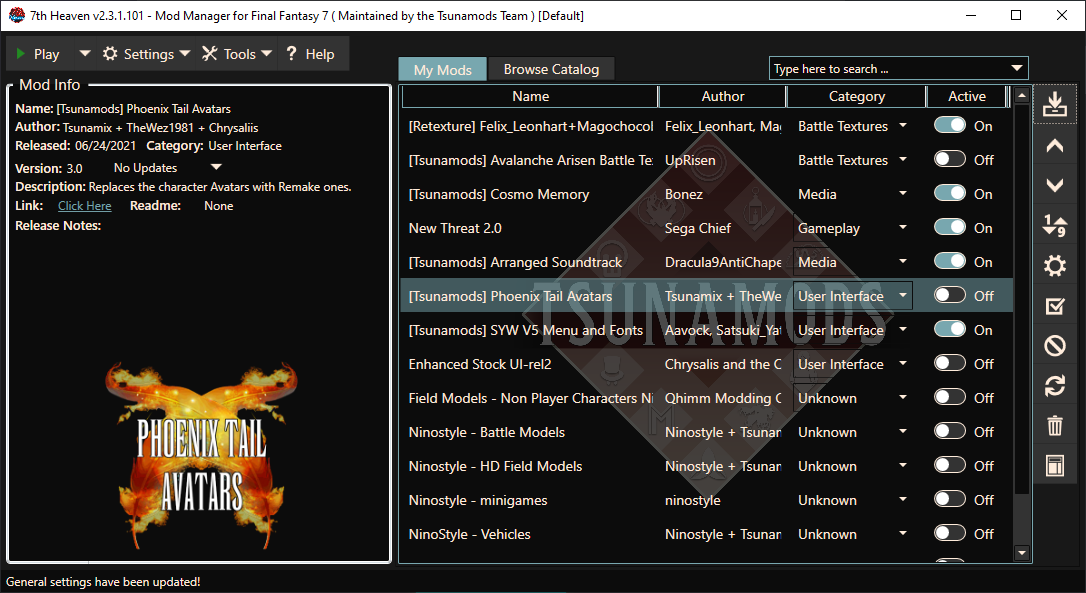
NOTE: The recommended Category load order is as follows:
Miscellaneous
Animations
Battle Models
Battle Textures
Field Models
Field Textures
Gameplay
Media
Minigames
Spell Textures
User Interface
World Models
World Textures
Step 4
Play!
Step 5?
Wait, what?
If you're using a non-English version of the game and having trouble after clicking "Play" then use the old Game Converter (7th Heaven Version).
DOWNLOAD
Play! (hopefully)
Canary Access
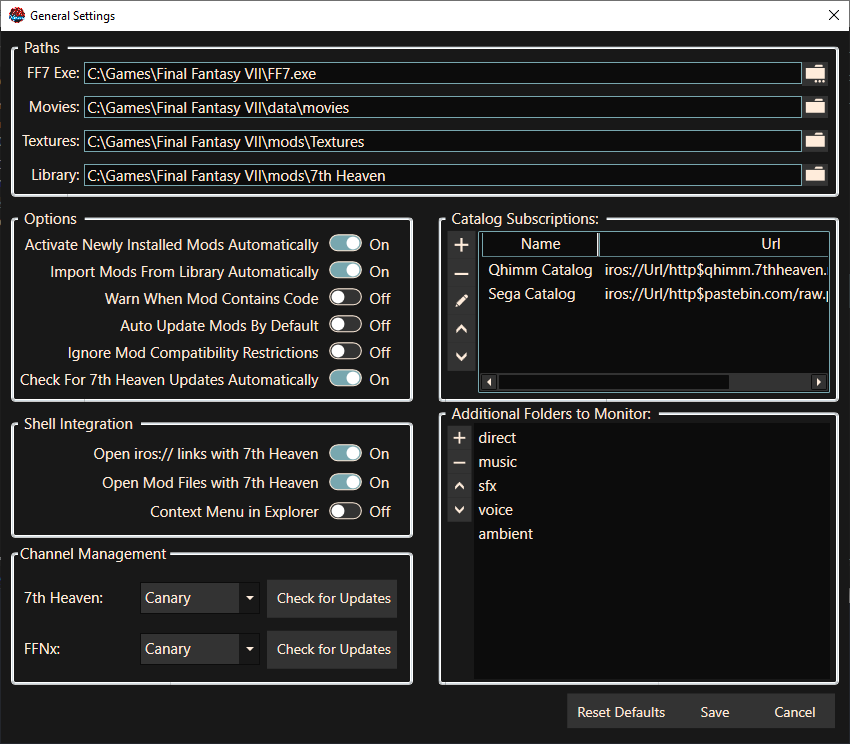
Some options won't be available in the normal build. To get access to the canary releases of 7th Heaven, you'll have to click Settings -> General Settings.
Then make sure the dropdowns under "Channel Management" are set to Canary.
Tifa's Final Heaven
7th Heaven Modding Tutorial
Maintained by Tsunamods
★ VIDEO TUTORIAL ★
Step 1
Download and install 7th Heaven 2.0
LINKS: DOWNLOAD HERE
Step 2
Download mods from the Browse Catalog tab
NOTE: If there are any issues downloading within the 7th Heaven client, please visit below for direct downloads.
DIRECT DOWNLOADS
Step 3
Use the right side panel to Autosort, Activate and Configure your mods.
NOTE: The recommended Category load order is as follows:
Miscellaneous
Animations
Battle Models
Battle Textures
Field Models
Field Textures
Gameplay
Media
Minigames
Spell Textures
User Interface
World Models
World Textures
Step 4
Play!
Step 5?
Wait, what?
If you're using a non-English version of the game and having trouble after clicking "Play" then use the old Game Converter (7th Heaven Version).
DOWNLOAD
Play! (hopefully)
Canary Access
Some options won't be available in the normal build. To get access to the canary releases of 7th Heaven, you'll have to click Settings -> General Settings.
Then make sure the dropdowns under "Channel Management" are set to Canary.
Last edited: