[PC+R+Switch] Unofficial bad UV texture patch [powered by DLPB tools]

  • Thread starter Thread starter makipl
  • Start date Start date
Status
Not open for further replies.
M

makipl

Guest
NaGdChY.jpg

Description:
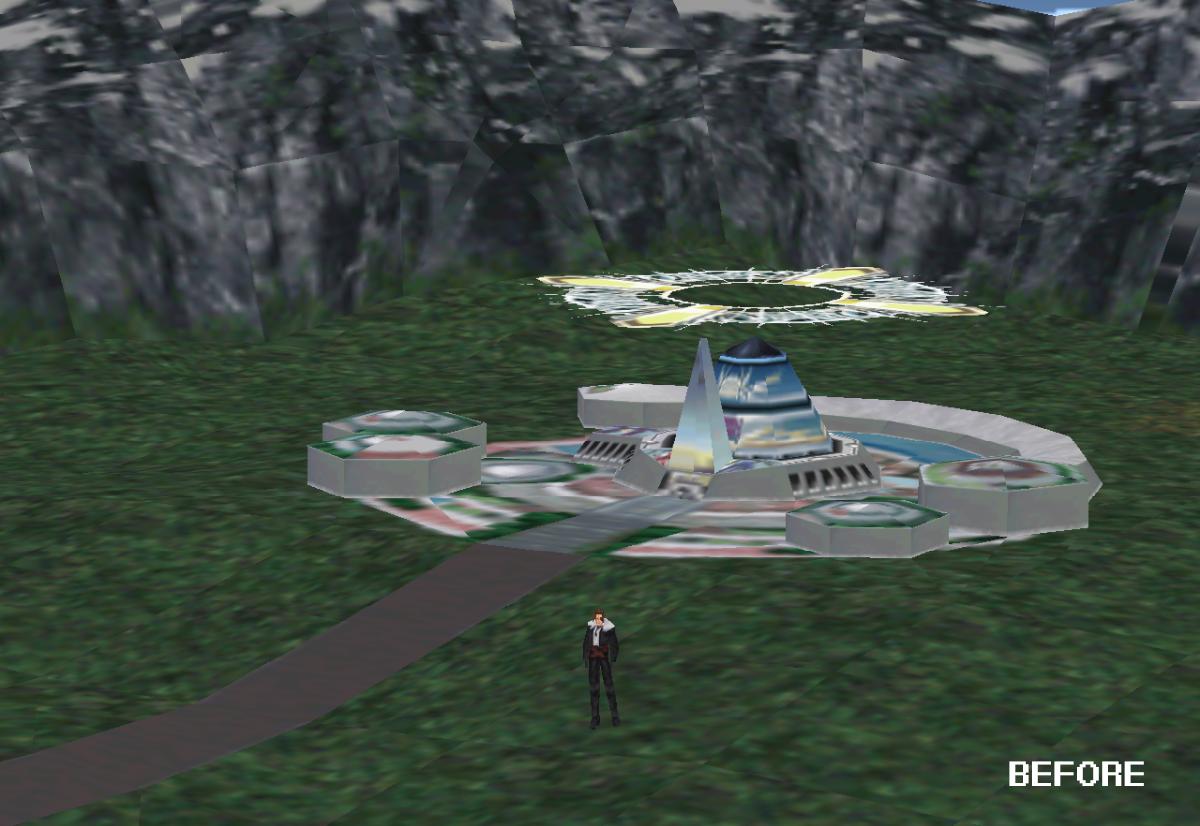
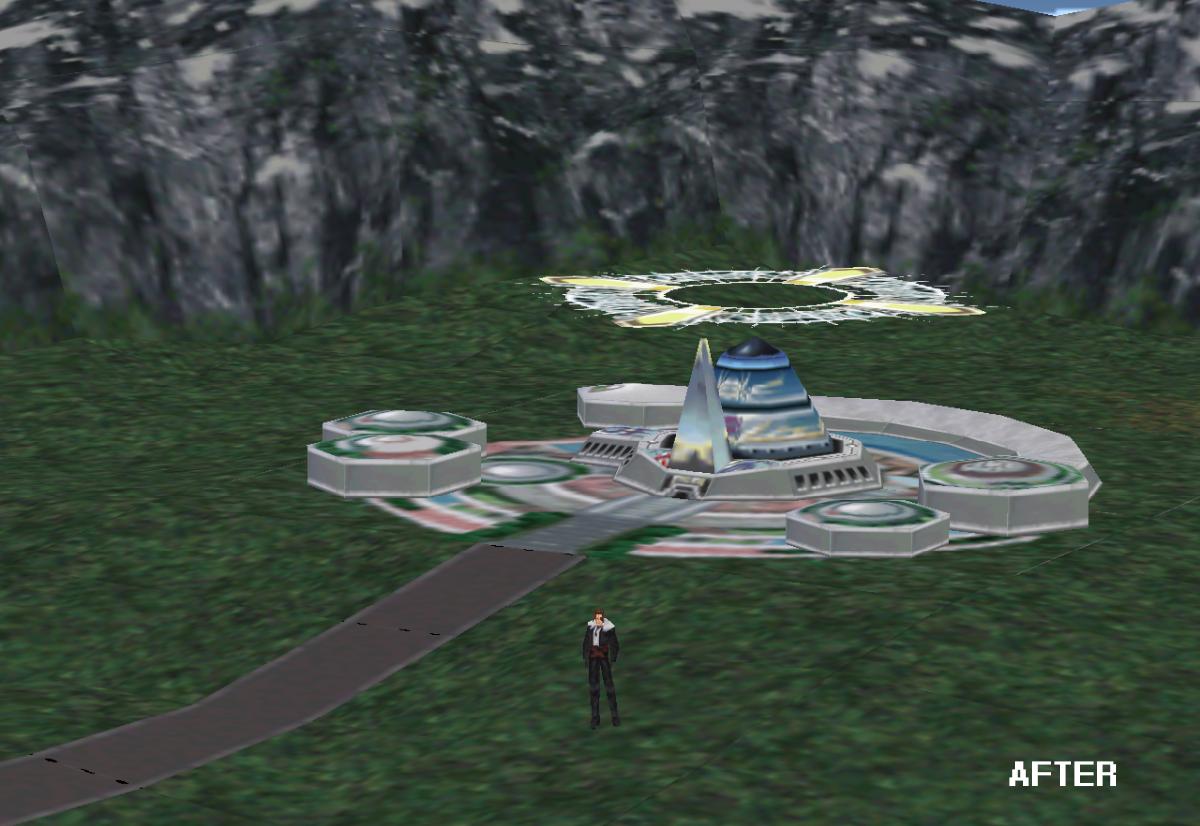
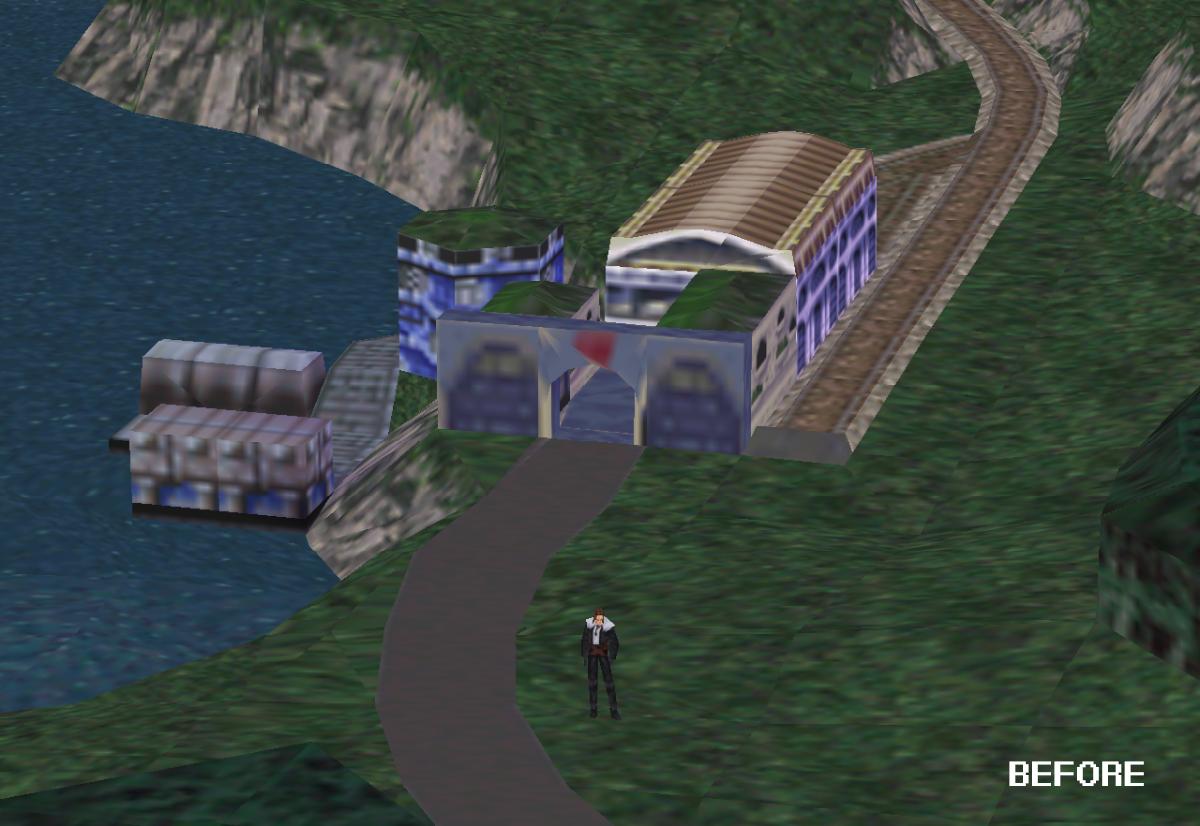
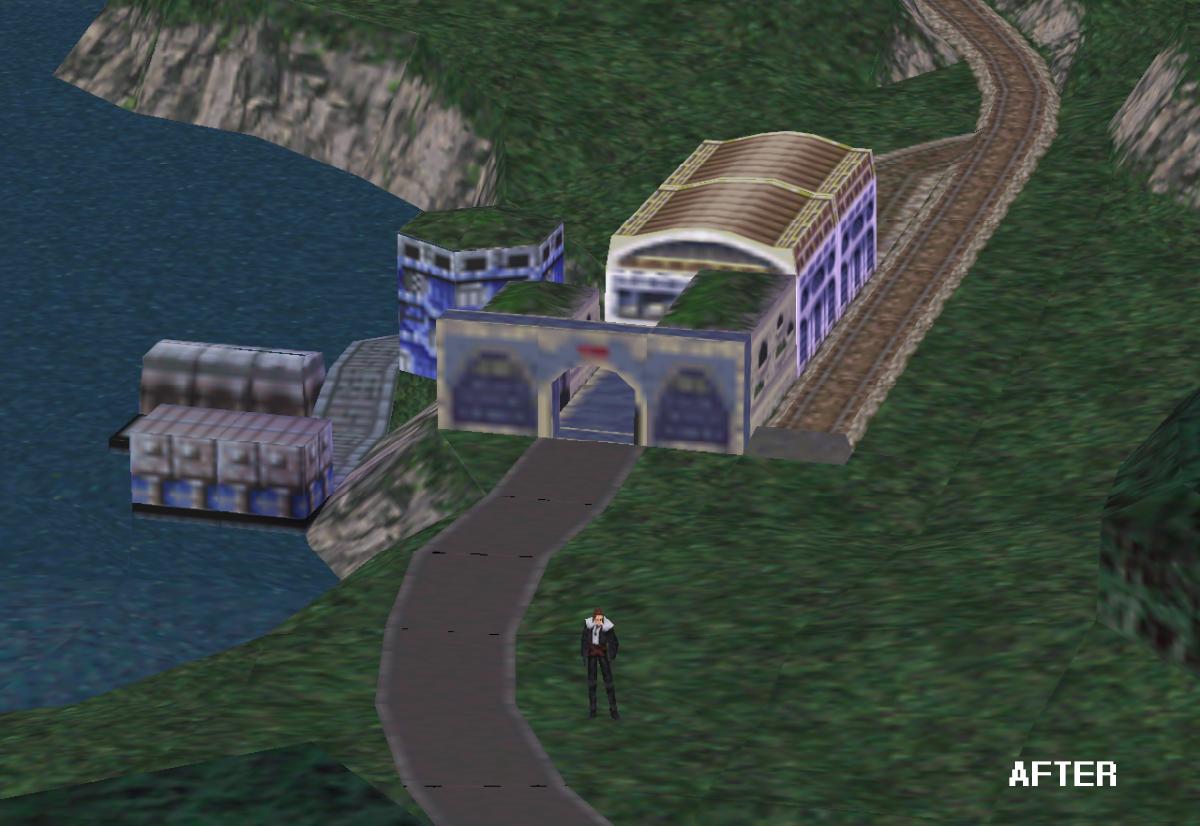
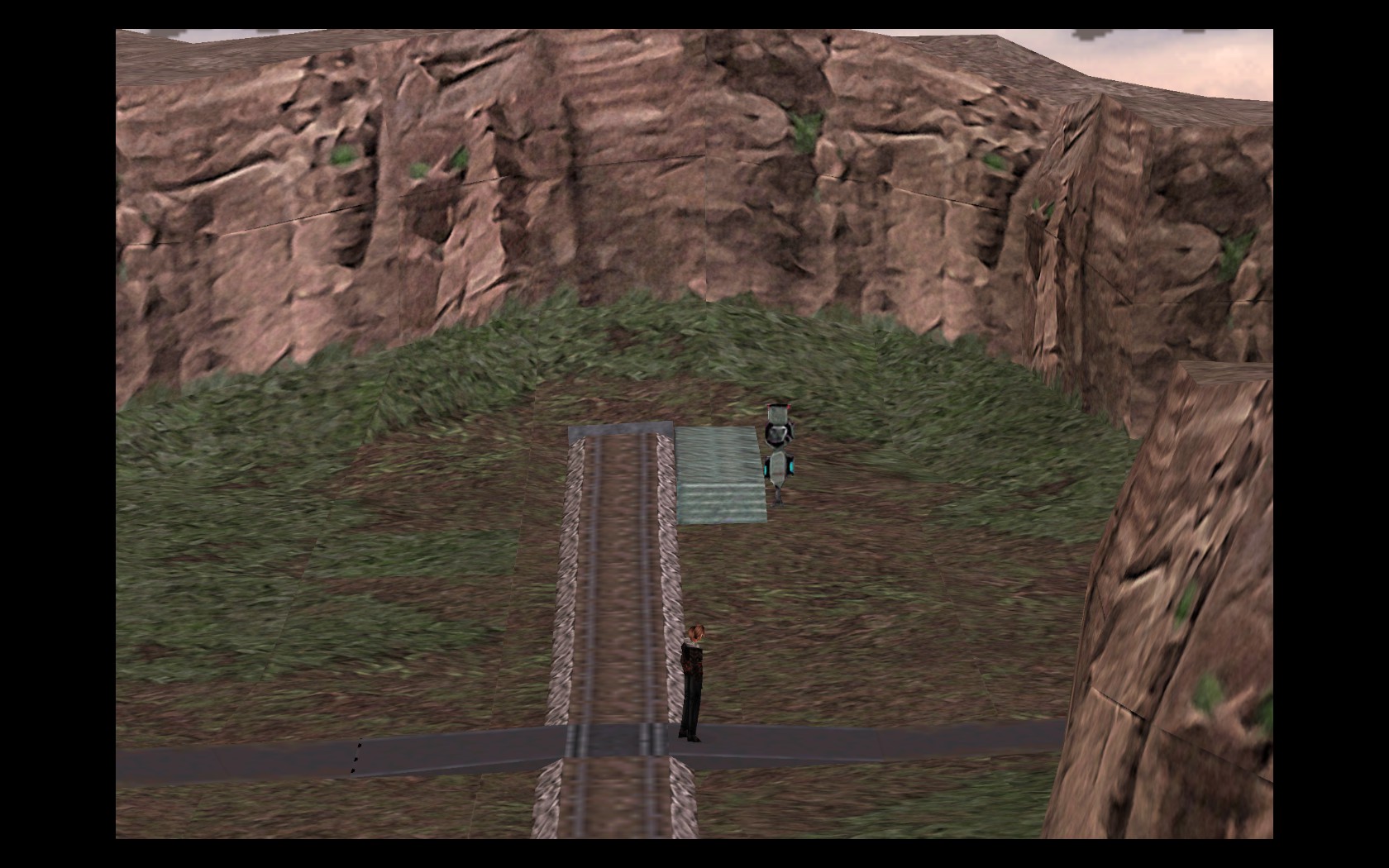
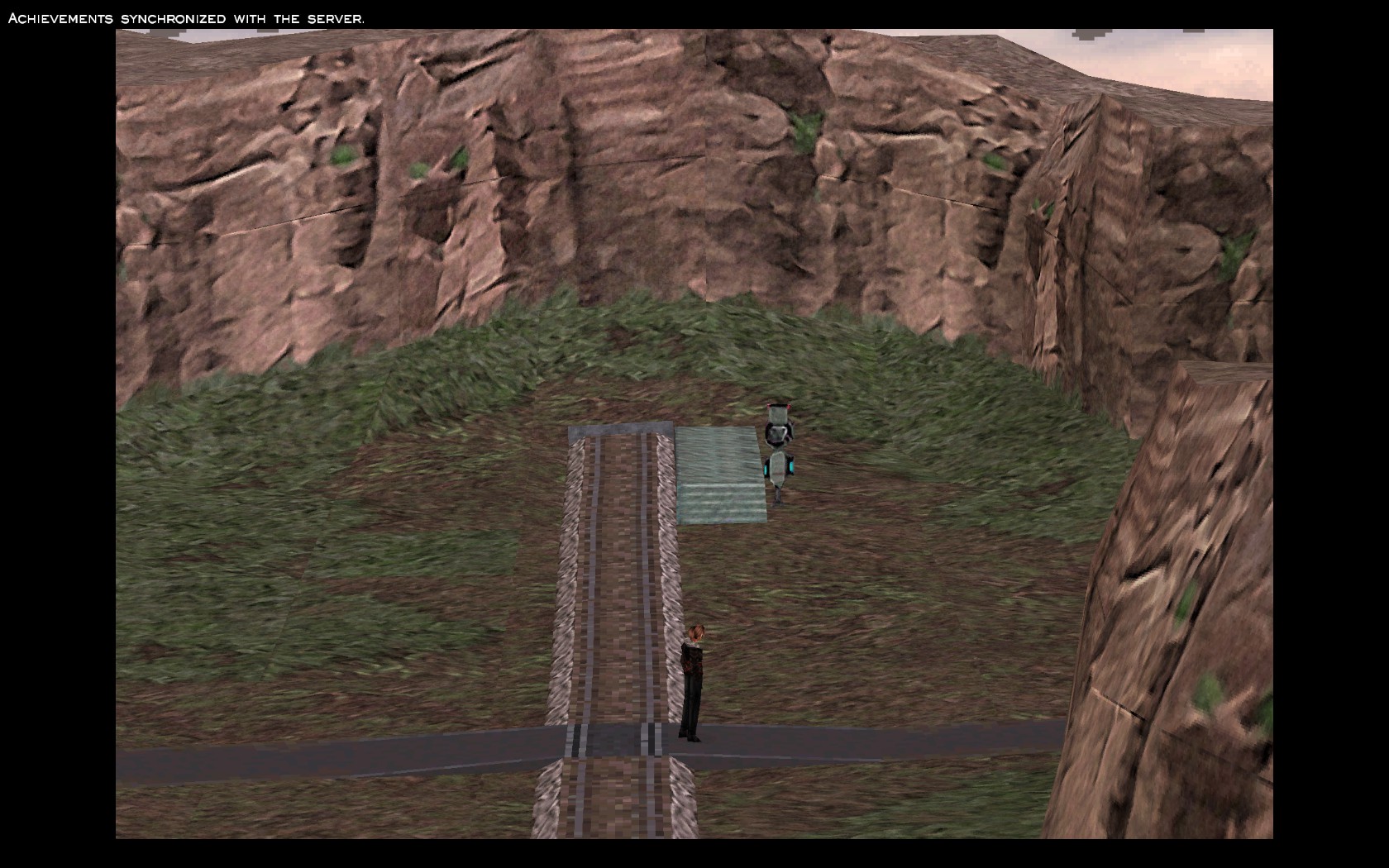
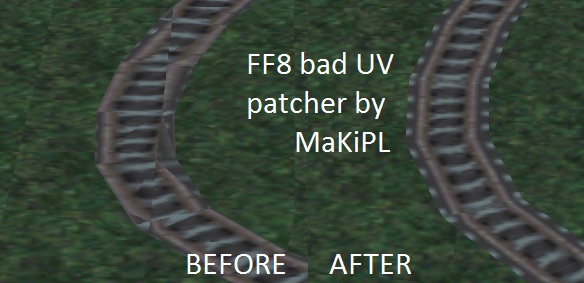
This does just what you can see on image above. Fixes bad PC version UV mapping.

Compatibility: Works with all FF8 versions (2000+Steam) multilanguage + any currently available mods
                                 If you're having problems, please proceed with manual patching tutorial.
Requirements: .NET Framework 4 (for ready patcher) or DLPB's Tools 2.0 for manual patching

ASM hack source: http://pastebin.com/WnRA19mM

*Old patcher deleted due to the fact it corrupted the EXEs and overwrote backup. I'm so sorry for destroying your backups. Please, use manual patching for Steam or above for 2000 version.

STEAM 2013 Version:
MANUAL PATCHING TUTORIAL: (STEAM)
(Big thanks to Cities.Burn.Quick for writing this tutorial) :)
(Use this if above fails. This applies for English version only, however you can find FF8 2000 HEXT instructions at the bottom of this post)

 1. Backup the FF8_EN.exe file from your Final Fantasy VIII Steam directory (steamapps/common/FINAL FANTASY VIII/) just in case.

2. Download DLPB's Tools 2.0.

3. Unzip the file anywhere on your PC.

4. Open the "HextEdit" folder and move your FF8_EN.exe file from your Steam directory to the HexEdit root folder. The root folder contains another folder named HE_in, the HexEdit.exe, a Readme.rtf, and a test.file (which you should delete).

5. Open the HE_in folder and delete the example Hext instructions.

6. Create a new Notepad text document in the HE_in folder, name it "FF8_EN" or "FF8" and paste:

Code: [Select]
Code:
FF8_EN.exe153CC0 = 00153CCA = 00153CD8 = 00153CE2 = 00153CF2 = 00153CFC = 00153D0C = 00153D16 = 00153D26 = 00153D30 = 00153D38 = 00153D42 = 00

7. Save your FF8_EN.txt.

8. Go back to the HextEdit root and run the HextEdit.exe application, press enter when prompted.

9. Once HextEdit finishes it will create a HextEdit.txt. Open this file and insure it reads...
Code: [Select]
Code:
---------------------------FF8_EN.txt (FF8_EN.exe)Changed: 12Replaced: 0No errors.___________________________

10. If newly created HextEdit.txt has the same output, it was patched successfully.

11. Move your FF8_EN.exe from the HextEdit root back to your Steam directory. Overwrite if need be.

12. Run game and enjoy your newly patched FF8 world map!


PC 2000 release version:
Download and run with launcher:
Downloadhttps://www.dropbox.com/s/zaq4gqquaop00kn/FF8_UVPatchLauncher.7z?dl=0

-=Alternative files (HEXT instructions for DLPB's tools)=-
FF8 2000 English: https://www.dropbox.com/s/zaq4gqquaop00kn/FF8_UVPatchLauncher.7z?dl=0
FF8 Steam English: http://pastebin.com/W72H6yep

Remastered:
UV patch is now built-in in demaster patch! No need to work with the code manually. Find more details here: https://www.ff7catalog.com/threads/13601/
If you are experienced user you can try manually patching the DLL:
Dotemu by compiling their new DLL they got the ASLR working by default- that renders above method with DLPB not working- the address in memory is changing every time you open the application. You can either disable ASLR with my script: https://github.com/MaKiPL/ASLR_disabler and then patch as in Steam 2013 with IMAGE_BASE of the dll or patch the DLL directly:
Code: [Select]
Code:
FFVIII_EFIGS.dll+8A2CB2 - add byte ptr [esi+08],00FFVIII_EFIGS.dll+8A2CB8 - add byte ptr [esi+08],00FFVIII_EFIGS.dll+8A2D17 - add byte ptr [esi+0C],00FFVIII_EFIGS.dll+8A2D1D - add byte ptr [esi+0C],00FFVIII_EFIGS.dll+8A2D6D - add byte ptr [esi+0C],00FFVIII_EFIGS.dll+8A2D73 - add byte ptr [esi+0C],00FFVIII_EFIGS.dll+8A2DC5 - add byte ptr [esi+0C],00FFVIII_EFIGS.dll+8A2DCB - add byte ptr [esi+0C],00FFVIII_EFIGS.dll+8A2E1B - add byte ptr [esi+0C],00FFVIII_EFIGS.dll+8A2E21 - add byte ptr [esi+0C],00FFVIII_EFIGS.dll+8A2E6F - add byte ptr [esi+04],00FFVIII_EFIGS.dll+8A2E75 - add byte ptr [esi+04],00
above are dynamic addresses to memory- so if you have a patcher that is capable of understanding above instructions (example is Cheat Engine) then you can jump right into the memory view and assemble as above. However if you want to update the EXE manually, then here are the codes (basically FFVIII_EFIGS.dll in above example is ~0x10000000):
Example in EXE at address 0x8A20B5 there should be 02, change that to 00
Code: [Select]
Code:
0x8A20B5 - 00 0x8A20BB - 000x8A211A - 000x8A2120 - 000x8A2170 - 000x8A2176 - 000x8A21C8 - 000x8A21CE - 000x8A221E - 000x8A2224 - 000x8A2272 - 000x8A2278 - 00
Nintendo Switch
Unfortunately you have to own jailbreaked(?) switch. You have to get the file GuardianEFIGS.nro and edit with your favourite HEX editor those addresses:
Example:: 0xE04E38 which is now E2 1B 1F 32 should be 1F 20 03 D5
Below are all the addresses which you should update:
Code: [Select]
Code:
0xE04E38 = 1F2003D50xE04E58 = 1F2003D50xE04E98 = 1F2003D50xE04EB8 = 1F2003D50xE04EFC = 1F2003D50xE04F1C = 1F2003D50xE04F5C = 1F2003D50xE04F7C = 1F2003D50xE04FC0 = 1F2003D50xE04FE0 = 1F2003D50xE05008 = 1F2003D50xE05028 = 1F2003D5
 
Last edited:
You can also use HextLaunch to add these fixes at game start to memory, I take it?  That would be cooler for me.  Do you have a list of all mem changes and values?
 
HUGE improvement, amazing job thank you MaKiPL! :o

The linking between some specific identical textures produce some artifacts like the road to Balamb, is it normal?

0ZCXp4W.jpg
5LDtC22.jpg

nTFcuct.jpg
V0B0AVQ.jpg
 
Excellent. Nice to see this has been fixed.

There does seem to still be a small amount of mismatching left, though.  Is this unavoidable and part of the original game?
 
Last edited:
Good job :)

FF7 should benefit from this kind of work. There are some horrible battle scenes that need it.
 
The black lines (They're invisible in fact, as there's no texture there) in some places is the bug Square tried to fix by doing this crappy texture mess up routine.
I added HextLaunch support for PC 2000 english version.
 
Thank you Maki, this is amazing, never thought UVs would ever be fixed to be honest.


@5way turn off linear filtering to fix the black markings on the footpath
 
WTF!?!?  You're amazing, MaKiPL :)
Now I can finally upscale the rest of the world! :)
 
Thanks, this is awesome.

By the way, disabling Linear Filtering does indeed fix black lines but then some other textures look worse, for example this railroad here:

linear on:
7rQFQ8P.jpg


linear off:
LmqdZZd.jpg


Is this expected?

Excellent work overall!
 
I think the railroad suits pixellation rather than smooth. Kinda gives it the appearance of (admittedly crap) detail :P
 
Thanks, this is awesome.

By the way, disabling Linear Filtering does indeed fix black lines but then some other textures look worse, for example this railroad here:

Is this expected?

Excellent work overall!
The pixellation is just part of the original game.  Linear filter merely 'blurs' the pixel edges enough so that it's hard to notice, but it's always been like that.  My world map upscale fixes this problem by removing the need to use Linear Filtering at all.  That combined with my other texture mods, and I can't think of a reason to have linear filter enabled ever again.
 
As I always say.... you're a god of hacking bro. Thank you very much for this. However, and I hate to say it, this is not working for Spanish version (as usual, our version is messing up stuff). If you patch it, the game will crash with an unhandled exception as soon as you go to worldmap. BTW, the spanish exe is FF8_ES.exe, I just say it in case it's useful info for future reference.
 
What does this patch apply to?  Would there be a way to apply it to GFs?
 
Thank you for your report JeMaCheHi, this glitch appeared to affect all FR/IT/ES/DE versions. I updated the software, should now work normally. Just bring the FF8_ES.exe.bak and repatch again. :)
Also, if you tried to patch the EXE twice, you probably rewritten your .bak with faulty version. I already fixed it to NOT overwrite backups.

What does this patch apply to?  Would there be a way to apply it to GFs?
This patch applies only to world map [as far as I was testing, this operations are fired only on world map segment postload]. Are G.Fs also bad UV'ed?
 
Last edited:
Also, if you tried to patch the EXE twice, you probably rewritten your .bak with faulty version. I already fixed it to NOT overwrite backups.

This patch applies only to world map [as far as I was testing, this operations are fired only on world map segment postload]. Are G.Fs also bad UV'ed?
Ouch. No wonder my backup wasn't working properly lol...

As far as GF's - you can see in my Ifrit model that I posted on Rebirth Flame's thread that the earrings don't line up at all.  In Max, I altered the UV's by a tiny fraction and it looked -much- better.  The PSX Ifrit's earrings line up perfectly.  This UV ratio also worked with the other 3 GF's I tested (Shiva, Brothers, Diablos) and seemed to fix some small texture glitches.

On a side note - I just found out that if you use "Linear Filtering" Diablos' bats disappear anyway - so I wonder what other details Linear Filtering breaks.
 
Thank you for your report JeMaCheHi, this glitch appeared to affect all FR/IT/ES/DE versions. I updated the software, should now work normally. Just bring the FF8_ES.exe.bak and repatch again. :)
Also, if you tried to patch the EXE twice, you probably rewritten your .bak with faulty version. I already fixed it to NOT overwrite backups.

This patch applies only to world map [as far as I was testing, this operations are fired only on world map segment postload]. Are G.Fs also bad UV'ed?
Sorry for the late reply, my windows 7 install went crazy and I had to reformat and reinstall everything u.u
I just tried your new version and... still crashing on world map. Please if someone else tried this on a non english version, post it if you're running it without trouble.
Maki, if you need me to send you any file, or even my help with something, just PM me or whatever you want.
 
Don't hate, I figured this thread is still active enough to post here! I recently tried this patch out to supplement Mcindus' Horizon Pack but unfortunately I cannot get it to work... It's disappointing as the UV mapping is a real eye soar! :\

I'm using the English Steam version and the latest version of Tonberry (2.04). The game has all available mods for Tonberry and all are working great except for the odd graphical hiccup. I patched the FF8_EN.exe before starting my game and as soon as I leave Balamb Garden for the Fire Cavern the game freezes instead of loading the world map. I had considered that it may have been an issue with Tonberry initially (I've read about some scene transition bugs using Project Eden), but the game ran smoothly throughout the many areas of Balamb Garden when I was collecting cards. Eventually, I disabled all the Tonberry mods and tried it "vanilla" and it still froze. I deleted the patched .exe and ran the backup (with mods on and off) with no issues at all.

Is there something I'm missing? It seems like the patcher is foolproof (just click patch, haha). Is anyone else having this problem, it looked like it was versions other than English that were initially being trouble. Trying HextLaunch version next.
 
Last edited:
Status
Not open for further replies.
Back
Top