[HD Remake] WIP Sector 5 slums

  • Thread starter Thread starter Mayo Master
  • Start date Start date
Status
Not open for further replies.
My personal goal was to finish the outdoor slum 5 marketplace and all related indoor scenes, plus outside and inside Aerith's house scene before the end of this year.
That's very optimistic planed.  :P

But the bus is (nearly) perfect now.
                          |
                          L >  It's simply that my brain tells me that the body needs to be thicker at the door.
http://commons.wikimedia.org/wiki/File:1961_T-2_Double_Door_Camper_VW_Bus_-_Flickr_-_starlord.jpg

I don't think that is a good idea. If you're the owner of the weapon shop, and you want your customers to have some practice shooting, I don't think you want them to aim at the bus or even risk an indirect bullet impact. If I had to place targets and a shooting range, maybe I'd try to set it up inside the tents, parallel to the bus (and they wouldn't be visible anyway). 
OK I see your point here. But I think there is another point of view and that's the question what the scene should represent. I think that Shinra has forged a careless society and that this should be represented in many actions of the people who live in Midgar and the surrounding where they live in. It's a recommendation by me, but it's nothing I would stay with, if you think it doesn't fit.
 
Update on mds5_1... (click for 100% res)


I hope you like it!

Well... this means I don't have much left to do for mds5_1 except perhaps finalizing my lighting setup and importing the contents of mds5_w (bus/weapon shop). I'll be moving on to that scene (as mentioned in the past 4 posts  :P  ) at last.
I suggest that you try rendering at 200% then downscaling to normal size, if you want to remove pixelation (natural grain will remain intact)--pixelation is common to Blender's default anti-aliasing mode and even in full anti-aliasing some features still seem to cause pixelation at least from my experience.
 
That's very optimistic planed.  :P
Well... it's not unrealistic if you think about it. Here's the tally:
mds5_1: almost completed
mds5_i: maybe missing one texture
mds5_m: missing one texture
mds5_w: very little is done (I'd say 5% completion)
mds5_dk: completed.
5min1_1: missing one texture
5min1_2: needs to be completely retextured
eals_1: needs to be completely retextured
ealin_1 and ealin_12: needs to be completely retextured
ealin_2: needs to be made from scratch

When I've done retexturing jobs on mds5_i and mds5_dk, each took about 2-3 weeks, so I'm expecting the same amount of time on 5min1_2, ealin1/ealin_12, and eals_1. ealin_2 may be the scene which will take me the longest time. So... it's still feasible, albeit on a tight schedule.
Anyway, I think it is necessary to set ambitious yet realistic objectives in such big projects which you undertake as a volunteer. There is a big problem in projects you work on "when you have time": if you don't set deadlines and objectives, generally nothing ever gets done. Another big problem is to establish when you're content with the job done, and move to the next task. Most of these scenes could be individually improved on and on for years, but if you spend one year on a single scene, the project will be neverending. I think you can relate to your character modelling project: you could probably spend a crazy amount of time sculpting each wrinkle of a single character, but that would be at the expense of the 50+ other character models you would need to work on (and as far as I'm concerned, one strength of your project is the relatively consistent and even quality of your models all across the board).

I suggest that you try rendering at 200% then downscaling to normal size, if you want to remove pixelation (natural grain will remain intact)--pixelation is common to Blender's default anti-aliasing mode and even in full anti-aliasing some features still seem to cause pixelation at least from my experience.
It's a good suggestion, I've considered it myself before. The only issue is that the resolution we're aiming at is already fairly high (mds5_1 is 2560 x 2560, for instance). Rendering it takes already a long time. So... rendering at 200% would multiply these render times by 4. I'm guessing the question is: what image has the better quality between a render at 200%, scaled down by half, or a render at 100% with 4 times the number of Samples. To be honest I don't know the answer to that (it may even be dependent on the scene in question).
 
My suggestion would be: test it in game first before you go overboard with 4k resolutions...
before you know it we might need to do twin cam 3d glasses compatible versions... :o
 8-)
 
Well... I wasn't planning on testing 4K in game. I merely thought of rendering at 4K and scale down to HD in order to remove noise (maybe not the most efficient way to do so), and then build the field files.
Although... testing 4K in game may be an interesting experiment  :P
 
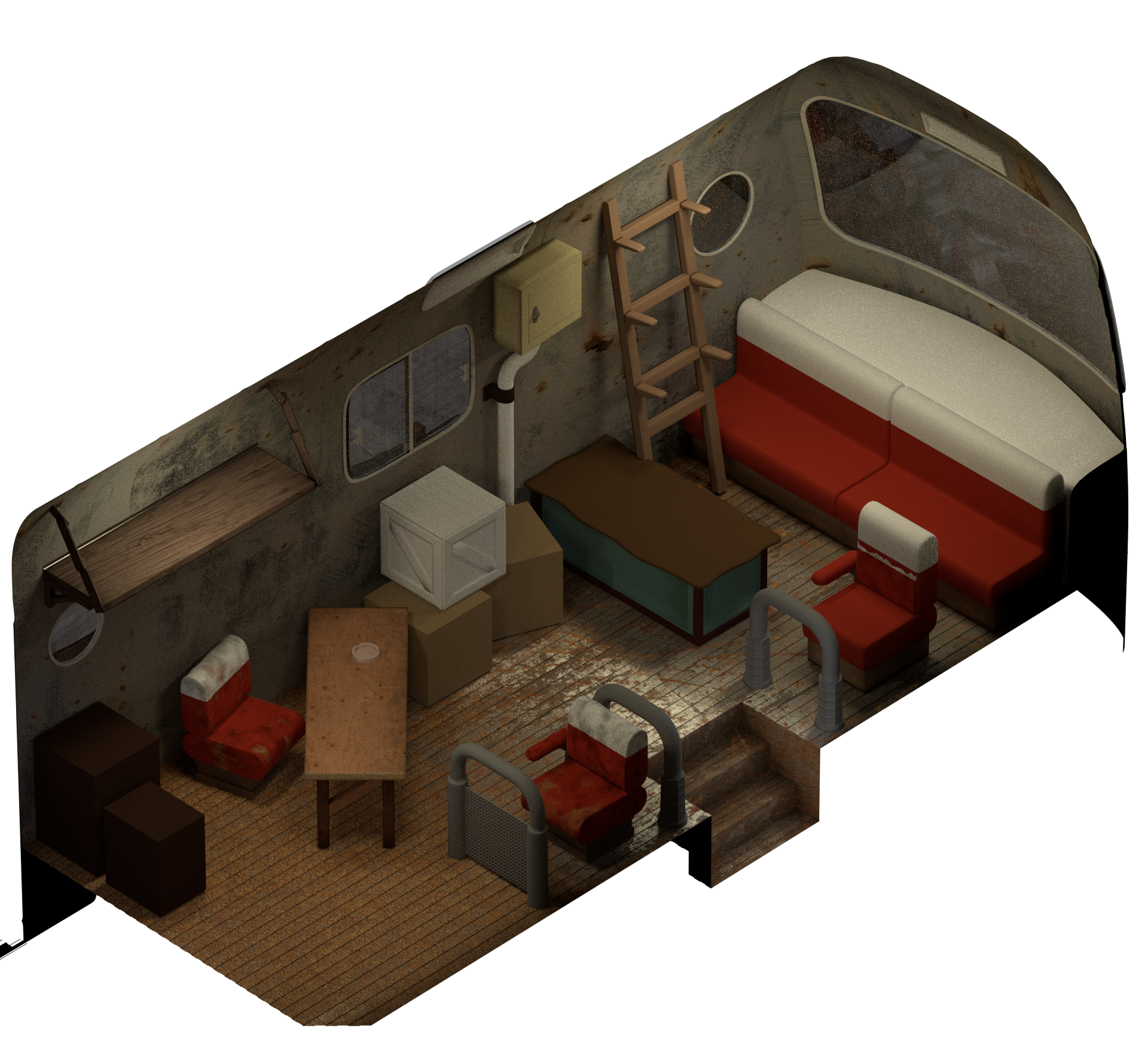
Update... Coming back at last to mds5_w, mostly working on textures.

u0tcel6.png


There are a few things which will be changed from the original scene, which was riddled with design issues. The most drastic change is that the bus driver seat will not be visible: to be consistent with the proportions of the bus in mds5_1, the driver's seat is position a bit more than 1 metre in front of where the visibility of mds5_w ends. I'll replace it with other stuff. The dimensions of the other seats have followed some minor alteration (the ones I textured), so that they would have similar dimensions as a proper bus seat. I'll probably use models from Blend Swap to get the weapons done and speed up the whole job on that scene.

I have also successfully imported the environment of mds5_1 into that scene, so that it can be seen through the windows and windshield of the bus (you may see some canvas through the windows, and the rubble of the broken construction through the windshield. I'll have to work on the enviro light, though.

[EDIT] After double-checking, my seat dimensions do not correspond to those of reclining seats, which a/match the original design  b/correspond more to the concept of a touring bus. So... I guess I'll redesign them. Oh well. At least I got the materials done.
 
Last edited:
You've come a long way Mayo, it's great to see your still contributing to the 'cause' :P.

Are you using generic units 0_o?
 
One of the first things I do when working on a scene is to establish a proper scale. Usually I take the reference of an object whose dimensions are standard (example: door frames have standard height of 2.1 m) and normalize the whole scene based on that reference. For mds5_w, it was bouncing back and forth with how large the bus is in mds5_1, and match it with plausible bus dimensions. Once a scene is properly scaled, it's very easy to put units to all the dimensions in your scene.
Scaling a scene is important since many objects at original resolution have absurd sizes (namely, small objects were considerably enlarged to make them be recognizable at the very low res of "standard tv", rather than be small pixel blotches), which needs to be corrected in our HD renders. Another aspect is that some physics simulation in Blender (namely fluid sims) need to be scaled correctly, as well.
 
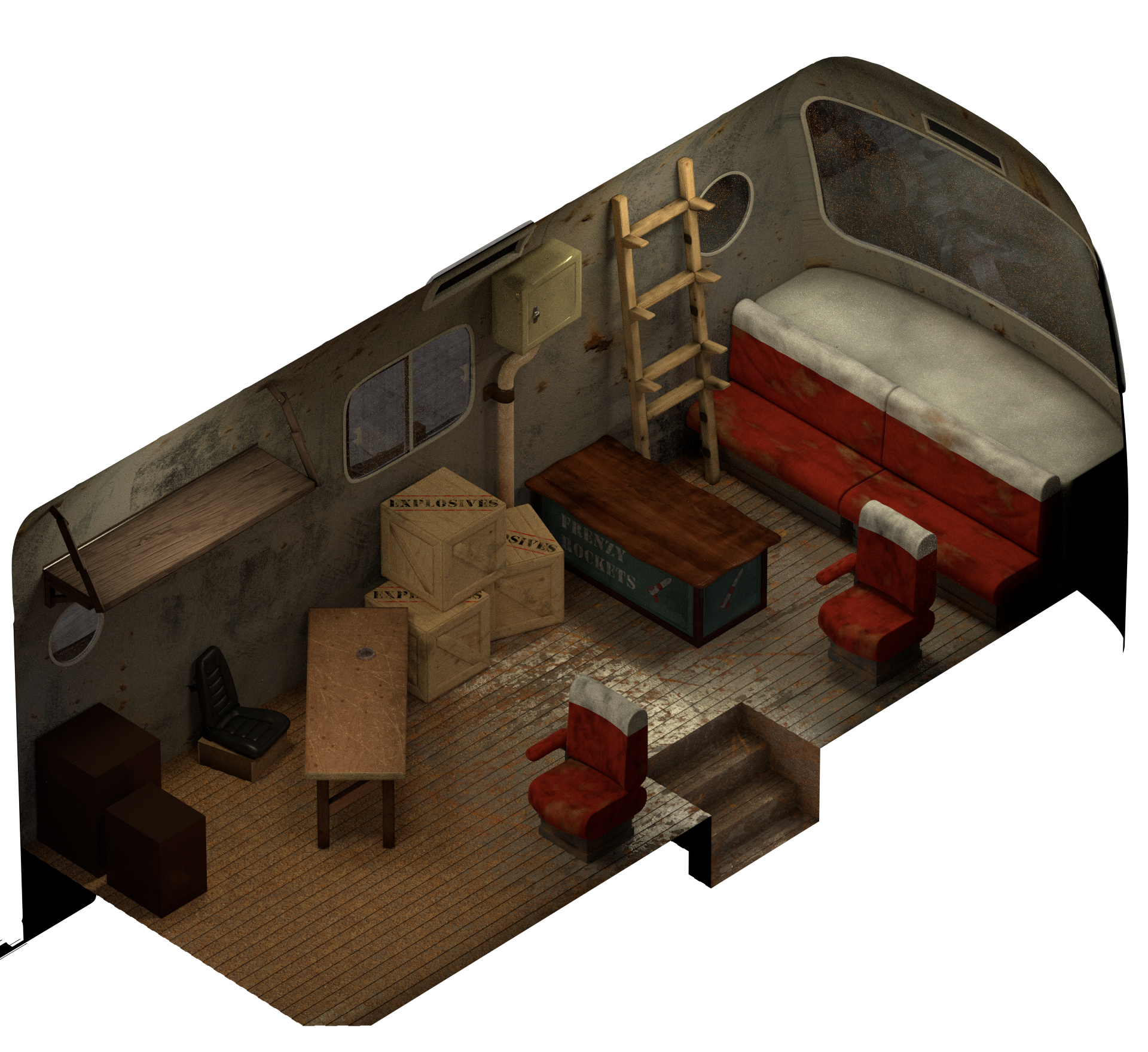
Update! Basically I revised and textured all the objects that were made previously.

JXoLspo.png


I hope you like it so far.
 
That's coming along nicely.. Can't wait to see the machine gun :mrgreen:
 
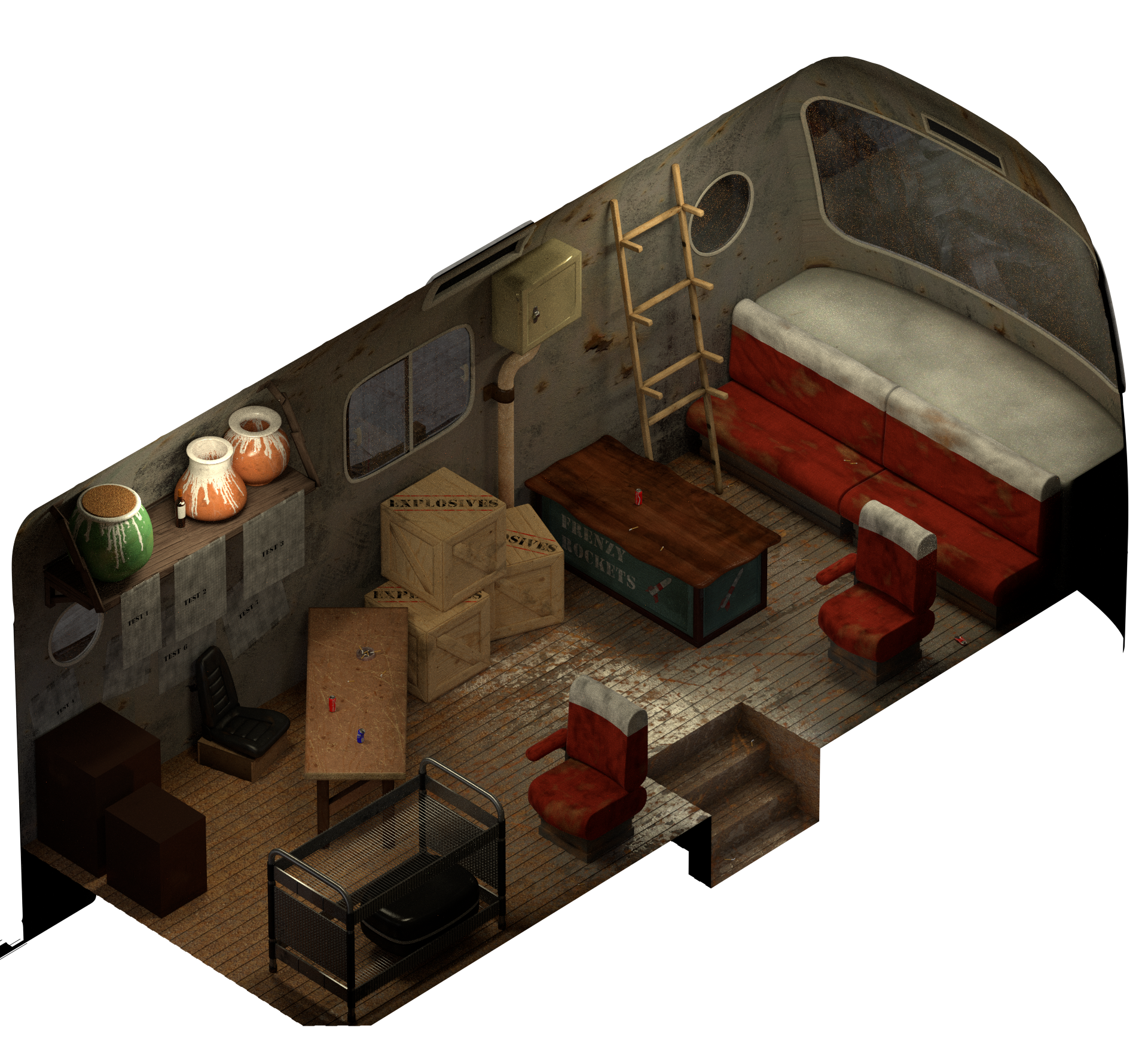
Update (click for 100% res)...
7GYxFER.png


So... a few comments:
- Given how the bus was redesigned, the driver's seat was relocated much more in front, in a place not rendered in the indoor view. So, for that indoor scene, I needed to model something to fill the same place. I decided to opt for a luggage rack. I hope you find this suitable.
- Since the last update, in addition to the luggage rack, I added a bunch of cigarette butts, soda cans, posters/papers, clay pots, and a whisky bottle (which I will probably copy paste in several other places - I still need to work on the labels). I feel like the scene could use for "trash" objects (like cigarettes and soda cans), given that the rescaling process made them significantly smaller than in the original.
- I have a chainsaw model taken from BlendSwap (I can use it as long as I give credits, and it's for non-profit stuff). I'll pretty much render it for final renders (not WIP renders) so that I don't have to give acknowledgements 10 times in this thread. I had to retexture it, though (it was not made for Cycles). So, you'll see it eventually. The rescaling process made it look a bit small, although I would say the original chainsaw was humongous. I'll most likely do the same for all the other guns in the scene. I may want to model the katana myself, though.

I guess that's about it for now.
 
I dunno if it's just me or what, but all that littery stuff seems really small relative to the scene. Either that, or this bus is enormous. It might be worth getting the scale technically wrong for the sake of feeling right, if that makes any sense; the wonky design in this game isn't always gonna be compatible with realistically-proportioned objects.
 
That is a stunning bus you've got there mayonnaise, everything looks great but I agree that maybe the soda cans and cigs could be blown up 1.5x and made a tad fatter. Look at the hand-fists on the field models, to scale, next to the cans. Other than that, killer job so! I'm excited to test this area out
 
Scaling was complicated because I wanted a match between the indoor and the outdoor scene, and this is the best compromise I could make (I'm not sure there's much room in that department). Yes, the bus is pretty big (slightly more than 2 metres wide, which is more than common buses - I think the length was around 9 metres and the height 3.5 metres). Still, the original was actually a lot bigger, and sizes were absurd (5 metres wide and tall, soda cans 50 cm tall, etc). I'm staking reference with Kaldarasha's models, and I made some pre-testings in game (that was a while ago, though, when testing ovrall dimensions of the bus) using myst6re Makou Reactor field editor (it works pretty well when models are about twice the size of the originals, i.e. around 1000).
Regarding the trash objects, since they look relatively small, I'll make them more numerous. I wouldn't want to modify the scaling I've come up with.
 
Regarding the trash objects, since they look relatively small, I'll make them more numerous. I wouldn't want to modify the scaling I've come up with.
How does the scale look with chibies running around..?
just wondering
 8)
 
How does the scale look with chibies running around..?
just wondering
 8)
To be honest: not so good. But there's the thing: either we want the scene realistically made for characters with realistic proportions, or we keep it deformed for chibis characters. I don't think we can make a rescaling process which would be a suitable compromise for both kinds of characters. My take was always to make a design for realistically proportioned characters (in my opinion, the game gains a lot with new high poly models with more realistic proportions, while chibis look a bit off). I have to admit I have never been fond of chibis, even back in 1997. My own tastes aside, creating realistically proportioned environments (for realistically proportioned characters) makes them more believable (giving more immersion). It also helps the modelling of objects by taking real life examples and take their dimensions as guidelines. If an environment is scaled for chibi models, it will look more like a dollhouse than a real place. That pretty much sums up the motivation behind this design choice. This design choice will have to be consistent across 3D modelling artists, so I hope you're following me on this one.
 
This design choice will have to be consistent across 3D modelling artists, so I hope you're following me on this one.
Errr...not to be contrary here but...isn't using chibis one of TA's big things? I thought that was all part of keeping with the style of FF7 but just increasing the resolution.

In any case the bus is looking awesome!
 
Status
Not open for further replies.
Back
Top