[HD Remake] WIP Sector 5 slums

  • Thread starter Thread starter Mayo Master
  • Start date Start date
Status
Not open for further replies.
Ok, that's good to know. On my monitor (27" ACER) I can make out details and nuances on low RGB values (even if it looks very dark) - oddly enough, the brightness is at the setting of 15 on a scale of 100 (on max setting, I could probably illuminate my entire apartment with it :P ).
By the way, if you have that sort of brightness issue, can you let me know if the brightness is fine on your end for the colne_b1 scene?
 
I quite like the lighting, perhaps a little brighter in the right side, but not much. I am a fan of the slums being dark and dreary... they are slums after all.
 
The biggest problem I see are the buildings in the center. They look very small (somehow unimportant) compared the things around of them. I currently counter check it to the original and will make some notes. The darker lighting looks correct for me, the image is usually darker on PSX. Speaking of lighting Aali's driver can't replace the light layer(s) correctly. You can replace the light, but the transparency can't be changed dynamically by the game.

Here are some suggestions of me:
jmd2dcpn.jpg

I would try overall to merge the buildings with the tower and put some pipes through the roofs.
 
Last edited:
Interestingly, it looks a lot lighter on my laptop... which highlights the points Kaldashara has made. However they were not so noticeable on my rig and moniter where the buildings seemed more dominant due to the lighting. Don't know what to add to that, but there are my observations for you! :)
 
My goodness! So much feedback all of a sudden! I almost feel overwhelmed!

So... first:
I can't get the preview to show up (dammit Imageshack).
Try this, freshly uploaded to imgur. If you feel like you cannot make out much of the details in the pile in the bottom of the image, it's pretty much normal - I don't think it's meant to be a brightly lit scene. However, if you cannot see the main features, then I'll be concerned. By the way, I also advise you try to look at these pictures when surrounded by a black background on the screen (as it is in game), instead of a white background (as it is on this forum). It makes a real difference in how your eye can perceive it. If you're curious, colne_be3 has a brighter lighting. If you can test these fields in game and see for yourself, that would be the best kind of test (both scenes are layered and everything).

I quite like the lighting, perhaps a little brighter in the right side, but not much. I am a fan of the slums being dark and dreary... they are slums after all.
I agree. I may brighten the scene a little, but it won't be much, especially in that top-right corner behind the bus (it's not meant to draw attention to the viewer, besides).

That bus looks a bit shinny for that area...
You can only guess how much texturing work I'll have to do  :o

The biggest problem I see are the buildings in the center. They look very small (somehow unimportant) compared the things around of them. I currently counter check it to the original and will make some notes. The darker lighting looks correct for me, the image is usually darker on PSX. Speaking of lighting Aali's driver can't replace the light layer(s) correctly. You can replace the light, but the transparency can't be changed dynamically by the game.
Here are some suggestions of me:
I would try overall to merge the buildings with the tower and put some pipes through the roofs.
Well... you're asking for a huge revision here. You should have given me this feedback when I started, 6 months ago  ;)   As far as scaling is concerned: the buildings in the centre are matching the original very closely. I agree that they look small, for that matter they are much smaller than their "indoor" counterparts. Beyond the amount of time I would need to spend on these kinds of revisions, I am not sure I could even make some of them them because of layering constraints (I don't have control on how Palmer cuts some of the layers). Walkmesh constraint may be a hindrance if trying to make larger buildings, too. I would have to do some testing on these constraints before trying to change these dimensions.
Overall about scaling: most of your suggestions would be good in principle, but their implementation is not straightforward. They would also be a significant deviation from the original image - I would probably be ok with that, but I don't know how it would be perceived in general. Also, to be honest I wanted to be able to deliver that scene around end-of-june/early-july, and that won't happen if I try to implement these revisions! I would probably have more enthusiasm about more work on that scene if there were some 20 people actively working on the project.
About the other details: often it's a matter of preference. I think the chimney cap on the foreground is fine as it is, and the design of the straight "Cargo" rooftop was actually deliberate (I wanted it to be an "upcycled" piece of a container for boat transportation, and dimensions had to make sense). As for the bent plates of the rooftops, I could do that. I agree it would look better, and I perfectly know how to do that (make a bunch of extra loop cuts and use lattice modifiers). I am not sure how much I will do though, again because of how time consuming and how tedious that is.
Honestly, I will probably put most of that on the back burner. I would prefer to be able to wrap up a 1.0 version of that scene and move on (fair enough, there's a certain amount of quality required of version 1.0, and I have to deliver that). Still, I'll do some testing.

 
Yeah, it's too dark on this screen. I can't tell what the water is, among other things; it looks like there could well be another floor under there, or a void, or anything.

I tried running both fields through photoshop. The sector 5 image was still darker than the original, but bright enough to see. The sewers actually had a brighter platform above, but the water underneath was just barely visible.

As an aside, they both look pretty good on my home computer monitor. I don't know how well calibrated an iMac is out of the box, but I'd imagine pretty decent.
 
The sewers on both scenes have very murky water. I could probably tuned that in a better way now, because 6 months ago Blender didn't have volumetric absorption shaders (so I had to fake the murkiness by blending a glass-like shader - for water - and a diffuse shader for the mud-like appearance). That being said, The bricks underneath are barely visible - for the fluid simulation to run properly, the water was needing a non-negligible height to just flow, so there's between 15 and 20 cm of sewage there, which would realistically yield a fairly opaque result.
By the way, re-rendering these sewer scenes would take a while, since I would need to render 8 animation frames for each scene. I believe I still have a backup of my fluidsim files, though.

Then, as a whole, what would be your recommendation? Do you think increasing the brightness on my renders is necessary, or do you think it's rather up to the players to adjust the brightness of their monitors? To be sincere, I think I have a fairly well-tuned monitor on my end, so I am unsure if it's up to me to make the adjustments. I could try a better match with the original images on the overall brightness, but as I said, I tend to find corresponding renders a bit over-saturated and over-exposed (especially for slums scenes).
 
Last edited:
Well, they're fine on my screens at home, which I know are properly calibrated because I did it myself. My big concern is that the average user will be running every piece of software and equipment at default settings; if a game does not have any gamma/brightness correction features, you cannot assume they will be able to see at all in particularly dark or light areas.

I think it might be easier but just as effective to brighten them up a tad in Photoshop, particularly with those time consuming sewer scenes. The results aren't quite as perfect as a fresh render, but when I tried it they were still pretty good quality as long as you didn't go overboard. And as for Sector 5, it can be brightened significantly while remaining darker than the original, a good balance between the two. I really do think you're right that they're better off darker than the original, but it's still better to be safe and put a lower limit on how dark you're willing to go.
 
I checked out your brightness correction by Photoshop on colne_be1, it looks pretty good indeed. You may also want to double-check colne_be3. Overall colne_be3 is brighter, so a brightness correction may not be necessary, but I prefer to let you judge of this. There's actually a technical reason behind the lower brightness of colne_be1: I had to tune some render settings (namely, add a "cap" on specular values on the specular light passes) to avoid some persistent fireflies (for that matter, the reflections on the water of colne_be3 are a bit too saturated, because there was no such cap on the specular light passes). If that's fine with you, I can send you all the layers of colne_be1 (and colne_be3 if the situation warrants) for you to tune the brightness. Then they'd just need to be combined in Palmer.
I'll be coming to you for feedback on the Sector 5 main slum scene when I'm working on tuning the lights, then.
 
colne_be3 could use some tweaking on the ladder and railing; additional contrast wouldn't be accurate from a realistic lighting perspective, but it could definitely do to stand out more. The overall light level isn't going to be an issue on this one though.

I did save my settings for colne_be1 to a PSD just in case, so I'd be glad to apply the same settings to all of the layers. It's a little more complicated than a simple brightness tweak; I actually did one uniform minor adjustment with the levels tool, and then a stronger adjustment just to the water and a few elements that I felt needed to stand out better.

I've gotta say though, aside from the issues with the brigtness (which even then are minor and don't apply to properly configured monitors) this is all some real good work here. Certainly better than I could do (which, therefore, is why I'm not really involved with TA).
 
Regarding colne_be3: I'm not sure how I could make the railing and the ladder stand out more without adding an extra light source... for the railing, I can't see of a "relevant place" where I'd put one. I don't really think it is necessary, since the layering will make the player notice it's there. For the ladder, I could imagine another light source from the top, since the top of the manhole leads to the train graveyard. Still, I would keep these modifications for later (when I have the time to revisit this scene, which is not a priority), unless you can phototshop such a light source in the scene.

How would you like me to send you the layers of colne_be1? You could PM an email where I'd send them, I could upload them to the file repository, upload a .7z archive somewhere (or upload the bunch of them to imgur)... just let me know. Even if you're not really involved with TA, I appreciate the help  :)   Feedback is a good form of contribution.

By the way, after Kaldarasha's list of suggestions, I took a look at how Palmer is cutting out layers for this scene. Actually, there is quite a bit of room for modifications. I'll leave that for later, but I won't discard the possibility. For now, I'll try to bring the viewer's attention to these buildings in the centre with how I arrange my lighting setup.
 
It's easy with Photoshop. My chief concern is that it does start to sacrifice realism when you make tweaks like this without actually modifying the lighting. I dunno if it's enough anybody would notice something's wrong, but it's worth noting.

My email is covarr, gmail. Send me stuff however's easiest for you.

As an aside, I checked out this mac's calibration. I must've calibrated it before at some point; the gamma setting was already at 1.8, lighter than Mac's default 2.2. If I was getting nearly-crushed blacks and not enough contrast, I'm even more sure than before that other people are bound to have the same problem.
 
Regarding the retouches with Photoshop: you don't have to be that concerned. As a matter of fact, in the world of CG, the use of post-processing techniques (such as Photoshop)  is not only common practice, it is actually recommended. I have limited tools and skills when it comes to photo manipulation, so I personally tend to keep post-processing to a minimum. However, post-processing is very useful, and is used in a wide variety of situations. Some examples:
- Get a better balance between your light passes (for example, if you want to emphasize a specular pass over a diffuse one, or vice-versa).
- Color grading
- Mimic a variety of camera lens artifacts (sun glare, chromatic aberration, lens flare, depth of field, vignette, etc).
- Denoising
In Blender, you can actually apply a bunch of post-processing method in what is called the "Compositor", but if you make similar effects in Photoshop, it doesn't make the end result "less valid". As long as the post-processing effects still look realistic and are somewhat subtle, there's nothing wrong with that. For that matter, the glares and soft blurs around the lamps in both sewer scenes are made through the compositor, you cannot have this effect from a raw render. I agree you have to be careful when applying post-processing techniques, but given what you showed me previously, I'm confident in the end result.
So... well, I just sent you all the layers, by the way. I would even have a request: if you could please see about softening the harsh specular reflections on the water in the colne_be3 layers, that would be a welcome improvement. I'll be looking forward to seeing your results.
As for the lighting, then we're on the same page  :)
 
I dunno what I can do about those specular reflections. They're simply too harsh; there's no recoverable color data there, and I don't have the talent to completely redraw that. But other than that, I've got all the layers done. Sending 'em back right now.
 
Thanks for the files. I just recombined them through Palmer and tested them in game:
- For colne_be1, everything is fine
- For colne_be3, there's actually a small problem. After double-checking, it seems like there's some sort of weird aliasing, which is most likely due to the fact that the image is not displayed at full-scale (HD is actually 4.5 times the original, while my renders are 5 times the original image). The problem exists for both non-retouched renders and your retouched image. In this situation, I think it is best to use the set of images where there's non contrast enhancement on railing and ladder, because it makes the aliasing very subtle. On your set of retouched images, the aliasing "pops" to the eye, and it's not looking very nice. One possible cause could also be a problem of alpha values management in Palmer when combining the layers, but I don't know enough about Palmer to confirm this.
I heard there was an issue if the image resolution was a non-integer multiple of the original, which is why I was always choosing "5 times the original resolution" instead of 4.5 times (for each dimension, of course). I've never tested the problem, and I don't know where the issue is from. If somebody could fill me in, that'd be much appreciated.
 
Last edited:
The biggest problem I see are the buildings in the center. They look very small (somehow unimportant) compared the things around of them. I currently counter check it to the original and will make some notes. The darker lighting looks correct for me, the image is usually darker on PSX. Speaking of lighting Aali's driver can't replace the light layer(s) correctly. You can replace the light, but the transparency can't be changed dynamically by the game.

I would try overall to merge the buildings with the tower and put some pipes through the roofs.
Let's have a closer look at the buildings.


Looking at the lines of the walkmesh compared to the background, it looks pretty close.
The one small difference I notice is the little shed behind the circular well (?), it is a bit taller on the right side, but should not really matter.

With regards to the lighting


As I see it, there are still some light sources missing, that would light up the whole scene a bit more here and there.

Specularity...well like you said, still a lot of textures to go  ;)

Hope this helps a bit, overall I like it growing as it is.
 8)
 
Thanks for your feedback, SpooX  :)

Regarding the mds5_1 scene, since the last update I made the texture of the dirt ground, which was fairly complicated to pull off. Now I would like to move on to the details of the bus, but in order to do that, I'll pretty much have to work specifically on mds5_w scene (yes, there still will be the concept of "seeing the inside of the bus from the outside scene).
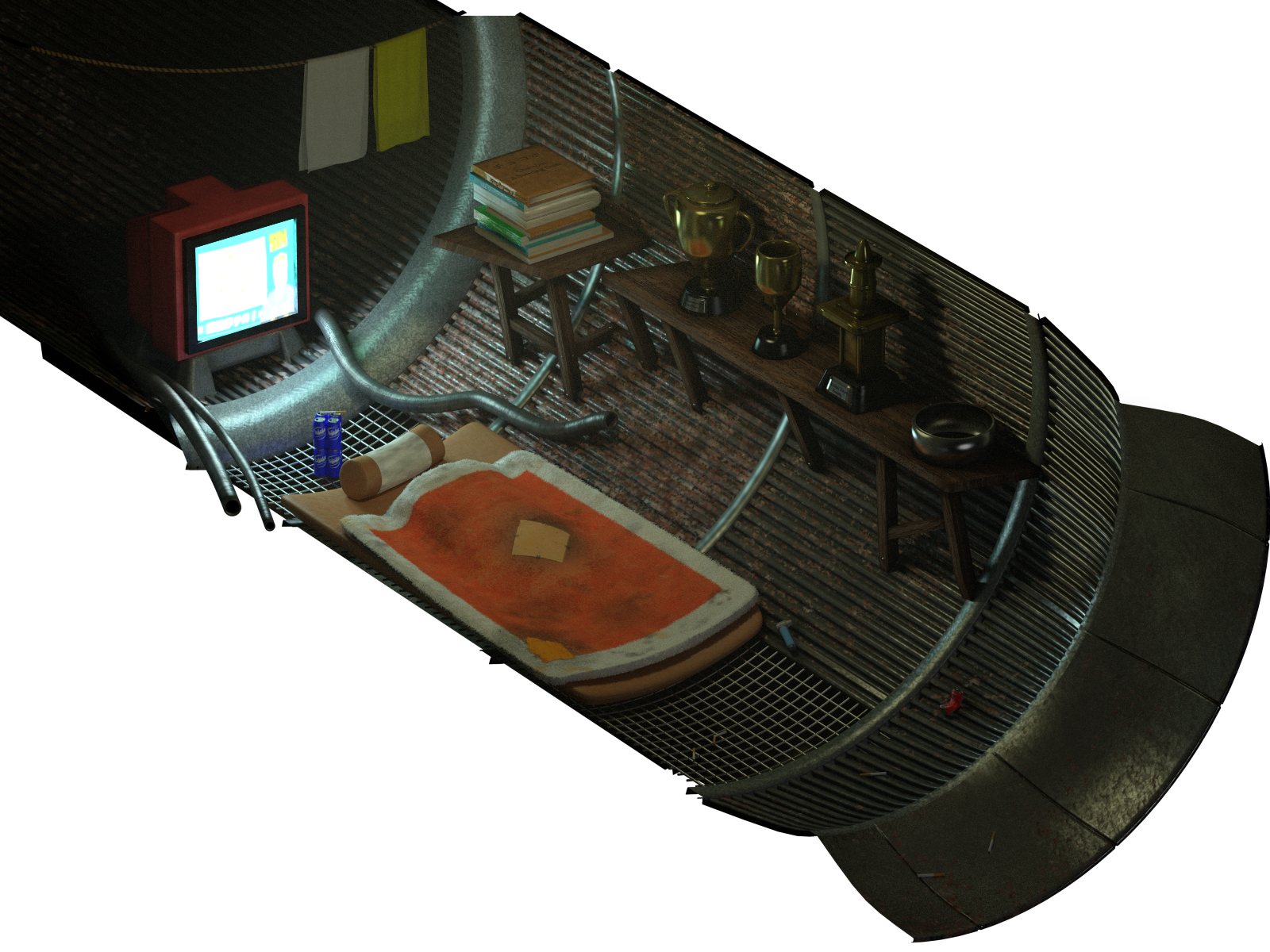
In the meantime, anaho latest update on his scene inspired me to do something very useful... as some may know, Blender just included volumetric scattering shaders in their latest release. Thus, I've made an update on mds5_dk (aka "The man in pipe", aka "This guy are sick"):
AS7iyE5.png


The great thing is the new ability to convey the feel of a dusty place where the air seems "thick", which is perfect for all slums scenes. Not only that, but it is exactly what was needed for increasing the overall brightness of these scenes without increasing light intensity, and also lower the saturation in the process. Thus, I think I'll go ahead and apply this method for all slums scenes. The downside is obviously longer render times :P
 
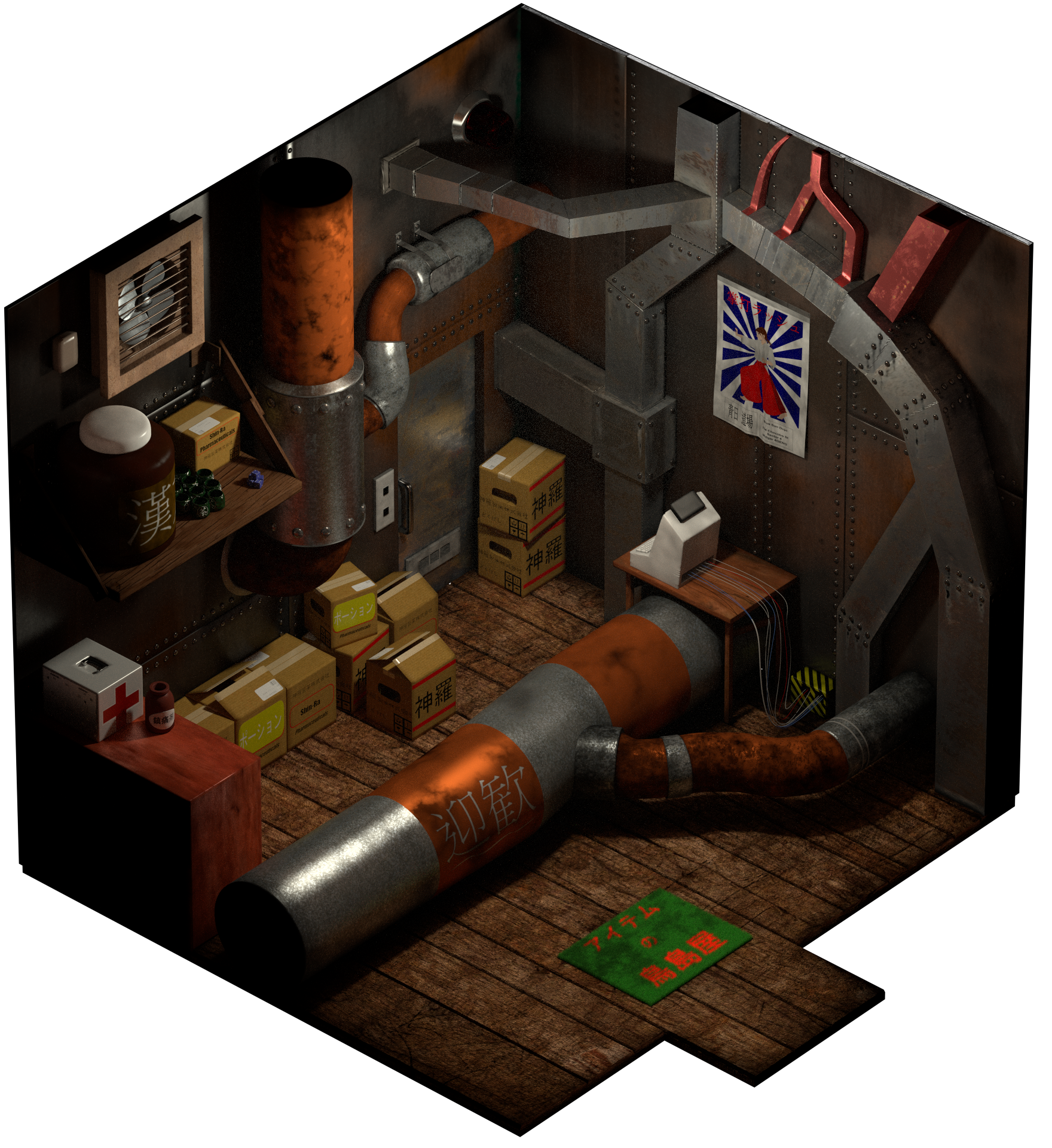
Update! I included a touch of volumetric scattering for the mds5_i scene (item shop). The number of samples isn't too high here, meaning it can be increased to minimize the remaining noise.
I wanted the "dust" effect to be very subtle, a "foggy" shop wouldn't make sense in my opinion.

GkqsEBP.png
 
Status
Not open for further replies.
Back
Top