[PSX/PC] General editor - Hades Workshop (0.50b)

  • Thread starter Thread starter Tirlititi
  • Start date Start date
Status
Not open for further replies.
@ eXistenZe : Yes, send me your .hws. I'll check it.

Update to 0.26 !
What's new :
- You can fully edit the game scripts. Also, you now have access to the World Map's script except for the japanese version which I have troubles with. The syntax ressembles to the C syntax with some significiant differencies (see below),
- Added an option for displaying texts in a nicer way (without the opcode symbols) in previews.
- Added a button in the text editing window to automatically compute the size of the dialog box. It's not 100% reliable but it's still fairly accurate.

About the game script, here is what I added in the "Help" window :

Code: [Select]
Code:
The game script handles scripted events, enemy AIs and other related stuffs.The script is presented with a kind of C-like syntax. There are several differences though.[General]The language accepts only one instruction per line.Lines are not terminated by any punctuation character.For flow control statements, the braces are mandatory.You can't use braces out of a flow control statement.There is no such thing as real values. Everything is done using integers (sometimes signed).Once you have modified a function's script, you must parse it to check eventual errors.[Flow Control]The different keywords for controlling the script's flow are described here.if : usual If/Then statement with an optional Else. The syntax isif ( CONDITION ) {    CODE}orif ( CONDITION ) {    CODE_A} else {    CODE_B}Note that the opening braces must be on the same line as the keywords "if" and "else".ifnot : opposite control of if. It works similarly though. The syntax isifnot ( CONDITION ) {    CODE}while : usual While statement. You can use the keyword "break" to leave the control but there is no such thing as a "continue" instruction. The syntax iswhile ( CONDITION ) {    CODE}do/while : usual Do/While statement. You can also use the keyword "break" to leave the control. The syntax isdo {    CODE} while ( CONDITION )switch : a Switch statement with consecutive cases only. The first case's value is specified in the control, as well as the maximal amount of cases. The syntax isswitch NB ( VALUE ) from FIRST {case +INC:    CODE_Acase +INC ; +INC:    CODE_Bdefault:    CODE_C}whereNB is the maximal amount of cases,VALUE is the control expression,FIRST is the "+0" case,INC are numbers strictly lower than NB.Note that, like in C, you have to use the keyword "break" if you want only one branch to be run and that the "default" case is optional.The semicolon allows to make several values lead to the same code branch.switchex : a more usual Switch statement. The exact amount of cases (default case excluded) must be provided in the control. The syntax isswitchex NB ( VALUE ) {case X:    CODE_Acase Y ; Z:    CODE_Bdefault:    CODE_C}NB being the amount of cases and X, Y and Z representing numbers. The keywords "break", "default" and the semicolon have the same purpose than for the "switch" statement.loop : rerun the whole function. It works as an alternative to a last "RETURN" instruction and can only be used out of any other control block.[Variables]You can not declare variables. There is a limited amount of them, some being globals shared accross different field scripts, some being locals initialized to 0 when the script code is loaded.For what I know,- local variables are the ones named "VAR_A" "VAR_B" followed by 2 numbers. The second number works as an array operator,- usual globals variables are the ones named "VAR_D",- global variables that are saved in a memory card save are the ones named "VAR_C",- "MV" and "SV" variables are special globals that are also shared by the game's mechanics (such as the battle code or the deplacement code).- There are also Getters to retrieve values from the other game's mechanics that can't be directly modified (such as the player's gils amount).In order to manipulate variables, you must use the instruction "SET" followed by a series of operations over the variables. Some of those operations are still unknown.Besides the usual operations, you have "^" that marks the binary XOR operation and "#" that is an unary operator counting the amount of active bits.The brackets are more of a structure's field accesser than a real array operator. They will be displayed differently in a next version.Note that the minus operator can't be read as an unary operator yet. Only positive integers can be used in variable manipulation codes.WARNING : at the moment, the operation priorities are not respected. By default, the operations will be executed from right to left. It is advised to write all the parentheses.Variable manipulation codes can also be used in most of instructions's arguments.
You can change quiet a lot of things now. The content of the chests, the game dialogs, mini-game mechanics, etc... The scripting language may be a bit ascetic :/ I guess I would have had way more work if I wanted to make it more flexible.

Here is an example I made (a patch for the Disc 1 of the US version - just start a new game once patched) :
download patch example
It took me some time, though. It's still tedious. But way way less than editing the thing with an hexadecimal tool ^^

There is a limitation I'm willing to remove for the next version : you are limited for using only preloaded datas. You can't use a model if it is not present (hidden or not) in the original game in the field you want to use it. That also goes for model animations or fields (you can't jump from any field to any other field) or for battles.
In fact, I already passed by this limitation in the "hidden dialogs" patch I made. I need to work just a little bit more to automate the process. I guess I'll make available the choice of which datas are preloaded in a field (and a battle -> you'll finally be able to change an enemy's model).

Ah yes, something I forgot to mention in the help : the array of variables (the second number in "VAR_A10_10" for example) is of size 256 for variables of type A, B and SV and is 65536 for C, D and MV. I also forgot to throw an error if you enter something higher... You'll end up with an array re-ajusted between 0 and 255 without being noticed of that.

Also, here is a list of the fighter structure fields I know (If you see "SV_FunctionEnemy[38]", for instance, that refers to the enemy's current MP). They appear only as raw number in the program :
Code: [Select]
Code:
[32] : Enable back presence flag[33] : Disable presence flag[35] : max HP[36] : current HP[37] : max MP[38] : current MP[39] : max ATB[40] : current ATB (Only player characters maybe)[41] : level[42] : status immune (Heat - Gradual Petrify)[43] : status immune (Petrify - Protect)[44] : auto status (Heat - Gradual Petrify)[45] : auto status (Petrify - Protect)[46] : current status (Heat - Gradual Petrify)[47] : current status (Petrify - Protect)[48] : elemental immune[49] : elemental absorb[50] : elemental half[51] : elemental weakness[54] : shadow flag?[55] : model size[59] : Disable model flag[60] : Enable back model flag[65] : line position (not to confuse with "row position" ; that's the ordering of the fighters from 0 to 3)[73] : magic power[74] : defence[75] : evade[76] : magic defence[77] : magic evade[78] : marthym order flag (change its value to cast Marthym !)
You can totally modify them in battle script (the game does that for turning Ozma's darkness absorbtion into a weakness, for instance).
By the way, the reason why I display integer values as a base 64 numbers (among other display modes) is that most of enemy AIs use this base for the setup of their spell (how them casting is randomized is quiet complicated ^^). It has importance for the values in the AI setup.

I would be surprised if there isn't any bug, but not with the most common opcodes and stuff.
If you find one or if you have any question, please tell me.

I would like to thank yaz0r, a french fellow who works on a script dumper and who helped me for this (if you have convenient names for some functions, it's thanks to him for instance ^^).
 
Last edited:
MP Multiplier of Spells:
0 = Nothing special
1 = Can be used in menu(such as Cure). Does nothing & waste mp if you allow some commands(such as Flare) to be used on a party member in menu.
2 = Blue Magic(this skill may be obtained by Eat/Cook). Character must have skill available in Ability set.
3 = No idea, havent tested. Not used for anything by the game though.
4 = Makes MP cost 4x the amount. Used on Garnet's Eidolons.

For example, if i swap Ifrit's MP Multiplier from 4 to 1, Ifrit's MP cost becomes 26(the regular amount) and becomes usable from the menu. Since Ifrit does nothing in terms of "Heal/Status/Revive", the character just wastes 26 MP.
 
Oh my god, thank you so much for this point :O

I think I just tested the value 3 on Garnet's eidolons and saw the multiplication went down to 3 times the MP amount.
The flag 2 may be the fact that you don't see figures when you are learning the ability. That's not something that can be seen in regular games but the Blue Magics don't display the AP on the learning bar ("35/40" for instance ; it's replaced by 3 stars when you have fully learned the ability). eXistenZe was having this problem : I think you just gave him the way to fix it ^^
Indeed, there are few effects that can be used in menu.

I'll investigate that more thoroughly. Thanks a bunch again !
 
Last edited:
I have a problem.
I want to make the same as hidden dialogs patch in the spanish version.

But in Steiner in Prima Vista scene (Prima Vista/Storage -> Function func_0_1) gives me this error:  "- Not enough space : data is 21636 bytes too heavy."

This error apears without changing anything, and if I change a value, the program don't make any real change when I save it.

Any solution?

Sorry for my english.
 
Indeed, the script editor has a kind of bug (harmless but it sometimes screw the data space required by a function) : some switch/ex control cases have redundant operations.

In this case, you have switches in this function that ressemble to this :
Code: [Select]
Code:
switchex 14 ( VAR_B9_239 ) {case 206:    some_code_A...    FIELD( 206 )    some_code_B...case 200:    same_code_B...
The code B is redundant in the first case because the "FIELD" opcode should be handled like a "RETURN"...

I'm aware of the problem and hopefully it will be fixed in the next version.

I'm in holidays tomorrow ; I'll have a bit more time for the program so I guess the next version will come out soon. It will also enable the edition of preloading datas, which is compulsory for making a patch like "Hidden dialogs" (for the Linblum's part).

So I can only tell you to wait a bit 'till I fix the problem, sorry. You're looking at the very right place for Steiner's dialog, congrats ^^
 
Thanks, I keep waiting ;). You are doing a great great work.

I have another question (less important).
I already added the dialogs between Vivi and Puck. All gone well, but when Puck talks (not Vivi beacuse his texts are in his function) the new text boxes appears over Puck and cover him. I don't know why this happends. Can you tell me why?

sin_titulo_1_copia.jpg


Thx.
 
I didn't even see that dialog was still in the script ! It's not in my Hidden Dialogs patch ^^"
I'll look into it. It might be related to the window's flag UI argument in the "WINDOW" or "DIALOG"s opcodes.
 
I didn't even see that dialog was still in the script ! It's not in my Hidden Dialogs patch ^^"
I'll look into it. It might be related to the window's flag UI argument in the "WINDOW" or "DIALOG"s opcodes.
The dialog is not in the script, only text. I added it into the script. I'll look the UI options, thx.

If you want the script modifed to add the conversation, here you have it:
viviPuckDialog.rar

The both goes in "Alexandria/Rooftop"

The script is the spanish one, but I thing that works in USA or french ver. as well ;)
 
Last edited:
Ah ok, I wondered ^^

I guess the dialog was initially meant to be placed after they reach the castle's wall, since the texts are after the “After this wall, we'll be inside the castle!”. That's why I didn't add them in Hidden Dialog.
Though it makes sense to have the dialog here.
 
Tirlititi is it possible to replace "Change" into any other command list instead?

here's what i tried, but nothing worked...
also the only reason i linked the "itoikenza" command list, is because it won't let me add moves otherwise...
itoikenzaFF9Change.PNG
@Tirlititi, Remember that?

have you ever fixed the change/defend not being changeable into a moveset yet?
 
Last edited:
There're 2 or 3 change and defend command in ff9.img. All have pointers point to them. You need to edit it and other text which are not supported by HadesWorkshop by an hex editor or program likes Atlas.

Anyone know the opcode to access small Kana letter in Japanese version? I guess it's some kind of F9xxyy but havent found it yet.
 
Updated to v0.26b.
Few things new there. I had so much trouble with one of them...

- You can now change the battle scene of battles,
- You can modify the preloading datas of fields and world maps : it allows to trigger any battle inside any field and jump from any field to another,
- Modified the "MP Multiplier" field for spells, it was flags in the end (thanks Baby5 again for that),
- You can now see and remove (not add nor edit yet) special text opcodes I called "Format Codes" : they are used to tell whether a dialog bubble must be up or down, or place the bubble on the screen (ZackNeji : if you delete the format codes of Alexandria hidden dialogs, they will display fine on this screen),
- Fixed 3 bugs with the game script : the harmless one plus two others... There might be some more though :/

About preloading datas, they are half-automatized : you don't have to care of making preloading datas match each other (if an enemy formation is preloaded, its battle scene must be also preloaded for example) but you need to manually add preloading datas (fields and enemy formations mainly) if you use one in the game's script.

itoikenza, I am aware of this problem everytime I open the program ^^"
But the recent insight I had with battle's mechanics make me think it will be really hard for me to understand it, and therefore manage those commands.

So, I said I would tell about how making an "hidden dialog" patch with the tool so here it is.
First, open the disc 1 and 2 and go to the fields panel.

1) For Steiner's Bitterness part :
This one is quiet easy, you go in Ruined Prima Vista's storage room script (or whichever it is called in your langage), select the "Function Main_Loop" : the dialogs are mainly scripted in this single function in this field (in most fields, the dialogs are scripted in each character's own function instead). Check the different "WindowSync/Async" opcodes to guide yourself in the script.
You'll find these lines :
Code: [Select]
Code:
        if ( VARL_GenBool_2439 == 1 ) {            WindowSyncEx( 13, 1, 128, 364 )        }        if ( VARL_GenBool_2438 == 1 ) {            WindowSyncEx( 13, 1, 128, 365 )        }        if ( VARL_GenBool_2437 == 1 ) {            WindowSyncEx( 13, 1, 128, 366 )        }
The variables VARL_GenBool_243x seems to not be used anywhere else. The easiest way to unlock a line of dialog is to delete the "if" statement around it (the line containing the "if" and the closing braces).
Don't forget to parse the function before hitting the button "Ok".

2) For Steiner and Morrid's conversation :
Go in the Observatory Mountain's Shack script and search for the "Function GrandpaA_Loop", specifically these lines.
Code: [Select]
Code:
    case 12:        WindowSync( 6, 128, 118 )        set VAR_GlobInt16_28 = 17        EnableHeadFocus( 2 )        set VAR_GlobUInt8_31 = 96        RunSharedScript( 7 )        break
This function and the "SteinerB_2" one are responding each other using the variable "VAR_GlobInt16_28" which tells the current state of the dialog. Here, the variable is said to jump from the value 12 to the value 17, skiping a part of the dialog. Just replace the 17 by 13 and it will be fine.

3) Cleyra Meeting :
For this one, you have to enable an ATE in one (or several) of Cleyra's fields. I personally enabled it only in the Cathedral's hall field because it is simplier, but I don't know which conditions should have been met to enable it in developers' mind.
So, go in the Cathedral's hall field (in the US version, that's the 2nd field called "Cleyra/Cathedral" ; be sure to get to the sandstorm-still-active version of it, the first one).
The interesting part of the script is found in the "Function Main_Init" :
Code: [Select]
Code:
    if ( VARL_GenUInt8_484 == 0 ) {        set VAR_GlobUInt16_30 |= 2    }    if ( VARL_GenUInt8_484 == 2 ) {        set VAR_GlobUInt16_30 |= 8    }    if ( VARL_GenUInt8_483 == 0 ) {        set VAR_GlobUInt16_30 |= 1    }    if ( VARL_GenUInt8_483 == 2 ) {        set VAR_GlobUInt16_30 |= 4    }    if ( VARL_GenBool_3857 == 0 ) {        set VAR_GlobUInt16_30 = 0    }
You need to add these lines in the list of "if" statement (before the last one, that's better) :
Code: [Select]
Code:
    if ( VARL_GenBool_3856 == 0 ) {        set VAR_GlobUInt16_30 |= 16    }
The variable "VARL_GenBool_3856" is a flag that is set to 1 once the ATE has been seen, and 16 is a bit-flag corresponding to the 5th ATE, the hidden one.
You'll surely need to translate the lines of text for this dialog (in the Text panel of the program), as I think it's only present in the Japanese version of the game.
See there for the original dialog and an english translation by luksy.

4) Reaching Cid :
I assumed this part of the game was intended to be right after the ATE "Brahne's Fleet Arrives".
Search for the first "Brahne's Fleet/Event" field's script. It is quiet low placed in the field list. At the end of the "Function Linblum_Soldier_Loop", you'll find something like this :
Code: [Select]
Code:
            PreloadField( 5, 1363 )            set VAR_GlobInt16_21 = 1363            if ( VAR_GlobUInt8_17 == 255 ) {                set Op66(( GetData_12 - 160 ), ( GetData_13 - 112 ))            }            0xA9( 250 )            FadeFilter( 6, 24, VAR_GlobUInt8_17, 255, 255, 255 )            Wait( 25 )            if ( VAR_GlobBool_167 == 1 ) {                RunSoundCode( 265, 65535 )                set VAR_GlobBool_167 = 0            }            if ( VAR_GlobBool_162 == 0 ) {                if ( VAR_GenUInt8_13 < 9 ) {                    set VAR_GenUInt8_13 = 3                }                RunSoundCode1( 20864, 2297, 0 )            }            if ( VAR_GlobBool_163 == 0 ) {            }            set General_FieldEntrance = 2            Field( 1363 )            break
You must set the field to 1364 (Lindblum Airship Dock) instead of 1363 (Lindblum Hallway). Modify it in both the "PreloadField" and the "Field" opcodes. You also need to set the variable "General_FieldEntrance" to value 1, so Zidane appears at the right place of the Docks.
Once you have done that, you need one more thing for this one : you need to add the "Lindblum Airship Dock" field to the preloading datas of the Brahne's fleet field. Hit the button for editing preloading datas, go to the "Fields" section, search for the Dock's field in the list on the left and then add it. If you run out of space, delete the Hallway's field before since the two fields are not linked anymore.

Aaaaaaand you're done with that (and so am I ^^).
 
Last edited:
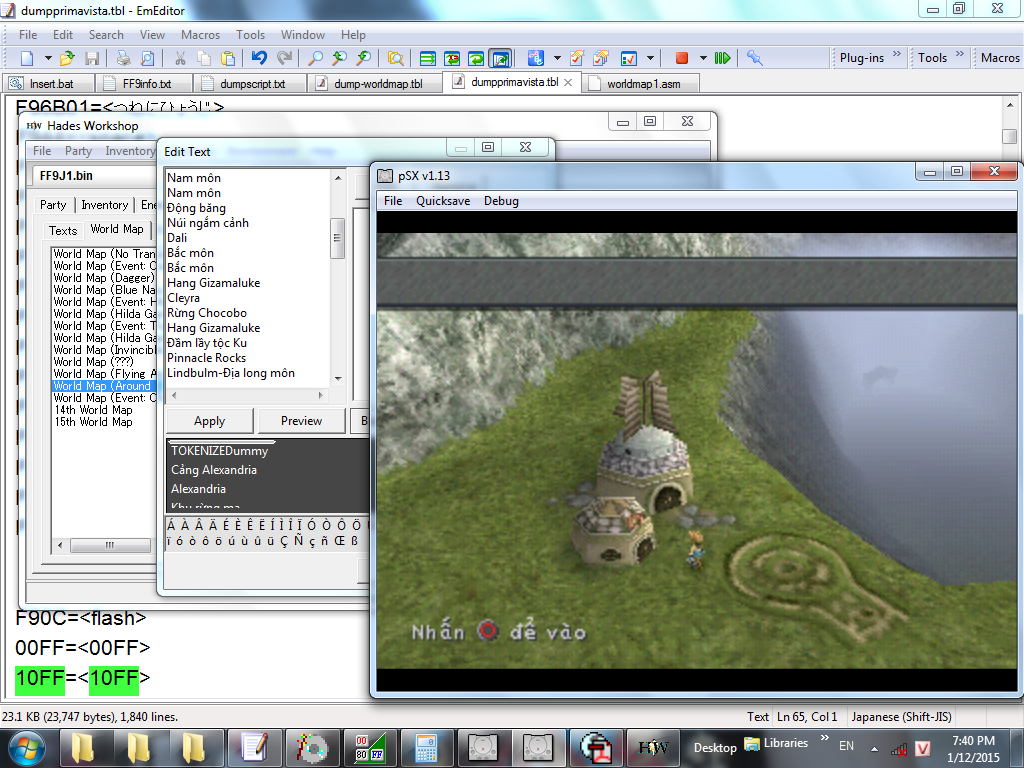
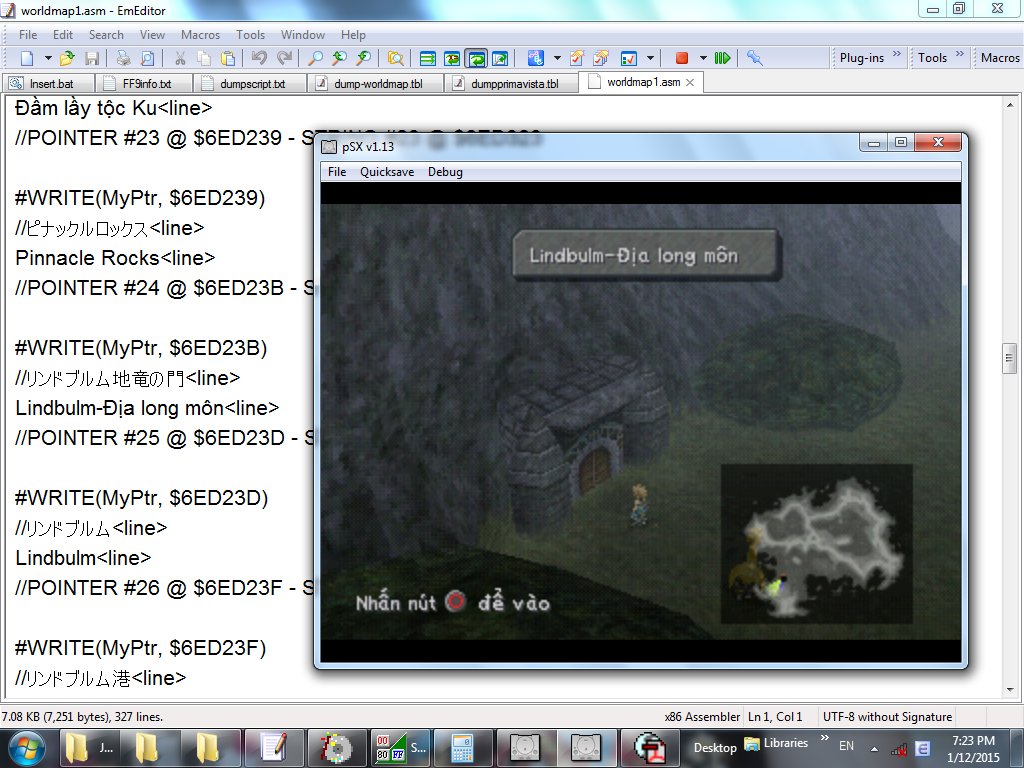
I found that the world map's dialogue uses embeded pointers for locations at the beginning of the text block. These pointers called TOKENIZE in Hades, and the program calculates it wrongly. Anyone notice that the location names are wrong with Hades?
 
Wa.
Indeed, they are calculated wrongly for the japanese version. I'll correct it for the next version.
 
And the dialogue bubble height are always zero in Japanese version.
Btw, I tried to fix the calculation with Atlas.

bMbScgC.png


3Yjzffd.png
 
I wonder is there any way to trigger each dialogue text without palying?
After translating, we need to check if the dialogue bubble fit the text or not, and playing through the game is nearly impossible.
I see there's debug mode in the text, but how to enter it?
 
I found a way to test all sentences we translated without having to play through the game. Just use the save state.

From 1:37 in this video

 
Hello!!  :)

First of all: thank you for your awesome work. FF9 is my favourite game, and I always dreamed the possibility to mod it!
When I firt saw this post, I can't believe it. Thanks

I really would ask a question to modders more experienced than me: it's possible to make a script that allows a boss to refill his Health Point when they are low? I know that the HP hard limit of 65535 cannot be exceeded. But if it were possible to make a script that refill (for example) Kuja Trance HP when they go under 10.000, and to do this thing for a limited number of time, the problem of max HP can be bypassed.

For example, we can declare a variable X. X start value (at the beginning of the fight) has to be 1.
When during the battle the boss HP go lower than 10.000, the boss refill his HP to the full value and X becomes 2.
And so on, until X reach a default value (for example 10) and the script interrupts.

I have no experience in programming except very little of Visual Basic 6. So I may wrote only stupid things.

I ask the question to coders more skilled than me. Is it possible? We can have a Kuja Trance, Ozma, Hades with virtually unlimited HP, for very challenging fights!
 
Last edited:
Yes, it is possible by editing the AI script.
I'm planning to make a more detailed manual of script editing, but there are still some few bugs and I wish to know the purpose of some more functions. But that, you can do already.

For AI script, the functions are usually the followings.
- A single main function that usually only inits the enemies with a InitObject call.
- For each enemies, a set of function that can be made of:
-- Init: usually defines which regular attacks the enemy will use and their mana cost (read the first values as Byte 64).
-- ATB: what the enemy does when its ATB is full.
-- Loop: a function that check the enemy's state each frame and may respond to it accordingly. It always ends with the lines "Wait(1)" and "loop". That's the one you're looking for. (optional but frequent)
-- Counter: what the enemy does when it has been hitted (optional)
-- CounterEx: what the enemy does when it casts a spell on himself or anytime the "counter" doesn't trigger for some reason (optional)
-- Death: what happens when the enemy dies (optional)
They may be sorted differently, though.

For most bosses, you may have noticed that they display 10 000 more HP than they should. Trance Kuja's HP is 55535 in-game, not 65535. That's because the looping function is scripted so when Kuja goes under 10 000 HP, he speaks, cast Ultima and ends the fight.
That's this part of the code specifically :
Code: [Select]
Code:
    if ( #( SV_FunctionEnemy[HP] <$ 10000 ) ) {        // Wait until Kuja no longer attacks        while ( IsAttacking != 0 ) {            Wait( 1 )        }        // A check of "The battle has started"        if ( GetBattleState != 4 ) {            return        }        // Freeze the ATB and hide it.        RunBattleCode( 32, 0 )        while ( GetBattleState != 1 ) {            Wait( 1 )        }        // Cast Ultima (the speech is included in it)        set #( SV_Target = SV_PlayerTeam )        AttackSpecial( 5 )        while ( !( VAR_GenUInt8_199 & 16 ) ) {            Wait( 1 )        }        RunBattleCode( 40, 1 )        set VAR_GenUInt8_199 &= 65519        Wait( 1 )        while ( !( VAR_GenUInt8_199 & 16 ) ) {            Wait( 1 )        }        // Fade filter and ends the fight        FadeFilter( 0, 1, 0, 255, 255, 255 )        set VAR_GenUInt8_199 &= 65519        while ( IsAttacking != 0 ) {            Wait( 1 )        }        set SV_FunctionEnemy[DEFEATED_ON] =$ 1        RunBattleCode( 33, 5 )        return    }
So, you see, to check if an enemy's HP is under 10 000, that's the line "#( SV_FunctionEnemy[HP] <$ 10000 )".
Using simply "SV_FunctionEnemy[HP] <$ 10000" should also work. The purpose of the # operator and $ operator modifier is to handle multiple characters at once.
For instance, the expression "#( SV_PlayerTeam[HP] ==$ 1 )" will return true if there is at least 1 character in the team whose HP is 1.
However, "SV_PlayerTeam[HP] == 1" won't work. It will return true only if the 1st character's HP is 1 and all the others' are 0.

More precisely, suppose you have 4 characters in the team and their HP are 100, 113, 210 and 95.
"SV_PlayerTeam[HP]" returns a list : [100, 113, 210, 95]
"SV_PlayerTeam[HP] >=$ 100" also returns a list : [1, 1, 1, 0]
"#( SV_PlayerTeam[HP] >=$ 100 )" returns the amount of bits on : 3

So, how do you do what you suggested ? By doing exactly what you suggested ! You take a variable ("VAR_LocUInt8_60" is fine for that purpose and completly unused), increment it and heal each time Kuja goes under 10 000 and launch the end of the battle only once it reaches a certain amount.
You also need to set the local variable counter to more than 61 in order to use "VAR_LocUInt8_60" (in the "Local Variable Panel" above the function's script, write "allocate 61" instead of the previous "allocate" statement).

To heal, use this line:
Code: [Select]
Code:
set SV_FunctionEnemy[HP] =$ FirstOf(SV_FunctionEnemy[MAX_HP])
"FirstOf" converts a list [value1, value2, value3, value4] into value1.
You can also use :
Code: [Select]
Code:
set SV_FunctionEnemy[HP] =$ 65535
You may want to init VAR_LocUInt8_60 to 0 in the enemy's initialization function but it's always initialized to 0 by default.

The resultant code should look something like this :
Code: [Select]
Code:
Function func_Trance_Kuja_Loop    if ( !VAR_LocUInt8_0 ) {        set VAR_LocUInt8_0 = 1        while ( !( GetBattleLoadState & 8 ) ) {            Wait( 1 )            set VAR_GenUInt8_206 = GetRandom        }        set SV_FunctionEnemy[SHADOW] =$ 0        while ( GetBattleState != 1 ) {            Wait( 1 )            set VAR_GenUInt8_206 = GetRandom        }        RunBattleCode( 35, 0 )        while ( GetBattleState != 4 ) {            Wait( 1 )        }    }    if ( #( SV_FunctionEnemy[HP] <$ 10000 ) ) {        if ( VAR_LocUInt8_60 < 5 ) {            set VAR_LocUInt8_60++            set SV_FunctionEnemy[HP] =$ FirstOf(SV_FunctionEnemy[MAX_HP])        } else {            while ( IsAttacking != 0 ) {                Wait( 1 )            }            if ( GetBattleState != 4 ) {                return            }            RunBattleCode( 32, 0 )            while ( GetBattleState != 1 ) {                Wait( 1 )            }            set #( SV_Target = SV_PlayerTeam )            AttackSpecial( 5 )            while ( !( VAR_GenUInt8_199 & 16 ) ) {                Wait( 1 )            }            RunBattleCode( 40, 1 )            set VAR_GenUInt8_199 &= 65519            Wait( 1 )            while ( !( VAR_GenUInt8_199 & 16 ) ) {                Wait( 1 )            }            FadeFilter( 0, 1, 0, 255, 255, 255 )            set VAR_GenUInt8_199 &= 65519            while ( IsAttacking != 0 ) {                Wait( 1 )            }            set SV_FunctionEnemy[DEFEATED_ON] =$ 1            RunBattleCode( 33, 5 )            return        }    }    Wait( 1 )    loop
Note that Kuja's counter-attacks are based on his current HP. You may want to change that also. And you may also want not to heal Kuja completly (let's say bring his HP to 55535 instead of 65535) so his Curaga still heals him.
Hope you'll be more at ease after that ^^

Congrats Yugisokubodai btw (your music is nice ^^).
 
Last edited:
Status
Not open for further replies.
Back
Top