
F
Final_Figue
Guest
Hello.
Add frames to FF7 is posible:
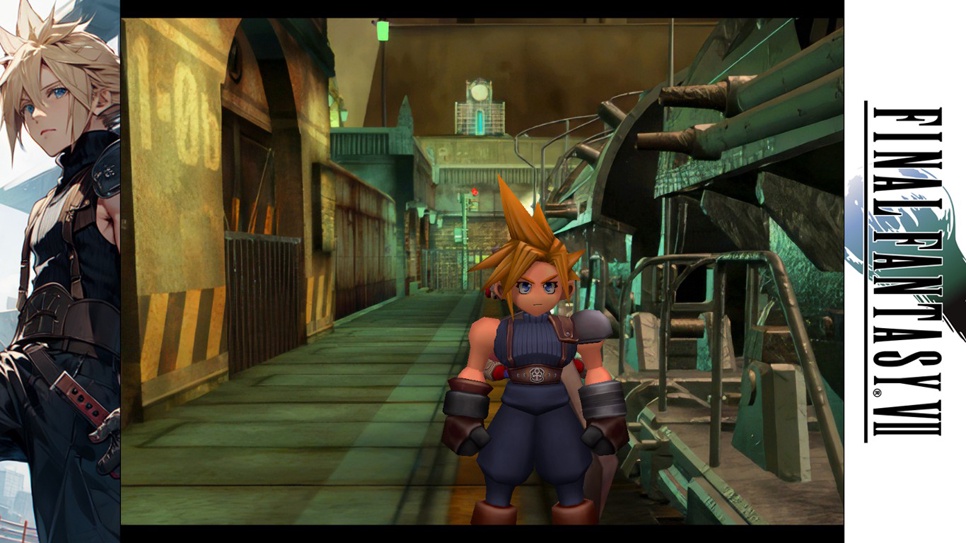
To apply this in your game install reshade and choose this option:
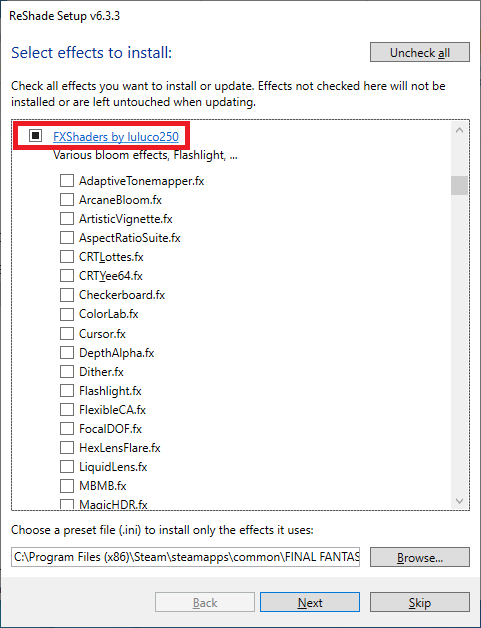
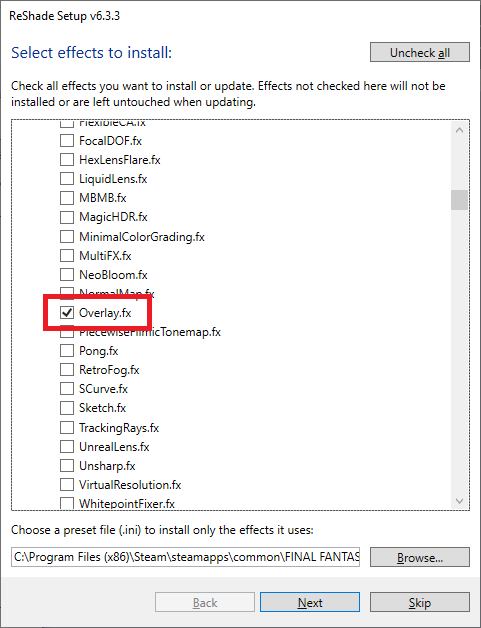
After the installation follow this direction:
C:\Program Files (x86)\Steam\steamapps\common\FINAL FANTASY VII\reshade-shaders\Textures
You´ll see this carpet and search "Overlay" a png archive:
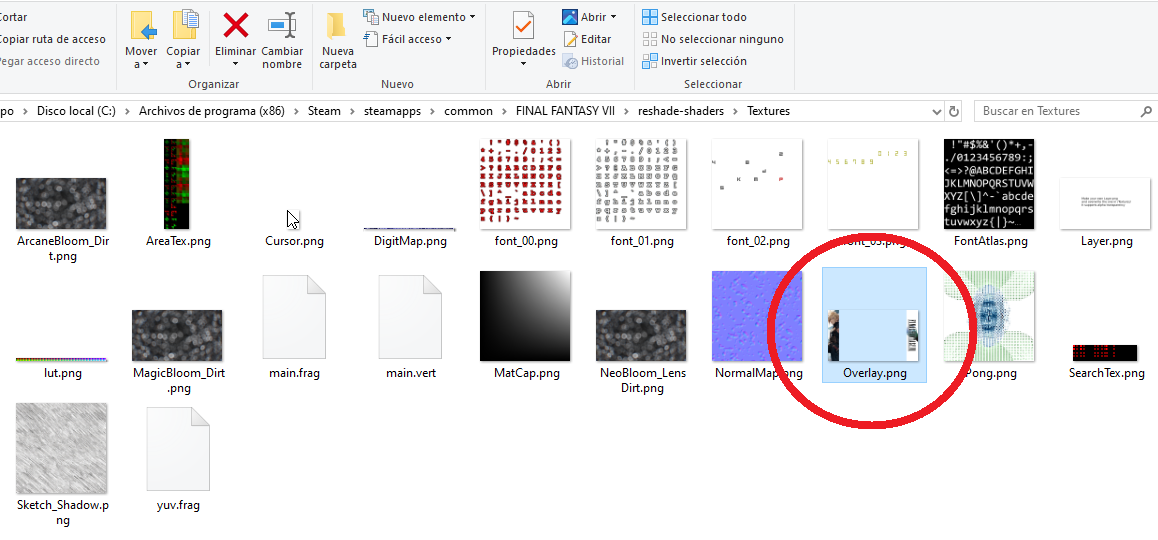
After that just change the image for your own desing, here you have a template:

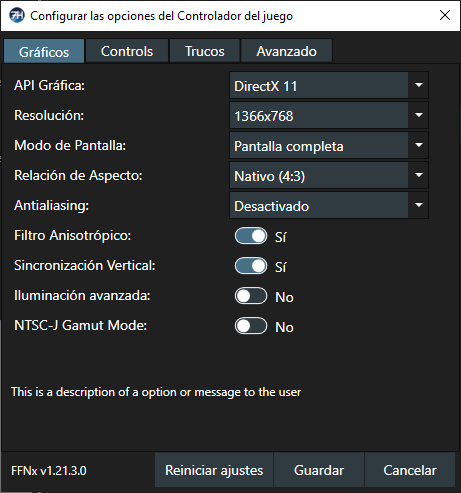
The design depends of you configuration, in my case this is my resolution:
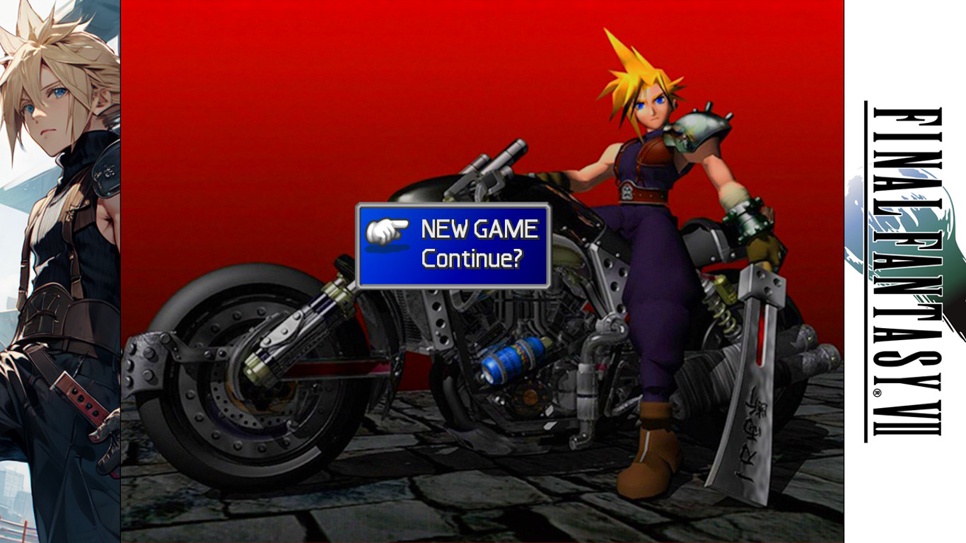
More examples:
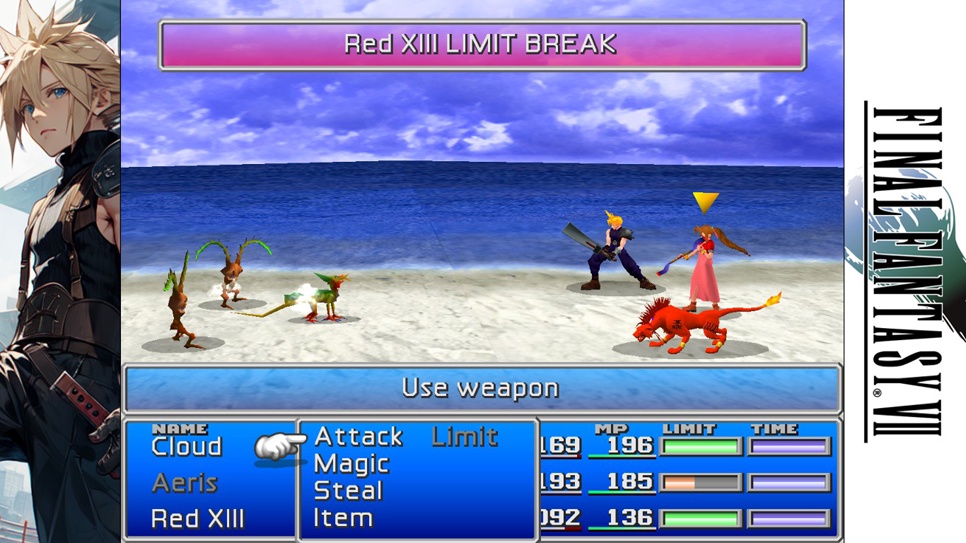
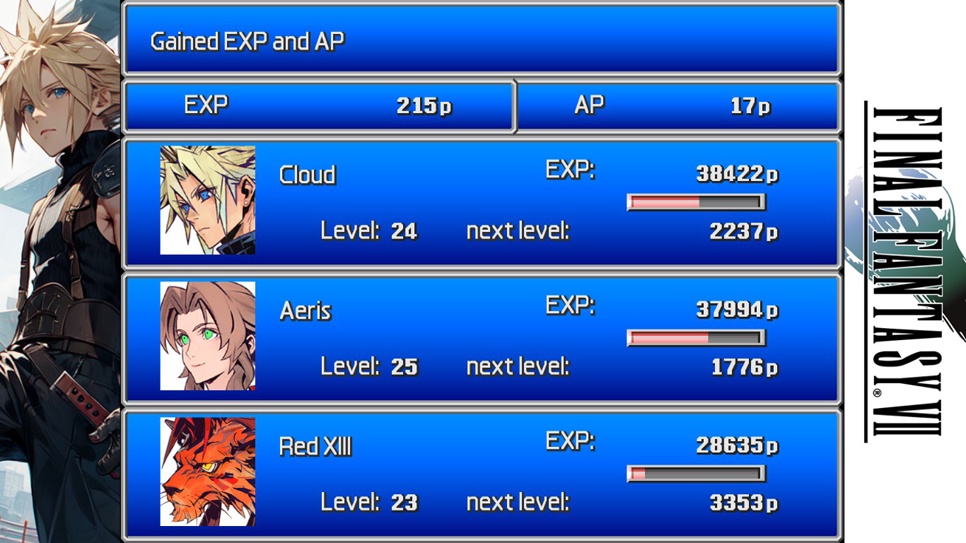
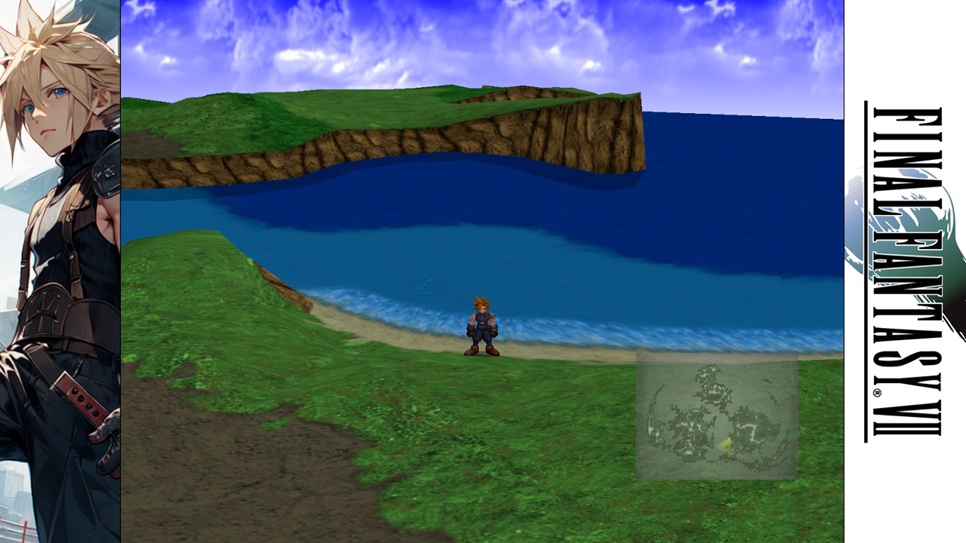
Playing FF7 Survivor on Duckstation:
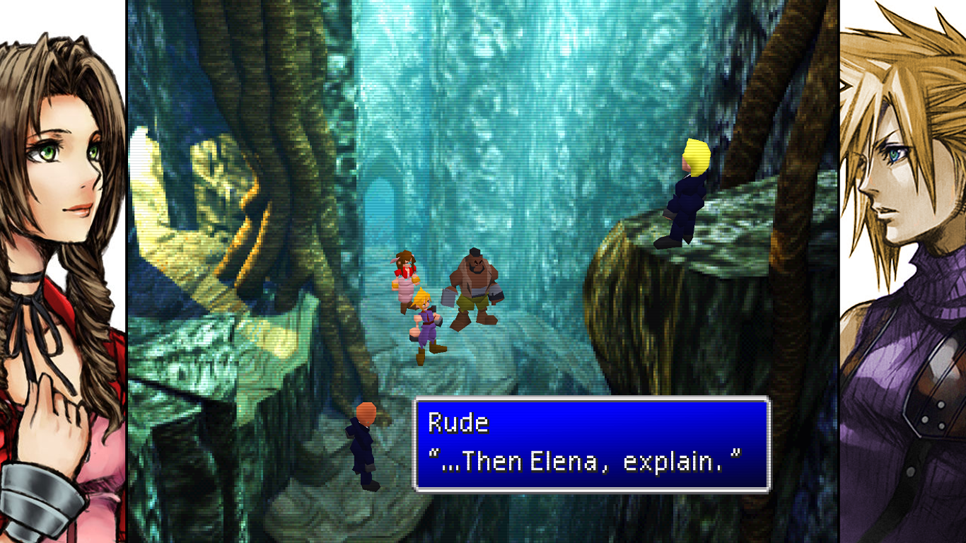
Now we can forget of the black frames and add our own design like an original game, I hope this helps you.
* You can do this with any game or with emulators, PSX, etc.
Add frames to FF7 is posible:
To apply this in your game install reshade and choose this option:
After the installation follow this direction:
C:\Program Files (x86)\Steam\steamapps\common\FINAL FANTASY VII\reshade-shaders\Textures
You´ll see this carpet and search "Overlay" a png archive:
After that just change the image for your own desing, here you have a template:
The design depends of you configuration, in my case this is my resolution:
More examples:
Playing FF7 Survivor on Duckstation:
Now we can forget of the black frames and add our own design like an original game, I hope this helps you.
* You can do this with any game or with emulators, PSX, etc.
Last edited: