[CC:FF7 PSP] Crisis Core UI Upscale Project

  • Thread starter Thread starter KaosuReido
  • Start date Start date
Status
Not open for further replies.
You've been keeping multiple save files in case you need to go back, right? In case you don't, I have like 10-15 prepped. You can also assign a button in PPSSPP to quickly enable/disable textures by pressing a button so you can easily compare what looks better or worse.

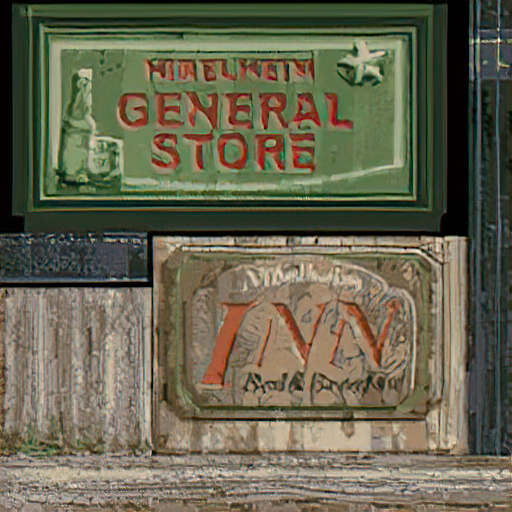
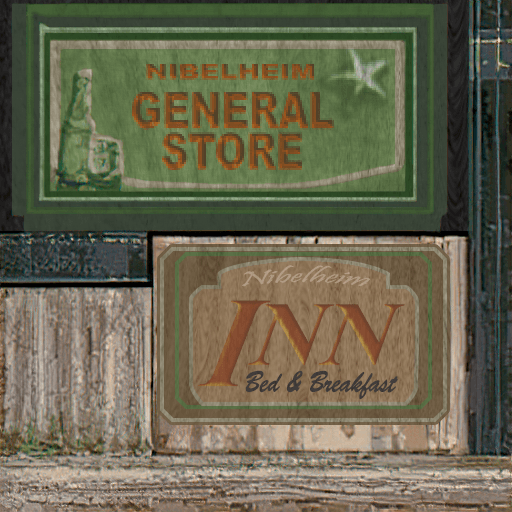
I've been checking out various areas and it looks good! Of course, we'll need to go back and look for all those messed-up 2D elements like posters and road signs that got messed up.

http://www.framecompare.com/image-compare/screenshotcomparison/77WDPNNX

Some errors I noticed:

- The pavement outlines of the bricks are gone
- The beach skies and waves at Costa beach are messed up
- The soft glows at the highway look pixelated, because a lighting texture got upscaled in a bad way.
 
BGhC06L.png


O0cJman.png


What do you all think of this textured look?

Edit:
You've been keeping multiple save files in case you need to go back, right? In case you don't, I have like 10-15 prepped. You can also assign a button in PPSSPP to quickly enable/disable textures by pressing a button so you can easily compare what looks better or worse.

I've been checking out various areas and it looks good! Of course, we'll need to go back and look for all those messed-up 2D elements like posters and road signs that got messed up.

http://www.framecompare.com/image-compare/screenshotcomparison/77WDPNNX

Some errors I noticed:

- The pavement outlines of the bricks are gone
- The beach skies and waves at Costa beach are messed up
- The soft glows at the highway look pixelated, because a lighting texture got upscaled in a bad way.
Yes, I actually have a lot of saves but I might have missed some areas earlier in the game before I realized that you can only have 5 save states.  If I need a certain area I will let you know - thanks.

The fine transparency/detail textures (fog, clouds, water etc) will probably best be left as is unless you or someone else has the skill to fix them. Both ESRGAN and Topaz apply really weird color artifacts to the edges because weren’t designed with transparency in mind I guess. They can usually be seen around the black halo effects in the form of hyper-blue or red pixels. I’m not capable enough to fix them accurately with transparency and honestly they scale up on their own good enough.

I have developed a few techniques that have helped to reduce/remove the artifacts in non-transparent textures though. Once I get off work I’ll try to create a step-by-step guide and a couple of actions I’ve created.
 
Last edited:
Hi everyone,

This is my first post but it's a useful one I hope.

Seeing the many contributions to this project, I was inspired and wanted to share what I have been working on during the past few weeks. It was shocking to me that Banora looked so bad, and because Banora has such a profound meaning to the game I went ahead and made some updates to the horrible looking textures there.


You can find the files here:
http://www.mediafire.com/file/x8x5skzigiclvlt/FFV7-HD-TEXTURES.rar/file
 
Last edited:
Devina,

I’m nearing completion of my evaluator tool. It might be unnecessary in end but I feel that it will streamline the workflow. You mentioned using github in a previous post. I’m aware of what it is of course but honestly I have no idea how to use it. Can we in fact upload images there?

Changing topics  Right now the evaluator uses SQLite for the database (which is strictly offline), but if multiple users are to use it I would need to have an online database. It seems like a waste to pay money to host a database that is less than 500kb... but I’ll see what can be done.

Edit: Probably what is just split the textures into chunks and divide them up... I think I’m getting in over my head with the server stuff.

https://imgur.com/GkssnZz
 
Last edited:
That's really cool laujclan, although maybe you should wait until me and eqprog work out our version. Also, aren't they called Banora White because the trees are supposed to be white?

Github is easy, it just lets you upload your work online. Then you can give permissions to people who are allowed to work on the project, and they can upload/update textures one by one.

https://github.com/AkiraJkr/Birth-by-Sleep-HD-ReMix

Here's an example. Then people can download the "master version" easily which contains everything updated.

Once you're done the beta (when you finish the game), you should post everything in a new topic, I imagine we might have 5000 textures once you're done. Then the next step would be to skim all these 5000 textures for things like posters that got upscaled poorly.

I also fixed the issues in Costa del Sol (the sky's a bit brighter as a side effect, but it's no biggie).
 
Oh damn, lmao.  Thanks for pointing that out Devina.  My recollection with FFVII:CC is really bad.  I haven't played the game since 2008.  Somehow that made it past my fuzzy memory.  Well, the funny thing is that I initially made the branches white, then I realized it didn't match the tree texture that was already in the HD texture pack from Jack Blackadder's website. So I went back and made it brown.  :-D

I've currently stopped my progress in the game since Banora was so "unloved", it led me to rediscover my photoshopping skills. What's unfortunate is that FFVII:CC is not getting as much love as it should so I'm down to help out whenever I can. 

In the meantime, since it may take a while for you and eqprog to upscale the textures, maybe I'll play the game as is for now. Probing in the texture folder's have led to accidental spoilers, lol.  Like eqprog, I'm not familiar with Github, so I'll take a look at the link and try to figure how that all work out.
 
Yes, it’s nice! I sent you the invite Devina. There should be some pretty basic instructions in the commits, let me know if you need any help getting things up and running.

For the evaluator, you can put in a custom name for the texture - for now it only saves the name in the database but the plan at the end is that the evaluator or a separate script will rename the textures, organize them into folders based on their categories, and then generate a textures.ini file. I figure not every texture need a custom name.

There is a photoshop action I included. Really the most useful one is FFCC mask which will tighten up a lot of the fuzzy edges however it’s not perfect. The dodge and burn action creates two adjustment layers for lightening and darkening the images. See some of the psds in the edits folder for examples. It can really bring out a lot of detail in a subtle yet non-destructive manner.

One action I didn’t include is this one by PiXimperfect for frequency separation. I use it to help remove some of the random ripple textures that the AI adds in some instances. https://drive.google.com/file/d/1hgR_1mWShxYesDBkA_WveXdmwmnbkZ3r/view - check out this video for a basic overview on how it works.
Basically it separates the image texture data from the color data so you can remove/edit the perceived texture without messing with the color too much.

As far as fixing random color artifacts I use the brush tool set to the “color” or “hue” blending mode. A lot can be done as well by using the match color feature under adjust image and using the original texture as a source.

And at the end of the day some are just going to have to have a lot of manual fixing.

Edit: one last note: this doesn’t have all of the textures quite yet. My work schedule got changed up so I really haven’t had too much free time to complete my play through but now that we have GitHub I’ll just add the new textures to the repository whenever I’m done.

Edit 2: use the wip edits branch for now.

 
Last edited:
Original:
4s1X8bz.png


AI Upscaled | Modified
H4zDk9P.png
dHKny8V.png


Pretty happy with this one too as its very visible to the player.
 
Last edited:
Thank you. The project has ended up being much bigger in scope than I initially envisioned so your encouraging words sincerely help to motivate me, laujclan! Today I'm both off of work and have no additional obligations. I'm going to finish the game today and I will have hopefully all the textures dumped. I didn't use a guide while playing through the game so unfortunately that means I might be missing some.

Plan for today:

[list type=decimal]
[*]Finish game
[*]Upscale remaining dumps
[*]Finish sorting textures with Evaluator
[*]Add feature to organize upscaled textures in Directories
[*]Update textures.ini
[*]Update github to include branches for each texture category
[*]Update github master branch for currently functioning version
[/list]
After I get done with this I will publish information about the github page, which will be public and open to contributions from the community.

Keep in mind:

  • Any contributions must be the contributor's original works.
  • Do not include Images taken from GIS or other such sources unless you can demonstrate that they are in the public domain or a public license. (In the later case adequate citation and/or credit must be provided)
  • Do not contribute artwork from another creator's project.
The last point there is a touchy subject - obviously we cannot distribute other people's work without explicit permission. Technically speaking, even hosting the dumped textures online is a copyright violation (I really hope this doesn't bite me in the ass...) and I wouldn't want to land myself in even more trouble by offending members of the community. Furthermore, without being able to verify that other's work are their own I would prefer not to include contributions from other projects unless the originality of their work can be verified.
 
Sounds good. How do you feel about sorting the textures into 2 categories: Environmental and Characters? Then you can easily sort the characters by who they are in subfolders, as it's obvious who each one will belong to. It will also make things more convenient for the future, I think. It might be some work in texture.ini, but I think it'd be worth it. I might edit some clothes/faces when I'm bored (Aerith's dress irks me a bit with its quality, plus I need to make an optional nipple-pack add on for Zack again).

You might also want to make a third folder for Enemies, and you should be able to tell what a monster skin looks like.

There's a chance you might be missing some textures in those optional phone missions (which are really boring padding filler), but it's not a big deal. I might start another playthrough and analyze the textures soon.

I wish we had vierock's permission to use some of their textures, since they released some decent textures in the Shinra Building, but they totally noped out, so I guess we'll have to be doing it ourselves.

Also, I'm pretty sure it's fair use to upload dumped textures from video games as long as we don't put it behind a paywall, otherwise NexusMods and spriting sites would be under fire, and every HD texture pack too.
 
Well, I'll be having more sub-categories, but that's basically what I'm doing. The evaluator will take care of that - hopefully by tonight. It will also generate the textures.ini file based on that so no worries there.

edit: beat the game. It took a little longer than I thought it would sooo maybe I won't finish the rest of my goals today. We will see.

edit 2: pushing update now
 
Last edited:
https://github.com/eqprog/FF7CCUP/tree/sorting
This is the current branch I'm working on.

Use eval_img.py to sort out images. Press the open button if you want to edit an image - it will open both the original and the upscaled image in whatever your default editor is.
Bug warning: There's currently a bug/oversight in this - the evaluator will organize the textures as you edit them HOWEVER I still need to add a tracker to the database to make note of the previous category because its currently not smart enough to move it out of whatever folder it gets put into after being moved from the default directory. Just be really sure its in the right category before you press next otherwise it will have to be manually moved into the right directory until I fix this! If you just want to edit the image and not worry about sorting it, that's fine. Just leave the category as "New".

Also, I haven't actually tested it with the game however I am pretty sure it will work. If anyone else wants to test it, please let me know.
 
The sorting looks a bit confusing so I'll leave it to you.

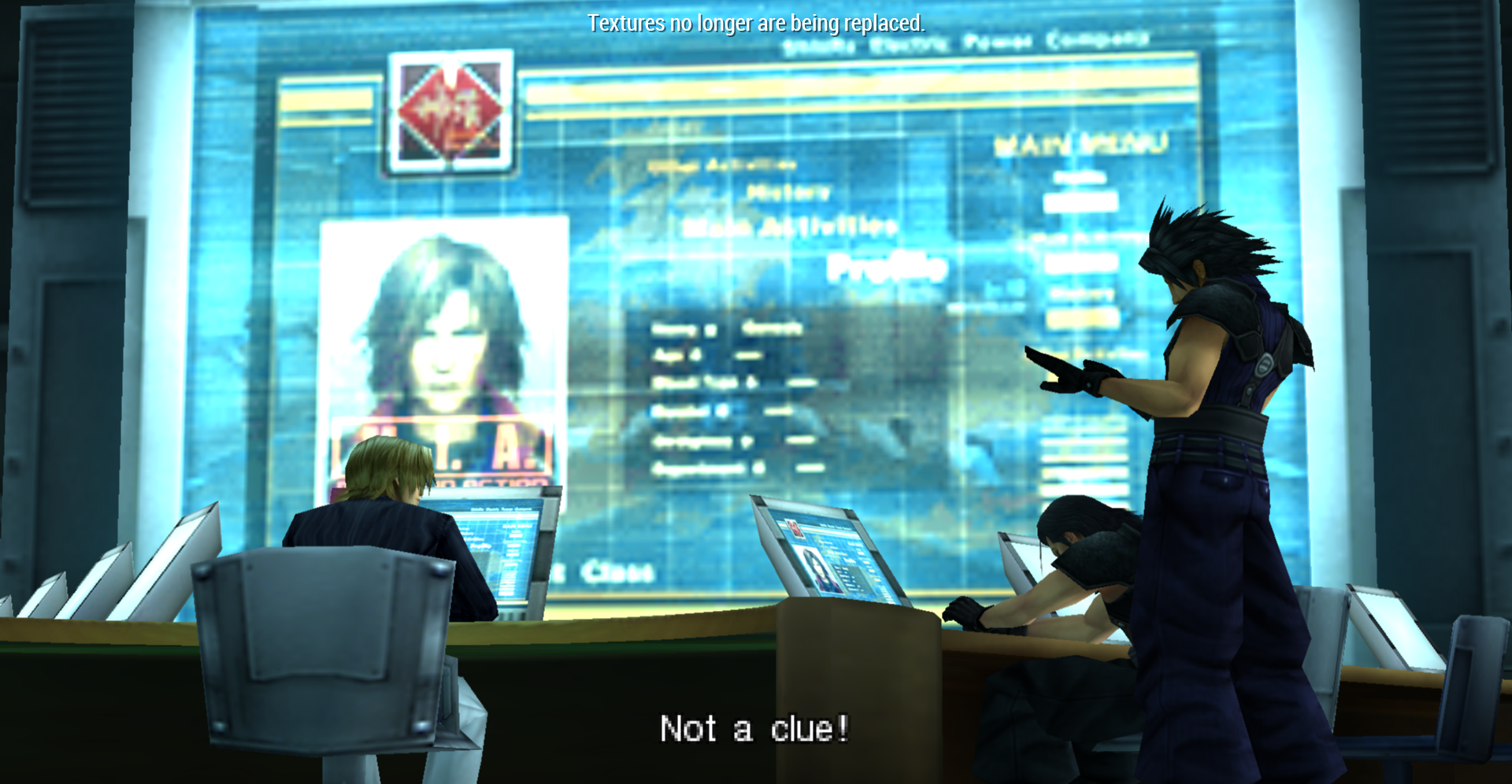
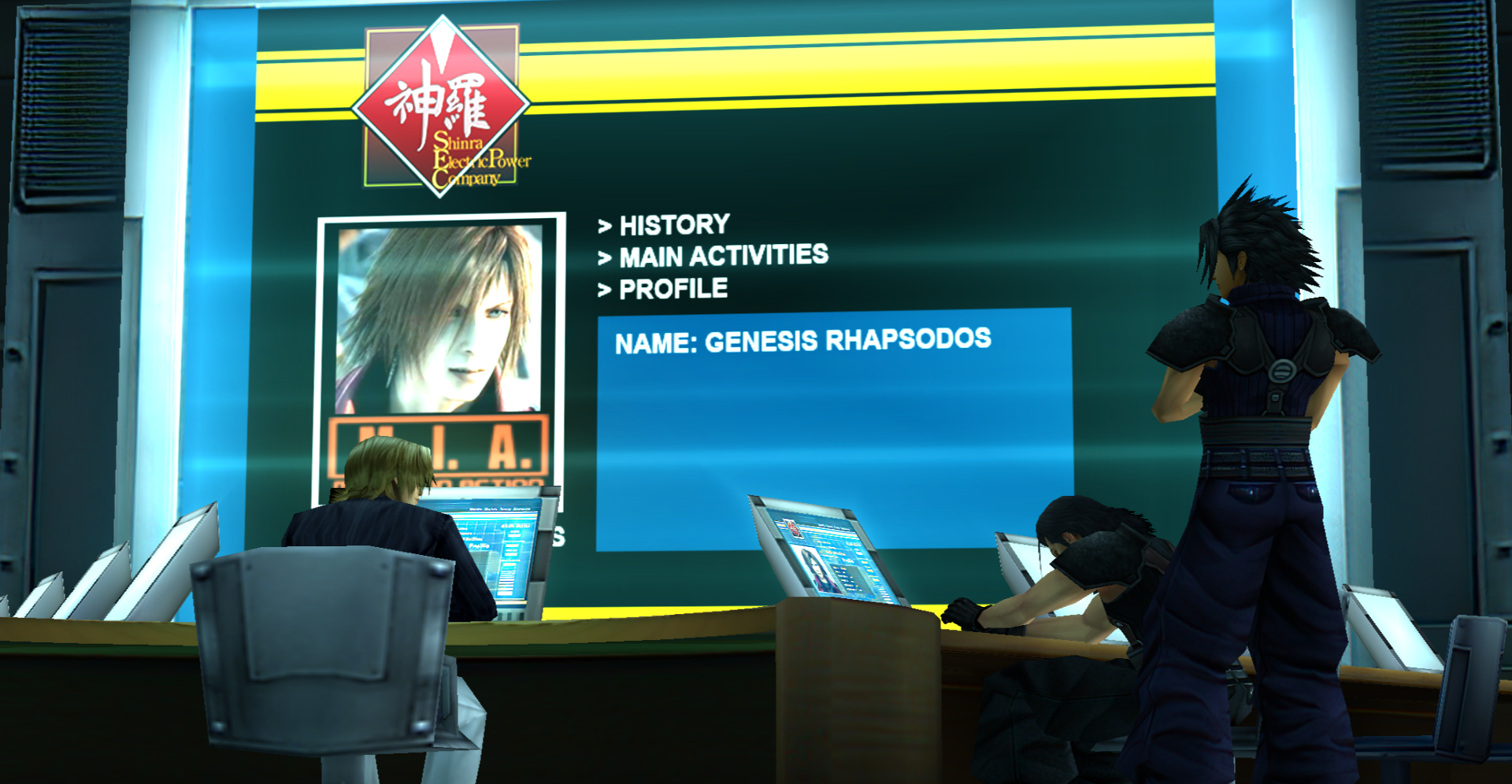
Right now, I'm going to work on the Genesis monitors at the beginning of the game.
I think it'd be easier to redesign the UI a little, but I plan on doing more later.

Before:
RM8Vprd.png


After (WIP):

np8dzOp.png


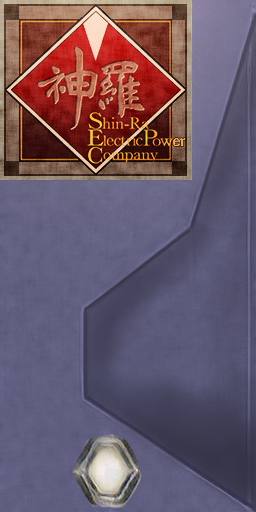
How do you feel about using the Remake's version of the logo?


Original:

https://vignette.wikia.nocookie.net...asy_VII.png/revision/latest?cb=20200513020619

Remake:

https://vignette.wikia.nocookie.net..._Remake.png/revision/latest?cb=20200513021046

The only difference is that it's Shinra, not Shin-Ra.

This would mean there would be more consistency between the two games, and it's called "Shinra" in text during Crisis Core.
 
I've been using the updated one in the before crisis game since it's the correct spelling now.
 
The sorting looks a bit confusing so I'll leave it to you.

Right now, I'm going to work on the Genesis monitors at the beginning of the game.
I think it'd be easier to redesign the UI a little, but I plan on doing more later.

Before:
RM8Vprd.png


After (WIP):

np8dzOp.png


How do you feel about using the Remake's version of the logo?


Original:

https://vignette.wikia.nocookie.net...asy_VII.png/revision/latest?cb=20200513020619

Remake:

https://vignette.wikia.nocookie.net..._Remake.png/revision/latest?cb=20200513021046

The only difference is that it's Shinra, not Shin-Ra.

This would mean there would be more consistency between the two games, and it's called "Shinra" in text during Crisis Core.
All that sounds fine to me. I've made the sorting less confusing/work better but I don't mind doing all of it. Its kinda mind-numbing but easy, too.

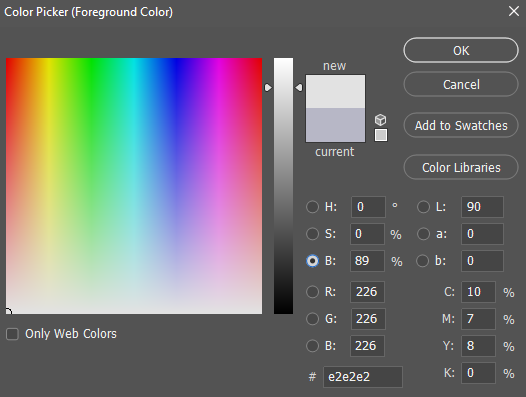
By the way, I figured out how they were doing the transparency. Just put everything into a group and add a mask to it, then fill it with something less than white

6rEmDS2.png


Just keep the H & S values at 0 and adjust the B value (Brightness). Now you can make all of your layers the exact same transparency non-destructively.
 
Status
Not open for further replies.
Back
Top