FF7 Crisis Core Upscale Project

  • Thread starter Thread starter eqprog
  • Start date Start date
Status
Not open for further replies.
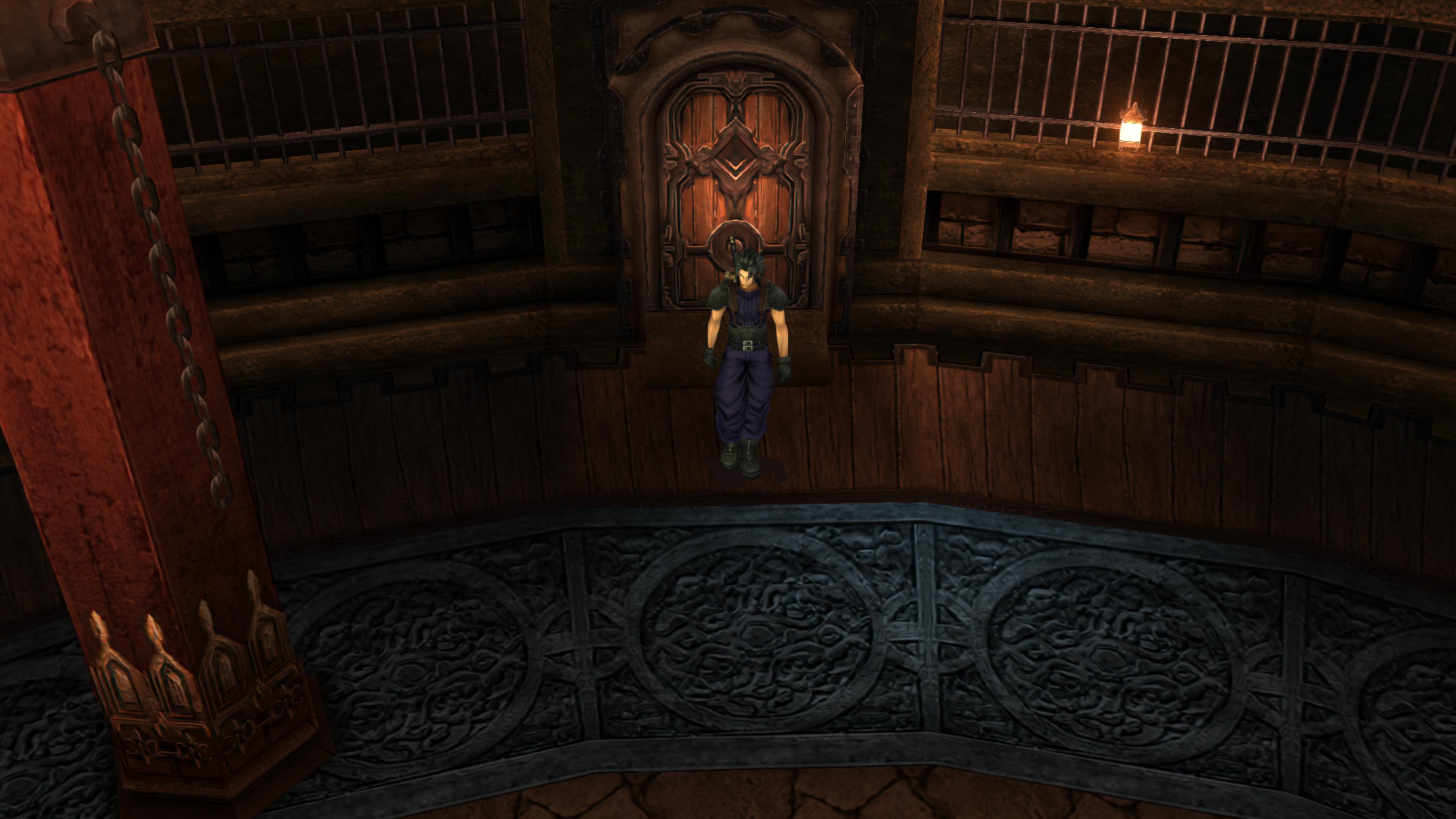
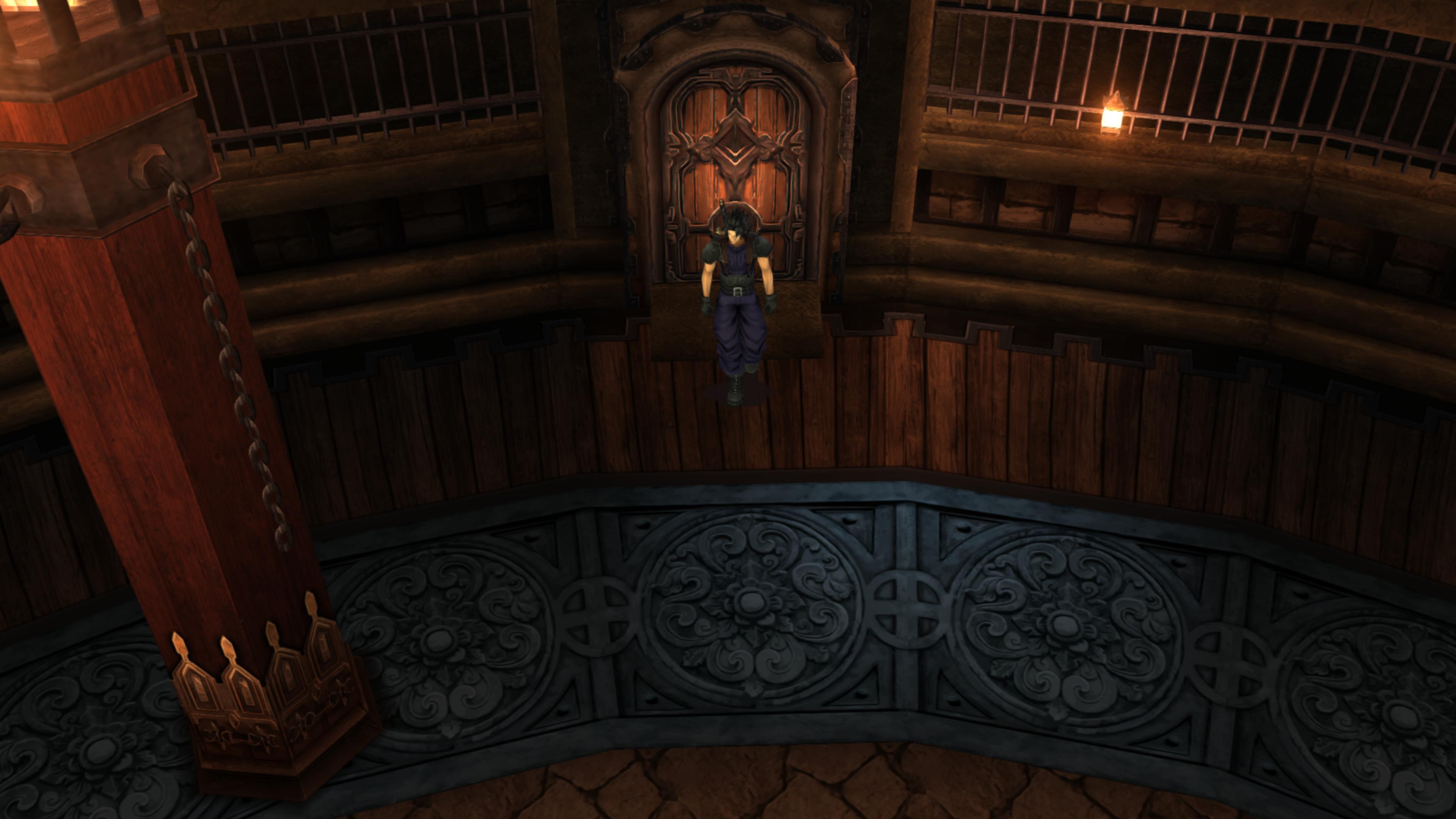
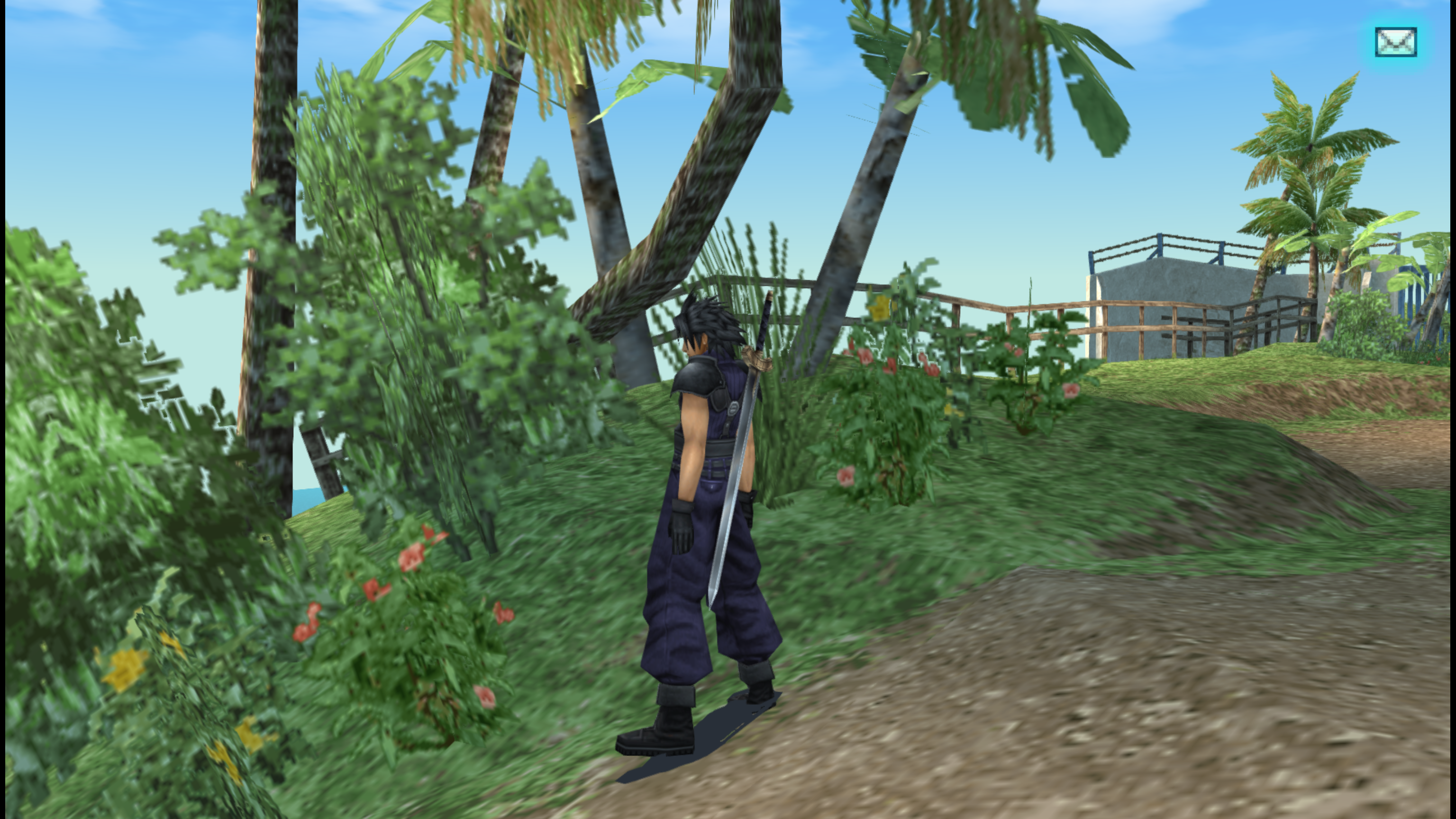
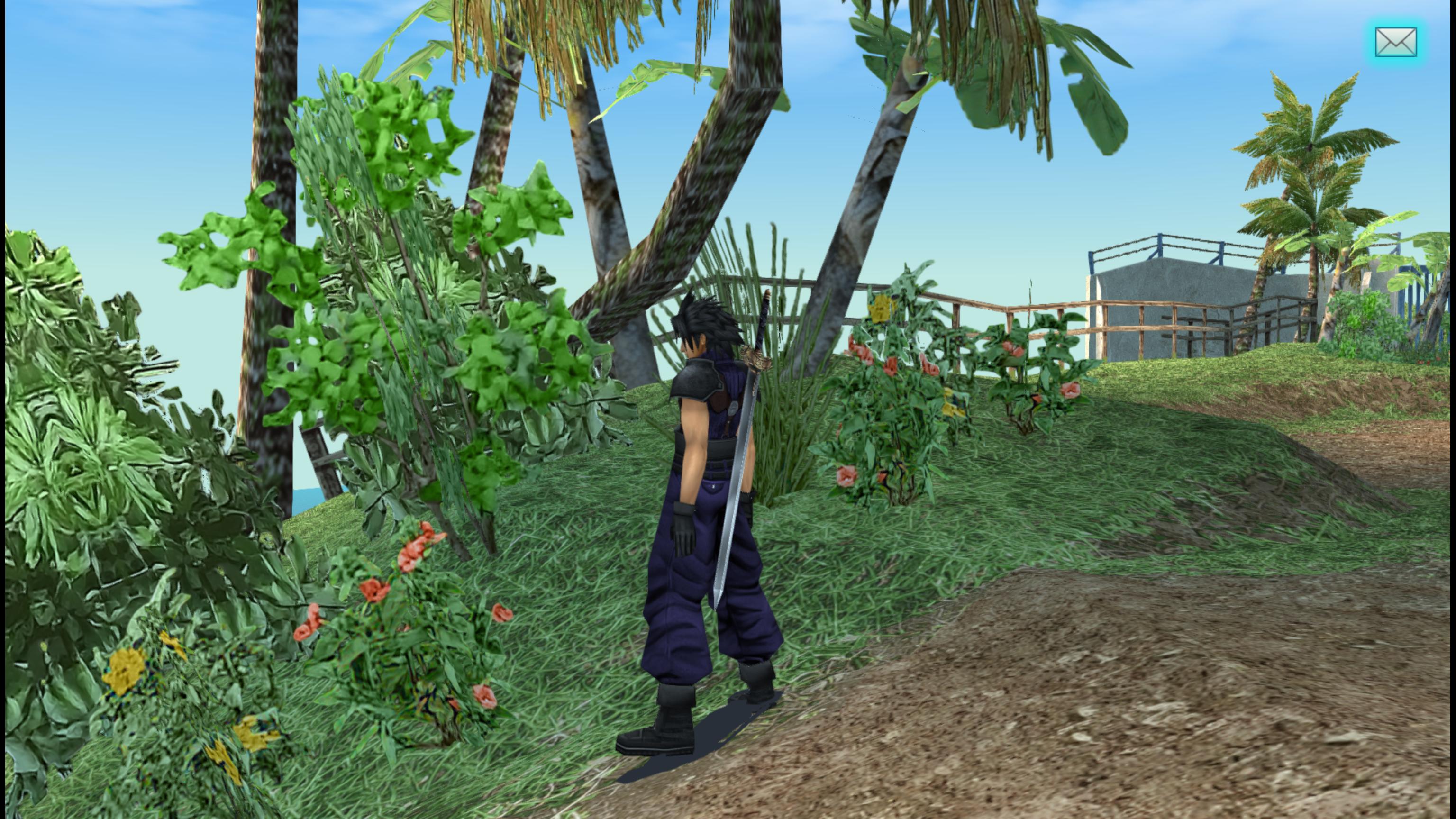
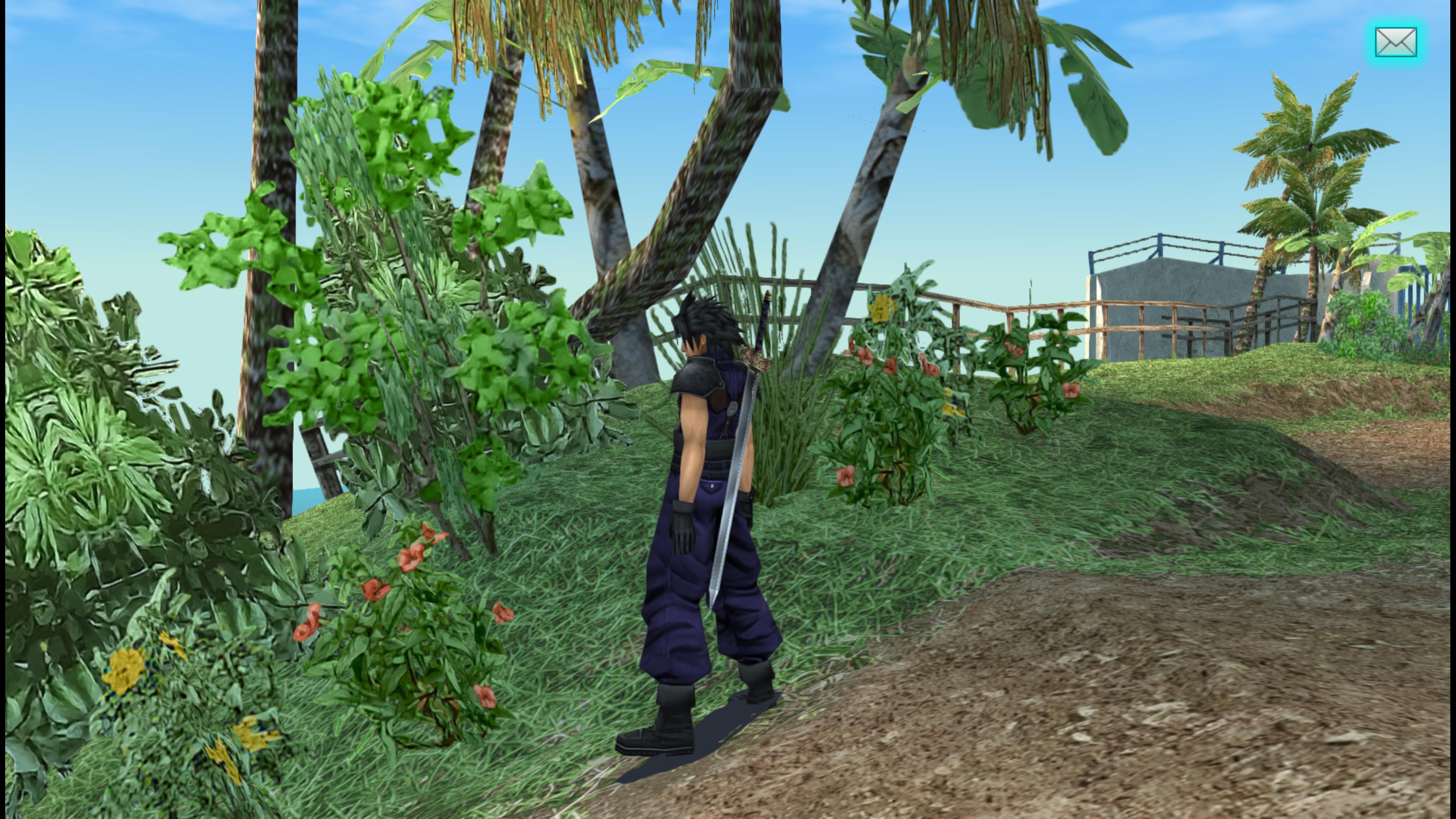
I want to thank you for an awesome project. Crisis Core is a very important game for me as a Final Fantasy 7 fan. Overall the project looks insanely good, but I think some issues arise when artistic liberties are taken with upscaled textures. I believe this mod would get universal appreciation from Final Fantasy fans, if the original colors, saturation and contrast was kept intact in all textures. PSP was a limited hardware and even though Crisis Core engine is brilliant in many ways, it has a lot of limitations regarding the lighting and post-processing for example. For this reason the color grading for example was "baked" in the textures and this results in colors that some might think are muted and would like to fix them.

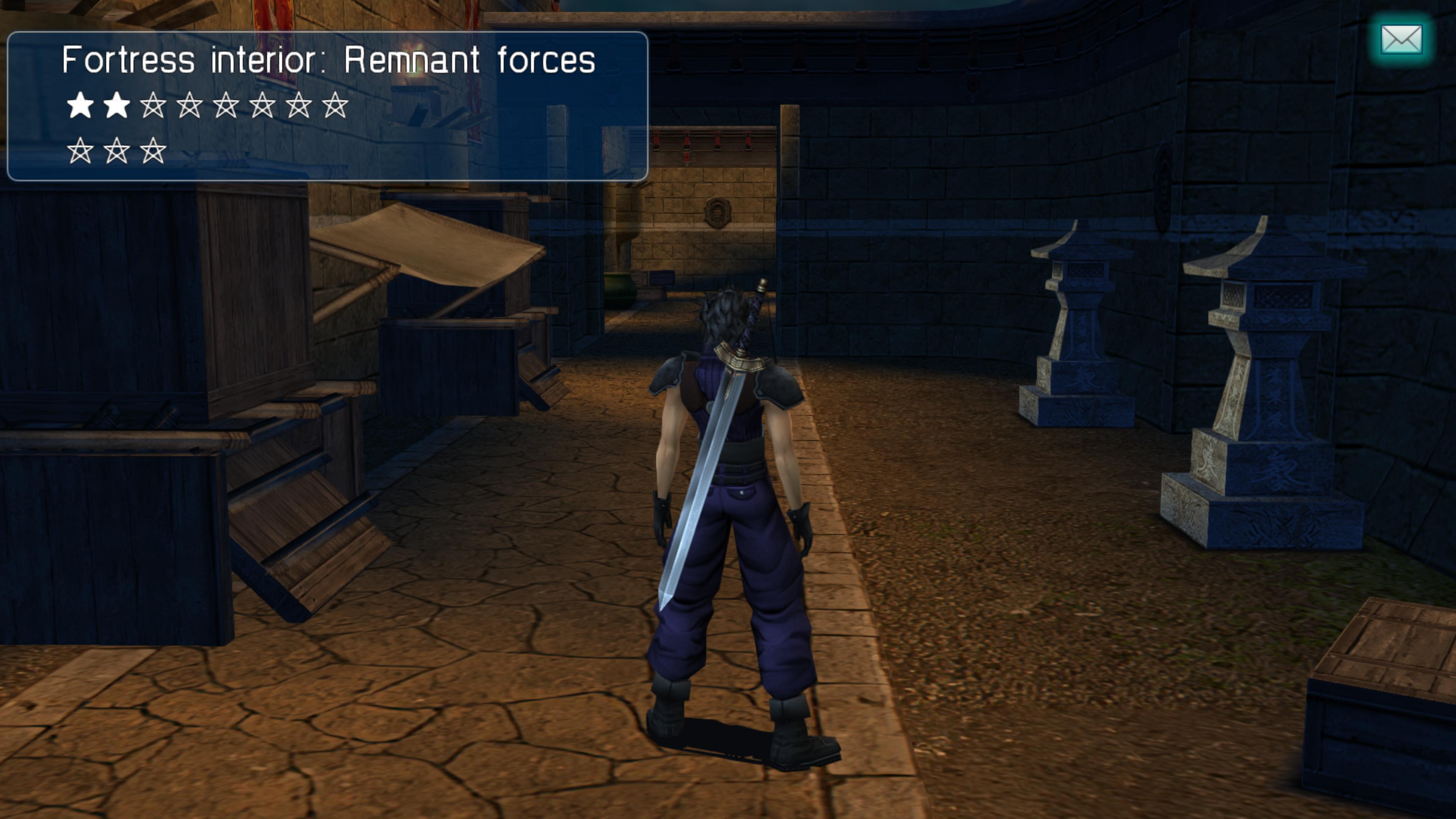
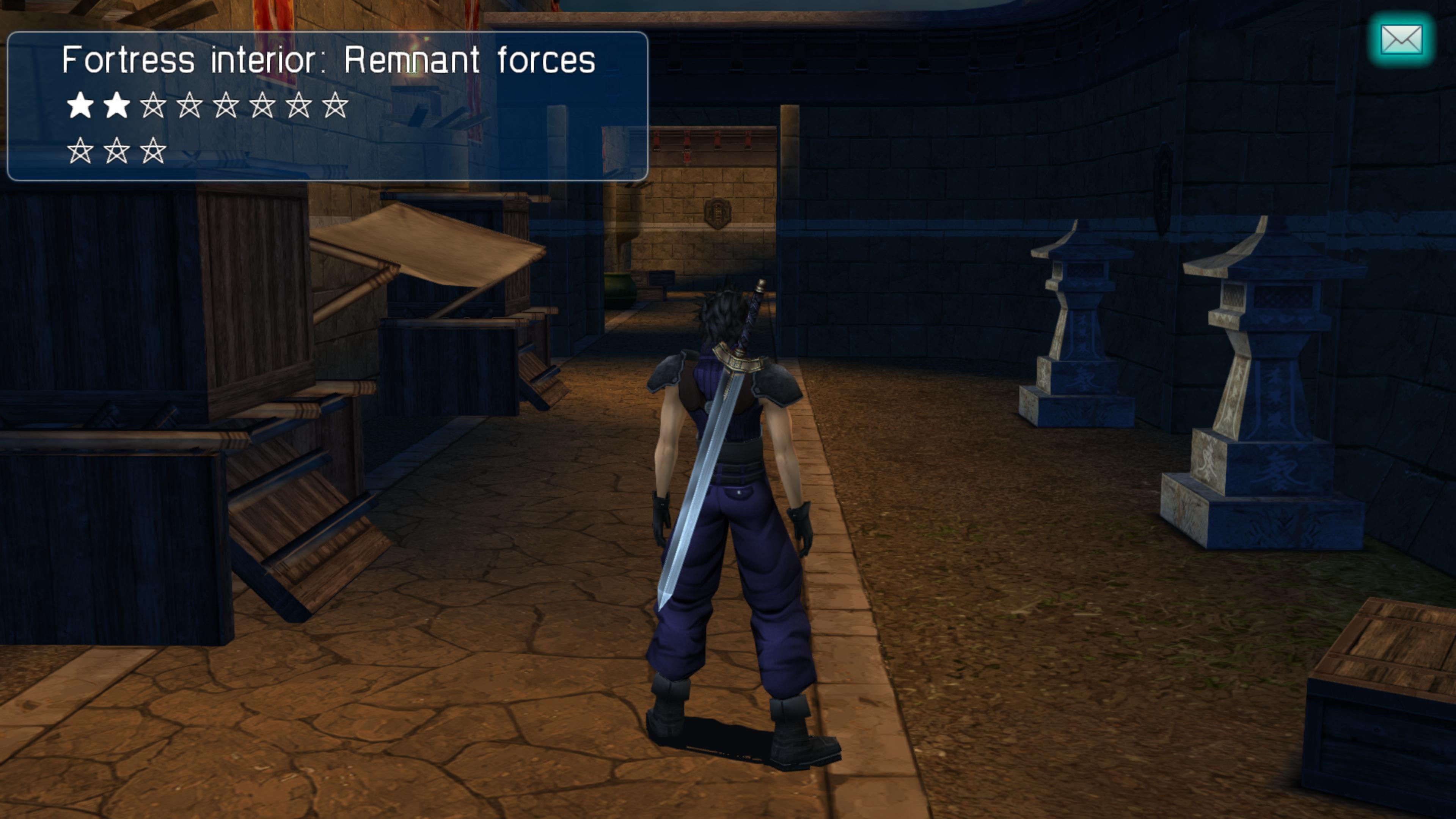
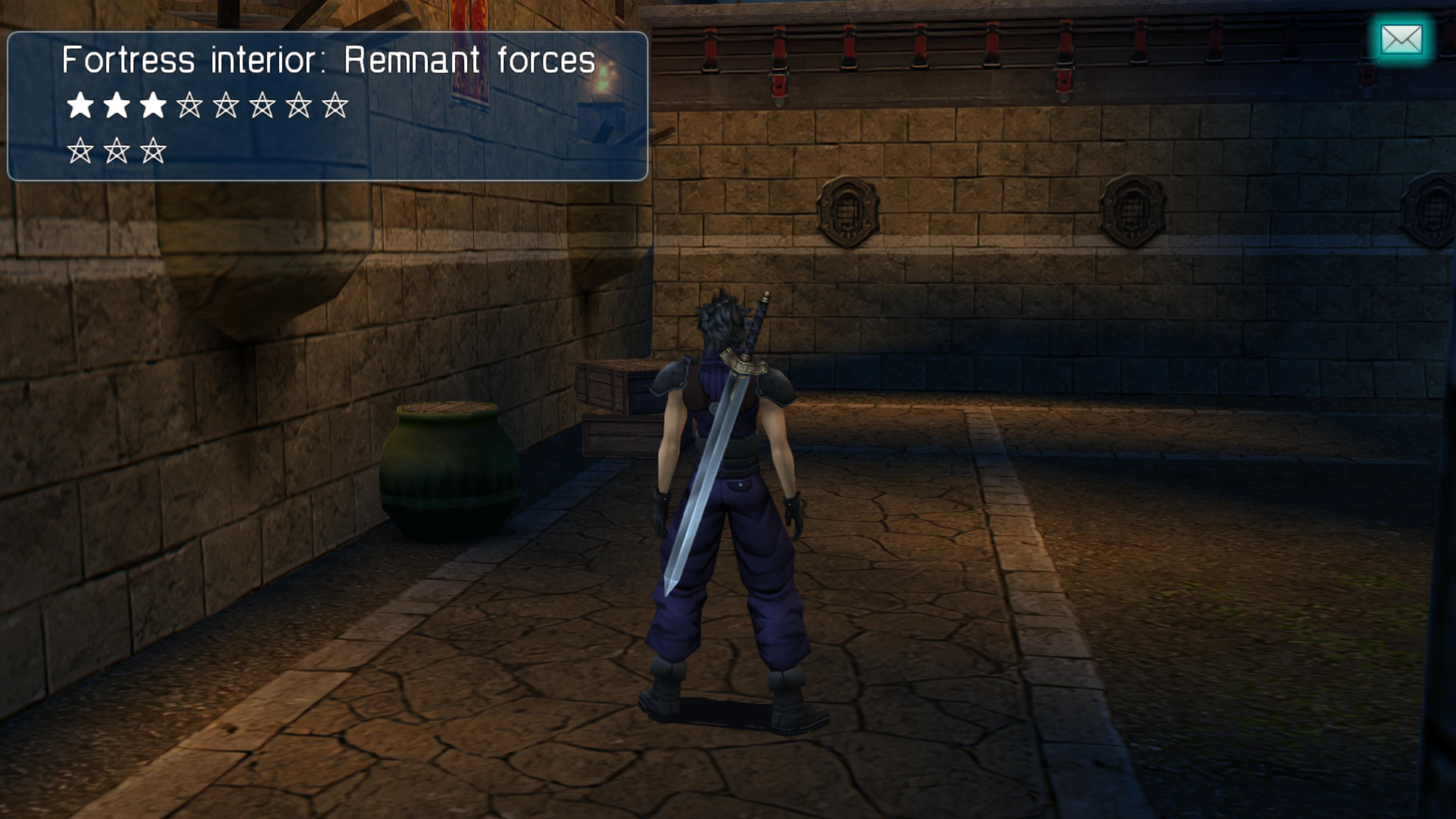
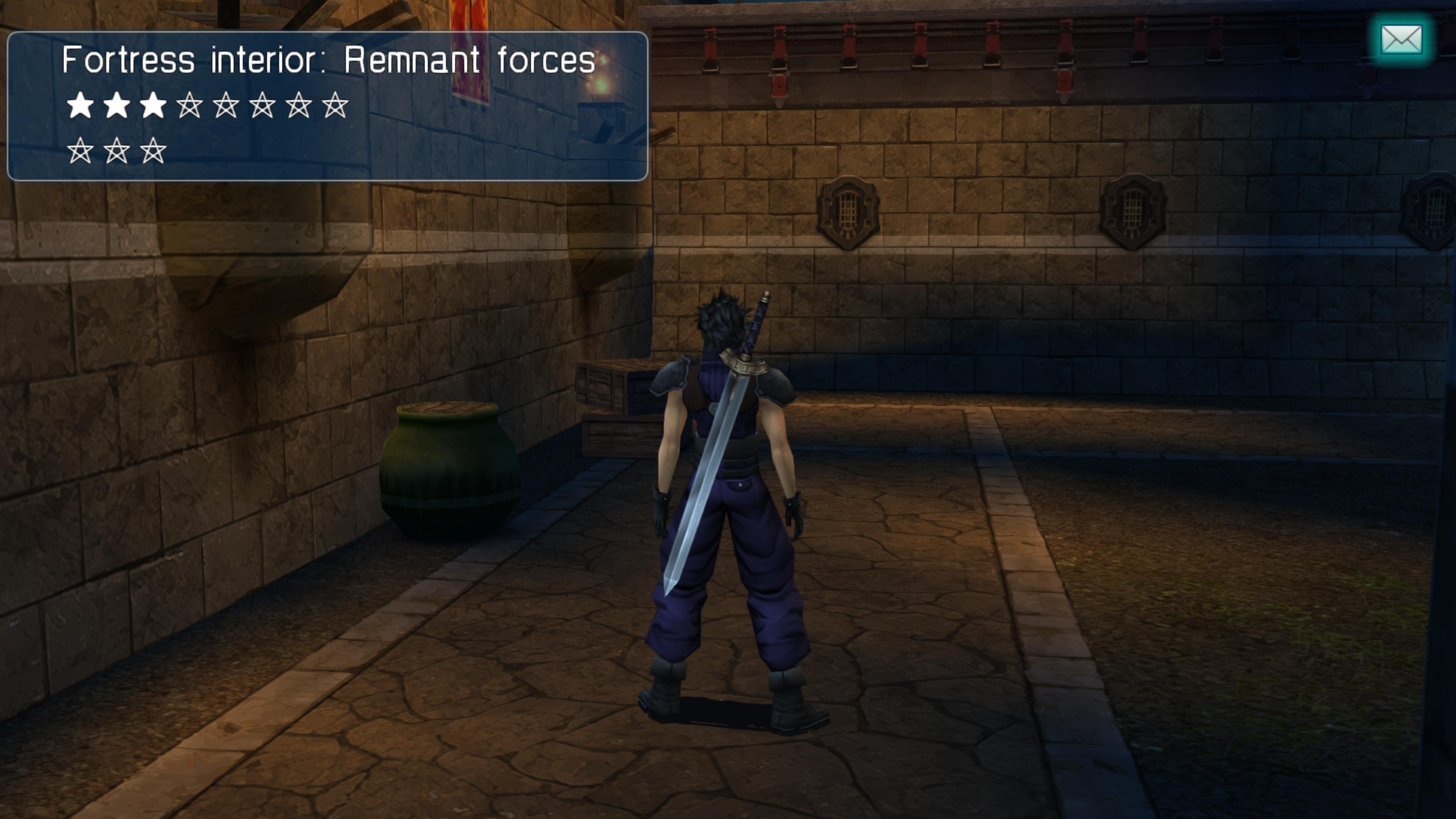
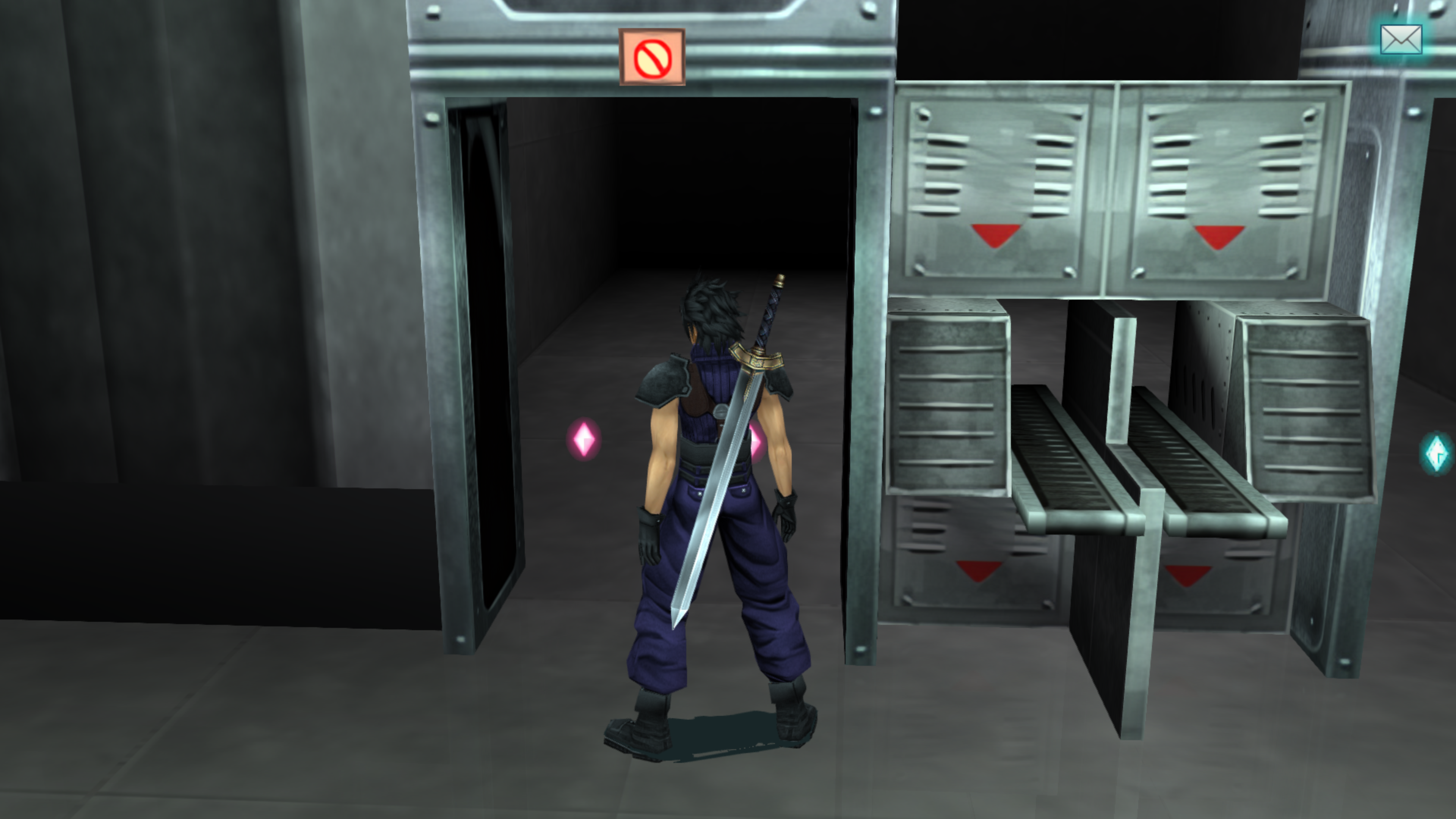
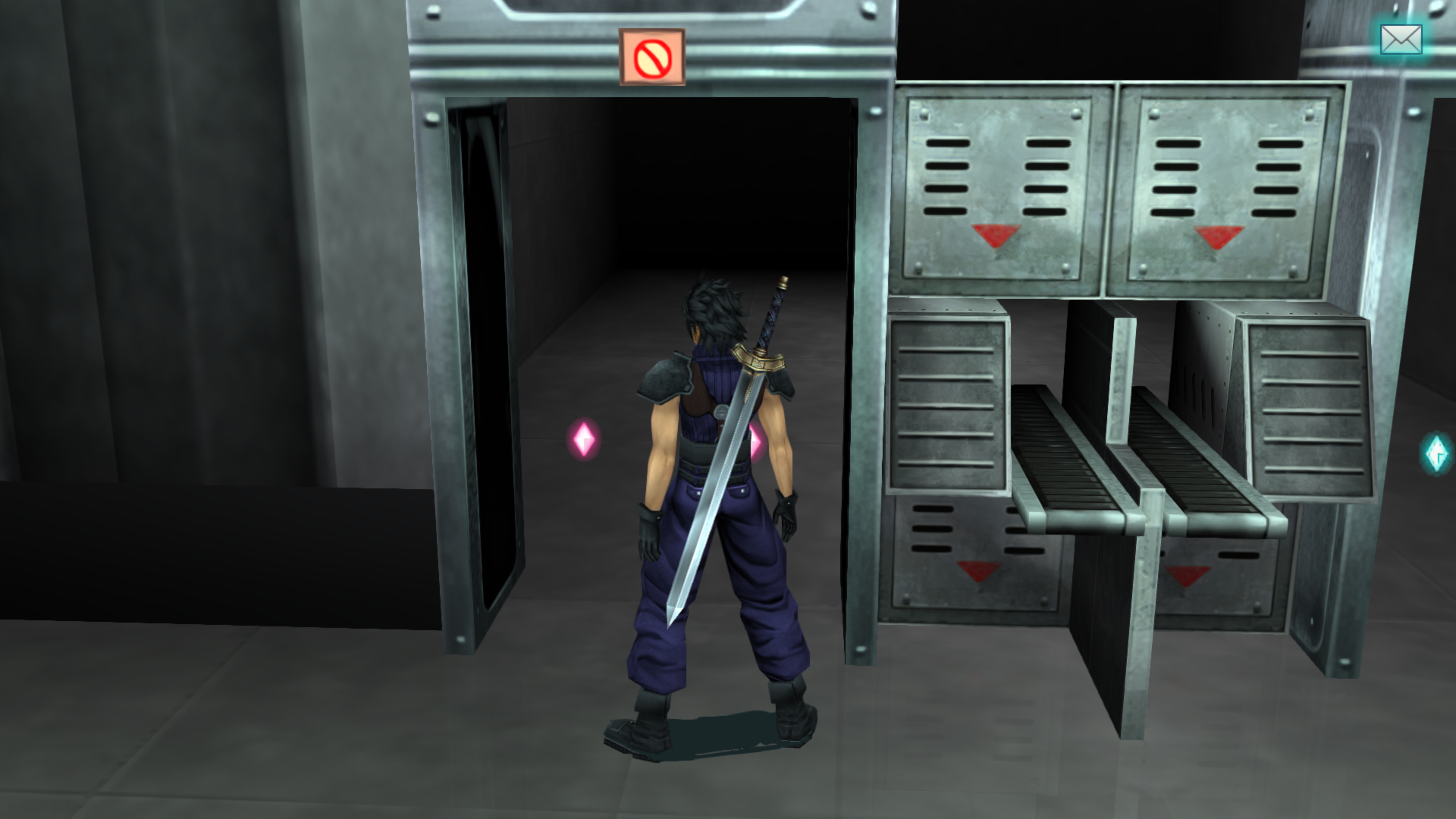
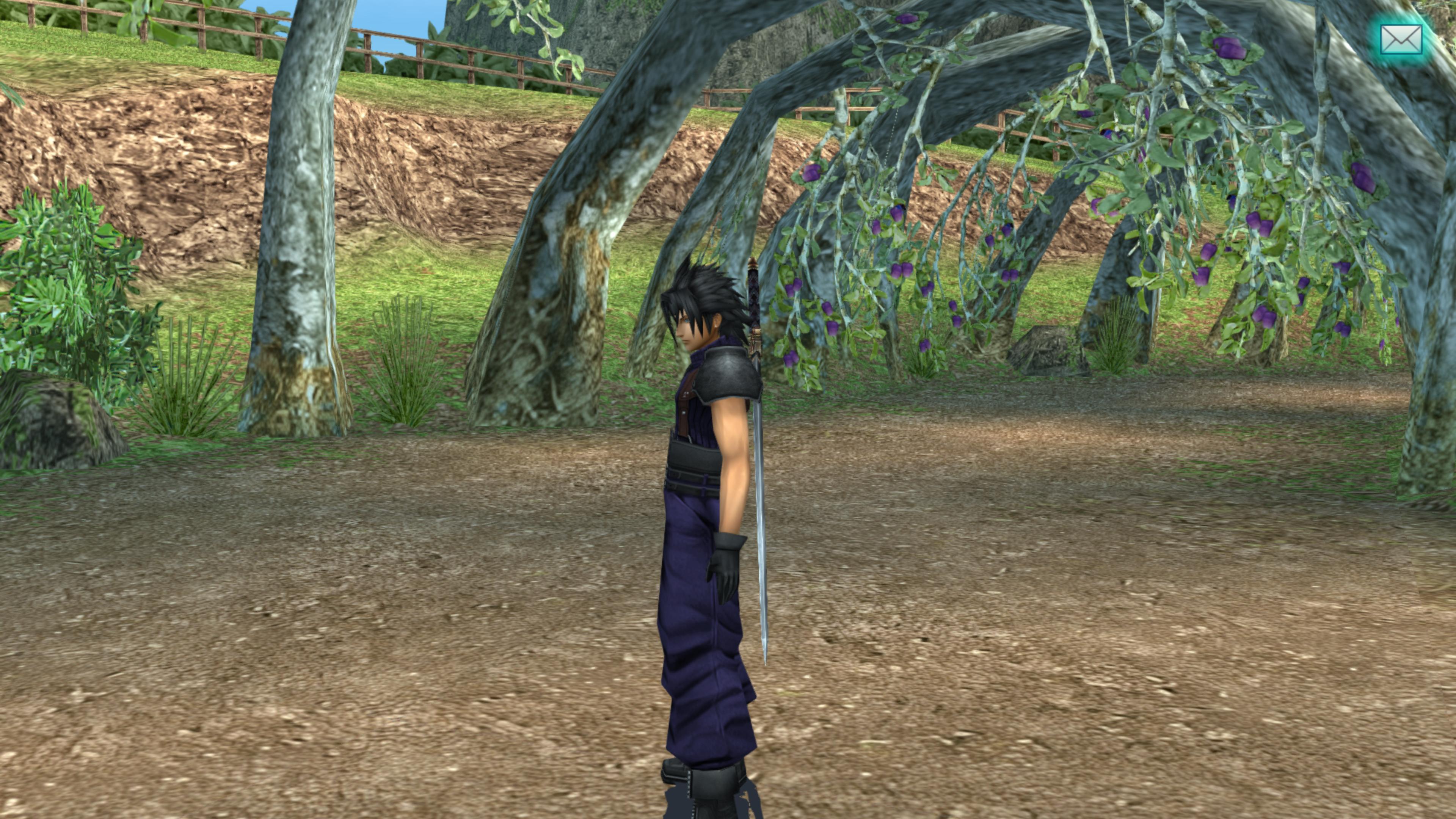
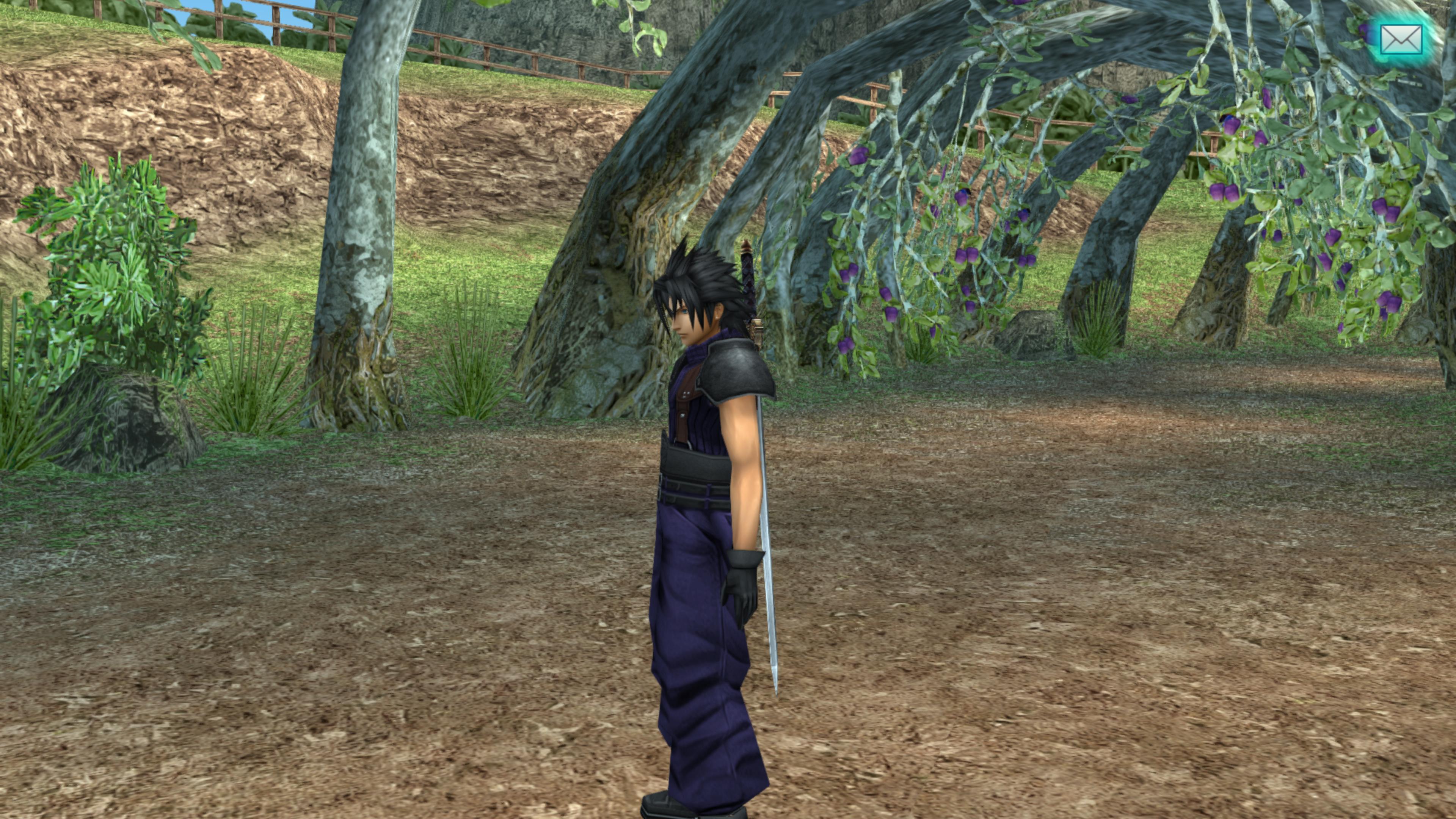
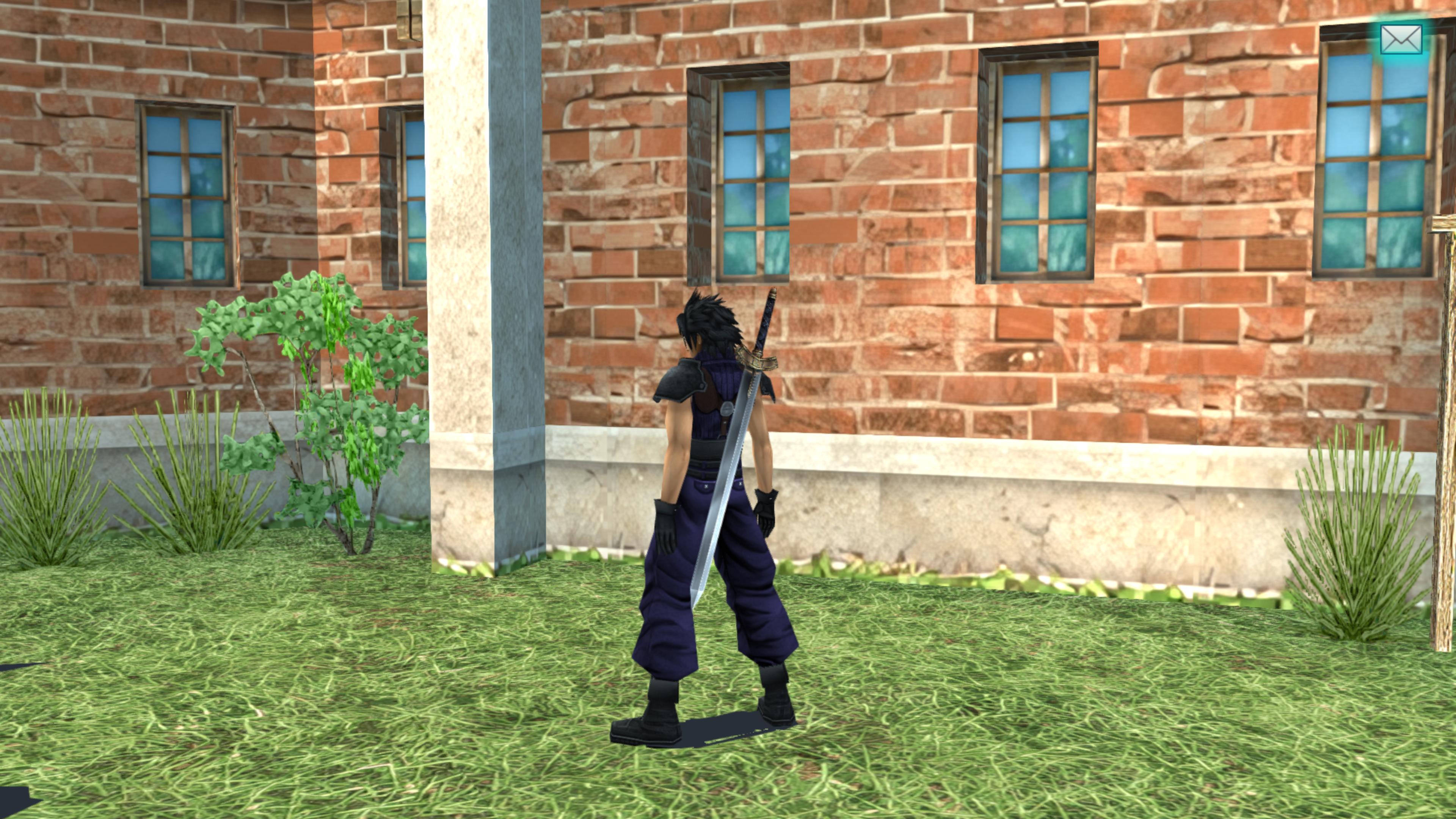
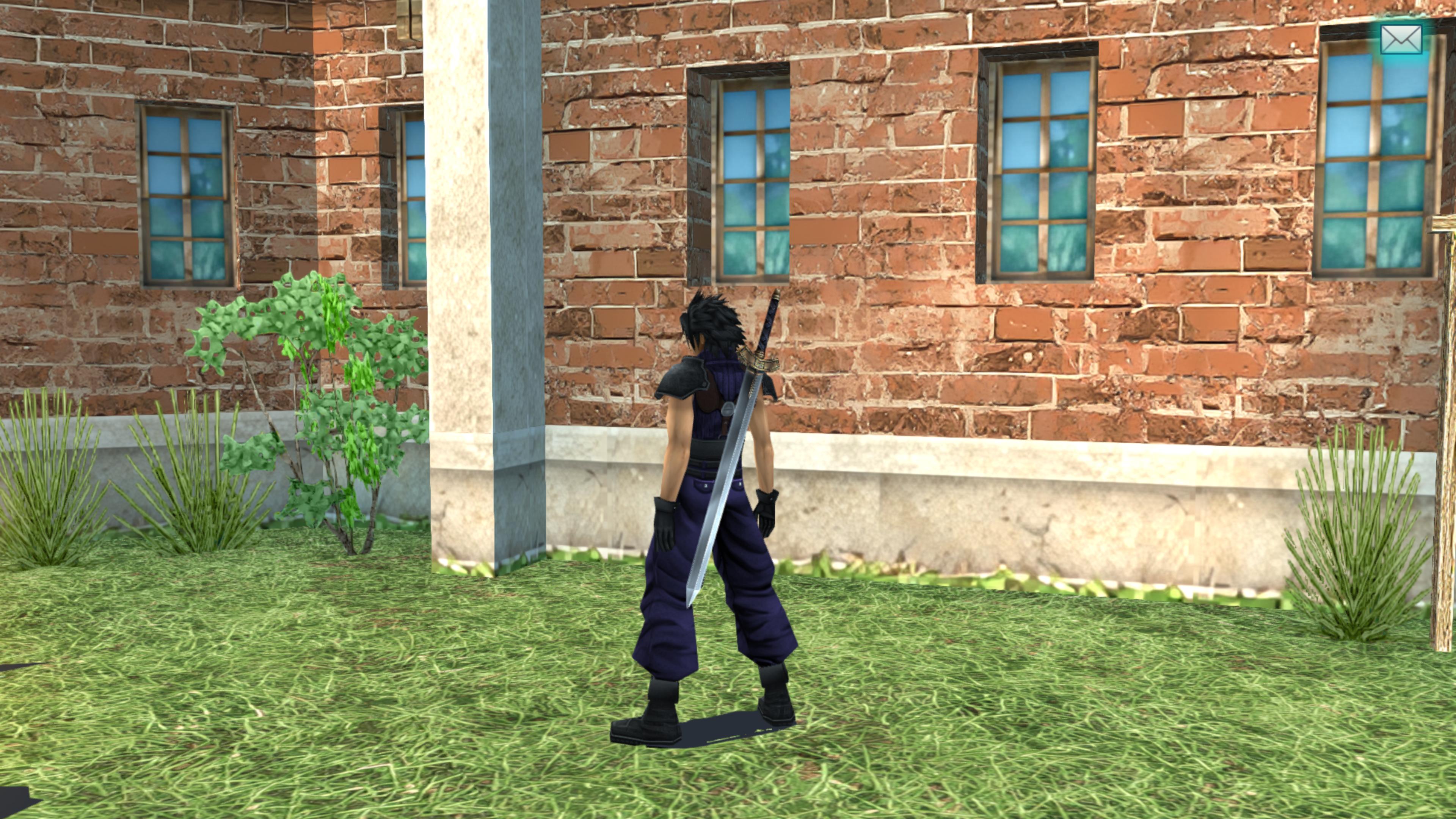
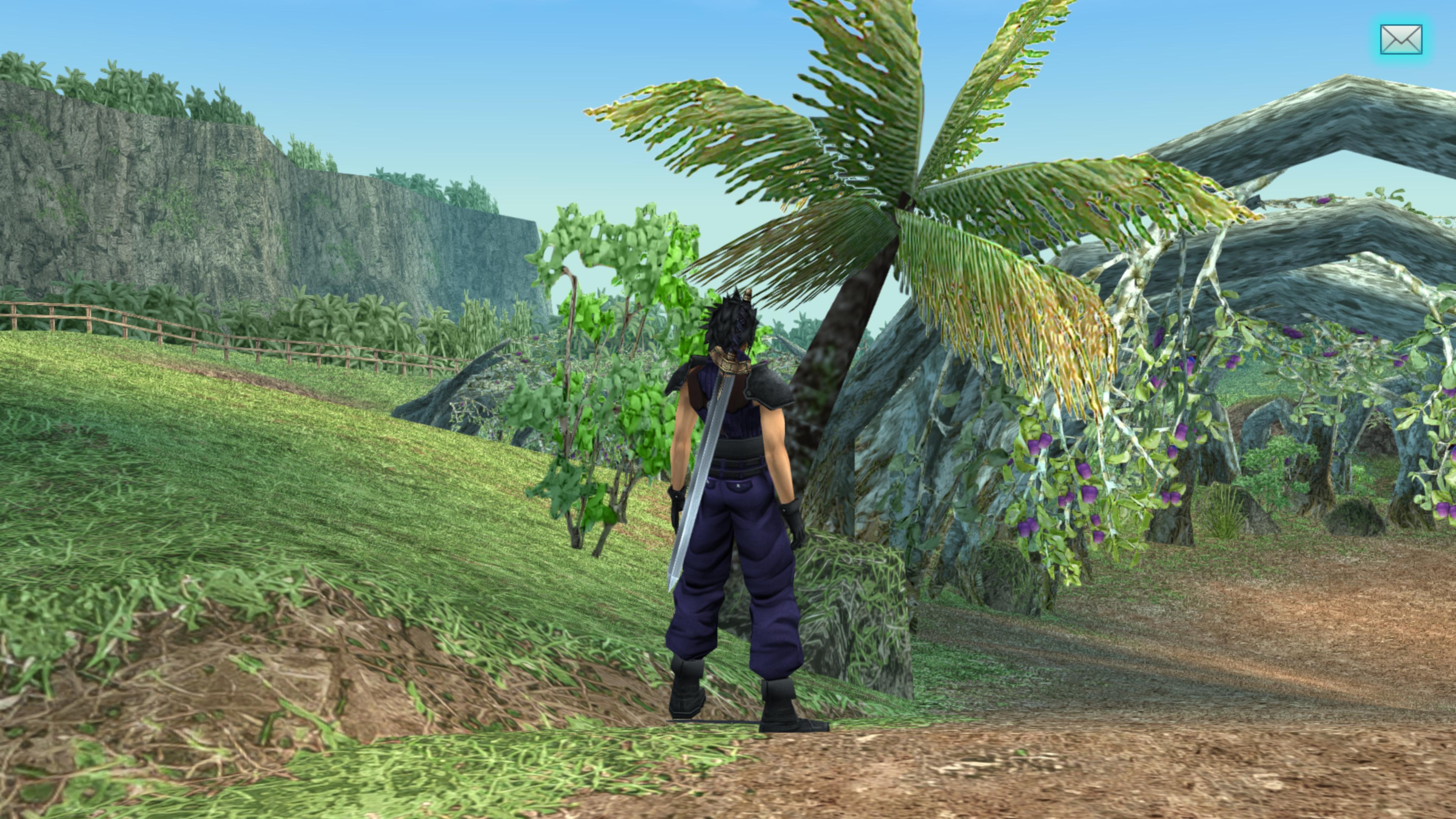
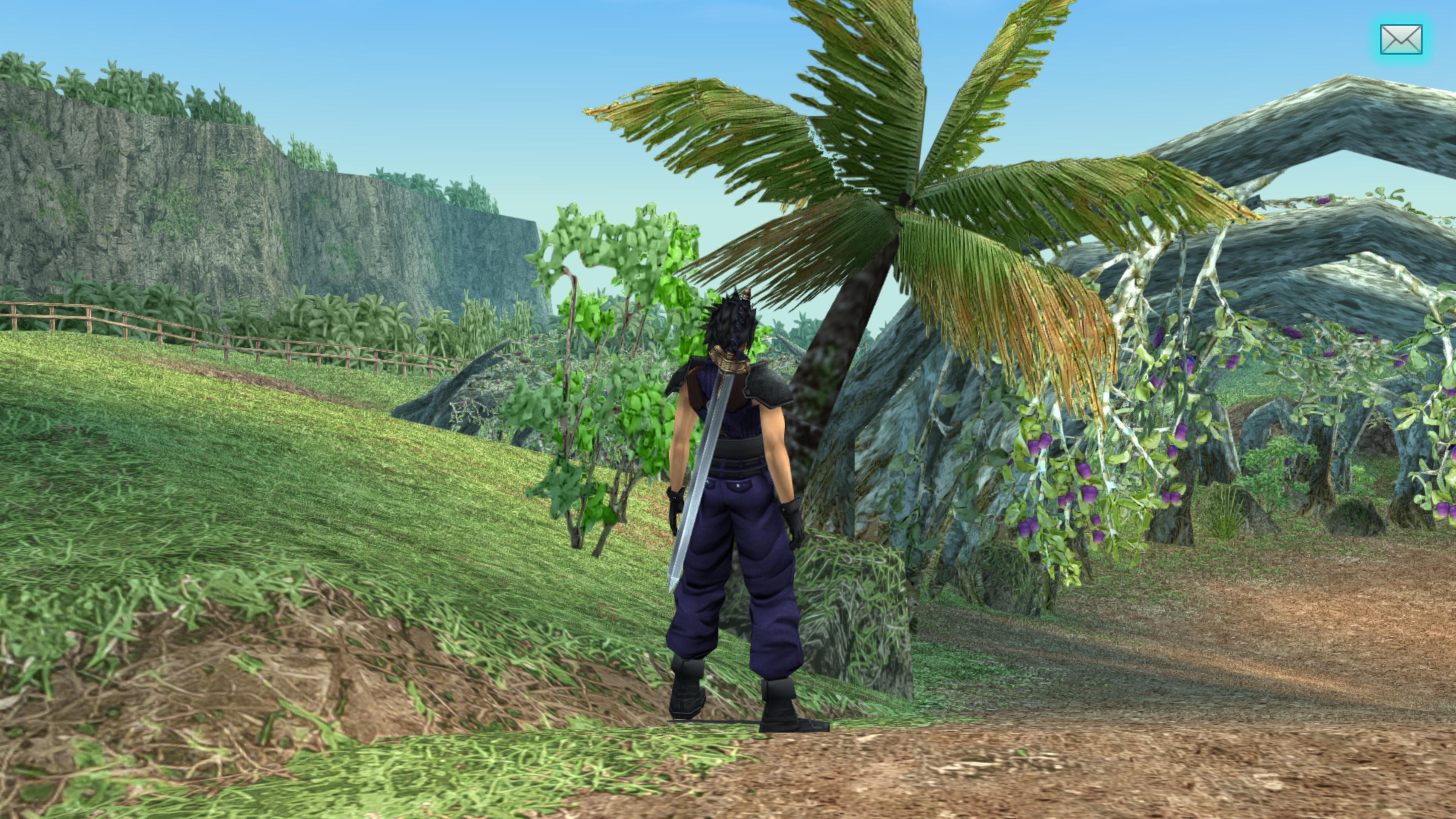
Great example of this is the Buster Sword texture. I understand why the artist have thought he made the right decisions by upgrading this texture the way he did, but it stands out in the screenshots unfavourably due to the inconsistent saturation and contrast compared to the rest of the game. Same applies for some other minor liberties that was taken, like altering the colors of the Soldier outfit ever so slightly. As we know, brown can appear purple or even black under certain lighting conditions. I believe Square-Exix has done a hell of a job to ensure consistent look for the game on PSP hardware and it should always be respected when upscaling the textures and improving the look.

I am an CG artist myself, so I have fixed some of the problematic changes for my own playthrough, but since you have the best understanding of your own project, it would be great if you could provide a "purist" version of the upscale project. Thank you!
 
It would help if you were a bit more specific. I do have future plans to make the golden part of the sword less gold and a more subdued color. It would also help if you shared your textures too.
 
Thank you for your reply.

The colors get more saturated in sunlight, but this is a game where you spent time in multiple different lighting conditions so the original developers had to make sure these textures work just as well in sunny Balmora as they do in the Sector 5 slums. The brass of the Buster Sword reflects the surrounding environment. The more saturated version might work for the area with sunlight, but sticks out in the gloomy and dark envinronments of the Shinra Mansion or Wutai Fortress outskirts for example. So the final texture what they come up with is a result of an compromise: it is designed to look as good as possible in all the scenes of the game. The game also aims at color grading with muted colors and it does so in spectacular way. This ensures the muted brass color of the original Buster Sword does not look too out of place, even in sunny scenes of the game.

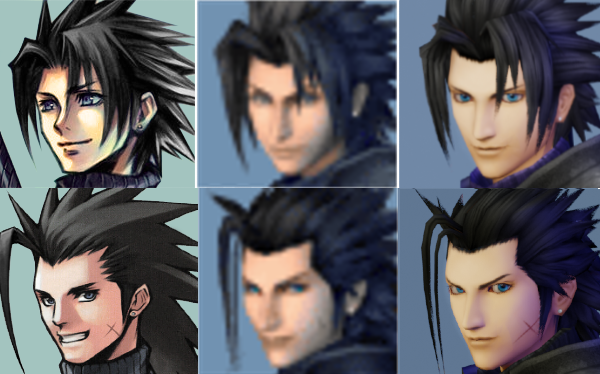
I think people who want to play your Crisis Core HD mod are looking for an authentic experience and I think you have done hell-of-a-job to ensure that in most cases, but if people run into change that they know is not respecting the original work, they will play the SD version instead. The reason for this is that they can't be sure what else is changed. Same goes for changing character portraits according your own taste for example. When making changes like this, you are placing yourself above the game director at Square-Enix, who has ordered this original artwork for the Zack's portrait. It is your project and you can do what ever you want with it of course, but I think you could choose to be faitful for the original work. It would be something you could be very proud of and you are so close in achieving this goal. I for one, root for your success!

It seems I can't attach any images or textures since I'm a new user on this forum. I used Photoshop CC's smart A.I. upscale 2.0 and a little cleanup for the Buster Sword which I used to replace the one in the current HD mod locally on my PC. The changes that you have made for the Soldier uniform are less offensive but boosting the saturation or changing the color of the shoulderpads makes them stick out in some scenes too much. I would highly recommend reverting these changes as well. You have done amazing job making a higher resolution Zack's textures, and changing the colors is the only issue in my opinion. I don't think anyone really cares if you have taken some liberties in replacing some of the environment textures, but the changes to iconic characters or iconic objects like Buster Sword affect the whole experience from start to finish.

Some people will reject the mod if they don't agree with some of the changes that you have made and that would be a real shame, because I think this mod could be the best way to play the Crisis Core and I would love to be able to recommend it for all.

https://ibb.co/ZM8dzDw
https://ibb.co/BLqfqfN
https://ibb.co/6cK9z7h
 
Last edited:
I'll try to be mindful of this for future editing. I have an alpha prototype for the 2nd Class sword, but I think it's too dull and not reflective enough so it's on hold for now.

Sometimes, I've had to make sacrifices and changes in order to maintain an HD presentation, like how there is no 3D art of Zack's portraits in high quality, so I went with the Nomura 2D look. And then there's the filler text.

I've sort of burned up a lot of energy working on this project so I'm not going to go into overdrive mode or anything, or make wild changes, I've been wanting to focus on the Before Crisis remake now. I do plan on fixing on NPC phasing soon at least. Just keep in mind, nothing is finalized and someday, I could make Zack's clothes duller. It just takes a lot of time and effort for me and I'm a bit busy these days so it's not a high priority.

Unfortunately, if people don't want to use the project because they're super purist about the original presentation, there's not much we can do about that because making an HD version of the game simply requires artistic choices ultimately. I did give a warning in my post on page one about how for the most part, we try to stay true where it counts. I could make a fun gallery comparison in the future explaining some of the more major artistic changes so people won't need to fear what they may be missing out on, and I also mentioned the player can toggle the texture replacement hotkey as well.
 
Thank you for thinking about it! I think people expect to see original textures that are upscaled, because it is called Crisis Core upscale project, not Crisis Core art replacement project. I believe for many of you who have worked hard on this project, the distinction is not so clear anymore as sometimes things had to be remade for a reason. Original texture might have been so blurry, that things had to be made from scratch, or there might be an opportunity to use a little bit of freedom to add extra information on computer screens for example, but it is a different story for key assets that are already relatively hi-res, like the Buster Sword for example. In these cases the original art made by Square-Enix is closer to the original vision than anything fan could provide.

I just want to offer a view from outside. I think this mod is amazing and keeping it focused will help you reach new heights in fan-awareness.
 
Last edited:
But this was all I wanted to say! Thanks a lot for this Mod! I will follow the development with great interest!
 
Hi CCUP team!
      I just finished the game last night. And it was amazing! I had never been able to figure out how to play Crisis Core before, until I came across your project earlier this year. Thank you so much for the clear instructions, on how to set it up, on this forum and Github page for it.
      Also, I think somewhere on the Github page, Devina, mentioned to hotkey the texture replacement. I didn't have the technological saavy to know how to do something like that. So thanks for sharing that tidbit! It was so fun to compare and contrast, the before and after upscale effects, throughout the game. And playing the OG FF7 is on my to-do list. But I played the remake last year. And now that I've been able to play Crisis Core, major plot points from both games, make a lot more sense now! Though I wish last year's FF7 Remake Part 1 told us what happened to "Cissnei." But thanks for plugging your "Before Crisis" remake project too. I know Cissnei is in that game too. And I'll be following that project as well!
     Thank you again for all your hard work and art, in this project! This was probably my favorite quarantine project I've learned about, this past year! Keep up the great work!
Cordially,
Natalia
 
Hello Team,

And first and foremost i wanted to say thank you, THANK YOU SO MUCH! for the love you gave to game of my heart, every moment is enhanced, improved, restored to the vision it deserves.

I enjoy this to no end, but i wanted to ask maybe someone knows is there a way to run these textures while playing on PS VITA, I do own crisis core in more than one copy, but i would love to play it on vita when on the go, or PS TV when home.

If not then not. Ill just grind PPSSPP to nauseum :D

Thanks again,

Calyx
 
ULUS10336\.git\objects\pack\pack-09b25c1deeb61f23338eaff153ce2fe20e4c1115.pack

why is this file 8 GB?  ???
 
The Wutai update is available (89 edited textures).
It contains every edited textures of my previous post and some others.

78IpQKS.jpg

g58IFpD.jpg

Q7OI4m0.jpg

NzswUak.jpg

Jiqrazz.jpg

GEYSEp6.jpg


I'm now doing a walkthrough and editing some textures along the way.


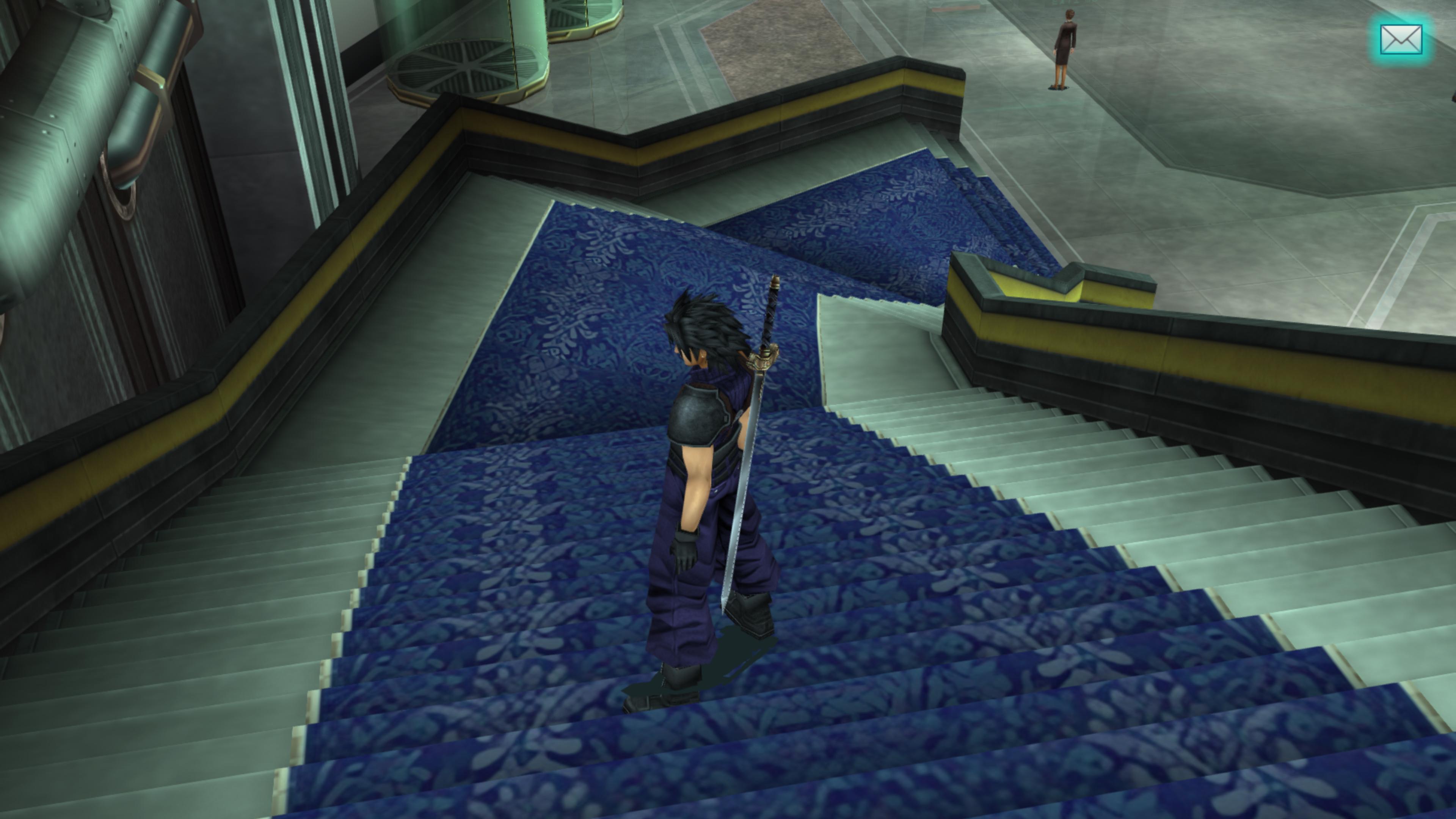
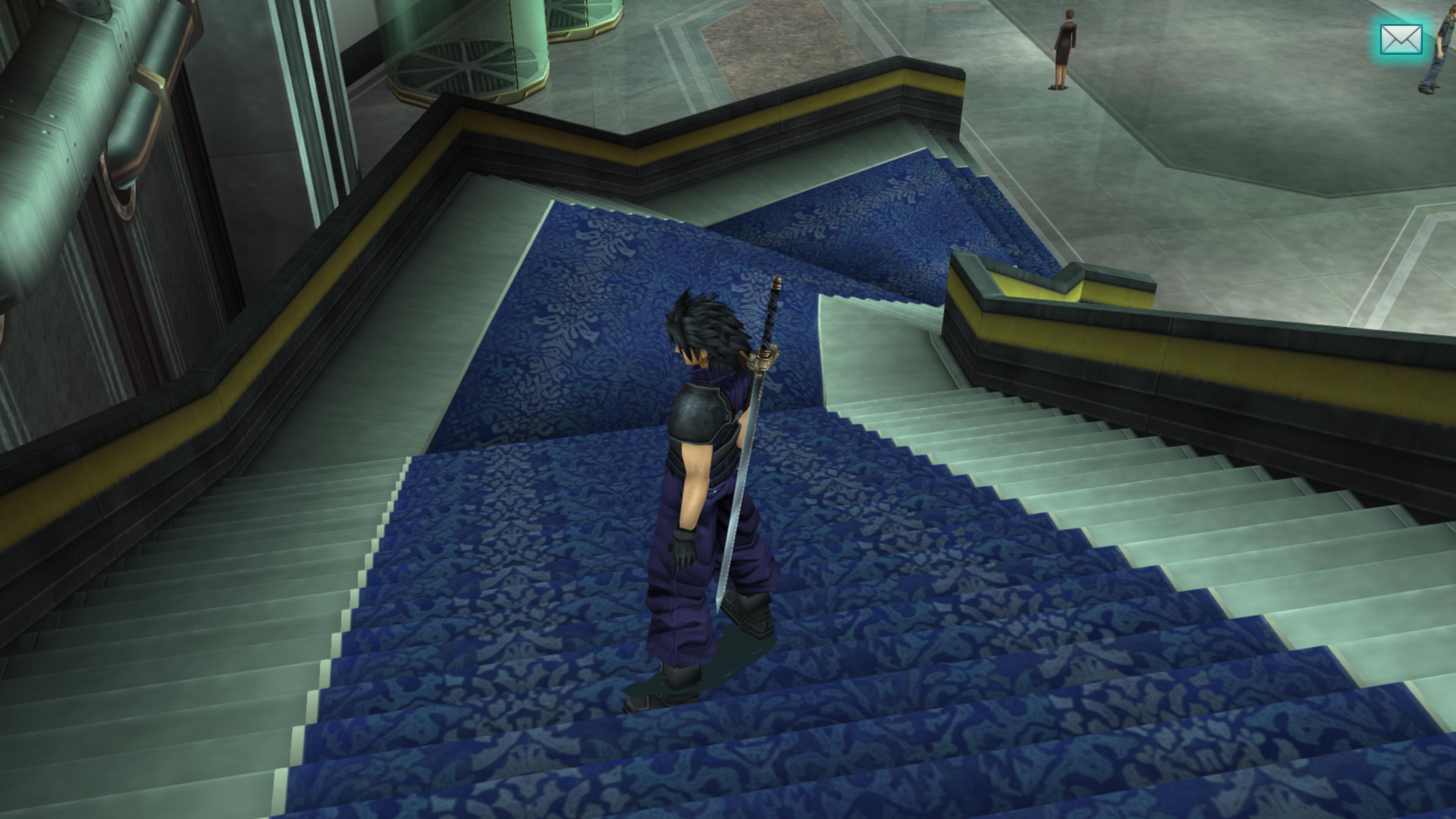
Here are some update in the Shinra building :
xUGr4Ut.png

r1WCJrz.png


Carpet pattern is redrawn
lH5y4yQ.jpg

F0W6SzX.jpg


I also made some updates in Banora.

Soil + Tree trunks
prJQeoS.jpg

mzOF3YW.jpg


Brick wall
EHgqI0G.jpg

oPwy8Ig.jpg


Palm leaves
SyNMp0S.jpg

7SDMHBw.jpg


I also redrew the pink flower texture to look more like the original texture
CdrrTFg.png

uEn67HX.jpg

cYefQ0L.jpg


I think I will edit more Banora textures before continuing my walkthrough
 
I love what you're doing here; it looks fantastic and makes me excited to play this game again. Is there any plans to do any work on the FMVs? If it's possible to inject different resolutions, I would be happy to work on remastering them to make this project even more complete.
 
I've been pretty busy lately so I haven't been able to edit much, but I wanted to post this little update.

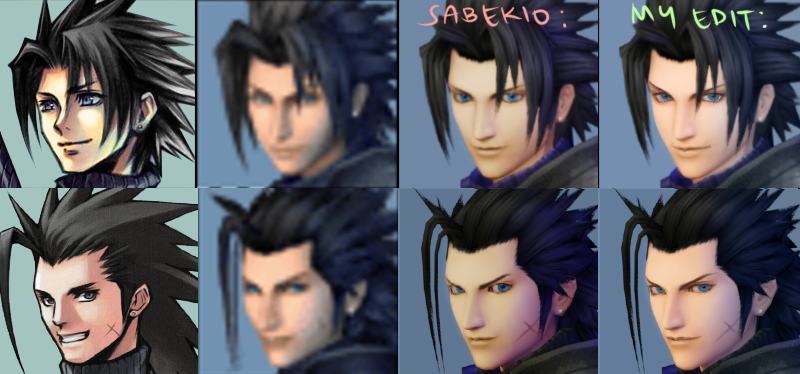
Zack's portrait in the main menu have been updated thanks to Sabekio.

Because these are more accurate, the 2D versions are now a mod in the folder (we were previously using 2D art so it would look nicer).
o4SDS4Y.png
 
I've been pretty busy lately so I haven't been able to edit much, but I wanted to post this little update.

Zack's portrait in the main menu have been updated thanks to Sabekio.

Because these are more accurate, the 2D versions are now a mod in the folder (we were previously using 2D art so it would look nicer).

o4SDS4Y.png
Hi, I've been loving you and your collaborators' work on this mod!

I truly appreciate your dedication on making this game into HD.

I would just like to share a few edits I did for the new 3D portrait, with absolutely no disrespect meant for Sabekio's work. I thought I'd try to match it more to the original portraits by changing some details and coloring here and there.

qctqcNJ.png


I would be more than happy to give you the .pngs if you'd like to use them, or if there is any contribution I can do that is within my abilities then I can work on them as well.

Also, I notice the red ties on the Turks in the "Missing Personnel" screen. I think their whole outfits should be desaturated as well, like the other Turks?
 
Hi 14190ateru, please send your .pngs our way, I'd be happy to use them.

And the red tie slipped my mind. We have some plans for some improved Genesis/Two Turks computer monitor screens, so stay tuned.
 
Hello, thank you so much for your hard work on this project <3 we have just finished the game for the first time and your textures made it extra special!
 
Last edited:
If I could get a little help with the location of where 'Texture replacement' is in the options, I'd appreciate it.  Looked through multiple times and just cant see it.  Currently using PPSSPP 1.8.0
 
I cant seem to see it..  I have a screenshot of my settings.


https://imgur.com/a/v1zw3gj


I do have one weird issue thats only started appearing now.  Whenever Aerith talks her eyes are closed and her lips dont part, but her jaw moves.  Tifa also finally appeared and her eyes are closed most of the time she was on screen.  Is this an issue easily fixed?
 
Status
Not open for further replies.
Back
Top