FF7 Crisis Core Upscale Project

  • Thread starter Thread starter eqprog
  • Start date Start date
Status
Not open for further replies.
I'm not sure by how many are aware of that, but the PS3 could also do PSP emulation as a PSP remaster. So that bring the question, is it possible to use this project with a, say PSP2PS3 converter? Afaik, it should be fine as long as all of those textures are present inside the ISO, so in theory, there shouldn't be any problem. Could the textures be injected into the ISO and work correctly?

Thing is, that this emulator does increase internal res, so the game is basically rendered in HD, but the 2d elements, textures and UI are, obviously, kept the same. So this should work. It's just that i've no idea how to inject them into the ISO.
 
Last edited:
The short answer is no, the longer answer is yes, probably but one would need a bunch of developer tools that are hard/illegal to obtain and might not even work. You’d basically have to change all the models and their texture file directly which is very different from how texture replacement works on ppsspp. I don’t have a ps3 I could test it on anyways.
 
Ah, that makes sense! I believe you'd have to take every texture replaced carefully one by one which would take a very long time, yes. Maybe UMDGen could help. Still, at least an UI upscale would be nice, though. If someone is up to try this out, i'd be glad to test it out and also upload some screenshots with the result as i have the possibility to do so. I could give this a try but i lack the knowledge to do so :C

Anyways, thanks for clearing that up. Maybe someone will figure out a way to do this hopefully, as the PSP remaster is quite a comfortable way to play this. I didn't expect it would work this good.
 
Last edited:
Its really outside the scope of this project, and candidly speaking outside of my ability. I mean, thinking about it, it could theoretically work however there are a lot of unknowns. The Noesis utility can unpack the models from the UMD iso and photoshop can view them however I have no idea how one would "repack" them into the same format. The PSP as a platform is very restrictive in terms of texture dimensions *and* memory. For instance, I tried to take the upscaled FMVs and inject them into the ISO. After an exhaustive search I... acquired... the software used to publish psmf video files(playstation movie format) and it literally won't let me import the upscaled video because of the video resolution. I think even if someone managed to get a hold of the entire PSP SDK, implementing the higher resolution textures wouldn't be possible because Sony would have known well enough to force certain restrictions on the developer and therefore exporting such models would not be allowed.

Let's say someone managed to do this, you could use UMDgen to create a patch and modify the table of contents, sure. But honestly I don't think the PSP (and therefore an emulator) would know what to do with those files because it just isn't capable. PPSSPP texture replacement circumvents this by injecting textures into the PC's memory ("outside" of this emulation layer, if you will).

That's on top of.... having to probably have some sort of ps3 homebrew solution to get the modified ISO to run. If you really want to play it on your TV, perhaps consider using a chromecast type of device and steamlink? Its free. You could also try emulating it on android and casting it to your TV. There are lots of compatible bluetooth controllers which could be used this way.
 
Great job with the Nibelheim Inn, it looks a lot better, especially the floor. :)
I also like the church door.

I downloaded the newest update from Github so I think you should too so we're on the same page.

I added smoother black silhouettes for the DMW portraits, and got rid of the NOW LOADING texture.
I feel it's not needed since the load times are so fast on emulator compared to PSP, it looks like a small blue flash in the bottom right.
I feel it's distracting and less cinematic, and it's easier to just remove it entirely than upscale it.

I added nipples and a navel onto Zack like I did months ago in my earlier patch. No one can talk me out of this.
He looks too alien without them and Cissnei in the same scene has a navel, so it makes no sense for Zack not to.

Finally, this new update I did is a bit of a spoiler so don't open this unless you've completed the entire game.


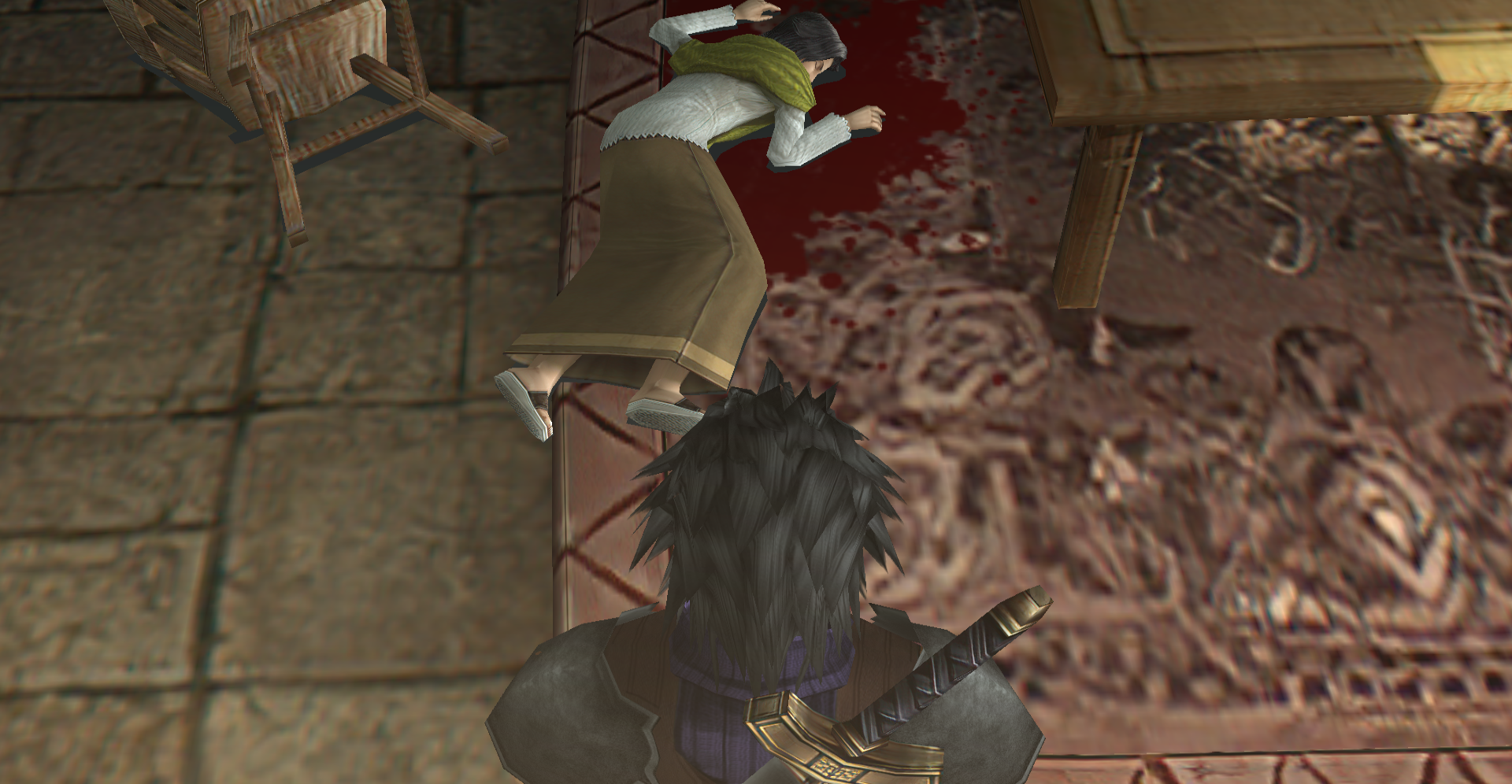
When you find Gillian's body, the floor (both stone floor and rug) were not upscaled, because the room uses a different lighting set (so subtle, you barely notice it) for the room because the door is open. I restored it to use the original so it looks decent.
lHAwNlr.png


I also added the option for players to make the scene more gruesome in case this scene was censored somehow, just like how the scene where Sephiroth stabs Cloud was (probably) censored. It makes no sense for there not to be blood in that scene, so it was probably done so the game could keep its Teen rating (more demographics, more sales). That, or the developers thought finding an older woman's bloody body might be too objectionable to Western people (likely also the reason a statue in the game was modified to resemble Mary less in the Western release as to not offend Catholics as much) and turn them off from the story, while they would be less objectionable to blood during Zack's death in the ending. FF7 and Crisis Core are not cheery stories, there are a lot of dark and grisly aspects to them, so some people like me might prefer this change.

This also makes the plot make a little more sense because it turns out Angeal did not kill his mother, but rather, she killed herself in suicide. Angeal's Buster Sword has no blood on it, so it could serve as foreshadowing. It's never explained how Gillian killed herself. Without the blood, you have to guess she used a cyanide pill or something, but why would she have that as a villager? In this edit, you can guess she killed herself with a knife or a gunshot and may be lying on top of the weapon. In case this scene was censored and there was intended to be blood, you could also guess it was seppuku, due to the Japanese influences of the story. Gillian killed herself due to her shame, and I got the sense the Hewley family were meant to evoke a traditional Japanese family, especially due to Angeal's constant talk of dreams and honor.

Because not everyone may like this change, this is not the default so in order to make the blood appear (like I said, it will only appears when Zack finds her body, not when he meets her for the first time), you must change a line in textures.ini so control+F in the notepad file:

Before:
00000000c469d38fc69a056e = /textures/environment/ground/000000002e67574e617ca713.png

After:
00000000c469d38fc69a056e = /textures/environment/ground/00000000c469d38fc69a056e.png

 
Last edited:
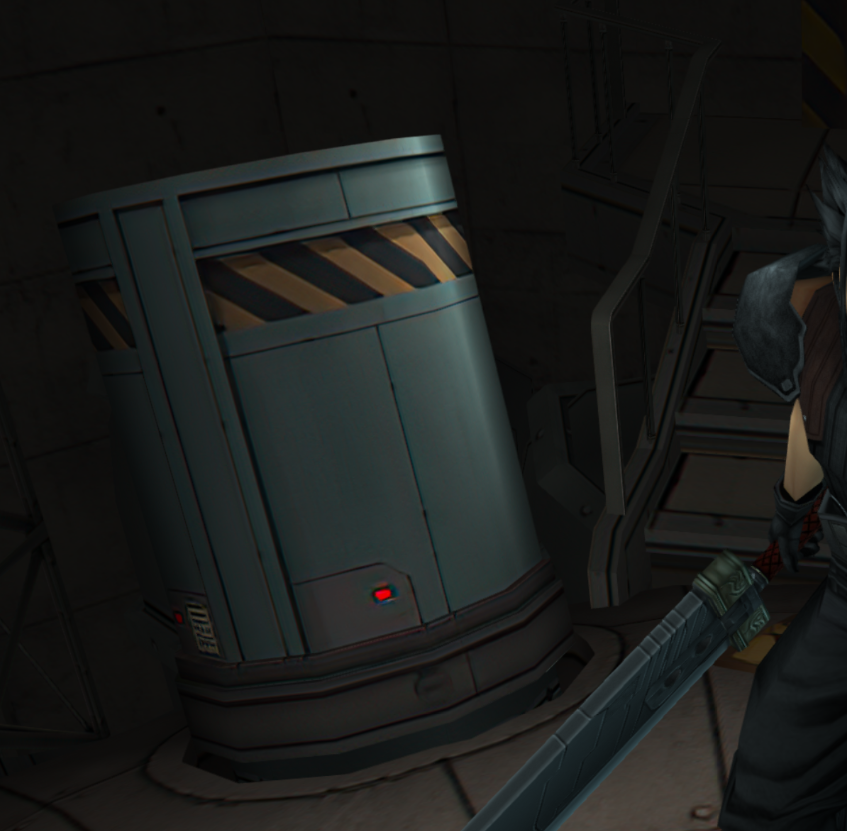
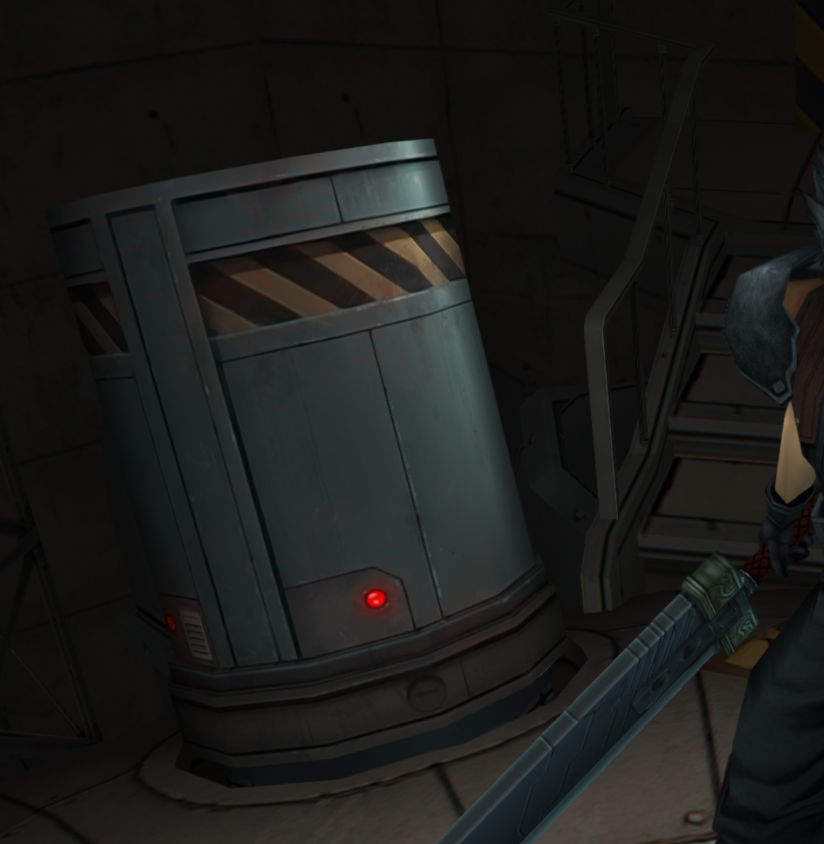
I looked in the priority folder yesterday to start helping with textures. I fixed this one in Mt Nibel. I hope it's ok. It's my first time using Github but I made a pull request for this if it can be useful.

8LUejz5.png
igjunv7.png
 
I accepted the request. eqprog should be able to give you control over the project so you don't need to do pull requests all the time. Just be very careful not to overwrite any important data.

As for the texture, I think it looks good! Imo, it'd be better if you did more work around areas the player will likely revisit. For example, there's a few subpar textures around the Shinra Building. I think that stuff is more important than an object in a cutscene you might only see a few times.
 
Thank you for your feedback ! :) You're right, I'll check these type of textures first next time. I should be able to work more this weekend
 
Submit a few more requests when you are able and I’ll add you as a contributor once I make sure you do quality work and I don’t have to worry about approvals. Thanks for offering to help!
 
Ok no problem, thank you ! You're welcome !  :)

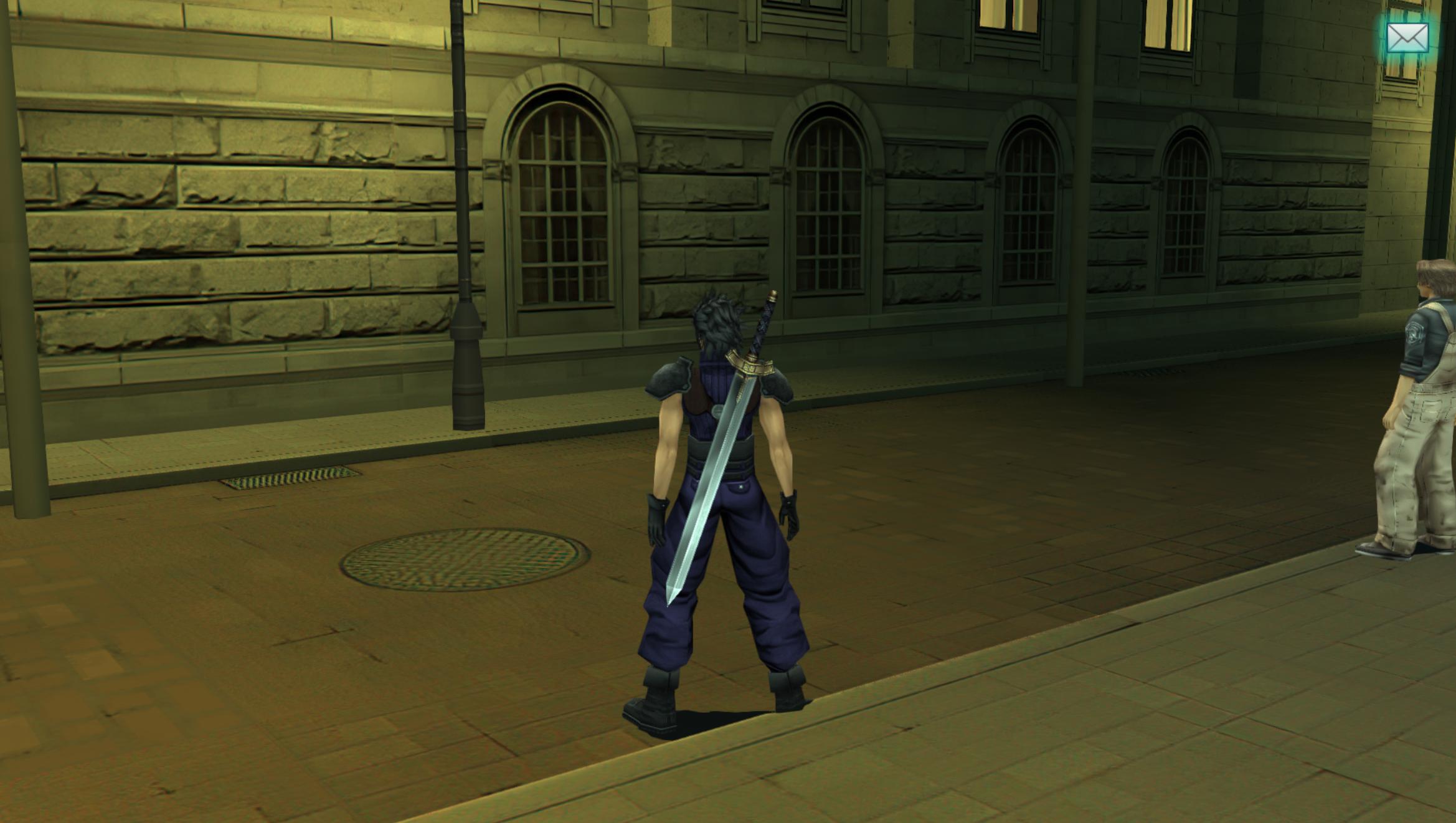
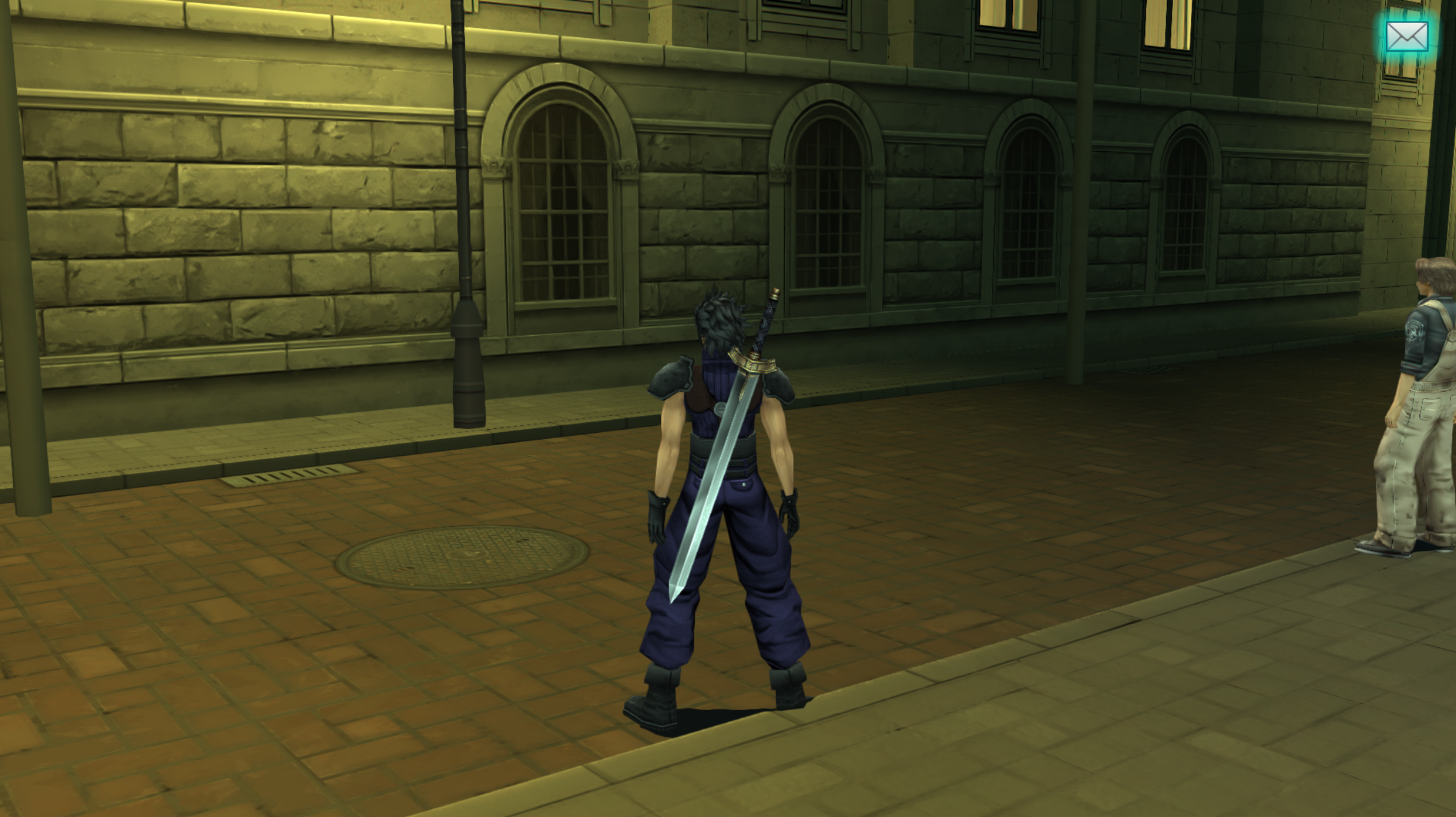
I fixed some textures in Sector 8 :
-Stone wall texture + stone window one
-I also fixed the ground texture. I've recreated the original pattern and fixed texture seams. Same for the sidewalk.
fq8EW2r.jpg
ZpKSa27.png
 
Looking fantastic, I love how your work makes it go from a "filtered AI" look to "native PS2 texture" look. And yeah, the vent to sewer thing is fine. It's nice to see the individual bricks again.

Are you done with the floor textures? I know a way a way to make them "pop" and look more realistic so I'll do that once you're done.
 
Yes, I'm done with the floor textures. I'm just thinking about adding "smart sharpen" filter on it or the "paint daubs" one on Photoshop to make it "pop" more like you said but that's it. What do you think ? I've made a pull request with the above version if you want to get the files and try something else.
 
Looks great, I approved the request. I’m at work now but I will get you added whenever I get home later this evening so that you can just push updates without approval.
 
Here's a WIP of the floors, you can see how much more realistic it looks now:

7ijmX2y.png


I still need to clearly define the brick lines (it's black in this pic but I'm going to make it a bit brighter in the end).

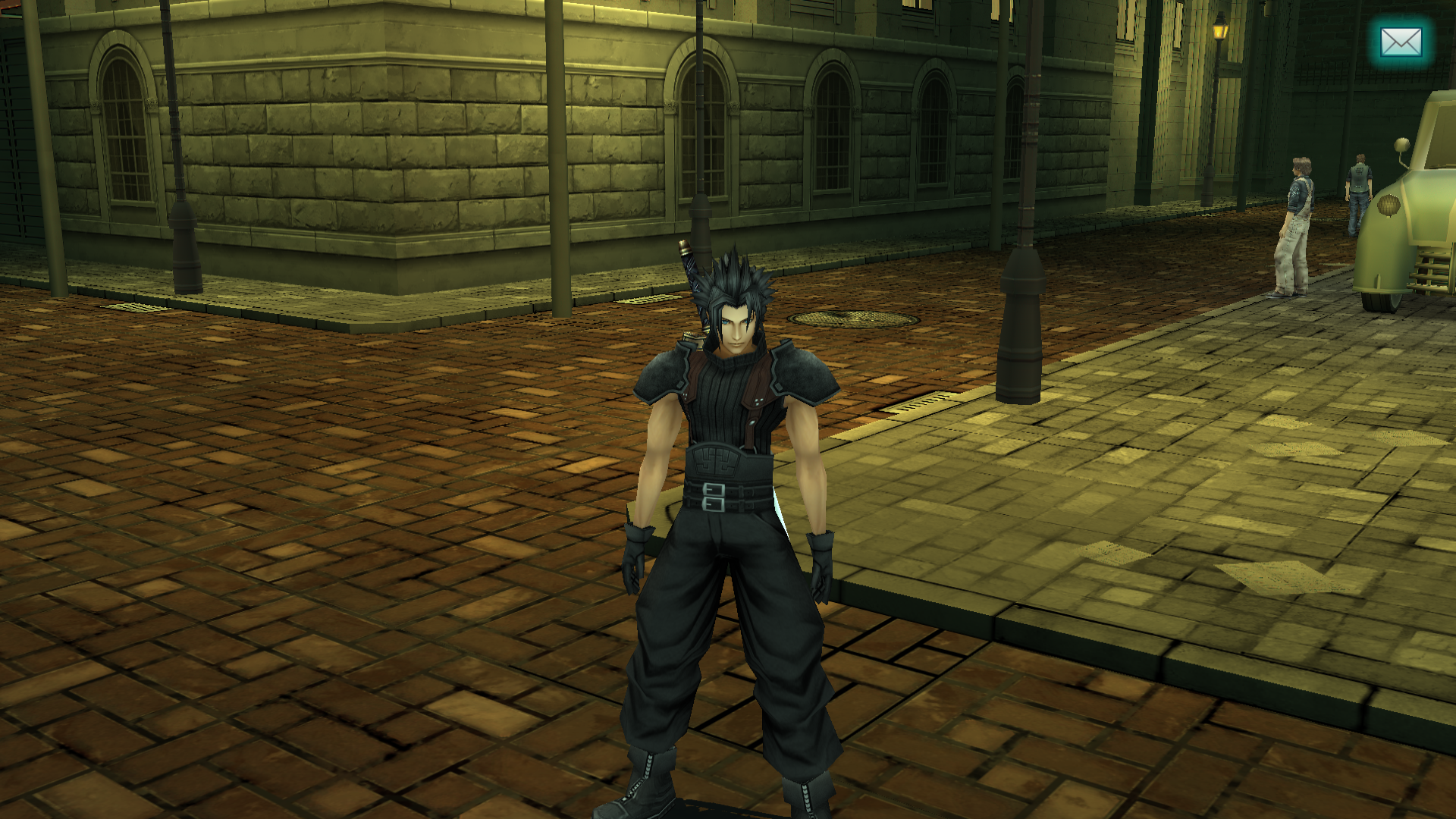
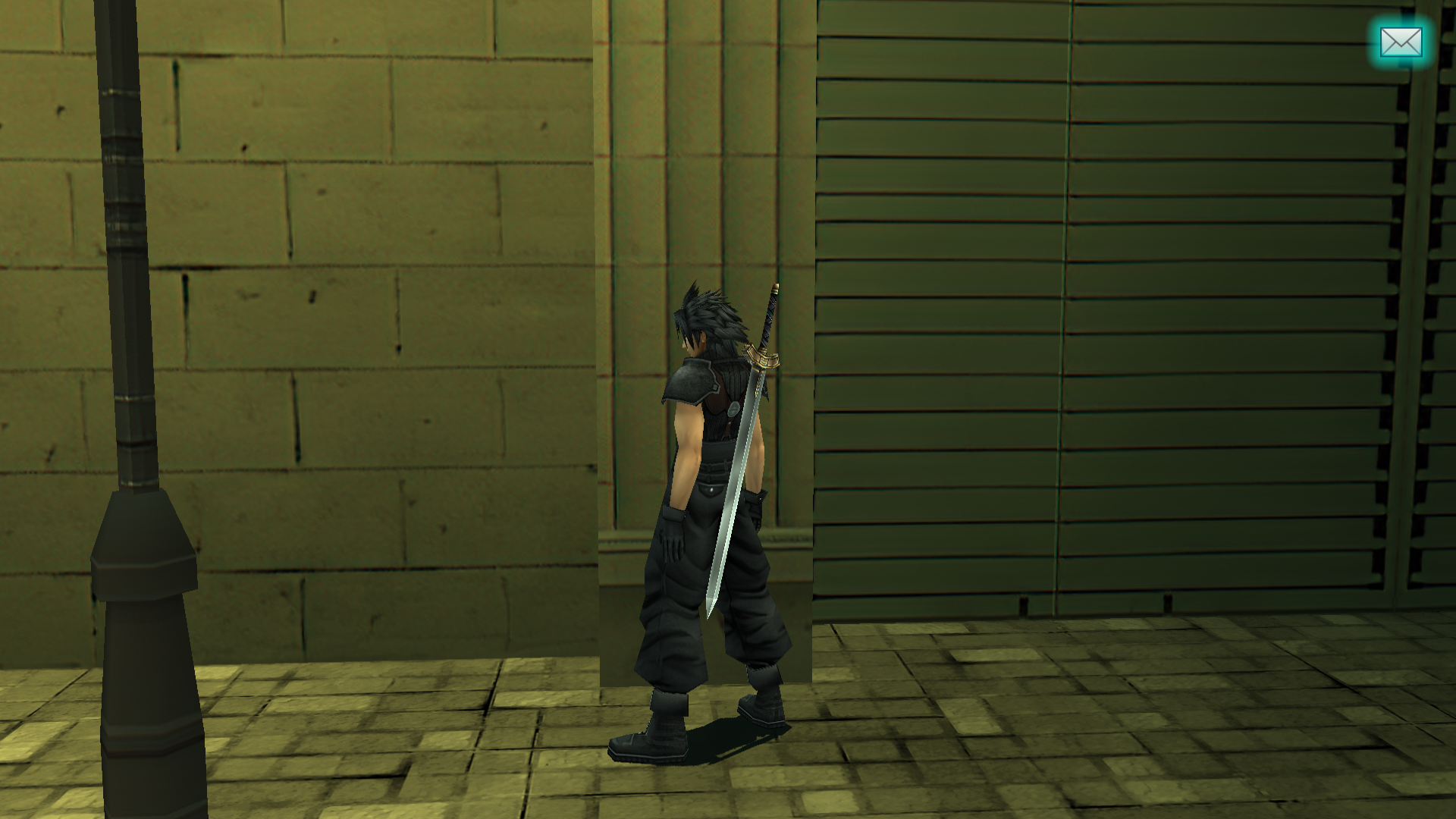
Zakkura, do you know if you can take a look at some of the walls in the area?

You can see some chromatic abberation in a lot of them:

ixEaxjh.png


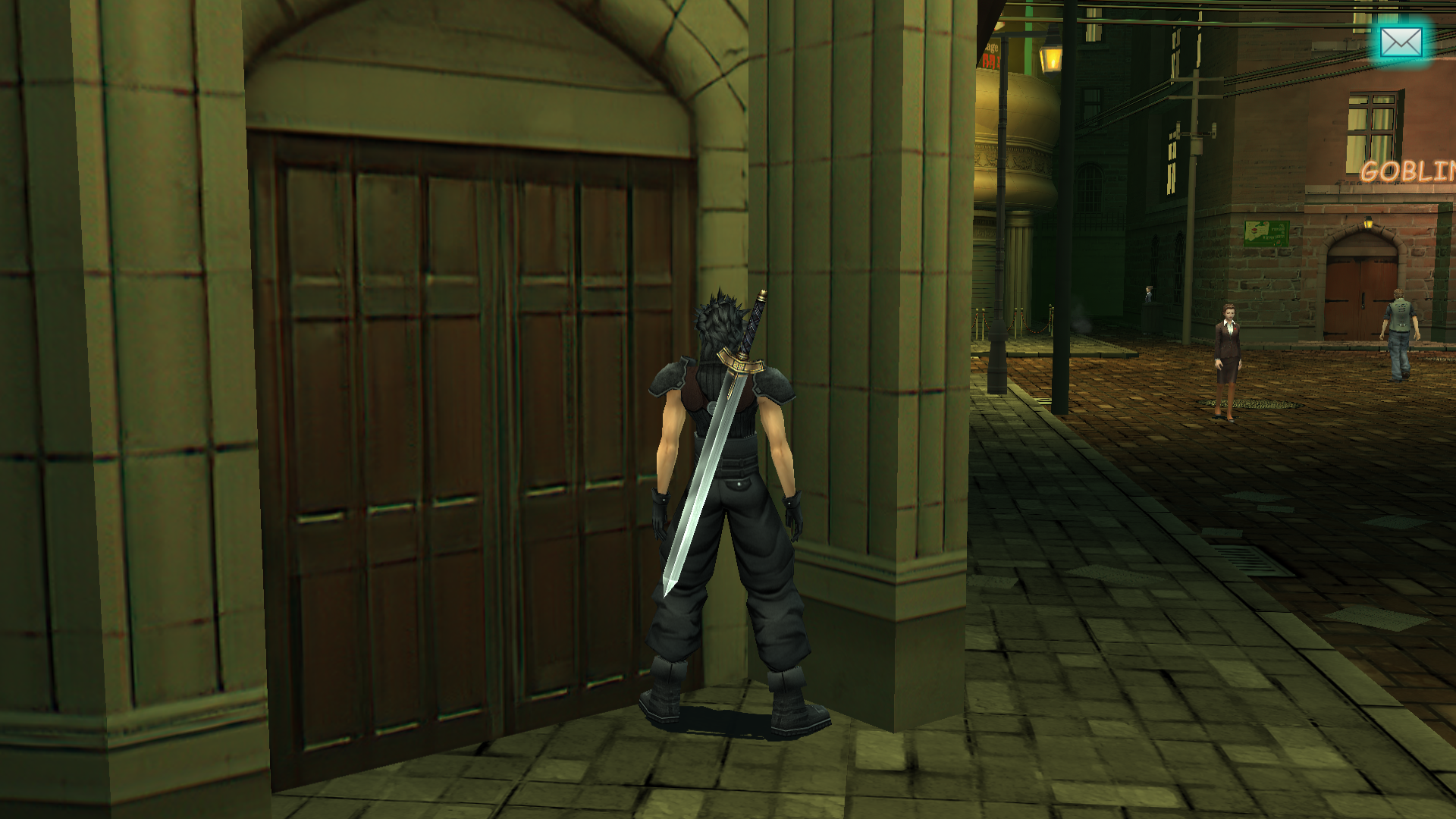
The door could use an update:

7pr3DQP.png


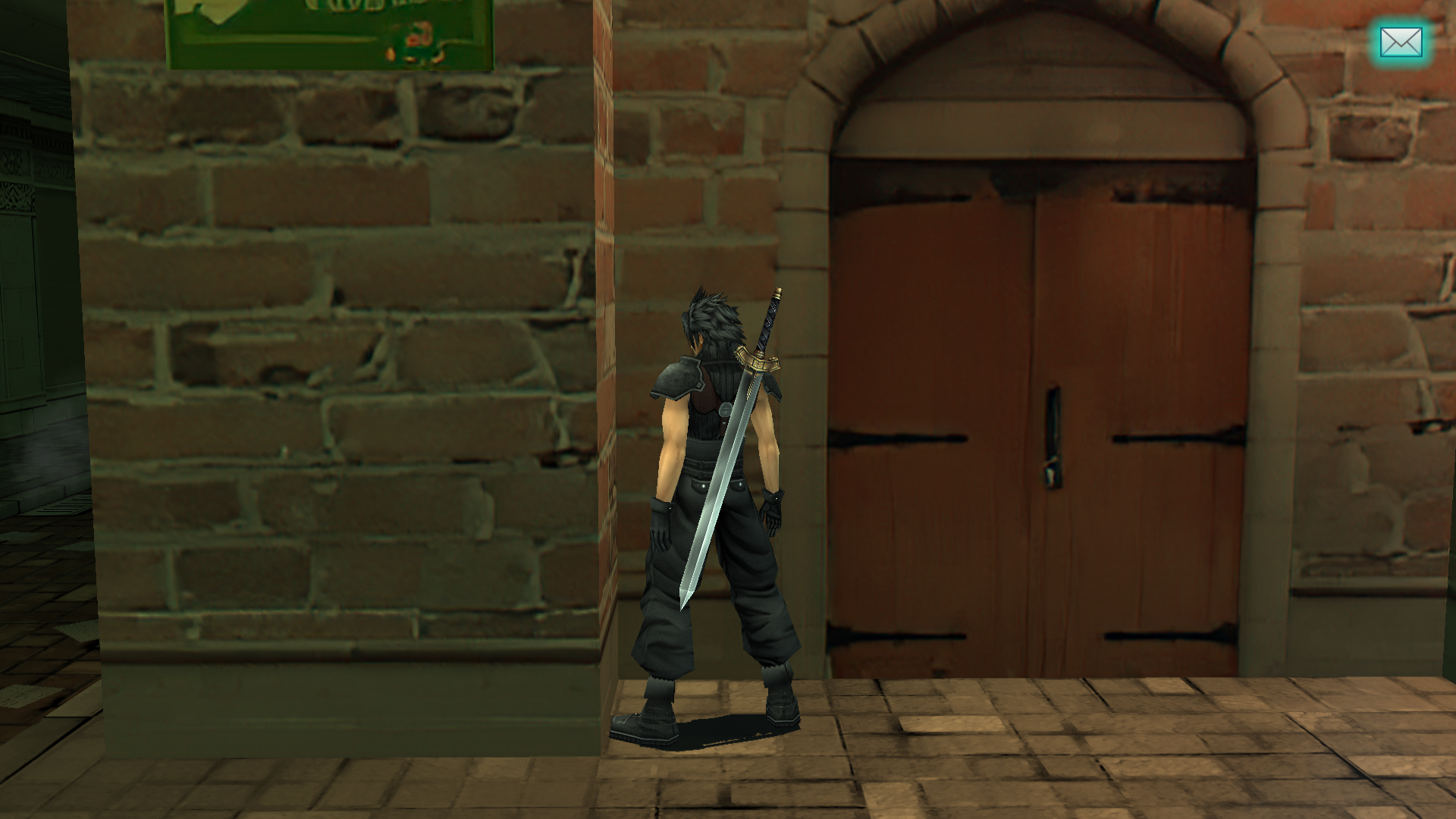
Something also bugs me about this door here, it's not divided in half. The bricks don't look all that real either.
I think maybe we should add a "GOBLIN'S BAR" plate and a "CLOSED" sign on it after, since the establishment looks really strange otherwise and not like a real place.
There's an unreadable green poster to the top left of it but I'm still unsure what we should replace it either. Maybe a sign for a drink or something.

Ps32egk.png
 
Ok I see what result you want to achieve. It will look nice with this color contrast !
 
Sure, I can fix more wall textures, I was thinking about that too. I'm currently fixing the brick wall one you mentioned (+ window and door ones). I can fix the white wall after.
I agree, it would be nice to add something on the door.
 
I added you as a contributor, zakkura. You should accept the invite if you haven’t yet.
 
You’re welcome. I just want to say that it feels great to have another contributor join us. It certainly gives me more motivation finish, especially seeing these new updates from both of you. I don’t want you all to think I’m slouching! Keep up the fantastic work. I should but submitting some more work myself in the next few days.

I was thinking, how would you feel about having the textures organized by area in the game instead of by type? I really regret not doing that way from the beginning. It’s so much easier rather than turning the texture replacement off, refunding, then trying to figure out which one I’m looking at. And obviously there are some textures I have listed as ground” that are wall textures, etc, because as I was organizing them I had no context. That by itself isn’t so bad but it just bothers me.

I was have to play through the game again (just to be sure to capture *everything*) and organize as I go. Then, I think I could write up a script that would shift the work we already have around and generate a new texture.ini file.

I’m thinking we would have a folder for each story character model, then a folder for each zone in the game. If either one of you have suggestions for this, let me know. The goal would be to make work easier. If you think I’m just wasting time, tell me and I’ll proceed as is.
 
I don't think it's worth it because if you use this method, you can identify any texture in 2 mins and all:

- While you're playing, make a save state at the scene
- Close emulator, rename "textures" folder to "texturess"
- Open emu, reload save state, press the hotkey you assigned to texture dump
- Look in the "new" folder, search within the subfolders and it's all there for you
- Once you're done identifying the textures, rename "texturess" back to "textures"

I might have a notepad file open and be copying and pasting texture names too, and I have a shortcut to PPSSPP on my desktop to make this process faster.

I think you basically already captured everything so don't worry about it. I still think you need to update textures.ini for the Shinra lobby during the destruction, and I think Reno/Rude are missing textures, but I don't think it matters because they're only in the game for a minute anyway. I think you should go ahead and update that, then I can add the texture.ini additions that might be deleted in the process.

I have an idea where each week, we go into a specific room/area in the game and try to "oversee" everything, dividing up tasks.
For example, me and Zakkura are doing Loveless alley, and I'm doing the floor and Zakkura is doing the walls.
That way, it can feel funner and we can talk about our changes and ideas.

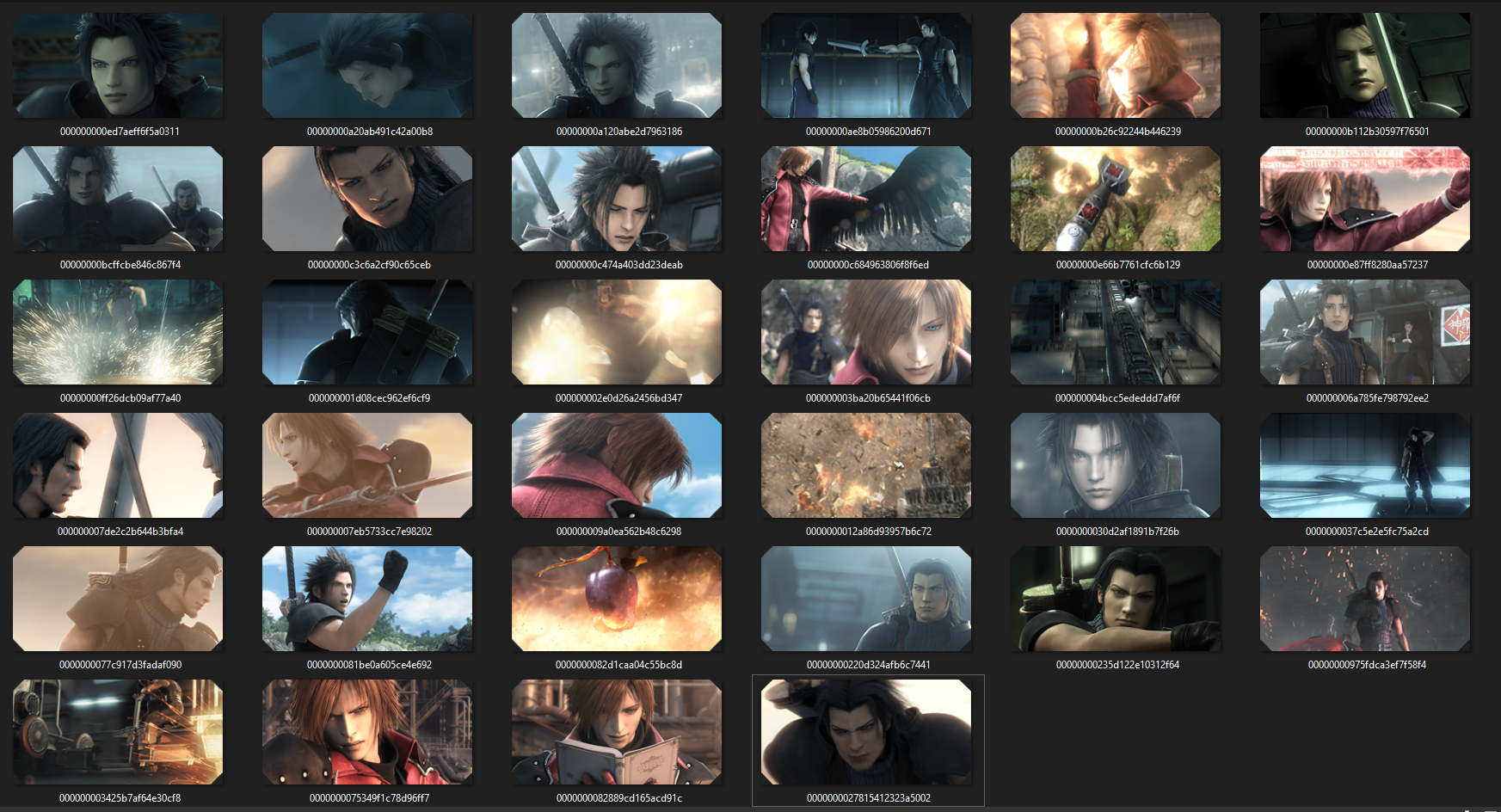
I also think we should make a new folder for all those DMW flashback scenes just because they're organized all over the place so I'm going to work on getting all of those right now.

EDIT:

Just made a flashback folder in the environment folder which is live on github now. There's 34 of them and I think that might be all of them, not sure.

1yOqtBw.png


If you want to adjust textures.ini for these, you can. I need your help to upscale these ones:

00000000b26c92244b446239
00000000c3c6a2cf90c65ceb
000000002e0d26a2456bd347
000000007de2c2b644b3bfa4
0000000037c5e2e5fc75a2cd
00000000975fdca3ef7f58f4
0000000027815412323a5002
 
Last edited:
Status
Not open for further replies.
Back
Top