FF7 Crisis Core Upscale Project

  • Thread starter Thread starter eqprog
  • Start date Start date
Status
Not open for further replies.
That’s weird, I went to that part of the game without any new textures turned on and the new textures never got dumped. I waited plenty of time, too. I checked git history and they never showed up.
 
Oh well, it's over with. I do feel a bit more confident now, finding textures myself and organizing them.

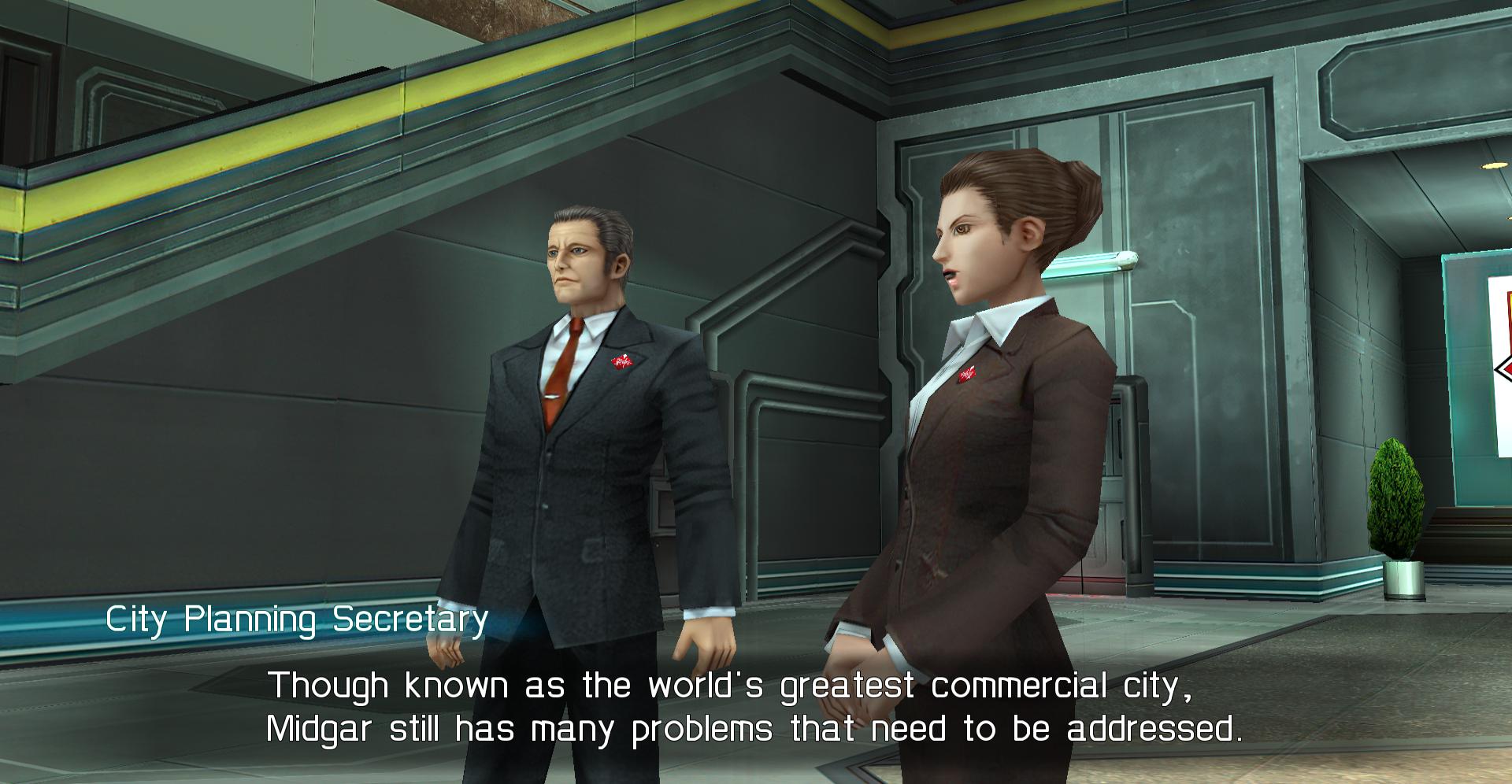
I just finished fixing the man (and woman) I mentioned earlier. They no longer have animation errors, and while their textures are a bit ugly (the man's suit is pixelated and the woman has a red seam on her blouse), they can always be improved in the future (it's not like you see them much anyway up-close).

2p8ZjLj.jpg


What threw me off was the man has most of his textures in priority, while one of them is in "skybox". The woman has most of her textures in NPC, and one of them in priority.

Organization isn't the best, but I can't blame you because you've had to organize 5000 textures. For example, I discovered that some object at the train station is in Sepiroth's folder (you probably confused them as his belts). What matters is the final product, anyway. As long as everything looks good in the game.

These past two weeks, we've done fantastic work so I'm really proud of the both of us. We've fixed all the animation errors (as far as we know), so we've basically just laid the groundwork for improving everything from now on.

For now, I'm just going to keep improving stuff wherever I find them so feel free to take a break if you want, you deserve it (but if you can help finding that damn Nibelheim bed texture, let me know). I also hoped we'd have more beta testers by now.
 
Fixed one (hopefully) final animation error, occurs when you meet Cissnei and she says "Well, I'm off to my next job".
This one was a bit weird, but there were 4 missing frames. 3 of them were uncaptured, 1 of them is mentioned in texture.ini but was pointing towards the gigapixel folder, where it doesn't exist).

Texture.ini happens to be pointing to these 5 files (oddly enough, the first one doesn't seem to exist so who knows what that one happens to be).

00000000afe177e6eafe0204 = /gigapixel/00000000afe177e6eafe0204.png (?)
00000000ffef414623680d56 = /gigapixel/00000000ffef414623680d56.png (cissnei face)
000000001cb1b59c92e7cdcc = /gigapixel/000000001cb1b59c92e7cdcc.png (banora juice)
00000000874b792529c9bbf6 = /gigapixel/00000000874b792529c9bbf6.png (grating)
00000000be9c0394a06d34ab = /gigapixel/00000000be9c0394a06d34ab.png (wires)

To fix the error, I put the 4 corrected frames in the Cissnei folder, deleted the gigapixel line in texture.ini, and added the correct lines there so we got this now:

00000000ffef414612662daf = /textures/characters/cissnei/00000000ffef414612662daf.png
00000000ffef414623680d56 = /textures/characters/cissnei/00000000ffef414623680d56.png
00000000ffef41464fecd248 = /textures/characters/cissnei/00000000ffef41464fecd248.png
00000000ffef414662b099b2 = /textures/characters/cissnei/00000000ffef414662b099b2.png
00000000ffef414668dde6cb = /textures/characters/cissnei/00000000ffef414668dde6cb.png
00000000ffef414683f5208e = /textures/characters/cissnei/00000000ffef414683f5208e.png
00000000ffef41469624ab96 = /textures/characters/cissnei/00000000ffef41469624ab96.png
00000000ffef4146b98bf022 = /textures/characters/cissnei/00000000ffef4146b98bf022.png
00000000ffef4146c6303d54 = /textures/characters/cissnei/00000000ffef4146c6303d54.png
00000000ffef4146f8c375f7 = /textures/characters/cissnei/00000000ffef4146f8c375f7.png
 
Cool, that info really helps me out. I've updated my database with that info for cissnei so that whenever I have to generate a new textures.ini file I (hopefully) won't undo your work.

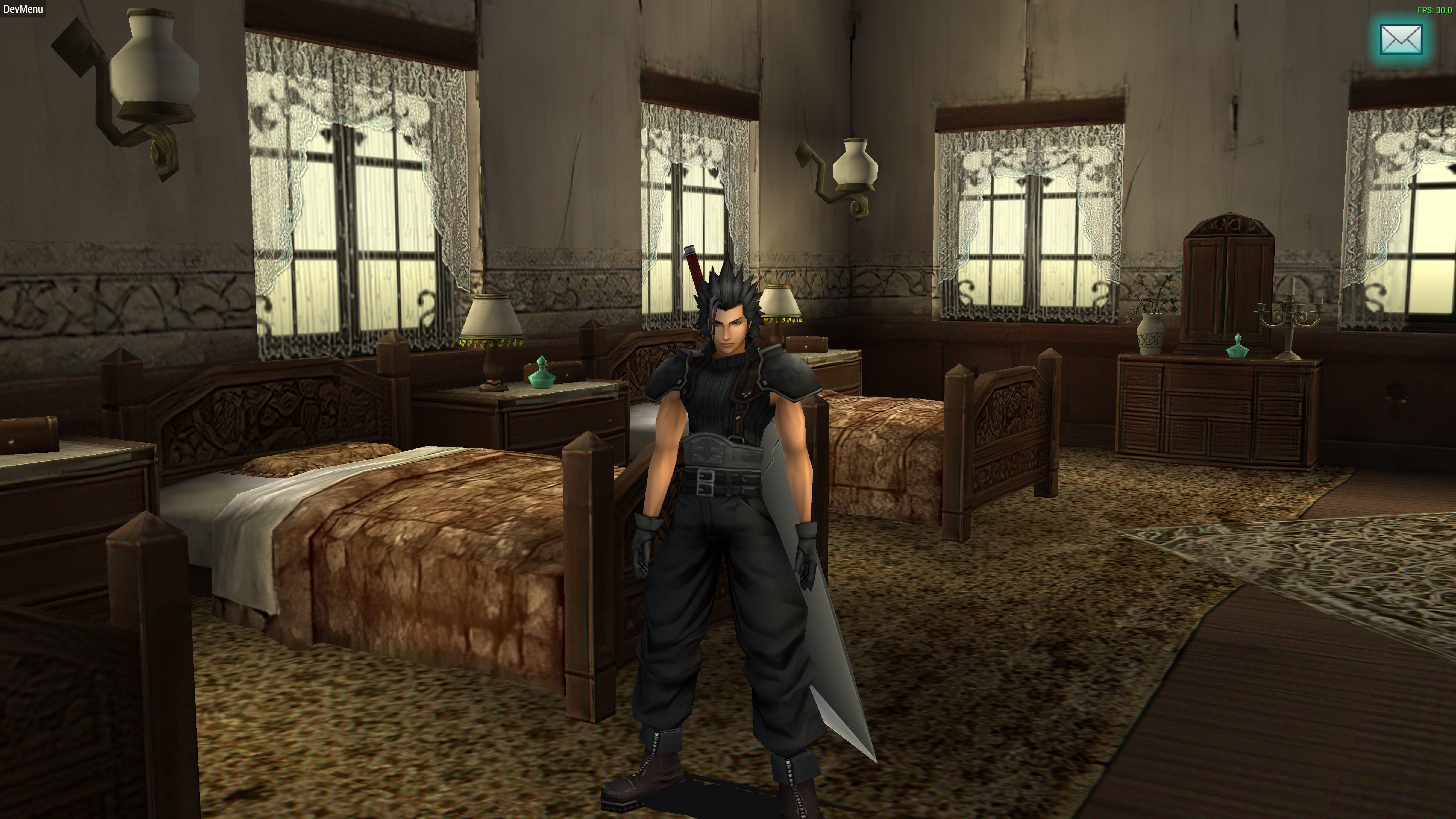
Hey, guess what:

kfQ7fZs.jpg


Cabinetry could really use some work. The AI really doesn't like wood-grain textures, it seems.

Edit: it was a transparency issue. I think there must be something with how the game engine handles/expects transparency on certain textures. I’ve noticed in some textures, there will be transparencies in the actual file but they don’t get rendered that way all the time (like this bed texture). It could also be the emulator, hard for me to say.
 
Last edited:
By the way, I know you’re not that interested but if you are downloading everything from github you can try running eval_image.py from the “New Folder” directory. If you select a category you can see all the textures in that category. The reason the NPC guy is in priority is because I decided that I would prioritize textures that 1) have text elements which need clearing up, 2) had a Shinra logo which should be cleared up, 3) had transparency issues or 4) were bad looking in general.

I had some issues making this move textures after being fixed, and from my perspective at least, decided it probably wasn’t worth fixing at the time and would rather spend my time fixing stuff first. I can try to get that up and running properly if you feel it will help. I personally like using it because I can browse through the textures in full resolution and also open up the upscaled and original at the same time in photoshop.
 
Last edited:
Thanks for the bed fix~

And I sort of prefer doing stuff my way, but thanks anyway.
I just use Large Icons in Windows Explorer and I get large previews.

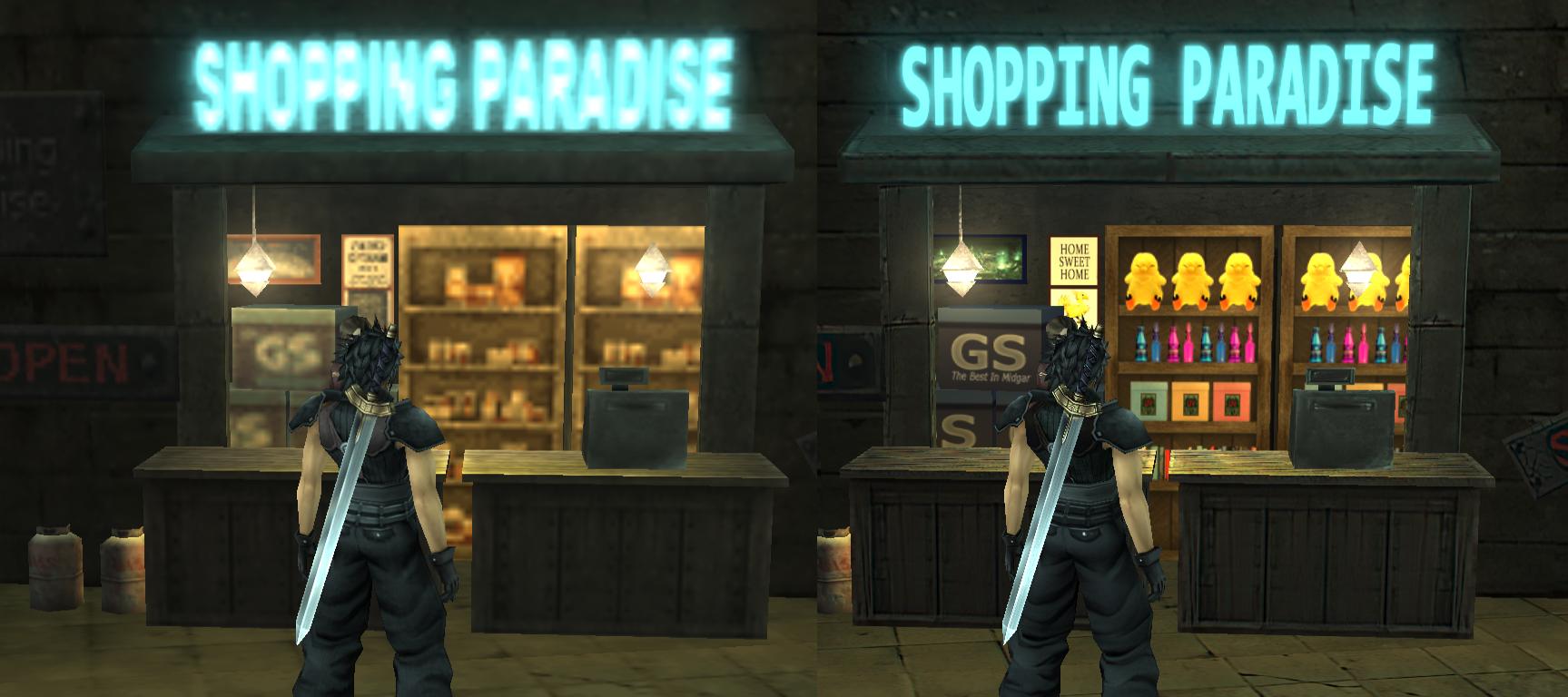
Here's some work I'm doing in the shopping district:

X6jNXtz.jpg


I couldn't help but add some Fat Chocobo plushies. Sue me.
Yeah, I know the look is a bit more colorful than the original, so this will be an exception.

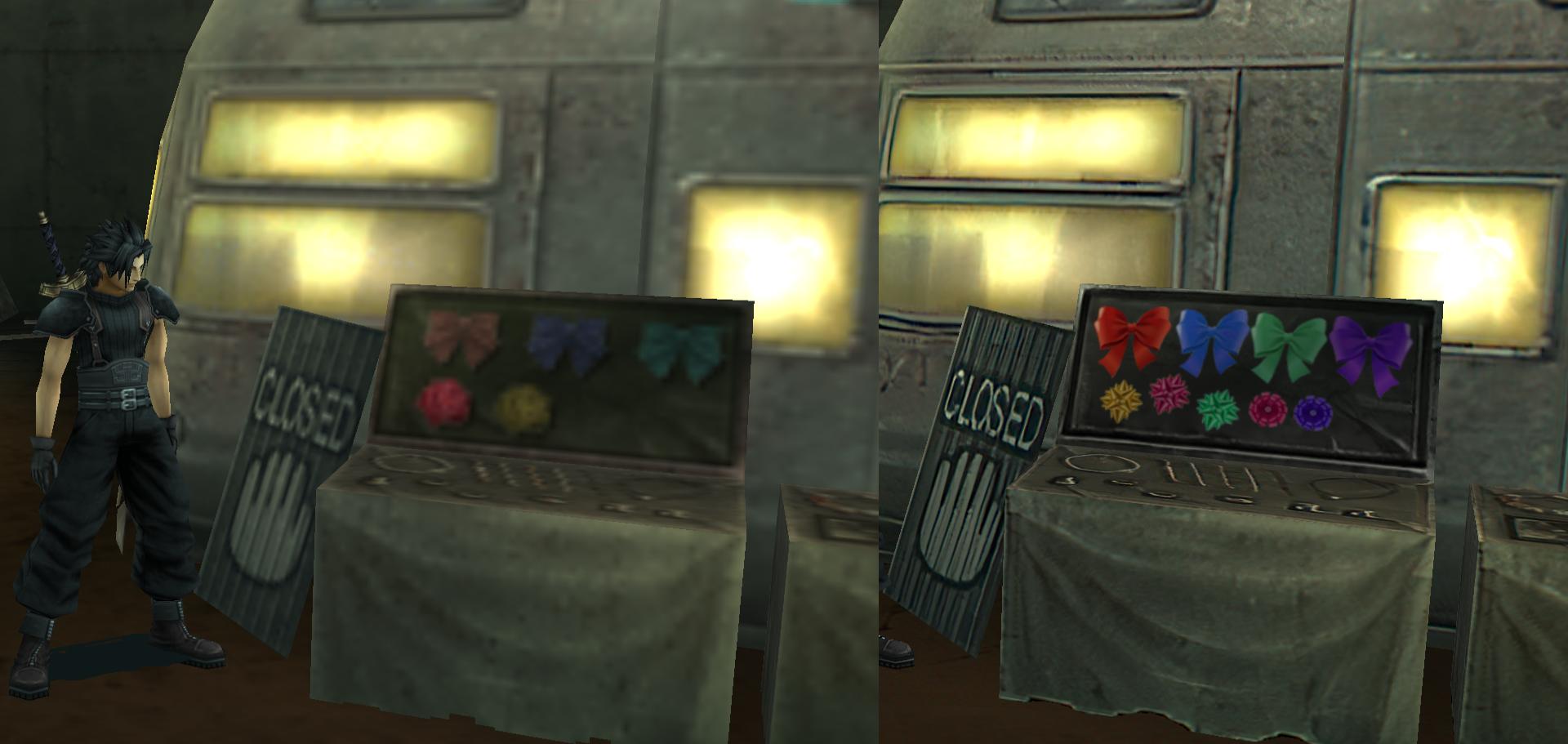
HQK78DZ.jpg


I've yet to do the bottom part here, but I think the ribbon bows look nice now.

G0j0o1m.png


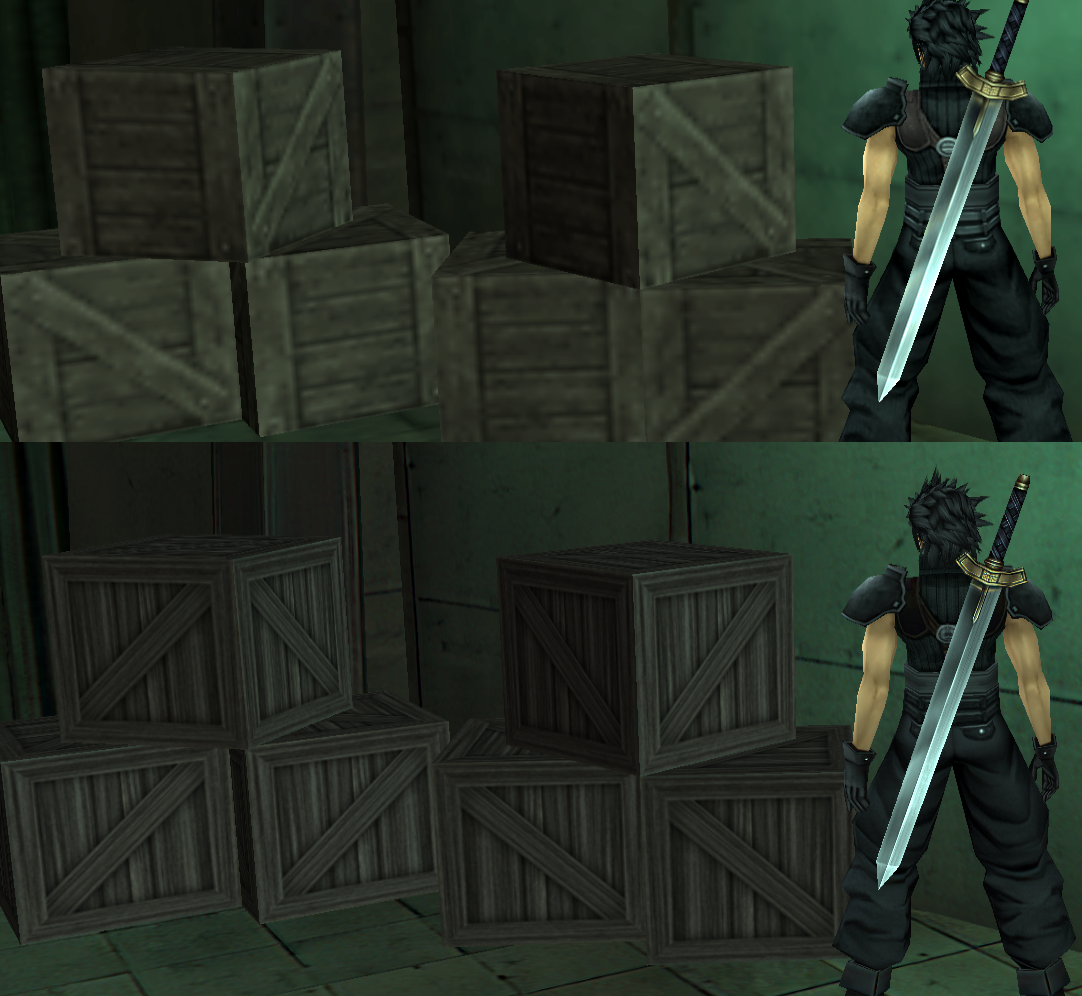
I found a free crate texture online and I'm really satisfied with the results, so much so I might replay the entire game and re-do every crate I find. It really does feel like jumping from an N64 to a PS2 game in levels of quality. I think this is also a good example of why we should try to insert as many custom textures as we can instead of leaving it to the AI, since the AI made these crates look like a really bad oil painting instead of real wood. I wish Albert who's working on the Resident Evil 4 project could help us out, but oh well. It's up to us, but if anyone else who happens to be reading this would like to help, please do.

lN2EZA5.jpg


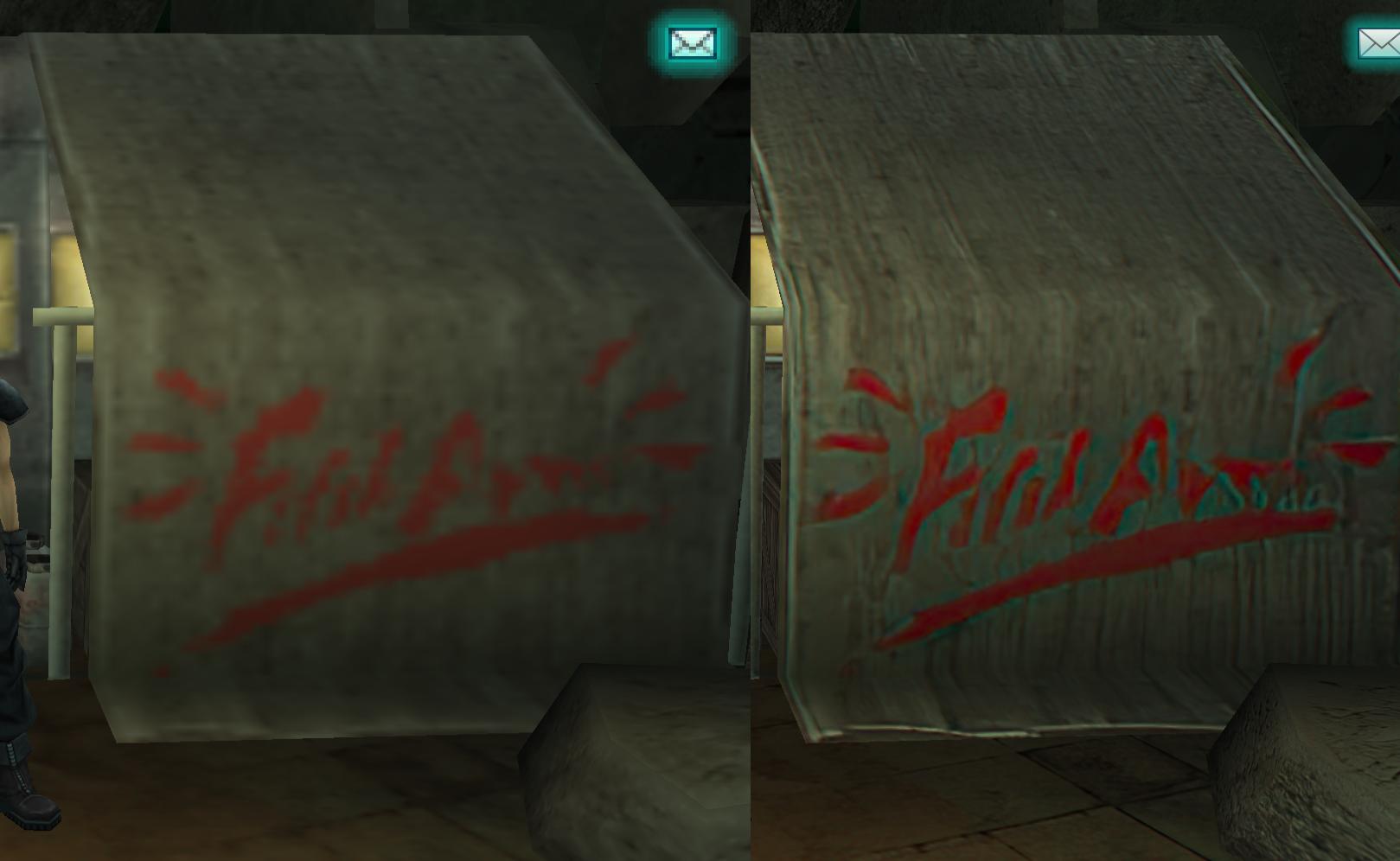
I haven't done this yet but I just wanted to show how the AI sort of messed this part up.
This is supposed to be the hand-made logo for the store selling the ribbons (since it's also on the van), not some graffiti artist, so it should look legible. I plan on redoing this. I don't know what the original says but it looks like "Fifth Fun" (since this is the Fifth District) so I think I'm going to try to replicate that.
 
Last edited:
Believe me, I went through every texture one by one so I know how messed up some got.

I’ve got tomorrow and Friday free so I should be able to get a lot more done.
 
2qP9eSR.png


MfPVFKx.png


RvAEk2T.png


ma9NykD.png


vGYC4Tz.png


mzHFcrh.png


This kind of work isn't exactly fun but I feel satisfied after doing it.
 
Last edited:
That looks really great, are you sure you want to do stuff like that right now?
Where are those textures located?

I'm trying to sort of pick my battles here and try to focus on the things that I think will matter more - the stuff I feel the player will probably notice or spend a lot of time around.

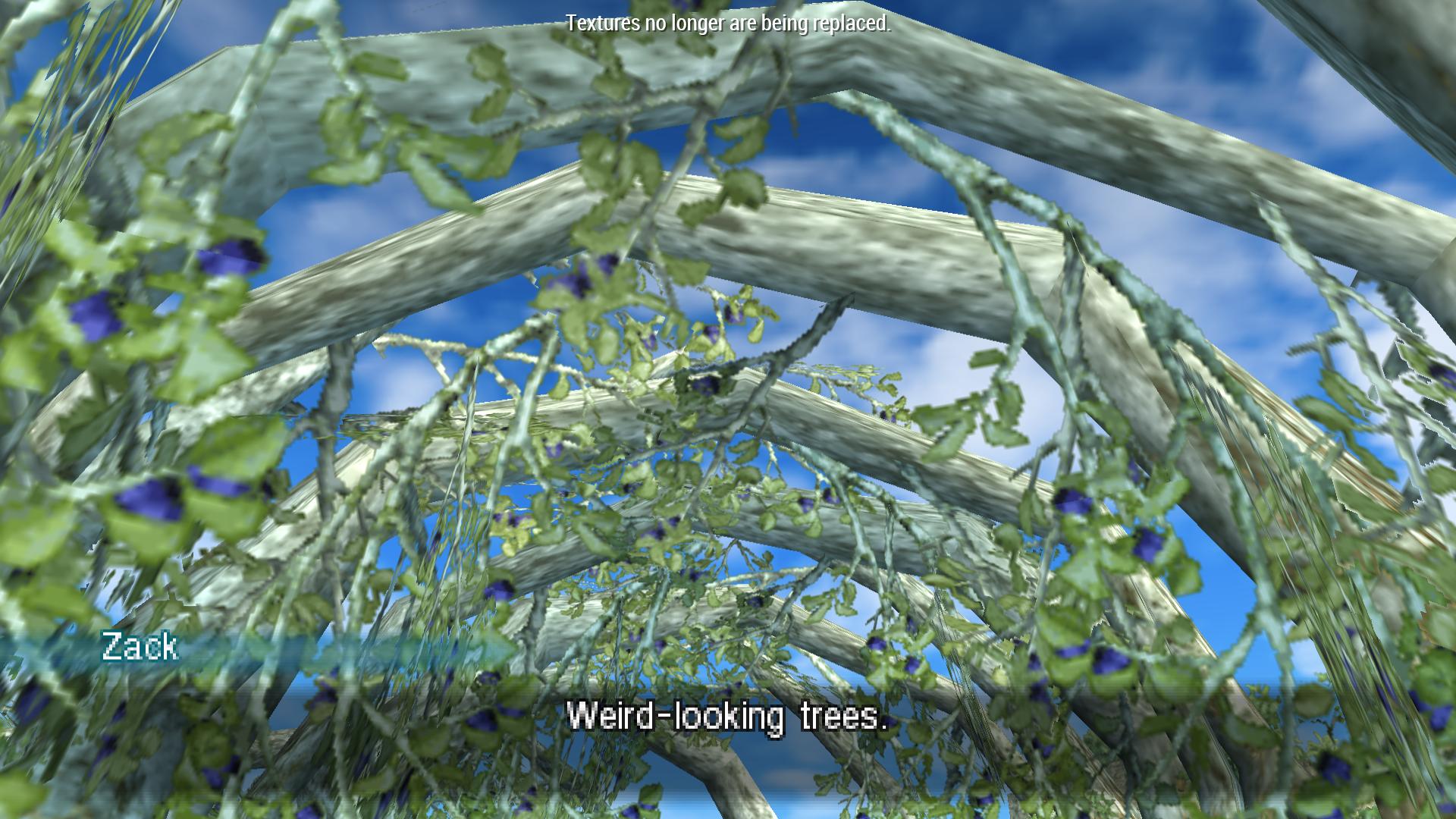
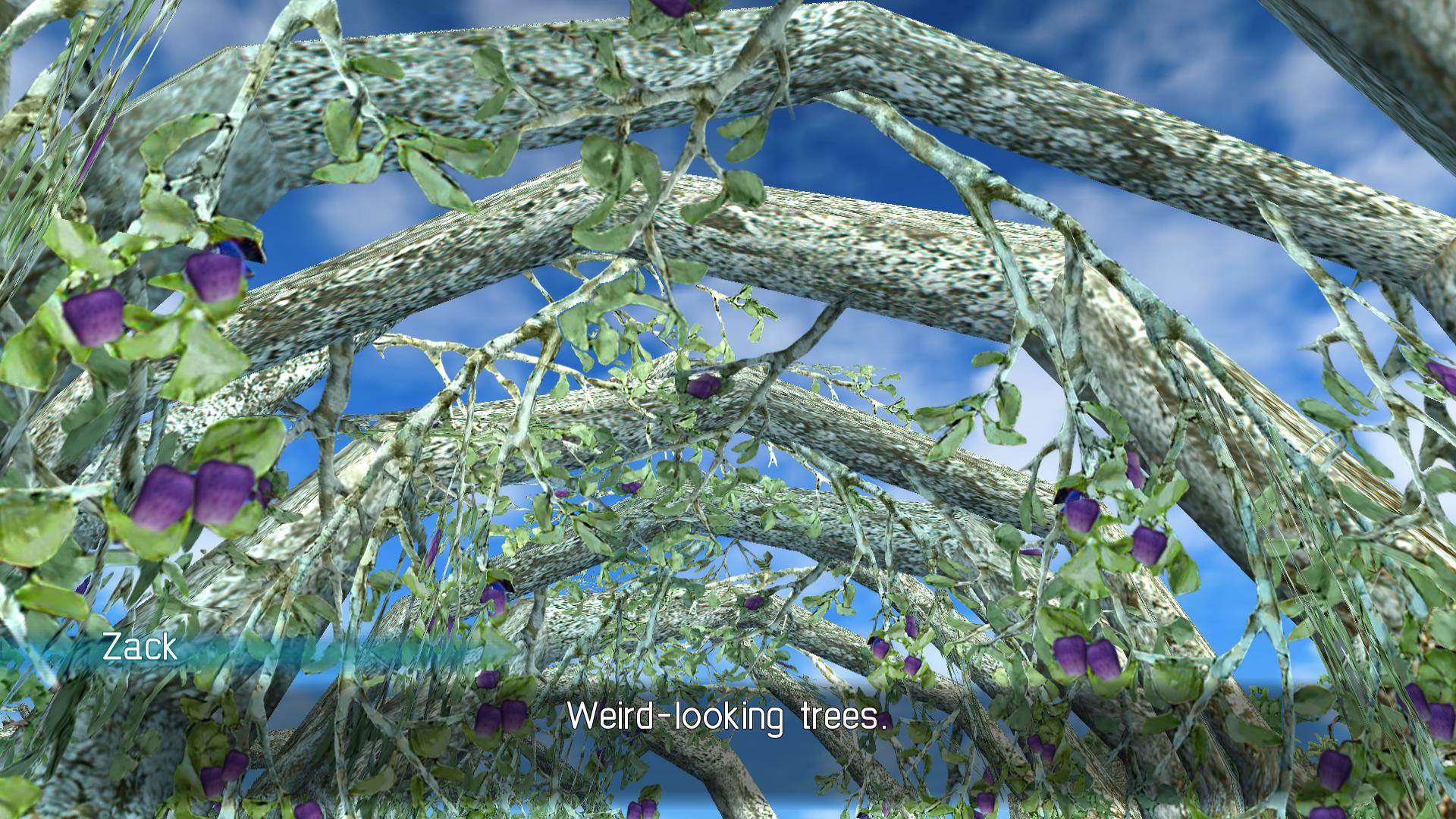
I just finished the shopping district for the most part, I think I'm going to go do some stuff around Banora. I made these blue blobs actually look like purple apples, and I had to spend a bit of time rotating them, and deleting the ones that looked too stretched.

PWcEgSh.jpg


QeJIJDK.jpg


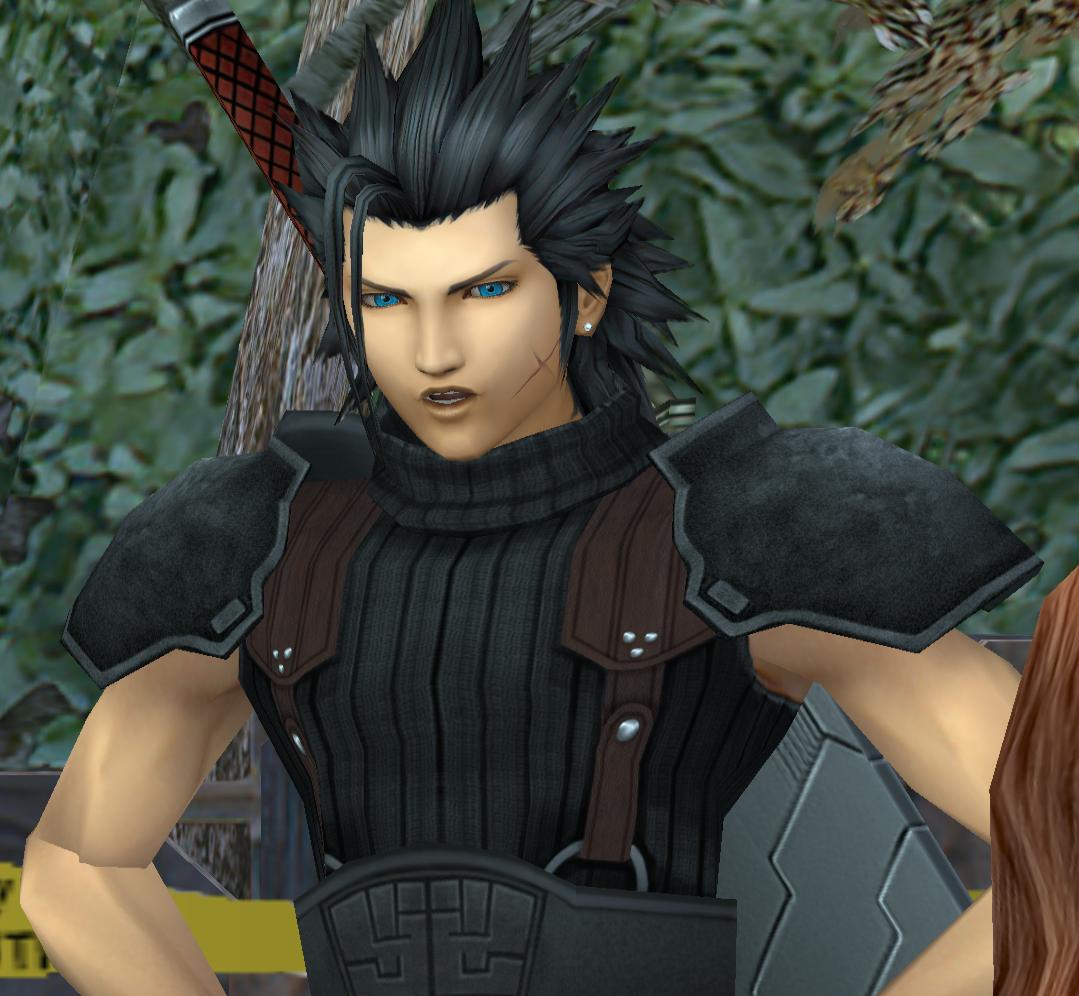
I also think we should focus on the characters a bit more, especially Zack.
I want to desaturate and do a basic cleanup of all the character textures now, would you be fine if I went through with that?
 
3xNPMpd.png


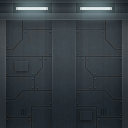
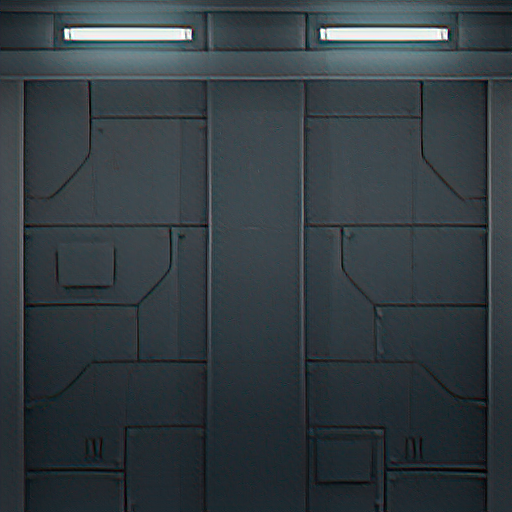
So these wall textures are actually seen quite a lot in the missions.
 
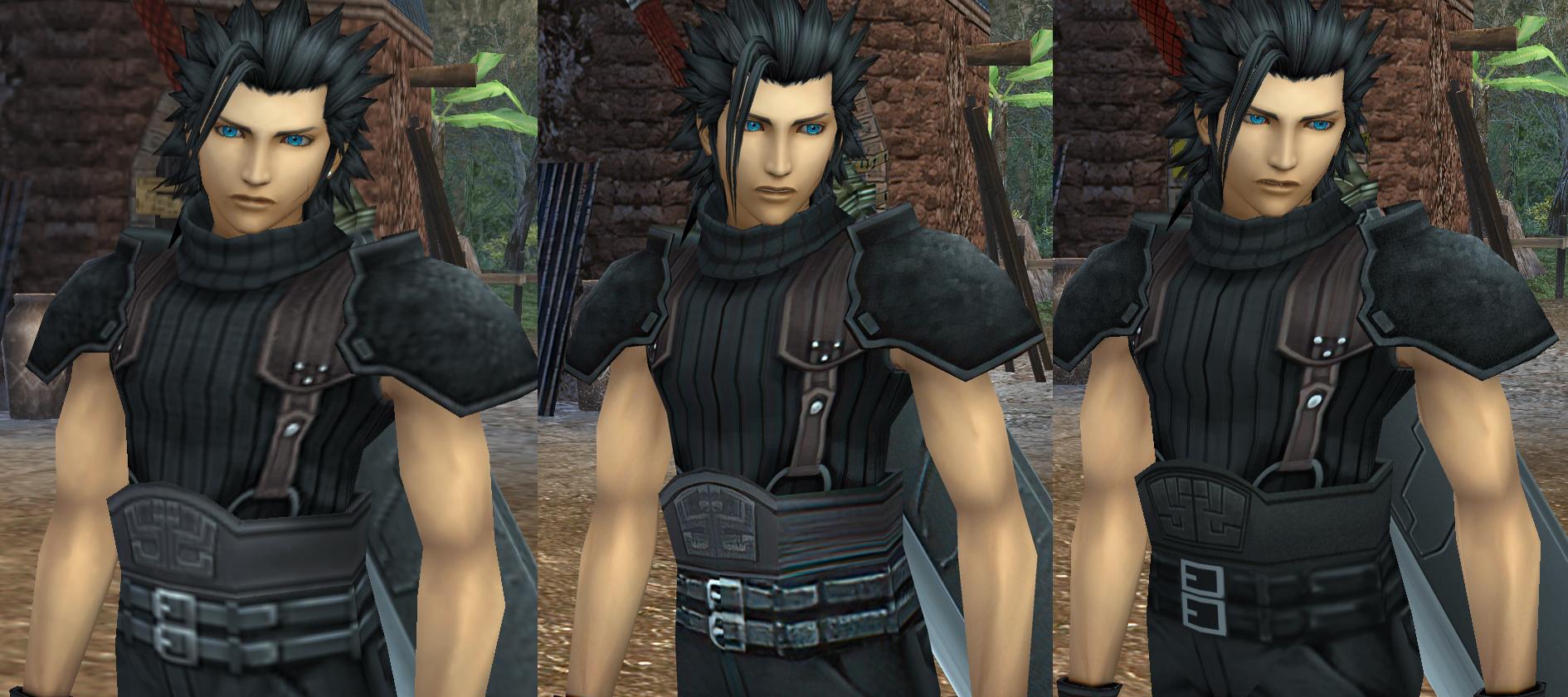
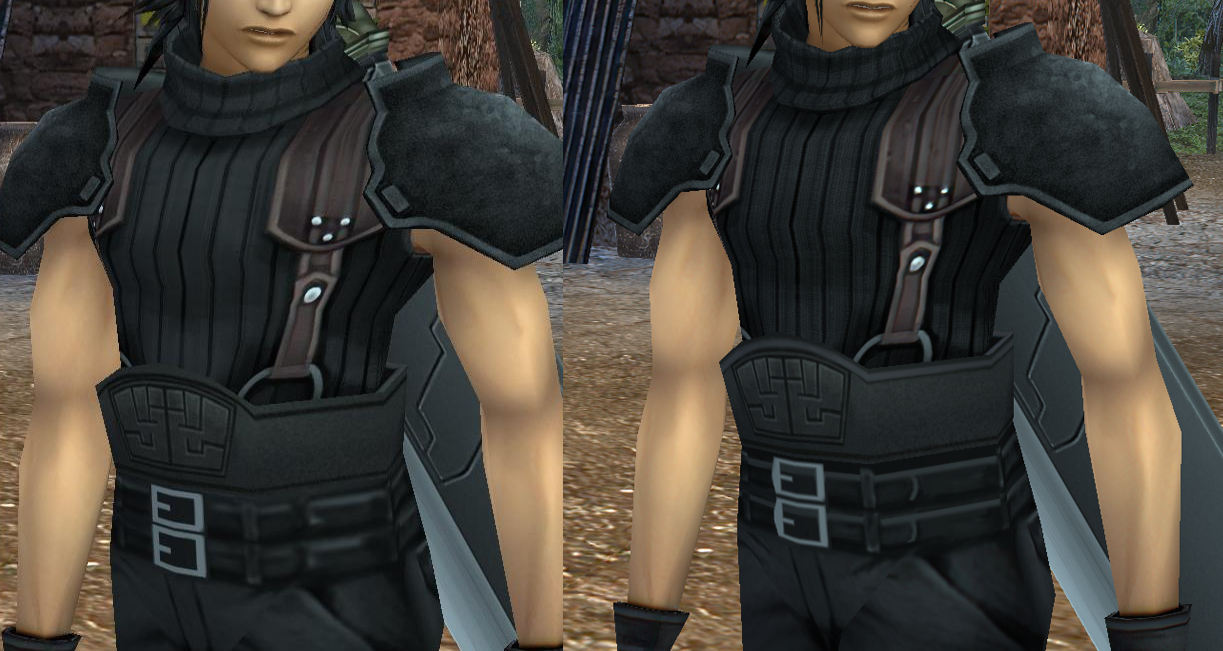
Some progress on Zack (orgiinal/current/my version):

G8hxcQg.jpg


I remade his big belt and just got started on doing the pixel-math for his smaller ones.

I desaturated his shirt, although I don't really feel comfortable doing fabric textures much so I'll probably leave that be.
I added some noise to his shoulder plate because it looks too oily-painty.
I also desaturated his pants to get rid of the blue there.

Once I'm done this, I think I'll let eqprog adjust it, then I can port it to all his other versions.
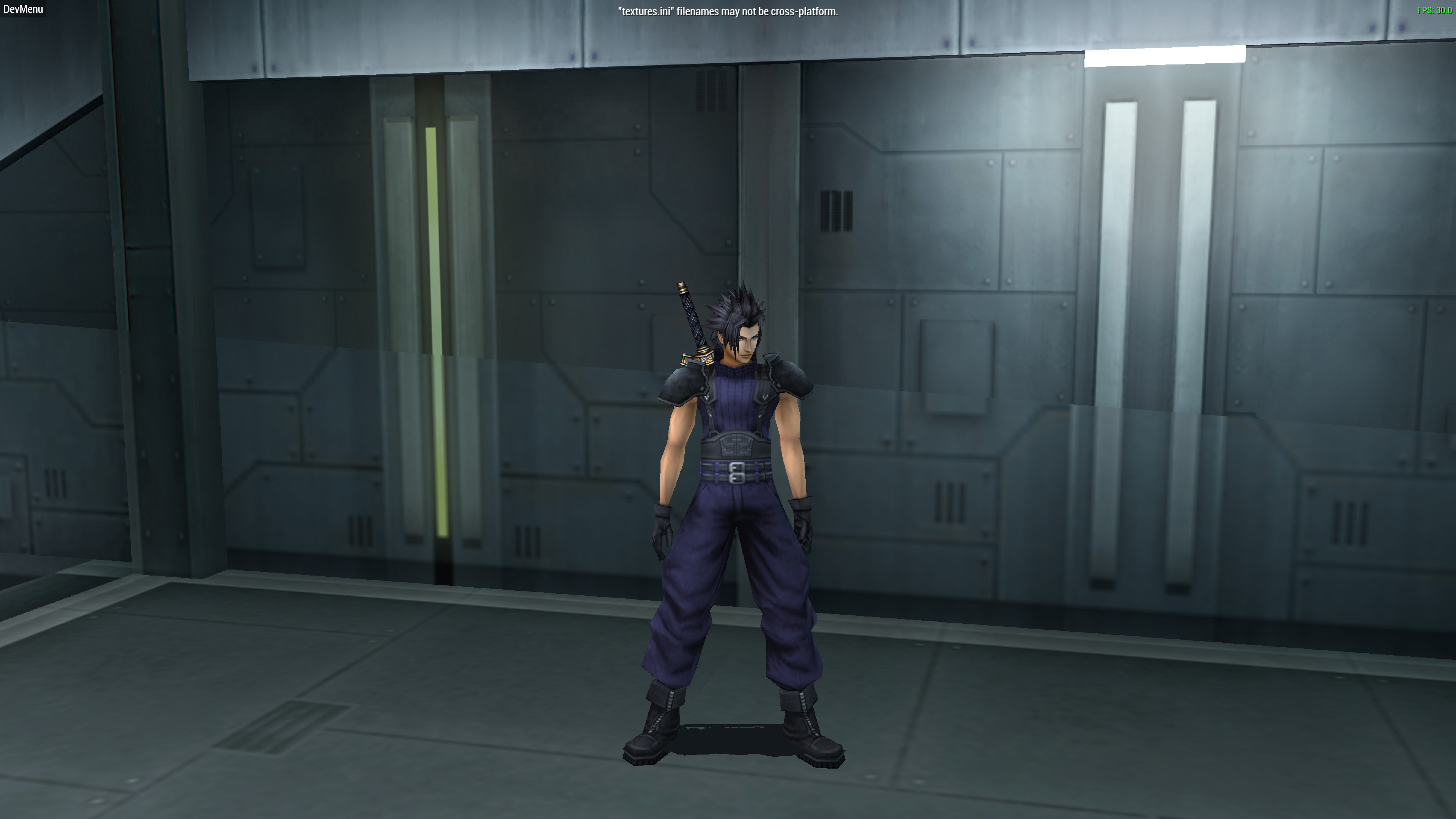
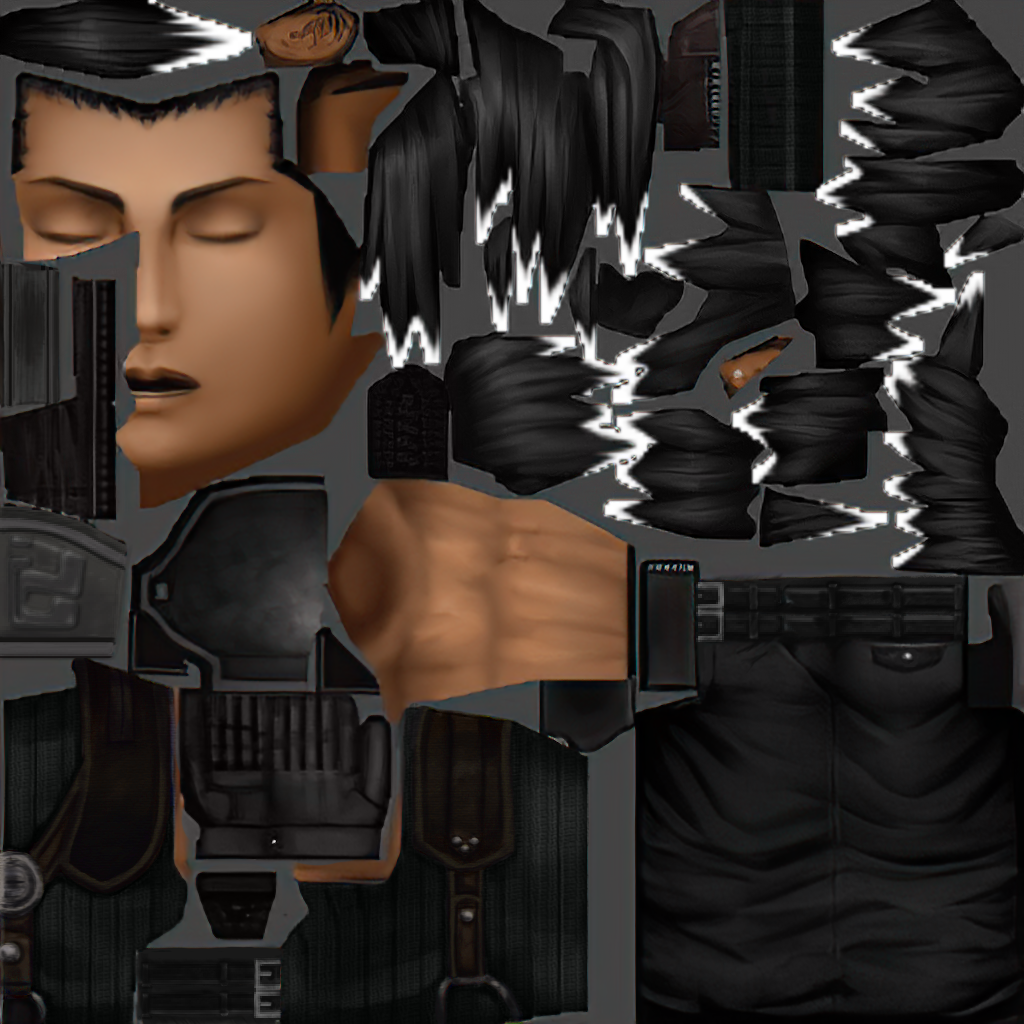
It's important we make the 000000006020de14f1fad7db texture in 1st class folder to be his base, since I notice everything else seems to be of varying quality.
 
Are you sure you’re using the latest version? Mine doesn’t look like that all. I’ve already fixed the belt(s) for instance. I mean, it’s ok if you want to redo it but I’m only saying.
 
I see. I haven’t done the high poly version yet but you can take assets from the regular quality textures and paste them over as I’ve done much of the work for you already. Sorry I’m posting from my phone right now, it’s 6:30am here.
 
Last edited:
If you look, most of the elements in the high poly texture are the same as the regular one, just kind of shifted around in the file. Of course, the face is on a separate texture.  Point is, I did improve the straps but I know I’m not the best at creating art from scratch and I won’t be offended if you can make it better (and I think you can). If you look in “/edits/linked objects/“ You should find some files called zack_blue.psb and zack_black.psb in which you can see my previous work.

wyEDzna.png

(Here you can see the improvements I made in the straps and metal pieces)


the tricky thing is that the game really has no modern lighting engine or texture shaders. Everything has to be simulated with the artwork but can still be seen from any angle. It also doesn’t help that even at 4x scale we still don’t have many pixels to work with.

What would you think about making the high poly model texture even higher resolution? More resolution = more detail.

Do you mind if I ask how you are applying the grainy texture? I don’t know much about those techniques.
 
Last edited:
One of the main differences between the high poly Zack and low poly Zack is that low poly has less pixels dedicated to the front of his shirt, which is why I didn't carry over the leather belt and some elements because they didn't fit the resolution, or they were too pixelated. It's better to work on the high poly stuff and then port it over to the low poly.

Here's an update:

VGWtshB.jpg


I just redid the suspenders from scratch, although I haven't added the fake lighting just yet.
I also redid the handle on his sword so the lines are more prominent. It's really important we get this right, because we're likely going to be porting it to Angeal and everything else. You could argue this is the most important texture in the whole game so I want everyone to give me feedback. We need to get Zack right.

I don't think we need to go higher than 4x for now. Maybe someday in the future. I just want to make sure everything looks good and consistent at 4x first. I've already made a lot of stuff at 4x and doing it all over is daunting.

To add fake grain, I just lasso tool > Filter > Noise > Add Noise, I keep it a low value like 1-5, and monochromatic. It's just enough to make it feel like it has texture, otherwise it looks too clean and fake. This can sort of simulate fabric and leather.

I'm not too satisfied with the current shoulderplate texture so I might re-do it a bit too. I sort of liked vierock's, it looks rather authentic:

https://i.imgur.com/hDfE4lD.png

At some times, I've wanted to just copy vierock's stuff over, but that would be plagiarism and they disappeared, so it's better to be respectful of their work and do stuff independently. vierock used my UI work without asking me and I pointed that out, then they just abandoned this forum, so I wonder if I spooked them away. I also commented that I didn't like how dirty the walls and floor of the Shinra Building looked so I might've accidentally insulted them... oh well. :o

And yeah, let's not get offended if we overwrite and re-do each other's work. This is a collab project after all. My "Shina Motor Group" car logo texture isn't so hot anyway, it could always use someone else improving it.

 
Status
Not open for further replies.
Back
Top