
F
Final_Figue
Guest
Hello.
I hope this method help you to increase the FPS and use mods like Cosmos Gaia and others, my PC is kind of old, so I have to make changes like this:
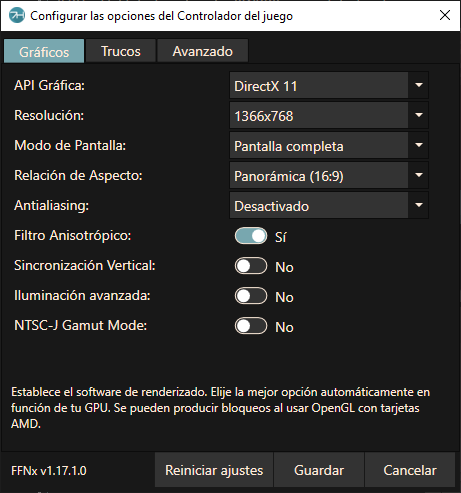
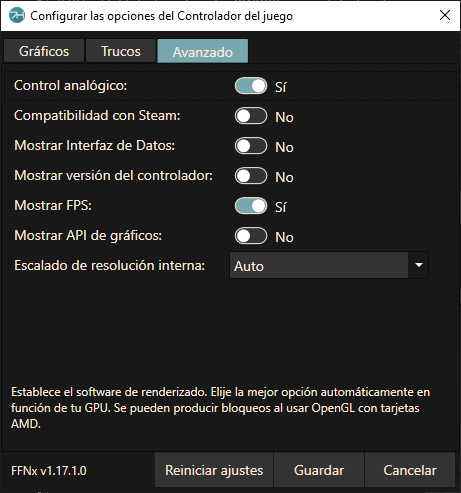
I usually use this configuration to play FF7:
Everthing was fine but with Cosmos Gaia this happen:
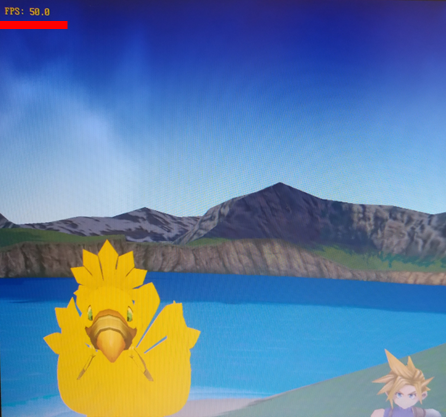
50fps.
;=============================;
So, I made some changes on the monitor:
Go to your settings and apply this changes:
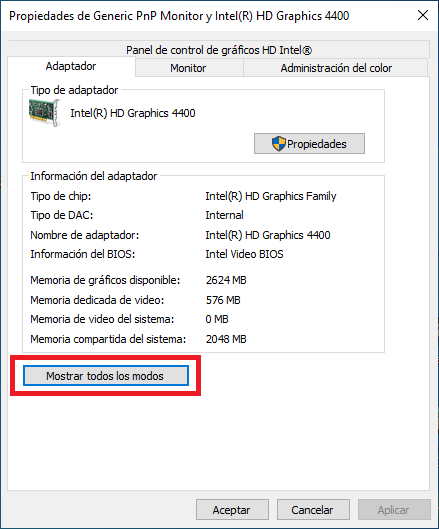
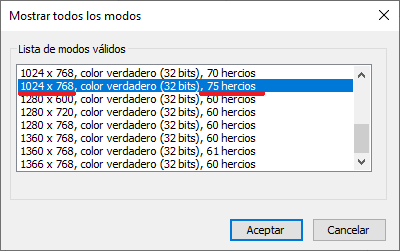
Choose the option that gives you more Hz, in my case 1024x678.
Then change the configuration in 7th heaven, in my case I made these changes:
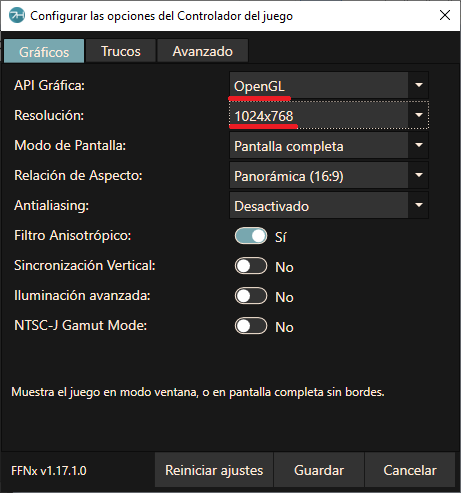
I change the resolution and used OpenGL and this was the result:
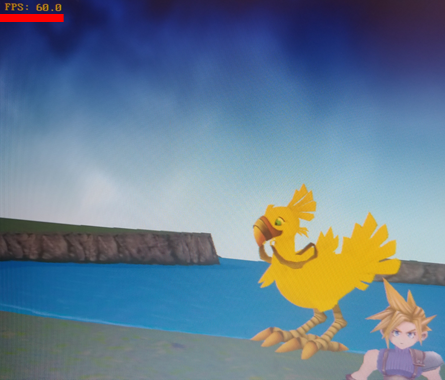
60fps.
;=============================;
Obviously there are some fps drops, but the difference between with the first configuration is notorious. I know that this could be annoying to make changes like this especially if you have only one monitor but at least there is a way to increase the FPS and use mods like Cosmos Gaia and others.
I hope this help you.
* Sorry for my poor english, I just studied basic long time ago.
I hope this method help you to increase the FPS and use mods like Cosmos Gaia and others, my PC is kind of old, so I have to make changes like this:
I usually use this configuration to play FF7:
Everthing was fine but with Cosmos Gaia this happen:
50fps.
;=============================;
So, I made some changes on the monitor:
Go to your settings and apply this changes:
Choose the option that gives you more Hz, in my case 1024x678.
Then change the configuration in 7th heaven, in my case I made these changes:
I change the resolution and used OpenGL and this was the result:
60fps.
;=============================;
Obviously there are some fps drops, but the difference between with the first configuration is notorious. I know that this could be annoying to make changes like this especially if you have only one monitor but at least there is a way to increase the FPS and use mods like Cosmos Gaia and others.
I hope this help you.
* Sorry for my poor english, I just studied basic long time ago.