[FF7] Original and Outdated Tutorial - Bootleg Configurator

  • Thread starter Thread starter PitBrat
  • Start date Start date
Status
Not open for further replies.
You are awesome for diggin those up for me, PitBrat. Sorry to put you through so much trouble, I seem to be lacking in my searching and skimming skills.

Sadly, Romeo14's download is invalid as Megaupload was killed last year. Those other ones, though....I could copy those and edit them into the relevant png files manually, huh?

Template: I didn't mean to sound like I was puttin' your designs down, I just want to pop in a bunch of different ones and compare. I haven't settled on which ones I want to use for good quite yet. Yours are awesome, though :D
 
Ok:

Uninstalled the game and steam.
Installed Steam outside of Program Files, installed FF7.
Disabled Firewall, went through convertor, noticed that while it's processing movies, it comes up with a few errors about not having 'part1' in the ff7_enhanced_movies_1 location.
Though there are a bunch of files, part1.avi is not in there.
I'm using the graphics driver given above from Template.
Run bootleg, mount drive, set resolution and write config.
Still getting the 2 title screens fine, but when the game starts I get music, but only 3 big red triangles again.
Have added exceptions for files marked with anti virus, and added programs to 3d graphics list.
Running files as Admin.
Graphics settings are set to:
Display: Primary Display Driver
Render Using: Custom Driver
Can't seem to crack this problem. Any help greatly appreciated.
 
Graphics settings are set to:
Display: Primary Display Driver
Render Using: Custom Driver
Can't seem to crack this problem. Any help greatly appreciated.
Hiya, can you post the contents of your APP.log text file located in your main ff7 game directory?
 
I haven't settled on which ones I want to use for good quite yet. Yours are awesome, though :D
Thanks much appreciated, just was more trying to point out the confusion about the Romeo14 Advent Materia, which, unless I'm seriously just getting senile early are field models you'll see out in the wild, but not in the menu. I definitely could be wrong, but it would make me kinda question my memory skills. Perhaps at one point they were also adapted for menu graphics? We miss you Romeo14, wherever you are... (I didn't know him, lol).  ::)

blargh double post.
 
Last edited:
Still getting the 2 title screens fine, but when the game starts I get music, but only 3 big red triangles again.
If you have an AMD Graphic card:
Before you install the 13.5Beta2, it may be necessary to uninstall the current display driver.
The 13.5 may not overwrite the current driver.
The Catalyst 13.5Beta2 contains the display driver version 12.102.3.0 from April-16-2013.
If this does not help, turn off shaders.
 
Thanks much appreciated, just was more trying to point out the confusion about the Romeo14 Advent Materia, which, unless I'm seriously just getting senile early are field models you'll see out in the wild, but not in the menu. I definitely could be wrong, but it would make me kinda question my memory skills. Perhaps at one point they were also adapted for menu graphics? We miss you Romeo14, wherever you are... (I didn't know him, lol).  ::)

blargh double post.
I think you're right about them being textures for the field-found materia. The Steal and Sense materias did kind of look like the ones in the installer.

Well, that settles that, then. Now it's time to see about editing in some materias into the .png's....I am curious, though. are the files "btl_win_b_l_02.png", "btl_win_b_l_03.png", "btl_win_b_l_04.png", "btl_win_b_l_05.png", and "btl_win_b_l_06.png" the only relevant files that need to be edited to change all instances of the Materia in the menus? Or should I go through all of the files and replace every single one?
 
I think you're right about them being textures for the field-found materia. The Steal and Sense materias did kind of look like the ones in the installer.

Well, that settles that, then. Now it's time to see about editing in some materias into the .png's....I am curious, though. are the files "btl_win_b_l_02.png", "btl_win_b_l_03.png", "btl_win_b_l_04.png", "btl_win_b_l_05.png", and "btl_win_b_l_06.png" the only relevant files that need to be edited to change all instances of the Materia in the menus? Or should I go through all of the files and replace every single one?
As long as you don't install the Avalanche GUI and you are doing this with using Menu Overhaul in mind, those are the only files that need be altered. You need a photo editor that will preserve transparency. MS paint wouldn't so I used a free one on-line. That's probably why mine kinda aren't that great. A monkey could do better but I'm no graphic artist.
If you are having trouble getting exchanged files to "show up", you might wanna check if you are using texture caching, and to just clear the menu cache in the mods folder (if that sounds like gibberish just ignore it and turn texture caching off in bootloader). Still, if you are gonna be editing files you should know about the cache and how it works. I'm not clear if Nvidia people just don't need texture caching or if they have performance issues without it like my poor 6850/960t does.
 
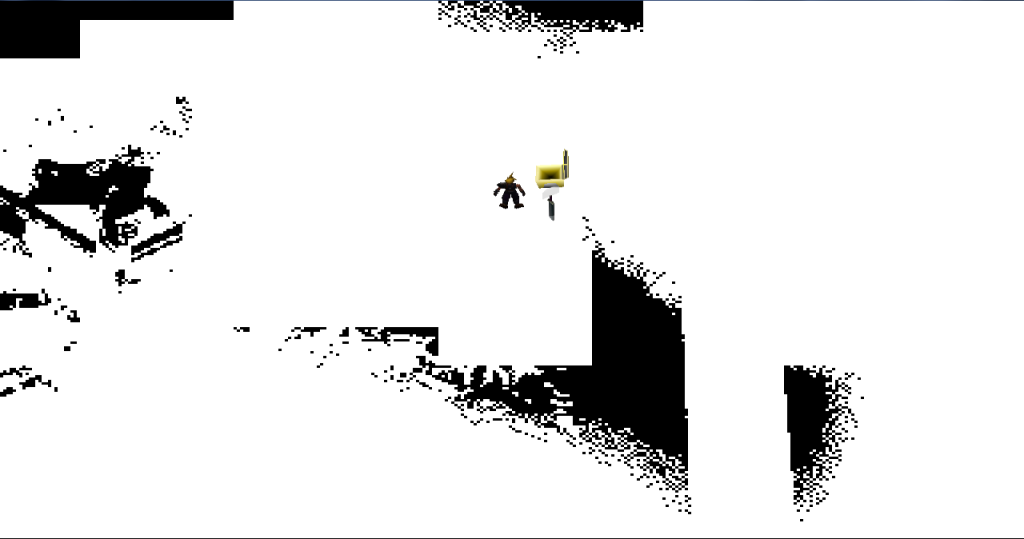
In Wall Market, Cloud become a shadow and the screen is dark with black squares. How can I fix it?
 
In fact, it isn't only happening in Wall Market. I reset the game and all was fine. However, after one hour playing, the same problem occurs in a different place. black squares appears on the screen and, if I go on further, the hole screen become black. I thought my Nvidia GeForce GT650M was the problem but my drivers are ok. I tried to modify options inclunding textures but obviously it didn't work :'(
 
I located Romeo14's original materia textures. They're now in The Big List.


MateriaAdd-on.rar                               Romeo14         Light Materia Texture                         FILE


Romeo14MateriaFinal.rar                         Romeo14         Dark Materia Texture                          FILE

 
I located Romeo14's original materia textures.
Respect. Looked everywhere for those... had given up.  8-)

In fact, it isn't only happening in Wall Market. I reset the game and all was fine. However, after one hour playing, the same problem occurs in a different place. black squares appears on the screen and, if I go on further, the hole screen become black. I thought my Nvidia GeForce GT650M was the problem but my drivers are ok. I tried to modify options inclunding textures but obviously it didn't work :'(
Almost sounds like your card is overheating. Is it a laptop?
 
Last edited:
yeah but I still don't understand. When I go to a place when black squares appears (in fact, they are already here when I arrive at the place, there aren't more of these who will appear while I'm staying in the same place (when the game doesn't load another place)). And if I go back where I came from (in a place the game has already loaded), there isn't any black squares. Still I don't feel like my laptop is warmer than usual  :P

PS: sorry for my bad English.
 
In Wall Market, Cloud become a shadow and the screen is dark with black squares. How can I fix it?
Of FF8 I heard something, but not from FF7.
The only help I can offer, install a different (older or newer) graphics card driver.

Please make a screenshot of it.
For this, however, you need a special program (I use FRAPS), the "Print Screen" button does not work properly in full-screen mode.
 
Awesome, after uninstalling driver, restart, install the recommended - I have Graphics!

Thanks all.

Now; I'm very confidant that the high def movies aren't playing. I've posted before about missing files during the unpack, though I've got the full Tifa's package etc.

So close!

Here's my data as requested previously:

INFO: FF7/FF8 OpenGL driver version 0.7.11b
INFO: Auto-detected version: FF7 1.02 US English
INFO: ATI Technologies Inc. AMD Radeon HD 6900 Series 4.2.12198 Compatibility Profile Context 12.102.3.0
INFO: OpenGL 2.0 support detected
INFO: Using PBO
INFO: Found swap_control extension
INFO: Max texture size: 16384x16384
INFO: Number of texture units: 8
INFO: Original resolution 640x480, window size 1920x1080, output resolution 1440x1080, internal resolution 1920x1440
INFO: FBO extension detected, using fast scaling/postprocessing path
INFO: Shader limits: varying 128, vert uniform 16384, frag uniform 16384
INFO: FFMpeg movie player plugin loaded
INFO: FFMpeg version SVN-r25886, Copyright (c) 2000-2010 Fabrice Bellard, et al.
INFO: FF7Music helper plugin loaded
INFO: Loading external library Multi.dll
LOCK UNLOCK TEST
MATRIX INITIALIZE
INITIALIZE DD/D3D END
ERROR: could not open file C:\Steam\SteamApps\common\FINAL FANTASY VII\ff7input.cfg
initializing sound...
creating dsound primary buffer
reading audio file
loading static sounds
sound initialized
set music volume: 127
Entering MAIN
Exiting MAIN
START OF CREDITS!!!
INFO: C:\Steam\SteamApps\common\FINAL FANTASY VII\movies\eidoslogo.avi; indeo5/pcm_s16le 640x480, 30.000000 FPS, duration: 12.933333, frames: 388
INFO: slow output format from video codec indeo5; 6
INFO: C:\Steam\SteamApps\common\FINAL FANTASY VII\movies\sqlogo.avi; h264/aac 1280x896, 15.000000 FPS, duration: 14.533333, frames: 218
set music volume: 127
set music volume trans: 127->0, step=60
END OF CREDITS!!!
Entering MAIN
set music volume: 127
Exiting MAIN
START OF MENU SYSTEM!!!
END OF MENU SYSTEM!!!
Entering MAIN
Exiting MAIN
Field Start
INFO: C:\Steam\SteamApps\common\FINAL FANTASY VII\movies\opening.avi; h264/aac 1280x896, 15.000000 FPS, duration: 119.466667, frames: 1792
INFO: slow output format from video codec h264; 12
Entering MAIN
Exiting MAIN
START OF MENU SYSTEM!!!
set music volume: 127
END OF MENU SYSTEM!!!
Entering MAIN
Exiting MAIN
Field Start
Entering MAIN
Exiting MAIN
START OF MENU SYSTEM!!!
WM_CLOSE
END OF MENU SYSTEM!!!
Field Quit
UNINITIALIZE DD
END UNINITIALIZE DD

 
Um, another thing:

Past the intro movie, no music.

Other sounds work, lick the tick when you move the cursor around, machine gun sounds etc. But none of the glorious music.
 
Can GIMP preserve transparency?
It can. I haven't used it lately so I forget if it's defaulted or if it's a setting but I remember it being pretty easy to do.

As far a black squares on the screen this happened to me once. I was testing some changes I made to the flevel.lgp and it caused massive black squares in the background, sometimes nearly removing everything. NPCs were solid black too. Best suggestion is either replace the flevel with an original or probably try a reinstallation. Hard to say what may have happened, but when nothing seems to fix a problem just reinstall the game.
 
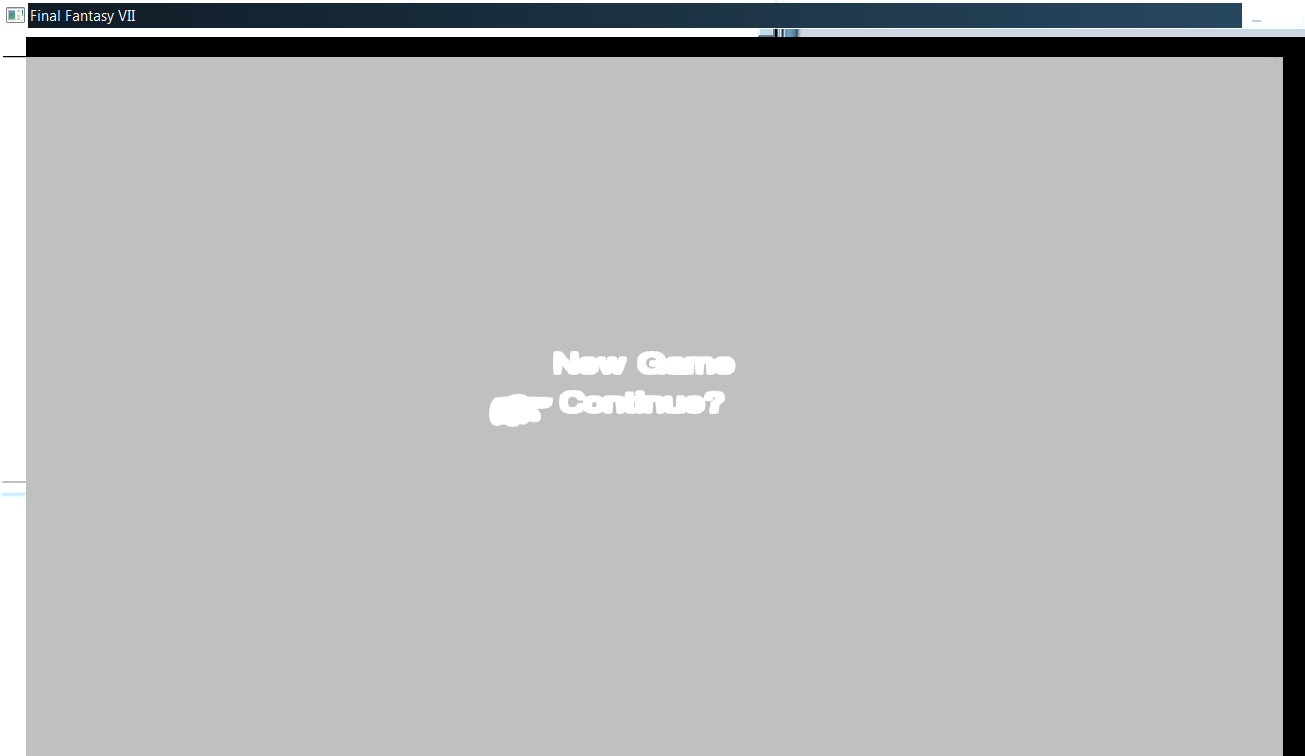
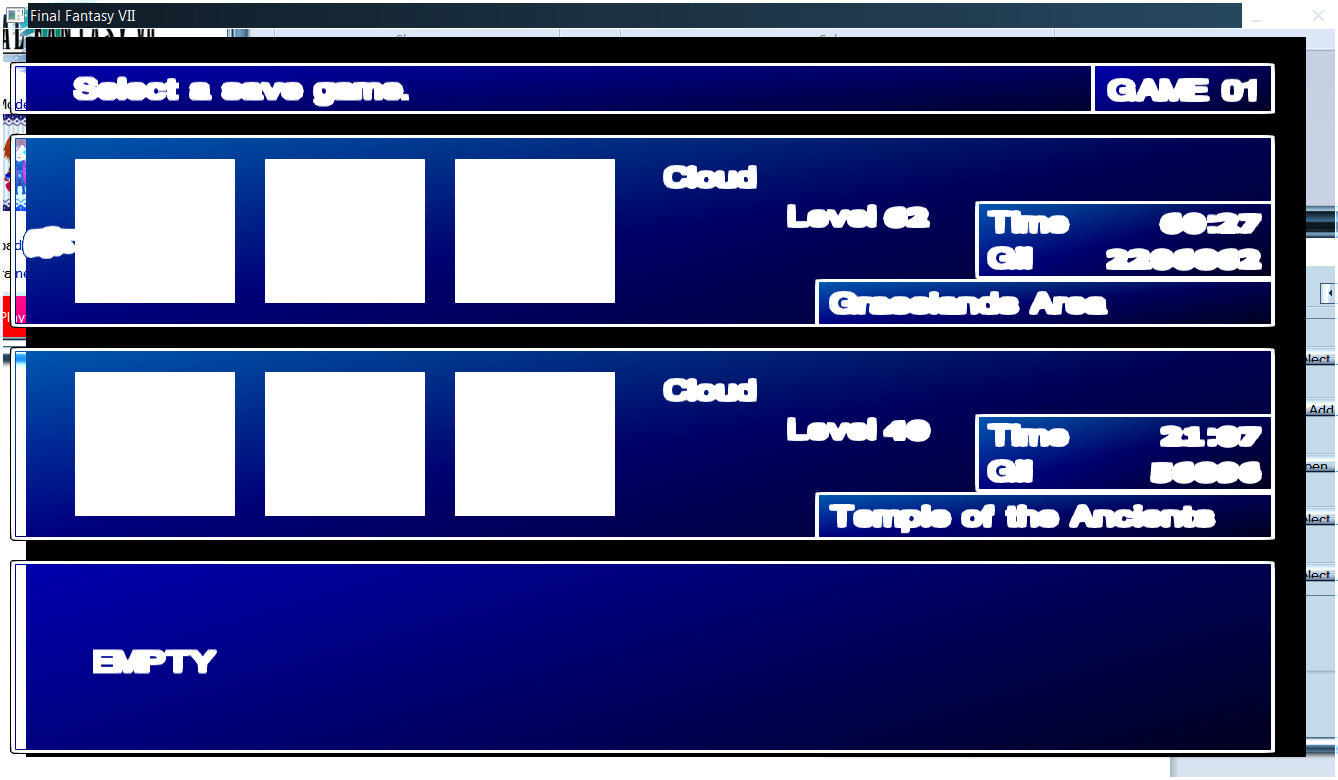
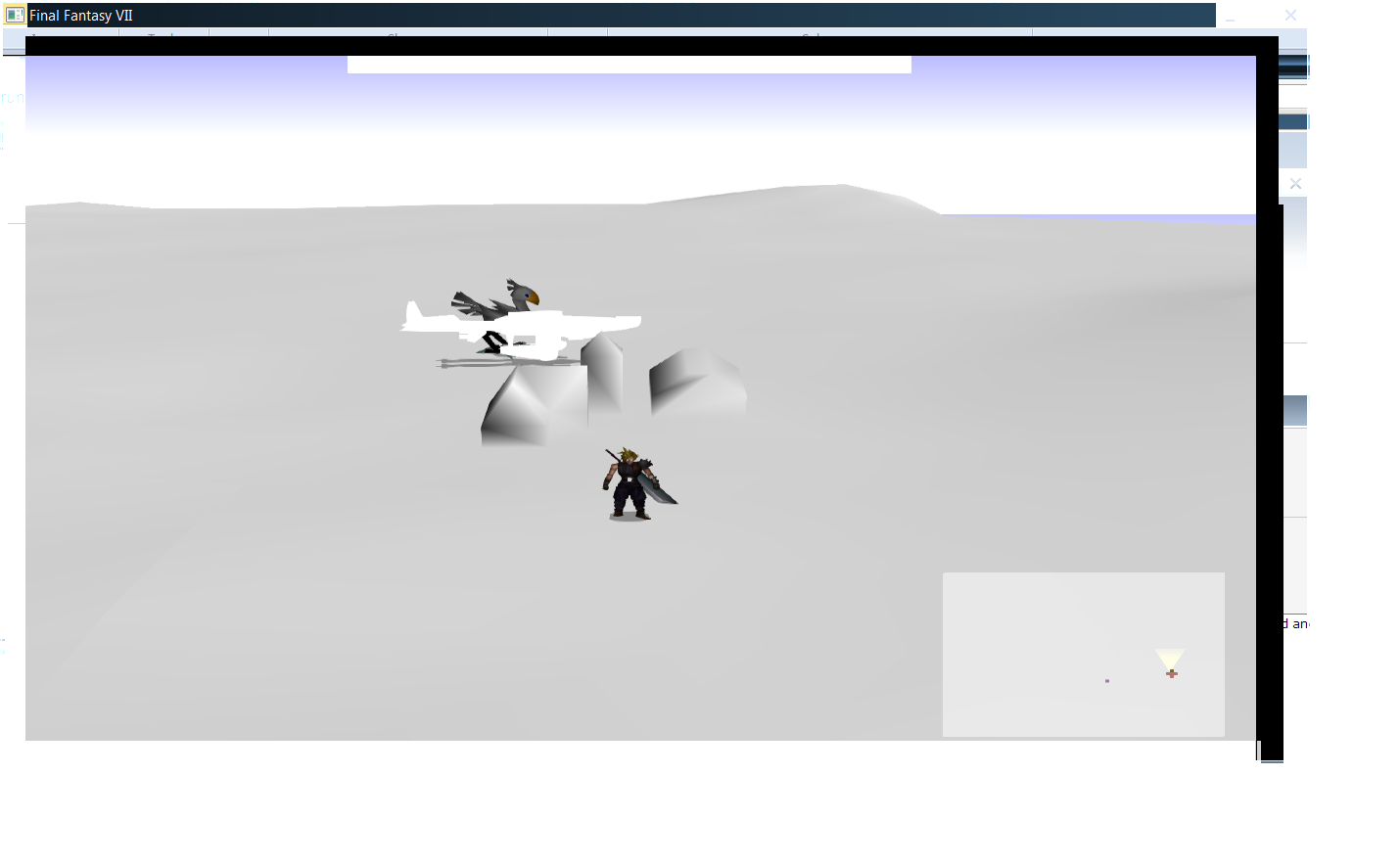
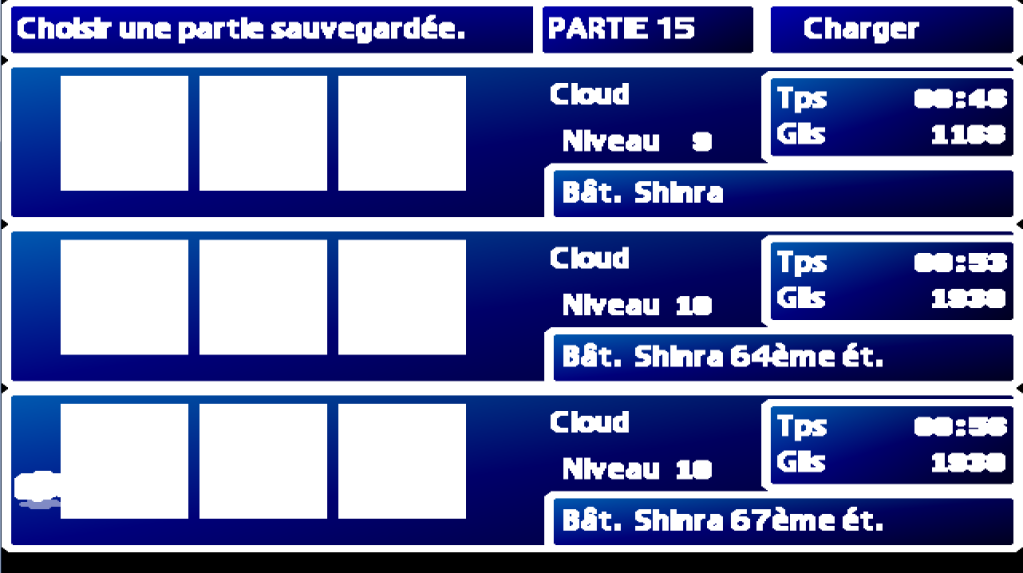
Hey guys, so the other day, i ran into some major graphical problems with FF7, and i've been unable to resolve them myself. I've completely uninstalled the game, then re-installed and re-used Bootleg, but the problems remain. I've attached screenshots showing the issues i'm having.

Main Menu
e5Wsako.png


Load Menu
McKWzYE.png


In Game - Near Chocobo Ranch
GKtPoxV.png


Thanks in advance for any help you can offer guys.
 
From about an hour ago:
Try this maybe?
FIX :  Everything is made of light  (FF7 + FF8)


ff7_opengl.cfg :  use_shaders = yes

Download these files and copy them to .\shaders\nolight :  main.frag   main.vert
(overwrite? => YES)
Have you read this part?
I told you I tried on a friend's PC with Radeon 5570 still giving me exact same white texture error. And that my friend is an ATI card. You guys totally missed this part.
Sorry, I stopped reading when you said you were using an integrated graphics chip from 10 years ago.
EDIT:
Hi Kylos,

you can use two solutions:

  • ff7_opengl.cfg:  use_shaders = no
or

  • copy .\shaders\nolight\*.*   obsolete
       to  .\shaders
Apparently your only option is to turn shaders off, at the moment.
Hey PitBrat? Do you have these files anymore?
EDIT: Thanks, Komp. New links for no light fix added to FAQ
 
Last edited:
Status
Not open for further replies.
Back
Top