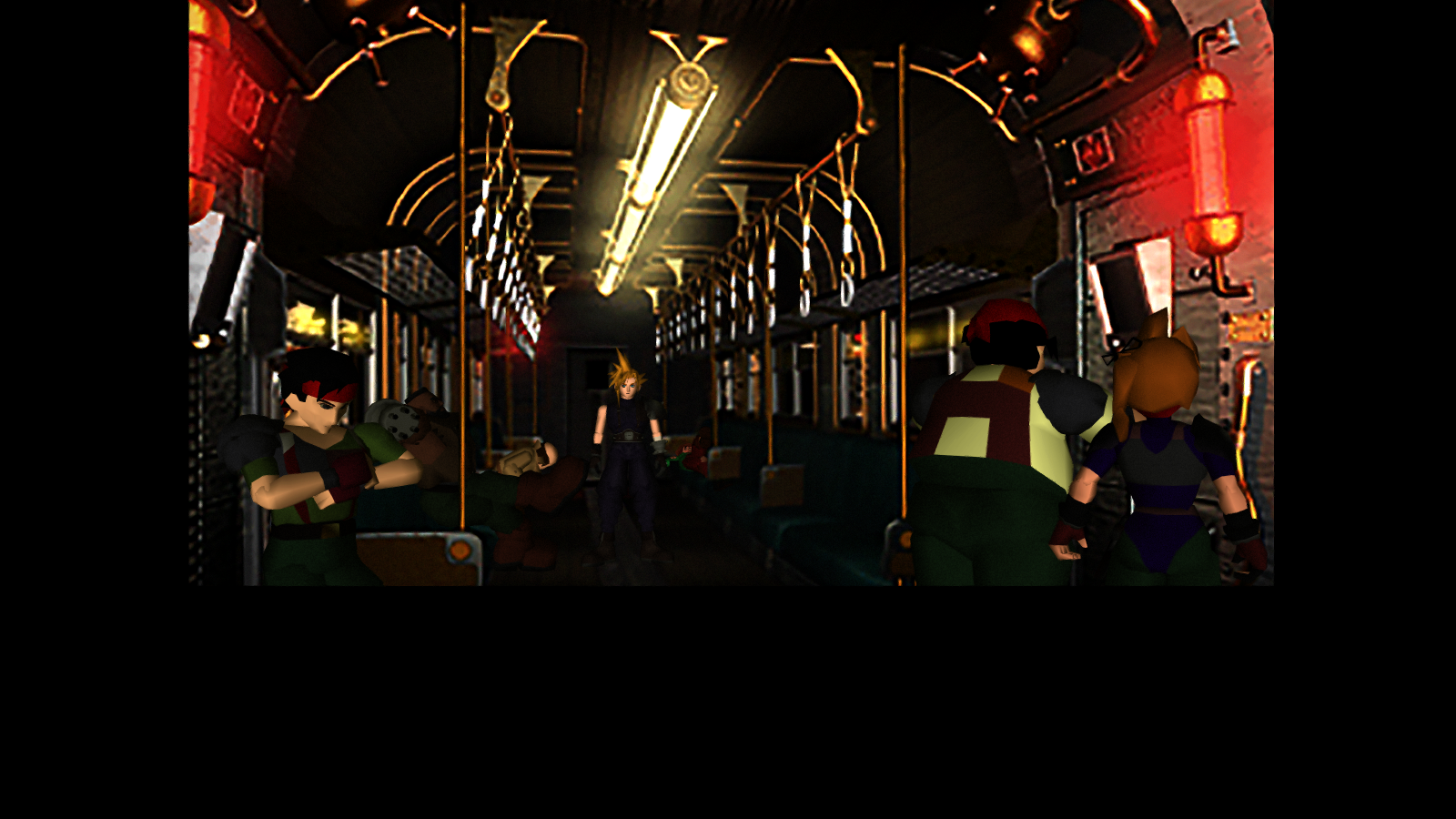
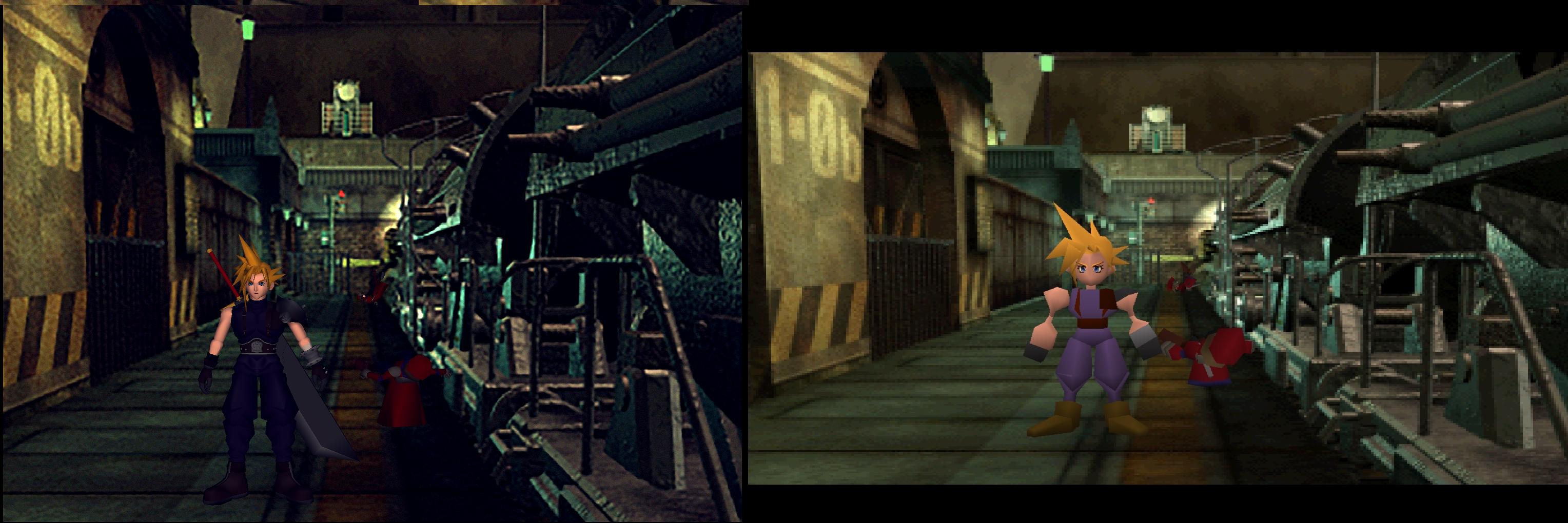
[FF7PC-98] Omzy's Field Pack - dramatically improved backgrounds! (2013-07-13)

  • Thread starter Thread starter Omzy
  • Start date Start date
Status
Not open for further replies.
No, the PNGs aren't converted back into the flevel.lgp. The PNGs are used directly with Aali's Driver. The whole process is shown here: https://www.ff7catalog.com/threads/7962/
Thanks again for your reply, EQ2Alyza.

Oh my god !!
I always have to copy Omzy's splendid files into mod pass with Aali's Driver!! and there is no way to make his files pack back into single lgp.
Oh.

Thinking of battle.lgp as well as world.lgp, there is always tex file cleary discriminated by the spread sheet and Image2TEX or  Iros tool helps to make a file ready to be packed into lgp from png file enhanced by this forum guys.
But as far as you know, field enhanced pngs must be used only with Aali's Driver!!

Oh sigh!!  Could wiz guy find the way these "dramatically enhanced" field scene to back into lgp file ?
 
Thank you Kaldarasha.
I downloaded tonberry tool v1.6+2.04 and visual C++ x86 though my PC already has Visual C++ x64.

Talking about Crash matter you suggested, I already got with battle.lgp which has ALL ENHANCED background scenes by Felix Leonhart's 206 files, magochokobo's and BombingMission+Bloodshot(png)'s.
After loading the STAGE10, the game got frozen!! The battele.lgp was over 2GB.
Maybe this freeze caused by the PC memory size issue I guess.

So I wonder that I have to compromise between lgp file size and scene quality.
With tonberry tool, I will spend time to try to find the way of non-crash quality field scene.

Thank you again for this information , Kaldarasha.
 
The battele.lgp was over 2GB.
I don't know if this will solve your problem with it but there are plenty of tools out there which can increase the max memory usage of a program. Use one at FF7_en.exe (or what ever language you use) to increase the memory. I like to use CFF explorer. Steam isn't observing the exe files, so you could give it a try.
 
Personally, I'd say this is ugly as sin. It reminds me of xBR filters seen in emulation, generally loathed by purists as it destroys the original aesthetic and artistic vision. There is a very simple solution to getting non-pixelated backgrounds without loss of detail at virtually any resolution, and it doesn't require you to alter any files, let alone download 3gb. What you do is use ReShade Frameworks/SweetFX with the OpenGL backend, and then enable a CRT/LCD filter/dotmask with whatever settings you prefer.

Here's some comparisons (right click and view):
10wr8r5.jpg

1433i4x.jpg

2qio3uv.jpg

2yvtati.jpg


The CRT dotmask is far less prominent in motion, but the 2D filtering remains as effective. Ignore the other image enhancements, as those are purely personal preference.

As I don't currently have FF7 installed on my PC, this is a shot of the PS1 version with the same config. Unless Aali's custom drivers don't play well with external injectors, it'll produce the same results as seen here. If it's incompatible, you could likely upscale the original backgrounds to 4k resolutions using Lanczos scaling, then apply a dotmask to them separately for the same results.
 
The pics below aren't from the psx, see how sharp the models are.

For the tool: a post shader will ever effect the whole image. So if you smooth the low res backgrounds you will also downgrade the high res spirits. It would be better if we could inject a shader into the shading process before the 3D spirits are rendered in.
From my tests I have the problem that the tool likes to negate the colors and cuts a lot of the lower button on field (I had also performance issues with some effects). However I think that filmgrain would be a nice effect to have.
Was a problem by the Nvidia driver.

Edit:
I started a topic on thier Forum in troubleshooting.
http://reshade.me/forum/troubleshooting/856-final-fantasy-vii-opengl#6984

It does produce great effects:
MRBt7xX.png


The game is now a bit more darker, but I have worked out the ligth (if you want to call it like that) with HDR and FXAA. So it looks much more as it had looked on the psx wihout the need of a dotmask.
 
Last edited:
Like I said, in motion, scanlines, artificial or not, are not visible. Still shots make them very obvious, similar to taking a photograph of your old CRT/LCD TV. Don't worry about that. Everything retains its detail, and with certain dotmasks, even gains the illusion of higher detail on 3D models.

I've reinstalled the Steam version. Here's how this looks on PC, with slightly different scanline settings:
2wgruhi.jpg

4j6xvp.jpg

Say for the 16:9 hack in PS1 emulation, it looks near identical now, doesn't it?

Like you reported on the ReShade forums, there is a slight incompatibility issue with Aali's custom driver. At resolutions higher than 1600 x 900 (I use 1080p, but my image host resizes the images), between 20 and 40 pixels will be cut out, making the black border larger. Additionally, it will make artifacts appear in that field, like seen above. This also only happens in fullscreen mode.
 
Kaldarasha,

the result you have obtained is impressive. Very nicely done!
 
Here are the presets I use for reshade.
https://mega.co.nz/#F!iVsG2BLB!9V3ytyAv3Ymg8sHh294BUQ
Make sure that the internal resolution is exactly the same as the output (a higher X value is even better) or else you get that big fat black bottom on the field screen.
I can recommend ambient light,t but I have a heavy performance drop with it.

I do use YarLsons files it is not possible to make the backgrounds better as they are through a postshader.
 
Last edited:
Here are the presets I use for reshade.
https://mega.co.nz/#F!iVsG2BLB!9V3ytyAv3Ymg8sHh294BUQ
Make sure that the internal resolution is exactly the same as the output (a higher X value is even better) or else you get that big fat black bottom on the field screen.
I can recommend ambient light,t but I have a heavy performance drop with it.

I do use YarLsons files it is not possible to make the backgrounds better as they are through a postshader.
Disagree with that last part. Applying FXAA/SMAA/Gaussian to the already blotchy and blurry backgrounds only worsens the issue, further reducing the quality. I think you should at least use the default backgrounds as a base for your ReShade preset.

The most genuine and detailed image is with the CRT approach, given people have the patience to tweak it to their monitor or TV. Additionally, CRT phosphor blur is why we all remember FF7 looking so smooth and detailed in the PS1 version. PixelArt CRT in SweetFX with the resolution mode set to your native output or intended aspect ratio with the type 1 or 2 shadow mask is a good start. It actually looks very nice in combat scenes as well.

I intended to do a full enemy model overhaul, with smooth, gradient textures, true to the unshaded and untextured style, but ReShade with FXAA/SMAA, dithering and Ambient Lights/Bloom/Vibrance produces nearly the same results I had in mind, so I don't see the point.
 
Here are the presets I use for reshade.
https://mega.co.nz/#F!iVsG2BLB!9V3ytyAv3Ymg8sHh294BUQ
Make sure that the internal resolution is exactly the same as the output (a higher X value is even better) or else you get that big fat black bottom on the field screen.
I can recommend ambient light,t but I have a heavy performance drop with it.

I do use YarLsons files it is not possible to make the backgrounds better as they are through a postshader.
Using your preset I still seem to have inverted colors, am I doing something wrong?
 
Hmm yeah probably will update now! I see you had the exact same problem on the forum you posted in, did you fix it by updating?

Edit: Yeah updated and it worked! Thanks for helping out :)
 
Last edited:
So this is what I was able to get out of it
nywVc5u.jpg


I feel like I'm missing something as your picture looks darker still with nice character shadowing.

I do wish there was a way to universally de-saturate and darken all models so they blend into the backgrounds better lol
 
What you do is use ReShade Frameworks/SweetFX with the OpenGL backend, and then enable a CRT/LCD filter/dotmask with whatever settings you prefer.

Here's some comparisons (right click and view):
I'm slapping myself for never thinking to use SweetFX before for FFVII. I love the dotmask effect and the colours you used here. Is it possible to share your config?
 
So this is what I was able to get out of it
nywVc5u.jpg


I feel like I'm missing something as your picture looks darker still with nice character shadowing.

I do wish there was a way to universally de-saturate and darken all models so they blend into the backgrounds better lol
You must play a bit around with all these shaders. I haven't found the right setting for me myself.
 
# Disable Error Notifications
disable_popup = on

this does nothing.

Anyone know how to make it stop spamming me with "Glitch"?
 
Aali took out that feature with v0.8.x drivers. The glitch message will show up only the first time you visit that field and stop any visits thereafter.
 
Aali took out that feature with v0.8.x drivers. The glitch message will show up only the first time you visit that field and stop any visits thereafter.
why would he take it out though? makes no sense. I really hate having these errors showing up
 
Status
Not open for further replies.
Back
Top