[FF7PC-98] Project Blackfan (V0.35)

  • Thread starter Thread starter yarLson
  • Start date Start date
Status
Not open for further replies.
Euh Timber ... I wasn't interrested by your compression ... because I have big HDDs ... but euh I wasn't now I am XD

Really the result is the same ! If we can gain place without lose quality so why not ?! Thanks for your helps !

EDIT : My torrent now have a ratio of 7.047 (8.82Go uploaded) but there still one leecher ... and only two seeders (me included). So I will wait until this leecher has finished and I will stop it by now. That's allways the problem with torrent ... 10 completed, 2 seeders :S
 
Last edited:
Once finished, I will upload it to MediaFire to there won't be any need to download a torrent with potentials viruses :)
 
I uploaded the files to a few filehostingsites.
Once finished, I will upload it to MediaFire to there won't be any need to download a torrent with potentials viruses :)
Downloading and seeding indefinitely at 100Mbit/s.
Uhhh no offence, but why are people still using the torrent, and mirroring the uncompressed version?

To reiterate, here is a single link, with PNGs that are of superior size, and same quality: http://www.megaupload.com/?d=NBKYFPYQ

yarLson requested these, not sure why he hasn't edited the first post yet, he replied to my PM.

Euh Timber ... I wasn't interrested by your compression ... because I have big HDDs ... but euh I wasn't now I am XD
Really the result is the same ! If we can gain place without lose quality so why not ?! Thanks for your helps !
Thanks :) It took me like 15 hours to compress these, even with a Core i7 cpu running near max.
And even if you have a big hdd, having smaller files should reduce hdd load time too!
 
Last edited:
Oh you have an i7 processor too ?! ^^ I have one (950) but I don't know how you are doing to compress. For the next release, if I can help compressing files (if you explain me how to do) I can maybe helps to gain time ! :)

Edit : I mean if the compression is automated (by configuring options of a software by example). Thing that I can do in the same condition :) If it' not automated then I agree, it will be a waste of time :S (Because my result would not be like yours).

If I've understand you are using PNGMonster with 24bits PNGs. But you were talking about 32bits PNGs too (on yarLson's files) so what ? Using Fireworks to convert 32bits to 24birts first ? Then compressing with PNGMonster ? Well ... if you need help next time, just tell me.
 
Last edited:
sorry Timber, I meant to post it up last night but I got caught up by my gf ::)
I'll post your link and my link right now

Downloading and seeding indefinitely at 100Mbit/s.
and thank you Aali  ;D

Once finished, I will upload it to MediaFire to there won't be any need to download a torrent with potentials viruses :)
come on man you really think I would just throw in a virus after all the hard work I put in?  :evil:
 
Last edited:
sorry Timber, I meant to post it up last night but I got caught up by my gf ::)
I'll post your link and my link right now
Haha no worries. :P

Oh you have an i7 processor too ?! ^^ I have one (950) but I don't know how you are doing to compress. For the next release, if I can help compressing files (if you explain me how to do) I can maybe helps to gain time ! :)

Edit : I mean if the compression is automated (by configuring options of a software by example). Thing that I can do in the same condition :) If it' not automated then I agree, it will be a waste of time :S (Because my result would not be like yours).

If I've understand you are using PNGMonster with 24bits PNGs. But you were talking about 32bits PNGs too (on yarLson's files) so what ? Using Fireworks to convert 32bits to 24birts first ? Then compressing with PNGMonster ? Well ... if you need help next time, just tell me.
Yeah no worries it is fully automated, don't need to edit manually at all.

The main problem is the speed of compression, as the tools PNG Monster uses are not very well threaded (Only using about 13% CPU)

So to solve this, I simply made several duplicates of the PNG Monster folder, ran the PNGMonster.exe in each of them, and gave them seperate folders of images to each work on, simultaneously. So just run as many instances as your CPU can handle, and listen to it roar :)
With an i7 950 you could probably run 7 instances or more, just check the task manager and see how much its using.
 
Hi yarLson, i just finished upload my setup for this, i managed to get the filesize to 854MB, using your original PNG's but they are double compressed so installation takes around 16 Min's (well that's on my Dual Core AMD5000+, installation times will vary depending on the system) which i know is a long time for a installer but that's because its 1.25GB compacted to 854MB with 2 compressions, and when done they will have your original PNG's (also 1.25GB is the final install size)
http://www.megaupload.com/?d=HJJMHNHP
 
Last edited:
@Timber :

Allright, I will try PNGMonster (with some other PNG files to see the software). If I can help you gaining time for the next files ! :)

PS : I don't even waiting for a thanks, nor a credit, I just want to thanks the modders scene for all you are all doing (that I can't do !) So if I can help, I would be happy ! :)
 
You're welcome, but isn't it better to put the link on the first page along with the information ;D

Note : This is Kranmer not Krnamer ^^
 
haha oh man I thought I already did i must have missed it, I'll do it now
 
Well, finally I've tested your enhancement yarLson. I have to agree ... I prefer your enhancement because of the grain (on Sl1982's enhancement). Great work ! Now I'm waiting for the complete release :P Good luck !
 
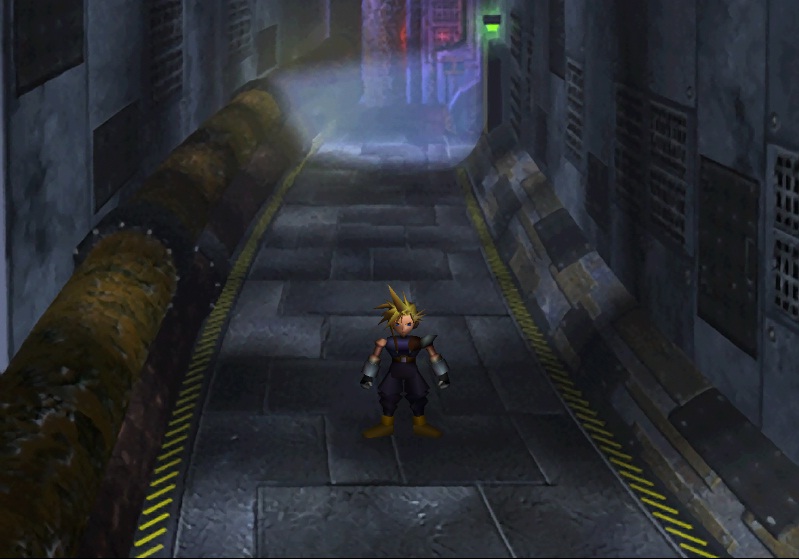
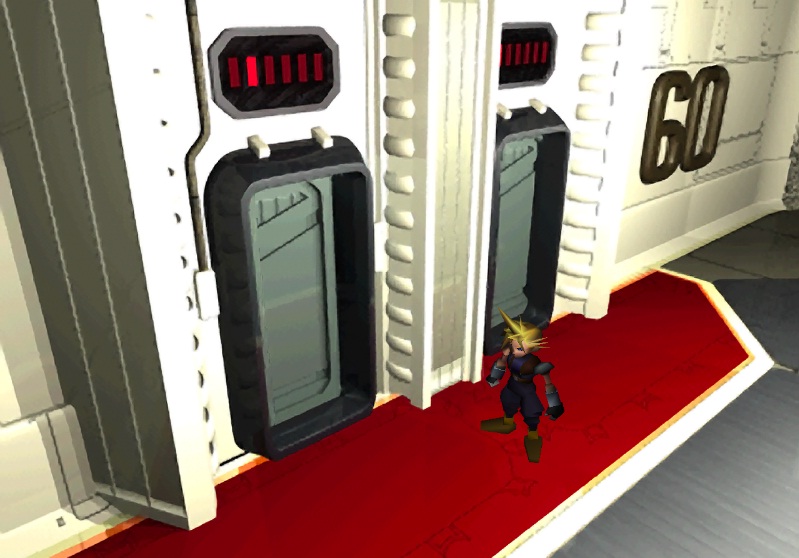
Ingame screenshot
KhlBb.jpg

2gVYB.jpg


This looks so much better than pixelated background.
 
I have an awesome update for you all. Thanks to the use of a new plugin which I recently discovered called Perfectum, and because of a new technique I have developed, I can clean up these images even better than they are right now and make them look cleaner and a bit more detailed. Here is a small example of the new technique. Sorry I have nothing to compare it to right now but I think you will like it.
http://www.mediafire.com/?tnczkz75vk4bue1

I will try to get a comparison of the difference up soon, and its a pretty big one. This one here was just the image I was using to test the changes and is not actually a part of my project because the layers have not been smoothed. However if you know how to use Palmer you can actually try this one out in game for yourself since I have included all the layers. The colors look slightly different in game then they do in Photoshop.
 
Last edited:
Status
Not open for further replies.
Back
Top