[FF8:R] Demaster unofficial patch- HD fields, monsters, fixes + launcher 1.3.0

  • Thread starter Thread starter makipl
  • Start date Start date
Status
Not open for further replies.
Using 1.1.2, my field_hd_new files don't seem to be working... giving an out of bounds exception. Maybe because I have all other mods I can have enabled as well? Would my fields and field models need to be the same dimensions?
 
Hey... I am new to all of this as well as the Forums, but wanted to try. I hope that's ok..
Um, I REALLY appreciate all the hard work you all are doing!!
And wanted to help playtest it out. However, for some reason, after following the given steps/instructions... It looks like it didn't actually take. Didn't apply any diffences and I don't know why o.O First it was a launcher issue.. Which the Alternative Launcher did correct :)
And the Game loads.. But nothing is changed.
I did extract the zzz files to the EXP Folder as directed, using zzzDeArchive, however it looks like the main.zzz and other.zzz are still in the Final Fantasy VIII Remastered Folder, instead of EXP... Hmm.
 
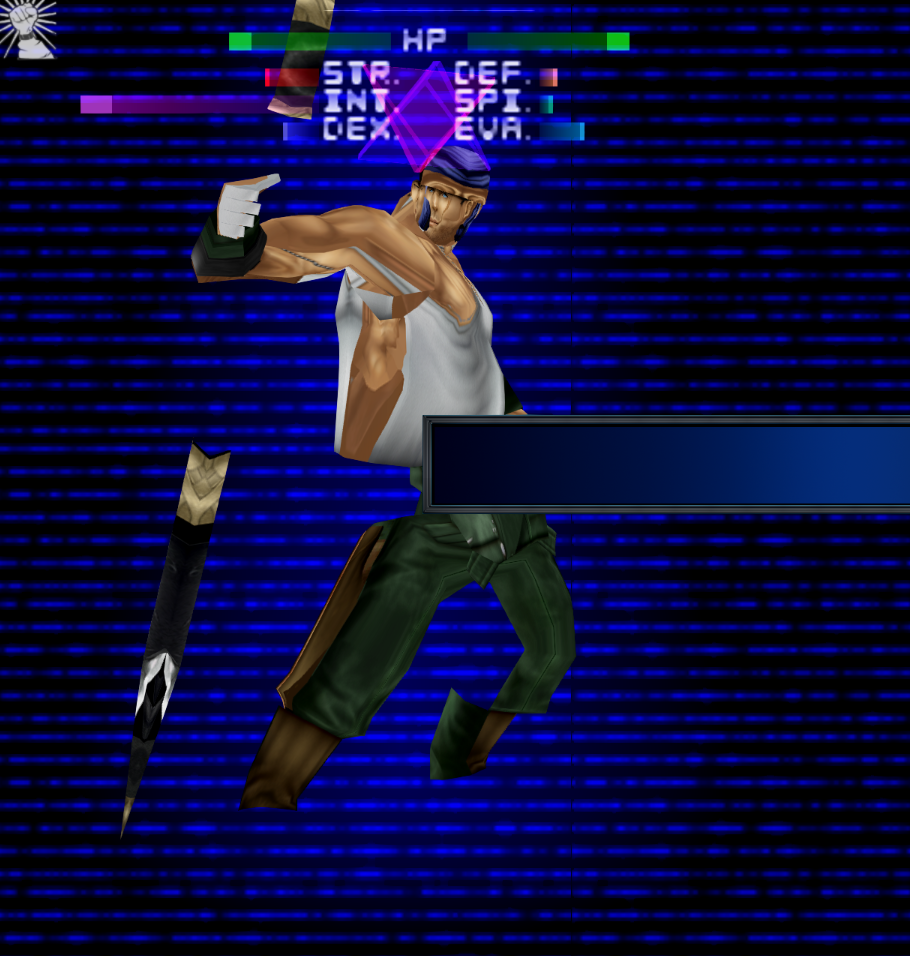
I have had performance issues such as sharp slow downs when walking around the fields, and slow down walking the world map. There has also been graphical glitches with characters such as Ward here.

fFiM4El.png
 
World map is broken/disabled, so only log is new addition. Disabling logging would increase performance significantly. I'll try to minimize output by worldmap in future- the remaster is just additionally "emulated" or something. The remaster is currently the slowest release ever. Fields are expected to lag when crossing/loading texture like in Balamb where game loads far and then near focal length textures. HDD is unfortunately a giant bottleneck- storing game on SSD can take care of this issues. Unfortunately there's no much to be done here as remaster works on the same super old engine. Please provide the save and used texture mods with the Ward issue. I don't know what's the matter.
 
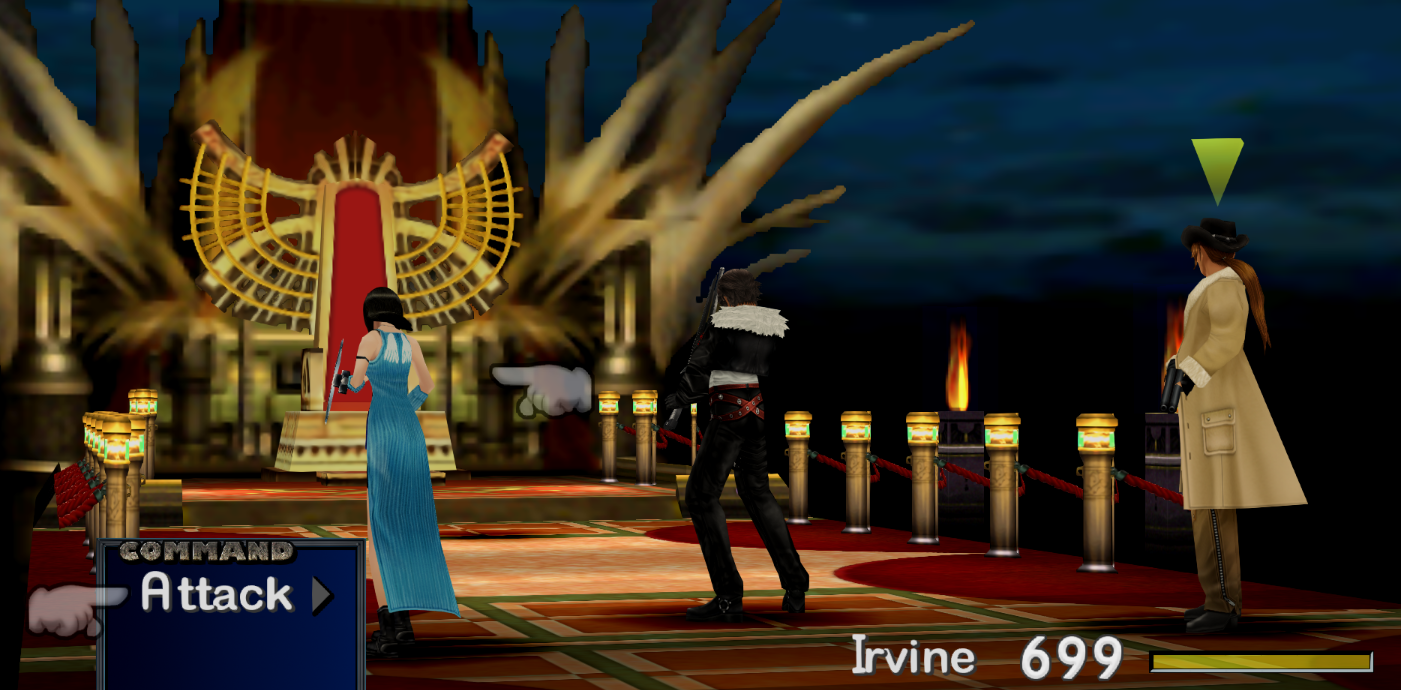
Yes it is installed on an SSD, turns out the performance issues was due to the log being enabled, however I've tried replacing some battle files for the boss at Deling and it gets really laggy. I think its due to the sky texture as it eventually defaults to the original and the lag disappears. here's the log

https://pastebin.com/XszqFcrn


Edea also seems to have disappeared

PqNnKsL.png
 
Last edited:
Released 1.2 with auto zzz extracting, zero manual file editing- includes launcher with vanilla options capabilities and demaster options directly via GUI. Launcher is now capable of auto-downloading new DLLs
launch.jpg


@Yagami Light - I am aware of the issue with animated battle backgrounds. So far the only workaround is rename the animated texture so game will not use it (if you already have PNGs- the game will load and load again dropping performance to unplayable state) and also disable Log- it spams errors :( - About Edea, it's now fixed in 1.2.1 - launcher should automatically download fixed DLL. I think the same problem may appear with Seifer. Thank you for all the info and bug reports!
 
Last edited:
@Yagami Light - I am aware of the issue with animated battle backgrounds. So far the only workaround is rename the animated texture so game will not use it (if you already have PNGs- the game will load and load again dropping performance to unplayable state) and also disable Log- it spams errors :( - About Edea, it's now fixed in 1.2.1 - launcher should automatically download fixed DLL. I think the same problem may appear with Seifer. Thank you for all the info and bug reports!
Amazing release!!!
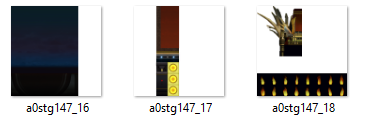
Unfortunately, for the boss fight and a few others, the battlefields have the animation page located with a main texture of the scene that ISN'T animated, so we lose about 1/2 of the battlefield and not just the animation. In this case, it's the throne background we end up not being able to replace.

NOTE: UV animation is set to the first 'chunk' so, in this file, the first fire blob is the 'draw' location and the other flames are the animation sprites that get called from that spot and then moved/drawn into the 'draw' location.  this is why in VRAM, it shows a different page for every animation frame.  It looks like this is how the game handles animated UV's, and Maki's tool can't work with those files. (similarly to how tonberry doesn't, but in tonberry we can force refresh the texture based on new hashcodes that the 'alternate' sprites call)

060592ca9ed7ca97aeef2cdbf7652bdd.png
 
I cant get ff8 remastered to start with the new release, whats the issue with the flame animations? I remember them animating last time I checked.
 
Not sure there's no DIRECT_IO_EXPORT_DIR=EXP\ setting in the 1.2.1 config is that an issue? This is the current directory path C:\Program Files (x86)\Steam\steamapps\common\FINAL FANTASY VIII Remastered

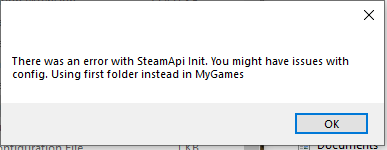
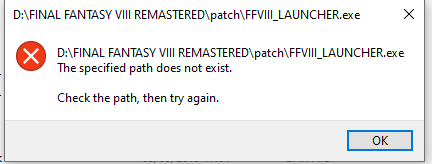
The offline mode used to give me this error but now both do nothing, maybe windows security is blocking it. I've updated to latest nvidia drivers, verifying cache changes 2 files and allows me to play normally without mods, but not with custom launcher.
Se0uZVE.png


The batch files give me nothing and the 1.2.1a version gives me the same error boxes as before
 
Last edited:
If i start the Launcher (offline and Forceplay too) its not loading game. Only a little window with "An Unknown exeption has occurrend".

If i Change in Demaster Options the "DIRECT_IO   [CORE]- loads files from unpacked archives" than Game starts normal.
 
Last edited:
Not sure there's no DIRECT_IO_EXPORT_DIR=EXP\ setting in the 1.2.1 config is that an issue? This is the current directory path C:\Program Files (x86)\Steam\steamapps\common\FINAL FANTASY VIII Remastered

The offline mode used to give me this error but now both do nothing, maybe windows security is blocking it. I've updated to latest nvidia drivers, verifying cache changes 2 files and allows me to play normally without mods, but not with custom launcher.
Se0uZVE.png


The batch files give me nothing and the 1.2.1a version gives me the same error boxes as before
If i start the Launcher (offline and Forceplay too) its not loading game. Only a little window with "An Unknown exeption has occurrend".

If i Change in Demaster Options the "DIRECT_IO   [CORE]- loads files from unpacked archives" than Game starts normal.
I killed the launcher and re-wrote core part to no longer use SteamApi, deleted settings that caused crashes and bringed back the original, working Sebanisu launcher. It now works on minimum operations to keep up with the stability.
Current link to 1.2.4:
https://github.com/MaKiPL/FF8_demastered/releases/tag/1.2.4

@Pittstone- please download the newest release from link above and open ffviii_demaster_manager.exe - it would make sure that you have everything needed for your first run. After auto-unpacking the files you can close the manager and run the launcher directly or from Steam- also make sure you have the newest version from Steam- this mod works only on current version of remaster
 
Will battle animations be supported in the future?, these three texture pages for Deling revert to normal at the start of battle.

mTYTpRk.png
 
Hello! Can you tell me a set of background textures for Demaster patch?
 
Can you write a step by step tutorial, please? I don't know exactly how to add these two mods:

https://www.ff7catalog.com/threads/13512/

https://www.ff7catalog.com/threads/10481/

Thank you so much for creating this tool, we're so close to have the definitive edition of FFVIII.

If i start the Launcher (offline and Forceplay too) its not loading game. Only a little window with "An Unknown exeption has occurrend".

If i Change in Demaster Options the "DIRECT_IO   [CORE]- loads files from unpacked archives" than Game starts normal.
I have the exact same error with the 1.2.4 version. I've the Remastered Edition, in spanish, Windows 7, 64 Bits. If the first option is unchecked the game works.
 
Last edited:
Please wait a bit, I know MCINDUS is preparing pre-set mods. The current release is 1.2.6 with various fixes including the one with crash. Just download the release in first post, open manager and update to 1.2.6
 
Status
Not open for further replies.
Back
Top