L
LeonhartGR
Guest
Sharp graphics as strawberries! 
Last edited:

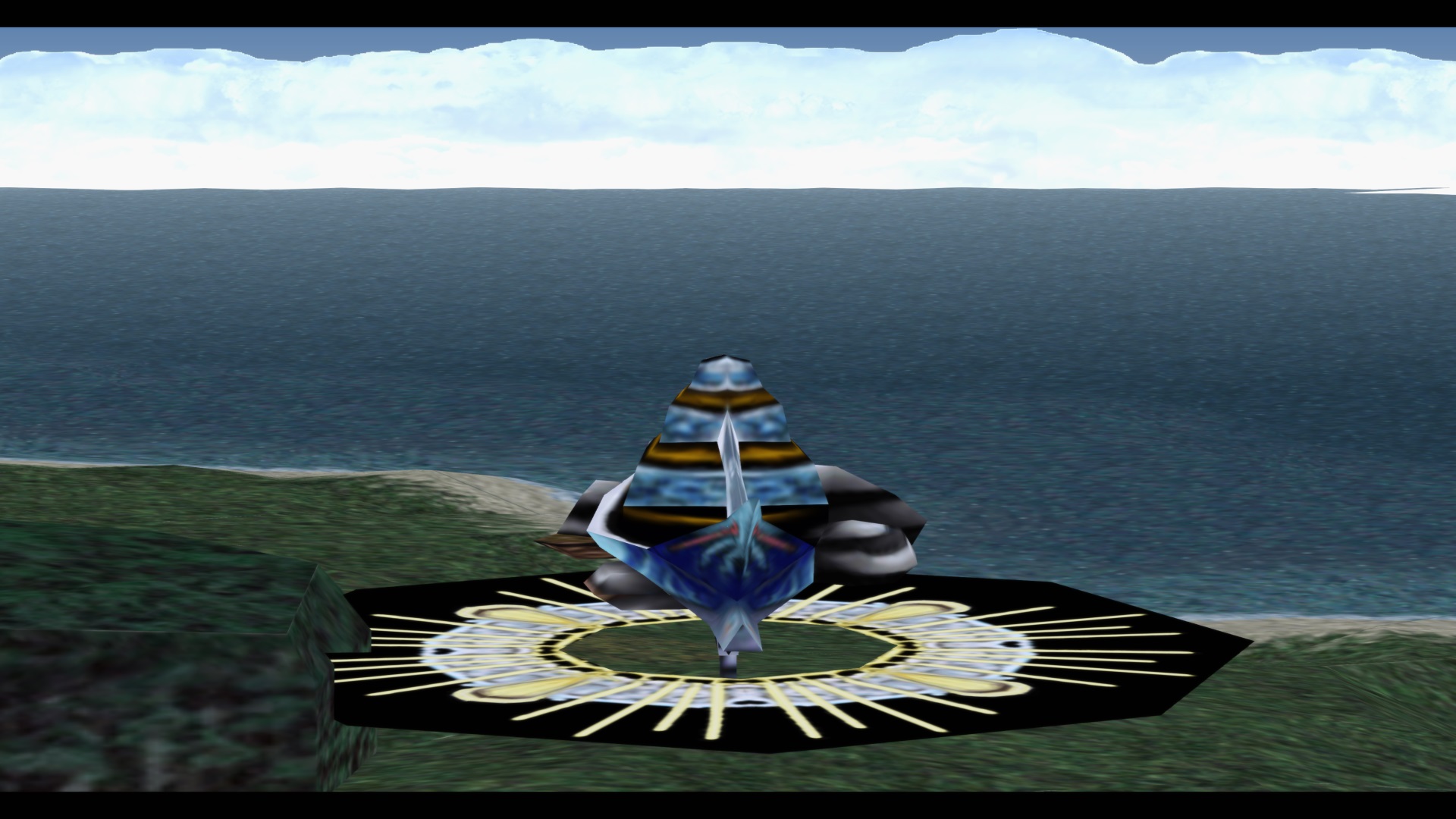
You mean the road goes back to low resolution? Odd... I've tested that area so many times.Noticing two new issues. The first is the roads are vanilla, I don't think they converted, at least in the starting Balamb area, I'm only that far in my playthrough.( Also I lost your new textures for the balamb school/ area, that is intentional correct?) The second is that sometimes my squall world model will have the outline of a black square underneath his feet. Like 4 black lines around his feet that meet in a rectangle. I am using fated courages/mago's world model for squall, wondering if it's not playing nice together with this. Or maybe it's just my strawberriesty laptop that is not really meant for gaming.
Also the seams on forests and some other textures but I see you are aware of that one.
Other than these issues, loving the mod! Thank you once again.
Perhaps I missed a variable. If you can post a screenshot, then I can tell you if it really is.Did you make sure do delete the old hashmap?? You shouldn't just copy/replace the old mod - you should outright delete it before you install this new version! They will definitely cause conflicts.Noticing two new issues. The first is the roads are vanilla, I don't think they converted, at least in the starting Balamb area, I'm only that far in my playthrough.( Also I lost your new textures for the balamb school/ area, that is intentional correct?) The second is that sometimes my squall world model will have the outline of a black square underneath his feet. Like 4 black lines around his feet that meet in a rectangle. I am using fated courages/mago's world model for squall, wondering if it's not playing nice together with this. Or maybe it's just my strawberriesty laptop that is not really meant for gaming.
Also the seams on forests and some other textures but I see you are aware of that one.
Other than these issues, loving the mod! Thank you once again.
Okay, I tried McIndus' suggestion, still looks like this.You mean the road goes back to low resolution? Odd... I've tested that area so many times.
As for the black squares, it's probably missing hashes for his upscaled shadow? Was never sure why it bugs out like that, but I think getting the hashes for them should fix it? I'll check into that.
Ok I'll try to find makis fix. I'm on disc 1 about to embark on the timber owls mission, just got diablos lamp.Ah - this is because you aren't implementing Maki's current UV fix. I HIGHLY reccomend it. I'm not sure what's going on with the shadow.... I'll have to test it out. What disc are you on? At what point in the game are you? Are you using the English version?
Can you pm me about this?Okay thank you, Maki's UV fixed everything except the black square under squalls feet in world map. Roads and whole world looks much better, no seams/blocks.
It also lets me alt-tab in and out! Before Maki's fix whenever I alt tabbed out and then back in it would show a mish mash of textures over a black screen. Like the texture pics for mods.
Edit: Sometimes alt-tabbing still causes this issue, but doing it a few times fixes it.
Sounds like missing hashcodes... Though, I was sure I got most for battles. Where are you at and what enemies were you fighting? Or is it literally after every battle? Because that shouldn't happen.Hey all!
I'm having a bit of an issue after updating Horizon Pack, SeeD Reborn, and Project Hellfire. After I enter a battle and finish the battle (Whether escaping or killing all enemies) the mini map is reverting back to its OLD self. This never used to happen before i updated those 3 mods. Any suggestions? Thanks.
Ah, okay. So I missed a few battles... I'll be sure to keep a look out and get them when I have the time. Thanks.I was in the Trabia region. Its on again off again, meaning some times it will revert back. then i'll get into another battle and it will fix itself. but last area i was at was on DISC 2 Trabia Garden snow area. Also i forgot to put this in my last post, but im getting a black border around balamb garden mobile. I'm trying to figure out how to attach a screenshot. I was thinking I might just do a fresh install of all mods etc. but just trying to avoid that.

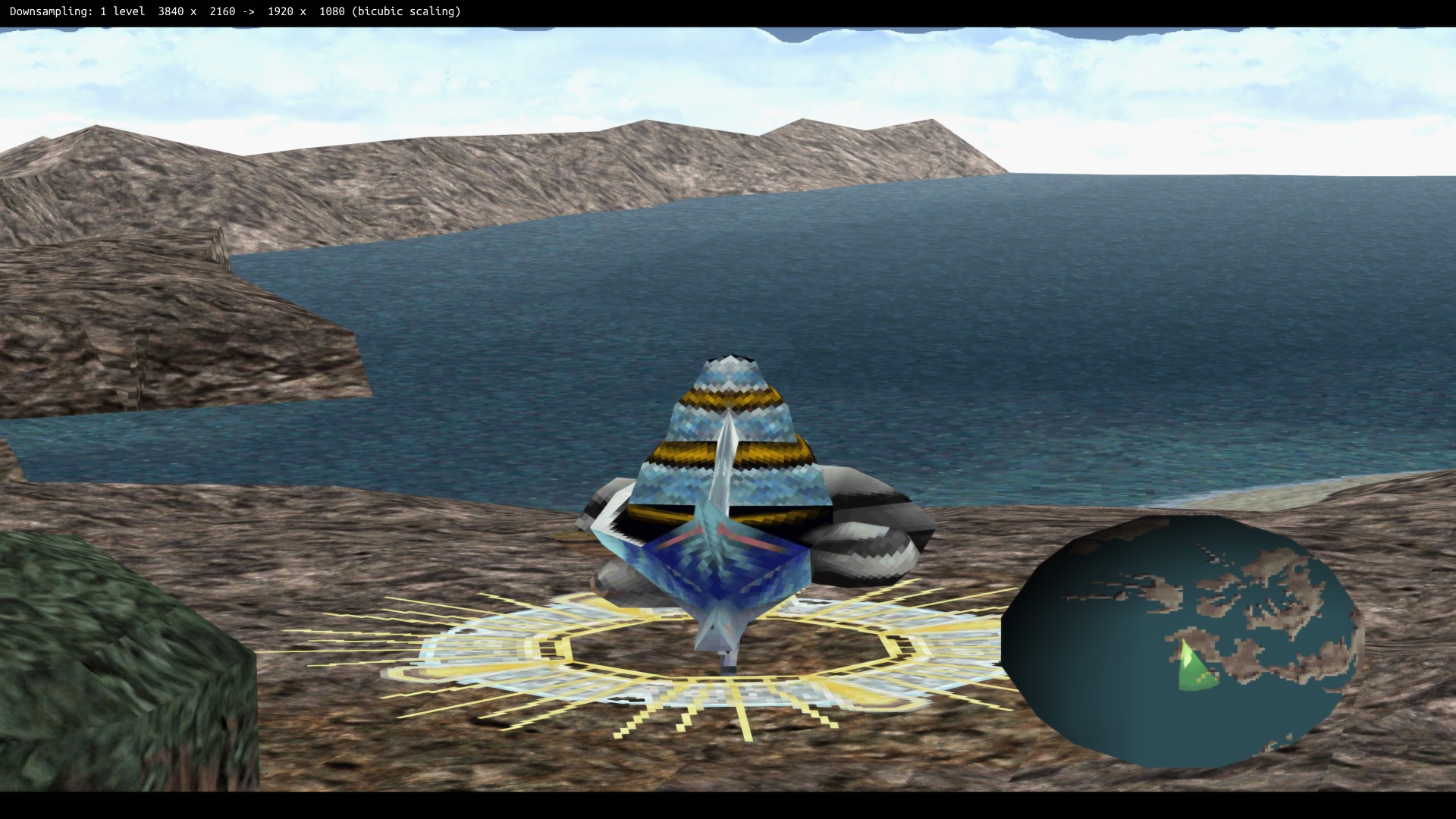
All that reverted? Dang... Well, more for me to hunt and add!Here is what my overworld looks like at the very beginning of disc 3, right before going to the orphanage to see Edea.
Really? Maybe I have leftovers from when I was testing out the mod... So, basically, Mcindus will have to update it.I see the balgarden under the "ve" folder but i only have 2 .png in there and neither of them have the transparent one. Both show the black border? Am I missing textures?
As will I on the hashcode front.