[FF8PC-Steam] BerryMapper- texture replacement for Tonberry mod (2014-12-15)

  • Thread starter Thread starter Shunsq
  • Start date Start date
Status
Not open for further replies.
I have a whole collection of battle backgrounds that need to be done!  Would you like a pack to start with?

Try these:
Original Bitmaps To Be Done
Thanks, I will certainly check these out and see what I can do. But first thing's first... what dimensions are these being upscaled to?
-Zeeber
 
Thanks, I will certainly check these out and see what I can do. But first thing's first... what dimensions are these being upscaled to?
-Zeeber
Everything is 4x - so from 256 to 1024.  Shunsq was actually doing some great work on this project as well!  He sent me a 'test' of the battlef_dolcomtwr1_13  image, which is amazing and I currently use in-game (lol)

Speaking of - is Shunsq still around?

As for me,Berrymapper won't evolve until a new hashing algorithm is found.
Well - I know that a new hashing algo has been found, but the programmers got discouraged because a lot of the same duplicates were still a huge issue, as well as many of the same collisions were found.  I still think it should be completed, and still think it should be updated (please!!!!) so that I can upscale the intro/credits, the ocean, and the animations! (please mavirick lol)
 
Well - I know that a new hashing algo has been found, but the programmers got discouraged because a lot of the same duplicates were still a huge issue, as well as many of the same collisions were found.  I still think it should be completed, and still think it should be updated (please!!!!) so that I can upscale the intro/credits, the ocean, and the animations! (please mavirick lol)
I believe all mavirick and the crew needs is a playthrough of the game with debug on. With all the textures collected from that, it should help them finish. I have done this playthrough with the intent to send it to him. But...it came to about 80GB... And that's without world map textures. Not sure on a proper way to send something that massive. Feels almost easier to mail an external hard drive with all that on it. :-P
 
Awesome; thank you Mcindus! I got the file you posted and am ready to get started.
I hate to keep bugging everyone with questions... (I did try and find answers to no avail) but... I see the textures in separate folders. My question is about the files that have the same image, only shaded differently. Maybe these are for certain lighting effects?
If anyone could explain, that would be a tremendous help. Also, if I can be pointed in the direction of a way to view them as they would appear in-game. I know that's specific, but I don't actually own a copy of FF8 on Steam... just on PS3. I'm poor atm, so if there's a way to view them in-game without purchasing a Steam copy, that would be optimal. If not, I'm still going to get started and just hope for the best.
-Zeeber
 
Awesome; thank you Mcindus! I got the file you posted and am ready to get started.
I hate to keep bugging everyone with questions... (I did try and find answers to no avail) but... I see the textures in separate folders. My question is about the files that have the same image, only shaded differently. Maybe these are for certain lighting effects?
If anyone could explain, that would be a tremendous help. Also, if I can be pointed in the direction of a way to view them as they would appear in-game. I know that's specific, but I don't actually own a copy of FF8 on Steam... just on PS3. I'm poor atm, so if there's a way to view them in-game without purchasing a Steam copy, that would be optimal. If not, I'm still going to get started and just hope for the best.
-Zeeber
In the original game, in order to preserve filesize, etc - they created CLUT palettes for each texture and each texture had pages of different 'palettes' so they could cram several different images of different colors onto a single image.  Tonberry grabs these 'texture palette' pages individually.  In the original backend, there would just be a file like: battlef_doltown1.tim that has 6 palettes... so Tonberry grabs them as 6 different images.  In reality, if you can find what each part of each image is for, you can combine them into a 'master' page and just have all four different hashcodes use that one same texture.  For example, In the case of the world map, for the large textures, it was 16 different pages that combined into a single texture for each 'zone'.

No way to test these in anything other than Steam - Tonberry only works for the Steam version.
 
Hello again. I started messing around with the Training Center battle textures… mainly just the part that appears to be the ground.

battlef_trainingcenter_13copy-updatedground.png


If anyone wants to load this in and grab a screenshot of it in-game, I would definitely be appreciative! I'm hoping I did everything properly. Let me know, and I will continue work!

-Zeeber
 
Dear Lord... This is just perfect! 1:1 texture redone. You are a master!
Here's the preview:
Beztytulu13cd3.jpg


3DS Max:
Beztytulu17091.jpg
 
Last edited:
Wow! Thanks, MaKiPL!
I can see clearly now where I can smooth things a little bit to reduce the obvious mirroring of the pieces.
This may be because I can't see it properly… but does it really look good? It almost seems to be similar in resolution to the original. Are my eyes just broken? lol

Thanks a ton for loading it in. I'm gonna clean up some of the mirror issues and then move forward.

-Zeeber
 
Thanks MaKiPL, I got that file working and it totally helps me understand the locations of the textures!

And thank you, FatedCourage! That looks way better! That totally gives me a lot of motivation to continue! I'm excited, guys, I really am.
I've done a lot more work since my first image post. I'm reducing the mirroring, now that I can see it clearly. And I'm doing my best to stick to the original look and feel.
Thanks for the help, friends. Let's continue to push forward :)

-Zeeber

EDIT: I'm just going to go ahead and drop another small piece of what I've been working on for anyone interested.


It's just the danger sign on the electric fence, but I think it came out pretty well! I'll keep chugging along, but for now I'll leave with a question.
When I get to the objects with transparency (fence, tree branches, bushes, etc.) how exactly does that work? Can I actually alter the entire shape and it will still display properly in-game? If so, that should make things way easier!

-Zeeber
 
Last edited:
You're welcome. I'm glad it does. :)

I'll try out the sign now and edit this post with the results.

As for the objects with transparency... I know the black areas in them will have to go. I can't really speak on how the shaping goes as I've never tried to alter it.

Edit: Here you go.

SofsSCQ.jpg
 
Last edited:
You're welcome. I'm glad it does. :)

I'll try out the sign now and edit this post with the results.

As for the objects with transparency... I know the black areas in them will have to go. I can't really speak on how the shaping goes as I've never tried to alter it.

Edit: Here you go.

SofsSCQ.jpg
Looks awesome!
You can pretty much fill in the transparency with anything you want.  That's how I 'smooth' edges when I upscale, etc. Belhelmel was a buttercup with all those knifey things sticking out, but it works beautifully.  You don't always have to get rid of black (for example, black 0,0,0 should always be transp no matter if you delete it or not)  but in the upscale process, the upscaler often adds a tinting to pure black, which messes up it's transparency.
 
The models are not cut-out, but simple plane geometry. This mean, that the texture is grabbed via bounding zone. I'll explain this:
146209.jpg

In above image you can see, that the background element of Balamb garden is just four quads (16 triangles)
You can do whatever you want as far as you keep the changes inside shown square/rectangle.
Also take a look here:
229cdc.jpg

You can see how's the texture formed and also you can see, that you can alter the sign form as you wish, as far as you keep inside the blue rectangle.

For transparency:
Mcindus wrote it all. :3
In raw TIM formats, the transparency was set by the last bit in palette entry, but you're working here on ripped texture from renderer, so no need to worry about this.
 
Ah, okay. It's just the upscaling in certain cases that cancel out the transparent areas. Well...some, but not all. I was wondering how you managed to keep things so smooth in your textures. I'll have to try that out as there are a lot of places in my upscale that need smoothing.
 
Ah, okay. It's just the upscaling in certain cases that cancel out the transparent areas. Well...some, but not all. I was wondering how you managed to keep things so smooth in your textures. I'll have to try that out as there are a lot of places in my upscale that need smoothing.
It looks like he re-created those textures by hand.
 
It looks like he re-created those textures by hand.
Hm? Oh, I'm pretty sure he did and that's why they look awesome in the examples. So I'm sure he won't have to worry about it too much. I was referring to my own upscaling in other areas and enemies I was doing.
 
Hm? Oh, I'm pretty sure he did and that's why they look awesome in the examples. So I'm sure he won't have to worry about it too much. I was referring to my own upscaling in other areas and enemies I was doing.
Oh sorry about that!  I guess I skimmed over your post and didn't quite get it.   So - any chance you'll release your version soon? None of my fence grating comes out good lol
 
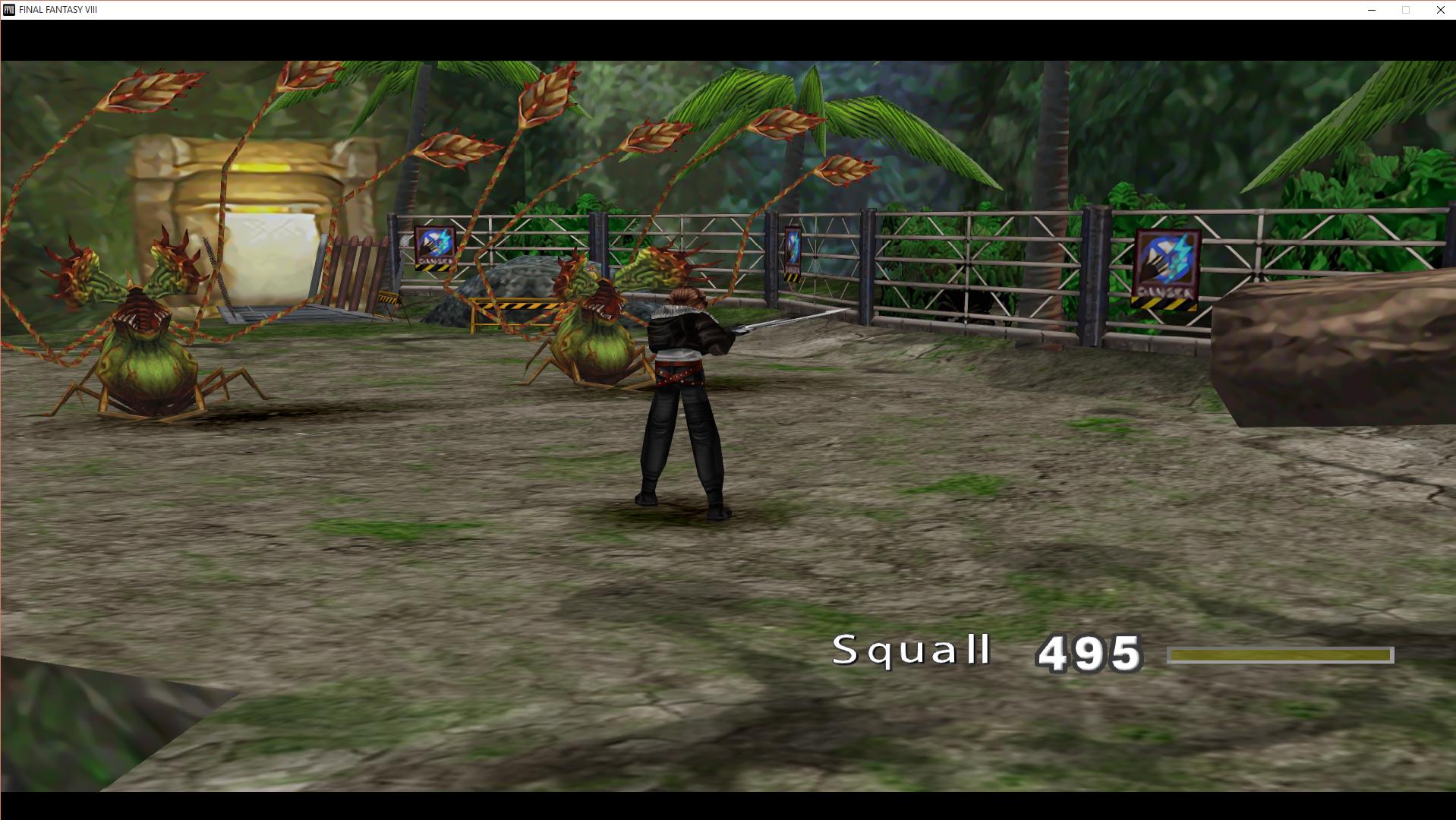
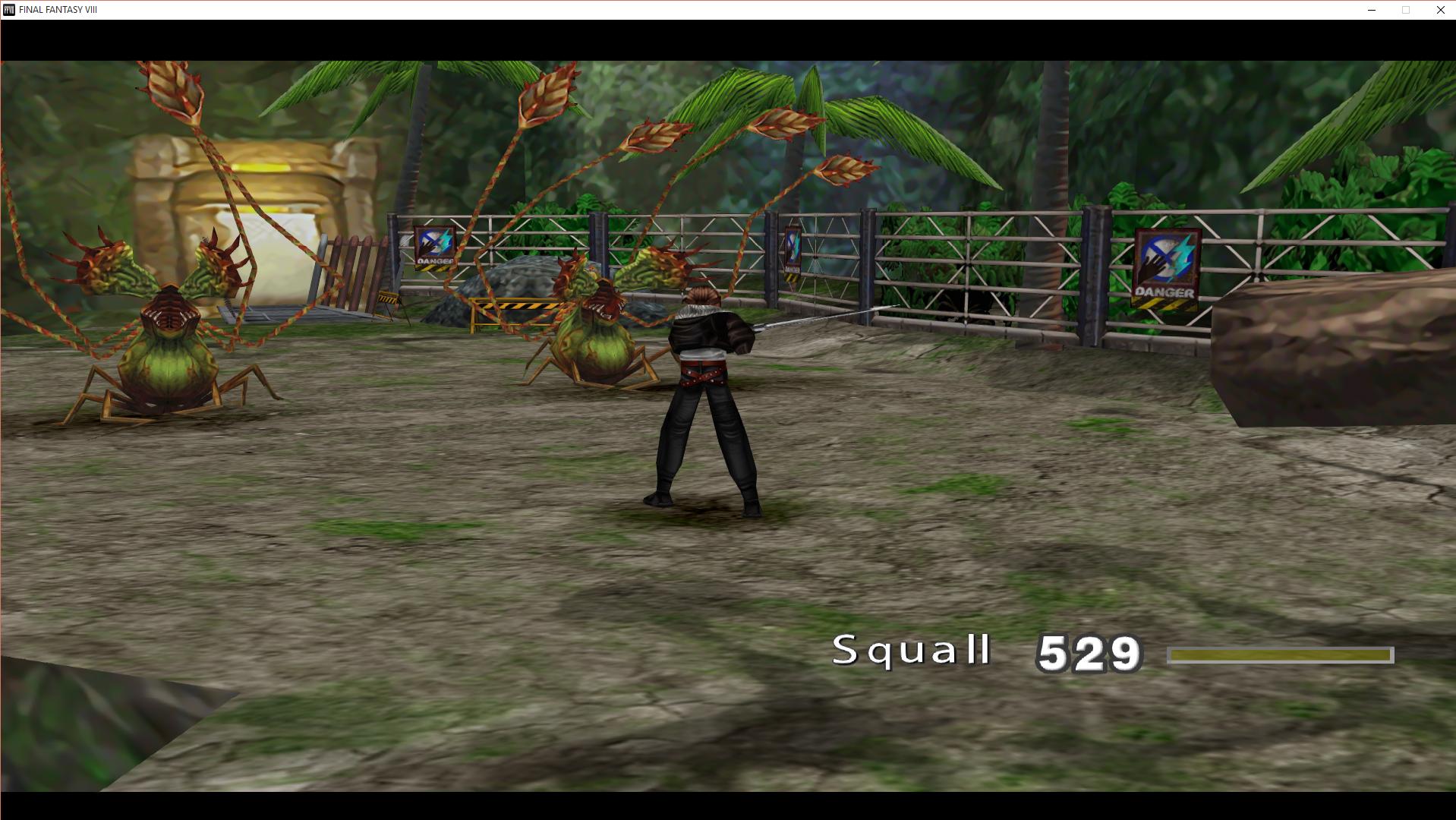
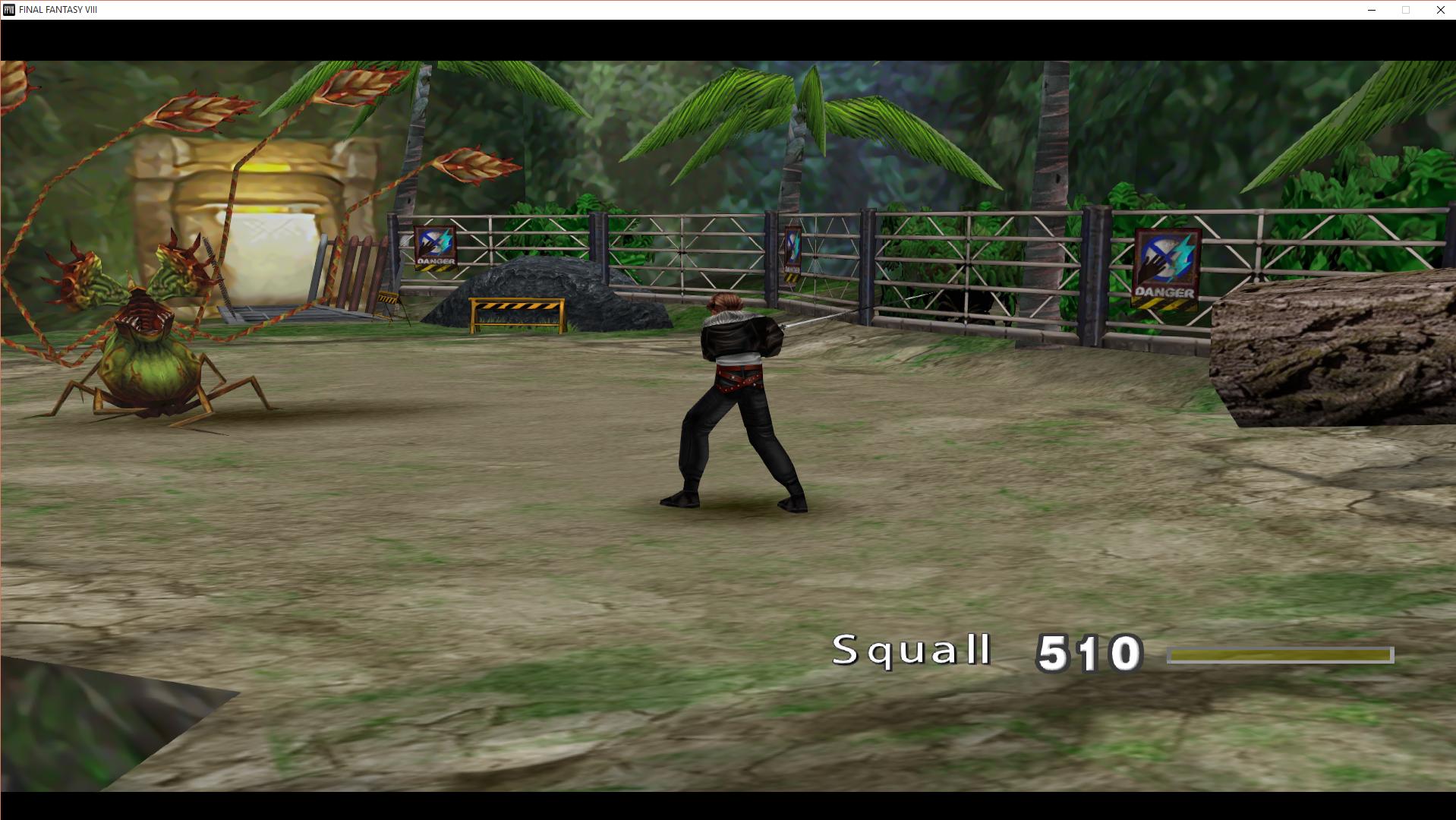
Hello, all. Here's the png copy of my latest edits altogether. I've done the sign on the electric fence, the boulder, the fallen log, and the palm tree trunk. This is also the latest version of my ground, with reduced mirror effect. I'm curious to see if this stuff looks good rendered in the game, as, I actually changed the palm trunk's shape slightly.


Hope y'all like it. I think I'm going to try for the walls next.

-Zeeber
 
Oh sorry about that!  I guess I skimmed over your post and didn't quite get it.   So - any chance you'll release your version soon? None of my fence grating comes out good lol
It's okay. I'm not the best at wording. Now I'm confused... Are we talking about Zeeber's version?

Hello, all. Here's the png copy of my latest edits altogether. I've done the sign on the electric fence, the boulder, the fallen log, and the palm tree trunk. This is also the latest version of my ground, with reduced mirror effect. I'm curious to see if this stuff looks good rendered in the game, as, I actually changed the palm trunk's shape slightly.


Hope y'all like it. I think I'm going to try for the walls next.

-Zeeber
m6vMWE2.jpg
 
Status
Not open for further replies.
Back
Top