
F
FatedCourage
Guest
Project AngelWing v3.0
Field Upscale (Steam Only)
Project AngelWing is a field upscale that uses Waifu2x and now Gigapixel with my own specific settings. It's not perfect and not everything is going to look mind blowing... But I feel it is an improvement compared to what you get out of the box. And I'm sure any errors or whatnot can be improved over time. And, of course, Esthar still isn't great. ...I don't like Esthar. But hey! Enjoy!
Update #1
Not going to lie... This took longer than it should have. But as of 11/27/18 I've updated Project AngelWing to v2.0 with Project Eden's edges. And I've tried to fix any real errors that came with it. Well...outside of some residue that I can't completely get rid of. As of now, only three areas still use v1.0 alpha channel/edges. Along with that, I've also done my best to add all the languages available on Steam with this update. (Japanese might get added in the future.)
I can't guarantee there won't be a few errors or missing hashes in the other languages. If you happen to find any, please let me know in case I might be able to fix it.
Update #2
It's been almost a year since the last update... Better late than never. I've finally added Gigapixel fields for people to try out. Currently in the "testing" phase. Some lighting issues and fields will need to be fixed or improved upon. The "final" version will also have smoother edges, I hope. Time will tell. Japanese is also incomplete because I can't run that version to get the hashcodes. And I also have to thank Mcindus for helping me out with the current problem fields.
Downloads:
v3.0 English: https://drive.google.com/file/d/1PUoPU_qh5Ou0bMgNgSkTEe0aeMTpHF1m/view?usp=sharing
v3.0 French: https://drive.google.com/file/d/1JUUdhC1KKBhBu5R4bMvVMmMATNfeWXWM/view?usp=sharing
v3.0 Italian: https://drive.google.com/file/d/1M-5UMerxgibxUsORRVfYKZQhzPHr2HzP/view?usp=sharing
v3.0 German: https://drive.google.com/file/d/18IS2uikboVjJucRMrh8yQWJjstEGrgX5/view?usp=sharing
v3.0 Spanish: https://drive.google.com/file/d/1kZXtvGOdbHLugaDOUm2NEkA6SVo68uC0/view?usp=sharing
v3.0 Japanese: https://drive.google.com/file/d/16rB9wcgXH19pxp-7FhfmyrT98aHhPtl5/view?usp=sharing
Directions:
1. Download Tonberry v1.61 or later https://www.ff7catalog.com/threads/10888/
2. Extract Tonberry and put all of it's components into your game's directory.
3. Extract the file provided here.
4. Drag the texture folder provided into your game's directory.
5. Everything else (hashmap folder/collisions/hash2map) should be placed inside the Tonberry folder that resides in your game's directory.
If the game happens to crash after installing this mod, then I recommend lowering your texture cache in the preference document that resides in the Tonberry folder. Or you can find and download the 4GB patch and use it on your game's executable. This will allow the game to use more memory than it normally would.
Examples:
Original/New (Waifu2x and GeDoSaTo)
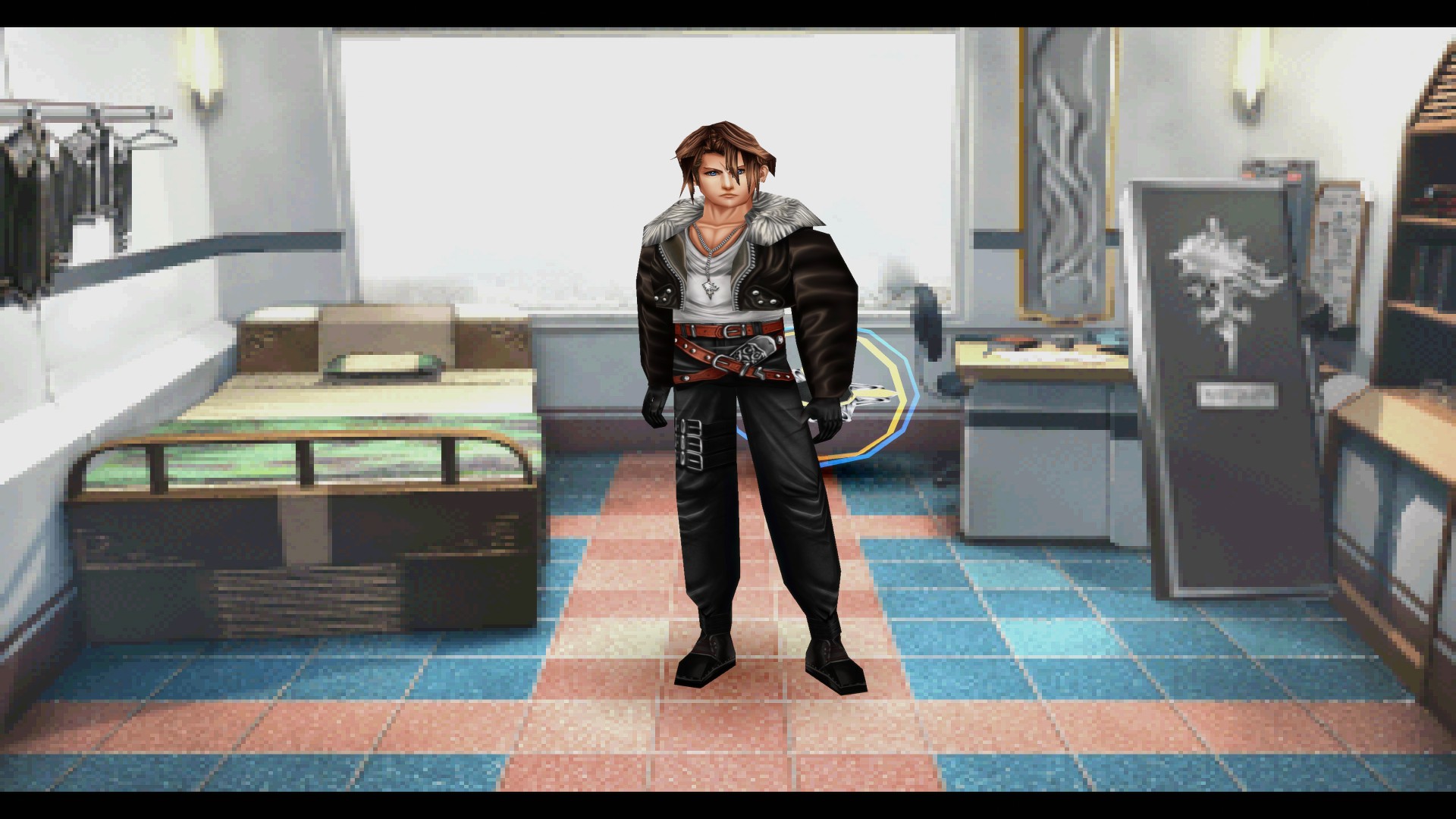
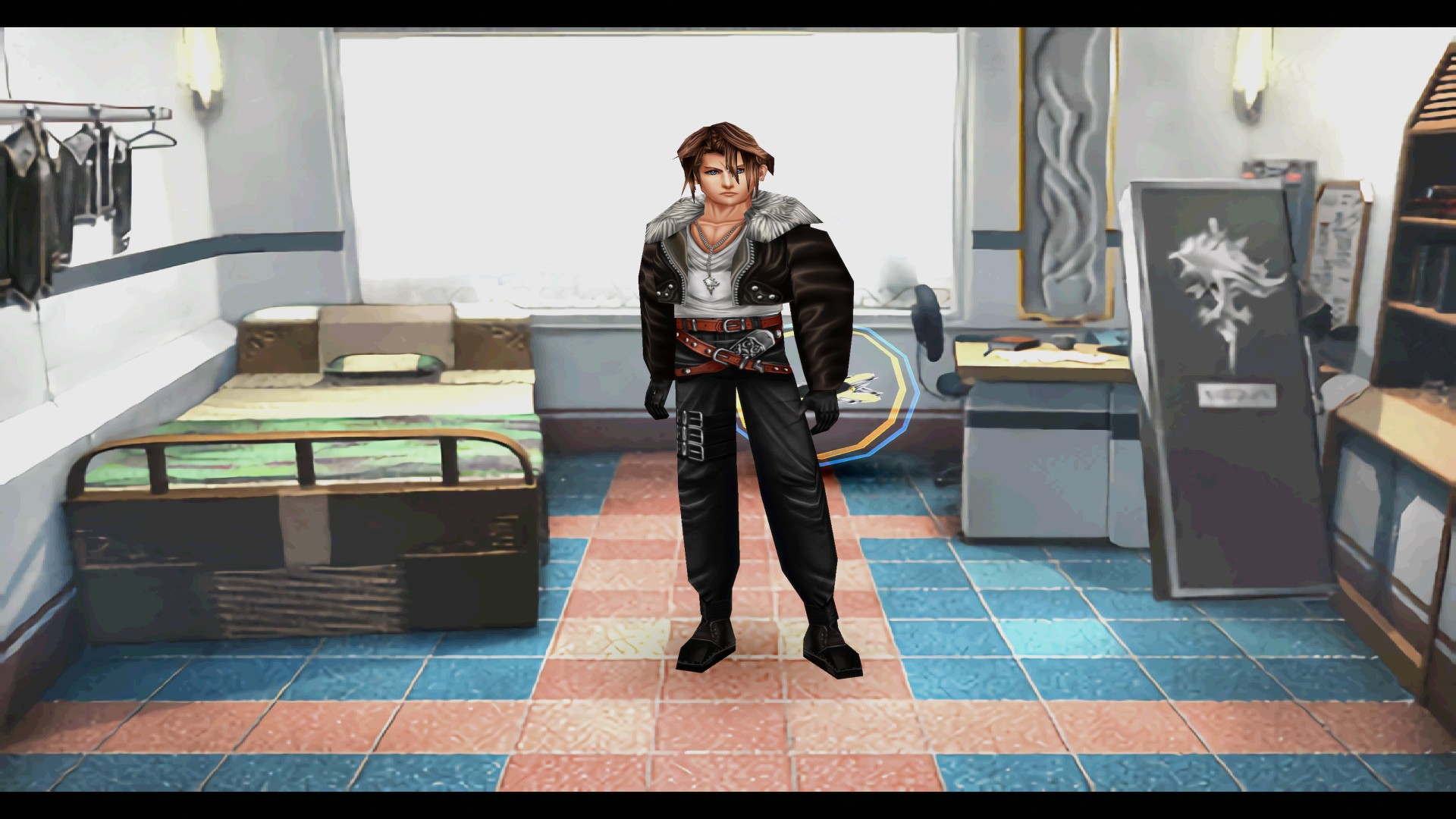
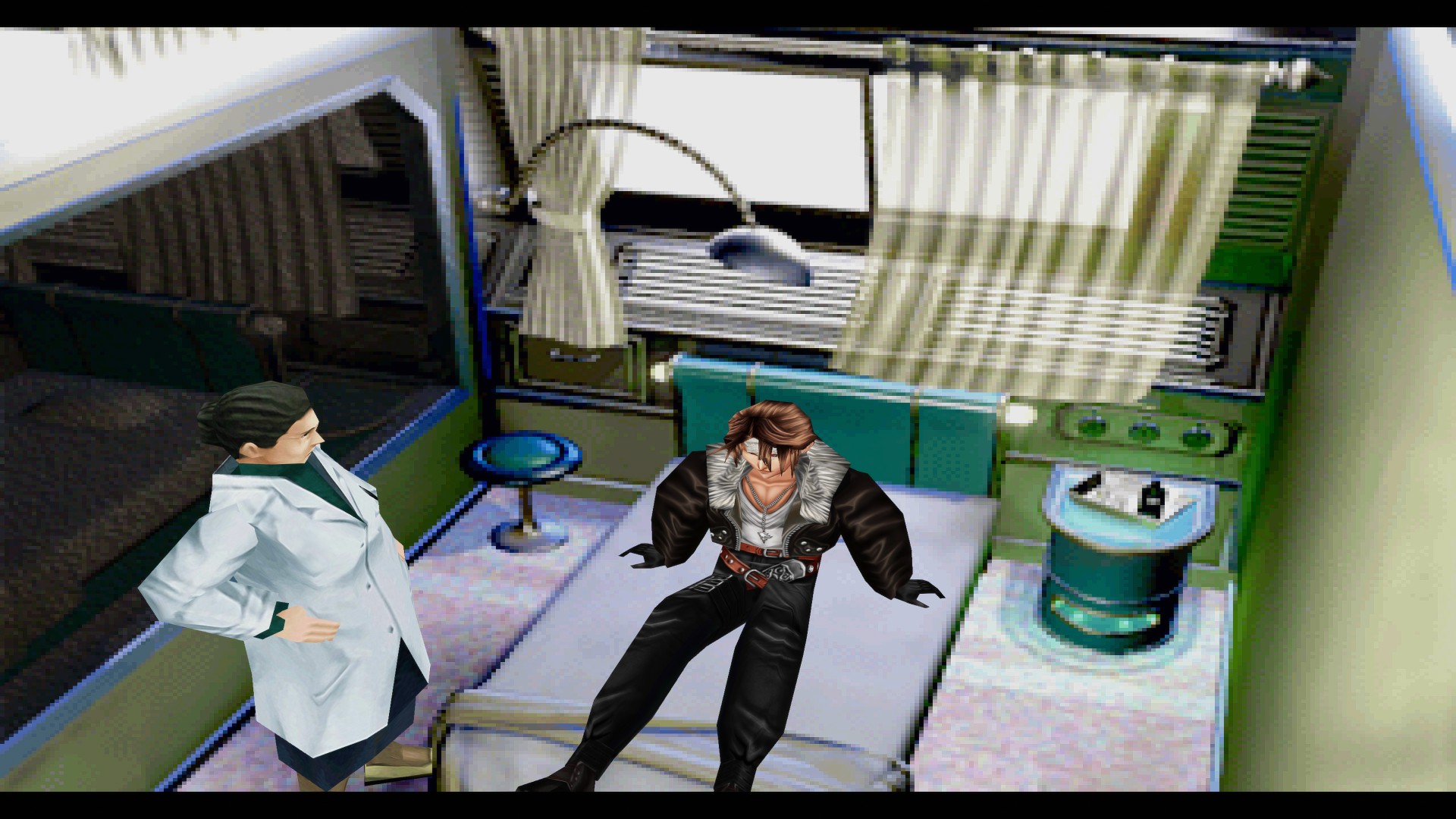
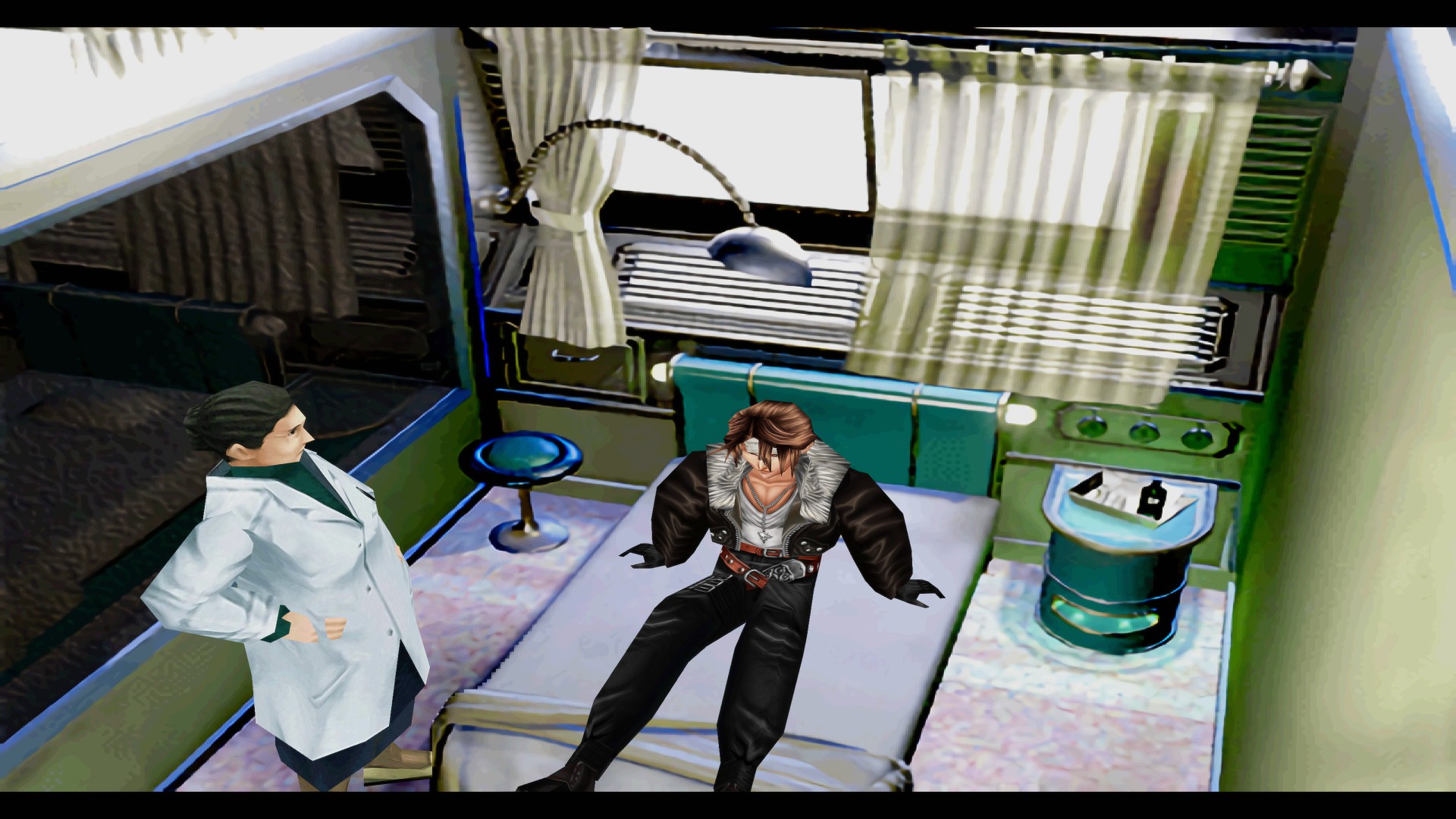
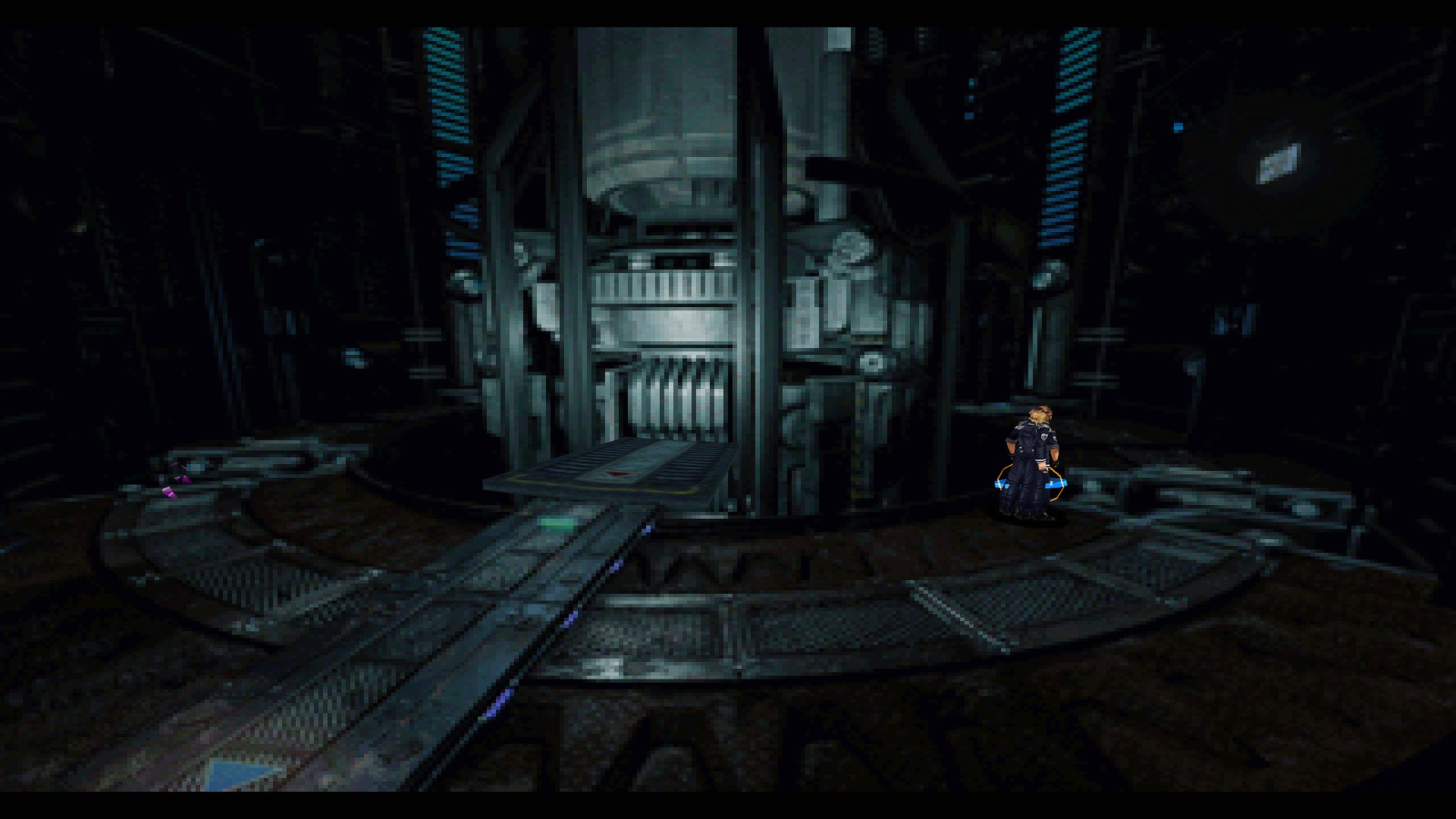
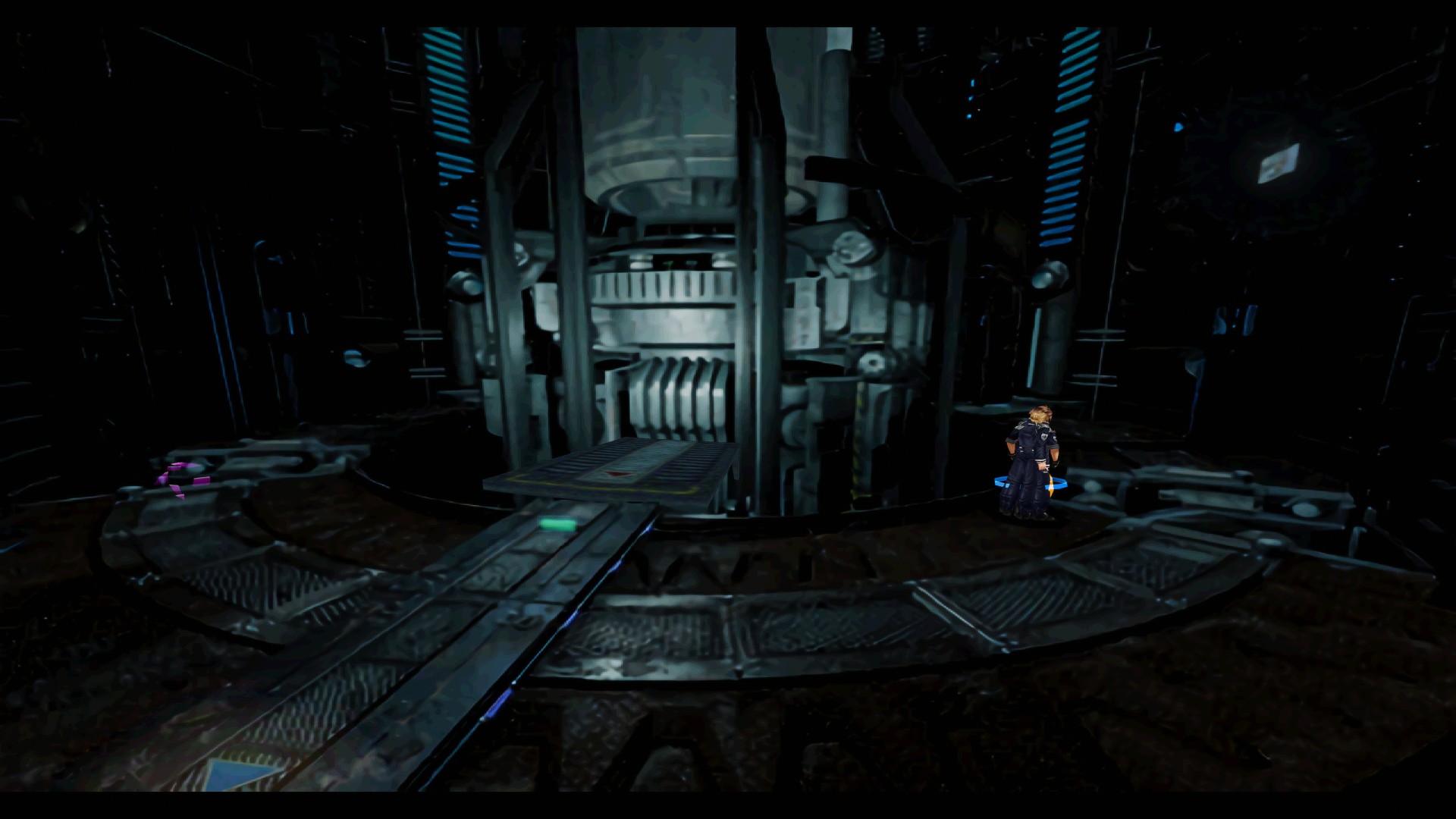
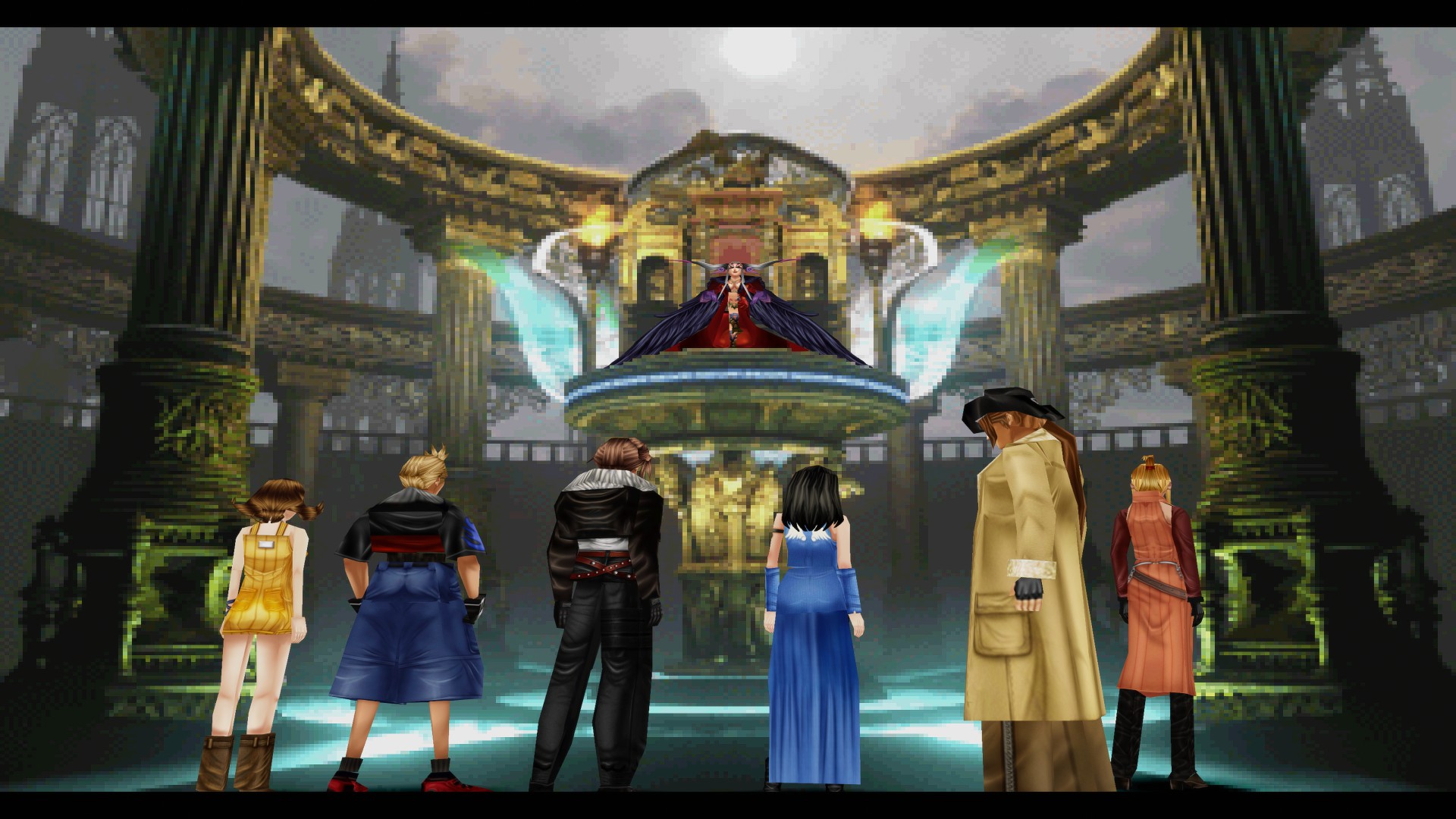
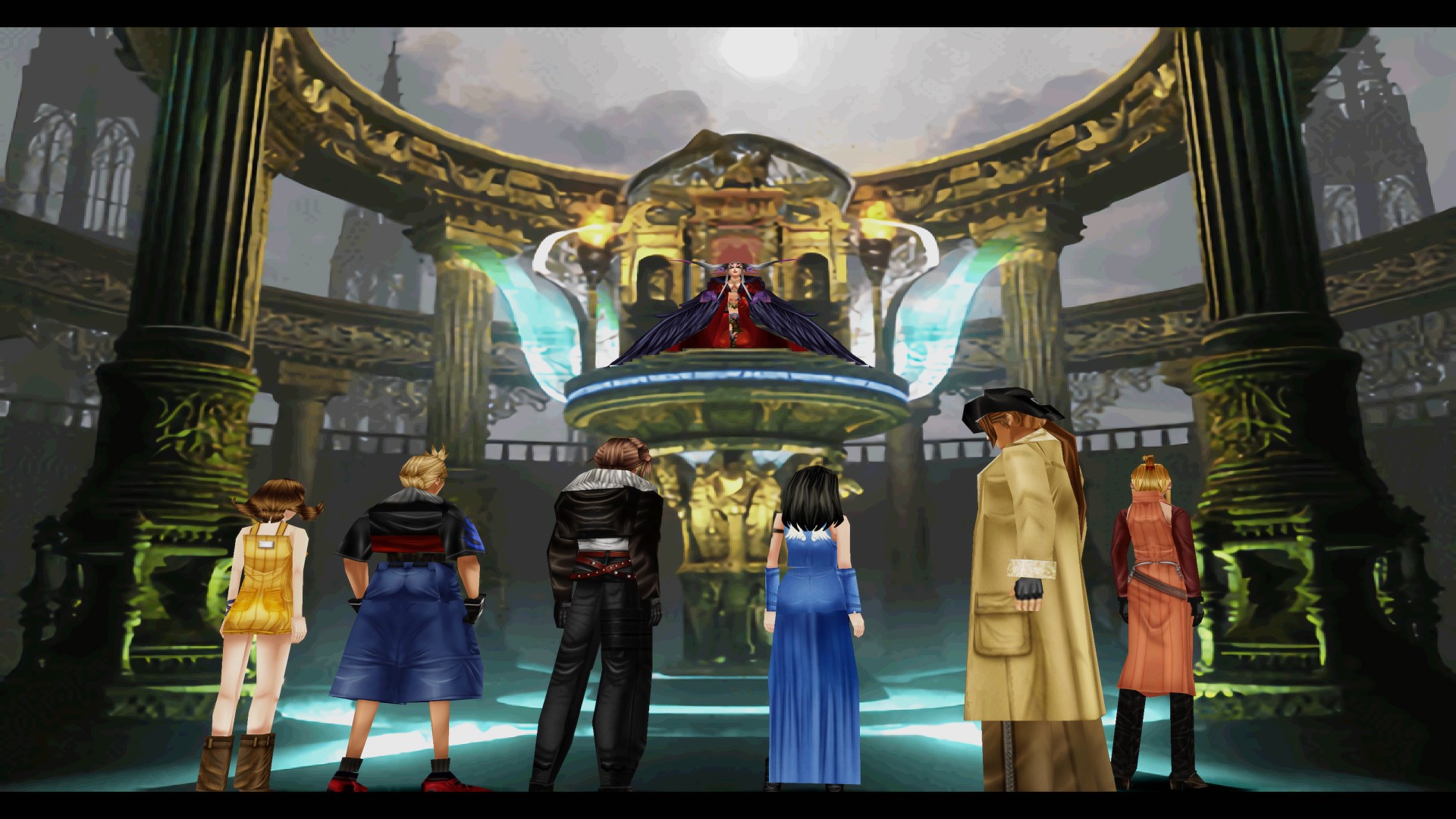
Gigapixel w/Reshade
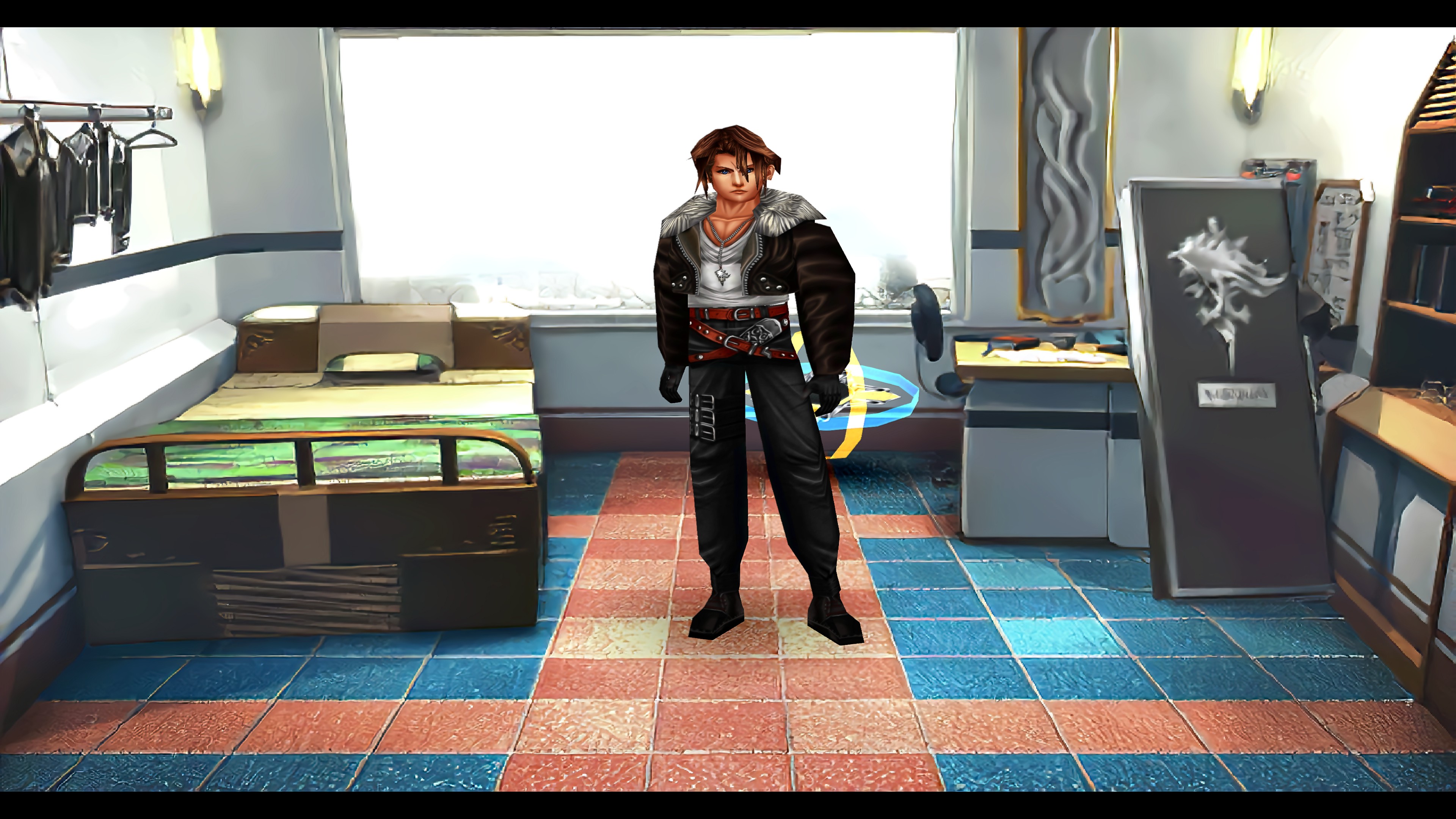
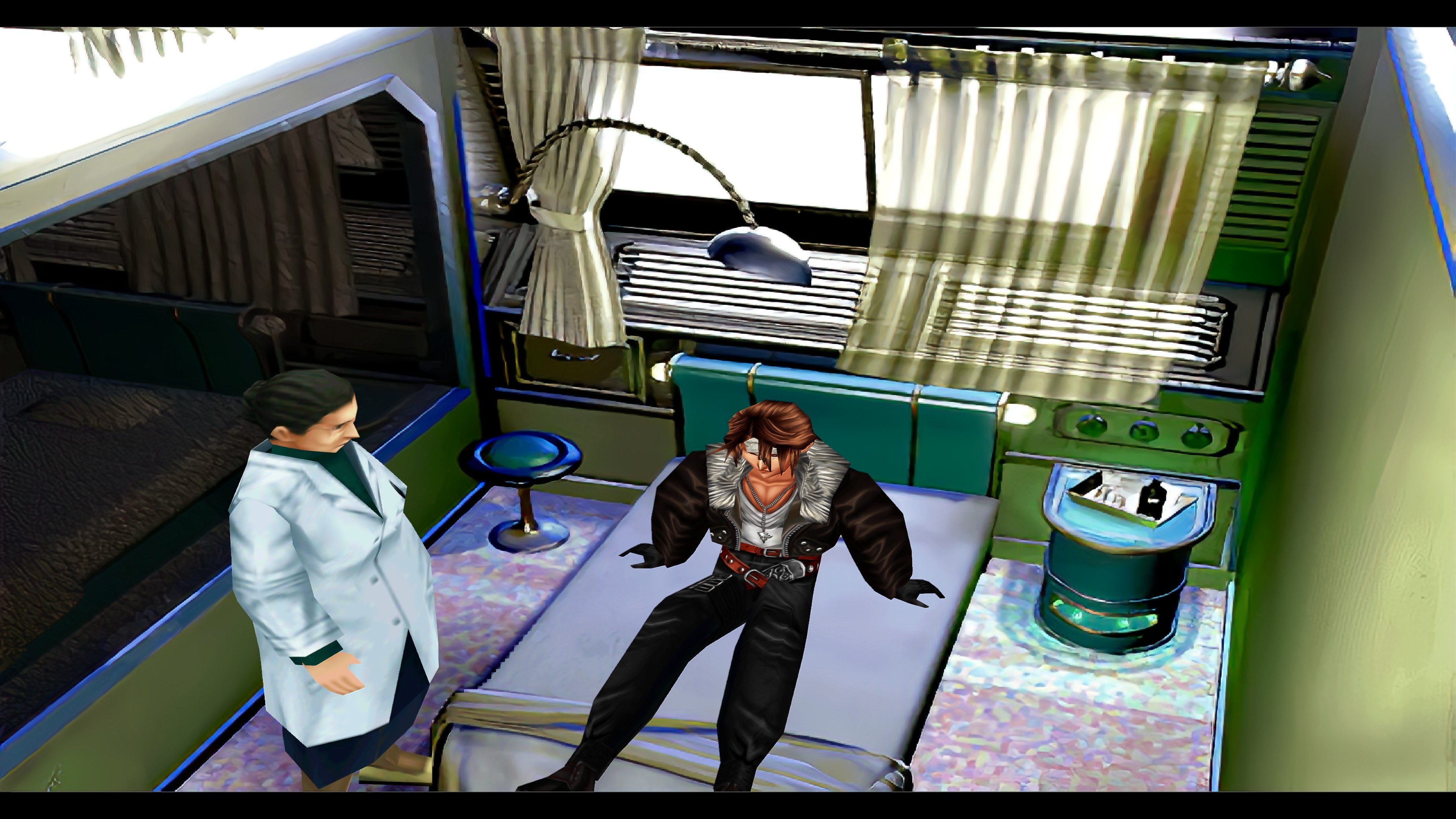
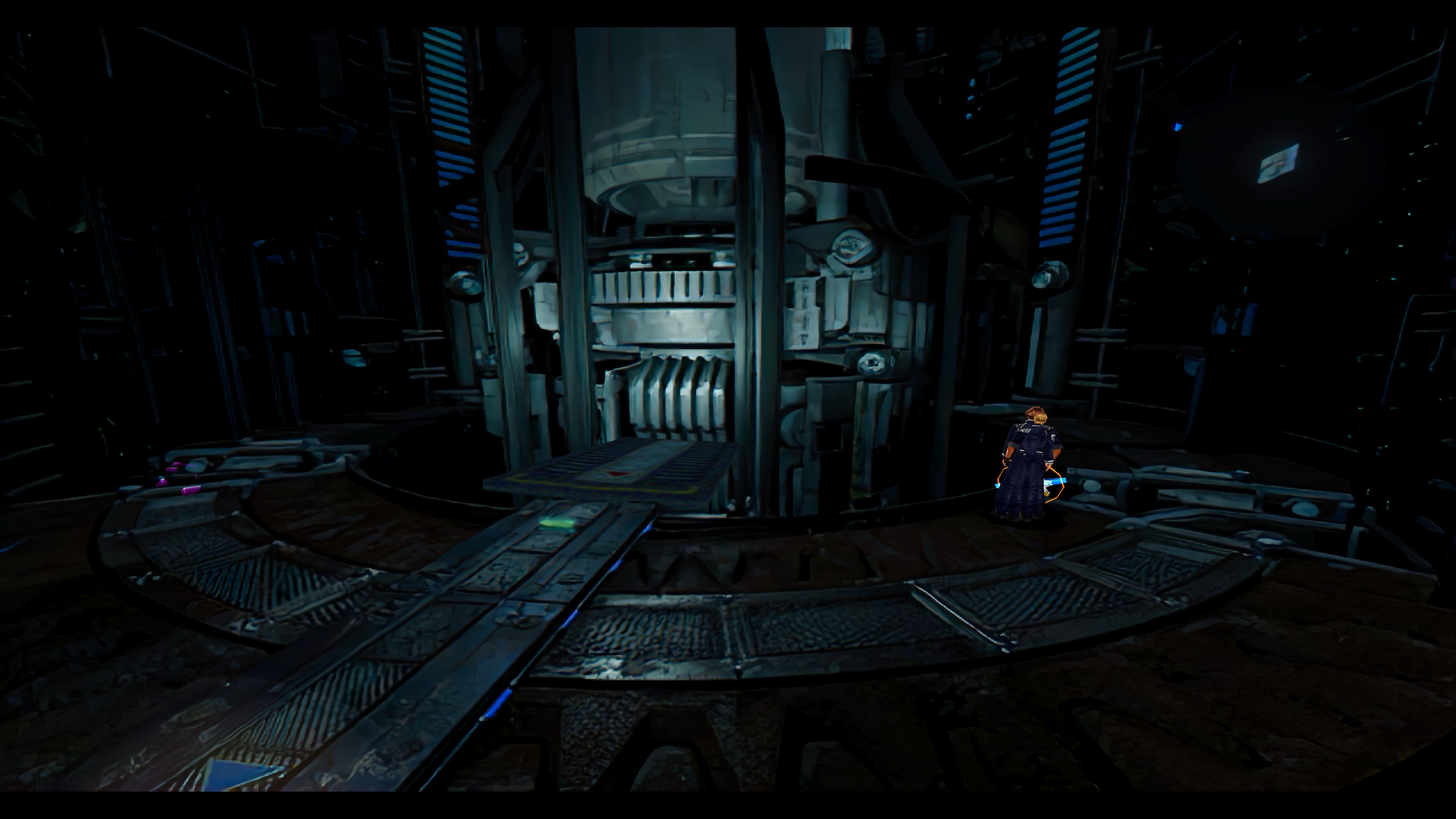
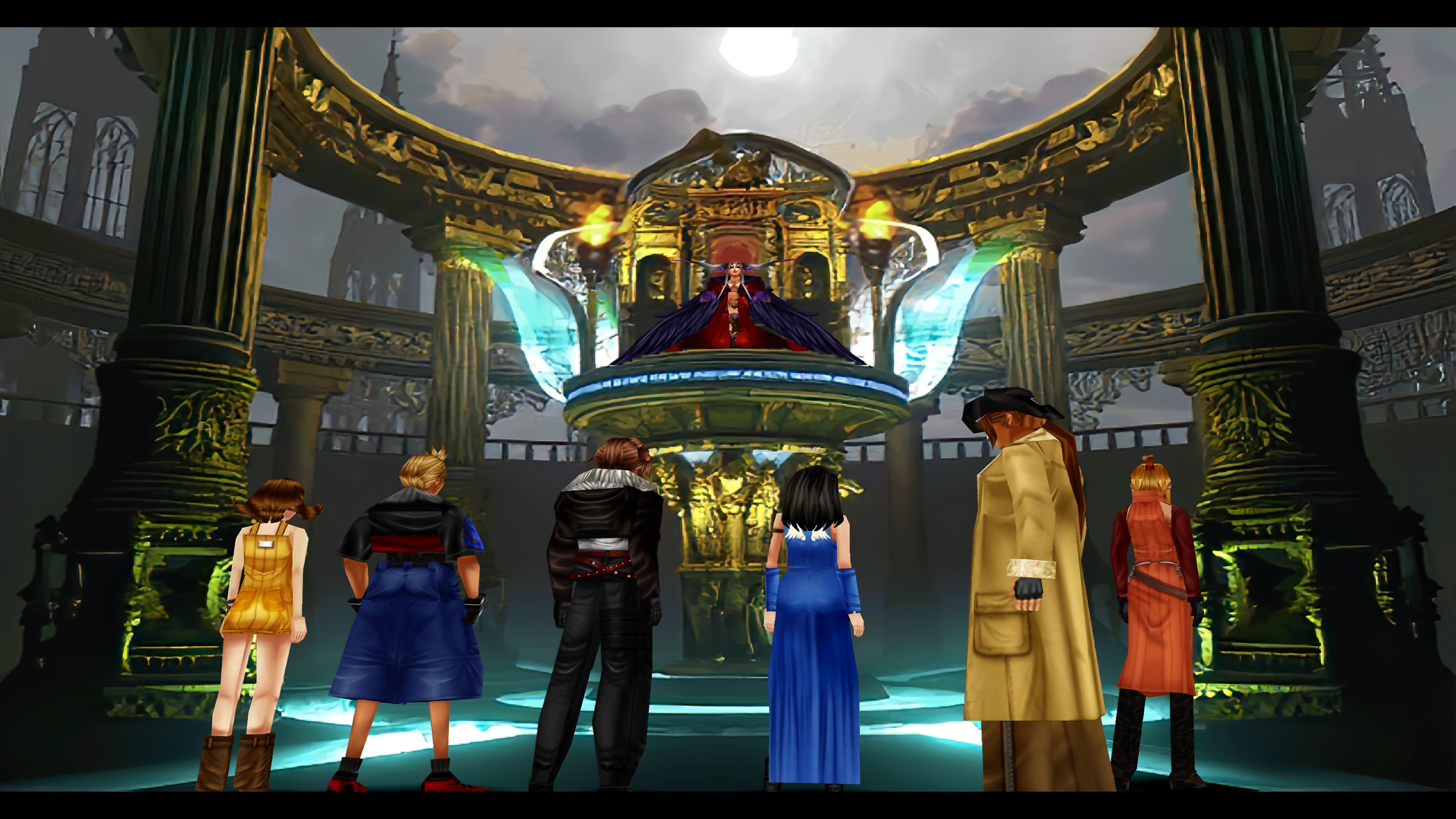
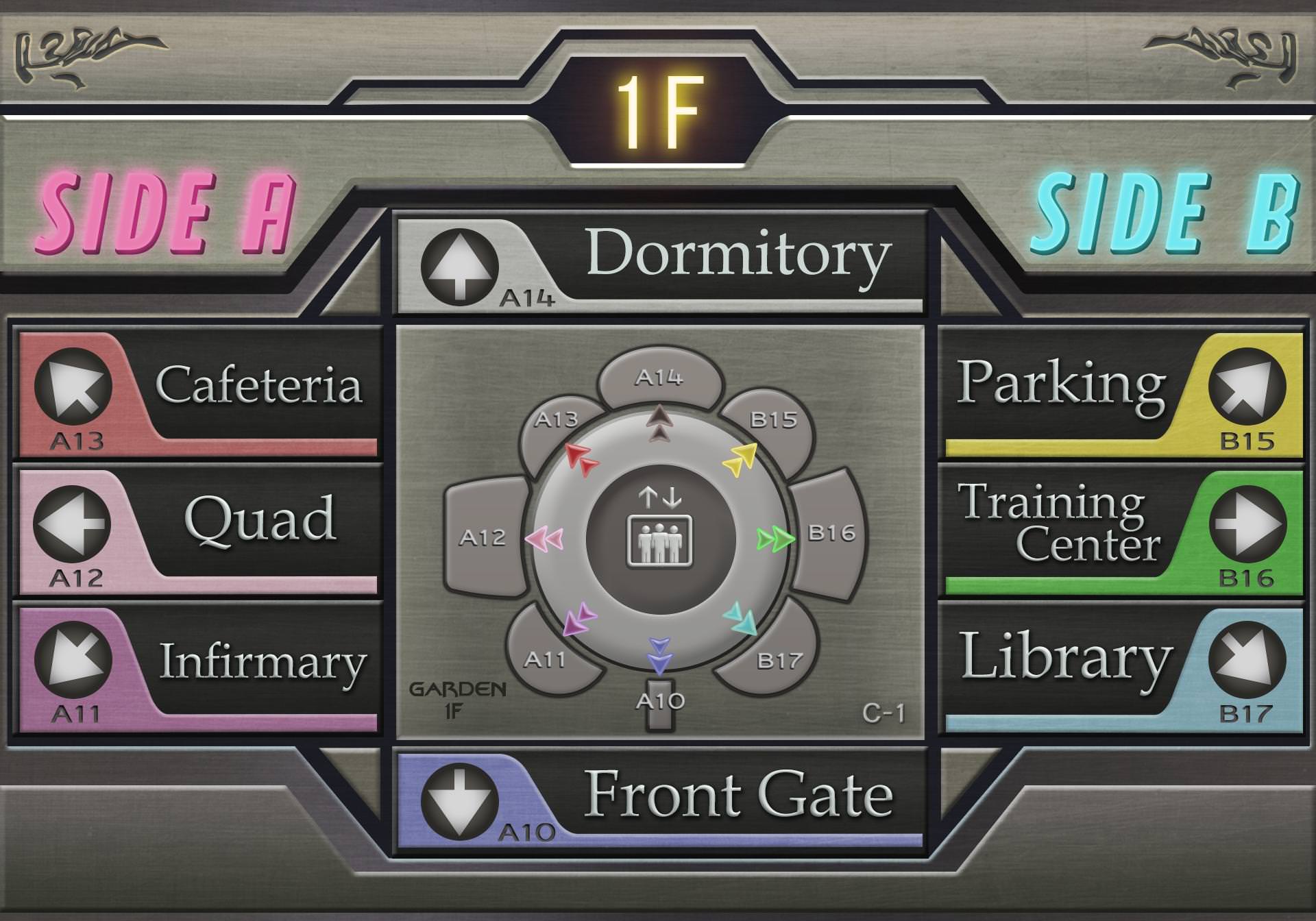
Optional: Mcindus was kind enough to completely rework the game's directory sign and I gotta say that I quite like it. And he did it for all languages! But in case you don't want to use it, I've left the original upscales in the textures folder. Just find "bg_hall7" and delete the folder. Then remove the "a" from the alternate one below it and you'll be good to go.
Video Playlist: https://www.youtube.com/playlist?list=PL3WrE8Yj7r0E8DE8ZdITLmb2erpLs4jWZ
Special Thanks:
Omzy (Always)
Mcindus
Fraggoso
And everyone who has shown support in this.
Field Upscale (Steam Only)
Project AngelWing is a field upscale that uses Waifu2x and now Gigapixel with my own specific settings. It's not perfect and not everything is going to look mind blowing... But I feel it is an improvement compared to what you get out of the box. And I'm sure any errors or whatnot can be improved over time. And, of course, Esthar still isn't great. ...I don't like Esthar. But hey! Enjoy!
Update #1
Not going to lie... This took longer than it should have. But as of 11/27/18 I've updated Project AngelWing to v2.0 with Project Eden's edges. And I've tried to fix any real errors that came with it. Well...outside of some residue that I can't completely get rid of. As of now, only three areas still use v1.0 alpha channel/edges. Along with that, I've also done my best to add all the languages available on Steam with this update. (Japanese might get added in the future.)
I can't guarantee there won't be a few errors or missing hashes in the other languages. If you happen to find any, please let me know in case I might be able to fix it.
Update #2
It's been almost a year since the last update... Better late than never. I've finally added Gigapixel fields for people to try out. Currently in the "testing" phase. Some lighting issues and fields will need to be fixed or improved upon. The "final" version will also have smoother edges, I hope. Time will tell. Japanese is also incomplete because I can't run that version to get the hashcodes. And I also have to thank Mcindus for helping me out with the current problem fields.
Downloads:
v3.0 English: https://drive.google.com/file/d/1PUoPU_qh5Ou0bMgNgSkTEe0aeMTpHF1m/view?usp=sharing
v3.0 French: https://drive.google.com/file/d/1JUUdhC1KKBhBu5R4bMvVMmMATNfeWXWM/view?usp=sharing
v3.0 Italian: https://drive.google.com/file/d/1M-5UMerxgibxUsORRVfYKZQhzPHr2HzP/view?usp=sharing
v3.0 German: https://drive.google.com/file/d/18IS2uikboVjJucRMrh8yQWJjstEGrgX5/view?usp=sharing
v3.0 Spanish: https://drive.google.com/file/d/1kZXtvGOdbHLugaDOUm2NEkA6SVo68uC0/view?usp=sharing
v3.0 Japanese: https://drive.google.com/file/d/16rB9wcgXH19pxp-7FhfmyrT98aHhPtl5/view?usp=sharing
Directions:
1. Download Tonberry v1.61 or later https://www.ff7catalog.com/threads/10888/
2. Extract Tonberry and put all of it's components into your game's directory.
3. Extract the file provided here.
4. Drag the texture folder provided into your game's directory.
5. Everything else (hashmap folder/collisions/hash2map) should be placed inside the Tonberry folder that resides in your game's directory.
If the game happens to crash after installing this mod, then I recommend lowering your texture cache in the preference document that resides in the Tonberry folder. Or you can find and download the 4GB patch and use it on your game's executable. This will allow the game to use more memory than it normally would.
Examples:
Original/New (Waifu2x and GeDoSaTo)
Gigapixel w/Reshade
Optional: Mcindus was kind enough to completely rework the game's directory sign and I gotta say that I quite like it. And he did it for all languages! But in case you don't want to use it, I've left the original upscales in the textures folder. Just find "bg_hall7" and delete the folder. Then remove the "a" from the alternate one below it and you'll be good to go.
Video Playlist: https://www.youtube.com/playlist?list=PL3WrE8Yj7r0E8DE8ZdITLmb2erpLs4jWZ
Special Thanks:
Omzy (Always)
Mcindus
Fraggoso
And everyone who has shown support in this.
Last edited:

















 , i've been downloading a few mods for my FFVIII replay and you seem to have participated in a lot of them, thanks for the effort
  ) Because what's the point of going through all this work if not everyone can use it. So... I'll see what I can do.