[FF9PC] Background upscaling mod

  • Thread starter Thread starter Ze_PilOt
  • Start date Start date
Status
Not open for further replies.
Can you adept your script to take the PSX layers instead of the PC layers?
As the PSX Fields are stored in CD_X it's not as easy I guess?

I want to use the PSX Layers, Filter them and use them later on for the final cut.

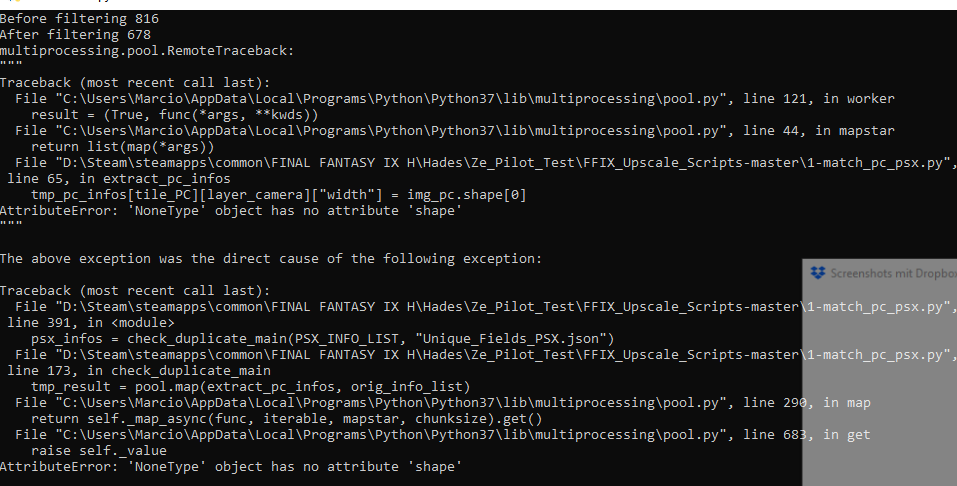
Hm... If I run 1-match_pc_psx.py I don't receive the - match_PC_PSX.json but Duplicated_PC_Images.json

Error Message is:
C4QXnqv.png


Any clue? ^^
 
Last edited:
The scripts are using the PSX layers. But some layers don't exists in the PSX version (ie. field text).
They also takes the PC version in the cases of effect layers (blending,...). You need both.
 
I've both fields in their respective folder. :/
From my understanding is, that your script use the alpha from the pc version for the masking or not?

I want to use the psx masks instead.
 
I've both fields in their respective folder. :/
From my understanding is, that your script use the alpha from the pc version for the masking or not?

I want to use the psx masks instead.
It will use the psx masks for compositing, and the PC mask for re-injection into the game. It is commented in the scripts.

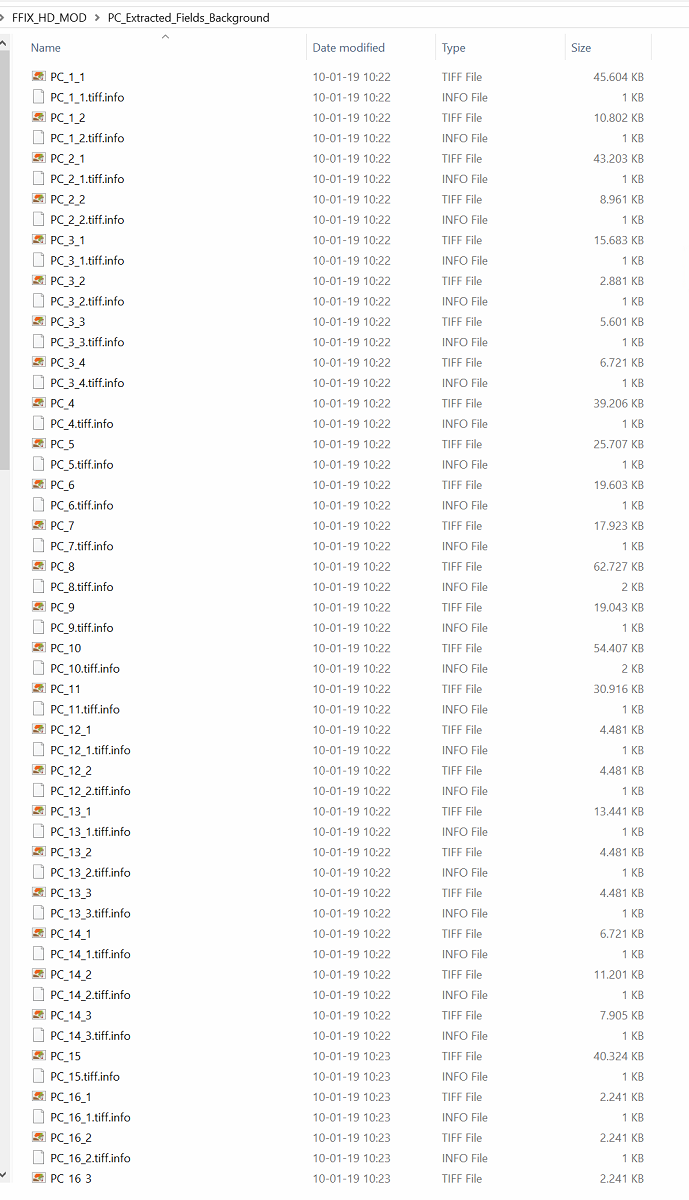
As I've said in PM, for every tiff file exported from Hades, you should have a .tiff.info in the exact same folder, coming from my repository. You can easily spot missing tiff files by looking at a .tiff.info not having a .tiff file next to it.
 
q1sV6uO.png


If you see a blank icon with no "image" icon next to it, you have a missing file.

It will be the same process for the PSX images.
 
This is truly excellent work. It would never have occurred to me to use ML to upscale the background layers. The results are phenomenal in a game as beautiful as FFIX.

My only concern - and I don't really want to add a sour note to this discussion - what's the position of anyone who distributes artwork that's transformed from SE's original assets? Are ML manipulated backgrounds treated as a transformed work? I wouldn't want any HD pack to be stymied by legal problems.
 
This is truly excellent work. It would never have occurred to me to use ML to upscale the background layers. The results are phenomenal in a game as beautiful as FFIX.

My only concern - and I don't really want to add a sour note to this discussion - what's the position of anyone who distributes artwork that's transformed from SE's original assets? Are ML manipulated backgrounds treated as a transformed work? I wouldn't want any HD pack to be stymied by legal problems.
I've asked SE directly, but got the usual answer : We can't endorse it, please follow the user agreement.

It's clearly in breach on that agreement on two points :
- Don't re-verse engineer the game
- Don't (re)use assets

For the first point, I'm living in Europe where such clause is illegal (https://www.worldcadaccess.com/blog/2012/05/eu-court-legalizes-reverse-engineering-of-software.html)
Anything for inter-operability is legal.

For the second point, I believe my work can be considered as fair used :
- It's educational (I'm releasing the whole process in open source), and cultural (restoring lost art).
- I do not sell it and have no commercial advantage.
- It's partial (it's only the background of the game, not the whole game) and derivative (restoration is considered derivative)
- It doesn't hurt their business (on the contrary, they can sell more games because of it)

Of course, if they send me a cease & desist, I won't fight against it, but I don't think they have any interest in doing so.

 
The waifu background mods have been available for years for all FF games though. The only difference here is that an AI has learned how to paint.
If anything, mods like this will help sell the game! It brings more attention to the games and it's never looked better.

I mean, I bought the steam edition JUST to use this mods.

Edit: Looks like you're getting some attention Ze_PilOt :)
https://www.pcgamer.com/modders-are...rce=steam&ns_linkname=0&ns_fee=0#comment-jump
 
Last edited:
Hello,

I've been trying to replace the download with the files in the FFIX steam installation folder, following instructions, but because I'm a real ignorant at these matters, something's wrong and I see all messed up crazy lines. I stayed up all night trying to make changes and figure something out. Could you please explain me from scratch how to install this mod? Sorry for this boring question and thank you ^^'
 
It's been a while since I last played, so I don't know if I had this issue previously, but after installing this mod the game treats all of my button inputs as though I've hit the button several times.

If I press pause it will pause/unpause several times in quick succession. Same thing happens with other buttons and navigating menus. The game is running at 30fps, so I don't think it's running fast.

Edit: After further googling I found a fix for this. Seems to be an issue with the game and just starting the game without the controller plugged in fixes it.
 
Last edited:
For my FF IX mod, I end up adding a lot of pre and post processing (de-dithering, sharpening, denoising) that took a long time to process.
So I'm retraining a ESGRAN network with the original background (no process) as input and the current version of my mod as output, and now, I will have a network that can get rid of dithering artefacts and have more details than the original process :

https://twitter.com/Ze_PilOt/status/1092709418276438016

I'm not sure that network will be usuable with any other kind of texture, but as many people use manga109 for stuff that are not drawed, it might work (probably for PSX textures)
 
I peeked at your twitter link and my jaw literally dropped (I sound like a bad clickbait article now) when I saw one of the before and after sets. Absolutely fantastic.
 
Are you going to add different methods to your mask?
I tried your mod and the only grudge so far is really the horrible PC mask. xD

If you want, I've a better method of processing the masks.
 
Are you going to add different methods to your mask?
I tried your mod and the only grudge so far is really the horrible PC mask. xD

If you want, I've a better method of processing the masks.
I still don't get why you are saying that the PSX alpha are better.

The PC alphas are actually the PSX alpha rescaled + potraced.
As the game only support black & white alpha (no AA), it's the best way to manage them.

The main problem is that the PSX alpha are a bit off. At PSX resolution it was okay, but not at PC resolution.


Do you have any example of PC vs PSX ?
 
Last edited:
I'll show you that the pc alpha is way more of because of the resizing they did (weird algorithm or something like that).
You can't take the psx 1:1 of course but with some filtering they look way better and more organic than the pc.

I'll post a comparison later. :)

Edit:
http://www.framecompare.com/image-compare/screenshotcomparison/199MNNNU (Zoom in max and look over the masks)
Ingame it looks better because most of the Fields are also zoomed in.
Round objects have a rounder masks opposed to the tooth saw approach of the PC or blocky approach of the PSX masks.

I also uploaded a psd file. zoom in and you notice the difference.
https://www.dropbox.com/s/q4eflnt2hvhighg/mask difference.psd?dl=0

I've all the scripts ready, if you want to give them a shot (Gimp though).
 
Last edited:
Hi everybody,

Just want to let you know I'm currently redoing masks by hand. I developed a technique to be efficient, and after about 2 weeks (while working a full time job), I'm at 140 fields out of 667 (between Dali & Lindblum). I'm confident I will be able to work on this to completion.
 
Bets of luck on that one. Making masks by hand is crazy and that is what we're, right? ;)
 
Bets of luck on that one. Making masks by hand is crazy and that is what we're, right? ;)
Thanks : )

So here's my advancement update: about a week ago, I managed to test everything ingame. I modified zePilot's script to be able to work quicker. He kindly sent me all the finished images to help me.
I realized I had a bunch of black zones due to a fact I did not foresee. I'll be more efficient in the future. I had to manually correct each background to correct that.
Now, everything up to Dali is finished completely.

I also improved most of the animations to avoid the border strangeness on them.

I fixed the images/animations of the windmill's upper floor in Dali, and a few others.

I'll come up with comparison shots soon.
 
I'm 28% done (190/678) (59 to go to finish the first CD, as it's the biggest)
For ref. I'm beginning Lindblum Castle.

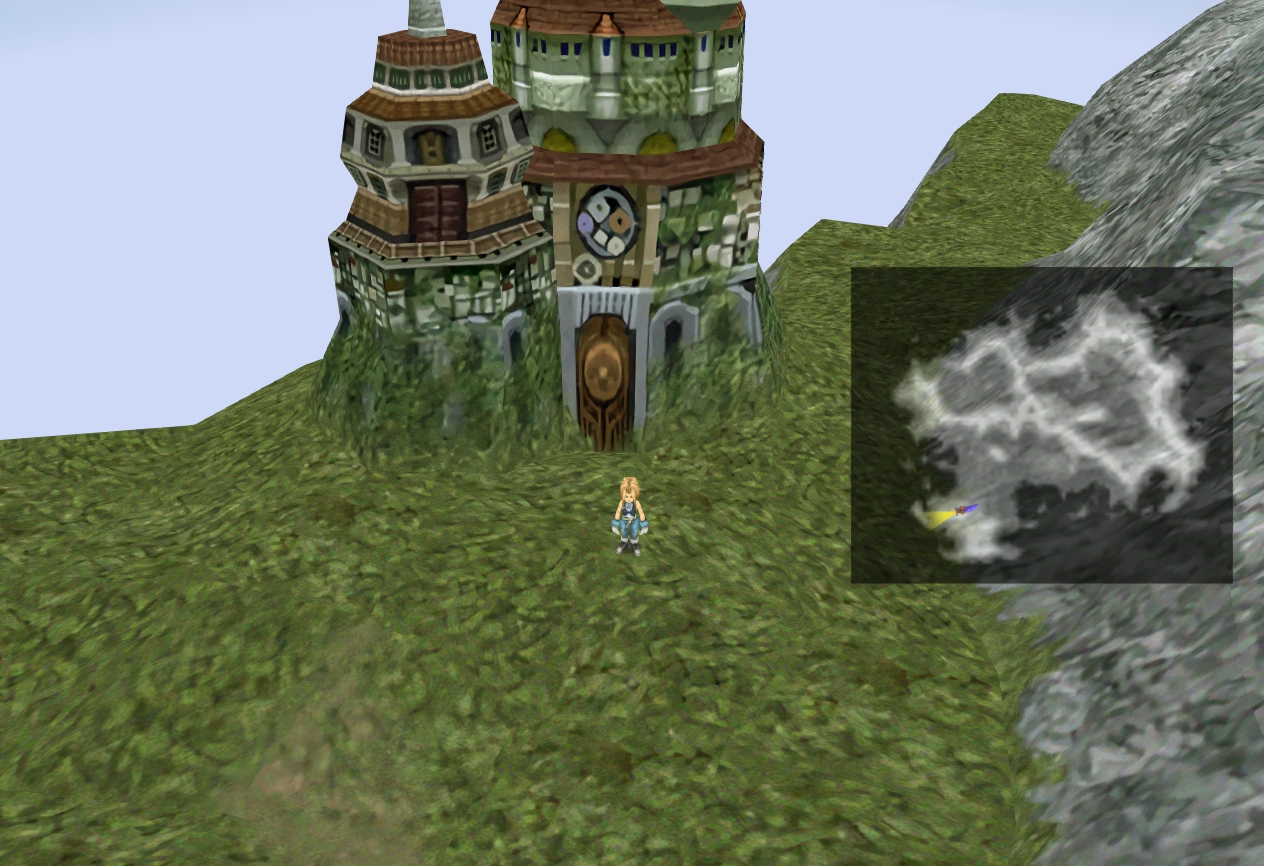
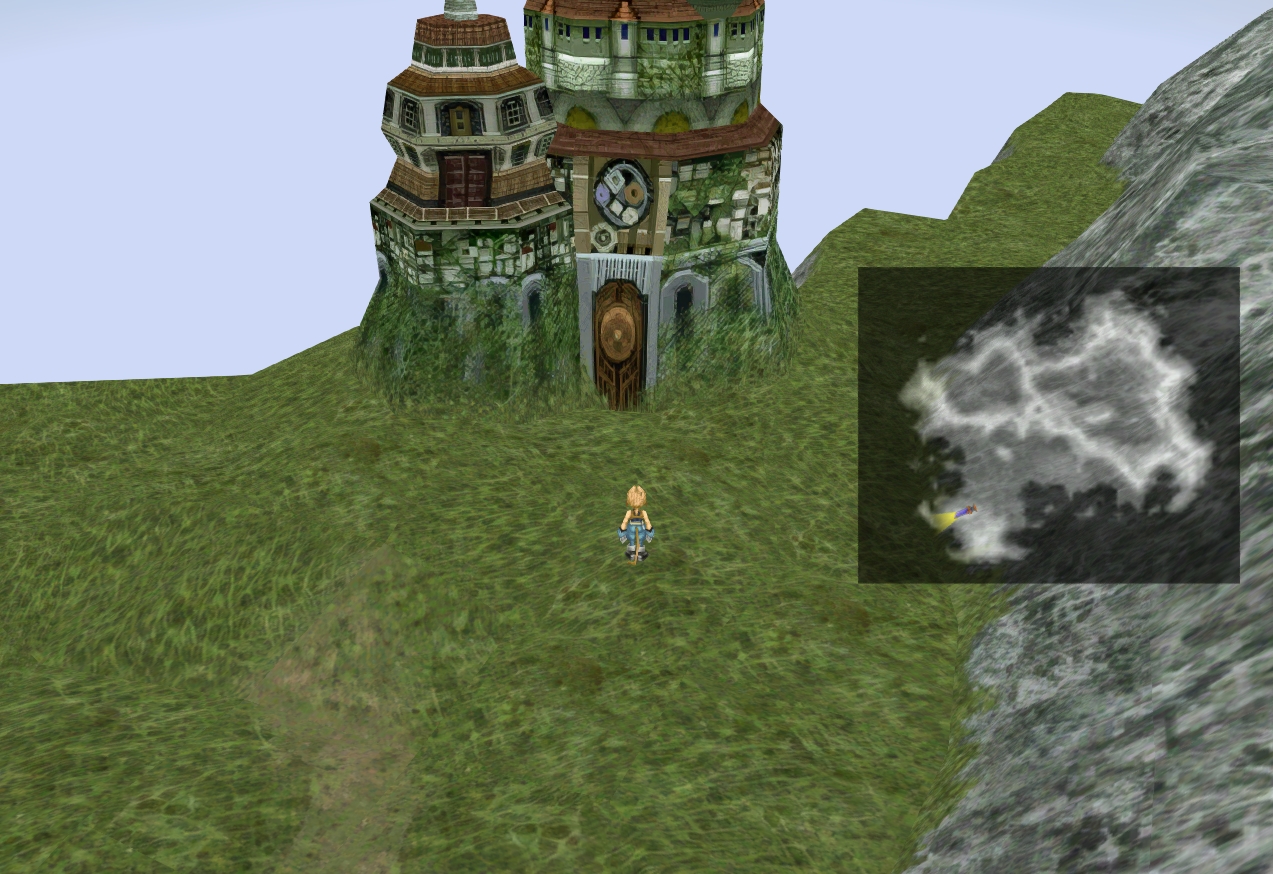
I experimented a bit with worldmap texturing as well, walking on Fraggoso's steps.

Waifu2x:
EtBn6gf.jpg

Edit:ESRGAN:
5wHNOFH.jpg
 
Last edited:
Status
Not open for further replies.
Back
Top