
[FF9PC] Field Background replacement (patch?)

  • Thread starter Thread starter Meru
  • Start date Start date
Status
Not open for further replies.
What I was trying to explain is that the last picture doesn't have that specific problem and you wouldn't need to waste much time finding out what you'd have to change in your workflow.
In the following picture, I applied heavy denoising while trying to keep most of the detail:
http://i.imgur.com/9LvGGYr.jpg

It's not a perfect example and it has different states than yours. I just want to point out that, even with this denoising strength, it doesn't get that kind of problem and neither does your last picture, even if I clean it up. These are the places with more noticeable color loss in "Main Street":

http://imgur.com/a/P9bau

I've had similar problems in the past because of incorrect colorspace conversion, bit depth and compression so I thought I should tell you about this while you're still working on the backgrounds, in case you're not aware of it. In my pov, there's no trade-off regarding this problem, there's only doing it right or wrong. If you think it's fine the way it is and people like it, that's all that matters.
 
What I was trying to explain is that the last picture doesn't have that specific problem and you wouldn't need to waste much time finding out what you'd have to change in your workflow.
In the following picture, I applied heavy denoising while trying to keep most of the detail:
http://i.imgur.com/9LvGGYr.jpg

It's not a perfect example and it has different states than yours. I just want to point out that, even with this denoising strength, it doesn't get that kind of problem and neither does your last picture, even if I clean it up. These are the places with more noticeable color loss in "Main Street":

http://imgur.com/a/P9bau

I've had similar problems in the past because of incorrect colorspace conversion, bit depth and compression so I thought I should tell you about this while you're still working on the backgrounds, in case you're not aware of it. In my pov, there's no trade-off regarding this problem, there's only doing it right or wrong. If you think it's fine the way it is and people like it, that's all that matters.
Sure I got what do you mean even 1st time. This is not a bitdepth or colorspace issue. In fact even if there would be an issue, It would probably affect the image less. And compression is not involved at all.
Too bad we're doing it with this dark image, but oh well...

Denoising strength on your image does not match the one on mine. Look at the wall's edge near the door, just above the lamp thing. How much stronger processing you should apply to make it look like mine color-wise? Quite a bit stronger, regardless of the method, I suppose. What will happen with other things (such as the ones you outlined) if you'll do so? Most likely same as the "problem" that you described. (Achieving similar effect by tweaking color values doesn't count).
That's the trade-off. Sure this particular dark wall is an awful example and it probably doesn't needs this much of stuff.

Now the things you marked on main street image. I agree that some of these places may look better. The question is how to make it so without affecting other parts of the image? The answer is not possible, unless on image-by-image case-by-case basis.

As for people, I don't know nor care what they like.
 
Last edited:
BTW you seem to think that I applied some smoothing on top of the upscaled image. Which is not exactly the case.

For example one of the requirements is to be able to turn this: https://i.imgur.com/oDgx1qk.png into this: https://i.imgur.com/aOG5nWu.png (this is 4x point upscaled for better viewing)
In my case this is done on upscaling step. Probably can be done by smoothing it out, but I can only imagine what it will look like.
Edit: Achieving this without turning everything else into a blurred mess, like original waifu does is not easy. The price are the things you marked on the main street image. Perhaps it can be improved some more. Current version meets my goal, which is to make images that look better than the one in PC version and make the difference between backgrounds and 3d characters less apparent. It is not my goal to re-draw, re-create  or make the best possible images in general. The limit to how good it can be is rather high. However with that, the timeframe at which it can be done extends indefinitely. I have some soft dedlines I've set for myself and I work with the intention to meet them, more or less.
 
Last edited:
zwuw
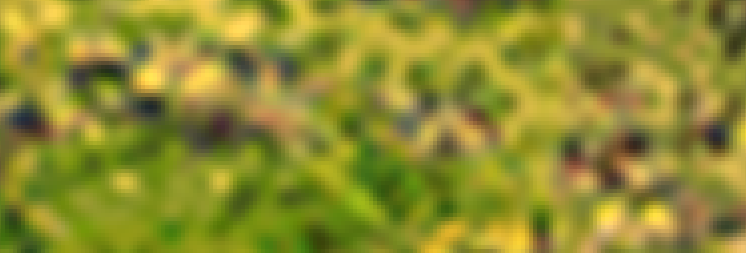
Here is a hopefully better explanation. Below is a some random patch of grass straight from PSX. 4x Lanczos+4x Point

See these colorful spots? These used to be some kind of flowers or something.
They are too small and subtle to be upscaled reliably. Features they belong to are not present in the upscaled version. So an attempt to keep them creates out-of-place colorful blobs.
So they are being filtered out on purpose.
It does looks similar to reducing chroma subsampling of the PSX image. But this is not the case. There are no reasons to do that stuff anyway.

The tradeoff I am talking about is: making those parts that you pointed out better means keeping more of these colorful blobs. Which is not something I want. I choose to remove blobs completely. There are much less parts that suffer from color loss than the ones that benefit from it. Those that suffer can be fixed manually at some later point. Or not fixed at all, cause personally I'm ok with them as is.

8dzAey2.png
 
Last edited:
Updated 1st post with latest version of the images. They are of the same scale. Just had to cut them a bit to better fit on the screen. ALso they are like ~5mb so wait up till they fully load.
 
Last edited:
It's really weird how Silicon Studio made so ugly masks to begin with.
Even if you straight upres them with bilinear filtering you don't end up with that fucked up mask that Silicon Studio has. :/

It looks good to me. :)
 
So yeah. While that sand looked okay to me at 1st, it was really an overkill. Static parts are still fine, but animations ended up being ugly. Less extreme version would probably look something like that.
 
In case someone is curious, things are going a bit slower. Most of the backgrounds on disc3 require more manual work than before.
Also I planned to make a release when main backgrounds are done, but due to various reasons this will likely not happen. Will think about releasing something after I'll do 2nd pass of edits for 1st disc Alexandria backgrounds. Plus I need to do some testing. I'm sure there are some backgrounds that will be broken in-game.
 
Don't have much time lately but I pulled my strawberries together and finally made a (hopefully) working patch that contains Disc1 backgrounds.

Most of these backgrounds need more work, but I want to add other discs 1st. Then I'll see what can be done about it.

Theoretically patch will work if the game will be updated on steam (unless the update will be very huge). But it is made in a very hacky way so it will definitely not work on XP and Linux/Wine.

It is barely tested. I have no idea what will happen if you'll reach backgrounds that are not yet added. Maybe black screen.
 
Last edited:
I'm still getting the old scenes after installing. On a fresh install of FF9 to FF9_Launcher.exe After I use your launcher steam asks me if I want to continue, then opens the original launcher. Is that normal?
 
I'm still getting the old scenes after installing. On a fresh install of FF9 to FF9_Launcher.exe After I use your launcher steam asks me if I want to continue, then opens the original launcher. Is that normal?
Uh, no this is not normal. Not sure what is going on.

What do you mean by (marked with bold):
On a fresh install of FF9 to FF9_Launcher.exe
Also, I just want to clarify, after you press PLAY in my launcher Steam starts original launcher where you can click Play again? This is totally weird Oo

Try one of these and see if it makes any difference:
- temporarily remove original "FF9_Launcher.exe" and try to start the game
- rename my launcher into "FF9_Launcher.exe" and try to start the game

Technically launcher is almost the same. Except different artwork.
 
Last edited:
Fresh install meaning I just installed the game. I tried renaming your launcher and steam still asked permission, then re-opened your launcher. When I got in game it looked like this:

214csie.jpg
 
Fresh install meaning I just installed the game. I tried renaming your launcher and steam still asked permission, then re-opened your launcher. When I got in game it looked like this:
Yeah there seem to be a problem. I'll investigate. I guess I forgot something.
 
There may be two issues actually. I uploaded a new version that should fix the thing on your last screenshot. Can be installed on top of the old one.
As for Steam re-starting the wrong launcher, if i understand the problem correctly - I am not yet sure what to do cause this is not a patch problem per se.

Edit: you can try this launcher (without renaming it), which will be included in the next version anyway. But in general I have no idea how Steam figures out that this launcher is for FFIX and not for some other software and why it restarts the launcher at all.
 
Last edited:
Okay I got it working:

14ms0pl.jpg


I reinstalled your new patch and was getting the same errors, minus the messed up backgrounds. Then I tried the other patch you linked, that didn't work right away. I moved the original launcher out, moved in the new one you provided and renamed it. Steam once again reopened your launcher, but when I got in game it was working.

Thanks for looking into it, and most importantly thanks for the hard work on this great mod. I've been waiting very patiently since this pc version came out for a field replacement mod.
 
I reinstalled your new patch and was getting the same errors, minus the messed up backgrounds. Then I tried the other patch you linked, that didn't work right away. I moved the original launcher out, moved in the new one you provided and renamed it. Steam once again reopened your launcher, but when I got in game it was working.
Yea. For some reason Steam restarts the game. I am not sure what I can do about that.
I mean, I can rename the launcher myself during patch install, but I don't really want to. As for how to prevent Steam from messing with the game so much...

Generally even if you'll keep the launcher renamed, patch should not break during any possible game update. As long as they won't touch the launcher.
 
Last edited:
would be cool if someone on 64bit windows can test this (i have not made it working for x86):

-download ffix_test.exe
-Run it once pointing to the right directory
-try to launch FFIX_Field_Patch.exe and see if Steam still kicks-in
-regardless of the outcome, run ffix_test.exe again to undo any changes

Also if someone have any ideas about how to stop Steam from kicking in without messing with registry entries - drop me a note. Generally I am looking for a more lightweight solution compared to, lets say emulating steam completely.
 
I just tried your ffix_test.exe. All it did was open the folder where Steam is actually installed.
 
I just tried your ffix_test.exe. All it did was open the folder where Steam is actually installed.
Ouch. You mean you started "FFIX_Field_Patch.exe" and it opened folder? Holy shit... I hate Steam.
You can delete that exe and don't run it again cause it can mess up the game.
Anyway, thanks for trying it out. Guess for now I will simply replace the original launcher. And later, if there is no good way to trick it into opening my launcher instead, maybe I'll emulate steam...
 
Status
Not open for further replies.
Back
Top