V
vierock
Guest
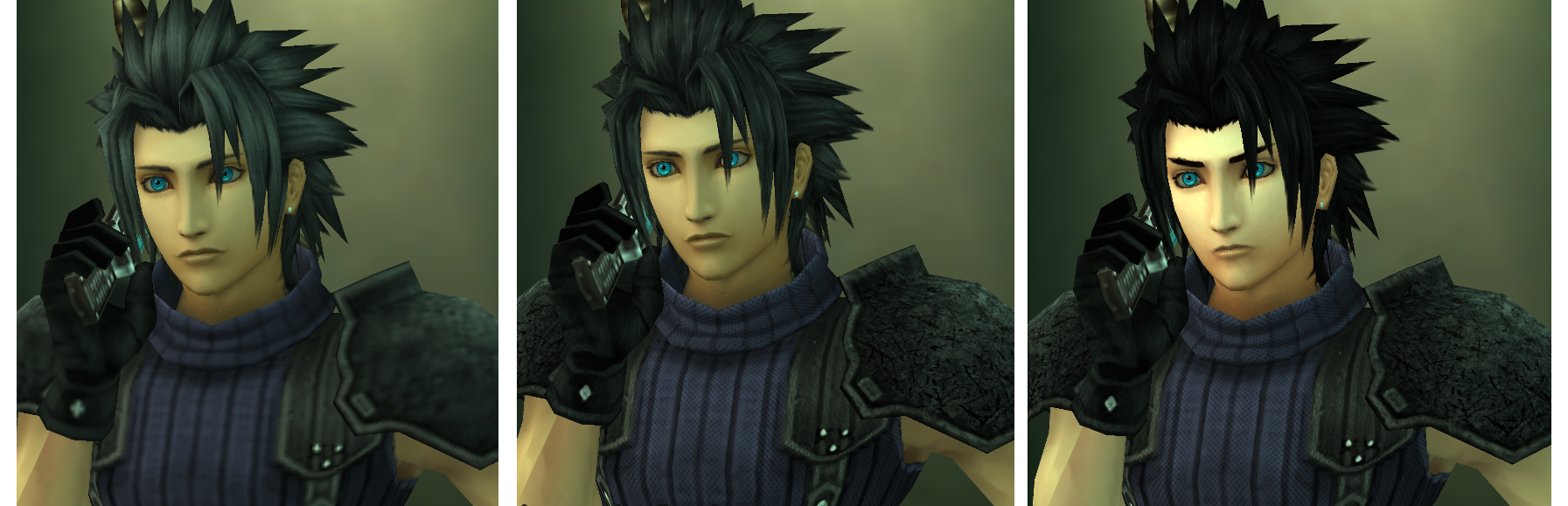
About this Texture Project:
This is a project to modify the game to have better quality textures for crispness and clarity.Im not a pro , just a better version i will update every week ^^ and please be cool this is free and i work really hard dont forget this and have fun [/align][/color]
Comparison Shots:




[/url]
















More to come soon!
Link : http://www.mediafire.com/file/s6shb1i71yszsm6/ULES01045.rar/file (texture)
For the Enlgish version UI *Copy this Part UI in the Texture.ini from this to the 1045 * http://www.mediafire.com/file/tym2dsl5hla59du/ULES01044.rar/file (UI English)
Only the 2 End zone i are not HD i will update this part soon i finished today the game so take a break ^^
Code: [Select]
[align=center]***important**UI English is not from me but from KaosuReido Big credit to him!!
i just put on french version (compatibilited)
How To Use/Install:
1. First, you want to enable the "Replace Textures" option inside PPSSPP.
To do that, you go to Settings > Tools > Developer Tools and check the box for it.
2. Afterwards, go to your PPSSPP directory
(Windows Installer Version is in My Documents/PSP)
(Windows Zipped version is in memstick/PSP)
(Android is in flash0/PSP)
3. Create a folder named TEXTURES in the same place as GAME, PPSSPP_STATE, SYSTEM, SAVEDATA, etc.
4. Put the texture folder of the game you want inside of TEXTURES.
(Make sure the folder's name matches the GAME ID)
This is a project to modify the game to have better quality textures for crispness and clarity.Im not a pro , just a better version i will update every week ^^ and please be cool this is free and i work really hard dont forget this and have fun [/align][/color]
Comparison Shots:
[/url]
More to come soon!
Link : http://www.mediafire.com/file/s6shb1i71yszsm6/ULES01045.rar/file (texture)
For the Enlgish version UI *Copy this Part UI in the Texture.ini from this to the 1045 * http://www.mediafire.com/file/tym2dsl5hla59du/ULES01044.rar/file (UI English)
Only the 2 End zone i are not HD i will update this part soon i finished today the game so take a break ^^
Code: [Select]
Code:
Progress:- Title logos & Main menu page: 100%(100% un french)- Sub-menu in-game: 100%(100% in french)- Various icons: 100%- Character image in the dialogue box: 100%- Character models (Player/NPC):90% (last zone)- Text in the dialogue box & sub-menu: 100%- Various effects: 90%- Monsters: 90(last zone)- Fields & Objects on the map: 100%i just put on french version (compatibilited)
How To Use/Install:
1. First, you want to enable the "Replace Textures" option inside PPSSPP.
To do that, you go to Settings > Tools > Developer Tools and check the box for it.
2. Afterwards, go to your PPSSPP directory
(Windows Installer Version is in My Documents/PSP)
(Windows Zipped version is in memstick/PSP)
(Android is in flash0/PSP)
3. Create a folder named TEXTURES in the same place as GAME, PPSSPP_STATE, SYSTEM, SAVEDATA, etc.
4. Put the texture folder of the game you want inside of TEXTURES.
(Make sure the folder's name matches the GAME ID)
Last edited: