
Getting a black screen after running FF7 /w bootleg

  • Thread starter Thread starter Tabizzle
  • Start date Start date
Status
Not open for further replies.
T

Tabizzle

Guest
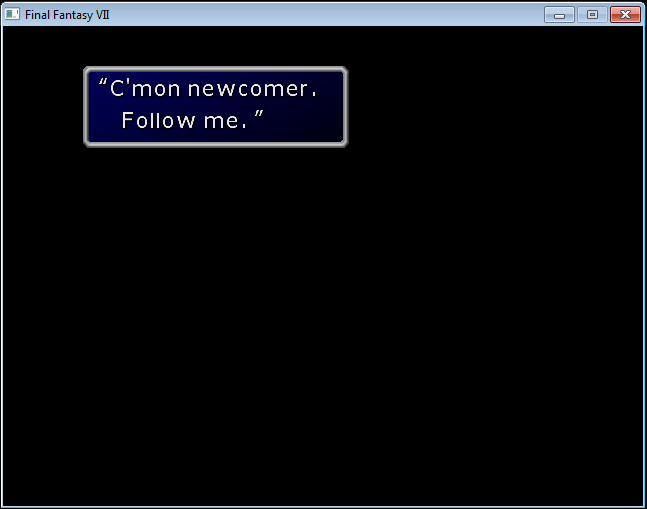
Alright guys, please help me out here. I wanted to play some good ol' FF7  so I got the original 1998 version and installed bootleg. I followed the tutorial on this site accordingly and installed the mods successfully. Now here's my problem -  after choosing new game, I get a black screen. I hear some noises of a train and Biggs beating up one of the train officers. After a minute, I get this screen:
DNYnncA.png

Now the game doesnt freeze here .. when I hit enter the window dissappears. But the screen is black and there's no music playing.

Can someone help me fix this problem? I appreciate any help. Thanks.
 
I remember hearing about this issue before. I don't remember what it was or how it got fixed though, so let's find that out. Where is your game installed?
 
Its installed in my C drive (C:\Games\Square Soft, Inc\Final Fantasy VII).
 
Did Bootleg run as admin? Are all the mods green/yellow? Where is Bootleg? And the mods?

Trying all opportunities to see what it could be.
 
Did Bootleg run as admin? Are all the mods green/yellow? Where is Bootleg? And the mods?

Trying all opportunities to see what it could be.
Yes, i ran bootleg ran as admin. All of the mods are green/yellow and bootleg is located in C:\FF7Mods. The mods are in that directory as well.  :(
 
What's the size of your game pre- and post-install? Also post your LastUsed.bp (it's a text file).
 
Before installation i think it was around 460 mb; I don't remember the size exactly but I did a maximum install. After bootleg installation, its 4.02 gb (I only installed a few mods)

Here is the LastUsed file:
Code: [Select]
Code:
C=20S=0P=0R=0O=000000000000000000000000000000000000000000000000000000000N=0A=1V=1H=7L=0M=0K=0E=0T=4Z=0B=0U=0W=1Y=0Q=0G=1111111111111111@=00010600030000000010010000000004210200202243462000000$=000000000000000000000000
 
Post your APP.LOG
Code: [Select]
Code:
INFO: FF7/FF8 OpenGL driver version 0.7.11bINFO: Auto-detected version: FF7 1.02 US EnglishINFO: NVIDIA Corporation GeForce GT 540M/PCIe/SSE2 4.4.0INFO: OpenGL 2.0 support detectedINFO: Using PBOINFO: Found swap_control extensionINFO: Max texture size: 16384x16384INFO: Number of texture units: 4INFO: Original resolution 640x480, window size 640x480, output resolution 640x480, internal resolution 640x480INFO: Shader limits: varying 124, vert uniform 4096, frag uniform 2048INFO: FFMpeg movie player plugin loadedINFO: FFMpeg version SVN-r25886, Copyright (c) 2000-2010 Fabrice Bellard, et al.INFO: FF7Music helper plugin loadedLOCK UNLOCK TEST MATRIX INITIALIZE INITIALIZE DD/D3D END initializing sound...creating dsound primary bufferreading audio fileloading static soundssound initializedset music volume: 127set music volume: 127Entering MAINExiting MAINSTART OF CREDITS!!!ERROR: couldn't open movie file: C:\Games\Square Soft, Inc\Final Fantasy VII\movies\eidoslogo.aviERROR: couldn't open movie file: C:\Games\Square Soft, Inc\Final Fantasy VII\movies\sqlogo.aviset music volume: 127set music volume trans: 127->0, step=60END OF CREDITS!!!Entering MAINset music volume: 127Exiting MAINSTART OF MENU SYSTEM!!!END OF MENU SYSTEM!!!Entering MAINExiting MAINField StartERROR: couldn't open movie file: C:\Games\Square Soft, Inc\Final Fantasy VII\movies\opening.aviWM_CLOSE Field QuitUNINITIALIZE DD END UNINITIALIZE DD
 
Check your movies folder. It should have 106 movies, and one of them should be opening.avi.
 
Status
Not open for further replies.
Back
Top