T
Travis
Guest
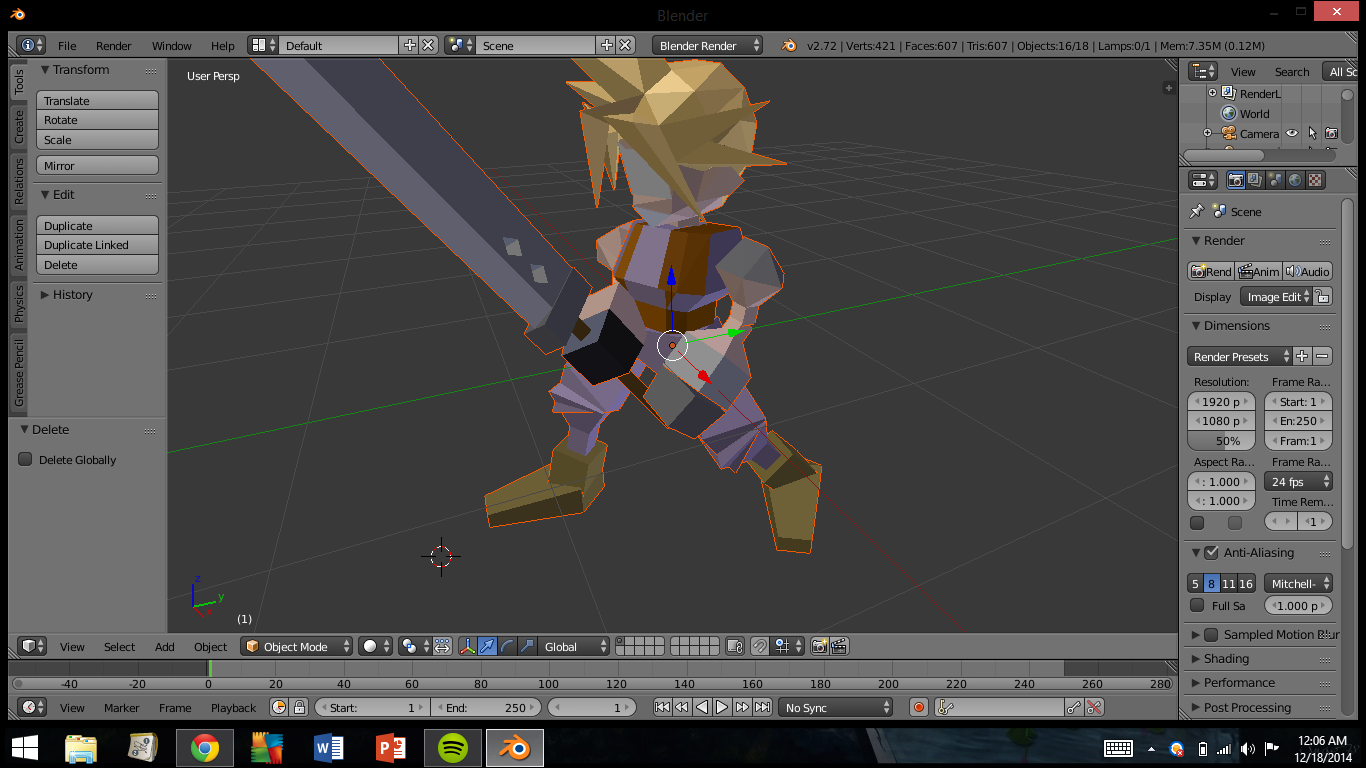
http://i.imgur.com/ddZQaRw.png
Probably a noob question, but I'm trying to learn the ins and outs of this.
Anyway, how the heck do I get rid of these ugly white polygons so it's just the eyes and mouth?

Hmm thats not working.Use in Edit mode remove doubles from the tools tab. If they still there then hovering the mouse over them and press L* and then press X and delete them.
If you kill to much select three vertices (off course you could select more ad once, but this wouldn't generate a tris) and press F to fill the hole.
You can also use the material tab to select all with the material and delete them with X, too.
*With L you can select a connected mesh, which is pretty useful if one object exist out of more than one meshes.
Well, when the image is rendered it obviously works right.Eyes and mouth are textures and not part of the polygons. You can't "remove these white polygons", as that's what the model is. Textures are applied on top of the mesh to add the eyes and mouth properly.
Is there anywhere I should look?Textures have to be applied on top of the model, but the colors you see are polygon colors. I'm not the best either, but as far as I know you can't do it easily. I can't help much more than the theory.