Kingdom Hearts Cloud Battle Model

  • Thread starter Thread starter apz freak
  • Start date Start date
Status
Not open for further replies.
I'm glad you guys like the Buster Sword!  :-D

Okay now, now that I have your attention, maybe one or two of you guys could lend me some advice...

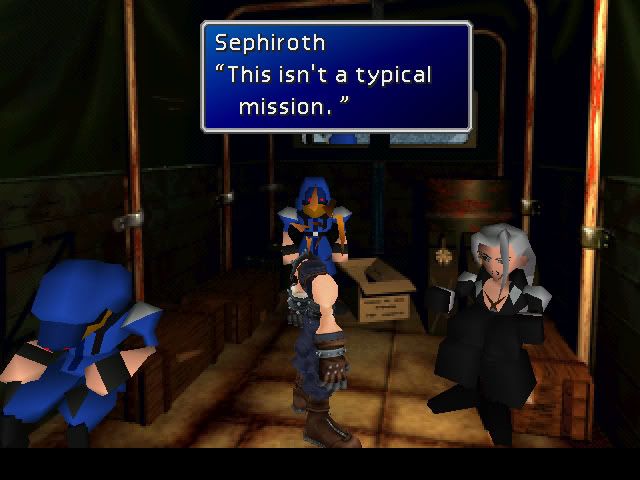
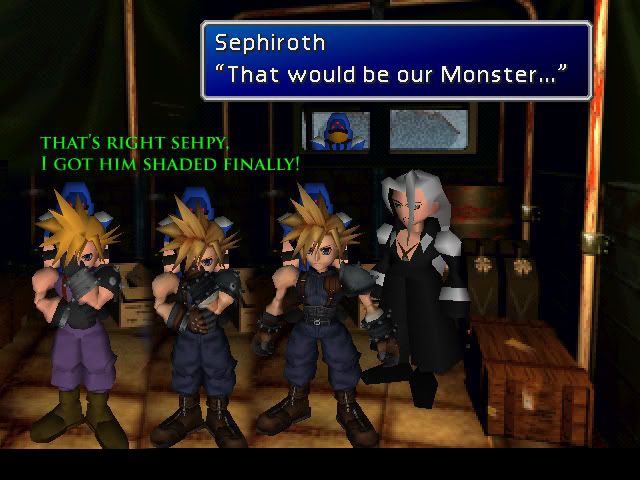
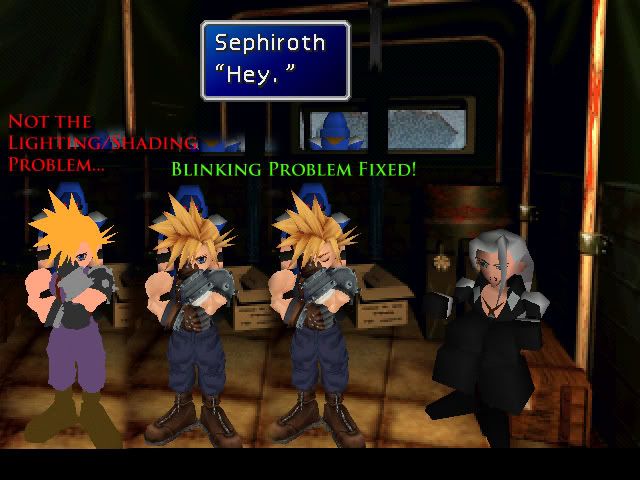
I'm finally inputting those chibi field models into the game, I got them all in, but I have a few problems.


2 Things...

1) The head blinks with the eyes, I set the head texture to the same slot as the mouth, but the whole head blinks and disappears when the eyes blink. The eyes are edited to a different mesh with a different texture. The head has it's own separate texture in the same spot where the mouth texture usually is, the mouth doesn't blink with the eyes, but why does my whole head blink instead of just the eyes texture.

Eyes set to aabb.tex and the head set to aabd.tex
@RSD940102
PLY=AABA.PLY
MAT=AABA.MAT
GRP=AABA.GRP
NTEX=2
TEX[0]=AABB.TIM
TEX[1]=AABD.TIM

2) There's no lighting/shading whatsoever. I ran a test blank white texture and it was completely white with no shading at all... How can I fix this?


With the whole head, I assume not much can be done, but I know for a fact the shading is fixable, I just can't figure out why the lighting's disabled!?

Anybody with experience that can help? Squeeble? Weemus? Reunion? Anybody?
 
1. If you want to aboid the blink, you must put an invisible .p file as a head, and then select this .p file and click on "add part to the bone file", select the Cloud's head and save the field model. When Kimera ask "Compile multi-P bones in a single file?, click on "NO" and then retexture the new "aaaf1.rsd" file (for Cloud's head). With that, only the invisible .p file will blink.

2. Another option is make the default Cloud's head .p file with only the eyes and then click on "add part to the bone file", and select a Cloud's head textured whit a different .rsd file and a new .tex where Cloud has closed eyes. With that, when Cloud's eyes blinks (dissapears), the head with the closed eyes still appears in screen XD.
 
Last edited:
Thanks alot! That works, I had already edited the eyes to a different texture and different mesh than the head. So now he blinks convincingly... That problem's covered...

And what about the the zero shading/lighting?
 
Ah the blinking problem. I hope the new version of NPCRP comes out soon (it's already done apparently) because the blinking is really horribly annoying.
 
Well I got the blinking problem solved, I just need to know why it's not shaded.


I made a quick texture of the same solid colors to see how it was shading... No it's not, those are the same colors as the original.

I'm sure somebody knows why!
 
That looks pretty slick! How long did that take you to finish him, sans the blinking problem?
 
I dunno, maybe a couple days. Mind you I work full time and when I started this and I go to college. So an hour here and there is hard to measure. I started all of this in January, but if I didn't have to, ya know, live life! It probably only took up about a couple days.

Also if you noticed it's the same model as the battle one I made. Just selectively resized.

Now if I can only get the shading to work I'll be in business!
 
I'm glad that you solved the blinking problem. I had problems with blink too jeje
 
Well I got the blinking problem solved, I just need to know why it's not shaded.


I made a quick texture of the same solid colors to see how it was shading... No it's not, those are the same colors as the original.

I'm sure somebody knows why!
Whoah ! It's just fantastic ;)
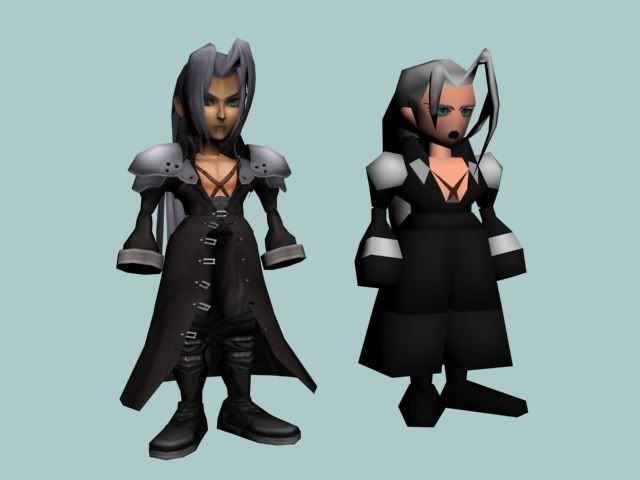
Did you think a think a "Chibi" Sephiroth is envisageable ?

Great work  !  :-D
 
Yes a Chibi Sephy is possible, behold!


But can anybody tell me why my imported field models don't have any lighting/shading once I get them in the game?

I know somebody has to know something!
 
I'm not positive, but I'm pretty sure the field models already have light 'baked' into the models, whereas the battle models receive lighting from outside sources in the game.

I could be wrong.   Also, you should definitely release the 'Chibi' versions of your characters, they're too badass.
 
You got that a bit backwards! Battle models have the lighting baked into the models, they're lit with 100% illumination. No lights, no shadows. The base colors of the field models are solid with no baked in shading from the vertex paint. The vertex normals information (As in light direction/shade direction) appear to be preset for every scene (as in the shadows stay on the model in the same place as he turns another direction), with additive lighting only from the scene. Correct me if I'm wrong but I believe that's the jist of it.

I've read about 3 hours worth of technical data on this forum trying to find an answer but I've been unable to find a reason why this happened to my models. I haven't found anyone else who has even had this problem.

I'm sure someone knows! Please! :oops:

ps, no sorry I cannot release those chibi's, they're just the same models as the big ones only selectively resized. Sorry!
 
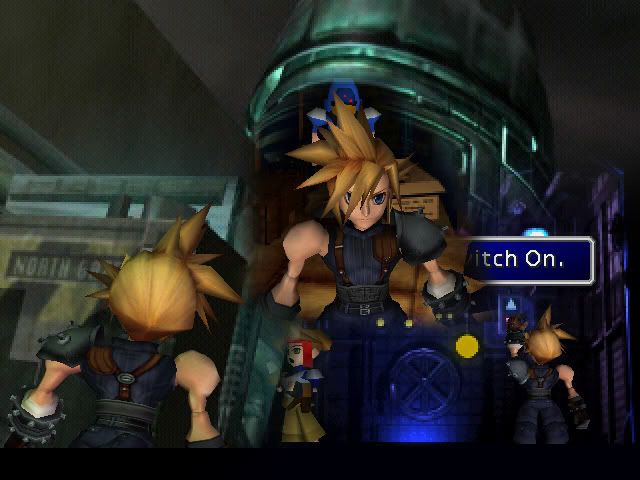
Well I figured it out FINALLY!


Alrighty then. I got him to shade, and he fits in like a glove! I made sure to get the skin tone right and everything exactly as proportioned before. Which probably freaks the hell outta people, but that's the way the game was before anyways!

Sweet! :-D

Sephiroth's in-game chibi will be exploited soon as well.  :lol:

 
Last edited:
AARGGGG!!!Man,Stop teasing us :wink:
These model looks so cool,but you can't realese them :cry:
it's such pain  :|
 
I'm speechless. That is amazing man. I kinda like your chibi and battle cloud though. The sephiroth one still need a little tweaking with the texturing since some distortion around the face and chest are noticable. And the hands are still missing. Can you give me an in-depth tutorial on how to make those custom models man? I have no problem with 3dsmax but I don't know how to replace the models with the custom ones.

I know there are some tutorials somewhere in this forum, but they don't explain much or don't go too deep with the explanation. So, I really need your help here man.

Thanks in advance.
 
Hehe my first model 8-)

Cloud's head from KH2 :lol:
Big thx goes to slayersnext and other ppl who make good guides 8-)

Hm...and when i pack it into game and start it....:

wtf :? Can someone help? :-P
 
Last edited:
Status
Not open for further replies.
Back
Top