Midgar Revival

  • Thread starter Thread starter Sapphire
  • Start date Start date
Status
Not open for further replies.
Huh..
Now I wonder what can be found in these (never accessed in game) towers..

Seeing Midgar like that is impressive
 
Looking good, I wonder who will complete their model first. I imagine the challenging part is creating the stuff on the plates. Keep it up  :mrgreen:
 
Thanks for the update :)

That looks very good. I like the details you have on the platforms and their girder arms :)
Let me know if you need a hand with materials. Looks like you'll need a humongous tileable concrete texture, which will have to be spiced with a couple of procedurals for good measure  8)
By the way, did the scripts I sent you for the walkmesh and camera work for you?
 
I always need help with materials, I just don't care enough about them to warrant doing anything about it heh.... I usually just render any scene I make in grey or white with ambient occlusion.
They sure did! Nothing to show yet though!
 
I'll do what I can to help you out with materials then. However, note that I actually do not know how they're created in 3ds (I only use blender), so if you could give me some heads-up about the workflow involved, that would be good.
SpooX and I agreed that materials are a big deal, it's the thing that will "level-up" your scene considerably. Generally I spend 3/4 of my modelling time on materials, while I actually prefer modelling the mesh, but that's what it takes. Thankfully, for your Midgar scenes, I believe you'll have relatively few materials to create, but I recommend you spend a great deal of time and care on the main ones, such as the basic construction material of the plate and the high buildings. In that respect, I suggest you try to document yourself (I can help out there, too) and see any reference image of Midgar by day light (I think most of these references may be in Advent Children, actually) to figure what kind of construction material you would have to replicate (steel? concrete? other?) and we can work from there. The particular challenge for your scene will be to create one material with very high resolution, lots of details, and little repetition due to tiling.
By the way, ambient occlusion bakes may be very useful in the creation of your materials. Do you know how to get them in 3ds?

Regarding the scripts, I'm glad they worked. Take your time about these scenes, you sure picked some very challenging ones. By the way, I believe that SpooX already create a number of elements which your scene could use, such as the SA-37 truck. We should try to make an incantation in order to attempt summoning his ghostly spirit :P
Oh, and if you would like the scripts for other scenes (maybe a couple of simpler ones which would take less time to recreate), don't hesitate to ask!
 
Last edited:
Yeah, that sounds about right. I've checked a few references (Advent Children shots, etc.), and indeed it looks like concerte for the bulk parts of the plate, with many structures are made of galvanized steel (like the reactors, the huge pipes, etc.). My guess is, by looking at this reference image, the more "orange grey" structures correspond to concerte whereas the more "blue grey" structures correspond to galvanized steel. I'll do some scouting on cgtextures.com (which I also recommend you do) and be back with suggestions.
 
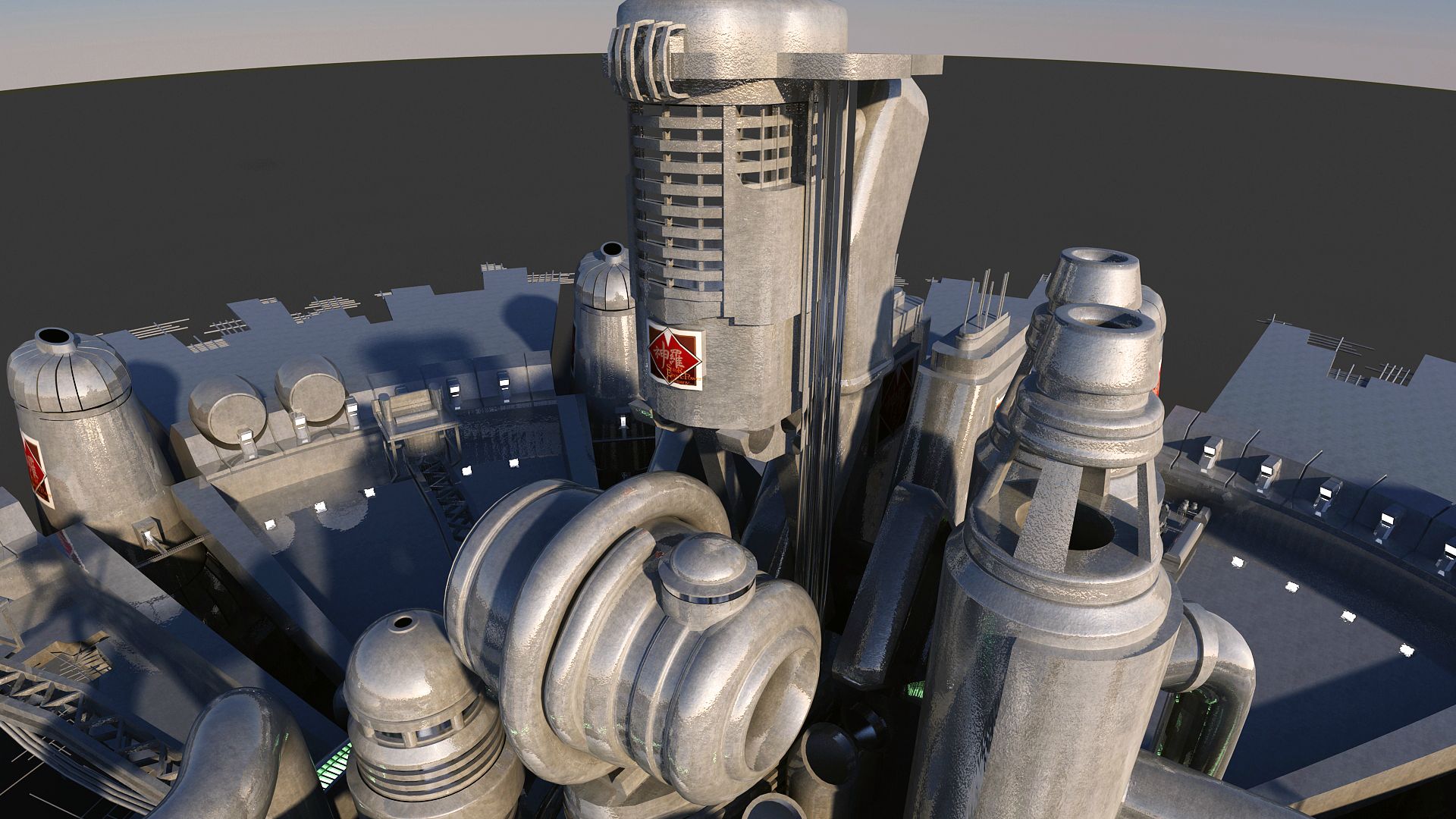
Testing materials..... :)

tGP6Bfj.jpg
 
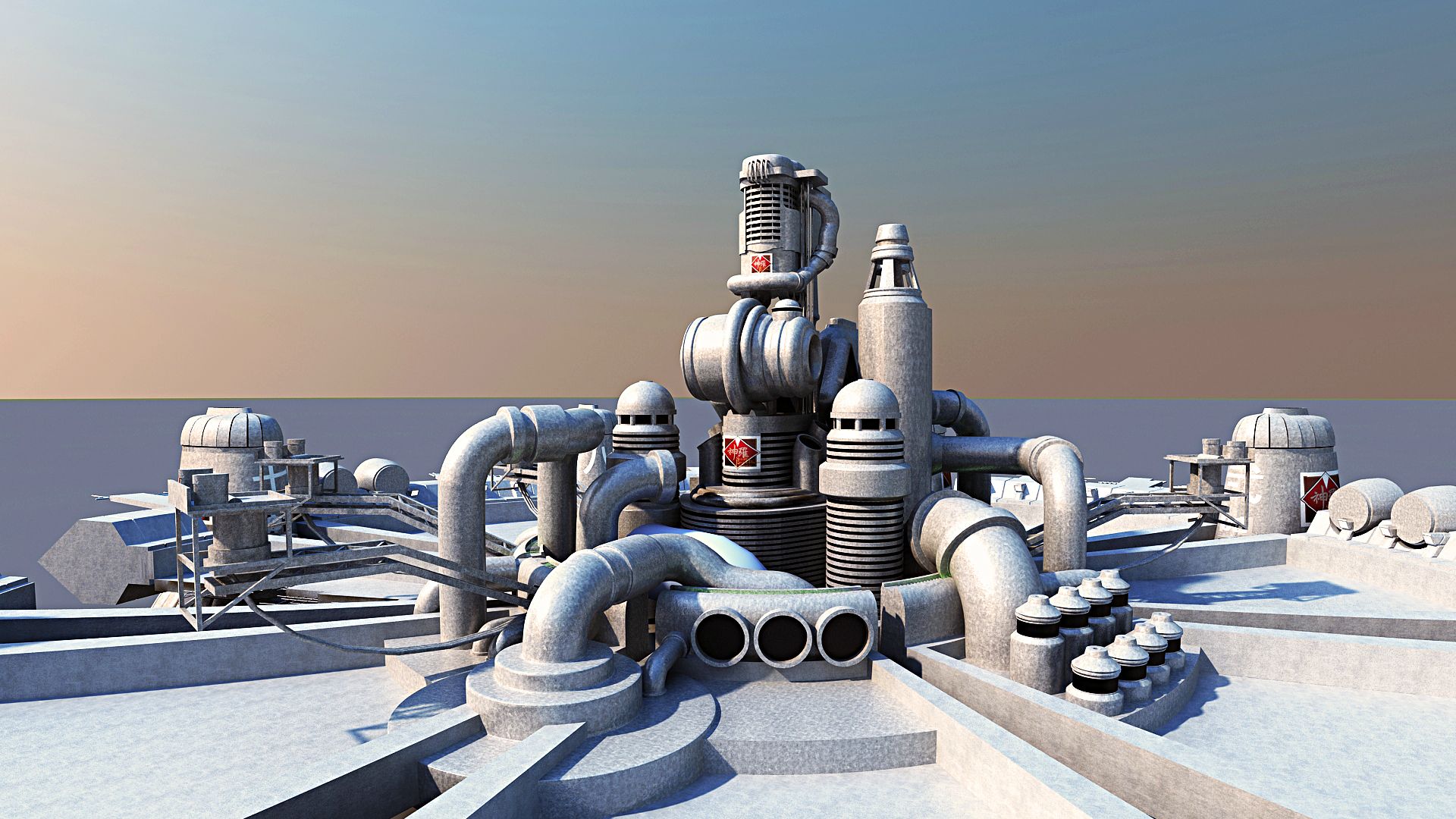
After a lot of time playing around with materials......... :mrgreen:
dwnDAcR.jpg


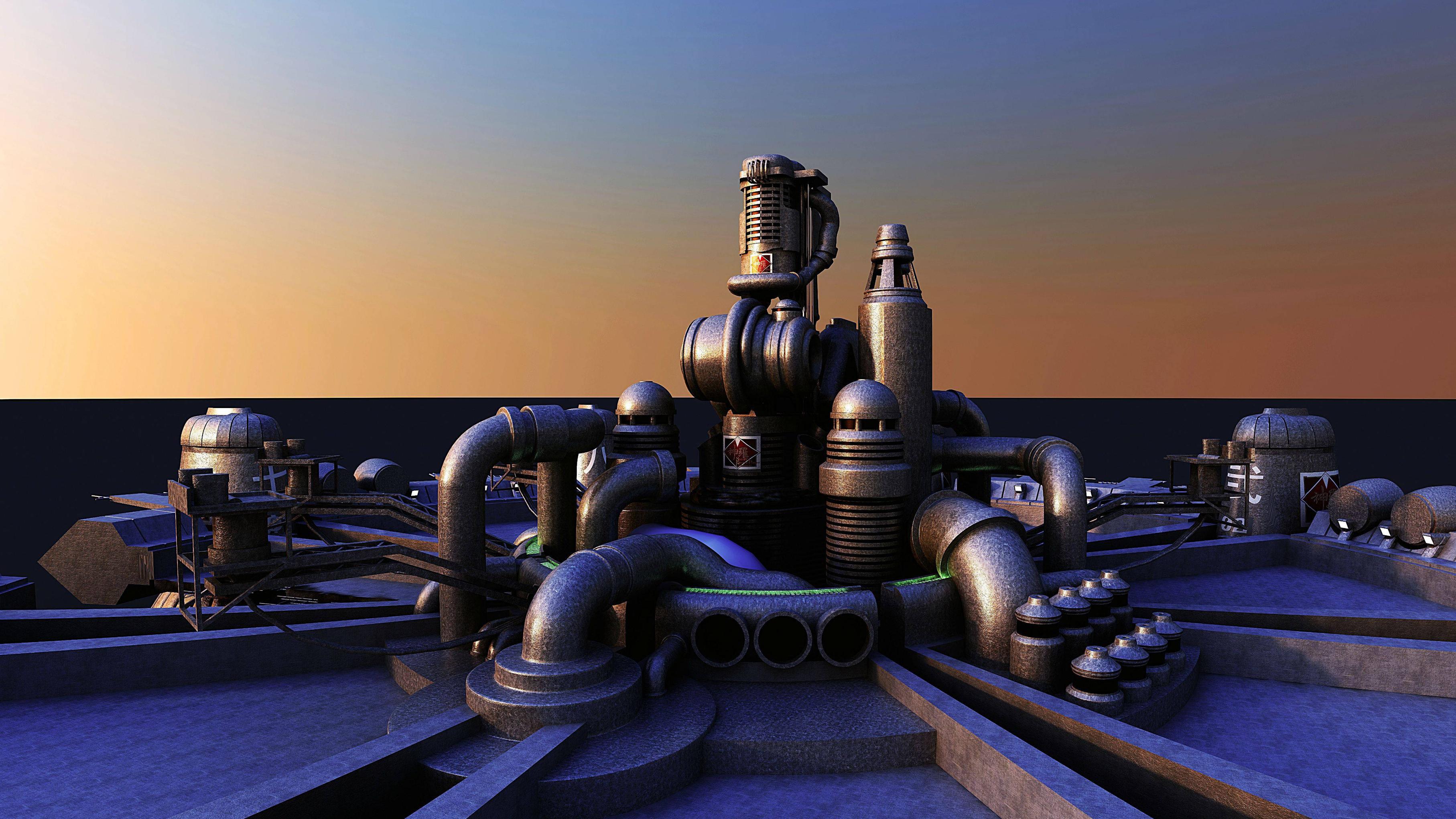
A little more dusk....
11072197_10203665977433976_3098641720296828402_o.jpg
 
Last edited:
I wanna see this in the opening cutscene so bad. Even just as a partial render haha.

Are you also modeling the inside of the shinra building?
 
If Killerx20 has the interior already modelled, I'm not entirely sure it would be worth spending the time to redo the same thing.
 
I'm not too fond of modeling interiors, I might just leave that to someone else.

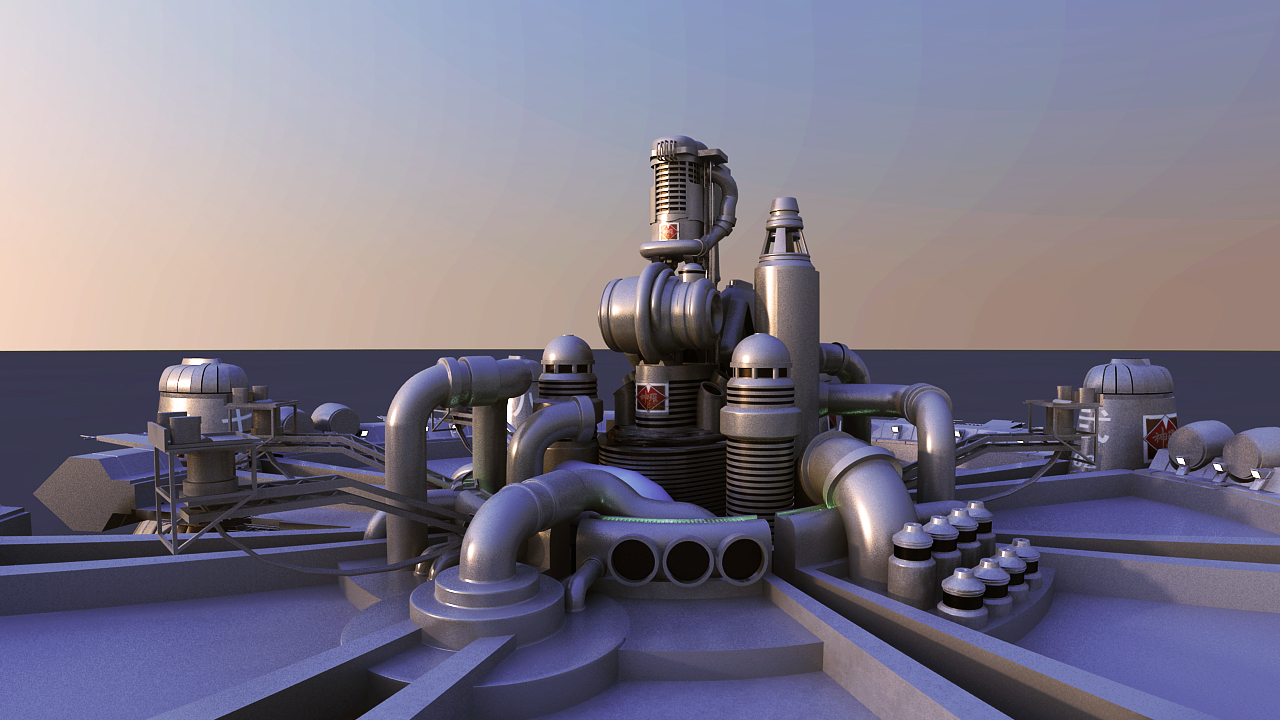
I think i'm finally done tweaking the materials
PJt9YbS.jpg
 
I'm not too fond of modeling interiors, I might just leave that to someone else.

I think i'm finally done tweaking the materials
PJt9YbS.jpg
Is that metallic texture badly scaled, or it has the wrong pattern? It doesn't look right to me. Not very realistical for that cool Midgar City model.  :-\
 
I actually have to agree with Artema here.
Here, the two main problems with your galvanized steel are:
- the scale is way to big
- it shouldn't have bumpmaping. If you want to create some non-uniformity on your reflections, I advise you use some kind of specular mapping.

Did you receive the documents I sent you by email regarding materials? I had been tackling these kind of issues and explained some principles of materials creation for galvanized steel and concrete. I'm afraid that creating materials is something you'll have to be very, very, very patient with (again, as a rule of thumb, 3/4 of my modelling time are actually spent on materials, while it's the 3d meshing that I prefer to do).
 
I'm not too fond of modeling interiors, I might just leave that to someone else.
Good morning  ;D
forget the interiors, it's a waist of resources, especially if we want to use it for any animation. I did model the interior of the little restaurant in sector 8, with burning candles and a full kitchen....
Nobody is ever going to see that, so I finally trashed the place anyway. Just takes too much strain on rendering. It will only make sense if we have a sandbox environment with the total freedom to roam around Midgar. But that will take a different aproach and needs a lot of redisign anyway, so that is not in scope.  ::)

About the materials, I'm personally more concerned about mapping, rather then the actual materials. If the mapping is not done correctly you have to revisit all objects in order to fix that. That is a nightmare, especially for the more complex objects. For mapping I would use a colored checkbox kind of texture, however if you don;t intend to do any texturing, I would advise to keep it 50% grey, that will give the best presentation result.

As for the textures and materials, most of Midgar is industrial, like steel, iron, rust, concrete. Abandonned trainyards come to mind, except for the normally growing plants and half covering trees and broken buildings. The Living part of Midgar is also including bricks, french coble roads, neon signs, etc.

And indeed, most time is being sucked into UV mapping and materials. :-( I prefer to model as well. Oh and lets not forget the rigging and animation, and the next part will be compositing of course.

Just keep up the good work.

Which version of Midgar are you on now 3 or 4?

Oh and make backups, and note where you stored the backups...

(that's just some personal advise as my total archive has become quite big over time)

 8)

 
About the materials, I'm personally more concerned about mapping, rather then the actual materials. If the mapping is not done correctly you have to revisit all objects in order to fix that. That is a nightmare, especially for the more complex objects. For mapping I would use a colored checkbox kind of texture, however if you don;t intend to do any texturing, I would advise to keep it 50% grey, that will give the best presentation result.
For these buildings and structures, I agree that mapping is important. I think that mapping is very much linked to the process of making materials. The document I sent covers a good chunk about mapping, namely when I made an example for the concrete texture (for instance, when you want to convey the fact that a structure is made of concrete slabs).
 
Status
Not open for further replies.
Back
Top