
D
dili
Guest
SOLVED: the textures should get injected into mods/Textures folder at runtime, based on everything i've read about 7th heaven. so to get textures to work for me i used the 7th heaven iro unpacking feature to get all the files from the field texture packages and manually moved them directly into the mods/Textures folder. still, i'm not sure if this is actually solves the problem since 7th heaven claims i shouldn't have to do this, but it's certainly an acceptable workaround.
EQ2Alyza: This is not solved, rather just a workaround that uses the old ways of manually installing mods. Doing so completely ignores the whole purpose of 7H, which is done through temporary mod injection as the game runs. Erased the SOLVED tag in the topic header for now. I don't want anyone thinking this is a fix.
Original post:
hi everyone!
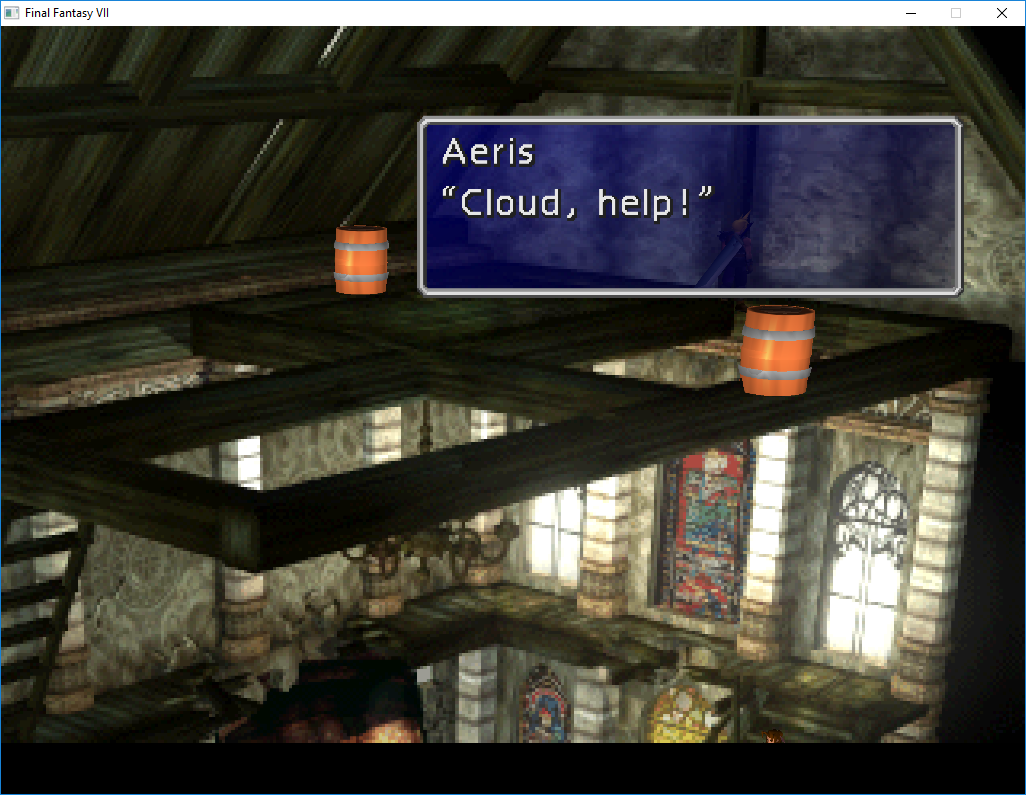
i'm not able to get the Omzy/satsuki/yarLson field texture mods to work. i have the Steam version which i game converted successfully following the guide. i was able to get other mods working, like Animations, Battle Models - Characters, Field Models - Main Characters, Field Models - Non-Player Characters. i'm using 7th heaven 1.54
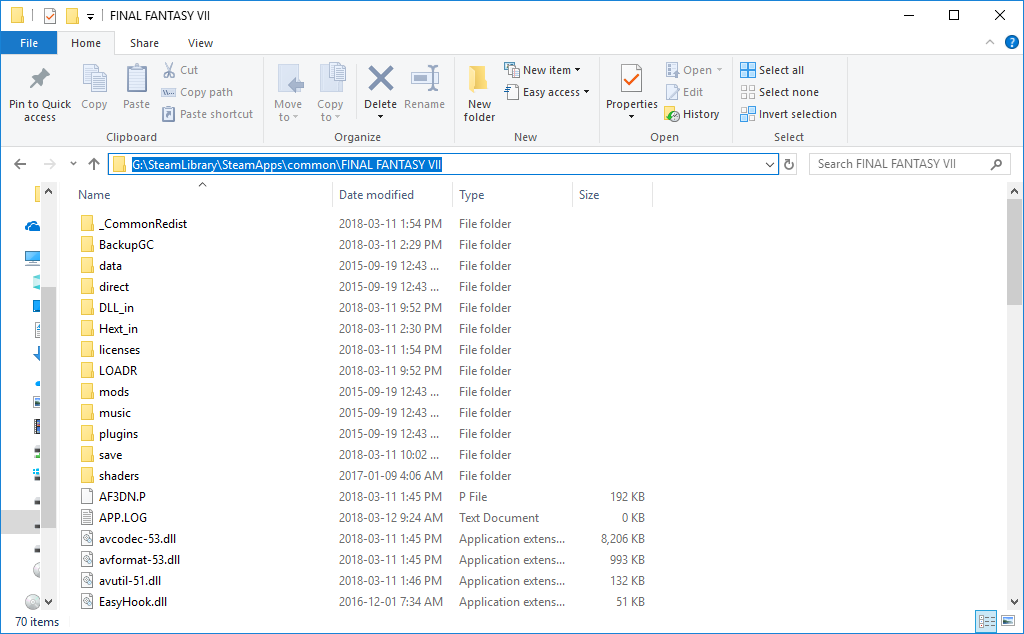
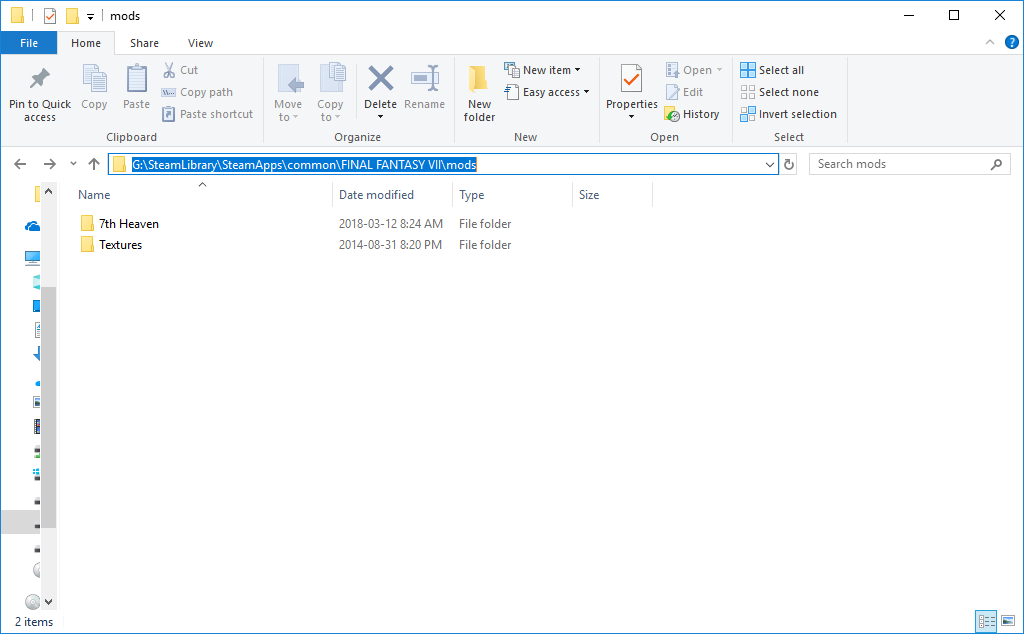
the game is installed under G:\SteamLibrary\SteamApps\common\FINAL FANTASY VII. 7th heaven seems to be installed correctly under mods/. in ff7_opengl.cfg, mod_path = Textures seems to be set correctly based on the inline comment.
i put screenshots and 7th heaven details below. any help is very much appreciated! thanks!
field textures mod not working
game installation folder
7th heaven under game folder
Profile Details
Code: [Select]
ff7_opengl.cfg
Code: [Select]
EQ2Alyza: This is not solved, rather just a workaround that uses the old ways of manually installing mods. Doing so completely ignores the whole purpose of 7H, which is done through temporary mod injection as the game runs. Erased the SOLVED tag in the topic header for now. I don't want anyone thinking this is a fix.
Original post:
hi everyone!
i'm not able to get the Omzy/satsuki/yarLson field texture mods to work. i have the Steam version which i game converted successfully following the guide. i was able to get other mods working, like Animations, Battle Models - Characters, Field Models - Main Characters, Field Models - Non-Player Characters. i'm using 7th heaven 1.54
the game is installed under G:\SteamLibrary\SteamApps\common\FINAL FANTASY VII. 7th heaven seems to be installed correctly under mods/. in ff7_opengl.cfg, mod_path = Textures seems to be set correctly based on the inline comment.
i put screenshots and 7th heaven details below. any help is very much appreciated! thanks!
field textures mod not working
game installation folder
7th heaven under game folder
Profile Details
Code: [Select]
Code:
Animations ID: 653bb2b6-3999-4bb0-bc21-2ae299bb7b87 Version: 2.1 f_animation = 1 w_animation = 1 60fps = 1 fba = 0 fbn = 0 fed = 0 fs = 0Battle Models - Characters ID: 1917178d-5ef1-42e2-9c5c-58045588b3f4 Version: 2.1 models_aerith = 1 models_barret = 2 models_caitsith = 1 models_cid = 2 models_cloud = 4 models_redxiii = 3 models_sephiroth = 1 models_tifa = 3 models_vincent = 2 models_yuffie = 1Field Models - Main Characters ID: efe1b0ec-6ce3-43f7-9659-f1bc9d36f60c Version: 2.2 models_aerith = 4 models_barret = 8 models_caitsith = 2 models_cid = 3 models_cloud = 6 models_redxiii = 4 models_sephiroth = 2 models_tifa = 5 models_vincent = 3 models_yuffie = 2Field Models - Non-Player Characters ID: d329bc05-3dc0-4f35-94aa-632986f47194 Version: 2.34 models_base = 2 models_biggs = 3 models_jessie = 3 models_wedge = 3Field Textures - satsuki ID: 63c6df8c-971a-47f0-aac5-da4290f36058 Version: 2.3 field_bg = 1World Models - Characters ID: a5b9a2f3-c9e3-4cbb-947a-1489ebeeb921 Version: 2.1 cid_world = 3 cloud_world = 1 tifa_world = 5Code: [Select]
Code:
# ff7_opengl-0.8.1b config file## USER OPTIONS #### If you just want to play the game, these are the only options you'll want to change.# set the window size (or fullscreen resolution) of FF7# 0 means use original resolution in window mode, your current desktop resolution will be used in fullscreen mode# preserve_aspect adds black borders as needed to preserve a 4:3 aspect ratiowindow_size_x = 1024window_size_y = 768internal_size_x = 3840internal_size_y = 2160preserve_aspect = onfullscreen = off# mod directory# subdirectroy of mods/ where textures will be loaded frommod_path = Textures# check your Nvidia/ATI/Intel control panel settings if this option doesn't seem to workenable_vsync = on# allow FF7 to use linear filtering for its textures# some things look slightly better with this option on, but alot of textures just lose their detail# only affects low-res textures, high-res replacements will still be filtered where appropriatelinear_filter = off# plugin used to play music, VGMstream requires a set of looping .ogg files in the music/vgmstream folder.# If no music plugin is loaded the game will play MIDI as usual but FF7Music will NOT work.music_plugin = plugins/vgmstream_music.fgp## ENHANCEMENTS #### All the little extras that weren't part of the original game, default options include only trivial bug fixes.# make all dialog boxes transparent, same effect as the transparent dialog boxes YAMP patchtransparent_dialogs = on# include armor in magic defense calculationmdef_fix = yes# minigame fixessnowboard_framerate=60highway_framerate=30coaster_framerate=60battleswirl_framerate=60# post-processing shader, used to apply fullscreen effectspost_source = shaders/SmartBloomAdvanced.postenable_postprocessing = no## ADVANCED OPTIONS #### Don't fiddle with these unless you know what you're doing.# enable alpha blending for textures without an existing blending effectfancy_transparency = yes# display frames per second counter in upper right cornershow_fps = off# display some real-time debug informationshow_stats = off# store external textures in a compressed cache for increased performance# compression is not lossless, some artifacts may appear when this option is in use# texture cache does NOT update automatically if the source image changes, however, deleting anything from the cache# will cause that file to be recreated from the sourcecompress_textures = no# max size of the texture cache to hold in RAM, in megabytes# don't set it any higher than 1GB unless you want your game to crashtexture_cache_size = 768# use pixel buffer objects to speed up texture loading# might crash horribly on ATI cards but should work for NVIDIA usersuse_pbo = no# use mipmaps (anisotropic filtering) for high-res texturesuse_mipmaps = yes# replace FF7's default framelimiter timer sourceuse_new_timer = yes# plugin used to play movies, FFMpeg is the only choice for nowmovie_plugin = plugins/ffmpeg_movies.fgp## MODDER OPTIONS #### These options are mostly useful to modders and should not be enabled during normal play.# read files directly instead of using LGP archives# for example; if FF7 is looking for aaab.rsd in char.lgp, this option will make it open direct/char/aaab.rsd first,# if this file doesn't exist it will look for the original in the LGP archivedirect_mode = on# show every failed attempt at loading a .png textureshow_missing_textures = off# extern additional libraryload_library = Multi.dll
Last edited: