Project Edge (Jusete's field scenes)

  • Thread starter Thread starter jusete
  • Start date Start date
Status
Not open for further replies.
I have updated the first post with the new backgrounds(1024 and 2048) and with the doors. I sugest to extract the iro in the mods folder(7th heaven will recognise as a mod as well) and then update the mod by downloading the new fields and place them into fields folder. Same with char folder for objects.
 
Last edited:
That was fast!  ;D

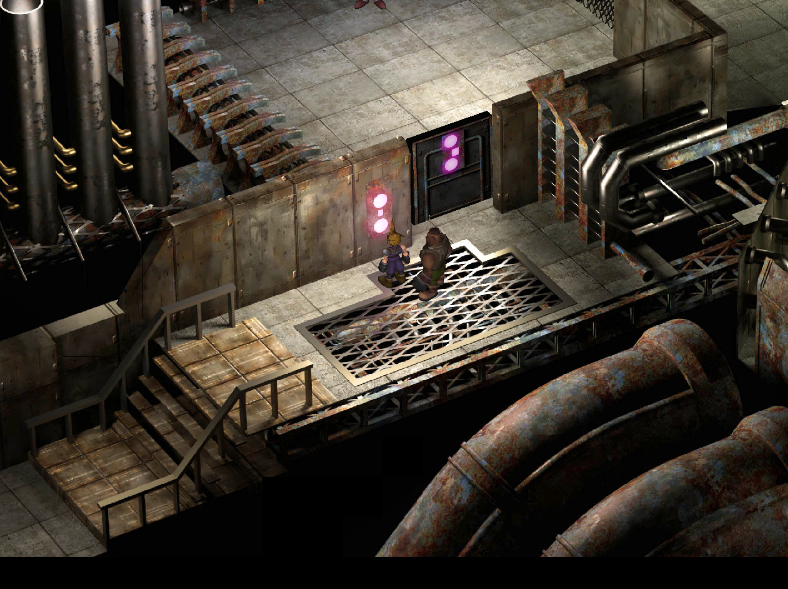
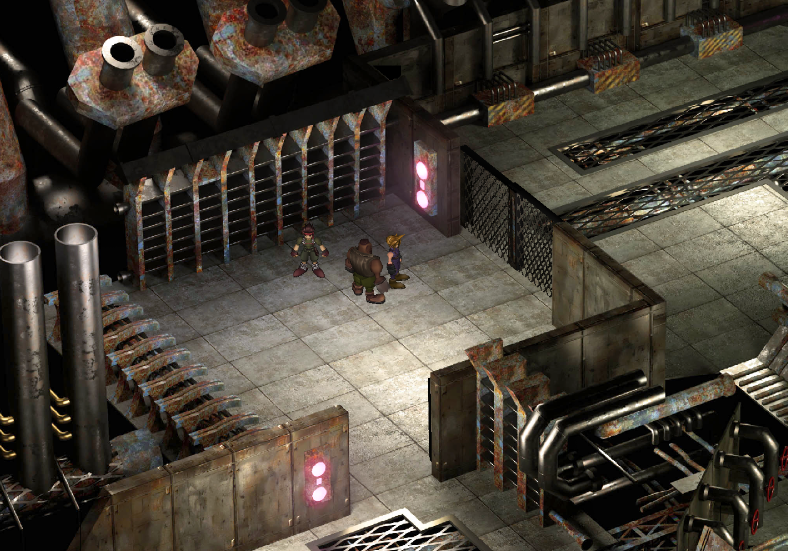
The second door has still the problem:

*Dead link removed*

Don't get confused! I have also the new gates installed, but the picture is before I updated. The spaces are still in there with the new gates.
 
Last edited:
Both are fine to me, are you placing the iro above any field models mod?
dQam0ms.png

1ti5Sib.png
 
Last edited:
I don't use the 7TH program. I change the files by my own. I don't want to be dependent from one program.  If this doesn't work in the future anymore (Windows Update or the creator don't want to support it anymore), i can still play the game.

If I replace the files, the order doesn't care in my opinion, because u can only overwrite the file once. And I have no other mod, that replace these files.

Is the IRO Link from the first site the actual? Your gate download from the first site including some files with a different filesize in comparison with the IRO packet. Which one is the right? And if both are the right, why they have different filesizes?

The IRO hasn't a file named ok.tex in it, the gate packet has!
Also the BYCA.rsd + BYCB.P filesize is different.

Thanks in advance.  :)
 
Last edited:
I you are using direct mode just download the files separately and forget about the iro. The link that says gates and objects is the one you need but remember to copy those files in the char folder
 
The first door is fine, but still the second has the spaces. Whatever. Seems like I have to live with the spaces. Thanks for your help.  :)
 
Idk what to tell you, it's working fine with me. Let's see if anyone else's got the same issue.
 
Just to know, to me looks like this, I play on 2k resolution. BTW thanks for last releases, always a joy to test your works in game ;)

 
Just to know, to me looks like this, I play on 2k resolution. BTW thanks for last releases, always a joy to test your works in game ;)

Some pretty nasty looking JPG compression artifacts in the background image here in game.
Is there a reason why the backgrounds inserted into the game aren't based off lossless images? (Or at least level 12 JPG compression?) Seems pretty counter intuitive to make these backgrounds so high quality and then toss it in game with what seems like a lot of compression. (And lower resolution too?)

Looking back at the posted image (Which is a PNG) https://i.ibb.co/t29mH35/nmkin-1-0-00000000.png
Seems the compression artifacts visible are present here as well.
Are these being rendered by an online service for you once you complete them or something and it's coming from that?
 
Last edited:
Hey everyone,
I just came across this mod after installing 7th Heaven 2.0 and I just want to thank everyone who is contributing to it. It is amazing and really breathes new life into the game. Cheers.

Quick question: I have noticed that the mod is in the "miscellaneous" category of the 7th Heaven catalogue instead of the field textures. Is it because the mod is unfinished? I'm just curious.

Thank you and keep up the great work! I've bookmarked this thread. :)
 
Thank you very much, I'm glad you like it.
 Yeah, I think is because is still WIP.
 
Last edited:
Correct. Once it’s finished, it’ll move to the Field Textures category. Right now, Miscellaneous loads at the top, which allows Project Edge to override any field textures it shares and fill in the rest with other field texture mods.
 
Hello @Jusete I created a Mod out of your mod, where I resized all the images to be 1K resolution, I need your permission to add it to the Catalog please.

I love your mod and can't play the game without it, but drives me nuts that the game crashes every 10 minutes because the resolution of the images are too big.

I also see other people in Discord complaining that their game keeps on crashing. I hear recommendations given to them to disable your beautiful mod, which in my opinion, should be a sin to disable ...

I took it unto myself to resize the textures just for me to use. So my game stops crashing so frequently and randomly, but many of the guys there at Discord, ask me for it and they said they have tried without luck to resize it in the past. Is not that hard with Photoshop, the game still looks beautiful at 1024 x 1024, even on a 4K TV at 4K resolution. Please allow us it at Discord and let Tsunamix, unabOmb, strife98 or me know if is OK or not to use your mod with the the resized textures.

I gave you all the credit, is your work and is a masterpiece. I just used Photoshop to resize it a bit.

Thank you!! and we wait to hear back from you!

 
Last edited:
Sorry if this looks like double posting, but I was not able to edit previous post ...

Here is the direct link to download a 1K resolution version of Project Edge:

This was also added to the MOTR Catalog for 7th Heaven 2.0 today, enjoy!

Please try it and let me know if you find any bugs ...


Code:
[b][SIZE=19px][4x Upscale] - Project Edge Fields.iro[/SIZE][/b]

[url]https://drive.google.com/drive/folders/1_3BTMhWT6F7dOHm5OBM96Gc3XWrTNt8_?usp=sharing[/url]
[IMG]https://i.imgur.com/WT8YV5D.png[/IMG]
 
bonkers the driver has limits on size of textures can reliably load
I wasn't aware of the resolution limitations. Which suck on it's own. But i'm talking about the quality of the compression used in the game ready images. The packs are PNG images but some backgrounds like the recently shown ones above seem to baked into the game ready PNGs with heavy JPG compression before that happens, ex https://finalfantasy.german-syslinux-blog.de/FF7/Field-Scene-Comparison/NEW-DB1/nmkin_1_v0.jpg  Is this being compressed before it's baked into the tiled PNG used for the game? Or is the visible compression from the sources used for the textures when the BG was made?
Compared to Field Scene 526: nrthmk by Faulked which has basically no visible jpg compression artifacts in the final game ready PNGs.

Hence why I asked if maybe this was due to how the final image was rendered before it was converted to the final tiled format?

Excuse my ignorance if you may, the work done here is fantastic. Just hate to see it diminished by poor compression when it seems clearly it doesn't need to have it reducing the quality of the final work(If resolution is the only important limiting factor of the game driver).
 
Last edited:
Hey Bonkers,

the images on the site are mostly converted from png to jpg. For example, if Jusete release a preview image of the finished scene in jpg, i put it on the site without any changes 1:1. PNG files are too big and I must think about the trafficload on my site. I have to choose a compromise. The images on the site are NOT always the real ingame quality scenes.

U have to run the game and go to this place to look the "real" quality.  :)

But what u said for this scene..., i noticed that too.
 
Last edited:
Bonkers, give it try:

[4x Upscale] - Project Edge Fields.iro

Images on that mod (4x Upscale) are 1K instead of 4K from the originals Jusete release, even on a 4K TV playing at 4K resolution can barely tell the difference, you have to put your face on the screen to see the pixels ... and not safe to play so close to the screen  8)
 
Status
Not open for further replies.
Back
Top