[PSX/PC] General editor - Hades Workshop (0.50b)

  • Thread starter Thread starter Tirlititi
  • Start date Start date
Status
Not open for further replies.
I downloaded the new version, but when I try to start it I get the message that I'm missing the following dll:

wxmsw30u_gl_gcc471TDM.dll

It's not included in the zip folder.
 
Fixed, thx for warning Kefka.
Here is also a temporary link for the .dll only.

You'd also need glu32.dll and opengl32.dll. They are much more standard but if I don't know if they are included in Windows by default.
If that's not the case and most of people need them, please let me know so I'll also put them in the archive.
 
As far as I can tell, I would save as a mod mostly, only saving directly to the file when I was testing. It seems like the monster stats were saved as many defense values are different from the originals. It's weird since everything else is still changed, I remember running into this problem before too, so I don't know what the heck I'm doing that's causing this.

Edit* Now I'm noticing that a few enemies DID have their proper stats saved, usually the ones at the start of the list, but the majority didn't, why would it save some but not all?
 
Last edited:
When you save directly to the file, the modifications are cleared and won't be saved by further "Save Mod" calls.

Now that I think about it... it's a really bad choice that I made it work this way... It's been so long that I don't remember why I've chosen it in the first place. Making the modifications persistents would also bring problems though.

Anyway, when you begin to overwrite the binary file, you should keep doing exclusively it and then create a .ppf file using makeppf or something like that.
Or you do like I do : you use 1 file for which you save only using "Save Mod" and another one for which you import the changes and apply them directly.
I also sometimes use only 1 file and create an undoable PPF patch when I want to test. You need to be careful to unapply this patch before creating a new one though. The first method is safer.

In the next version, I'll add a feature that allow to choose which datas exactly you want to save in .hws files, alongside file batching. This way you'll be able to get a .hws file even if you used the "Overwrite binary" feature before.
 
Last edited:
That's unfortunate, it seems I'll have to redo all that work I did due to some problems that caused my binary files to become unusable. Thanks anyways.
 
Fixed, thx for warning Kefka.
Here is also a temporary link for the .dll only.
Thanks a lot, it's working fine now.

Edit: the possibility to modify and create entirely new sets of status effects seems very promising. Am I right in assuming that the various ''No Status'' sets at the end of the list are currently unused? Because all abilities that don't inflict a status use the ''No Status'' set at the top.
 
Last edited:
Yes you're right by assuming that.

I didn't test all the possibilities it offers yet. I can tell that :
• "Curing the Trance status" is possible. It empties the Trance gauge and turn the character back to normal (no effect if the character was not in Trance),
• "Curing the Low HP status" doesn't work. At least it doesn't increase the HP nor it writes the HP figure in white.

I guess there are rooms for discovers here.
 
This newest version looks pretty great. I've messed around with it some in the past but I was way out of date with my version. :)

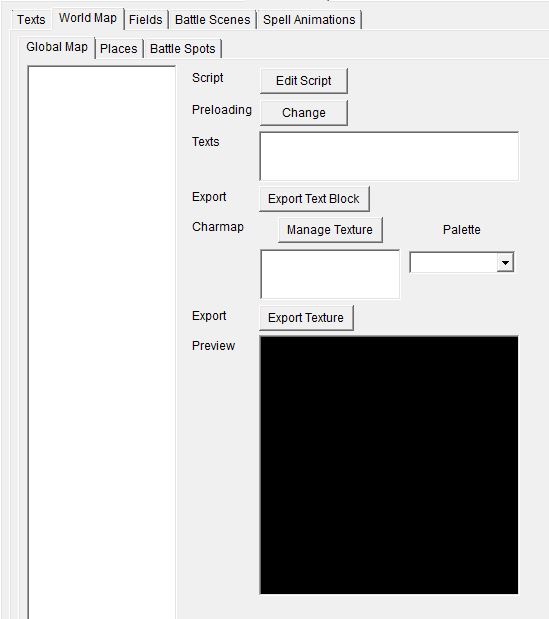
I just downloaded 0.31 to play with the world map a bit, but I don't see anything populating in any of the World Map tabs. See the screenshot below:

JDHclYP.jpg


Is this something I've done wrong?
 
Hum... I'm able to reproduce the bug with the japanese version (the World Map panel doesn't work perfectly with that version, though it shouldn't bug like this). I'm not sure, but I think I failed there : I should have make the .hwf file update itself for this version.

Anyway, try deleting the ".hwf" file in your game's folder and force Hades Workshop to scan the file again (you must scan a non-modified version, always). It fixed the thing for me.

Everyone should check if the World Map panel works correctly and do the same if it doesn't. It won't be a problem if you never access to that panel, but it may loose your modifications if you go to it and it bugs and you didn't save.

Thanks for warning, R51. And sorry for the problem.
 
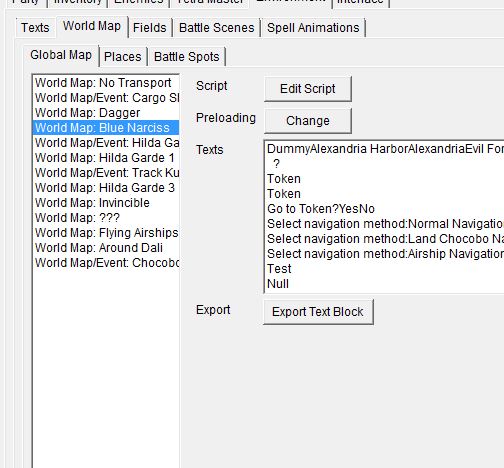
That helps a lot, though the Global Map panel no longer has a preview. Does the current version actually show the Global Map visually or did I misunderstand what it's meant to be doing? Thanks for the fast reply.

6UAT3E1.jpg
 
The world map preview is for the script edition. It's just the minimap but it may show the position when it is explicitely written.

824032WorldMapPreview.jpg


That's nowhere as nice as tasior's viewer, but that's a first ^^"
 
Yep, that's why I was checking this out, was for an alternative to tasior's viewer. Looks like this one won't do what I was wanting to look at, but HadesWorkshop is still flippin' awesome. Thanks again for all the hard work on it. :)
 
I've got another question about enemy AI, and was curious whether you, tirlititi, or someone else could help me out here:

Is there a way for an enemy to check if a specific character is in your current party? Because I've been playing with the thought of making Trance-Kuja use Reflect only if either Eiko or Vivi (or both) are in the current party, since they are the only two characters that have reflectable spells. Reflect doesn't bother any of the other six party members, so if Kuja uses it if neither of the two is in your party, he is essentially just wasting a turn.

I've only found one enemy that uses a party member's MODEL_TYPE when targeting, and that's the Doppelgangers created by Epitaph who always use their 9999 damage attack against their corresponding counterpart. However I'm unsure how to incorporate the Model Type check in an 'if condition' (I'm assuming that's what I'd need for Trance Kuja; to check if model type Vivi or Eiko is present, then use reflect, otherwise use a different attack). Could you give me a hint on how to write such a condition properly? My first attempt has been unsuccessful and lead to a crash.
 
It would be this :
Code: [Select]
Code:
if (#(SV_PlayerTeam[MODEL_TYPE] ==$ 2)) {  // Vivi is in the team}if (#((SV_PlayerTeam[MODEL_TYPE] ==$ 10) | (SV_PlayerTeam[MODEL_TYPE] ==$ 11))) {  // Eiko is in the team}
The list for model types is this one (I don't think I've included it in the help yet, I should do it) :
Code: [Select]
Code:
Zidane 0 or 1Vivi 2Dagger 3, 4, 5 or 6Steiner 7 or 8Quina 9Eiko 10 or 11Freya 12Amarant 13Cinna 14Marcus 15Blank 16 or 17Beatrix 18
That's strange you got a crash though. What was your try?
 
Is there a way for an enemy to check if a specific character is in your current party? Because I've been playing with the thought of making Trance-Kuja use Reflect only if either Eiko or Vivi (or both) are in the current party, since they are the only two characters that have reflectable spells. Reflect doesn't bother any of the other six party members, so if Kuja uses it if neither of the two is in your party, he is essentially just wasting a turn.
The AI also uses it to circumvent auto-Reflect, by casting offensive spells on its own Reflect.
There is a quirk with this subroutine: if the reflected spell doesn't find any valid target, it will reflect the spell on the caster.
 
It would be this :
Code: [Select]
Code:
if (#(SV_PlayerTeam[MODEL_TYPE] ==$ 2)) {  // Vivi is in the team}if (#((SV_PlayerTeam[MODEL_TYPE] ==$ 10) | (SV_PlayerTeam[MODEL_TYPE] ==$ 11))) {  // Eiko is in the team}
The list for model types is this one (I don't think I've included it in the help yet, I should do it) :
Code: [Select]
Code:
Zidane 0 or 1Vivi 2Dagger 3, 4, 5 or 6Steiner 7 or 8Quina 9Eiko 10 or 11Freya 12Amarant 13Cinna 14Marcus 15Blank 16 or 17Beatrix 18
That's strange you got a crash though. What was your try?
That was a while ago already, but I believe I made it way more complicated than it needed to be. I remember I was looking at Ozma’s AI for comparison, because Ozma uses Lv4 Holy and Lv5 Death only if they hit at least one party member, and that’s a condition similar to what I want for Trance-Kuja and Reflect. Since Ozma has these checks in his looping function, I figured I’d put it in the same place in`Kuja’s AI, and then change his ATB function accordingly, but I guess I messed something up during this (seemingly unnecessary) huge change. Afterwards I suspected that maybe including it in the ATB function as an ‘if condition’ instead might be a better choice.

So what do you suggest would be the best place to insert this in Trance-Kuja’s AI?

The AI also uses it to circumvent auto-Reflect, by casting offensive spells on its own Reflect.
There is a quirk with this subroutine: if the reflected spell doesn't find any valid target, it will reflect the spell on the caster.
That's a nice video, never knew about this bug. And you're right, I forgot completely about auto-reflect! I guess Trance-Kuja's use of Reflect does still make some sense afterall, even without Vvi or Eiko. Then I'd need to make it so he checks for auto-reflect in addition to those two little mages.
 
Well yes, Ozma has some checkings in his "loop" function, but that's a bit different. The "loop" function really often serves as a secondary "Init" function that only init things that needs player's and enemy's datas to be loaded.
The game can't check party's level too soon in the fight, because the party is not loaded yet ("SV_PlayerTeam" and "SV_EnemyTeam" are 0 before they are loaded). Hence the checks for party's level is delayed until everything is loaded.

However, besides the fact you can't check for party's level or status or whatever too soon, you can decide to put those checks wherever you want. Here are some possibilities :

1) Put the check in the ATB function : I'd say that's the default choice. When Kuja's ATB bar is full, he checks if it is relevant to cast Reflect on himself. Devs tended to use an additionnal variables here, like "CuragaTarget" (see one of Necron's dummy for this example, but there are a lot of them, starting with Ozma's LV spells target which use a slight variation of that system).
However, nothing prevents you to do the check in the "set SV_Target" line :
Code: [Select]
Code:
        case +2:            if (#(SV_PlayerTeam[MODEL_TYPE] ==$ 2)) {                set #( SV_Target = SV_PlayerTeam )            } else {                set #( SV_Target = 0 )            }            break
2) Put it in the "loop" function, in the initializing part of the function. That's what Ozma does for the checks of the party's level. Since those lvls won't change during the fight, you can perform the check once and keep the result all over the fight. That's a good way to do it for things like lvl, model type or auto-status, but that's kinda irrelevant for current statuses, HP and such. Note that you always need at least an additionnal variable here for storing the result, and maybe another one if there is no "initializing part" of the function (that's not so common though). It could look like this :
Code: [Select]
Code:
    if ( !initflag ) {        set initflag = 1        while ( !( GetBattleLoadState & 16 ) ) {            Wait( 1 )            set VAR_GenUInt8_206 = GetRandom        }        // you can do it with a boolean like this :        set myreflectflag = (#(SV_PlayerTeam[MODEL_TYPE] ==$ 2))        // or, more like what devs usually did :        if (#(SV_PlayerTeam[MODEL_TYPE] ==$ 2)) {            set myreflecttarget = SV_FunctionEnemy        } else {            set myreflecttarget = 0        }        while ( GetBattleState != 4 ) {            Wait( 1 )        }    }
Then, in the ATB function (or Counter function if you want to use Reflect as a counter), you use "myreflecttarget" as your target when casting Reflect, or check the "myreflectflag".

3) Put it at the top-level of the "loop" function (out of any "if" block). This way you can perform the check every frame and add the ability to cancel the casting if it's not relevant anymore at that point. That's more complicated and I won't give an example here, but that's a system used by Black Waltz 2 or Steiner, for instance : if their target dies before the attack is performed, they cancel it and choose another valid (non-Dagger) target. That way they don't take the risk to redirect their attack on Dagger.

I'll make a small update soon. I'll fix that bug with the World Map and improve a bit script readability. I'll also join a file for the naming of variables in all the AI scripts.

 
Last edited:
Update to 0.31b :
- Fixed that World Map bug ; the config file will update consequently.
- Enabled script edition of World Maps for the japanese version but for the two dummied World Maps.
- You can now declare "global" variables the same way you declare "local". There is no need to allocate them but, by default, they are initialized to 0 at the beginning of the script's execution (when entering a Battle, a World Map or a Field).
- Added a .hws file containing names for all the variables used in the battles. Use "Open Mod" to import it ; it won't mess with any of your modifications besides your own variable naming if you had one.
 
Last edited:
I'm on a project with a translation with friends to portuguese, and was separated by cities using the "Extract Script Dialog" option being that is already 80% completed, and my question is "Do you have plans to implement the Import Script Dialog option?"


Note: you tool is very precious, congratulation
 
Status
Not open for further replies.
Back
Top