Re: [FF7PC] [7H] Enhance...

  • Thread starter Thread starter Chrysalis
  • Start date Start date
Status
Not open for further replies.
This is due to the hext modification of the code, in your OS you need to disable DEP protection for ff7.exe.

By default this is "not" enabled, so you or a program has changed it on your system.
 
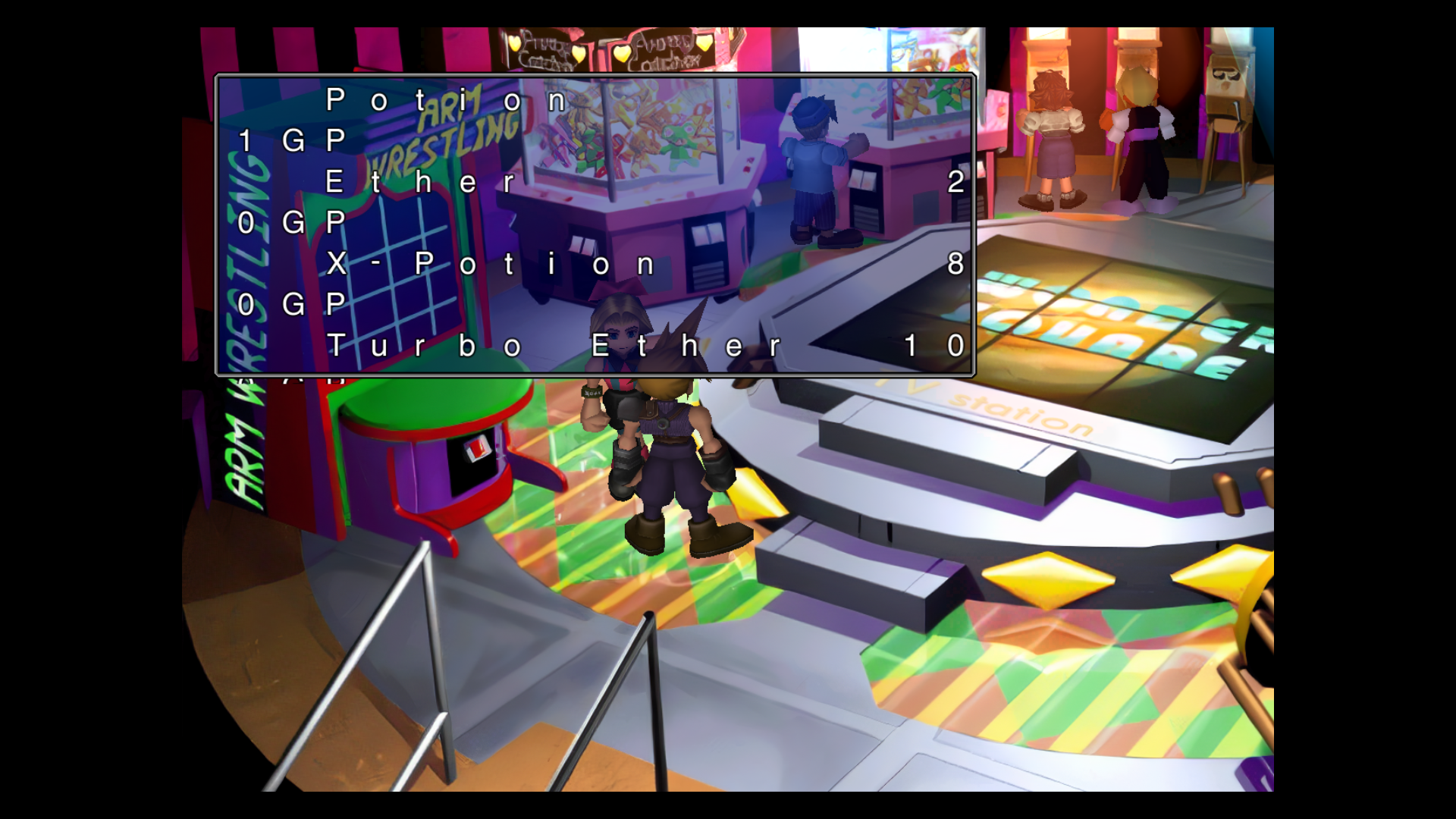
Got a bug here. It's pretty self explanatory:

tl;dr: Using thinner or thinnest UI bars causes some dialog boxes to vanish. Setting it to "No Change" has no such bug.

Also, the download link in the first post here goes to 404.
 
You using build 2.27 which was broken, please update to the latest in MOTR catalog, I will fix the link in the first post.
 
Last edited:
Hi Chrysalis,

I'm doing the HD version of the spanish retranslation and wanted to use your amazing mod ESUI. I'm using Enhanced Stock UI 2.32 version. I must touch some things, but it shows the very high quality of your mod.

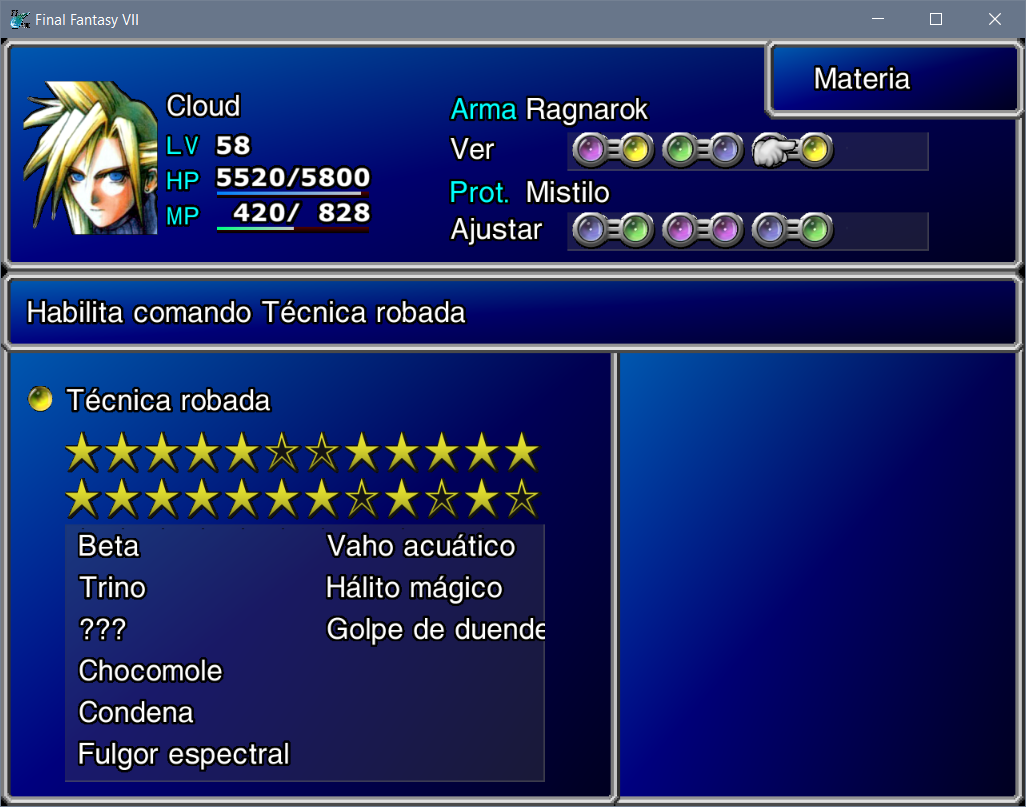
Although I can found a lot of byte offsets, there is one concrete that I can not find, this image will explain very well:

YulPXAa.png


As you can see "Golpe de duende" is outside boundaries. But I have not found any info about the bytes x/y-axis or width/height for this subwindow or the eskill text inside.

Could you offer any help? I think that with one offset I'll do, the rest must be near it.

Thanks a lot for this great mod!!
 
thats not just a UI change, but I will work with EQ2Alyza to get that added in next qhimm catalog update.
 
I don't know if anyone has already reported this, but when using the FF7 Remake ESUI theme the icons of the PSX and XBOX controllers are swapped.

When I select PSX icons, the XBOX icons appear ingame and vice versa. This only occurs in the FF7 Remake theme, in the Enhanced Stock UI it works as it should.
 
Hallo L@​​Zar0

could you write to me here in the forum or leave a message (email address) I would urgently need your help with a translation project

(unfortunately I cannot contact you by message here)

thanks
 
Hello,

I am currently having trouble getting this mod to work with 7H.  I have DL'ed and installed it properly, even with only this and the other ESUI required mod and I cannot get the remake theme to show at all.  Am I missing something or doing something wrong?  I've also tried to start 7H with only this mod and still nothing.  Please help. Thanks.
 
I have added a donation link, if anyone wishes to.


Thank you to all who have chosen to use this mod.
 
Hi, thank you for the hard work! Although i have a doubt, I'm using ESUI controller addon from the 7th heaven catalog, but when using it it enables by default semi transparent/translucid field chat boxes with no way to turn it off, is there any way to make chat boxes opaques again without turning the mod off?

Also, just noticed there's a bug where this happens:

kWvb86O.png


Once this dialogue box is open the game basically softlocks since you can't move the cursor around the chat options and there's no way to close the dialogue box.
 
Last edited:
Is it possible to get the PSX button prompts without changing the rest of the UI?
 
Hi, thank you for the hard work! Although i have a doubt, I'm using ESUI controller addon from the 7th heaven catalog, but when using it it enables by default semi transparent/translucid field chat boxes with no way to turn it off, is there any way to make chat boxes opaques again without turning the mod off?

Also, just noticed there's a bug where this happens:

kWvb86O.png


Once this dialogue box is open the game basically softlocks since you can't move the cursor around the chat options and there's no way to close the dialogue box.

Hi, can you please check if you have the latest version of the controller addon, as that was a previous bug which got fixed in the latest version, if you are unsure of the version please post a screenshot of your 7th heaven window showing your mod list, thanks.


Also the option for semi transparent field dialog boxes I tied into the field dialog style (ESUI option), I can add an option separately if you prefer solid color field boxes.


Originally it was a driver option, but since it was removed as a driver setting, to try and avoid over bloating the options, I just tied it to the field dialog changes as no one had ever requested it to be off before.
 
Is it possible to get the PSX button prompts without changing the rest of the UI?

There is plans to update the controller addon to support the stock font layout, this would give you the stock PSX icons when I release it.


Also new threat supports the icons without ESUI.
 
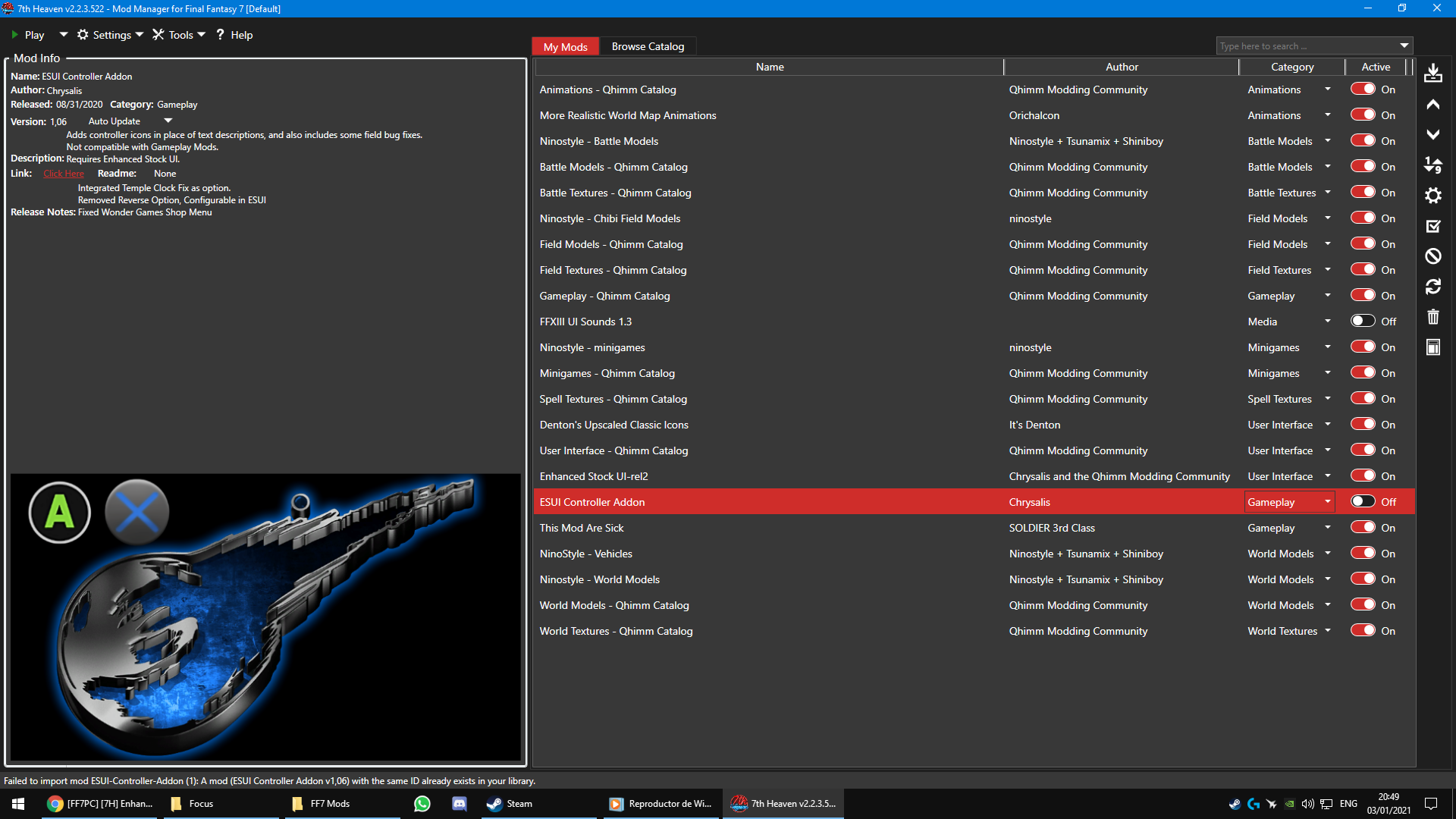
Hi, can you please check if you have the latest version of the controller addon, as that was a previous bug which got fixed in the latest version, if you are unsure of the version please post a screenshot of your 7th heaven window showing your mod list, thanks.
Thanks for replying, the version I'm using is the one available at the 7th Heaven catalog

MPZnUok.png


Also the option for semi transparent field dialog boxes I tied into the field dialog style (ESUI option), I can add an option separately if you prefer solid color field boxes.


Originally it was a driver option, but since it was removed as a driver setting, to try and avoid over bloating the options, I just tied it to the field dialog changes as no one had ever requested it to be off before.
Tbh, I'm kinda fond of solid dialog boxes, they're easier to read and i prefer the more ''classic'' look, just on a higher resolution. If you could add an option to have the solid boxes again, and if it's not too much trouble, it would be really awesome :)


Ok on the first problem can you tell me what options you have enabled in the qhimm gameplay catalog please?


I will look into an option for the solid dialog boxes, it might just be a file you copy to the ffnx hext folder (will override esui), but if I do it that way I will give you step by step instructions.
 
Last edited:
Hi everyone. Not sure if this has been mentioned.

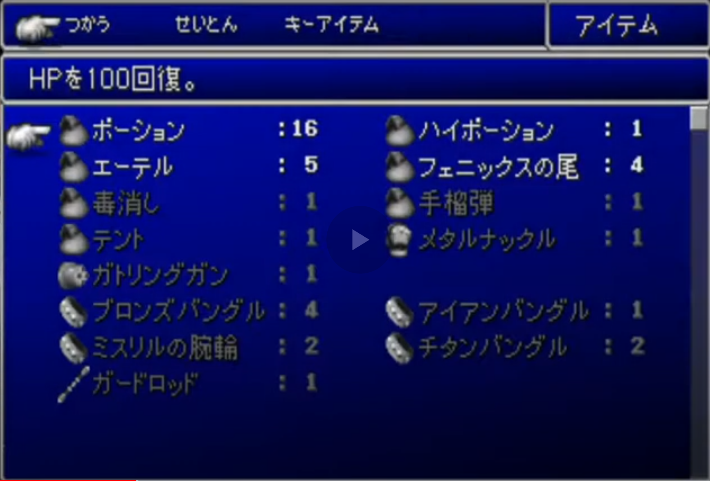
"Additional rows in inventory screen and command menu's."

Does this mean this mod can make it so the item sub-menu will be like the original Japanese version?

 
0uyXhbU.png


If this mod doesn't do it, is there another mod that can? Thanks in advanced.
 
Last edited:
Hey all,

Would it be possible for ESUI to offer a selection of various fonts? I think it'd be nice to have some options. The original vanilla font would be appreciated, for example.

Would it also be possible for ESUI to come with the Buster Glare start screen that it available in the Quimm Community User Interface package? Right now, I have to have the quimm community package installed and activated just to get the Buster Glare start screen. It'd be nice not to have to.

Cheers
 
Last edited:
Heya! Thank you for this mod, it's pretty neat.

Was just curious if there was an option to turn off the transparency of dialogue boxes?
 
Status
Not open for further replies.
Back
Top