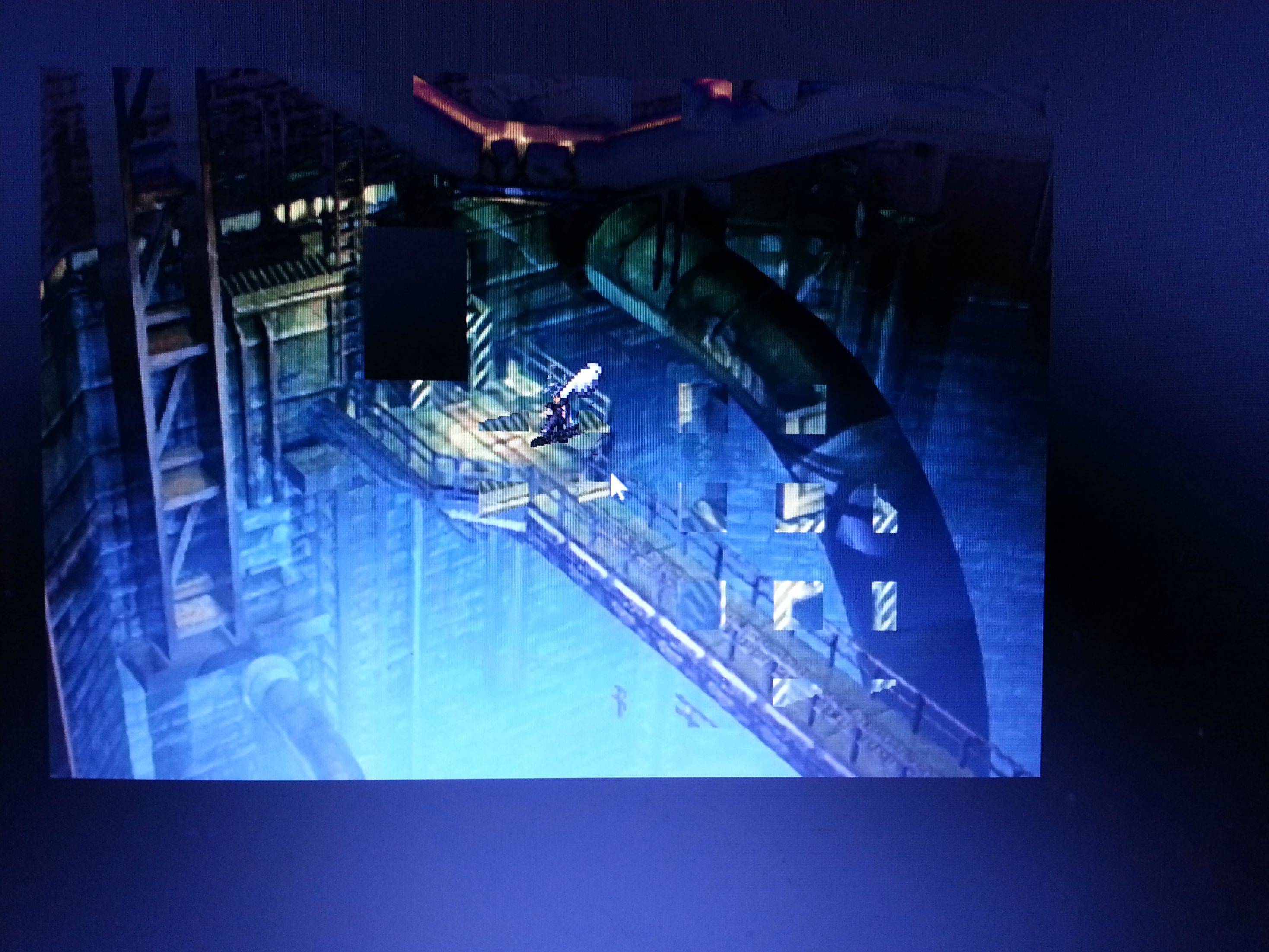
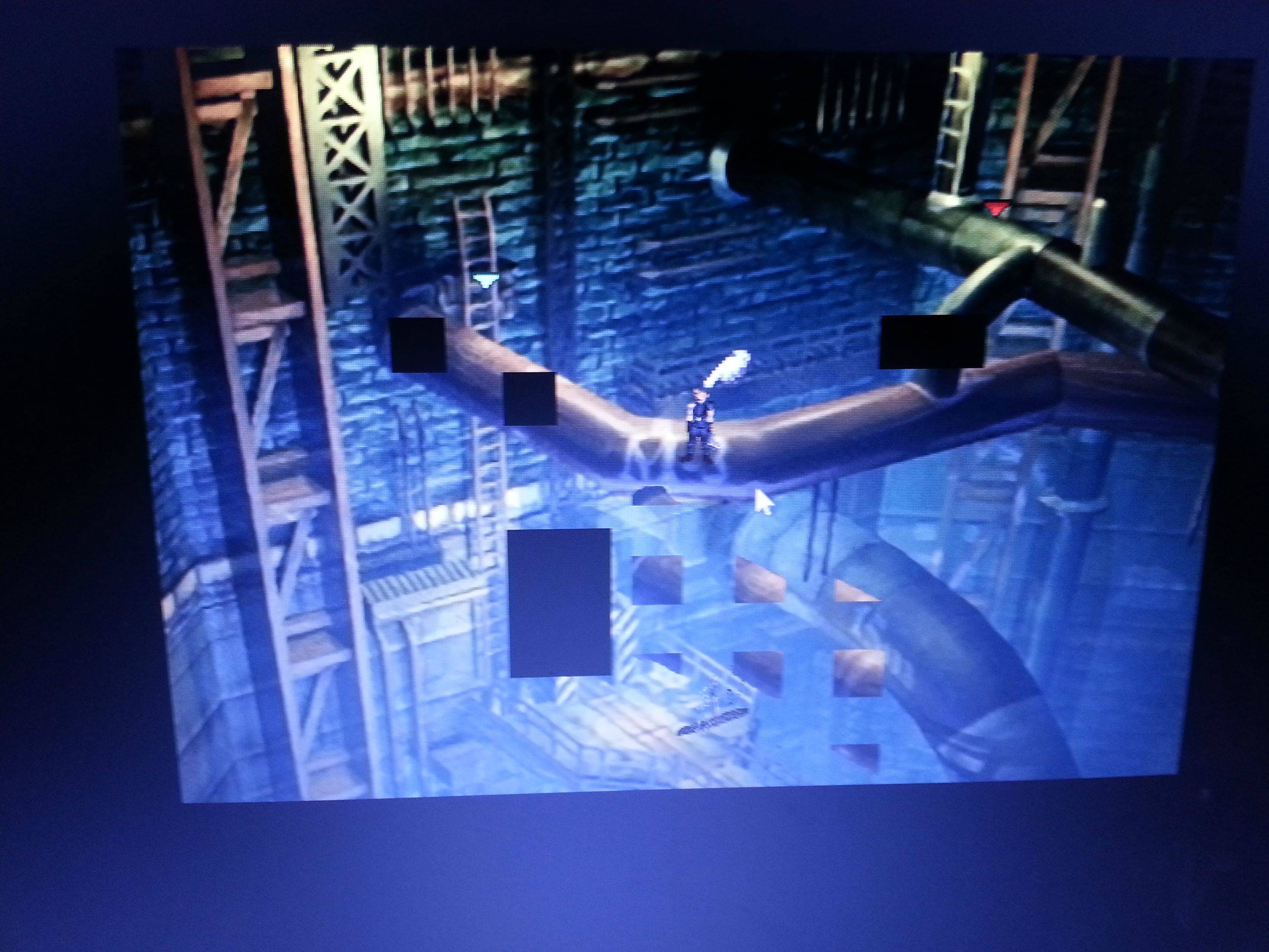
Small internal window and graphics glitch

  • Thread starter Thread starter rjayjayc
  • Start date Start date
Status
Not open for further replies.
R

rjayjayc

Guest
Okay so my main problem is that my game glitching all ver the screen with empty black squares and blacks everywhere also it wont size it self properly to the window or full screen no matter what. And if i try to use full screen ( my ratio is 160
0/900 BTW) it automatically force closes :|


sc2V7bG.jpg
   

sd5gXtp.jpg
 
Wow. Scary. Can you post the contents of the text file APP.log that is in your FF7 Game Directory? Code tags are best but whatever works. Maybe lil more info also like operating system, computer processor type and video processor model.
 
Wow. Scary. Can you post the contents of the text file APP.log that is in your FF7 Game Directory? Code tags are best but whatever works. Maybe lil more info also like operating system, computer processor type and video processor model.
Applog content
Code: [Select]
Code:
INFO: FF7/FF8 OpenGL driver version 0.7.11bINFO: Auto-detected version: FF7 1.02 US EnglishINFO: ATI Technologies Inc. AMD Radeon HD 6470M        4.0.10243 Compatibility Profile ContextINFO: Using PBOINFO: Found swap_control extensionINFO: Max texture size: 16384x16384INFO: Number of texture units: 8INFO: Original resolution 640x480, window size 1280x960, output resolution 1280x960, internal resolution 1280x960INFO: FFMpeg movie player plugin loadedINFO: FFMpeg version SVN-r25886, Copyright (c) 2000-2010 Fabrice Bellard, et al.INFO: No shaders, codecs with YUV output will be slow.INFO: FF7Music helper plugin loadedINFO: Loading external library Multi.dllLOCK UNLOCK TEST MATRIX INITIALIZE INITIALIZE DD/D3D END initializing sound...creating dsound primary bufferreading audio fileloading static soundssound initializedset music volume: 127set music volume: 127Entering MAINExiting MAINSTART OF CREDITS!!!INFO: C:\Users\Brian\Desktop\Games\FF7\movies\eidoslogo.avi; h264/ac3 1280x960, 25.000000 FPS, duration: 153.664000, frames: 3842INFO: slow output format from video codec h264; 0set music volume trans: 127->0, step=60END OF CREDITS!!!Entering MAINset music volume: 127Exiting MAINSTART OF MENU SYSTEM!!!END OF MENU SYSTEM!!!Entering MAINExiting MAINField StartWM_CLOSE Field QuitUNINITIALIZE DD END UNINITIALIZE DD

Computer Specs
Acer
Model:Aspire 7551
Windows 7 64bit
Processor: AMD  PHenom(tm)IIN970 Quad-core Processor 2.2GHz
4 gb ram
Graphics card:AMD Radeon (tm) HD6470M
DirectX 11
Chip type: ATI display adapter (0x6760)


Funny thing is you actually cant see how small the screen actually is because its 1280/960 in settings but the game claims to run it in 640/420(original) but its more like 320/240(so its way smaller than its looks there
 
The problem is familiar to me, you need to disable the 'compressed textures' function in Aali's driver.
Disabling PBO may allow you to continue using compress textures
 
Last edited:
Disable PBO, it's strongly not recommended for ATI cards.
INFO: ATI Technologies Inc. AMD Radeon HD 6470M
INFO: Using PBO
.
.
.
INFO: No shaders, codecs with YUV output will be slow.
Why are the shaders off? ???
That's what I have instead:
INFO: FBO extension detected, using fast scaling/postprocessing path
INFO: Shader limits: varying 124, vert uniform 4096, frag uniform 2048
 
Disable PBO, it's strongly not recommended for ATI cards.Why are the shaders off? ???
That's what I have instead:
Thanks to everybody its works perfectly Now Shaders was off due to frustractin and messing around with config lol :-D
 
Run FF7Config.exe and select 640x480 FULL.SCREEN, save this.
Then again start FF7Config.exe and select Costom driver, save again.
 
Status
Not open for further replies.
Back
Top