[Tutorial] Easy installing mods to FFVII with Bootleg

  • Thread starter Thread starter Daniish
  • Start date Start date
Status
Not open for further replies.
Some systems require Win98 compatibility, some don't care and others won't run with Win98 compatibility.
Currently Win98 is set on because it seems to work with the most systems.
Are there a lot of people who have to turn Win98 compatibility off?
 
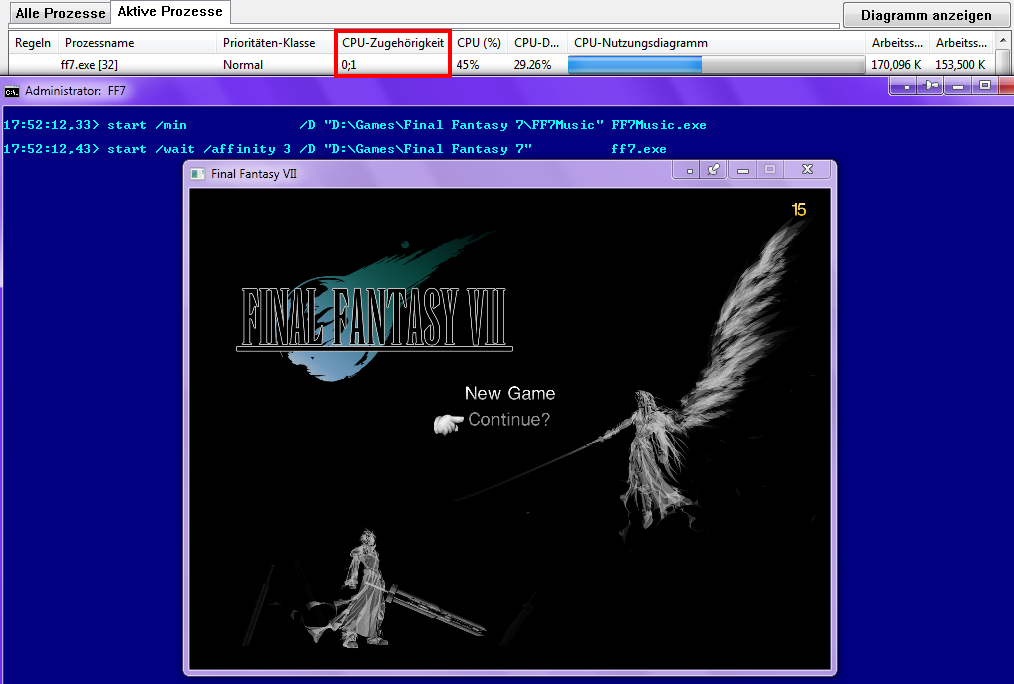
@PitBrat: When you are using the compatibility mode, you can use only one CPU.
                This command start/affinity 3 does not work then.
 
I've heard that running FF7 on multiple CPU's provides no performance benefit with Aali's current driver and might increase instability.

Does anyone have actual data suggesting that using multiple CPU's with FF7 actually increases the games performance?
 
No. Because the game isn't multi-threaded, so can't exploit multiple CPUs. Anyone claiming otherwise doesn't know what they're talking about.
 
@Bosola: Please test these commands and then be surprised

Code: [Select]
Code:
start /min              /D "D:\Games\Final Fantasy 7\FF7Music" FF7Music.exestart /wait /affinity 3 /D "D:\Games\Final Fantasy 7"          ff7.exetaskkill /im FF7Music.exe
/affinity 3 = using 2 CPU's
 
I'm not sure what you're getting at here. Are you pointing to the fact that a separate third-party music application can be run on another core? Well, sure. They're separate processes after all. But FF7.exe itself is still a single-threaded executable.
 
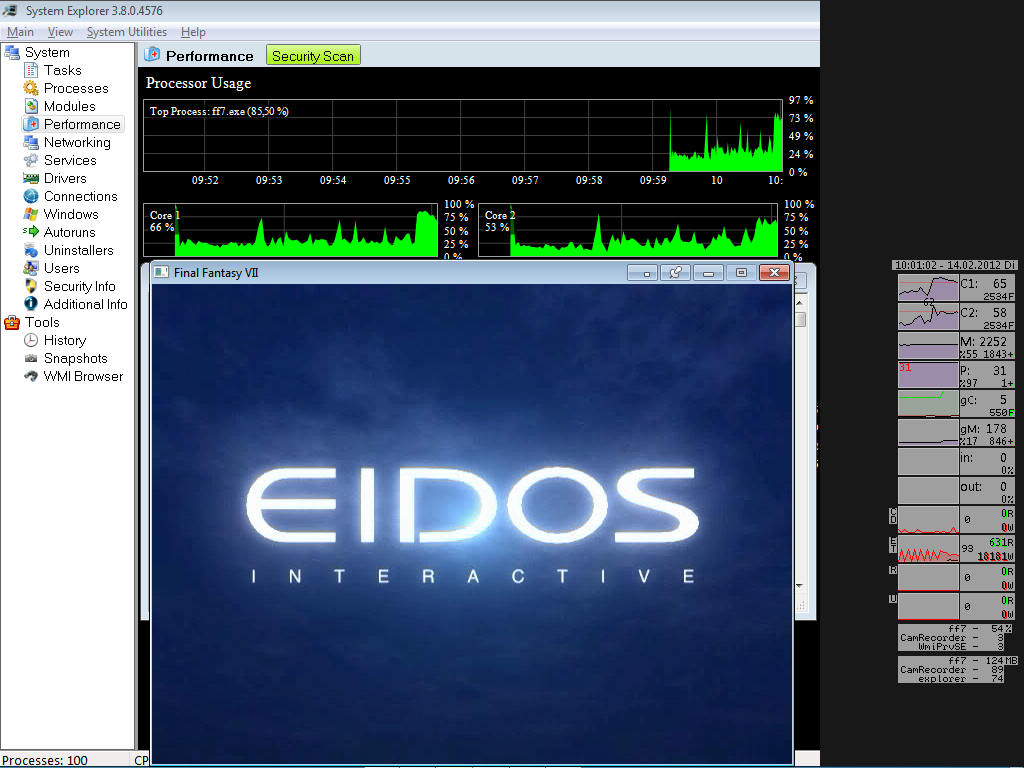
Proof of concept

Configuration:  Windows 7 Home Premium, 64bit
                         Intel Core 2 Duo, 2.53GHz


Movies made with Camtasia:  Low  Quality      3.43 MB
                                               High  Quality  121.64 MB

FF7.exe is running on two CPU's   :P


I know that Camtasia is not the best/fastest recorder, but Fraps made the movies to dark.
Btw, these are my first selfmade videos.
 
Last edited:
'Zugehörigkeit' means it has just been given an affinity to two cores - meaning two cores *can* run it if the OS finds a branched thread and decides it needs the extra resources. But FF7.exe is a single-threaded application, so it won't.

The proof's in your very image: your FF7.exe is using ~50% of your CPU resources. The FF7 executable tries to commandeer all idle cycles with null opcodes - meaning it uses 100% of any processor it runs on. The fact it's only using 50% of your CPU time proves it's only running on one core.

FF7.exe is a non-multithreaded 32-bit application compiled in a Win9x environment. It ain't gonna exploit two, three or even four hundred and seventy-six CPUs. Ever. No matter how many cores you set an affinity to.

Also, why did you record a video? An image would have sufficed.
 
Last edited:
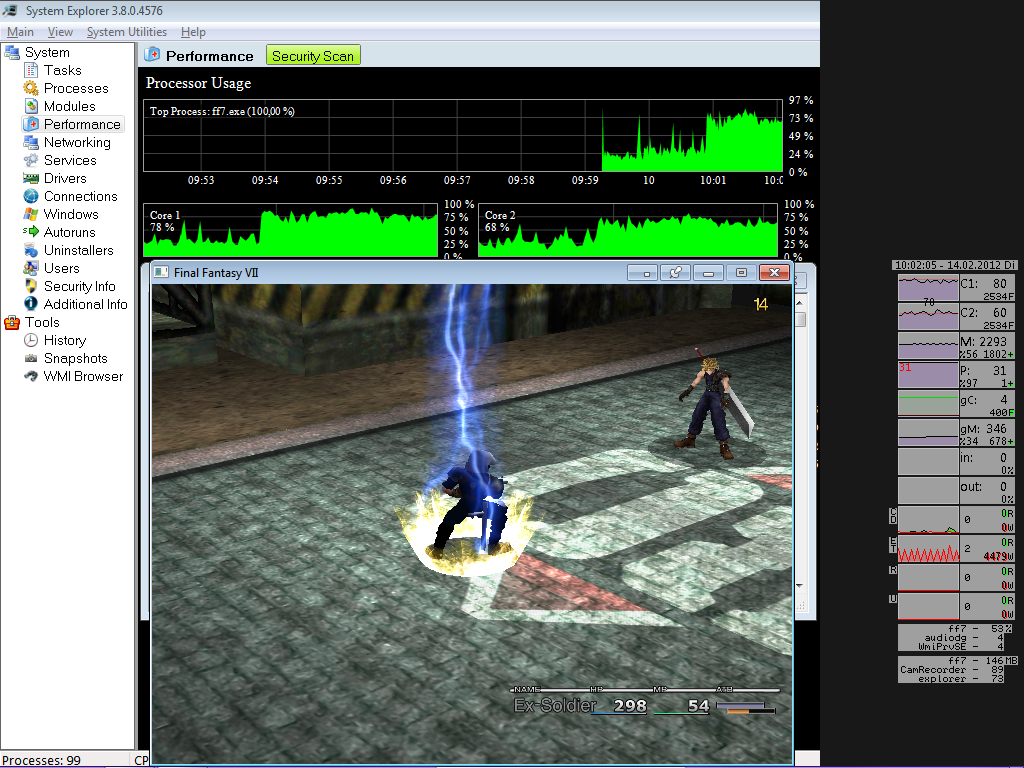
Proof of concept (2)

Configuration:  Windows 7 Home Premium, 64bit
                         Intel Core 2 Duo, 2.53GHz


Movies made with Camtasia:  Low  Quality       5.3  MB
                                               High  Quality  120.79 MB


FF7.exe is running on two CPU's   :P


Q: Also, why did you record a video? An image would have sufficed.
A: I am learning at the moment how to use/optimize Camtasia, so
    it was a good practice for me.

?: Why i am using /affinity 3 ?
A: I had performance problems with FF7, now they are gone.  :)
 
Last edited:
Your process explorer's 'per core' stats are just showing their general activity, not thread-specific use. Or else the application resource use would be the average of both cores.

If the app was multi-core, you wouldn't have any idle time, because of FF7.exe.'s bad habit of eating up spare cycles.
 
Thanks for your responses/explanations.

Can you lead me to a better analysis program, which
shows the real activity (thread-specific use) of FF7 ?

I used:

  • Process Explorer
  • Process Lasso
  • System Explorer
  • Samurize


I hope you can help me with this annoying problem. When FF7 is started a DNS/TCP
request is called by C:\Windows\SysWOW64\rundll32.exe. I don't like "home calls",
so i disallowed it in my firewall. The event manager has an entry with go.microsoft.com.

Do you know this problem ?

Problem solved.
I started URLSnooper for analysis and removed my firewall entry (rundll32.exe).
Then i started ff7.exe. As expected rundll32.exe did several requests to Micro$oft.
After this i closed ff7.exe and started it again repeatedly.  ==> No more requests.

It seems that Micro$oft likes Final Fantasy 7.  ;)

This was sniffed by URLSnooper:

Code: [Select]
Code:
http://go.microsoft.com/fwlink?linkid=30219&locale=de-DE&clientType=VISTA_GAMES&clientVersion=6.1.2http://go.microsoft.com/fwlink/?linkid=30219&locale=de-DE&clientType=VISTA_GAMES&clientVersion=6.1.2http://go.microsoft.com/fwlink/?linkid=30219&locale=de-DE&clientType=VISTA_GAMES&clientVersion=6.1.2http://movie.metaservices.microsoft.com/locater/WMServiceLocater.asmx/GetServiceLocationsForClient?locale=de-DE&clientType=VISTA_GAMES&clientVersion=6.1.2http://movie.metaservices.microsoft.com/locater/WMServiceLocater.asmx/GetServiceLocationsForClient?locale=de-DE&clientType=VISTA_GAMES&clientVersion=6.1.2http://www.w3.org/2001/XMLSchema-instancehttp://www.w3.org/2001/XMLSchemahttp://www.microsoft.com/Microsoft.WindowsMedia.Services.Platform.Apps.Mds.Locaterhttps://games.metaservices.microsoft.com/games/SGamesWebService.asmxhttp://gamesfeedback.metaservices.microsoft.com/gamesFeedback/GamesFeedbackWebService.asmxXhttp://mscrl.microsoft.com/pki/mscorp/crl/Microsoft%20Secure%20Server%20AuthorityVhttp://crl.microsoft.com/pki/mscorp/crl/Microsoft%20Secure%20Server%20AuthorityAhttp://corppki/crl/Microsoft%20Secure%20Server%20AuthorityRhttp://www.microsoft.com/pki/mscorp/Microsoft%20Secure%20Server%20AuthorityAhttp://corppki/aia/Microsoft%20Secure%20Server%20Authorityhttp://mscrl.microsoft.com/pki/mscorp/crl/mswwwhttp://crl.microsoft.com/pki/mscorp/crl/mswwwhttp://corppki/crl/mswwwhttp://www.microsoft.com/pki/mscorp/mswwwhttp://corppki/aia/mswwwhttp://cybertrust.omniroot.com/repository.cfm0http://www.public-trust.com/cgi-bin/CRL/2018/cdp.crl0http://www.public-trust.com/cgi-bin/CRL/2018/cdp.crlhttp://www.public-trust.comhttp://mscrl.microsoft.com/pki/mscorp/crl/Microsoft%20Secure%20Server%20Authority

 
Last edited:
hang on.. it says that I don't need to DL the facepalmer 1-20 (3GB) and instead I can DL facepalmer.zip which is 16KB??? is this correct?

Doesn't make sense. I downloaded a gig of facepalmer before I saw that note, but I don't believe it can be true.

Or does it mean that if I have 1-20 I don't need the .zip file.. but then why is it there? confused.  :|
 
Last edited:
@Future^Bacon: Do you mean this file :  FacePalmer.zip.torrent
                            It is used to download FacePalmer via Torrent.
                            If you don't know how to use Torrent's, then you should forget this file.  ;)

                            You can download the .zip or the .rar version of FacePalmer.
                            The .rar version is easier to install.
                            The Bootleg installer recognizes both versions.

                            ! You need only one version !
 
Last edited:
ah yeah that makes a bit more sense... it doesn't say FacePalmer.zip.torrent in the list though. All good I've just been getting the .rar

Next Question :D

edit: nevermind, I went to your mediafire disaster recovery googledocs and found the files there as well as some others, thanks again :D Also I didn't notice that someone else posted the same question on the previous page my bad. D:

ALSO for anyone else who may be looking: btjunkie is dead,  'Final Fantasy VII Remix v.2-5-1 installer.exe' can be got here http://torrentz.eu/295211b4bbcc9c45a92d92ec95c0340e06e5bbbd

However I also came across the problem FL-BSE v0.1.1UPD.zip link sends you to the download for FL-BSE v0.1.zip which someone else also asked, but there was no answer.

The file FL-BSE v0.1.1UPD.zip can be found here: http://www.mediafire.com/?b6rg7lgn499cso7

I know this is about my 10th edit on this post, but I figured I could make it easier for people looking for those video files.

ff7_enhanced_movies_1.zip is located here: https://rapidshare.com/files/2135061499/ff7_enhanced_movies_1.zip
ff7_enhanced_movies_2.zip is located here: https://rapidshare.com/files/1099401798/ff7_enhanced_movies_2.zip
 
Last edited:
@Future^Bacon:

However I also came across the problem FL-BSE v0.1.1UPD.zip link sends you to the download for FL-BSE v0.1.zip which someone else also asked, but there was no answer.
This error is known and is on my list:

   Links are mixed FL-BSE v0.1.zip <-> FL-BSE v0.1.1 UPD.zip


RapidShare doesn't like free users anymore:
RapidShare-newLimits.png
 
Last edited:
Yes I know, and rapidshare also doesn't let you download more than one file at a time unless you pay 10 bucks a month, which is a pain in the proverbial. They need to change their name.

But that's where the files are hosted according to the big list, it would be great to have those files mirrored at mediafire, considering it's taken me over 6 hours to download 900MB from rapidshare.
 
Last edited:
@Future^Bacon: Already done => Trojaks ff7 enhanced movies mod. Alternate Download?


Bootleg version

MediaFire folder:  Enhanced Movies (Trojak)


[list type=decimal]
[*]You must decompress the two archives by selecting these files:

  • ff7_enhanced_movies_1.part1.rar
  • ff7_enhanced_movies_2.part1.rar
[*]Move these extracted files (NO folders) into your Mod Source folder:

  • ff7_enhanced_movies_1.zip
  • ff7_enhanced_movies_2.zip
[/list]


Alternative (manual)

MediaFire folder:  Enhanced Movies (Trojak)  manual version
! Bootleg0037 does not recognize these files.

[list type=decimal]
[*]You must decompress the two archives by selecting these files:

  • ff7_enhanced_movies_1.part1.rar
  • ff7_enhanced_movies_2.part1.rar
[*]After the Bootleg installation, move all files (NO folders) into
this FF7 folder:  .\movies   (overwrite? => YES)
[/list]
 
Last edited:
I'm all done, and it's working great, thanks for your help.  :-)

 It seems that a lot of the hair textures are missing, because the back of some sprites heads are invisible in the field models. i.e. the guards in the first scene when you get off the train, as in this screen.

ff72012-03-0718-21-12-25.jpg


Have you come across this before?
 
@Future^Bacon: This problem is new for me.
                            Did you install FF7 Unified Model Installer ?

I suggest people wait until U002 before using this since there are some bugs to iron and I am changing installer slightly so the Menu Overhaul is fully compatible with the installer.
 
Status
Not open for further replies.
Back
Top