
[WIP] Team Avalanche's Graphical Overhaul

  • Thread starter Thread starter sl1982
  • Start date Start date
Status
Not open for further replies.


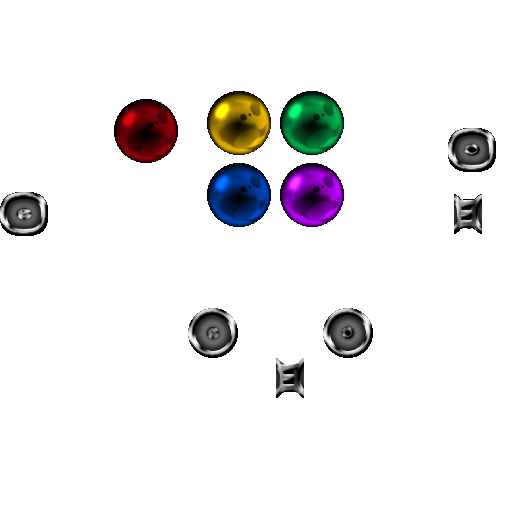
Ok, I modified the glare on the squarish ones... (those I left in the same places they were) Again, left is growth, right is no growth.


and I made a new set that is perfectly circular at the bottom... I also resized the materia some because I noticed some odd edges on the ones ingame...
 
Lookin good. Hope the round ones work in game. I could swear the original were round.. But like i said, been a LONG time since i played it when it wasn't stretched
 
PLEASE NOTE: In case you didn't realize, the image on this page has been shrunk, please click the image link to get to the original sized one on my photobucket!


(Otherwise all hell could break lose resulting in loss of quality)
 
I noticed that. I still have to resize them. The slots are too small and the materia is too big. No big deal though
 
Round ones look much better

Think i need to resize the materia now though

 
Everything looks good from what i can see. Unless i'm missing something

Round is definitely best awesome job
 
Ugh i think im getting carpal tunnel
*cuts off hands and gives them to you* there, now you wont!

Wait... How can i type now..... .NOOOOOO
 
Well... I don't remember there being a pink materia...magenta... but not pink... I'm just trying to make it the way I remember it...
 
Note to anyone using the beta. If you try to heal it will crash the game.


Copy this file into your textures folder to fix.

edit: also make a copy of the file and name it btldl_04.png. Also file needs to be renamed to btldh_04.png
 
Last edited:
Hi, nice job :D

I'm spanish, can you edit the font to display correctly in the spanish version?

Here's the screenshot with the problem:

 
Last edited:
Just to throw it in here.

High res score board from the high.lgp, 4x the size and using the Final Fantasy font.

Original 256x128:
Originaljuaa.png


Highres 1024x512:
juaa-1.png


It's here if you guys want to use it, don't know how to get it working in-game and I can't even test it as I'm not at Gold Saucer yet in my current play through.
 
Last edited:
Does it seem like the materia color is bleeding into the slots?

materia.png


Or is that what this post meant? (Or am I just off completely?)
I noticed that. I still have to resize them. The slots are too small and the materia is too big. No big deal though
 
Thanks dragon. That looks good. And the materia does bleed a bit.But it is hardly noticable.
 
Hi, nice job :D

I'm spanish, can you edit the font to display correctly in the spanish version?

Here's the screenshot with the problem:
Well i dont want to get into the habit of supporting other languages is it just those 2 characters that need changing?
 
Heres another go at the avatar, just a wip but much more detail. Thoughts?

picture78.png


Edit: my bad
 
Last edited:
Status
Not open for further replies.
Back
Top