
Aavock UI 1:1Remastered

  • Thread starter Thread starter Aavock
  • Start date Start date
Status
Not open for further replies.
Hi Aavock. I didn't notice there was a much better version of the items icon done by you.
I was talking about the icon I found in the files downloaded from here, which I find too "realistic" compared to the other icons that are, instead, stylized.
dJuQaKP.png


If the first image shows a "beta" version of the icon, I would prefer to use that, as I really like it, and it fits with the overall style, and the original icon, much more than the second version.
 
Hi Aavock. I didn't notice there was a much better version of the items icon done by you.
I was talking about the icon I found in the files downloaded from here, which I find too "realistic" compared to the other icons that are, instead, stylized.

If the first image shows a "beta" version of the icon, I would prefer to use that, as I really like it, and it fits with the overall style, and the original icon, much more than the second version.
I see, this particular screenshot was taken during the WIP so this old item icon is long time gone. As I mentioned in my first post I plan to properly revisit all weapons/accesories icons in near future for some extra details and a better overall consistency between them.
 
I would recommend Az's version because the clipping shadows are way too harsh on the other one. But at the end of a day it all comes to personal preference.
As you say, personal taste. I actually like the shadows better. Even though, I play with your “vanilla” UI (so non transparent). Thanks for the great work so far. I cannot wait to see what you are going to do with the mini games.
 
Cheers man! You can see progress made for the mini games in the main french topic. Rollercoaster, Snowboard, Torpedo Attack and Moto-G are done, next stop: Fort Condor.
 
Thanks Az, I did spent good amount of time searching across the web for the optimal artwork quality for each characters. Then, came the proper upscale, cleaning process, color correction, white balance and more.

I know some people love transparent backgrounds, so it's a nice addition. Thank you!
You did a really good job with them. Unless SE releases a digital artbook or something along those lines, we probably won't get anything better than this.
Someone did a very similar job on the french board: https://ff7.fr/forum/index.php?page=post&ids=463806&pg=0 Maybe you can compare both of your versions?
I wasn't aware. At first glance, that version looks a bit unpolished. Personally not a fan of drop shadows or outlines, either.
 
well done Az for the transparent portrait, i am loving it. soon i finally get to play with your hd UI mod, Aavock. well done for the mod. combining with satsuki's texture mod, this will be superb :D
 
Thank you so much for this mod, Aavock. This is now part of my absolute essential configuration list for the best remastered FF7 experience on PC.

I've got one question your way: I always found it confusing how the PC version uses "Switch" and "Menu" for the button prompts and that's often why I mix up keycodes. Would it be possible to create a version with PlayStation buttons as well?
 
I've got one question your way: I always found it confusing how the PC version uses "Switch" and "Menu" for the button prompts and that's often why I mix up keycodes. Would it be possible to create a version with PlayStation buttons as well?
Glad you like it Xenohart; it was my goal at first but had to do some compromises with Satsuki and Acro (head of the french retranslation). I'll probably insert PS buttons but flevel.lgp editing is required.

Hey Aavock, is there any update?
Hey Kuraudo, I'm currently finishing all Fort Condor textures (french version for now) and I'll be posting tons of screenshots in the next few days in the main thread. Will follow the Chocobo Racing (the last remaining mini-game) interface.
 
Thanks Kuraudo. The Fort Condor french UI is complete and screenshots can be found here. English translation won't take too long but in the meantime Chocobo Race is next!
 
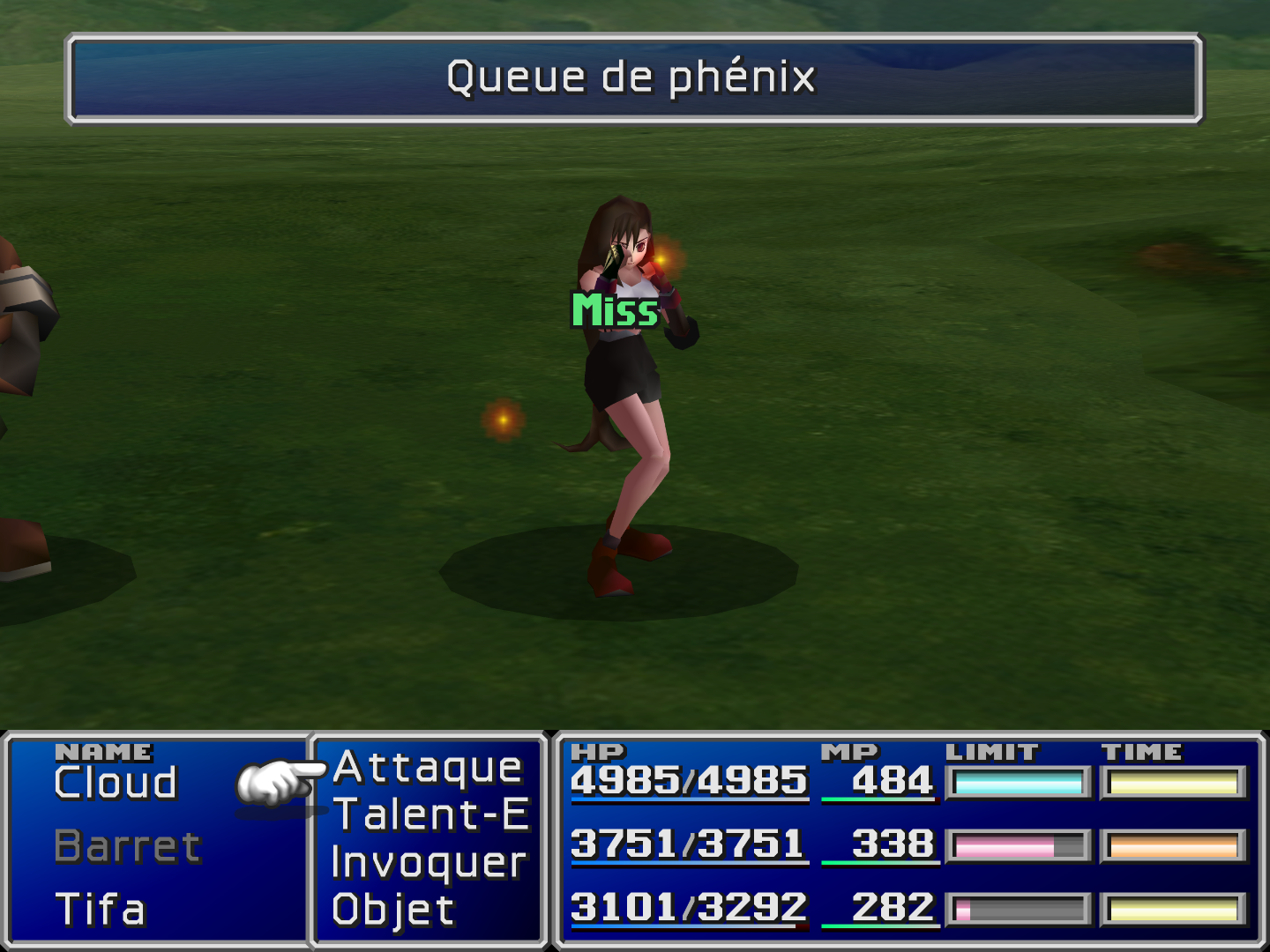
Maybe you already know this, but when a benefic effect misses, like when using a phoenix down on yourself while being alive, instead af a green "Miss" it appears "Ratè".
So that part of the UI is still in french.
 
Thanks for the report daedrixx2, you can download the quick fix here.

Here's the preview:
raSJC0u.png
 
Thanks for the report daedrixx2, you can download the quick fix here.

Here's the preview:
raSJC0u.png
Beautiful! Can't wait for the english version, thank you Aavock!
 
It looks great, I even wanted to play again.
 
Last edited:
You're welcome olearyf2525, the complete english version of the main UI is available in the first page. This last post is about a quick fix for the green "Miss" texture.
 
Status
Not open for further replies.
Back
Top