FF7 Crisis Core Upscale Project

  • Thread starter Thread starter eqprog
  • Start date Start date
Status
Not open for further replies.
Yeah, some textures are at such low resolution even at 4x upscale that they still don’t have the fidelity id like.

Devine, you’re welcome to do whatever work you would like to do or not do. No commitments!
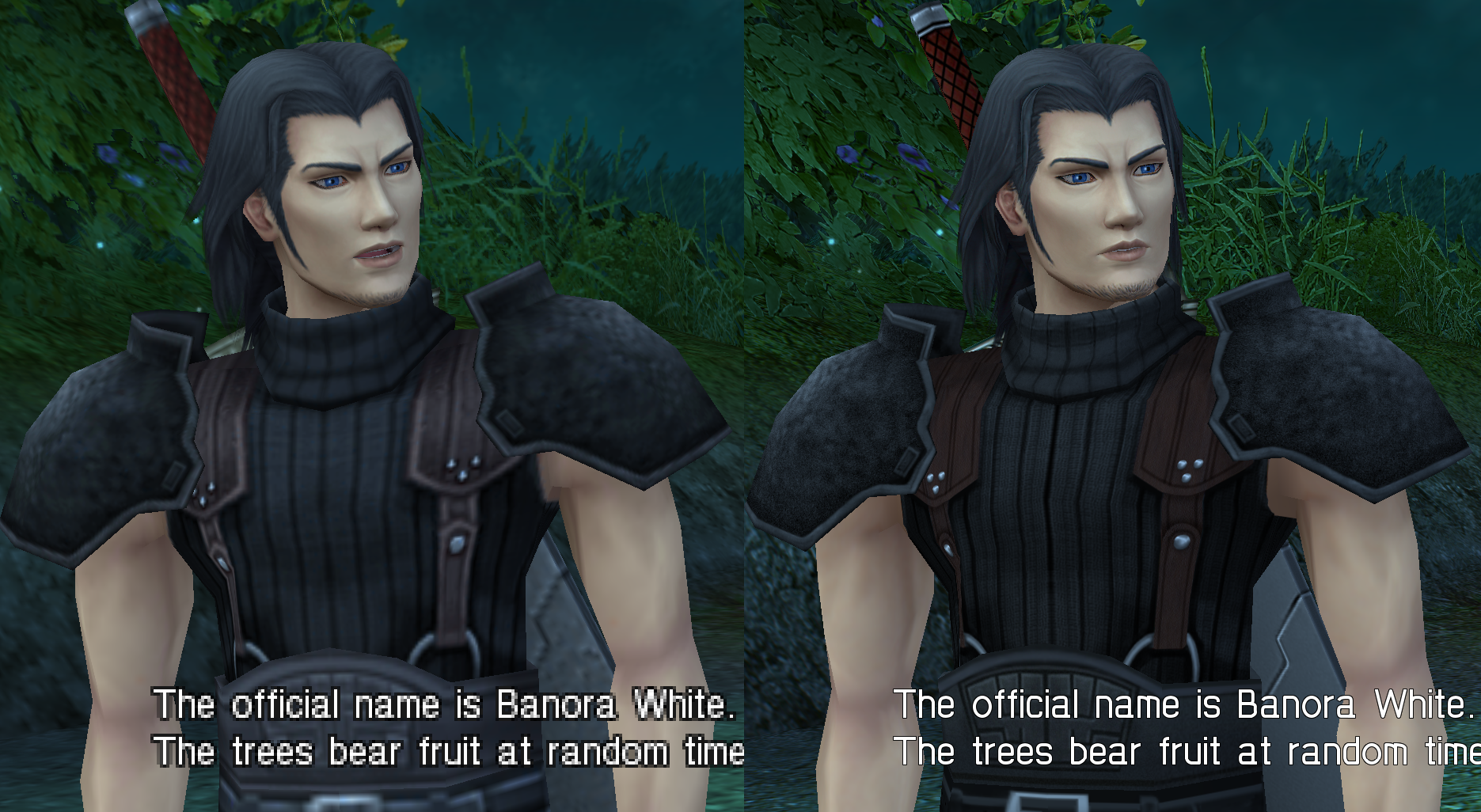
 
As far as the text in the circle goes (if you mean in the circle on the Banora logo), its really impossible to tell if its actually text or not. I would just put circles or some sort of stylish meaningless symbol. If you mean the part in the upper right of the image you posted, I believe that would be the bottom of the can of banora apples. I don't know if the player ever really sees that or not.
 
Minor update: I am about 99% confident that getting upscaled FMVs into the game is essentially impossible right now. The only hope we have is if the emulator comes to support straight up replacing video files. I made some progress, in a sense, in that I managed to track down some software that would let me rip the audio files from the FMVs and demux the video stream. I just can't get them put back together (with higher quality video).

During my searches I noticed a lot of the resources on this topic have simply disappeared. If anyone reading this has any idea how this can be achieved, please please let me know.
 
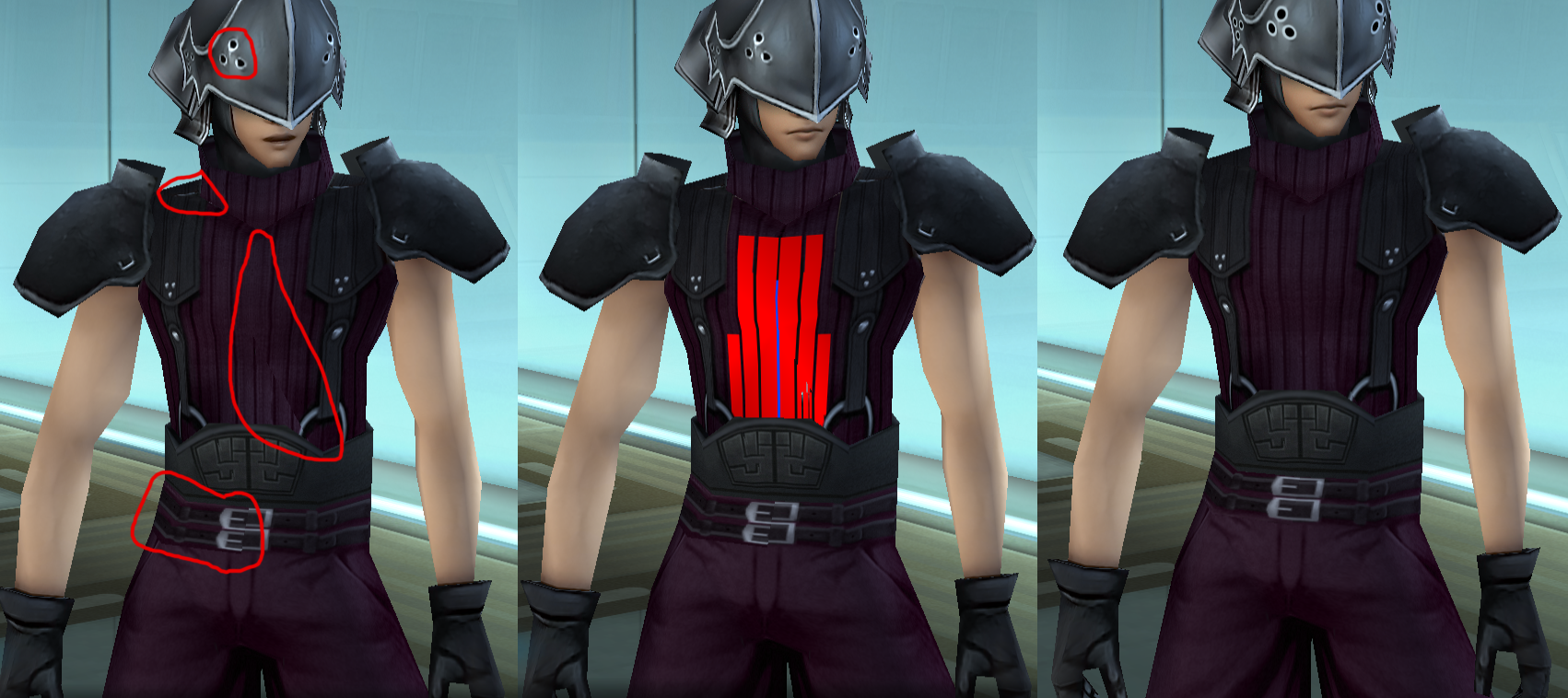
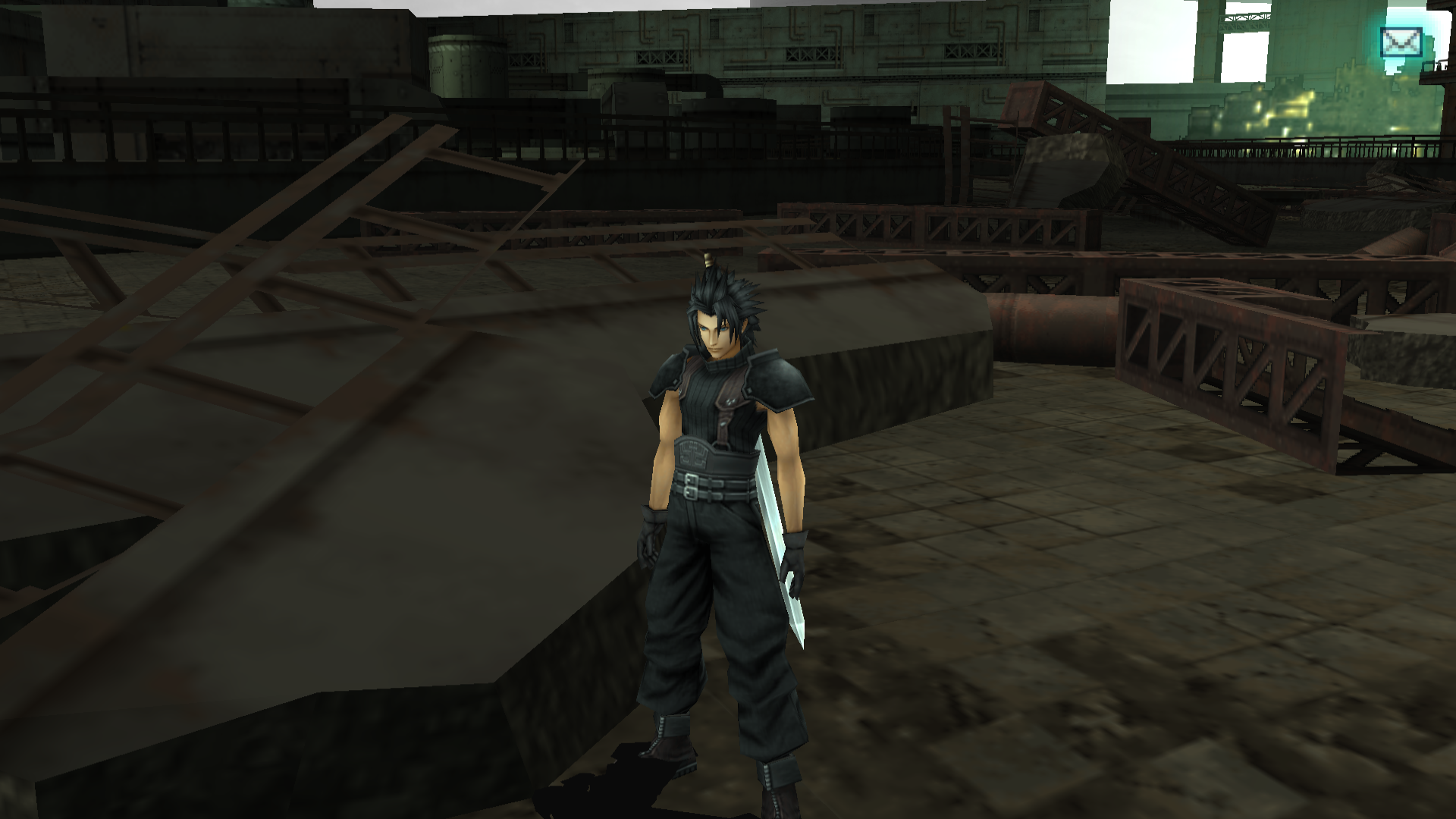
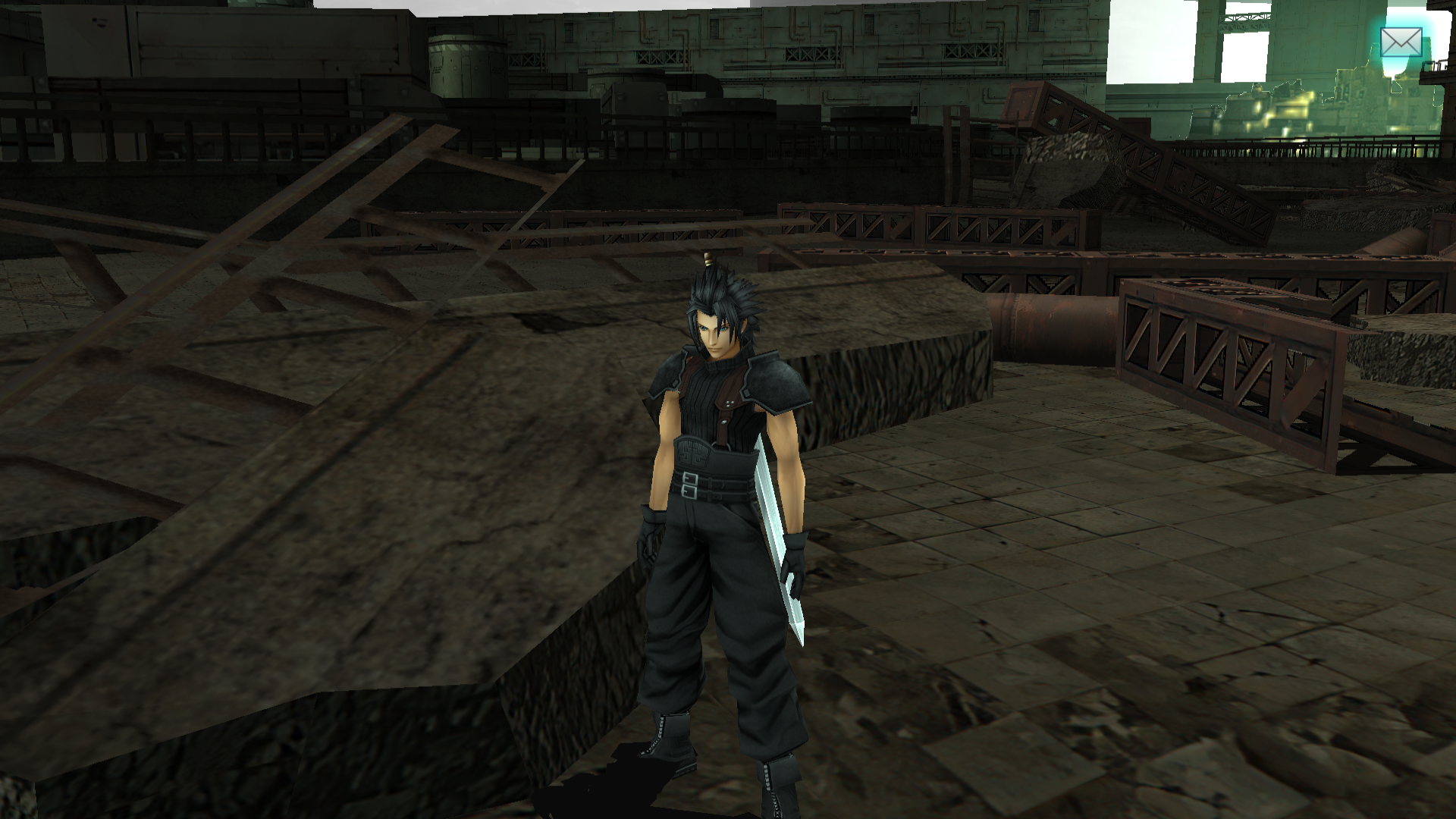
Zack's hi-poly models have all been updated a little.

Angeal's hi-poly and low-poly models have all been updated.

mpNazyc.png


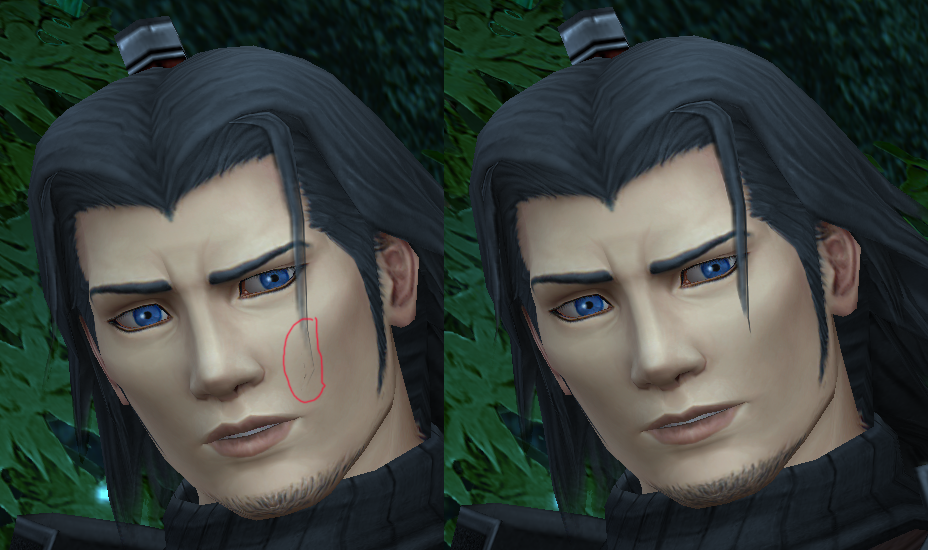
I had to fix a weird bug here (also tried to make his facial hair look less painted):

pauh0EE.png


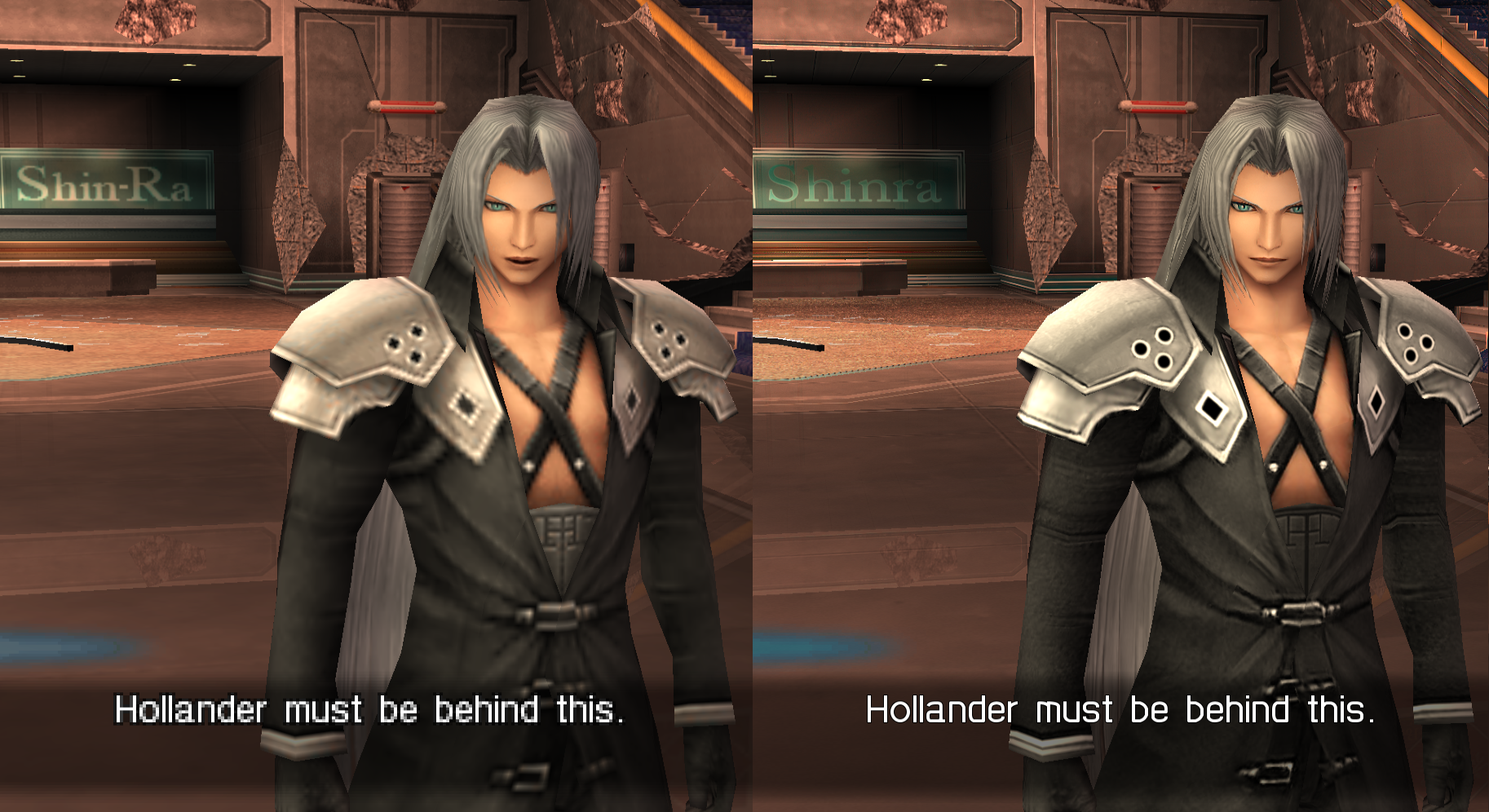
Seph's hi-poly and low-poly models are updated so all animation errors should be fixed. It's not the best work, but I made the geometry and his belt better.

l4pUtlz.png


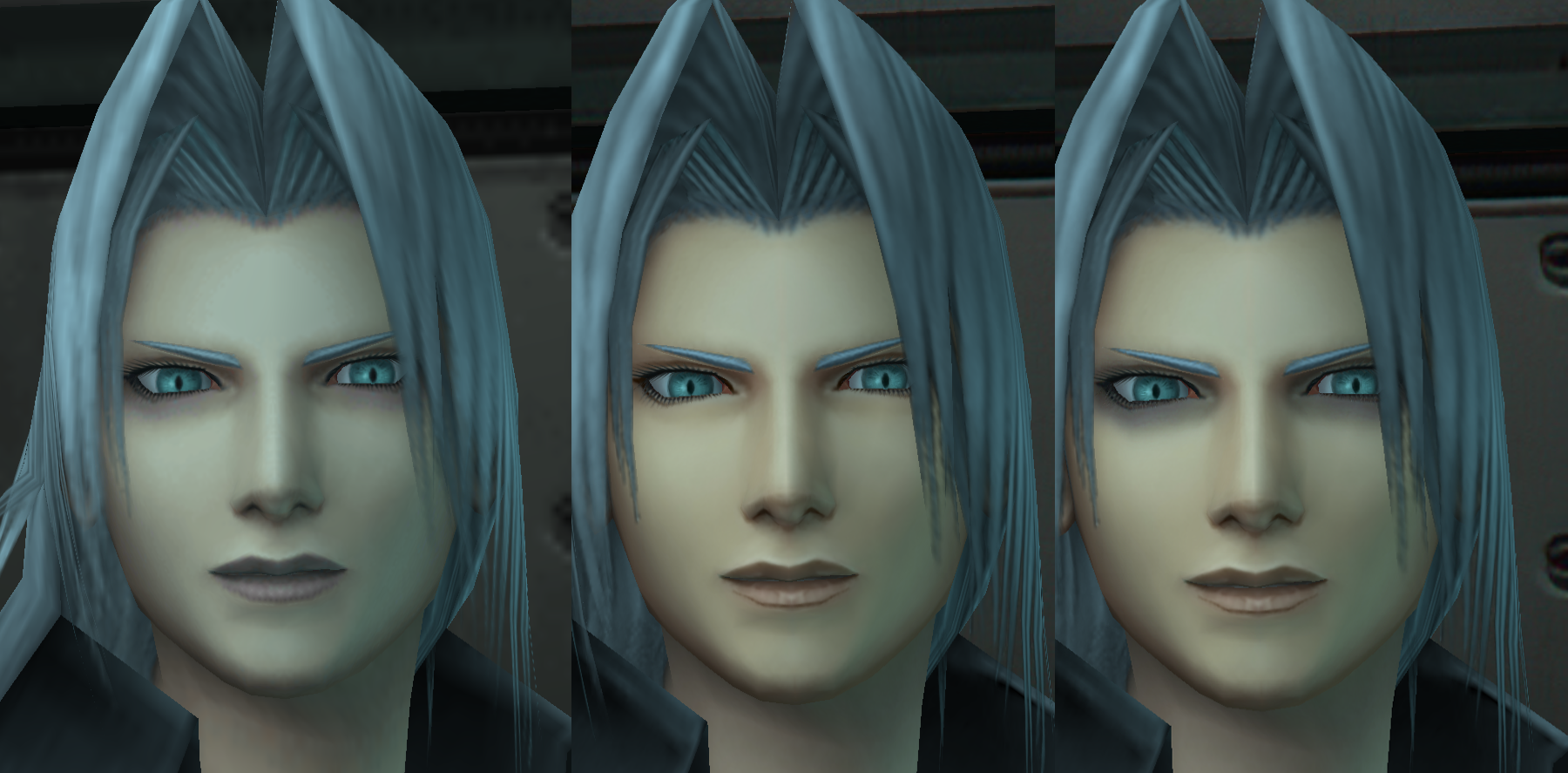
During the Jenova scene, his face goes from sickly, to healthy (when he sees Jenova) and sickly after, implying being near Jenova gave him some health and energy.
Upscaling all his unhealthy frames is too much, so to compensate, I made his eyes look darker just because I wanted to get this important point across.

3wx0QCN.png

(sickly/healthly/my edit)

There was also a missing frame during this scene, so I added it and updated textures.ini
 
Would you say now its at a point where you're satisfied with it? I've been itching to play but I've been super patient while you guys make it even more amazing.
 
I would say wait a week or two, I need to re-do Zack's low-poly models, then I'll post in an update when I think you should play it. Then I'll be 90%ish satisfied with the project, and I think you could bite then. All the major errors have been fixed AFAIK (we've done so much work in these past few months so either way, the experience you get in a couple weeks will be better than how it was originally was), but we still need people to play it and test it out anyway. I'm a bit disappointed by the lack of feedback, but I guess not everyone wants to make Qhimm accounts or something.

The 6 has been extended so it looks more as it should, and makes it more like the original.

PPSSPPWindows64-2020-09-07-18-52-18-16.png


The famous photo of Zack, Tifa and Sephiroth has been remade in HD (all the other photos during the trip have been updated, but sadly, they aren't in-engine so they aren't as HD as this one).

2014-09-21_00002.jpg

1.png


PPSSPPWindows64-2020-09-08-10-22-29-41.png
 
Looks amazing. I'd be happy to help provide feedback and wait a few weeks. I couldnt figure out where the ULUS10336 folder was in PPSSPP though, so I'll probably need a quick instruction on how to do that haha. AMAZING work regardless! Keep it up!
 
Looks amazing. I'd be happy to help provide feedback and wait a few weeks. I couldnt figure out where the ULUS10336 folder was in PPSSPP though, so I'll probably need a quick instruction on how to do that haha. AMAZING work regardless! Keep it up!
It took me a while too to figure out the correct folder location, but here it is.
For PPSSPP all files need to be copied into the following folder:

<Your PPSSPP Install Location>/memstick/PSP/TEXTURES/ULUS10336/

For RetroArch all files need to be copied into the following folder:

<Your RetroArch Install Location>/saves/PSP/TEXTURES/ULUS10336/

You can change the RegionID (i.e. ULUS10336) to some other ID but from my personal experience it seems to load only a few. As "eqprog" stated before, textures are swapped based on memory location, some will be the same other will not.
 
It took me a while too to figure out the correct folder location, but here it is.
For PPSSPP all files need to be copied into the following folder:

<Your PPSSPP Install Location>/memstick/PSP/TEXTURES/ULUS10336/

For RetroArch all files need to be copied into the following folder:

<Your RetroArch Install Location>/saves/PSP/TEXTURES/ULUS10336/

You can change the RegionID (i.e. ULUS10336) to some other ID but from my personal experience it seems to load only a few. As "eqprog" stated before, textures are swapped based on memory location, some will be the same other will not.
Thanks. I will update the OP to include more detailed instructions. I guess I never considered that there would be different setup configs for retroarch or that people would have difficulties.

As far as being 100% finished, its hard to say exactly when that is going to happen. I think that the current experience feels rather good as is, there are just some funky looking textures due to poor upscaling. That being said, I don't think anything would ruin the experience for that average user, but if you're a purist, then wait. We'll eventually decide when its "good enough."

tl;dr: For the best experience, I agree with Devina that you should wait for the character models/textures to be finished (no pressure, Devina :wink: )

I managed to get three days off of work in a row this week (today-saturday) so I plan on getting some more work done.

Modified OP with more detailed installation instructions
 
Last edited:
that looks very good ... thank you very much for your work, I'll give it to me ...
 
I honestly appreciate the work and time you Devina and Eqprog are putting into this. Its one of my all time favs as a game and as a final fantasy. All the wait for the end product is worth it.
Do either of you have a cashapp, venmo, paypal, or any site or way I can personally send you anything for just putting time into this?. I truly appreciate the work, it wouldn’t be something big but even just any token of appreciation i want to send. This upscale is heaven sent and looks amazing so far

I tried to send a PM to either one of you but I kept getting an error message several times
 
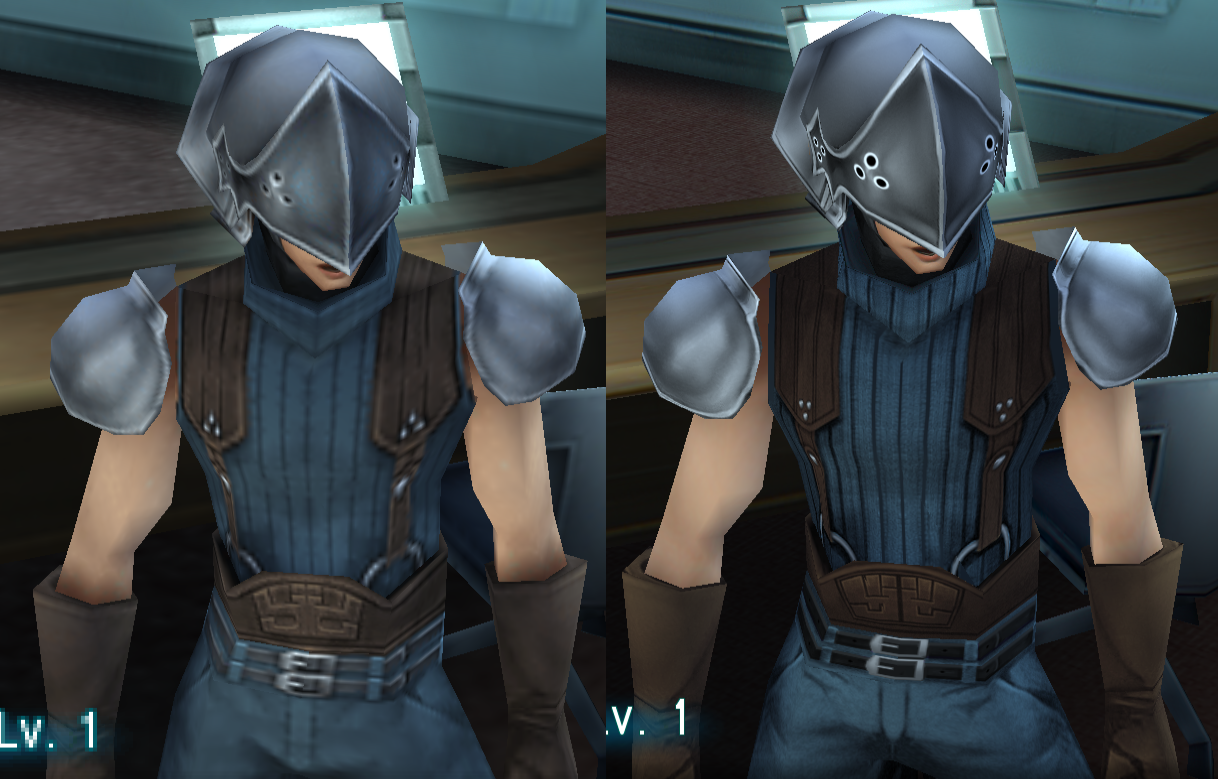
Thanks for being patient the past 2 weeks. All of Zack's textures (except beachwear and finale) have been updated (as well as Cloud in the SOLDIER 1st class outfit). This means there should be no more animation errors in the game. His hair has also been fully desaturated.

eqprog, I think we should update the pictures in the OP since they no longer represent the version out now (especially Zack's clothing). Maybe a comparison so people can see the actual difference better.

If anyone has been waiting to try this pack out, I would say go ahead now. Just give us feedback and if anything bothers you (that isn't already on the current issues list), post it here. I also updated the namebox shadow so that it doesn't look so pixelated:

vp5PtAS.png


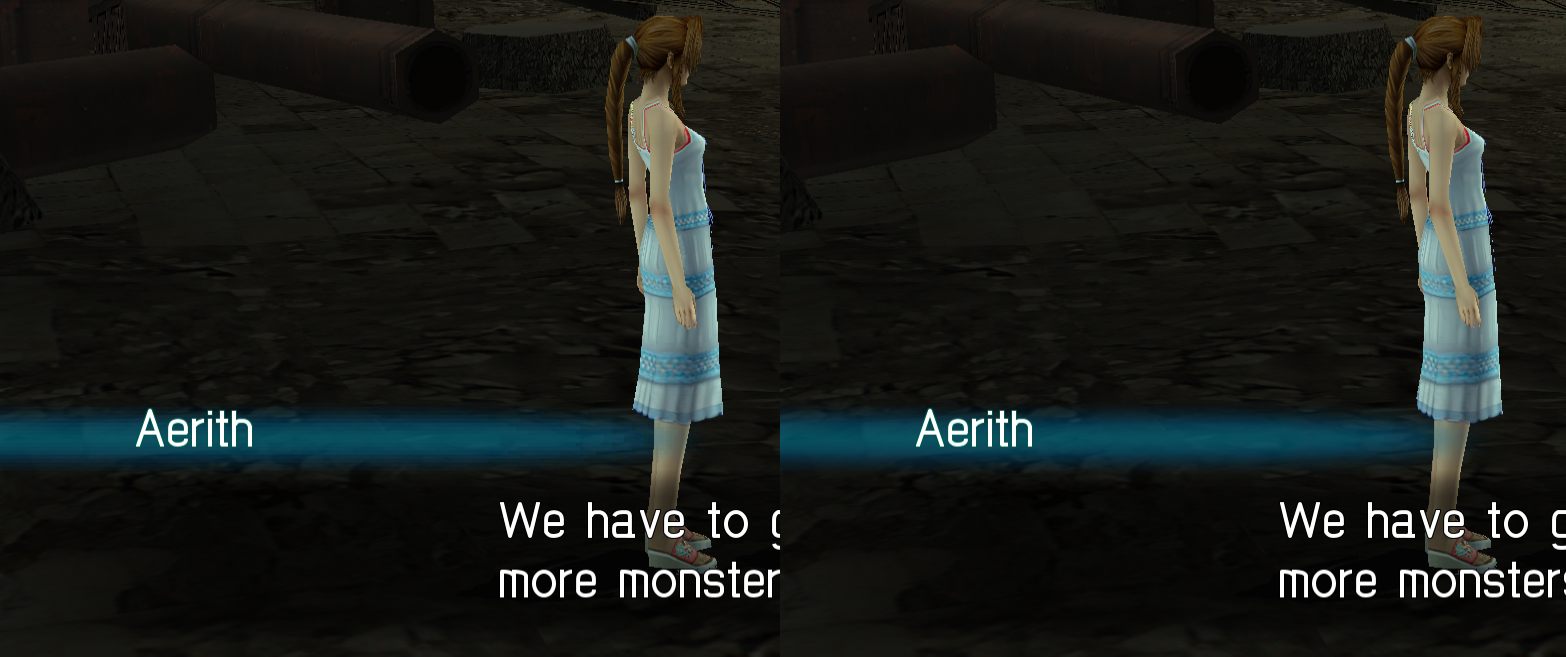
I'm going to probably focus on Aerith and doing that Banora logo, but I'll also probably post some minor environmental updates.

Thanks for the donation offer as well. I prefer to keep my Paypal private, but if anyone wants to PM me Steam gift card codes on this forum, I'd appreciate it. Just know that I live in North America as I don't think it's compatible between regions.
 
Last edited:
6wH84yu.png


I'm fixing the red and blue versions of this NPC right now, took me hours just to fix some of the errors here. >_<

The way the seams work on this model is evil so I had to align stuff.
 
Yeah, they are pure evil. After I did the initial work with the updated thread texture and saw the way it looked in game I felt pretty defeated.
 
Well I played through the entire game with your pack and honestly, it was pretty amazing. You seem like absolute perfectionists that will never be full happy with your work, but from an outsider average user perspective, this is the definitive way to play this game now. And you've probably helped extend the life of this gem that will be stuck on dead hardware for all time. So thank you, thank you soooo much for your work.
 
@eqprog: You should let me know if you see any errors like that since I like fixing that stuff.

@jons: I'm glad you had a good time with the game. I'm surprised you beat it so soon, did you play 9 hours a day or something? And yeah, I'm a bit of a perfectionist. If you had to give some constructive criticism, what would it be (that may not already be mentioned on the current issues list)?
 
Mr. Red and Mr. Blue are now re-done.
It's not 100% perfect but now when you look at it, you don't get weirded out as much by your first glance. I also removed the shadows above his gloves because that's not how shadows work in real life.

FP5Ubr0.png


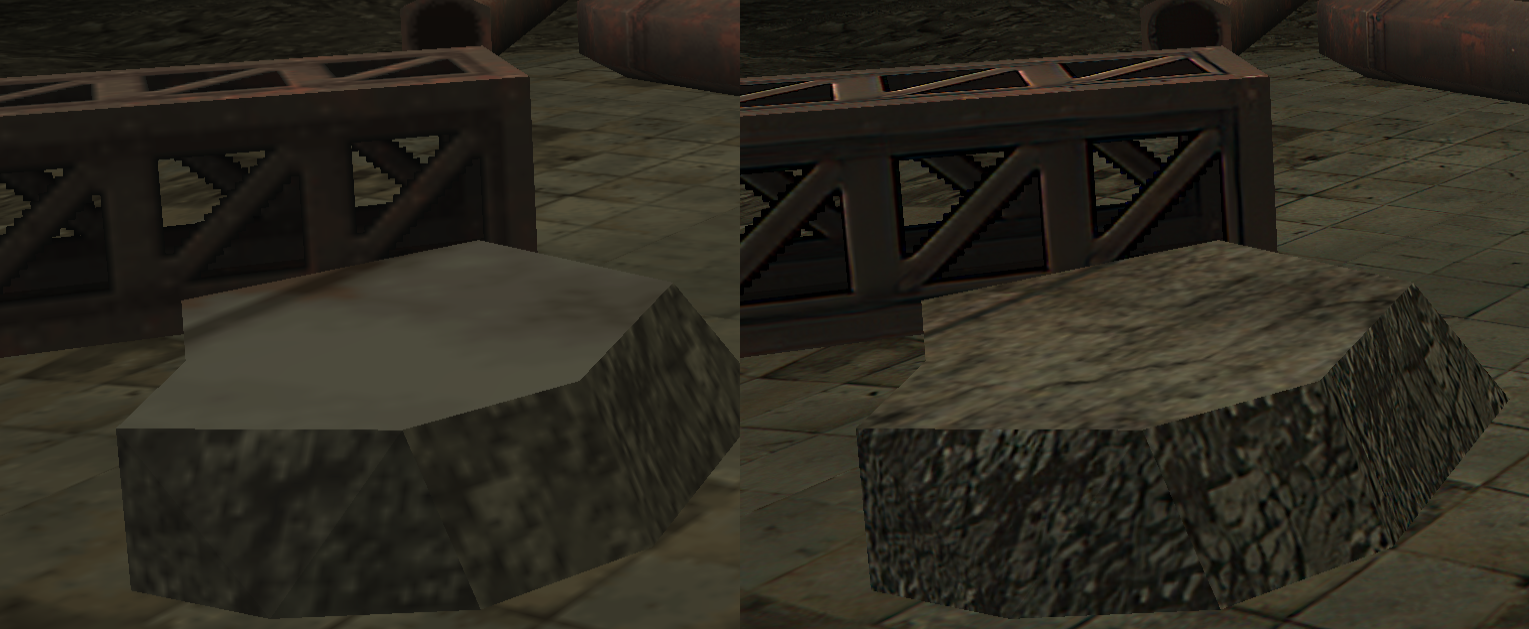
I redid some debris. Here's what it looked like before with weird black outlines: https://i.imgur.com/fGKDzFB.jpg

As you can see, it has a lot more detail now and makes the slums look grimier.
It's not often you can do stuff like this, but every bit of detail helps.
All you have to do is find some similar photo online and put it around 50 transparency and overlay it.

dQlx4yY.png


MQjQrNx.png


Some more debris.
Unfortunately, there's a weird pixelation error on the cube thing behind it.
I tried fixing it but it gives me that weird white transparency glitch.
It might take a long time to fix the stupid thing so I'll leave it for now.

uMI8eVQ.png
 
Thanks for the tip, that's a really great technique. My attempts at making gritty "texturized" surfaces by hand have all been pretty poor. This method seems much more effective.

I believe I can fix the "cube" thing. I'm sorry for my lack of activity lately. I've been keeping up with the thread at the very least, but i've been simply exhausted lately. Several call-outs at my job recently due to co-workers either getting CV or being possibly exposed by a family member (among other things people call out for) which has translated to many late nights.

Today I will:


[list type=decimal]
[*]Create a new screenshot gallery
[*]Work a youtube trailer (pre-lim work)
[*]Fix the cube thing - ps if I do this I'll try to document how I work with the transparencies just for educational purposes  ;)
[*]Continue misc work on textures
[/list]
 
Hi ! I'm new here. I just found your upscale project some days ago and I really love it. It looks great !! This is one of my favorite game, thank you for the hard work ! I'd be glad to help you if I can. :)
 
Status
Not open for further replies.
Back
Top