P
p182
Guest
nvm, I've read through previous posts and found its a problem with the Yuffie model i selected. 

 :lol:
:lol:  :wink:
While in-game, go to the menu, config and select "controller" to change it from "normal" to "customize".Hi, quick question: How do you modify the controls?


Wow, such a detailed explanation, with screenshots and everything. Thank you very much! I had only played the 2012 version, which had a control config screen in the launcher, so I didn't realize there was an in-game oneOh man, I knew I'd love this! Just got everything working just the way I like it (I definitely recommend just leaving the menu overhaul alone), and I am SUPER impressed. FFVII modding has come a long way since the Phoenix Rejuvenation Project! Once again THANK YOU for making this package, typing out this easy-to-follow guide and offering a torrent with all of the necessary and optional files (I am now seeding it)! I am forever grateful!
:-D 8)
Since I'm here, I guess I'll answer this question:
While in-game, go to the menu, config and select "controller" to change it from "normal" to "customize".
While in the customize menu, line up the cursor with the command you want to assign and hit the "ok" button once to select it. Once selected, press the button to which you want to assign the command. I have a ps3 controller configured with Motioninjoy, so I would use the "Joystick" column, but if you're using the keyboard, change the buttons in the "keyboard" column.
Again, "Ok" button to select, then "any key" to reassign. Hope that answers your question!
INFO: FF7/FF8 OpenGL driver version 0.7.11bINFO: Auto-detected version: FF7 1.02 US EnglishERROR: failed to set fullscreen modeINFO: Microsoft Corporation GDI Generic 1.1.0INFO: GDI software renderer detectedINFO: No OpenGL 2.0 support detected, shaders won't be availableINFO: VBO not supportedINFO: PBO not supportedINFO: Subtractive blending not supportedINFO: No swap_control extension, cannot control framerateINFO: NPOT textures not supportedINFO: Max texture size: 1024x1024INFO: Number of texture units: 1INFO: Original resolution 640x480, window size 640x480, output resolution 640x480, internal resolution 3840x2160ERROR: no FBO support, cannot render in higher resolution than window sizeINFO: internal resolution clamped to 640x480INFO: No NPOT texture supportERROR: init_indirect failed, scaling and postprocessing will be disabledINFO: internal resolution clamped to 640x480INFO: FFMpeg movie player plugin loadedINFO: FFMpeg version SVN-r25886, Copyright (c) 2000-2010 Fabrice Bellard, et al.INFO: No shaders, codecs with YUV output will be slow.INFO: FF7Music helper plugin loadedLOCK UNLOCK TESTMATRIX INITIALIZEINITIALIZE DD/D3D ENDinitializing sound...creating dsound primary bufferreading audio fileloading static soundssound initializedset music volume: 127set music volume: 127Entering MAINExiting MAINSTART OF CREDITS!!!INFO: C:\Program Files (x86)\Steam\steamapps\common\FINAL FANTASY VII\movies\eidoslogo.avi; h264/aac 1280x960, 15.000000 FPS, duration: 10.193000, frames: 153ERROR: movie dimensions exceed max texture size, skippingERROR: NPOT textures not suppported, will not be able to load C:\Program Files (x86)\Steam\steamapps\common\FINAL FANTASY VII\/mods/bootleg/cr/opback_d_00.pngERROR: NPOT textures not suppported, will not be able to load C:\Program Files (x86)\Steam\steamapps\common\FINAL FANTASY VII\/mods/bootleg/cr/opback_e_00.pngERROR: NPOT textures not suppported, will not be able to load C:\Program Files (x86)\Steam\steamapps\common\FINAL FANTASY VII\/mods/bootleg/cr/opback_f_00.pngINFO: C:\Program Files (x86)\Steam\steamapps\common\FINAL FANTASY VII\movies\sqlogo.avi; h264/aac 1280x896, 15.000000 FPS, duration: 14.605000, frames: 219ERROR: movie dimensions exceed max texture size, skippingERROR: GL_INVALID_VALUEset music volume: 127WM_CLOSEEND OF CREDITS!!!Field QuitUNINITIALIZE DDEND UNINITIALIZE DDGeforce GTX 550 Ti. The drivers are up to date, and I have had no other problems with any other programs. I had also tried to go into the NVIDIA control and manually setting the GPU, and nothing changed.What GPU do you have? It's not reading it, shown by line 4.
INFO: FF7/FF8 OpenGL driver version 0.7.11bINFO: Auto-detected version: FF7 1.02 US EnglishINFO: ATI Technologies Inc. AMD Radeon R9 200 Series 4.4.13283 Compatibility Profile Context 14.501.1003.0INFO: OpenGL 2.0 support detectedINFO: Using PBOINFO: Found swap_control extensionINFO: Max texture size: 16384x16384INFO: Number of texture units: 8INFO: Original resolution 640x480, window size 1920x1080, output resolution 1920x1080, internal resolution 3840x2160INFO: FBO extension detected, using fast scaling/postprocessing pathINFO: Shader limits: varying 128, vert uniform 16384, frag uniform 16384INFO: fragment shader compile log:Fragment shader failed to compile with the following errors:ERROR: 0:14: error(#263) "Precision qualifier" is not supported prior to GLSL version 1.30WARNING: 0:19: warning(#62) enable/warn/disable extension is not found. Extension "GL_ARB_framebuffer_object" is not supportedERROR: error(#273) 1 compilation errors. No code generatedINFO: postprocessing program link log:Fragment shader(s) were not successfully compiled before glLinkProgram() was called. Link failed. ERROR: init_postprocessing failed, postprocessing will be disabledINFO: FFMpeg movie player plugin loadedINFO: FFMpeg version SVN-r25886, Copyright (c) 2000-2010 Fabrice Bellard, et al.INFO: FF7Music helper plugin loadedINFO: Loading external library Multi.dllLOCK UNLOCK TEST MATRIX INITIALIZE INITIALIZE DD/D3D END initializing sound...creating dsound primary bufferreading audio fileloading static soundssound initializedset music volume: 127set music volume: 127Entering MAINExiting MAINSTART OF CREDITS!!!INFO: S:\Steam\steamapps\common\FINAL FANTASY VII\movies\eidoslogo.avi; indeo5/pcm_s16le 640x480, 30.000000 FPS, duration: 12.933333, frames: 388INFO: slow output format from video codec indeo5; 6WM_CLOSE END OF CREDITS!!!Field QuitUNINITIALIZE DD END UNINITIALIZE DD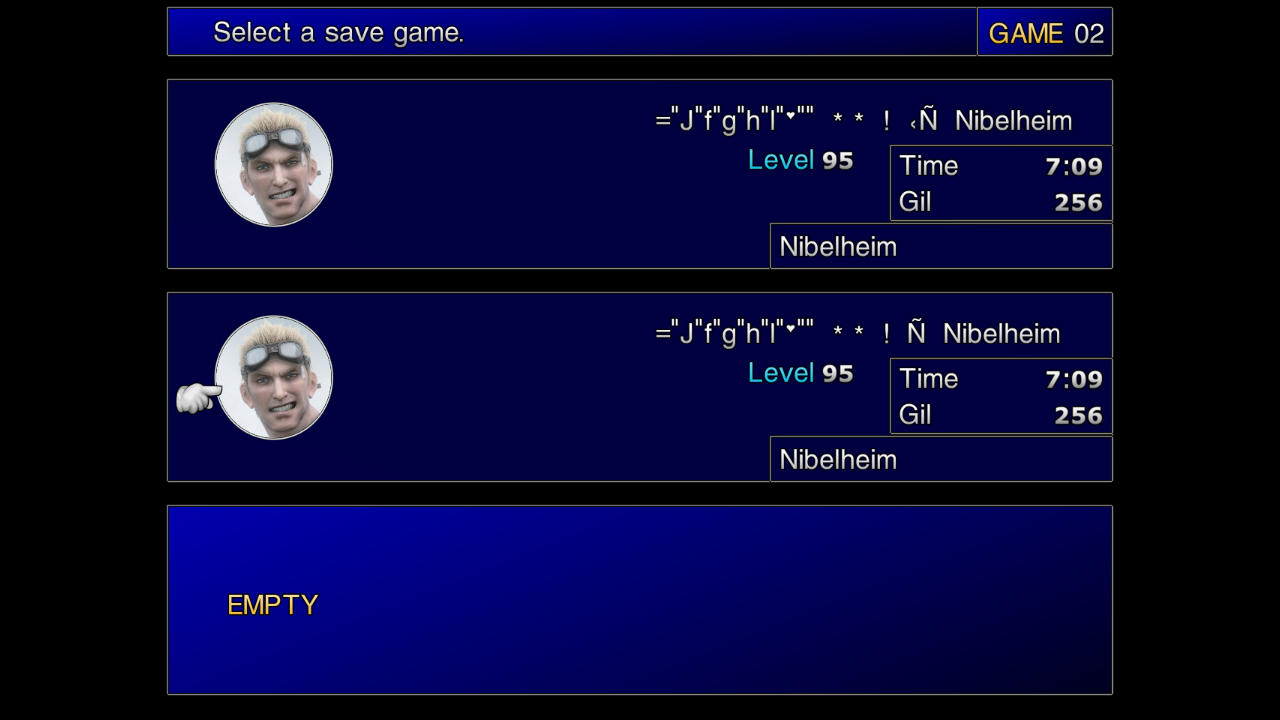
If one plays a pirated copy of the game, he has to expect such weird behaviour. The game files of such a copy aren't reliable and applying mods from here over them can lead to further unexpected issues. I fear you won't find any help on here, the guys here work on the official files only and so can provide help on non-pirated game files only.hey what is this? how can fix this? I am at Kalm at Clodu telling past and relationship with Sephiroth.
(...)
I am not level 95, I am level 14
ny the way my ff7 is steam version.