[FF7PC-98/Steam] Multiple mods and Modding Framework-The Reunion [R06f]

  • Thread starter Thread starter DLPB_
  • Start date Start date
Status
Not open for further replies.
Thanks for the answer. Yes, i'll consider R06 depending on the timeline, it's the one with all the translation touches in that document by Charlie Beer, right? It's great stuff, the whole thing about how Red XIII was supposed to be pretending to be older all the way until Cosmo Canyon is fascinating.
Absolutely yes. It is super worth it. And not only that, even Barret dialogues and so many other details that we even cannot imagine. Stay tuned.

I'm also excited about the new way that R06 will manage things with their tool.
 
Does anybody know how to edit the "04-TransStatusShort.txt" hexes inside Reunion r03e? Specifically, i'd want to translate the english words in italian.
 
That will be far easier with R06 - which is designed to aid people in translating to other langs.  I suggest you don't even try messing with that nonsense in earlier versions. It's too much hassle.
 
That will be far easier with R06 - which is designed to aid people in translating to other langs.  I suggest you don't even try messing with that nonsense in earlier versions. It's too much hassle.
What if i remove it completely to get status menus directly with the strings i wrote with Touph script? Would that be a problem?
 
Thank you for creating this and helping people out, hopefully me among them. Unfortunately I have an issue which I haven't been able to resolve after much googling and trial/erroring.

I have the steam version and I've used the GC already. I have "two" mods that I'm trying to get to work. The Remako mod, which works fine, and Reunion mod for Beacause, 60 fps and menu overhaul which doesn't even seem to apply after installing it. I've tried installing it with FF7_en.exe in the folder and I've also tried installing it without that .exe in the folder. When I launch the game through 7H (path set to FF7_bc) I get this:

o6U3l2v
https://imgur.com/a/o6U3l2v (when I preview the post the images don't show so I am linking to them directly)

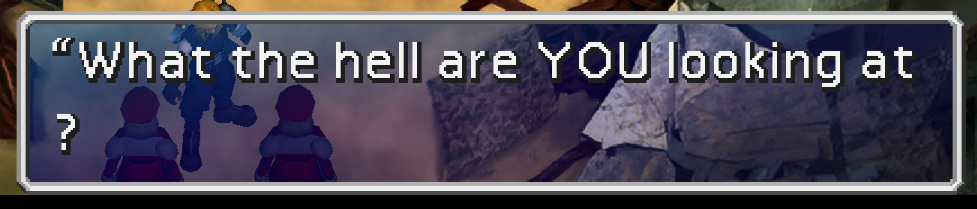
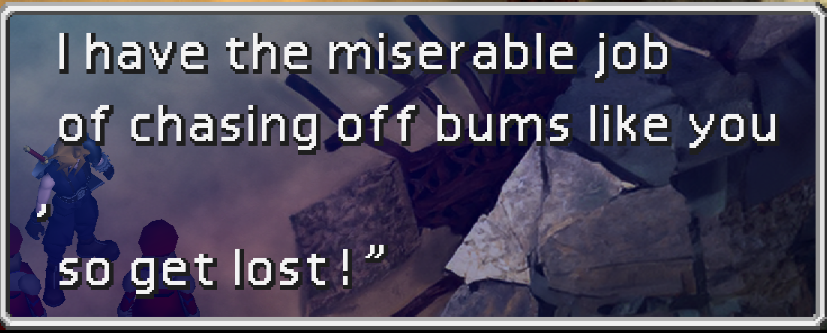
The text is the same during dialog and in the menu: letters are very bolded and don't even fit on screen/in the menu. Other problems include graphical glitches (the handrails in sector 8 turn red for example) and even my controls get changed for some weird reason. Also, while not sure, I don't even think the retranslation nor the 60 fps patch are applied even though I check them during the install. The other .exe files don't work either, unless it's the regular unmodded .exe which obviously works fine. I've tried merging the texture and reunion folders but that didn't correct anything either. Any help with this would be appreciated!
 
Last edited:
What you ask might sound easy to you, but it takes an awesome amount of work on my part. Do it yourself with the tools available.  R06 may make it easier for you. Those check boxes above aren't magic.

What on earth makes you think that it's sane to come and gripe over something that small and that it might go down well with me?  Do you know how irritating it is to make thousands and thousands of changes over countless hours to have a post like yours come along?  And if I changed it, there are dozens who'd disagree with you.  Your criticism isn't remotely constructive - and it certainly isn't reporting a bug.
Speaking of griping over something small, I still cannot stand "Summon" being truncated to "Sum" in the battle command menu. Yes, the menu overhaul mod is great otherwise, and yes I understand sacrifices had to be made. But I can't abide it. I've tried. "Sum" is just plain ugly and, as a FF7 purist, never something I can get used to.

But I won't be an ass and ask you to change your entire mod around for my sake. However, I would very much  like to know if there will be any tools available to change Sum back to Summon myself when R06 launches. To shrink or replace the text, or resize the command menu, or whatever.
 
I can't change it in that case...  the alternative is 100% worse :P  It doesn't fit the box.  So there's nothing you can do.

Changing the box size means altering LOTS of stuff.
 
Hi DLPB,

IIRC in the Italian modding scene, there was one tool able to automatically change the window size depending on your translated text. Is that a different case?
 
Thank you for creating this and helping people out, hopefully me among them. Unfortunately I have an issue which I haven't been able to resolve after much googling and trial/erroring.
...
Any help with this would be appreciated!
Your main problem is that you shouldn't change the executable (.exe), it should stay as ff7.exe. Using ff7_bc.exe is for R03c.

I'll refer you to my post a couple pages back, which should fix everything:

The OP says:
"Q. I use 7th Heaven, and I have this problem...
A. 7th Heaven issues don't belong here."


but, speaking from my own experience, it is compatible with most 7th heaven mods:

0. Start with a clean slate, uninstall FF7, Reunion, and 7th Heaven, and clean registry keys via FF7-REMOVE-Keys.exe
1. Install FF7
2. Install 7th heaven as you would, including whatever 7H mods you want
3. In FF7's directory, rename ff7_en.exe to anything else, like ff7_en_steam.exe
4. Install R05c via its installer
5. Under 7th Heaven Settings, change the "Aali's modpath" (aka Textures path in newer versions) from [ff7-dir]\mods\Textures to [ff7-dir]\mods\Reunion

If you have further issues, I recommend making a thread in the 7th Heaven subforum, as this isn't supposed to be a 7th Heaven help thread.
 
Hi DLPB,

IIRC in the Italian modding scene, there was one tool able to automatically change the window size depending on your translated text. Is that a different case?
Yes. Dialogue box =/= command box. There was the Hex Documentation around here though... which allowed people to fiddle with a lot of stuff like text spacing, boxes and whatnot. I used that to make "Elemosina" (Zeninage) fit in the command box (among other changes) but i can't seem to find it now.
 
Hello everyone,

First of all, I would like to thank you a lot for your work :) this mod is amazing.

I'm having a problem, though. I've installed just The Reunion and Remako 1.0, and I checked the database, but I didn't find anything similar.

Basically, some dialogues are not well aligned, and some letters go on a new line (usually, punctuaction).

I've got some example screens:

4bDW3px.png


KH3yYYs.png


Is this a common error, or have I done something wrong?

Thank you in advance.
 
None of these issues are related to The Reunion.

Please take them all to 7H thread.  I don't want pestering with bugs caused by that mod.

To be honest, this 7h stuff has to stop.  I'm seriously considering R06's compatibility with 7th Heaven.
 
Last edited:
Remako and Reunion are mods. 7H is a tool, so they're not really related. Plus, Remako is not included in Catalog 2.0, so it's not something I'd offer help in since I haven't touched it either.

The reason you're getting all these inquiries is because people are publishing guides on Steam using your mod alongside it, but if the installation doesn't go correctly, they come here looking for answers.

This is somewhat of a result of today's society being spoon fed everything for free and skipping the whole learning process. Many of today's new users don't have clue about the games file structure and how to mod it.
 
Many of today's new users don't have clue.
FTFY

In all seriousness, it seems to me that the biggest hiccup is in the order of execution... As a PC'97 player, I found that the order of install has to be FF7 - R05c - SAVE THE RESULTING EXE!!! - 7H Converter - 7H pointed back at the *saved* EXE.  Steam apparently reverses R05c and 7HCon, or something else changed that the converter doesn't know how to take into account, and hence the problems.

Meanwhile, I'll just kick back and practice Tifa's slots at a *real* 60fps (which is a heck of a lot harder on bare metal than it is inside an 30fps-limited VM!).
 
+1 towards removing/fixing the menu lag caused by Menu Enhancement.

It really makes a big difference to how responsive the game feels, especially considering the dozens of hours you have to put into it.

Unfortunately you cant play the re-translation without it due to all the broken dialogue choices.

Heres hoping it is fixable without totally rewriting the entire mod.

Cheers
 
It's not a bug; it's not a problem. - and creating new sock puppet accounts in the hope of forcing my hand isn't going to change anything.

All this does is annoy me and distract me from getting the mod out.
 
Last edited:
+1 towards removing/fixing the menu lag caused by Menu Enhancement.

It really makes a big difference to how responsive the game feels, especially considering the dozens of hours you have to put into it.

Unfortunately you cant play the re-translation without it due to all the broken dialogue choices.

You really need to stop this crap and making dupe accounts.

Heres hoping it is fixable without totally rewriting the entire mod.

Cheers
 
I'm just going to give you my support despite the complaints DLPB.
You're giving this retranslation to us free of charge and I'm grateful for that. I'm willing to wait however long it takes.
 
I'm not a sock puppet, just someone who heard about the retranslation recently and wanted to give it ago. I'm sure you get bs complaints a lot and that's why your on the defensive so much.

I respect the work you've put into the mod, it was just a suggestion that's all, one that others have clearly put forward before me.
 
Status
Not open for further replies.
Back
Top