[FF7PC] Post bug reports here [use The Reunion thread instead]

  • Thread starter Thread starter DLPB_
  • Start date Start date
Status
Not open for further replies.
I nooped the function and the only difference between the 2 log traces was the texture used, so the change is either in a texture or a value not explicitly stated e.g. matrices or stuff in the buffers.
I think the texture changes are more likely to be animations though e.g. sea/eyes.
 
Last edited:
All i think it does it assign colour and brightness to the model from that other function.  When it's removed, all shading disappears too.  It's not at all complex. Somewhere in there I think there is probably an easy way to tweak the calcs to make the light behave like psx.  I already made all the models brighter in one of the functions by just adding fmul 1.5 to red green blue. But that's assuming the colour in psx wasn't there by the very nature of NTSC/PAL colour.
 
I asked JWP to add me a contrast and gamma changing shader. It does seem to make the game better.  Pretty sure 1.2 is closer to the PSX levels than what we have currently, which is overly dark. I have also added min max levels to the shader.  I am learning.

But I am doing some tests.  In any case, I am still not sold on the idea that there is any problem here other than PC colour being more correct than the PSX was.
 
Last edited:
Covarr brought to my attention a shading issue in del3 (Costa del Sol with the beach), where Cloud's head is shaded differently to PSX. I think this is unrelated to the shading issue we have been discussing.

Field Model graphic filter - UNKNOWN9
Wait 1 frame
Field Model graphic filter - UNKNOWN9


is being set on the characters in this field, which makes them shine and shimmer as they walk. It looks pretty poor to be honest in PC version, since it's the KAWAI function, which is broken. The effect is hardly even noticeable on the PSX version.

Speaking of KAWAI, the field opcode function is only a basic set up. It sends values that are used in the main function (called all the time to draw and sort all 3d objects) at 6392BB.  For example, the main operation to be carried out is found at points like 63959E
 
Last edited:
Also, I don't think the "shading issue" is all that much of a problem.  When you compare to PSX, using my own tweaked shaders, the colour and so on is superior in PC (right).

https://e63i.imgup.net/test1fef9.png

Something tells me that the image Kaldarasha uploaded has had some brightness added to it by emulator or what not.  It's not what mednafen outputs.  I'll check the truck scene soon.


Edit.

As I suspected... that picture by Kaldarasha has been modified from what a direct output gives (probably captured from Youtube or something)

https://d76i.imgup.net/mednafenfffffd.png

That is the PSX output of the truck scene.  Yeah, the shading is still not the same on PC... but it's pretty small fry isn't it when you look at the overall difference in quality including colour / filtering and so on.  I'll see if I can tweak graphics to make PC do what the PSX is.  The shading is certainly wrong on PC.
 
Last edited:
Could this be anything to do with

The Playstations RGB values aren't linear to normal RGB values (as used on PCs). The min/max values are of course the same, but the medium values differ:
  Intensity        PC      PSX
  Minimum          0       0
  Medium (circa)   16      8
  Maximum          31      31
Ie. on the PSX, the intensity increases steeply from 0 to 15, and less steeply from 16 to 31.
http://problemkaputt.de/psx-spx.htm
 
It's certainly possible, but I know sod all about how ff7 is even calculating the so called shading :P  If this is the issue, perhaps a shader could correct it?
 
Could this be anything to do with

http://problemkaputt.de/psx-spx.htm
I doubt it. Lighting isn't just operating at a weird steepness. It's almost as if it's reversed.

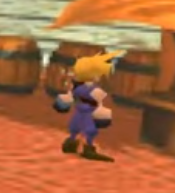
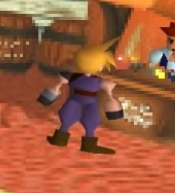
PSX left, PC right:
Qg9ZYS1.png
2oILyJf.png


What can be seen here is that the angle itself seems to be near-completely wrong. In the PSX version, the light source appears to be coming from below and to the right. In the PC version, it's coming from above and to the left. It's especially obvious in his hair; the brightest areas in the PSX version are the darkest in the PC version, and vice versa. As strictly backwards as it is, I'm inclined to think it's a calculation error, with some variable being sign flipped, or subtracted from 255 instead of added to 0, or something like that.
 
I've enhanced the gamma and levels and saturation using shader, but that's not what's making the biggest difference.  It's probably just how the PC and PSX are being rendered.  PC isn't applying any sort of filtering to the background - you're getting sharp pixellation. The PSX doesn't have the pixellation as much so you get blurring instead.

This is also why I refuse to add any of the background packs around here... because when you lose pixellation, you lose clarity. The human brain is good at imagining/adding detail when it sees a pixellated image... it can't do that if you've blended all the pixels together and made it either blurred or plastic.
 
Last edited:
So it's the exact same image?  The PSX gold framed image looks like it might say POKER, whereas the PC version is just a blob of pixels
 
I prefer the PC version tbh haha.  I think PSX suffers with blurriness and washed out colours because of it. I don't mind the pixellation.  Well, OK writing suffers a lot, as you just noted.

But yeah, they are the same image... both 320 * 224,
 
A bit off topic, but why is the background such better quality on the psx?
As Luksy has posted the PSX calculates and renders the colors differently. And now I understand what Sunwalkers shader port does:

Code:
[IMG]http://i.imgur.com/YrwmSFr.jpg[/IMG] | [IMG]http://i.imgur.com/sFDbPKq.jpg[/IMG]
no shader | with shader
Look how much better the shadow area at the firs G-Bike gaming machine does blend.

The shader:
Code: [Select]
Code:
/*===============================================================================*\|#######################   [FINAL FANTASY 7 SHADER FX]    ########################||#########################   By Sunwalker 21/Jan/2017   ##########################|||                                Version 1.05                                   ||||                                                                               ||||          This program is free software; you can redistribute it and/or        ||||          modify it under the terms of the GNU General Public License          ||||          as published by the Free Software Foundation; either version 2       ||||          of the License, or (at your option) any later version.               ||||                                                                               ||||          This program is distributed in the hope that it will be useful,      ||||          but WITHOUT ANY WARRANTY; without even the implied warranty of       ||||          MERCHANTABILITY or FITNESS FOR A PARTICULAR PURPOSE.  See the        ||||          GNU General Public License for more details. (c)2016                 ||||                                                                               |||#################################################################################|\*===============================================================================*/#version 120 #extension GL_NV_gpu_shader5 : enable#extension GL_ARB_gpu_shader5 : enable#extension GL_ARB_shader_precision : enable#extension GL_ARB_sample_shading : enable#extension GL_ARB_texture_rectangle : enable#extension GL_ARB_shader_storage_buffer_object : enable#extension GL_ARB_shader_image_load_store : enable#extension GL_ARB_bindless_texture : enable#extension GL_ARB_shading_language_420pack : enable/*------------------------------------------------------------------------------[DEFINITIONS & ON/OFF OPTIONS]------------------------------------------------------------------------------*///--------------------------#[CHOOSE EFFECTS]#--------------------------------\\//#[ANTIALIASING TECHNIQUES]   [1=ON|0=OFF]  # NOTE: #define USE_FXAA                   0      //# [0 or 1] FXAA Fast Anti-aliasing//#[LIGHTING & COLOUR]         [1=ON|0=OFF]  # NOTE: This one can enable all#define GAMMA_CORRECTION            0      //# RGB Gamma Correction. Fixed expansion to variable compression gamma correction curve.#define BLENDED_BLOOM               0      //# High Quality SP Bloom. Soft lighting with blending techniques, for a natural looking bloom.#define SCENE_TONEMAPPING           0      //# HDR Scene Tonemapping. Layered component conversion, and applies scene tone mapping.#define COLOR_CORRECTION            0      //# Component Color Correction. Colorspace conversion, with correction curves, and multiple palette types.#define CROSS_PROCESSING            0      //# Filmic Cross Processing. Alters the tone of the scene, crossing the game's color set, with another.#define PIXEL_VIBRANCE              0      //# Pixel Vibrance. Intelligently adjusts pixel vibrance depending on original color saturation.#define COLOR_GRADING               0      //# Post-Complement Colour Grading. Alters individual colour components on a scene, to enhance selected colour tones.#define USE_CURVES             0     //# [0 or 1] Curves : Contrast adjustments using S-curves.//#[MISC]                      [1=ON|0=OFF]  # NOTE: Enable one only#define NTSC_TV_EMULATION           1      //# SimoneT's TV Colors Emulation Shader. Use to emulate the original PSX color space tone, and vibrancy./*------------------------------------------------------------------------------[EFFECT CONFIG OPTIONS]------------------------------------------------------------------------------*///##[GAMMA_CORRECTION]#define Gamma 2.40                            //[1.5 to 4.0] Gamma correction. Decrease for lower gamma(darker). Increase for higher gamma(brighter). (Default: 2.2)//##[BLENDED_BLOOM]#define BloomType BlendScreen                   //[BlendGlow, BlendAddGlow, BlendAddLight, BlendScreen, BlendLuma, BlendOverlay] The type of blended bloom. Light<->Dark.#define BloomStrength 0.200                   //[0.000 to 1.000] Overall strength of the bloom. You may want to readjust for each blend type.#define BlendStrength 1.000                   //[0.000 to 1.000] Strength of the blending. This is a modifier based on bloom. 1.0 equates to 100% strength.#define BloomDefocus 2.000                    //[1.000 to 4.000] The initial bloom defocus value. Increases the softness of light, bright objects, etc.#define BloomWidth 3.200                      //[1.000 to 8.000] Width of the bloom. Adjusts the width of the spread and soft glow. Scales with BloomStrength.#define BloomReds 0.040                       //[0.000 to 1.000] Red channel correction of the bloom. Raising will increase the bloom of reds.#define BloomGreens 0.030                     //[0.000 to 1.000] Green channel correction of the bloom. Raising will increase the bloom of greens.#define BloomBlues 0.020                      //[0.000 to 1.000] Blue channel correction of the bloom. Raising will increase the bloom of blues.//##[SCENE_TONEMAPPING]#define TonemapType 2                         //[0|1|2|3] The base tone mapping operator. 0 is LDR, 1 is HDR(original), 2 & 3 are Filmic HDR(slight grading).#define TonemapMask 1                         //[0 or 1] Enables an ALU tone masking curve. Produces a nice cinematic look. Suits some games more than others.#define MaskStrength 0.10                     //[0.000 to 1.000] Strength of the tone masking. Higher for a stronger effect. This is a dependency of TonemapMask.#define ToneAmount 0.360                      //[0.050 to 1.000] Tonemap strength (tone correction). Higher for stronger tone mapping, lower for lighter.#define BlackLevels 0.060                     //[0.000 to 1.000] Black level balance (shadow correction). Increase to deepen blacks, lower to lighten them.#define Exposure 1.000                        //[0.100 to 2.000] White correction (brightness). Higher values for more scene exposure, lower for less.#define Luminance 1.000                       //[0.100 to 2.000] Luminance average (luminance correction). Higher values will lower scene luminance average.#define WhitePoint 1.075                      //[0.100 to 2.000] Whitepoint average (wp lum correction). Higher values will lower the maximum scene white point.//##[COLOR_CORRECTION]#define CorrectionPalette 1                   //[1|2|3|4|5] The colorspace palette type. 1: RGB, 2: YXY, 3: XYZ, 4: HSV, 5: YUV. Each one will produce a different combination of shades & hues.#define ChannelR 1.40                         //[0.00 to 8.00] R(1), Y(2), X(3), H(4), Y(5) component channel varies with the colorspace used. Higher values increase correction strength.#define ChannelG 1.60                         //[0.00 to 8.00] G(1), X(2), Y(3), S(4), U(5) component channel varies with the colorspace used. Higher values increase correction strength.#define ChannelB 1.80                         //[0.00 to 8.00] B(1), Y(2), Z(3), V(4), V(5) component channel varies with the colorspace used. Higher values increase correction strength.#define PaletteStrength 2.00                  //[0.00 to 4.00] The interpolated strength ratio between the base color, and the corrected color. Raise to increase saturation.//##[PIXEL_VIBRANCE]#define Vibrance 0.15                          //[-1.00 to 1.00] Overall vibrance strength. Locally adjusts the vibrance of pixels depending on their original saturation.#define RedVibrance 1.00                       //[-8.00 to 8.00] Red channel coefficient of the vibrance strength. Adjusting the vibrance of the red channel independently.#define GreenVibrance 1.00                     //[-8.00 to 8.00] Green channel coefficient of the vibrance strength. Adjusting the vibrance of the green channel independently.#define BlueVibrance 1.00                      //[-8.00 to 8.00] Blue channel coefficient of the vibrance strength. Adjusting the vibrance of the blue channel independently.//##[CROSS_PROCESSING]#define FilmicProcess 1                         //[1|2|3] The color conversion type for the cross process. 1: cool, 2: warm, 3: dusk. You can achieve different results with each.#define RedShift 0.65                           //[0.10 to 1.00] Red color component shift of the filmic processing. Alters the red balance of the shift.#define GreenShift 0.50                         //[0.10 to 1.00] Green color component shift of the filmic processing. Alters the green balance of the shift.#define BlueShift 0.50                          //[0.10 to 1.00] Blue color component shift of the filmic processing. Alters the blue balance of the shift.#define ShiftRatio 0.50                         //[0.10 to 2.00] The blending ratio for the base color and the color shift. Higher for a stronger effect.//##[COLOR_GRADING]#define RedGrading 1.20                         //[0.00 to 3.00] Red colour grading coefficient. Adjust to influence the red channel coefficients of the grading, and highlight tones.#define GreenGrading 1.10                       //[0.00 to 3.00] Green colour grading coefficient. Adjust to influence the Green channel coefficients of the grading, and highlight tones.#define BlueGrading 1.10                        //[0.00 to 3.00] Blue colour grading coefficient. Adjust to influence the Blue channel coefficients of the grading, and highlight tones.#define GradingStrength 0.35                    //[0.00 to 1.00] The overall max strength of the colour grading effect. Raise to increase, lower to decrease the amount.#define Correlation 1.00                        //[0.10 to 1.00] Correlation between the base colour, and the grading influence. Lower = more of the scene is graded, Higher = less of the scene is graded.//##[USE_CURVES]#define Curves_mode          2              //[0|1|2] Choose what to apply contrast to. 0 = Luma, 1 = Chroma, 2 = both Luma and Chroma. Default is 0 (Luma)#define Curves_contrast   0.30          //[-1.00 to 1.00] The amount of contrast you want//##[Advanced curve settings]#define Curves_formula       3              //[1|2|3|4|5|6|7|8|9|10] The contrast s-curve you want to use.                                        //1 = Sine, 2 = Abs split, 3 = Smoothstep, 4 = Exp formula, 5 = Simplified Catmull-Rom (0,0,1,1), 6 = Perlins Smootherstep                                        //7 = Abs add, 8 = Techicolor Cinestyle, 9 = Parabola, 10 = Half-circles.                                        //Note that Technicolor Cinestyle is practically identical to Sine, but runs slower. In fact I think the difference might only be due to rounding errors.                                        //I prefer 2 myself, but 3 is a nice alternative with a little more effect (but harsher on the highlight and shadows) and it's the fastest formula//[END OF USER OPTIONS]/*------------------------------------------------------------------------------[GLOBALS|FUNCTIONS]------------------------------------------------------------------------------*///Global variables#define saturate(x) clamp(x, 0.0, 1.0)#define lerp mix#define frac fract#define fmod mod#define mul(x, y) (y * x)#define float4x3 mat4x3#define float3x3 mat3#define float4x4 mat4#define lumCoeff vec3(0.212656, 0.715158, 0.072186)#define PI   3.1415972//OGL Uniformsuniform sampler2D OGLTexture;uniform sampler2D OGLTexture0;//varyinguniform vec2 texcoord;float Epsilon = 1e-10;#define texture_width   1024.0#define texture_height  1024.0#define texel_size_x  (1.0 / texture_width) #define texel_size_y  (1.0 / texture_height)#define OGLSize     vec2(texture_width, texture_height)#define OGLInvSize  vec2(texel_size_x, texel_size_y)//Average Relative Luminance (HSP Color Model)float AvgLuminance(vec3 color){ return sqrt(dot(color * color, lumCoeff));}//Smoothstep altfloat smootherstep(float a, float b, float x){ x = saturate((x - a) / (b - a)); return x*x*x*(x*(x * 6 - 15) + 10);}//Conversion matricesvec3 RGBtoXYZ(vec3 RGB){ const mat3 RGBtoXYZ = mat3(  0.6068909, 0.1735011, 0.2003480,  0.2989164, 0.5865990, 0.1144845,  0.0000000, 0.0660957, 1.1162243); return RGBtoXYZ*RGB;}vec3 XYZtoRGB(vec3 XYZ){ const mat3 XYZtoRGB = mat3(  1.9099961, -0.5324542, -0.2882091,  -0.9846663, 1.9991710, -0.0283082,  0.0583056, -0.1183781, 0.8975535); return XYZtoRGB*XYZ;}vec3 XYZtoSRGB(vec3 XYZ){ const mat3 XYZtoSRGB = mat3(  3.2404542, -1.5371385, -0.4985314,  -0.9692660, 1.8760108, 0.0415560,  0.0556434, -0.2040259, 1.0572252); return XYZtoSRGB*XYZ;}vec3 RGBtoYUV(vec3 RGB){ const mat3 RGBtoYUV = mat3(  0.2126, 0.7152, 0.0722,  -0.09991, -0.33609, 0.436,  0.615, -0.55861, -0.05639); return RGBtoYUV*RGB;}vec3 YUVtoRGB(vec3 YUV){ const mat3 YUVtoRGB = mat3(  1.000, 0.000, 1.28033,  1.000, -0.21482, -0.38059,  1.000, 2.12798, 0.000); return YUVtoRGB*YUV;}vec3 XYZtoYxy(vec3 XYZ){ float w = (XYZ.r + XYZ.g + XYZ.b); vec3 Yxy; Yxy.r = XYZ.g; Yxy.g = XYZ.r / w; Yxy.b = XYZ.g / w; return Yxy;}vec3 YxytoXYZ(vec3 Yxy){ vec3 XYZ; XYZ.g = Yxy.r; XYZ.r = Yxy.r * Yxy.g / Yxy.b; XYZ.b = Yxy.r * (1.0 - Yxy.g - Yxy.b) / Yxy.b; return XYZ;}/*------------------------------------------------------------------------------[FXAA CODE SECTION]Code from http://www.geeks3d.com/20110405/fxaa-fast-approximate-anti-aliasing-demo-glsl-opengl-test-radeon-geforce/3/Credit to original Author------------------------------------------------------------------------------*/#if USE_FXAA == 1float xbrthreshold = 0.020;vec2 rcpFrame = OGLInvSize;vec3 FXAA(sampler2D OGLTexture, vec2 texcoord){ float FXAA_SPAN_MAX = 8.0;                     //[4.0 t0 8.0]               float FXAA_REDUCE_MUL = (1.0 / FXAA_SPAN_MAX); //[Default] float FXAA_REDUCE_MIN = (1.0 / 128.0);         //[Default] float FXAA_SUBPIX_SHIFT = (1.0 / 4.0);         //[Default] vec4 posPos = vec4(texcoord.xy, texcoord.xy - (rcpFrame * (0.5 + FXAA_SUBPIX_SHIFT))); /*---------------------------------------------------------*/ vec3 rgbNW = texture2D(OGLTexture, posPos.zw, 0.0).rgb; vec3 rgbNE = texture2D(OGLTexture, posPos.zw + vec2(1., 0.)*rcpFrame.xy, 0.0).rgb; vec3 rgbSW = texture2D(OGLTexture, posPos.zw + vec2(0., 1.)*rcpFrame.xy, 0.0).rgb; vec3 rgbSE = texture2D(OGLTexture, posPos.zw + vec2(1., 1.)*rcpFrame.xy, 0.0).rgb; vec3 rgbM = texture2D(OGLTexture, texcoord.xy, 0.0).rgb; /*---------------------------------------------------------*/ //vec3 luma = vec3(0.299, 0.587, 0.114); float lumaNW = AvgLuminance(rgbNW); float lumaNE = AvgLuminance(rgbNE); float lumaSW = AvgLuminance(rgbSW); float lumaSE = AvgLuminance(rgbSE); float lumaM = AvgLuminance(rgbM); /*---------------------------------------------------------*/ float lumaMin = min(lumaM, min(min(lumaNW, lumaNE), min(lumaSW, lumaSE))); float lumaMax = max(lumaM, max(max(lumaNW, lumaNE), max(lumaSW, lumaSE))); /*---------------------------------------------------------*/ vec2 dir; dir.x = -((lumaNW + lumaNE) - (lumaSW + lumaSE)); dir.y = ((lumaNW + lumaSW) - (lumaNE + lumaSE)); /*---------------------------------------------------------*/ float dirReduce = max((lumaNW + lumaNE + lumaSW + lumaSE) * (0.25 * FXAA_REDUCE_MUL), FXAA_REDUCE_MIN); float rcpDirMin = 1.0 / (min(abs(dir.x), abs(dir.y)) + dirReduce); dir = min(vec2(FXAA_SPAN_MAX, FXAA_SPAN_MAX), max(vec2(-FXAA_SPAN_MAX, -FXAA_SPAN_MAX), dir * rcpDirMin)) * rcpFrame.xy; /*--------------------------------------------------------*/ vec3 rgbA = (1.0 / 2.0) * (texture2D(OGLTexture, texcoord.xy + dir * (1.0 / 3.0 - 0.5)).rgb + texture2D(OGLTexture, texcoord.xy + dir * (2.0 / 3.0 - 0.5)).rgb); vec3 rgbB = rgbA * (1.0 / 2.0) + (1.0 / 4.0) * (texture2D(OGLTexture, texcoord.xy + dir * (0.0 / 3.0 - 0.5)).rgb + texture2D(OGLTexture, texcoord.xy + dir * (3.0 / 3.0 - 0.5)).rgb); float lumaB = AvgLuminance(rgbB); return ((lumaB < lumaMin) || (lumaB > lumaMax)) ? rgbA.rgb : rgbB.rgb;}//Hyllian's xBR Level 2 shader//Copyright(C) 2011 / 2014 Hyllian / Jararaca - [email protected]//Credit to Hyllianfloat x_Width = texture_width;float y_Height = texture_height;float x_coef = texel_size_x;float y_coef = texel_size_y;float coef = 2.0;vec3 rgbw = vec3(14.352, 28.176, 5.472);float x = 0.5 * (1.0 / x_Width);float y = 0.5 * (1.0 / y_Height);//vec2 dx = vec2(x, 0.0);//vec2 dy = vec2(0.0, y);vec2 dx = vec2(0.0009765625, 0.0);//vec2(x, 0.0);//vec2 dy = vec2(0.0, 0.001953125);//vec2(0.0, y);//vec2 x2 = vec2(0.001953125, 0.0);//vec2(y, 0);//vec2 y2 = vec2(0.0, 0.00390625);//vec2( 0.0 , y*2.0 );//vec4 xy = vec4(0.0009765625, 0.001953125, -0.0009765625, -0.001953125);//vec4( x, y,-x,-y);//vec4 zw = vec4(0.001953125, 0.001953125, -0.001953125, -0.00390625);//vec4( y , y,-y ,-(y*2.0));//vec4 wz = vec4(0.0009765625, 0.00390625, -0.0009765625, -0.00390625);  //vec4( x, y*2.0 ,-x,-(y*2.0));//vec4 df(vec4 A, vec4 B){ return abs(A - B);}vec4 weighted_distance(vec4 a, vec4 b, vec4 c, vec4 d, vec4 e, vec4 f, vec4 g, vec4 h){ return (df(a, b) + df(a, c) + df(d, e) + df(d, f) + 4.0*df(g, h));}vec3 xBR(sampler2D OGLTexture, vec2 texcoord) { vec4 edr, edr_left, edr_up; bvec4 px; // px = pixel, edr = edge detection rule vec4 interp_restriction_lv1, interp_restriction_lv2_left, interp_restriction_lv2_up; bvec4 nc; // new_color vec4 fx, fx_left, fx_up; // inequations of straight lines. vec2 fp = fract(texcoord.xy*vec2(x_Width, y_Height)); vec2 vTex = texcoord.xy - fp*vec2(0.0009765625*x_coef, 0.001953125*y_coef);//vec2(x, y); vec3 A = texture2D(OGLTexture, vTex + xy.zw).rgb; vec3 B = texture2D(OGLTexture, vTex - dy).rgb; vec3 C = texture2D(OGLTexture, vTex + xy.xw).rgb; vec3 D = texture2D(OGLTexture, vTex - dx).rgb; vec3 E = texture2D(OGLTexture, vTex).rgb; vec3 F = texture2D(OGLTexture, vTex + dx).rgb; vec3 G = texture2D(OGLTexture, vTex + xy.zy).rgb; vec3 H = texture2D(OGLTexture, vTex + dy).rgb; vec3 I = texture2D(OGLTexture, vTex + xy.xy).rgb; vec3 A1 = texture2D(OGLTexture, vTex + wz.zw).rgb; vec3 C1 = texture2D(OGLTexture, vTex + wz.xw).rgb; vec3 A0 = texture2D(OGLTexture, vTex + zw.zw).rgb; vec3 G0 = texture2D(OGLTexture, vTex + zw.zy).rgb; vec3 C4 = texture2D(OGLTexture, vTex + zw.xw).rgb; vec3 I4 = texture2D(OGLTexture, vTex + zw.xy).rgb; vec3 G5 = texture2D(OGLTexture, vTex + wz.zy).rgb; vec3 I5 = texture2D(OGLTexture, vTex + wz.xy).rgb; vec3 B1 = texture2D(OGLTexture, vTex - y2).rgb; vec3 D0 = texture2D(OGLTexture, vTex - x2).rgb; vec3 H5 = texture2D(OGLTexture, vTex + y2).rgb; vec3 F4 = texture2D(OGLTexture, vTex + x2).rgb; vec4 b = vec4(dot(B, rgbw), dot(D, rgbw), dot(H, rgbw), dot(F, rgbw)); vec4 c = vec4(dot(C, rgbw), dot(A, rgbw), dot(G, rgbw), dot(I, rgbw)); vec4 d = b.yzwx; vec4 e = vec4(dot(E, rgbw)); vec4 f = b.wxyz; vec4 g = c.zwxy; vec4 h = b.zwxy; vec4 i = c.wxyz; vec4 i4 = vec4(dot(I4, rgbw), dot(C1, rgbw), dot(A0, rgbw), dot(G5, rgbw)); vec4 i5 = vec4(dot(I5, rgbw), dot(C4, rgbw), dot(A1, rgbw), dot(G0, rgbw)); vec4 h5 = vec4(dot(H5, rgbw), dot(F4, rgbw), dot(B1, rgbw), dot(D0, rgbw)); vec4 f4 = h5.yzwx; vec4 Ao = vec4(1.0, -1.0, -1.0, 1.0); vec4 Bo = vec4(1.0, 1.0, -1.0, -1.0); vec4 Co = vec4(1.5, 0.5, -0.5, 0.5); vec4 Ax = vec4(1.0, -1.0, -1.0, 1.0); vec4 Bx = vec4(0.5, 2.0, -0.5, -2.0); vec4 Cx = vec4(1.0, 1.0, -0.5, 0.0); vec4 Ay = vec4(1.0, -1.0, -1.0, 1.0); vec4 By = vec4(2.0, 0.5, -2.0, -0.5); vec4 Cy = vec4(2.0, 0.0, -1.0, 0.5); vec4 Ci = vec4(0.25, 0.25, 0.25, 0.25); // These inequations define the line below which interpolation occurs. fx = vec4(greaterThan(Ao*fp.y + Bo*fp.x, Co)); fx_left = vec4(greaterThan(Ax*fp.y + Bx*fp.x, Cx)); fx_up = vec4(greaterThan(Ay*fp.y + By*fp.x, Cy)); interp_restriction_lv1 = vec4(notEqual(e, f))*vec4(notEqual(e, h)); interp_restriction_lv2_left = vec4(notEqual(e, g))*vec4(notEqual(d, g)); interp_restriction_lv2_up = vec4(notEqual(e, c))*vec4(notEqual(b, c)); edr = vec4(lessThan(weighted_distance(e, c, g, i, h5, f4, h, f), weighted_distance(h, d, i5, f, i4, b, e, i)))*interp_restriction_lv1; edr_left = vec4(lessThanEqual(coef*df(f, g), df(h, c)))*interp_restriction_lv2_left; edr_up = vec4(greaterThanEqual(df(f, g), coef*df(h, c)))*interp_restriction_lv2_up; nc = bvec4(edr*(max(max(fx, edr_left*fx_left), edr_up*fx_up))); px = lessThanEqual(df(e, f), df(e, h)); vec3 res = nc.x ? px.x ? F : H : nc.y ? px.y ? B : F : nc.z ? px.z ? D : B : nc.w ? px.w ? H : D : E; return res;}float diff2D(vec2 coord){ vec3 dt = vec3(1.0, 1.0, 1.0); vec3 c00 = texture2D(OGLTexture, coord + 0.25*(-dx - dy)).xyz; vec3 c20 = texture2D(OGLTexture, coord + 0.25*(dx - dy)).xyz; vec3 c02 = texture2D(OGLTexture, coord + 0.25*(-dx + dy)).xyz; vec3 c22 = texture2D(OGLTexture, coord + 0.25*(dx + dy)).xyz; vec3 mn = min(min(c00, c20), min(c02, c22)); vec3 mx = max(max(c00, c20), max(c02, c22)); return dot(mx - mn, dt);}vec4 FXAAPass(vec4 color, vec2 texcoord){ vec2 fp = fract(texcoord * OGLSize); vec2 vTex = texcoord - fp * OGLInvSize + 0.5 * OGLInvSize; vec2 locator = sign(fp - vec2(0.5000000001, 0.5000000001)); float maxdiff = max(max(diff2D(vTex + locator*dx), diff2D(vTex + locator*dy)), diff2D(vTex)); if (maxdiff <= xbrthreshold) { color.rgb = xBR(OGLTexture, texcoord); } else { color.rgb = FXAA(OGLTexture, texcoord); } color.a = AvgLuminance(color.rgb); return color;}#endif/*------------------------------------------------------------------------------[GAMMA CORRECTION CODE SECTION]------------------------------------------------------------------------------*/vec3 EncodeGamma(vec3 color, float gamma){ color = saturate(color); color.r = (color.r <= 0.0404482362771082) ? color.r / 12.92 : pow((color.r + 0.055) / 1.055, gamma); color.g = (color.g <= 0.0404482362771082) ? color.g / 12.92 : pow((color.g + 0.055) / 1.055, gamma); color.b = (color.b <= 0.0404482362771082) ? color.b / 12.92 : pow((color.b + 0.055) / 1.055, gamma); return color;}vec3 DecodeGamma(vec3 color, float gamma){ color = saturate(color); color.r = (color.r <= 0.00313066844250063) ? color.r * 12.92 : 1.055 * pow(color.r, 1.0 / gamma) - 0.055; color.g = (color.g <= 0.00313066844250063) ? color.g * 12.92 : 1.055 * pow(color.g, 1.0 / gamma) - 0.055; color.b = (color.b <= 0.00313066844250063) ? color.b * 12.92 : 1.055 * pow(color.b, 1.0 / gamma) - 0.055; return color;}#if GAMMA_CORRECTION == 1vec4 GammaPass(vec4 color, vec2 texcoord){ const float GammaConst = 2.233333; color.rgb = EncodeGamma(color.rgb, GammaConst); color.rgb = DecodeGamma(color.rgb, float(Gamma)); color.a = AvgLuminance(color.rgb); return color;}#endif/*------------------------------------------------------------------------------[PIXEL VIBRANCE CODE SECTION]------------------------------------------------------------------------------*/#if PIXEL_VIBRANCE == 1vec4 VibrancePass(vec4 color, vec2 texcoord){ float vib = Vibrance; float lum = AvgLuminance(color.rgb); vec3 luma = vec3(lum, lum, lum); float colorMax = max(color.r, max(color.g, color.b)); float colorMin = min(color.r, min(color.g, color.b)); float colorSaturation = colorMax - colorMin; vec3 colorCoeff = vec3(RedVibrance * vib, GreenVibrance * vib, BlueVibrance * vib); color.rgb = lerp(luma, color.rgb, (1.0 + (colorCoeff * (1.0 - (sign(colorCoeff) * colorSaturation))))); color.a = AvgLuminance(color.rgb); return saturate(color); //Debug: return colorSaturation.xxxx;}#endif/*------------------------------------------------------------------------------[BLENDED BLOOM CODE SECTION]------------------------------------------------------------------------------*/#if BLENDED_BLOOM == 1vec3 BlendAddLight(vec3 bloom, vec3 blend){ return saturate(bloom + blend);}vec3 BlendScreen(vec3 bloom, vec3 blend){ return (bloom + blend) - (bloom * blend);}vec3 BlendGlow(vec3 bloom, vec3 blend){ float glow = AvgLuminance(bloom); return lerp((bloom + blend) - (bloom * blend), (blend + blend) - (blend * blend), glow);}vec3 BlendAddGlow(vec3 bloom, vec3 blend){ float addglow = smootherstep(0.0, 1.0, AvgLuminance(bloom)); return lerp(saturate(bloom + blend), (blend + blend) - (blend * blend), addglow);}vec3 BlendLuma(vec3 bloom, vec3 blend){ float lumavg = smootherstep(0.0, 1.0, AvgLuminance(bloom + blend)); return lerp((bloom * blend), (1.0 - ((1.0 - bloom) * (1.0 - blend))), lumavg);}vec3 BlendOverlay(vec3 bloom, vec3 blend){ vec3 overlay = step(0.5, bloom); return lerp((bloom * blend * 2.0), (1.0 - (2.0 *(1.0 - bloom) * (1.0 - blend))), overlay);}vec3 BloomCorrection(vec3 color){ vec3 bloom = color; bloom.r = 2.0 / 3.0 * (1.0 - (bloom.r * bloom.r)); bloom.g = 2.0 / 3.0 * (1.0 - (bloom.g * bloom.g)); bloom.b = 2.0 / 3.0 * (1.0 - (bloom.b * bloom.b)); bloom.r = saturate(color.r + float(BloomReds) * bloom.r); bloom.g = saturate(color.g + float(BloomGreens) * bloom.g); bloom.b = saturate(color.b + float(BloomBlues) * bloom.b); color = bloom; return color;}vec4 DefocusFilter(sampler2D OGLTexture, vec2 texcoord, vec2 defocus){ defocus = clamp(defocus, 1.0, 1.5); vec2 texel = vec2(texel_size_x, texel_size_y) * defocus; vec4 sampleA = texture2D(OGLTexture, texcoord + vec2(0.5, 0.5) * texel); vec4 sampleB = texture2D(OGLTexture, texcoord + vec2(-0.5, 0.5) * texel); vec4 sampleC = texture2D(OGLTexture, texcoord + vec2(0.5, -0.5) * texel); vec4 sampleD = texture2D(OGLTexture, texcoord + vec2(-0.5, -0.5) * texel); float fx = frac(texcoord.x * texture_width); float fy = frac(texcoord.y * texture_height); vec4 interpolateA = lerp(sampleA, sampleB, fx); vec4 interpolateB = lerp(sampleC, sampleD, fx); return lerp(interpolateA, interpolateB, fy);}vec4 BloomPass(vec4 color, vec2 texcoord){ float anflare = 4.0; float width = BloomWidth; vec2 defocus = vec2(BloomDefocus, BloomDefocus); vec4 bloom = DefocusFilter(OGLTexture, texcoord, defocus); vec2 dx = vec2(texel_size_x * width, 0.0); vec2 dy = vec2(0.0, texel_size_y * width); vec2 mdx = vec2(dx.x * defocus.x, 0.0); vec2 mdy = vec2(0.0, dy.y * defocus.y); vec4 blend = bloom * 0.22520613262190495; blend += 0.002589001911021066 * texture2D(OGLTexture, texcoord - mdx + mdy); blend += 0.010778807494659370 * texture2D(OGLTexture, texcoord - dx + mdy); blend += 0.024146616900339800 * texture2D(OGLTexture, texcoord + mdy); blend += 0.010778807494659370 * texture2D(OGLTexture, texcoord + dx + mdy); blend += 0.002589001911021066 * texture2D(OGLTexture, texcoord + mdx + mdy); blend += 0.010778807494659370 * texture2D(OGLTexture, texcoord - mdx + dy); blend += 0.044875475183061630 * texture2D(OGLTexture, texcoord - dx + dy); blend += 0.100529757860782610 * texture2D(OGLTexture, texcoord + dy); blend += 0.044875475183061630 * texture2D(OGLTexture, texcoord + dx + dy); blend += 0.010778807494659370 * texture2D(OGLTexture, texcoord + mdx + dy); blend += 0.024146616900339800 * texture2D(OGLTexture, texcoord - mdx); blend += 0.100529757860782610 * texture2D(OGLTexture, texcoord - dx); blend += 0.100529757860782610 * texture2D(OGLTexture, texcoord + dx); blend += 0.024146616900339800 * texture2D(OGLTexture, texcoord + mdx); blend += 0.010778807494659370 * texture2D(OGLTexture, texcoord - mdx - dy); blend += 0.044875475183061630 * texture2D(OGLTexture, texcoord - dx - dy); blend += 0.100529757860782610 * texture2D(OGLTexture, texcoord - dy); blend += 0.044875475183061630 * texture2D(OGLTexture, texcoord + dx - dy); blend += 0.010778807494659370 * texture2D(OGLTexture, texcoord + mdx - dy); blend += 0.002589001911021066 * texture2D(OGLTexture, texcoord - mdx - mdy); blend += 0.010778807494659370 * texture2D(OGLTexture, texcoord - dx - mdy); blend += 0.024146616900339800 * texture2D(OGLTexture, texcoord - mdy); blend += 0.010778807494659370 * texture2D(OGLTexture, texcoord + dx - mdy); blend += 0.002589001911021066 * texture2D(OGLTexture, texcoord + mdx - mdy); blend = lerp(color, blend, float(BlendStrength)); bloom.xyz = BloomType(bloom.xyz, blend.xyz); bloom.xyz = BloomCorrection(bloom.xyz); color.w = AvgLuminance(color.xyz); bloom.w = AvgLuminance(bloom.xyz); bloom.w *= anflare; color = lerp(color, bloom, float(BloomStrength)); return color;}#endif/*------------------------------------------------------------------------------[SCENE TONE MAPPING CODE SECTION]------------------------------------------------------------------------------*/#if SCENE_TONEMAPPING == 1vec3 ScaleLuminance(vec3 x){ float W = 1.02; // WhitePoint Scale float L = 0.16; // Luminance Scale float C = 1.02; // Compression Scale float N = clamp(0.82 + ToneAmount, 1.0, 2.0); float K = (N - L * C) / C; vec3 tone = L * C + (1.0 - L * C) * (1.0 + K * (x - L) / ((W - L) * (W - L))) * (x - L) / (x - L + K); vec3 color; color.r = (x.r > L) ? tone.r : C * x.r; color.g = (x.g > L) ? tone.g : C * x.g; color.b = (x.b > L) ? tone.b : C * x.b; return color;}vec3 TmMask(vec3 color){ vec3 tone = color; float highTone = 6.2;  float greyTone = 0.4; float midTone = 1.62;  float lowTone = 0.06; tone.r = (tone.r * (highTone * tone.r + greyTone)) / (tone.r * (highTone * tone.r + midTone) + lowTone); tone.g = (tone.g * (highTone * tone.g + greyTone)) / (tone.g * (highTone * tone.g + midTone) + lowTone); tone.b = (tone.b * (highTone * tone.b + greyTone)) / (tone.b * (highTone * tone.b + midTone) + lowTone); const float gamma = 2.42; tone = EncodeGamma(tone, gamma); color = lerp(color, tone, float(MaskStrength)); return color;}vec3 TmCurve(vec3 color){ vec3 T = color; float tnamn = ToneAmount; float blevel = length(T); float bmask = pow(blevel, 0.02); float A = 0.100; float B = 0.300; float C = 0.100; float D = tnamn; float E = 0.020; float F = 0.300; float W = 1.000; T.r = ((T.r*(A*T.r + C*B) + D*E) / (T.r*(A*T.r + B) + D*F)) - E / F; T.g = ((T.g*(A*T.g + C*B) + D*E) / (T.g*(A*T.g + B) + D*F)) - E / F; T.b = ((T.b*(A*T.b + C*B) + D*E) / (T.b*(A*T.b + B) + D*F)) - E / F; float denom = ((W*(A*W + C*B) + D*E) / (W*(A*W + B) + D*F)) - E / F; vec3 black = vec3(bmask, bmask, bmask); vec3 white = vec3(denom, denom, denom); T = T / white; T = T * black; color = saturate(T); return color;}vec4 TonemapPass(vec4 color, vec2 texcoord){ float L = Luminance; vec3 tonemap = color.rgb; vec3 luma = vec3(L, L, L); float blackLevel = length(tonemap); tonemap = ScaleLuminance(tonemap); float luminanceAverage = AvgLuminance(luma); if (TonemapMask == 1) { tonemap = TmMask(tonemap); } if (TonemapType == 1) { tonemap = TmCurve(tonemap); } // RGB -> XYZ conversion vec3 XYZ = RGBtoXYZ(tonemap); // XYZ -> Yxy conversion vec3 Yxy; Yxy.r = XYZ.g;                                  // copy luminance Y Yxy.g = XYZ.r / (XYZ.r + XYZ.g + XYZ.b);        // x = X / (X + Y + Z) Yxy.b = XYZ.g / (XYZ.r + XYZ.g + XYZ.b);        // y = Y / (X + Y + Z) // (Wt) Tone mapped scaling of the initial wp before input modifiers float Wt = saturate(Yxy.r / AvgLuminance(XYZ)); if (TonemapType == 2) { Yxy.r = TmCurve(Yxy).r; } // (Lp) Map average luminance to the middlegrey zone by scaling pixel luminance float Lp = Yxy.r * float(Exposure) / (luminanceAverage + Epsilon); // (Wp) White point calculated, based on the toned white, and input modifier float Wp = dot(abs(Wt), float(WhitePoint)); // (Ld) Scale all luminance within a displayable range of 0 to 1 Yxy.r = (Lp * (1.0 + Lp / (Wp * Wp))) / (1.0 + Lp); // Yxy -> XYZ conversion XYZ.r = Yxy.r * Yxy.g / Yxy.b;                  // X = Y * x / y XYZ.g = Yxy.r;                                  // copy luminance Y XYZ.b = Yxy.r * (1.0 - Yxy.g - Yxy.b) / Yxy.b;  // Z = Y * (1-x-y) / y if (TonemapType == 3) { XYZ = TmCurve(XYZ); } // XYZ -> RGB conversion tonemap = XYZtoRGB(XYZ); float shadowmask = pow(saturate(blackLevel), float(BlackLevels)); tonemap = tonemap * vec3(shadowmask, shadowmask, shadowmask); color.rgb = tonemap; color.a = AvgLuminance(color.rgb); return color;}#endif/*------------------------------------------------------------------------------[COLOR CORRECTION CODE SECTION]------------------------------------------------------------------------------*/// Converting pure hue to RGBvec3 HUEtoRGB(float H){ float R = abs(H * 6.0 - 3.0) - 1.0; float G = 2.0 - abs(H * 6.0 - 2.0); float B = 2.0 - abs(H * 6.0 - 4.0); return saturate(vec3(R, G, B));}// Converting RGB to hue/chroma/valuevec3 RGBtoHCV(vec3 RGB){ vec4 BG = vec4(RGB.bg, -1.0, 2.0 / 3.0); vec4 GB = vec4(RGB.gb, 0.0, -1.0 / 3.0); vec4 P = (RGB.g < RGB.b) ? BG : GB; vec4 XY = vec4(P.xyw, RGB.r); vec4 YZ = vec4(RGB.r, P.yzx); vec4 Q = (RGB.r < P.x) ? XY : YZ; float C = Q.x - min(Q.w, Q.y); float H = abs((Q.w - Q.y) / (6.0 * C + Epsilon) + Q.z); return vec3(H, C, Q.x);}// Converting RGB to HSVvec3 RGBtoHSV(vec3 RGB){ vec3 HCV = RGBtoHCV(RGB); float S = HCV.y / (HCV.z + Epsilon); return vec3(HCV.x, S, HCV.z);}// Converting HSV to RGBvec3 HSVtoRGB(vec3 HSV){ vec3 RGB = HUEtoRGB(HSV.x); return ((RGB - 1.0) * HSV.y + 1.0) * HSV.z;}#if COLOR_CORRECTION == 1// Pre correction color maskvec3 PreCorrection(vec3 color){ vec3 RGB = color; RGB.r = 2.0 / 3.0 * (1.0 - (RGB.r * RGB.r)); RGB.g = 2.0 / 3.0 * (1.0 - (RGB.g * RGB.g)); RGB.b = 2.0 / 3.0 * (1.0 - (RGB.b * RGB.b)); RGB.r = saturate(color.r + (float(ChannelR) / 200.0) * RGB.r); RGB.g = saturate(color.g + (float(ChannelG) / 200.0) * RGB.g); RGB.b = saturate(color.b + (float(ChannelB) / 200.0) * RGB.b); color = saturate(RGB); return color;}vec3 ColorCorrection(vec3 color){ float X = 1.0 / (1.0 + exp(float(ChannelR) / 2.0)); float Y = 1.0 / (1.0 + exp(float(ChannelG) / 2.0)); float Z = 1.0 / (1.0 + exp(float(ChannelB) / 2.0)); color.r = (1.0 / (1.0 + exp(float(-ChannelR) * (color.r - 0.5))) - X) / (1.0 - 2.0 * X); color.g = (1.0 / (1.0 + exp(float(-ChannelG) * (color.g - 0.5))) - Y) / (1.0 - 2.0 * Y); color.b = (1.0 / (1.0 + exp(float(-ChannelB) * (color.b - 0.5))) - Z) / (1.0 - 2.0 * Z); return saturate(color);}vec4 CorrectionPass(vec4 color, vec2 texcoord){ vec3 colorspace = PreCorrection(color.rgb);#if CorrectionPalette == 1 colorspace = ColorCorrection(colorspace);#elif CorrectionPalette == 2 vec3 XYZ = RGBtoXYZ(colorspace); vec3 Yxy = XYZtoYxy(XYZ); Yxy = ColorCorrection(Yxy); XYZ = YxytoXYZ(Yxy); colorspace = XYZtoRGB(XYZ);#elif CorrectionPalette == 3 vec3 XYZ = RGBtoXYZ(colorspace); vec3 Yxy = XYZtoYxy(XYZ); XYZ = YxytoXYZ(Yxy); XYZ = ColorCorrection(XYZ); colorspace = XYZtoRGB(XYZ);#elif CorrectionPalette == 4 vec3 hsv = RGBtoHSV(colorspace); hsv = ColorCorrection(hsv); colorspace = HSVtoRGB(hsv);#elif CorrectionPalette == 5 vec3 yuv = RGBtoYUV(colorspace); yuv = ColorCorrection(yuv); colorspace = YUVtoRGB(yuv);#endif color.rgb = lerp(color.rgb, colorspace, float(PaletteStrength)); color.a = AvgLuminance(color.rgb); return color;}#endif/*------------------------------------------------------------------------------[S-CURVE CONTRAST CODE SECTION]------------------------------------------------------------------------------*/#if USE_CURVES == 1vec4 CurvesPass(vec4 color, vec2 texcoord){ float Curves_contrast_blend = Curves_contrast; /*-----------------------------------------------------------. /               Separation of Luma and Chroma                 / '-----------------------------------------------------------*/ // -- Calculate Luma and Chroma if needed --#if Curves_mode != 2 //calculate luma (grey) float luma = dot(lumCoeff, color.rgb); //calculate chroma vec3 chroma = color.rgb - luma;#endif // -- Which value to put through the contrast formula? -- // I name it x because makes it easier to copy-paste to Graphtoy or Wolfram Alpha or another graphing program#if Curves_mode == 2 vec3 x = color.rgb; //if the curve should be applied to both Luma and Chroma#elif Curves_mode == 1 vec3 x = chroma; //if the curve should be applied to Chroma x = x * 0.5 + 0.5; //adjust range of Chroma from -1 -> 1 to 0 -> 1#else // Curves_mode == 0 float x = luma; //if the curve should be applied to Luma#endif    // Contrast formulas // -- Curve 1 --#if Curves_formula == 1 x = sin(PI * 0.5 * x); // Sin - 721 amd fps, +vign 536 nv x *= x; //x = 0.5 - 0.5*cos(PI*x); //x = 0.5 * -sin(PI * -x + (PI*0.5)) + 0.5;#endif // -- Curve 2 --#if Curves_formula == 2 x = x - 0.5; x = (x / (0.5 + abs(x))) + 0.5; //x = ( (x - 0.5) / (0.5 + abs(x-0.5)) ) + 0.5;#endif // -- Curve 3 --#if Curves_formula == 3 //x = smoothstep(0.0,1.0,x); //smoothstep x = x*x*(3.0 - 2.0*x); //faster smoothstep alternative - 776 amd fps, +vign 536 nv //x = x - 2.0 * (x - 1.0) * x* (x- 0.5);  //2.0 is contrast. Range is 0.0 to 2.0#endif // -- Curve 4 --#if Curves_formula == 4 x = (1.0524 * exp(6.0 * x) - 1.05248) / (20.0855 + exp(6.0 * x)); //exp formula#endif // -- Curve 5 --#if Curves_formula == 5 //x = 0.5 * (x + 3.0 * x * x - 2.0 * x * x * x); //a simplified catmull-rom (0,0,1,1) - btw smoothstep can also be expressed as a simplified catmull-rom using (1,0,1,0) //x = (0.5 * x) + (1.5 -x) * x*x; //estrin form - faster version x = x * (x * (1.5 - x) + 0.5); //horner form - fastest version Curves_contrast_blend = Curves_contrast * 2.0; //I multiply by two to give it a strength closer to the other curves.#endif // -- Curve 6 --#if Curves_formula == 6 x = x*x*x*(x*(x*6.0 - 15.0) + 10.0); //Perlins smootherstep#endif // -- Curve 7 --#if Curves_formula == 7 //x = ((x-0.5) / ((0.5/(4.0/3.0)) + abs((x-0.5)*1.25))) + 0.5; x = x - 0.5; x = x / ((abs(x)*1.25) + 0.375) + 0.5; //x = ( (x-0.5) / ((abs(x-0.5)*1.25) + (0.5/(4.0/3.0))) ) + 0.5;#endif // -- Curve 8 --#if Curves_formula == 8 x = (x * (x * (x * (x * (x * (x * (1.6 * x - 7.2) + 10.8) - 4.2) - 3.6) + 2.7) - 1.8) + 2.7) * x * x; //Techicolor Cinestyle - almost identical to curve 1#endif // -- Curve 9 --#if Curves_formula == 9 x = -0.5 * (x*2.0 - 1.0) * (abs(x*2.0 - 1.0) - 2.0) + 0.5; //parabola#endif // -- Curve 10 --#if Curves_formula == 10 //Half-circles#if Curves_mode == 0 float xstep = step(x, 0.5); float xstep_shift = (xstep - 0.5); float shifted_x = x + xstep_shift;#else vec3 xstep = step(x, 0.5); vec3 xstep_shift = (xstep - 0.5); vec3 shifted_x = x + xstep_shift;#endif x = abs(xstep - sqrt(-shifted_x * shifted_x + shifted_x)) - xstep_shift; //x = abs(step(x,0.5)-sqrt(-(x+step(x,0.5)-0.5)*(x+step(x,0.5)-0.5)+(x+step(x,0.5)-0.5)))-(step(x,0.5)-0.5); //single line version of the above //x = 0.5 + (sign(x-0.5)) * sqrt(0.25-(x-trunc(x*2))*(x-trunc(x*2))); //worse /* // if/else - even worse if (x-0.5) x = 0.5-sqrt(0.25-x*x); else x = 0.5+sqrt(0.25-(x-1)*(x-1)); */ //x = (abs(step(0.5,x)-clamp( 1-sqrt(1-abs(step(0.5,x)- frac(x*2%1)) * abs(step(0.5,x)- frac(x*2%1))),0 ,1))+ step(0.5,x) )*0.5; //worst so far //TODO: Check if I could use an abs split instead of step. It might be more efficient Curves_contrast_blend = Curves_contrast * 0.5; //I divide by two to give it a strength closer to the other curves.#endif // -- Curve 11 --#if Curves_formula == 11 //Cubic catmull float a = 1.00; //control point 1 float b = 0.00; //start point float c = 1.00; //endpoint float d = 0.20; //control point 2 x = 0.5 * ((-a + 3 * b - 3 * c + d)*x*x*x + (2 * a - 5 * b + 4 * c - d)*x*x + (-a + c)*x + 2 * b); //A customizable cubic catmull-rom spline#endif // -- Curve 12 --#if Curves_formula == 12 //Cubic Bezier spline float a = 0.00; //start point float b = 0.00; //control point 1 float c = 1.00; //control point 2 float d = 1.00; //endpoint float r = (1 - x); float r2 = r*r; float r3 = r2 * r; float x2 = x*x; float x3 = x2*x; //x = dot(float4(a,b,c,d),float4(r3,3*r2*x,3*r*x2,x3)); //x = a * r*r*r + r * (3 * b * r * x + 3 * c * x*x) + d * x*x*x; //x = a*(1-x)*(1-x)*(1-x) +(1-x) * (3*b * (1-x) * x + 3 * c * x*x) + d * x*x*x; x = a*(1 - x)*(1 - x)*(1 - x) + 3 * b*(1 - x)*(1 - x)*x + 3 * c*(1 - x)*x*x + d*x*x*x;#endif // -- Curve 13 --#if Curves_formula == 13 //Cubic Bezier spline - alternative implementation. vec3 a = vec3(0.00, 0.00, 0.00); //start point vec3 b = vec3(0.25, 0.15, 0.85); //control point 1 vec3 c = vec3(0.75, 0.85, 0.15); //control point 2 vec3 d = vec3(1.00, 1.00, 1.00); //endpoint vec3 ab = lerp(a, b, x);           // point between a and b vec3 bc = lerp(b, c, x);           // point between b and c vec3 cd = lerp(c, d, x);           // point between c and d vec3 abbc = lerp(ab, bc, x);       // point between ab and bc vec3 bccd = lerp(bc, cd, x);       // point between bc and cd vec3 dest = lerp(abbc, bccd, x);   // point on the bezier-curve x = dest;#endif // -- Curve 14 --#if Curves_formula == 14 x = 1.0 / (1.0 + exp(-(x * 10.0 - 5.0))); //alternative exp formula#endif   //Joining of Luma and Chroma                 #if Curves_mode == 2 //Both Luma and Chroma vec3 col = x;  //if the curve should be applied to both Luma and Chroma color.rgb = lerp(color.rgb, col, Curves_contrast_blend); //Blend by Curves_contrast#elif Curves_mode == 1 //Only Chroma x = x * 2.0 - 1.0; //adjust the Chroma range back to -1 -> 1 vec3 col = luma + x; //Luma + Chroma color.rgb = lerp(color.rgb, col, Curves_contrast_blend); //Blend by Curves_contrast#else // Curves_mode == 0 //Only Luma x = lerp(luma, x, Curves_contrast_blend); //Blend by Curves_contrast color.rgb = x + chroma; //Luma + Chroma#endif //Return the result color.a = AvgLuminance(color.rgb); return saturate(color);}#endif/*------------------------------------------------------------------------------[CROSS PROCESSING CODE SECTION]------------------------------------------------------------------------------*/#if CROSS_PROCESSING == 1vec3 CrossShift(vec3 color){ vec3 cross; vec2 CrossMatrix[3] = vec2[](  vec2(0.960, 0.040 * color.x),  vec2(0.980, 0.020 * color.y),  vec2(0.970, 0.030 * color.z)); cross.x = float(RedShift) * CrossMatrix[0].x + CrossMatrix[0].y; cross.y = float(GreenShift) * CrossMatrix[1].x + CrossMatrix[1].y; cross.z = float(BlueShift) * CrossMatrix[2].x + CrossMatrix[2].y; float lum = AvgLuminance(color); vec3 black = vec3(0.0, 0.0, 0.0); vec3 white = vec3(1.0, 1.0, 1.0); cross = lerp(black, cross, saturate(lum * 2.0)); cross = lerp(cross, white, saturate(lum - 0.5) * 2.0); color = lerp(color, cross, saturate(lum * float(ShiftRatio))); return color;}vec4 CrossPass(vec4 color, vec2 texcoord){#if FilmicProcess == 1 color.rgb = CrossShift(color.rgb);#elif FilmicProcess == 2 vec3 XYZ = RGBtoXYZ(color.rgb); vec3 Yxy = XYZtoYxy(XYZ); Yxy = CrossShift(Yxy); XYZ = YxytoXYZ(Yxy); color.rgb = XYZtoRGB(XYZ);#elif FilmicProcess == 3 vec3 XYZ = RGBtoXYZ(color.rgb); vec3 Yxy = XYZtoYxy(XYZ); XYZ = YxytoXYZ(Yxy); XYZ = CrossShift(XYZ); color.rgb = XYZtoRGB(XYZ);#endif color.a = AvgLuminance(color.rgb); return saturate(color);}#endif/*------------------------------------------------------------------------------[COLOR GRADING CODE SECTION]------------------------------------------------------------------------------*/#if COLOR_GRADING == 1float RGBCVtoHUE(vec3 RGB, float C, float V){ vec3 Delta = (V - RGB) / C; Delta.rgb -= Delta.brg; Delta.rgb += vec3(2.0, 4.0, 6.0); Delta.brg = step(V, RGB) * Delta.brg; float H; H = max(Delta.r, max(Delta.g, Delta.b)); return frac(H / 6);}vec3 HSVComplement(vec3 HSV){ vec3 complement = HSV; complement.x -= 0.5; if (complement.x < 0.0) {   complement.x += 1.0;  } return(complement);}float HueLerp(float h1, float h2, float v){ float d = abs(h1 - h2); if (d <= 0.5) {  return lerp(h1, h2, v); } else if (h1 < h2) {  return frac(lerp((h1 + 1.0), h2, v)); } else {  return frac(lerp(h1, (h2 + 1.0), v)); }}vec4 ColorGradingPass(vec4 color, vec2 texcoord){ vec3 guide = vec3(RedGrading, GreenGrading, BlueGrading); float amount = GradingStrength; float correlation = Correlation; float concentration = 2.00; vec3 colorHSV = RGBtoHSV(color.rgb); vec3 huePoleA = RGBtoHSV(guide); vec3 huePoleB = HSVComplement(huePoleA); float dist1 = abs(colorHSV.x - huePoleA.x);  if (dist1 > 0.5) dist1 = 1.0 - dist1; float dist2 = abs(colorHSV.x - huePoleB.x);  if (dist2 > 0.5) dist2 = 1.0 - dist2; float descent = smoothstep(0.0, correlation, colorHSV.y); vec3 HSVColor = colorHSV;    if (dist1 < dist2) {  float c = descent * amount * (1.0 - pow((dist1 * 2.0), 1.0 / concentration));  HSVColor.x = HueLerp(colorHSV.x, huePoleA.x, c);  HSVColor.y = lerp(colorHSV.y, huePoleA.y, c); } else {  float c = descent * amount * (1.0 - pow((dist2 * 2.0), 1.0 / concentration));  HSVColor.x = HueLerp(colorHSV.x, huePoleB.x, c);  HSVColor.y = lerp(colorHSV.y, huePoleB.y, c); } color.rgb = HSVtoRGB(HSVColor); color.a = AvgLuminance(color.rgb); return saturate(color);}#endif/*------------------------------------------------------------------------------[TV COLORS EMU CODE SECTION]------------------------------------------------------------------------------*//*------------------------------------------------------------------------------SimoneT NTSC TV colors emulation 1.0 ShaderCopyright (C) 2016 SimoneT - [email protected]Credit to SimoneT.------------------------------------------------------------------------------*/#if NTSC_TV_EMULATION == 1// conversion from NTSC RGB Reference White D65 ( color space used by NA/Japan TV's ) to XYZvec3 NTSC(vec3 c){ vec3 v = vec3(pow(c.r, 2.2), pow(c.g, 2.2), pow(c.b, 2.2)); //Inverse Companding return v*mat3(  0.6068909, 0.1735011, 0.2003480,  0.2989164, 0.5865990, 0.1144845,  0.0000000, 0.0660957, 1.1162243);}// conversion from XYZ to sRGB Reference White D65 ( color space used by windows ) vec3 sRGB(vec3 c){ vec3 v = c*mat3(  3.2404542, -1.5371385, -0.4985314,  -0.9692660, 1.8760108, 0.0415560,  0.0556434, -0.2040259, 1.0572252); //Companding v.r = (v.r > 0.0031308) ? ((1.055 * pow(v.r, (1.0 / 2.4))) - 0.055) : 12.92 * v.r; v.g = (v.g > 0.0031308) ? ((1.055 * pow(v.g, (1.0 / 2.4))) - 0.055) : 12.92 * v.g; v.b = (v.b > 0.0031308) ? ((1.055 * pow(v.b, (1.0 / 2.4))) - 0.055) : 12.92 * v.b; return v;}// NTSC RGB to sRGBvec3 NTSCtoSRGB(vec3 c){ return sRGB(NTSC(c));}// Ported from SimoneT TV colors emulation 1.0 Shadervec4 TvColorsPass(vec4 color, vec2 texcoord){ color.rgb = NTSCtoSRGB(color.rgb); return color;}#endif/*------------------------------------------------------------------------------[MAIN() & COMBINE PASS CODE SECTION]------------------------------------------------------------------------------*/void main(){ vec2 texcoord = gl_TexCoord[0].xy; vec4 color = texture2D(OGLTexture0, texcoord);#if USE_FXAA == 1 color = FXAAPass(color, texcoord);#endif#if GAMMA_CORRECTION == 1 color = GammaPass(color, texcoord);#endif#if PIXEL_VIBRANCE == 1 color = VibrancePass(color, texcoord);#endif#if BLENDED_BLOOM == 1 color = BloomPass(color, texcoord);#endif#if SCENE_TONEMAPPING == 1 color = TonemapPass(color, texcoord);#endif#if USE_CURVES == 1 color = CurvesPass(color, texcoord);#endif#if COLOR_CORRECTION == 1 color = CorrectionPass(color, texcoord);#endif#if CROSS_PROCESSING == 1 color = CrossPass(color, texcoord);#endif #if COLOR_GRADING == 1 color = ColorGradingPass(color, texcoord);#endif#if NTSC_TV_EMULATION == 1 color = TvColorsPass(color, texcoord);#endif gl_FragColor = color;}

 
Turning options on there does lead to a very close psx look. Where did you find that shader?  Is it on this forum?
 
colour issues are listed there in the database.  Gldgate has now been added to the list (field 24).  Thanks :)

In meantime, I've been tweaking that shader to conform as closely to PSX but with superior colour and so on.  I had to calibrate my monitor, which also led to me getting aura migraine.  But it was worth it.  I don't think it's going to get much better than this on PC:

[Add as psx.post into 'shaders' folder in 1998 game root (when using Aali's driver), then edit ff7_opengl.cfg so that it uses it with post processing option.]

Code: [Select]
Code:
/*===============================================================================*\|#######################   [FINAL FANTASY 7 SHADER FX]    ########################||#########################   By Sunwalker 21/Jan/2017   ##########################|||                                Version 1.05                                   ||||                                                                               ||||          This program is free software; you can redistribute it and/or        ||||          modify it under the terms of the GNU General Public License          ||||          as published by the Free Software Foundation; either version 2       ||||          of the License, or (at your option) any later version.               ||||                                                                               ||||          This program is distributed in the hope that it will be useful,      ||||          but WITHOUT ANY WARRANTY; without even the implied warranty of       ||||          MERCHANTABILITY or FITNESS FOR A PARTICULAR PURPOSE.  See the        ||||          GNU General Public License for more details. (c)2016                 ||||                                                                               |||#################################################################################|\*===============================================================================*/#version 120 #extension GL_NV_gpu_shader5 : enable#extension GL_ARB_gpu_shader5 : enable#extension GL_ARB_shader_precision : enable#extension GL_ARB_sample_shading : enable#extension GL_ARB_texture_rectangle : enable#extension GL_ARB_shader_storage_buffer_object : enable#extension GL_ARB_shader_image_load_store : enable#extension GL_ARB_bindless_texture : enable#extension GL_ARB_shading_language_420pack : enable/*------------------------------------------------------------------------------[DEFINITIONS & ON/OFF OPTIONS]------------------------------------------------------------------------------*///--------------------------#[CHOOSE EFFECTS]#--------------------------------\\//#[ANTIALIASING TECHNIQUES]   [1=ON|0=OFF]  # NOTE: #define USE_FXAA                   1      //# [0 or 1] FXAA Fast Anti-aliasing//#[LIGHTING & COLOUR]         [1=ON|0=OFF]  # NOTE: This one can enable all#define GAMMA_CORRECTION            1      //# RGB Gamma Correction. Fixed expansion to variable compression gamma correction curve.#define BLENDED_BLOOM               1      //# High Quality SP Bloom. Soft lighting with blending techniques, for a natural looking bloom.#define SCENE_TONEMAPPING           0      //# HDR Scene Tonemapping. Layered component conversion, and applies scene tone mapping.#define COLOR_CORRECTION            1      //# Component Color Correction. Colorspace conversion, with correction curves, and multiple palette types.#define CROSS_PROCESSING            0      //# Filmic Cross Processing. Alters the tone of the scene, crossing the game's color set, with another.#define PIXEL_VIBRANCE              1      //# Pixel Vibrance. Intelligently adjusts pixel vibrance depending on original color saturation.#define COLOR_GRADING               0      //# Post-Complement Colour Grading. Alters individual colour components on a scene, to enhance selected colour tones.#define USE_CURVES             1     //# [0 or 1] Curves : Contrast adjustments using S-curves.//#[MISC]                      [1=ON|0=OFF]  # NOTE: Enable one only#define NTSC_TV_EMULATION           0      //# SimoneT's TV Colors Emulation Shader. Use to emulate the original PSX color space tone, and vibrancy./*------------------------------------------------------------------------------[EFFECT CONFIG OPTIONS]------------------------------------------------------------------------------*///##[GAMMA_CORRECTION]#define Gamma 2.20                            //[1.5 to 4.0] Gamma correction. Decrease for lower gamma(darker). Increase for higher gamma(brighter). (Default: 2.2)//##[BLENDED_BLOOM]#define BloomType BlendScreen                   //[BlendGlow, BlendAddGlow, BlendAddLight, BlendScreen, BlendLuma, BlendOverlay] The type of blended bloom. Light<->Dark.#define BloomStrength 0.200                   //[0.000 to 1.000] Overall strength of the bloom. You may want to readjust for each blend type.#define BlendStrength 1.000                   //[0.000 to 1.000] Strength of the blending. This is a modifier based on bloom. 1.0 equates to 100% strength.#define BloomDefocus 2.000                    //[1.000 to 4.000] The initial bloom defocus value. Increases the softness of light, bright objects, etc.#define BloomWidth 3.200                      //[1.000 to 8.000] Width of the bloom. Adjusts the width of the spread and soft glow. Scales with BloomStrength.#define BloomReds 0.040                       //[0.000 to 1.000] Red channel correction of the bloom. Raising will increase the bloom of reds.#define BloomGreens 0.030                     //[0.000 to 1.000] Green channel correction of the bloom. Raising will increase the bloom of greens.#define BloomBlues 0.020                      //[0.000 to 1.000] Blue channel correction of the bloom. Raising will increase the bloom of blues.//##[SCENE_TONEMAPPING]#define TonemapType 2                         //[0|1|2|3] The base tone mapping operator. 0 is LDR, 1 is HDR(original), 2 & 3 are Filmic HDR(slight grading).#define TonemapMask 1                         //[0 or 1] Enables an ALU tone masking curve. Produces a nice cinematic look. Suits some games more than others.#define MaskStrength 0.10                     //[0.000 to 1.000] Strength of the tone masking. Higher for a stronger effect. This is a dependency of TonemapMask.#define ToneAmount 0.360                      //[0.050 to 1.000] Tonemap strength (tone correction). Higher for stronger tone mapping, lower for lighter.#define BlackLevels 0.060                     //[0.000 to 1.000] Black level balance (shadow correction). Increase to deepen blacks, lower to lighten them.#define Exposure 1.000                        //[0.100 to 2.000] White correction (brightness). Higher values for more scene exposure, lower for less.#define Luminance 1.000                       //[0.100 to 2.000] Luminance average (luminance correction). Higher values will lower scene luminance average.#define WhitePoint 1.075                      //[0.100 to 2.000] Whitepoint average (wp lum correction). Higher values will lower the maximum scene white point.//##[COLOR_CORRECTION]#define CorrectionPalette 1                   //[1|2|3|4|5] The colorspace palette type. 1: RGB, 2: YXY, 3: XYZ, 4: HSV, 5: YUV. Each one will produce a different combination of shades & hues.#define ChannelR 1.40                         //[0.00 to 8.00] R(1), Y(2), X(3), H(4), Y(5) component channel varies with the colorspace used. Higher values increase correction strength.#define ChannelG 1.60                         //[0.00 to 8.00] G(1), X(2), Y(3), S(4), U(5) component channel varies with the colorspace used. Higher values increase correction strength.#define ChannelB 1.80                         //[0.00 to 8.00] B(1), Y(2), Z(3), V(4), V(5) component channel varies with the colorspace used. Higher values increase correction strength.#define PaletteStrength 2.00                  //[0.00 to 4.00] The interpolated strength ratio between the base color, and the corrected color. Raise to increase saturation.//##[PIXEL_VIBRANCE]#define Vibrance 0.15                          //[-1.00 to 1.00] Overall vibrance strength. Locally adjusts the vibrance of pixels depending on their original saturation.#define RedVibrance 1.00                       //[-8.00 to 8.00] Red channel coefficient of the vibrance strength. Adjusting the vibrance of the red channel independently.#define GreenVibrance 1.00                     //[-8.00 to 8.00] Green channel coefficient of the vibrance strength. Adjusting the vibrance of the green channel independently.#define BlueVibrance 1.00                      //[-8.00 to 8.00] Blue channel coefficient of the vibrance strength. Adjusting the vibrance of the blue channel independently.//##[CROSS_PROCESSING]#define FilmicProcess 1                         //[1|2|3] The color conversion type for the cross process. 1: cool, 2: warm, 3: dusk. You can achieve different results with each.#define RedShift 0.65                           //[0.10 to 1.00] Red color component shift of the filmic processing. Alters the red balance of the shift.#define GreenShift 0.50                         //[0.10 to 1.00] Green color component shift of the filmic processing. Alters the green balance of the shift.#define BlueShift 0.50                          //[0.10 to 1.00] Blue color component shift of the filmic processing. Alters the blue balance of the shift.#define ShiftRatio 0.50                         //[0.10 to 2.00] The blending ratio for the base color and the color shift. Higher for a stronger effect.//##[COLOR_GRADING]#define RedGrading 1.20                         //[0.00 to 3.00] Red colour grading coefficient. Adjust to influence the red channel coefficients of the grading, and highlight tones.#define GreenGrading 1.10                       //[0.00 to 3.00] Green colour grading coefficient. Adjust to influence the Green channel coefficients of the grading, and highlight tones.#define BlueGrading 1.10                        //[0.00 to 3.00] Blue colour grading coefficient. Adjust to influence the Blue channel coefficients of the grading, and highlight tones.#define GradingStrength 0.35                    //[0.00 to 1.00] The overall max strength of the colour grading effect. Raise to increase, lower to decrease the amount.#define Correlation 1.00                        //[0.10 to 1.00] Correlation between the base colour, and the grading influence. Lower = more of the scene is graded, Higher = less of the scene is graded.//##[USE_CURVES]#define Curves_mode          2              //[0|1|2] Choose what to apply contrast to. 0 = Luma, 1 = Chroma, 2 = both Luma and Chroma. Default is 0 (Luma)#define Curves_contrast   0.20          //[-1.00 to 1.00] The amount of contrast you want//##[Advanced curve settings]#define Curves_formula       3              //[1|2|3|4|5|6|7|8|9|10] The contrast s-curve you want to use.                                        //1 = Sine, 2 = Abs split, 3 = Smoothstep, 4 = Exp formula, 5 = Simplified Catmull-Rom (0,0,1,1), 6 = Perlins Smootherstep                                        //7 = Abs add, 8 = Techicolor Cinestyle, 9 = Parabola, 10 = Half-circles.                                        //Note that Technicolor Cinestyle is practically identical to Sine, but runs slower. In fact I think the difference might only be due to rounding errors.                                        //I prefer 2 myself, but 3 is a nice alternative with a little more effect (but harsher on the highlight and shadows) and it's the fastest formula//[END OF USER OPTIONS]/*------------------------------------------------------------------------------[GLOBALS|FUNCTIONS]------------------------------------------------------------------------------*///Global variables#define saturate(x) clamp(x, 0.0, 1.0)#define lerp mix#define frac fract#define fmod mod#define mul(x, y) (y * x)#define float4x3 mat4x3#define float3x3 mat3#define float4x4 mat4#define lumCoeff vec3(0.212656, 0.715158, 0.072186)#define PI   3.1415972//OGL Uniformsuniform sampler2D OGLTexture;uniform sampler2D OGLTexture0;//varyinguniform vec2 texcoord;float Epsilon = 1e-10;#define texture_width   1024.0#define texture_height  1024.0#define texel_size_x  (1.0 / texture_width) #define texel_size_y  (1.0 / texture_height)#define OGLSize     vec2(texture_width, texture_height)#define OGLInvSize  vec2(texel_size_x, texel_size_y)//Average Relative Luminance (HSP Color Model)float AvgLuminance(vec3 color){ return sqrt(dot(color * color, lumCoeff));}//Smoothstep altfloat smootherstep(float a, float b, float x){ x = saturate((x - a) / (b - a)); return x*x*x*(x*(x * 6 - 15) + 10);}//Conversion matricesvec3 RGBtoXYZ(vec3 RGB){ const mat3 RGBtoXYZ = mat3(  0.6068909, 0.1735011, 0.2003480,  0.2989164, 0.5865990, 0.1144845,  0.0000000, 0.0660957, 1.1162243); return RGBtoXYZ*RGB;}vec3 XYZtoRGB(vec3 XYZ){ const mat3 XYZtoRGB = mat3(  1.9099961, -0.5324542, -0.2882091,  -0.9846663, 1.9991710, -0.0283082,  0.0583056, -0.1183781, 0.8975535); return XYZtoRGB*XYZ;}vec3 XYZtoSRGB(vec3 XYZ){ const mat3 XYZtoSRGB = mat3(  3.2404542, -1.5371385, -0.4985314,  -0.9692660, 1.8760108, 0.0415560,  0.0556434, -0.2040259, 1.0572252); return XYZtoSRGB*XYZ;}vec3 RGBtoYUV(vec3 RGB){ const mat3 RGBtoYUV = mat3(  0.2126, 0.7152, 0.0722,  -0.09991, -0.33609, 0.436,  0.615, -0.55861, -0.05639); return RGBtoYUV*RGB;}vec3 YUVtoRGB(vec3 YUV){ const mat3 YUVtoRGB = mat3(  1.000, 0.000, 1.28033,  1.000, -0.21482, -0.38059,  1.000, 2.12798, 0.000); return YUVtoRGB*YUV;}vec3 XYZtoYxy(vec3 XYZ){ float w = (XYZ.r + XYZ.g + XYZ.b); vec3 Yxy; Yxy.r = XYZ.g; Yxy.g = XYZ.r / w; Yxy.b = XYZ.g / w; return Yxy;}vec3 YxytoXYZ(vec3 Yxy){ vec3 XYZ; XYZ.g = Yxy.r; XYZ.r = Yxy.r * Yxy.g / Yxy.b; XYZ.b = Yxy.r * (1.0 - Yxy.g - Yxy.b) / Yxy.b; return XYZ;}/*------------------------------------------------------------------------------[FXAA CODE SECTION]Code from http://www.geeks3d.com/20110405/fxaa-fast-approximate-anti-aliasing-demo-glsl-opengl-test-radeon-geforce/3/Credit to original Author------------------------------------------------------------------------------*/#if USE_FXAA == 1float xbrthreshold = 0.020;vec2 rcpFrame = OGLInvSize;vec3 FXAA(sampler2D OGLTexture, vec2 texcoord){ float FXAA_SPAN_MAX = 8.0;                     //[4.0 t0 8.0]               float FXAA_REDUCE_MUL = (1.0 / FXAA_SPAN_MAX); //[Default] float FXAA_REDUCE_MIN = (1.0 / 128.0);         //[Default] float FXAA_SUBPIX_SHIFT = (1.0 / 4.0);         //[Default] vec4 posPos = vec4(texcoord.xy, texcoord.xy - (rcpFrame * (0.5 + FXAA_SUBPIX_SHIFT))); /*---------------------------------------------------------*/ vec3 rgbNW = texture2D(OGLTexture, posPos.zw, 0.0).rgb; vec3 rgbNE = texture2D(OGLTexture, posPos.zw + vec2(1., 0.)*rcpFrame.xy, 0.0).rgb; vec3 rgbSW = texture2D(OGLTexture, posPos.zw + vec2(0., 1.)*rcpFrame.xy, 0.0).rgb; vec3 rgbSE = texture2D(OGLTexture, posPos.zw + vec2(1., 1.)*rcpFrame.xy, 0.0).rgb; vec3 rgbM = texture2D(OGLTexture, texcoord.xy, 0.0).rgb; /*---------------------------------------------------------*/ //vec3 luma = vec3(0.299, 0.587, 0.114); float lumaNW = AvgLuminance(rgbNW); float lumaNE = AvgLuminance(rgbNE); float lumaSW = AvgLuminance(rgbSW); float lumaSE = AvgLuminance(rgbSE); float lumaM = AvgLuminance(rgbM); /*---------------------------------------------------------*/ float lumaMin = min(lumaM, min(min(lumaNW, lumaNE), min(lumaSW, lumaSE))); float lumaMax = max(lumaM, max(max(lumaNW, lumaNE), max(lumaSW, lumaSE))); /*---------------------------------------------------------*/ vec2 dir; dir.x = -((lumaNW + lumaNE) - (lumaSW + lumaSE)); dir.y = ((lumaNW + lumaSW) - (lumaNE + lumaSE)); /*---------------------------------------------------------*/ float dirReduce = max((lumaNW + lumaNE + lumaSW + lumaSE) * (0.25 * FXAA_REDUCE_MUL), FXAA_REDUCE_MIN); float rcpDirMin = 1.0 / (min(abs(dir.x), abs(dir.y)) + dirReduce); dir = min(vec2(FXAA_SPAN_MAX, FXAA_SPAN_MAX), max(vec2(-FXAA_SPAN_MAX, -FXAA_SPAN_MAX), dir * rcpDirMin)) * rcpFrame.xy; /*--------------------------------------------------------*/ vec3 rgbA = (1.0 / 2.0) * (texture2D(OGLTexture, texcoord.xy + dir * (1.0 / 3.0 - 0.5)).rgb + texture2D(OGLTexture, texcoord.xy + dir * (2.0 / 3.0 - 0.5)).rgb); vec3 rgbB = rgbA * (1.0 / 2.0) + (1.0 / 4.0) * (texture2D(OGLTexture, texcoord.xy + dir * (0.0 / 3.0 - 0.5)).rgb + texture2D(OGLTexture, texcoord.xy + dir * (3.0 / 3.0 - 0.5)).rgb); float lumaB = AvgLuminance(rgbB); return ((lumaB < lumaMin) || (lumaB > lumaMax)) ? rgbA.rgb : rgbB.rgb;}//Hyllian's xBR Level 2 shader//Copyright(C) 2011 / 2014 Hyllian / Jararaca - [email protected]//Credit to Hyllianfloat x_Width = texture_width;float y_Height = texture_height;float x_coef = texel_size_x;float y_coef = texel_size_y;float coef = 2.0;vec3 rgbw = vec3(14.352, 28.176, 5.472);float x = 0.5 * (1.0 / x_Width);float y = 0.5 * (1.0 / y_Height);//vec2 dx = vec2(x, 0.0);//vec2 dy = vec2(0.0, y);vec2 dx = vec2(0.0009765625, 0.0);//vec2(x, 0.0);//vec2 dy = vec2(0.0, 0.001953125);//vec2(0.0, y);//vec2 x2 = vec2(0.001953125, 0.0);//vec2(y, 0);//vec2 y2 = vec2(0.0, 0.00390625);//vec2( 0.0 , y*2.0 );//vec4 xy = vec4(0.0009765625, 0.001953125, -0.0009765625, -0.001953125);//vec4( x, y,-x,-y);//vec4 zw = vec4(0.001953125, 0.001953125, -0.001953125, -0.00390625);//vec4( y , y,-y ,-(y*2.0));//vec4 wz = vec4(0.0009765625, 0.00390625, -0.0009765625, -0.00390625);  //vec4( x, y*2.0 ,-x,-(y*2.0));//vec4 df(vec4 A, vec4 B){ return abs(A - B);}vec4 weighted_distance(vec4 a, vec4 b, vec4 c, vec4 d, vec4 e, vec4 f, vec4 g, vec4 h){ return (df(a, b) + df(a, c) + df(d, e) + df(d, f) + 4.0*df(g, h));}vec3 xBR(sampler2D OGLTexture, vec2 texcoord) { vec4 edr, edr_left, edr_up; bvec4 px; // px = pixel, edr = edge detection rule vec4 interp_restriction_lv1, interp_restriction_lv2_left, interp_restriction_lv2_up; bvec4 nc; // new_color vec4 fx, fx_left, fx_up; // inequations of straight lines. vec2 fp = fract(texcoord.xy*vec2(x_Width, y_Height)); vec2 vTex = texcoord.xy - fp*vec2(0.0009765625*x_coef, 0.001953125*y_coef);//vec2(x, y); vec3 A = texture2D(OGLTexture, vTex + xy.zw).rgb; vec3 B = texture2D(OGLTexture, vTex - dy).rgb; vec3 C = texture2D(OGLTexture, vTex + xy.xw).rgb; vec3 D = texture2D(OGLTexture, vTex - dx).rgb; vec3 E = texture2D(OGLTexture, vTex).rgb; vec3 F = texture2D(OGLTexture, vTex + dx).rgb; vec3 G = texture2D(OGLTexture, vTex + xy.zy).rgb; vec3 H = texture2D(OGLTexture, vTex + dy).rgb; vec3 I = texture2D(OGLTexture, vTex + xy.xy).rgb; vec3 A1 = texture2D(OGLTexture, vTex + wz.zw).rgb; vec3 C1 = texture2D(OGLTexture, vTex + wz.xw).rgb; vec3 A0 = texture2D(OGLTexture, vTex + zw.zw).rgb; vec3 G0 = texture2D(OGLTexture, vTex + zw.zy).rgb; vec3 C4 = texture2D(OGLTexture, vTex + zw.xw).rgb; vec3 I4 = texture2D(OGLTexture, vTex + zw.xy).rgb; vec3 G5 = texture2D(OGLTexture, vTex + wz.zy).rgb; vec3 I5 = texture2D(OGLTexture, vTex + wz.xy).rgb; vec3 B1 = texture2D(OGLTexture, vTex - y2).rgb; vec3 D0 = texture2D(OGLTexture, vTex - x2).rgb; vec3 H5 = texture2D(OGLTexture, vTex + y2).rgb; vec3 F4 = texture2D(OGLTexture, vTex + x2).rgb; vec4 b = vec4(dot(B, rgbw), dot(D, rgbw), dot(H, rgbw), dot(F, rgbw)); vec4 c = vec4(dot(C, rgbw), dot(A, rgbw), dot(G, rgbw), dot(I, rgbw)); vec4 d = b.yzwx; vec4 e = vec4(dot(E, rgbw)); vec4 f = b.wxyz; vec4 g = c.zwxy; vec4 h = b.zwxy; vec4 i = c.wxyz; vec4 i4 = vec4(dot(I4, rgbw), dot(C1, rgbw), dot(A0, rgbw), dot(G5, rgbw)); vec4 i5 = vec4(dot(I5, rgbw), dot(C4, rgbw), dot(A1, rgbw), dot(G0, rgbw)); vec4 h5 = vec4(dot(H5, rgbw), dot(F4, rgbw), dot(B1, rgbw), dot(D0, rgbw)); vec4 f4 = h5.yzwx; vec4 Ao = vec4(1.0, -1.0, -1.0, 1.0); vec4 Bo = vec4(1.0, 1.0, -1.0, -1.0); vec4 Co = vec4(1.5, 0.5, -0.5, 0.5); vec4 Ax = vec4(1.0, -1.0, -1.0, 1.0); vec4 Bx = vec4(0.5, 2.0, -0.5, -2.0); vec4 Cx = vec4(1.0, 1.0, -0.5, 0.0); vec4 Ay = vec4(1.0, -1.0, -1.0, 1.0); vec4 By = vec4(2.0, 0.5, -2.0, -0.5); vec4 Cy = vec4(2.0, 0.0, -1.0, 0.5); vec4 Ci = vec4(0.25, 0.25, 0.25, 0.25); // These inequations define the line below which interpolation occurs. fx = vec4(greaterThan(Ao*fp.y + Bo*fp.x, Co)); fx_left = vec4(greaterThan(Ax*fp.y + Bx*fp.x, Cx)); fx_up = vec4(greaterThan(Ay*fp.y + By*fp.x, Cy)); interp_restriction_lv1 = vec4(notEqual(e, f))*vec4(notEqual(e, h)); interp_restriction_lv2_left = vec4(notEqual(e, g))*vec4(notEqual(d, g)); interp_restriction_lv2_up = vec4(notEqual(e, c))*vec4(notEqual(b, c)); edr = vec4(lessThan(weighted_distance(e, c, g, i, h5, f4, h, f), weighted_distance(h, d, i5, f, i4, b, e, i)))*interp_restriction_lv1; edr_left = vec4(lessThanEqual(coef*df(f, g), df(h, c)))*interp_restriction_lv2_left; edr_up = vec4(greaterThanEqual(df(f, g), coef*df(h, c)))*interp_restriction_lv2_up; nc = bvec4(edr*(max(max(fx, edr_left*fx_left), edr_up*fx_up))); px = lessThanEqual(df(e, f), df(e, h)); vec3 res = nc.x ? px.x ? F : H : nc.y ? px.y ? B : F : nc.z ? px.z ? D : B : nc.w ? px.w ? H : D : E; return res;}float diff2D(vec2 coord){ vec3 dt = vec3(1.0, 1.0, 1.0); vec3 c00 = texture2D(OGLTexture, coord + 0.25*(-dx - dy)).xyz; vec3 c20 = texture2D(OGLTexture, coord + 0.25*(dx - dy)).xyz; vec3 c02 = texture2D(OGLTexture, coord + 0.25*(-dx + dy)).xyz; vec3 c22 = texture2D(OGLTexture, coord + 0.25*(dx + dy)).xyz; vec3 mn = min(min(c00, c20), min(c02, c22)); vec3 mx = max(max(c00, c20), max(c02, c22)); return dot(mx - mn, dt);}vec4 FXAAPass(vec4 color, vec2 texcoord){ vec2 fp = fract(texcoord * OGLSize); vec2 vTex = texcoord - fp * OGLInvSize + 0.5 * OGLInvSize; vec2 locator = sign(fp - vec2(0.5000000001, 0.5000000001)); float maxdiff = max(max(diff2D(vTex + locator*dx), diff2D(vTex + locator*dy)), diff2D(vTex)); if (maxdiff <= xbrthreshold) { color.rgb = xBR(OGLTexture, texcoord); } else { color.rgb = FXAA(OGLTexture, texcoord); } color.a = AvgLuminance(color.rgb); return color;}#endif/*------------------------------------------------------------------------------[GAMMA CORRECTION CODE SECTION]------------------------------------------------------------------------------*/vec3 EncodeGamma(vec3 color, float gamma){ color = saturate(color); color.r = (color.r <= 0.0404482362771082) ? color.r / 12.92 : pow((color.r + 0.055) / 1.055, gamma); color.g = (color.g <= 0.0404482362771082) ? color.g / 12.92 : pow((color.g + 0.055) / 1.055, gamma); color.b = (color.b <= 0.0404482362771082) ? color.b / 12.92 : pow((color.b + 0.055) / 1.055, gamma); return color;}vec3 DecodeGamma(vec3 color, float gamma){ color = saturate(color); color.r = (color.r <= 0.00313066844250063) ? color.r * 12.92 : 1.055 * pow(color.r, 1.0 / gamma) - 0.055; color.g = (color.g <= 0.00313066844250063) ? color.g * 12.92 : 1.055 * pow(color.g, 1.0 / gamma) - 0.055; color.b = (color.b <= 0.00313066844250063) ? color.b * 12.92 : 1.055 * pow(color.b, 1.0 / gamma) - 0.055; return color;}#if GAMMA_CORRECTION == 1vec4 GammaPass(vec4 color, vec2 texcoord){ const float GammaConst = 2.233333; color.rgb = EncodeGamma(color.rgb, GammaConst); color.rgb = DecodeGamma(color.rgb, float(Gamma)); color.a = AvgLuminance(color.rgb); return color;}#endif/*------------------------------------------------------------------------------[PIXEL VIBRANCE CODE SECTION]------------------------------------------------------------------------------*/#if PIXEL_VIBRANCE == 1vec4 VibrancePass(vec4 color, vec2 texcoord){ float vib = Vibrance; float lum = AvgLuminance(color.rgb); vec3 luma = vec3(lum, lum, lum); float colorMax = max(color.r, max(color.g, color.b)); float colorMin = min(color.r, min(color.g, color.b)); float colorSaturation = colorMax - colorMin; vec3 colorCoeff = vec3(RedVibrance * vib, GreenVibrance * vib, BlueVibrance * vib); color.rgb = lerp(luma, color.rgb, (1.0 + (colorCoeff * (1.0 - (sign(colorCoeff) * colorSaturation))))); color.a = AvgLuminance(color.rgb); return saturate(color); //Debug: return colorSaturation.xxxx;}#endif/*------------------------------------------------------------------------------[BLENDED BLOOM CODE SECTION]------------------------------------------------------------------------------*/#if BLENDED_BLOOM == 1vec3 BlendAddLight(vec3 bloom, vec3 blend){ return saturate(bloom + blend);}vec3 BlendScreen(vec3 bloom, vec3 blend){ return (bloom + blend) - (bloom * blend);}vec3 BlendGlow(vec3 bloom, vec3 blend){ float glow = AvgLuminance(bloom); return lerp((bloom + blend) - (bloom * blend), (blend + blend) - (blend * blend), glow);}vec3 BlendAddGlow(vec3 bloom, vec3 blend){ float addglow = smootherstep(0.0, 1.0, AvgLuminance(bloom)); return lerp(saturate(bloom + blend), (blend + blend) - (blend * blend), addglow);}vec3 BlendLuma(vec3 bloom, vec3 blend){ float lumavg = smootherstep(0.0, 1.0, AvgLuminance(bloom + blend)); return lerp((bloom * blend), (1.0 - ((1.0 - bloom) * (1.0 - blend))), lumavg);}vec3 BlendOverlay(vec3 bloom, vec3 blend){ vec3 overlay = step(0.5, bloom); return lerp((bloom * blend * 2.0), (1.0 - (2.0 *(1.0 - bloom) * (1.0 - blend))), overlay);}vec3 BloomCorrection(vec3 color){ vec3 bloom = color; bloom.r = 2.0 / 3.0 * (1.0 - (bloom.r * bloom.r)); bloom.g = 2.0 / 3.0 * (1.0 - (bloom.g * bloom.g)); bloom.b = 2.0 / 3.0 * (1.0 - (bloom.b * bloom.b)); bloom.r = saturate(color.r + float(BloomReds) * bloom.r); bloom.g = saturate(color.g + float(BloomGreens) * bloom.g); bloom.b = saturate(color.b + float(BloomBlues) * bloom.b); color = bloom; return color;}vec4 DefocusFilter(sampler2D OGLTexture, vec2 texcoord, vec2 defocus){ defocus = clamp(defocus, 1.0, 1.5); vec2 texel = vec2(texel_size_x, texel_size_y) * defocus; vec4 sampleA = texture2D(OGLTexture, texcoord + vec2(0.5, 0.5) * texel); vec4 sampleB = texture2D(OGLTexture, texcoord + vec2(-0.5, 0.5) * texel); vec4 sampleC = texture2D(OGLTexture, texcoord + vec2(0.5, -0.5) * texel); vec4 sampleD = texture2D(OGLTexture, texcoord + vec2(-0.5, -0.5) * texel); float fx = frac(texcoord.x * texture_width); float fy = frac(texcoord.y * texture_height); vec4 interpolateA = lerp(sampleA, sampleB, fx); vec4 interpolateB = lerp(sampleC, sampleD, fx); return lerp(interpolateA, interpolateB, fy);}vec4 BloomPass(vec4 color, vec2 texcoord){ float anflare = 4.0; float width = BloomWidth; vec2 defocus = vec2(BloomDefocus, BloomDefocus); vec4 bloom = DefocusFilter(OGLTexture, texcoord, defocus); vec2 dx = vec2(texel_size_x * width, 0.0); vec2 dy = vec2(0.0, texel_size_y * width); vec2 mdx = vec2(dx.x * defocus.x, 0.0); vec2 mdy = vec2(0.0, dy.y * defocus.y); vec4 blend = bloom * 0.22520613262190495; blend += 0.002589001911021066 * texture2D(OGLTexture, texcoord - mdx + mdy); blend += 0.010778807494659370 * texture2D(OGLTexture, texcoord - dx + mdy); blend += 0.024146616900339800 * texture2D(OGLTexture, texcoord + mdy); blend += 0.010778807494659370 * texture2D(OGLTexture, texcoord + dx + mdy); blend += 0.002589001911021066 * texture2D(OGLTexture, texcoord + mdx + mdy); blend += 0.010778807494659370 * texture2D(OGLTexture, texcoord - mdx + dy); blend += 0.044875475183061630 * texture2D(OGLTexture, texcoord - dx + dy); blend += 0.100529757860782610 * texture2D(OGLTexture, texcoord + dy); blend += 0.044875475183061630 * texture2D(OGLTexture, texcoord + dx + dy); blend += 0.010778807494659370 * texture2D(OGLTexture, texcoord + mdx + dy); blend += 0.024146616900339800 * texture2D(OGLTexture, texcoord - mdx); blend += 0.100529757860782610 * texture2D(OGLTexture, texcoord - dx); blend += 0.100529757860782610 * texture2D(OGLTexture, texcoord + dx); blend += 0.024146616900339800 * texture2D(OGLTexture, texcoord + mdx); blend += 0.010778807494659370 * texture2D(OGLTexture, texcoord - mdx - dy); blend += 0.044875475183061630 * texture2D(OGLTexture, texcoord - dx - dy); blend += 0.100529757860782610 * texture2D(OGLTexture, texcoord - dy); blend += 0.044875475183061630 * texture2D(OGLTexture, texcoord + dx - dy); blend += 0.010778807494659370 * texture2D(OGLTexture, texcoord + mdx - dy); blend += 0.002589001911021066 * texture2D(OGLTexture, texcoord - mdx - mdy); blend += 0.010778807494659370 * texture2D(OGLTexture, texcoord - dx - mdy); blend += 0.024146616900339800 * texture2D(OGLTexture, texcoord - mdy); blend += 0.010778807494659370 * texture2D(OGLTexture, texcoord + dx - mdy); blend += 0.002589001911021066 * texture2D(OGLTexture, texcoord + mdx - mdy); blend = lerp(color, blend, float(BlendStrength)); bloom.xyz = BloomType(bloom.xyz, blend.xyz); bloom.xyz = BloomCorrection(bloom.xyz); color.w = AvgLuminance(color.xyz); bloom.w = AvgLuminance(bloom.xyz); bloom.w *= anflare; color = lerp(color, bloom, float(BloomStrength)); return color;}#endif/*------------------------------------------------------------------------------[SCENE TONE MAPPING CODE SECTION]------------------------------------------------------------------------------*/#if SCENE_TONEMAPPING == 1vec3 ScaleLuminance(vec3 x){ float W = 1.02; // WhitePoint Scale float L = 0.16; // Luminance Scale float C = 1.02; // Compression Scale float N = clamp(0.82 + ToneAmount, 1.0, 2.0); float K = (N - L * C) / C; vec3 tone = L * C + (1.0 - L * C) * (1.0 + K * (x - L) / ((W - L) * (W - L))) * (x - L) / (x - L + K); vec3 color; color.r = (x.r > L) ? tone.r : C * x.r; color.g = (x.g > L) ? tone.g : C * x.g; color.b = (x.b > L) ? tone.b : C * x.b; return color;}vec3 TmMask(vec3 color){ vec3 tone = color; float highTone = 6.2;  float greyTone = 0.4; float midTone = 1.62;  float lowTone = 0.06; tone.r = (tone.r * (highTone * tone.r + greyTone)) / (tone.r * (highTone * tone.r + midTone) + lowTone); tone.g = (tone.g * (highTone * tone.g + greyTone)) / (tone.g * (highTone * tone.g + midTone) + lowTone); tone.b = (tone.b * (highTone * tone.b + greyTone)) / (tone.b * (highTone * tone.b + midTone) + lowTone); const float gamma = 2.42; tone = EncodeGamma(tone, gamma); color = lerp(color, tone, float(MaskStrength)); return color;}vec3 TmCurve(vec3 color){ vec3 T = color; float tnamn = ToneAmount; float blevel = length(T); float bmask = pow(blevel, 0.02); float A = 0.100; float B = 0.300; float C = 0.100; float D = tnamn; float E = 0.020; float F = 0.300; float W = 1.000; T.r = ((T.r*(A*T.r + C*B) + D*E) / (T.r*(A*T.r + B) + D*F)) - E / F; T.g = ((T.g*(A*T.g + C*B) + D*E) / (T.g*(A*T.g + B) + D*F)) - E / F; T.b = ((T.b*(A*T.b + C*B) + D*E) / (T.b*(A*T.b + B) + D*F)) - E / F; float denom = ((W*(A*W + C*B) + D*E) / (W*(A*W + B) + D*F)) - E / F; vec3 black = vec3(bmask, bmask, bmask); vec3 white = vec3(denom, denom, denom); T = T / white; T = T * black; color = saturate(T); return color;}vec4 TonemapPass(vec4 color, vec2 texcoord){ float L = Luminance; vec3 tonemap = color.rgb; vec3 luma = vec3(L, L, L); float blackLevel = length(tonemap); tonemap = ScaleLuminance(tonemap); float luminanceAverage = AvgLuminance(luma); if (TonemapMask == 1) { tonemap = TmMask(tonemap); } if (TonemapType == 1) { tonemap = TmCurve(tonemap); } // RGB -> XYZ conversion vec3 XYZ = RGBtoXYZ(tonemap); // XYZ -> Yxy conversion vec3 Yxy; Yxy.r = XYZ.g;                                  // copy luminance Y Yxy.g = XYZ.r / (XYZ.r + XYZ.g + XYZ.b);        // x = X / (X + Y + Z) Yxy.b = XYZ.g / (XYZ.r + XYZ.g + XYZ.b);        // y = Y / (X + Y + Z) // (Wt) Tone mapped scaling of the initial wp before input modifiers float Wt = saturate(Yxy.r / AvgLuminance(XYZ)); if (TonemapType == 2) { Yxy.r = TmCurve(Yxy).r; } // (Lp) Map average luminance to the middlegrey zone by scaling pixel luminance float Lp = Yxy.r * float(Exposure) / (luminanceAverage + Epsilon); // (Wp) White point calculated, based on the toned white, and input modifier float Wp = dot(abs(Wt), float(WhitePoint)); // (Ld) Scale all luminance within a displayable range of 0 to 1 Yxy.r = (Lp * (1.0 + Lp / (Wp * Wp))) / (1.0 + Lp); // Yxy -> XYZ conversion XYZ.r = Yxy.r * Yxy.g / Yxy.b;                  // X = Y * x / y XYZ.g = Yxy.r;                                  // copy luminance Y XYZ.b = Yxy.r * (1.0 - Yxy.g - Yxy.b) / Yxy.b;  // Z = Y * (1-x-y) / y if (TonemapType == 3) { XYZ = TmCurve(XYZ); } // XYZ -> RGB conversion tonemap = XYZtoRGB(XYZ); float shadowmask = pow(saturate(blackLevel), float(BlackLevels)); tonemap = tonemap * vec3(shadowmask, shadowmask, shadowmask); color.rgb = tonemap; color.a = AvgLuminance(color.rgb); return color;}#endif/*------------------------------------------------------------------------------[COLOR CORRECTION CODE SECTION]------------------------------------------------------------------------------*/// Converting pure hue to RGBvec3 HUEtoRGB(float H){ float R = abs(H * 6.0 - 3.0) - 1.0; float G = 2.0 - abs(H * 6.0 - 2.0); float B = 2.0 - abs(H * 6.0 - 4.0); return saturate(vec3(R, G, B));}// Converting RGB to hue/chroma/valuevec3 RGBtoHCV(vec3 RGB){ vec4 BG = vec4(RGB.bg, -1.0, 2.0 / 3.0); vec4 GB = vec4(RGB.gb, 0.0, -1.0 / 3.0); vec4 P = (RGB.g < RGB.b) ? BG : GB; vec4 XY = vec4(P.xyw, RGB.r); vec4 YZ = vec4(RGB.r, P.yzx); vec4 Q = (RGB.r < P.x) ? XY : YZ; float C = Q.x - min(Q.w, Q.y); float H = abs((Q.w - Q.y) / (6.0 * C + Epsilon) + Q.z); return vec3(H, C, Q.x);}// Converting RGB to HSVvec3 RGBtoHSV(vec3 RGB){ vec3 HCV = RGBtoHCV(RGB); float S = HCV.y / (HCV.z + Epsilon); return vec3(HCV.x, S, HCV.z);}// Converting HSV to RGBvec3 HSVtoRGB(vec3 HSV){ vec3 RGB = HUEtoRGB(HSV.x); return ((RGB - 1.0) * HSV.y + 1.0) * HSV.z;}#if COLOR_CORRECTION == 1// Pre correction color maskvec3 PreCorrection(vec3 color){ vec3 RGB = color; RGB.r = 2.0 / 3.0 * (1.0 - (RGB.r * RGB.r)); RGB.g = 2.0 / 3.0 * (1.0 - (RGB.g * RGB.g)); RGB.b = 2.0 / 3.0 * (1.0 - (RGB.b * RGB.b)); RGB.r = saturate(color.r + (float(ChannelR) / 200.0) * RGB.r); RGB.g = saturate(color.g + (float(ChannelG) / 200.0) * RGB.g); RGB.b = saturate(color.b + (float(ChannelB) / 200.0) * RGB.b); color = saturate(RGB); return color;}vec3 ColorCorrection(vec3 color){ float X = 1.0 / (1.0 + exp(float(ChannelR) / 2.0)); float Y = 1.0 / (1.0 + exp(float(ChannelG) / 2.0)); float Z = 1.0 / (1.0 + exp(float(ChannelB) / 2.0)); color.r = (1.0 / (1.0 + exp(float(-ChannelR) * (color.r - 0.5))) - X) / (1.0 - 2.0 * X); color.g = (1.0 / (1.0 + exp(float(-ChannelG) * (color.g - 0.5))) - Y) / (1.0 - 2.0 * Y); color.b = (1.0 / (1.0 + exp(float(-ChannelB) * (color.b - 0.5))) - Z) / (1.0 - 2.0 * Z); return saturate(color);}vec4 CorrectionPass(vec4 color, vec2 texcoord){ vec3 colorspace = PreCorrection(color.rgb);#if CorrectionPalette == 1 colorspace = ColorCorrection(colorspace);#elif CorrectionPalette == 2 vec3 XYZ = RGBtoXYZ(colorspace); vec3 Yxy = XYZtoYxy(XYZ); Yxy = ColorCorrection(Yxy); XYZ = YxytoXYZ(Yxy); colorspace = XYZtoRGB(XYZ);#elif CorrectionPalette == 3 vec3 XYZ = RGBtoXYZ(colorspace); vec3 Yxy = XYZtoYxy(XYZ); XYZ = YxytoXYZ(Yxy); XYZ = ColorCorrection(XYZ); colorspace = XYZtoRGB(XYZ);#elif CorrectionPalette == 4 vec3 hsv = RGBtoHSV(colorspace); hsv = ColorCorrection(hsv); colorspace = HSVtoRGB(hsv);#elif CorrectionPalette == 5 vec3 yuv = RGBtoYUV(colorspace); yuv = ColorCorrection(yuv); colorspace = YUVtoRGB(yuv);#endif color.rgb = lerp(color.rgb, colorspace, float(PaletteStrength)); color.a = AvgLuminance(color.rgb); return color;}#endif/*------------------------------------------------------------------------------[S-CURVE CONTRAST CODE SECTION]------------------------------------------------------------------------------*/#if USE_CURVES == 1vec4 CurvesPass(vec4 color, vec2 texcoord){ float Curves_contrast_blend = Curves_contrast; /*-----------------------------------------------------------. /               Separation of Luma and Chroma                 / '-----------------------------------------------------------*/ // -- Calculate Luma and Chroma if needed --#if Curves_mode != 2 //calculate luma (grey) float luma = dot(lumCoeff, color.rgb); //calculate chroma vec3 chroma = color.rgb - luma;#endif // -- Which value to put through the contrast formula? -- // I name it x because makes it easier to copy-paste to Graphtoy or Wolfram Alpha or another graphing program#if Curves_mode == 2 vec3 x = color.rgb; //if the curve should be applied to both Luma and Chroma#elif Curves_mode == 1 vec3 x = chroma; //if the curve should be applied to Chroma x = x * 0.5 + 0.5; //adjust range of Chroma from -1 -> 1 to 0 -> 1#else // Curves_mode == 0 float x = luma; //if the curve should be applied to Luma#endif    // Contrast formulas // -- Curve 1 --#if Curves_formula == 1 x = sin(PI * 0.5 * x); // Sin - 721 amd fps, +vign 536 nv x *= x; //x = 0.5 - 0.5*cos(PI*x); //x = 0.5 * -sin(PI * -x + (PI*0.5)) + 0.5;#endif // -- Curve 2 --#if Curves_formula == 2 x = x - 0.5; x = (x / (0.5 + abs(x))) + 0.5; //x = ( (x - 0.5) / (0.5 + abs(x-0.5)) ) + 0.5;#endif // -- Curve 3 --#if Curves_formula == 3 //x = smoothstep(0.0,1.0,x); //smoothstep x = x*x*(3.0 - 2.0*x); //faster smoothstep alternative - 776 amd fps, +vign 536 nv //x = x - 2.0 * (x - 1.0) * x* (x- 0.5);  //2.0 is contrast. Range is 0.0 to 2.0#endif // -- Curve 4 --#if Curves_formula == 4 x = (1.0524 * exp(6.0 * x) - 1.05248) / (20.0855 + exp(6.0 * x)); //exp formula#endif // -- Curve 5 --#if Curves_formula == 5 //x = 0.5 * (x + 3.0 * x * x - 2.0 * x * x * x); //a simplified catmull-rom (0,0,1,1) - btw smoothstep can also be expressed as a simplified catmull-rom using (1,0,1,0) //x = (0.5 * x) + (1.5 -x) * x*x; //estrin form - faster version x = x * (x * (1.5 - x) + 0.5); //horner form - fastest version Curves_contrast_blend = Curves_contrast * 2.0; //I multiply by two to give it a strength closer to the other curves.#endif // -- Curve 6 --#if Curves_formula == 6 x = x*x*x*(x*(x*6.0 - 15.0) + 10.0); //Perlins smootherstep#endif // -- Curve 7 --#if Curves_formula == 7 //x = ((x-0.5) / ((0.5/(4.0/3.0)) + abs((x-0.5)*1.25))) + 0.5; x = x - 0.5; x = x / ((abs(x)*1.25) + 0.375) + 0.5; //x = ( (x-0.5) / ((abs(x-0.5)*1.25) + (0.5/(4.0/3.0))) ) + 0.5;#endif // -- Curve 8 --#if Curves_formula == 8 x = (x * (x * (x * (x * (x * (x * (1.6 * x - 7.2) + 10.8) - 4.2) - 3.6) + 2.7) - 1.8) + 2.7) * x * x; //Techicolor Cinestyle - almost identical to curve 1#endif // -- Curve 9 --#if Curves_formula == 9 x = -0.5 * (x*2.0 - 1.0) * (abs(x*2.0 - 1.0) - 2.0) + 0.5; //parabola#endif // -- Curve 10 --#if Curves_formula == 10 //Half-circles#if Curves_mode == 0 float xstep = step(x, 0.5); float xstep_shift = (xstep - 0.5); float shifted_x = x + xstep_shift;#else vec3 xstep = step(x, 0.5); vec3 xstep_shift = (xstep - 0.5); vec3 shifted_x = x + xstep_shift;#endif x = abs(xstep - sqrt(-shifted_x * shifted_x + shifted_x)) - xstep_shift; //x = abs(step(x,0.5)-sqrt(-(x+step(x,0.5)-0.5)*(x+step(x,0.5)-0.5)+(x+step(x,0.5)-0.5)))-(step(x,0.5)-0.5); //single line version of the above //x = 0.5 + (sign(x-0.5)) * sqrt(0.25-(x-trunc(x*2))*(x-trunc(x*2))); //worse /* // if/else - even worse if (x-0.5) x = 0.5-sqrt(0.25-x*x); else x = 0.5+sqrt(0.25-(x-1)*(x-1)); */ //x = (abs(step(0.5,x)-clamp( 1-sqrt(1-abs(step(0.5,x)- frac(x*2%1)) * abs(step(0.5,x)- frac(x*2%1))),0 ,1))+ step(0.5,x) )*0.5; //worst so far //TODO: Check if I could use an abs split instead of step. It might be more efficient Curves_contrast_blend = Curves_contrast * 0.5; //I divide by two to give it a strength closer to the other curves.#endif // -- Curve 11 --#if Curves_formula == 11 //Cubic catmull float a = 1.00; //control point 1 float b = 0.00; //start point float c = 1.00; //endpoint float d = 0.20; //control point 2 x = 0.5 * ((-a + 3 * b - 3 * c + d)*x*x*x + (2 * a - 5 * b + 4 * c - d)*x*x + (-a + c)*x + 2 * b); //A customizable cubic catmull-rom spline#endif // -- Curve 12 --#if Curves_formula == 12 //Cubic Bezier spline float a = 0.00; //start point float b = 0.00; //control point 1 float c = 1.00; //control point 2 float d = 1.00; //endpoint float r = (1 - x); float r2 = r*r; float r3 = r2 * r; float x2 = x*x; float x3 = x2*x; //x = dot(float4(a,b,c,d),float4(r3,3*r2*x,3*r*x2,x3)); //x = a * r*r*r + r * (3 * b * r * x + 3 * c * x*x) + d * x*x*x; //x = a*(1-x)*(1-x)*(1-x) +(1-x) * (3*b * (1-x) * x + 3 * c * x*x) + d * x*x*x; x = a*(1 - x)*(1 - x)*(1 - x) + 3 * b*(1 - x)*(1 - x)*x + 3 * c*(1 - x)*x*x + d*x*x*x;#endif // -- Curve 13 --#if Curves_formula == 13 //Cubic Bezier spline - alternative implementation. vec3 a = vec3(0.00, 0.00, 0.00); //start point vec3 b = vec3(0.25, 0.15, 0.85); //control point 1 vec3 c = vec3(0.75, 0.85, 0.15); //control point 2 vec3 d = vec3(1.00, 1.00, 1.00); //endpoint vec3 ab = lerp(a, b, x);           // point between a and b vec3 bc = lerp(b, c, x);           // point between b and c vec3 cd = lerp(c, d, x);           // point between c and d vec3 abbc = lerp(ab, bc, x);       // point between ab and bc vec3 bccd = lerp(bc, cd, x);       // point between bc and cd vec3 dest = lerp(abbc, bccd, x);   // point on the bezier-curve x = dest;#endif // -- Curve 14 --#if Curves_formula == 14 x = 1.0 / (1.0 + exp(-(x * 10.0 - 5.0))); //alternative exp formula#endif   //Joining of Luma and Chroma                 #if Curves_mode == 2 //Both Luma and Chroma vec3 col = x;  //if the curve should be applied to both Luma and Chroma color.rgb = lerp(color.rgb, col, Curves_contrast_blend); //Blend by Curves_contrast#elif Curves_mode == 1 //Only Chroma x = x * 2.0 - 1.0; //adjust the Chroma range back to -1 -> 1 vec3 col = luma + x; //Luma + Chroma color.rgb = lerp(color.rgb, col, Curves_contrast_blend); //Blend by Curves_contrast#else // Curves_mode == 0 //Only Luma x = lerp(luma, x, Curves_contrast_blend); //Blend by Curves_contrast color.rgb = x + chroma; //Luma + Chroma#endif //Return the result color.a = AvgLuminance(color.rgb); return saturate(color);}#endif/*------------------------------------------------------------------------------[CROSS PROCESSING CODE SECTION]------------------------------------------------------------------------------*/#if CROSS_PROCESSING == 1vec3 CrossShift(vec3 color){ vec3 cross; vec2 CrossMatrix[3] = vec2[](  vec2(0.960, 0.040 * color.x),  vec2(0.980, 0.020 * color.y),  vec2(0.970, 0.030 * color.z)); cross.x = float(RedShift) * CrossMatrix[0].x + CrossMatrix[0].y; cross.y = float(GreenShift) * CrossMatrix[1].x + CrossMatrix[1].y; cross.z = float(BlueShift) * CrossMatrix[2].x + CrossMatrix[2].y; float lum = AvgLuminance(color); vec3 black = vec3(0.0, 0.0, 0.0); vec3 white = vec3(1.0, 1.0, 1.0); cross = lerp(black, cross, saturate(lum * 2.0)); cross = lerp(cross, white, saturate(lum - 0.5) * 2.0); color = lerp(color, cross, saturate(lum * float(ShiftRatio))); return color;}vec4 CrossPass(vec4 color, vec2 texcoord){#if FilmicProcess == 1 color.rgb = CrossShift(color.rgb);#elif FilmicProcess == 2 vec3 XYZ = RGBtoXYZ(color.rgb); vec3 Yxy = XYZtoYxy(XYZ); Yxy = CrossShift(Yxy); XYZ = YxytoXYZ(Yxy); color.rgb = XYZtoRGB(XYZ);#elif FilmicProcess == 3 vec3 XYZ = RGBtoXYZ(color.rgb); vec3 Yxy = XYZtoYxy(XYZ); XYZ = YxytoXYZ(Yxy); XYZ = CrossShift(XYZ); color.rgb = XYZtoRGB(XYZ);#endif color.a = AvgLuminance(color.rgb); return saturate(color);}#endif/*------------------------------------------------------------------------------[COLOR GRADING CODE SECTION]------------------------------------------------------------------------------*/#if COLOR_GRADING == 1float RGBCVtoHUE(vec3 RGB, float C, float V){ vec3 Delta = (V - RGB) / C; Delta.rgb -= Delta.brg; Delta.rgb += vec3(2.0, 4.0, 6.0); Delta.brg = step(V, RGB) * Delta.brg; float H; H = max(Delta.r, max(Delta.g, Delta.b)); return frac(H / 6);}vec3 HSVComplement(vec3 HSV){ vec3 complement = HSV; complement.x -= 0.5; if (complement.x < 0.0) {   complement.x += 1.0;  } return(complement);}float HueLerp(float h1, float h2, float v){ float d = abs(h1 - h2); if (d <= 0.5) {  return lerp(h1, h2, v); } else if (h1 < h2) {  return frac(lerp((h1 + 1.0), h2, v)); } else {  return frac(lerp(h1, (h2 + 1.0), v)); }}vec4 ColorGradingPass(vec4 color, vec2 texcoord){ vec3 guide = vec3(RedGrading, GreenGrading, BlueGrading); float amount = GradingStrength; float correlation = Correlation; float concentration = 2.00; vec3 colorHSV = RGBtoHSV(color.rgb); vec3 huePoleA = RGBtoHSV(guide); vec3 huePoleB = HSVComplement(huePoleA); float dist1 = abs(colorHSV.x - huePoleA.x);  if (dist1 > 0.5) dist1 = 1.0 - dist1; float dist2 = abs(colorHSV.x - huePoleB.x);  if (dist2 > 0.5) dist2 = 1.0 - dist2; float descent = smoothstep(0.0, correlation, colorHSV.y); vec3 HSVColor = colorHSV;    if (dist1 < dist2) {  float c = descent * amount * (1.0 - pow((dist1 * 2.0), 1.0 / concentration));  HSVColor.x = HueLerp(colorHSV.x, huePoleA.x, c);  HSVColor.y = lerp(colorHSV.y, huePoleA.y, c); } else {  float c = descent * amount * (1.0 - pow((dist2 * 2.0), 1.0 / concentration));  HSVColor.x = HueLerp(colorHSV.x, huePoleB.x, c);  HSVColor.y = lerp(colorHSV.y, huePoleB.y, c); } color.rgb = HSVtoRGB(HSVColor); color.a = AvgLuminance(color.rgb); return saturate(color);}#endif/*------------------------------------------------------------------------------[TV COLORS EMU CODE SECTION]------------------------------------------------------------------------------*//*------------------------------------------------------------------------------SimoneT NTSC TV colors emulation 1.0 ShaderCopyright (C) 2016 SimoneT - [email protected]Credit to SimoneT.------------------------------------------------------------------------------*/#if NTSC_TV_EMULATION == 1// conversion from NTSC RGB Reference White D65 ( color space used by NA/Japan TV's ) to XYZvec3 NTSC(vec3 c){ vec3 v = vec3(pow(c.r, 2.2), pow(c.g, 2.2), pow(c.b, 2.2)); //Inverse Companding return v*mat3(  0.6068909, 0.1735011, 0.2003480,  0.2989164, 0.5865990, 0.1144845,  0.0000000, 0.0660957, 1.1162243);}// conversion from XYZ to sRGB Reference White D65 ( color space used by windows ) vec3 sRGB(vec3 c){ vec3 v = c*mat3(  3.2404542, -1.5371385, -0.4985314,  -0.9692660, 1.8760108, 0.0415560,  0.0556434, -0.2040259, 1.0572252); //Companding v.r = (v.r > 0.0031308) ? ((1.055 * pow(v.r, (1.0 / 2.4))) - 0.055) : 12.92 * v.r; v.g = (v.g > 0.0031308) ? ((1.055 * pow(v.g, (1.0 / 2.4))) - 0.055) : 12.92 * v.g; v.b = (v.b > 0.0031308) ? ((1.055 * pow(v.b, (1.0 / 2.4))) - 0.055) : 12.92 * v.b; return v;}// NTSC RGB to sRGBvec3 NTSCtoSRGB(vec3 c){ return sRGB(NTSC(c));}// Ported from SimoneT TV colors emulation 1.0 Shadervec4 TvColorsPass(vec4 color, vec2 texcoord){ color.rgb = NTSCtoSRGB(color.rgb); return color;}#endif/*------------------------------------------------------------------------------[MAIN() & COMBINE PASS CODE SECTION]------------------------------------------------------------------------------*/void main(){ vec2 texcoord = gl_TexCoord[0].xy; vec4 color = texture2D(OGLTexture0, texcoord);#if USE_FXAA == 1 color = FXAAPass(color, texcoord);#endif#if GAMMA_CORRECTION == 1 color = GammaPass(color, texcoord);#endif#if PIXEL_VIBRANCE == 1 color = VibrancePass(color, texcoord);#endif#if BLENDED_BLOOM == 1 color = BloomPass(color, texcoord);#endif#if SCENE_TONEMAPPING == 1 color = TonemapPass(color, texcoord);#endif#if USE_CURVES == 1 color = CurvesPass(color, texcoord);#endif#if COLOR_CORRECTION == 1 color = CorrectionPass(color, texcoord);#endif#if CROSS_PROCESSING == 1 color = CrossPass(color, texcoord);#endif #if COLOR_GRADING == 1 color = ColorGradingPass(color, texcoord);#endif#if NTSC_TV_EMULATION == 1 color = TvColorsPass(color, texcoord);#endif gl_FragColor = color;}

How it looks

PSX
Truck Scene
http://pho.to/AhTsk/uh/original

Old PC

Truck Scene
http://pho.to/AhTsk/up/original

Costa del Sol
http://pho.to/AhTsk/x8/original

Kalm
http://pho.to/AhTsk/3g/original

New PC

Truck Scene
http://pho.to/AhTsk/g4/original

Costa del Sol
http://pho.to/AhTsk/os/original

Kalm
http://pho.to/AhTsk/cq/original


Note:  The above are the shader + modified light exe function.  PS... I have slightly altered the contrast in the above shader since these screenshots were taken, as I felt it was too great.
 
Last edited:
As Luksy has posted the PSX calculates and renders the colors differently.
I think it's more basic than that. I think it's the limitation of the composite video connection. Since it can't do better than 240i and most CRTs do their own blending (though not necessarily on purpose) it takes more color variation to make an obvious contrast. As such, the backgrounds were designed to be oddly blocky with random flecks of color sprinkled in to make a smooth appearance despite the source's jaggy appearance. The designers of the PSX's GPU knew this and probably force each pixels' color to slightly influence the ones next to it. So to compensate, set designers have to be creative to cause realistic gradients. The source would look dirty, but the interpretation looks smooth because it can't show each pixel in its true color.

I noticed this a few years back when I got a video adapter for the PS2 that was both composite and component in the same cord. The composite looked smoother because the resolution was lower and made my set do some interpolation. When I switched to component (which maxes at 480p) I immediately regretted my decision as all the color artifacts came shining through and less interpolation was done on the image.

Now we play games at 1080p and up so lots more time is spent on making 32-bit colored textures at 4K resolutions so more accurate gradients can be achieved.
 
Either my Notepad isn't set up properly-

Edit: Never mind, it was Notepad. Copy-pasting the code into Notepad++ retains the proper formatting.

Edit2: It looks great; world map doesn't seem as dreary and as an added bonus the backgrounds don't seem as messed up now either; one thing though is that oranges come through a bit too strong.
 
Last edited:
Is your monitor calibrated? If so, check vibrance option. And contrast
 
Last edited:
Status
Not open for further replies.
Back
Top