[FF7PC] Remako HD Field Mod using AI neural networks (WIP)

  • Thread starter Thread starter CaptRobau
  • Start date Start date
Status
Not open for further replies.
C

CaptRobau

Guest
What is it?

The Final Fantasy VII Remako HD Field Mod is a project I’ve been working on for a bit. Major strides have been made in making FF7 look much better. Yet, the field backgrounds have always remained behind. Traditional upscaling such as Waifu2x leaves a lot to be desired and manual remodelling such as Team Avalanche takes a lot of time.

I’ve been looking into machine learning to do the upscaling and landed on a great program called Gigapixel. Initial results were very good and after some more tweaking with the generation algorithm I ended on a good setup for upscaling FF7’s low-res pre-rendered field backgrounds by 400%.

After some in-game testing (boy, can FF7 be a chore to set up for modding) I’m now working on a mod that uses these AI-enhanced upscaled images. Among other things, this means lots of nights of leaving the program on to do its magic. I expect an initial release to be possible within a week or two.

Screenshots

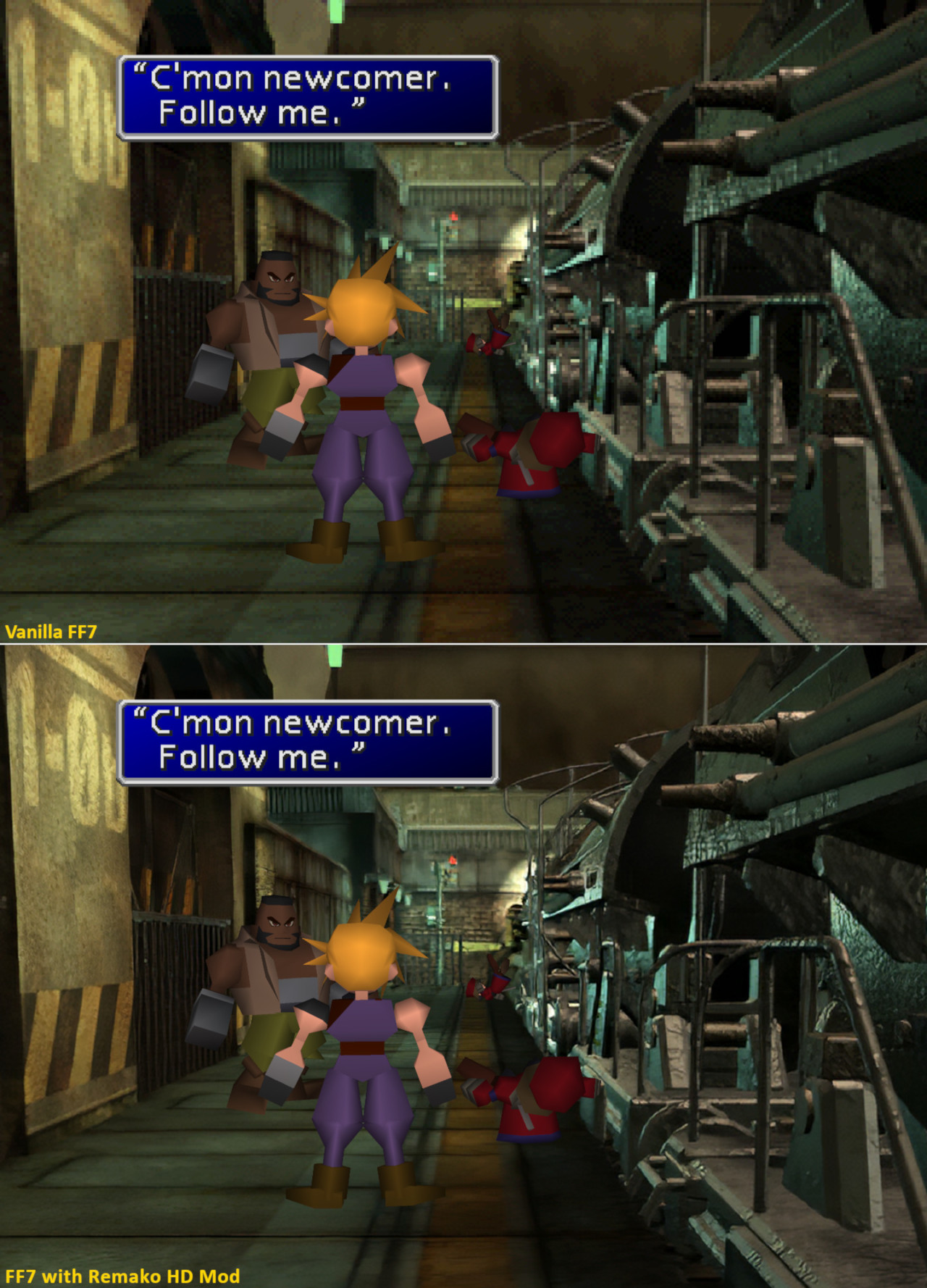
Below is a comparison of the opening scene with vanilla at the top and Remako at the bottom. As you can see it’s a marked improvement and at times it looks like it’s a rerendered image.
MmxxkAk.jpg


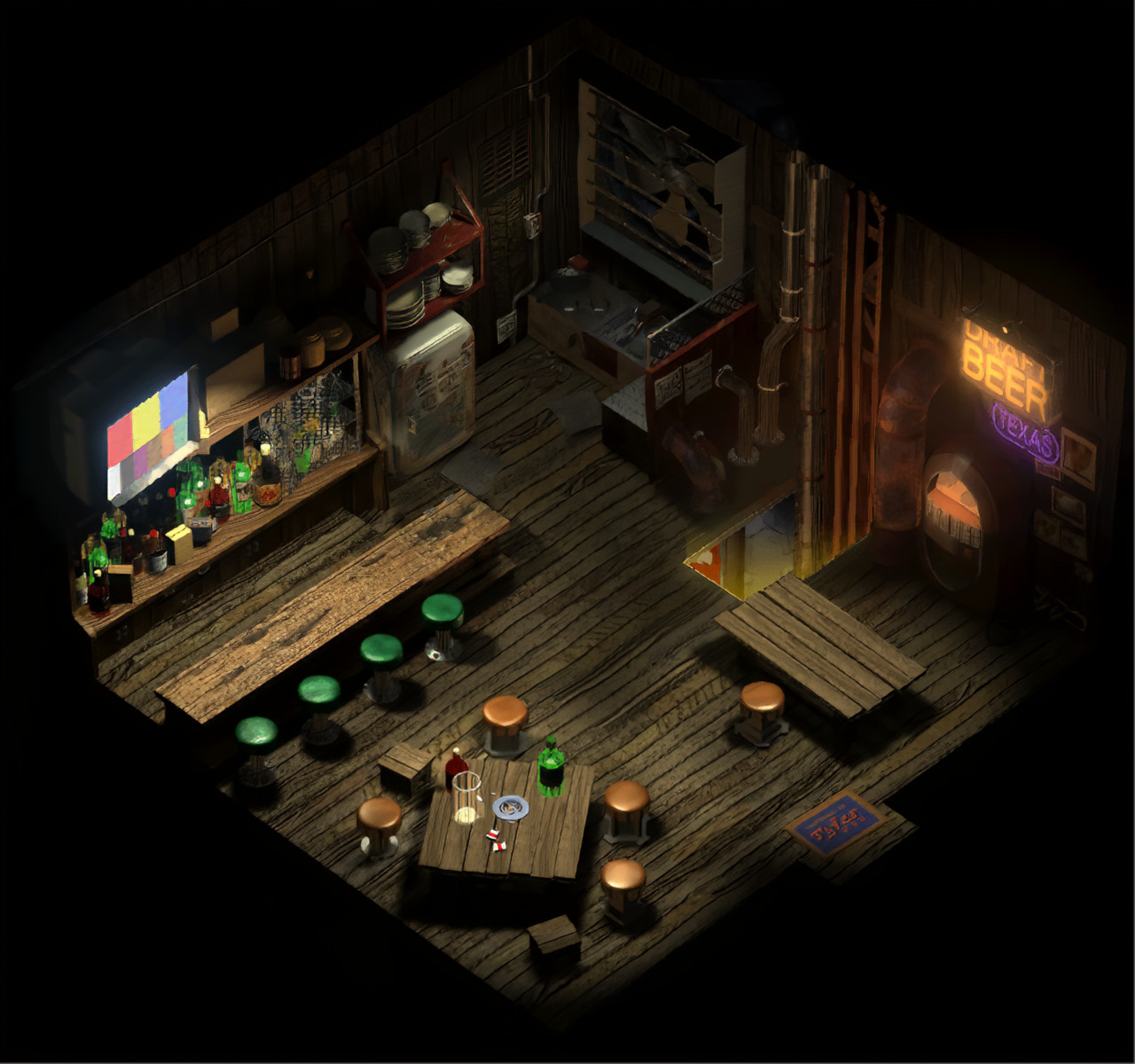
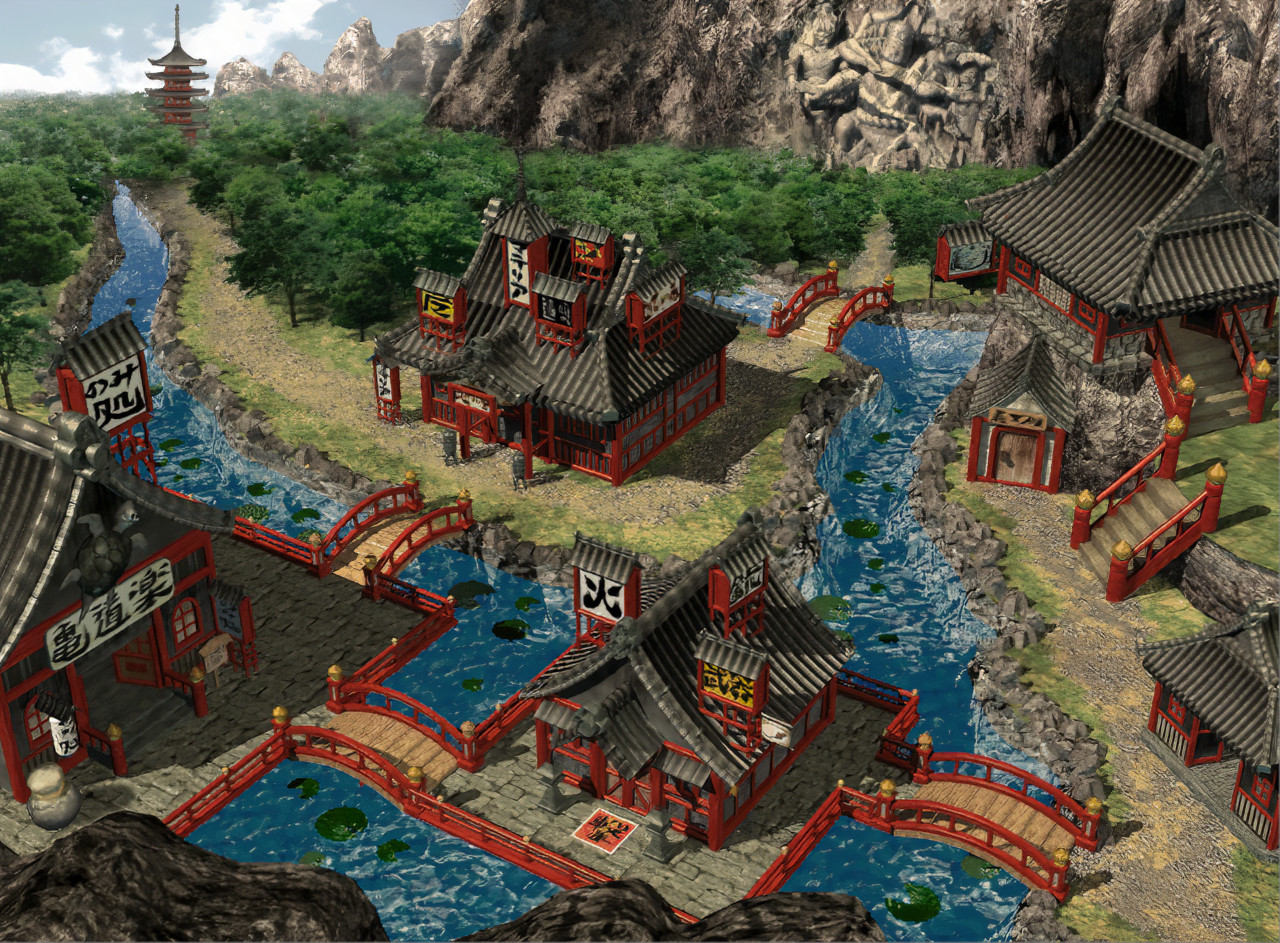
Some other examples of the 400% upscaled field backgrounds (these shots are not in-game):
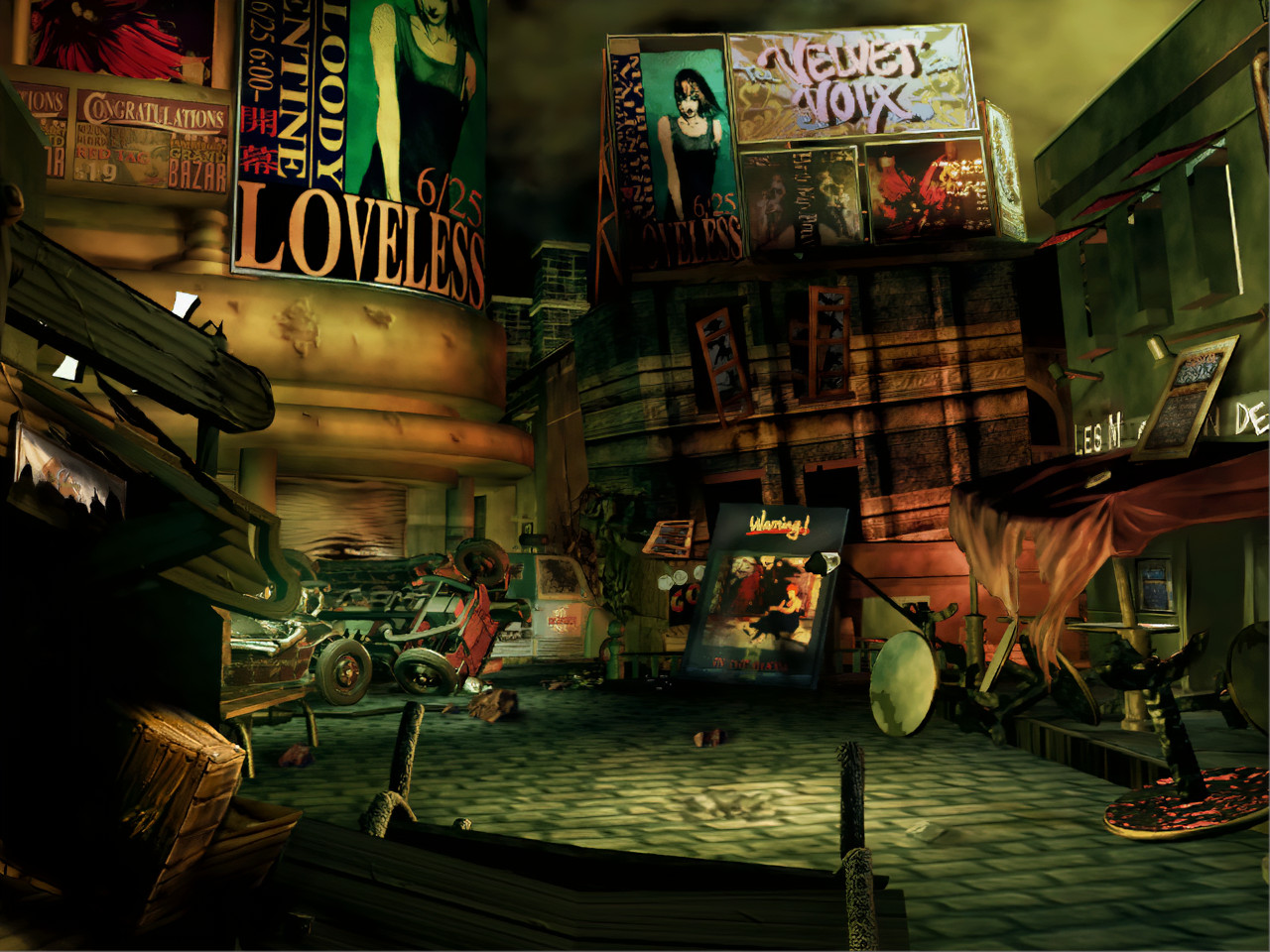
MytO3g1.jpg


R7Q5cSd.jpg


B6BcBpk.jpg


Let me know what you think!
 
Very nice! I've seen efforts made with other NN-based tools, such as Let's Enhance or ESRGAN, but this really seems to blow them out of the water.
 
Seems like a manga109 esrgan tweaked... again someone ripped others works (found about 4 "AI upscale neurotal... uspcale" and all was a ripp of srgan or esrgan)
Here's my current method's results (use only ersgan + waifu for some prefilter).

md1stin_0_base_0000516.jpg


md8_2_0_base_0000516.jpg


mds7pb_1_0_base_0000516.jpg


uutai1_0_base_0000130.jpg


Hard to tell witch is better, could you post full 4x uscaled and not smaller preview ?
 
I'm very impressed by this as well. It does an excellent job with FF7's fields. At least from what you posted, CaptRobau. I even tried this method on some of the FF8 fields and it seems to give some pretty great results. Great find and I hope to see this completed. :)
 
Thank you for the kind words, everyone.

@satsuki

Yeah, machine learning aided upscaling has exploded within the last year or so. Before you had to do with something like Waifu2x, but then you got SRGAN, ESRGAN, Let's Enhance, Gigapixel. This stuff is evolving fast. Anything we do this year, will probably be blown out of the water by the methods of 2020.

Anyway, here are some of them at full resolution.

https://imgur.com/a/Xfyk8gs

Comparing the 7th Heaven pics, I notice that your version has more noise in the lighting glares. However, your Texas sign to the right looks crisper. Both look great.

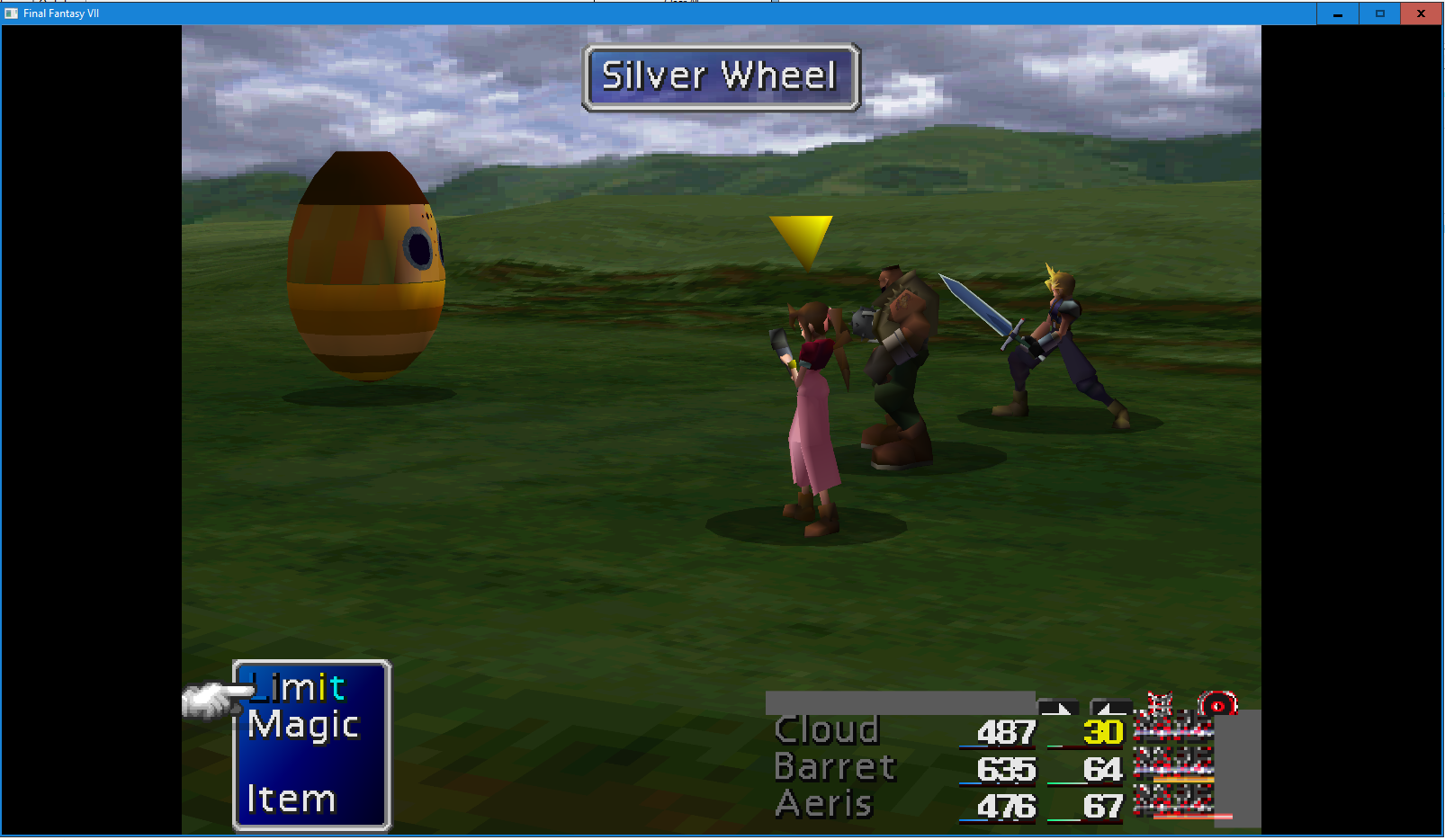
While I have you here, maybe you (or anyone) else could explain why I'm getting a bugged out battle HUD:

iQ1qAcs.png


I feel like there's a setting/installation problemen in 7th Heaven/the Game Converter. It hasn't got anything to do with my mod, as it happens even if I remove all the new field textures. Any help would be much appreciated.
 
My concern with using this kind of NN-based upscaling on FMVs is how it would handle compression artifacts. The PS1 videos are better than the PC videos, but even they are pretty heavily and visibly compressed. If Gigapixel were to misinterpret those artifacts as intentional detail, the end result could well be worse, not better.

It could make a good plate for compositing, though, for those static FMVs such as junair_u, to upscale only the parts of the screen that don't move/change, and then a different scaling method (such as that already used in the Steam release) for the moving bits. Could make the transition between background and FMV less jarring, at least, if only the moving part of the screen gets all blurry and smudgy rather than the whole thing.
 
One other thing - may take a long time, but it's possible to extract each frame of fmvs from psx game to images and run this upscale on them. Though probably would need to be specific to video AI or inconsistent from frame to frame.  That would fix the FMV good also. Possible?
Alredy tried that but the psx's ones have too much temporal noise modulation so the video look "jumpy".
The best resul i got was to take the steam videos, downscale 4x (bicubic) then esrgan them, no more aliasing as in the steam original version, good stability and more details than the psx ones.
 
Here's an esrgan opening from psx (low compression level for testing) : http://wowsatsuki.free.fr/opentest.mkv
As you can see when aerith appears it's more detailled than the steam version, but you'll see also that there's lots of temporal noise when midgar show up (as in le original psx one) witch needs to be heavily filtered.
 
Looks good satsuki.

Anyway, found out the reason behind the bug I had. In 7th Heaven I had the game's exe set as a ff7_bc.exe. It should have been ff7.exe.

iQ1qAcs.png


About Remako, the mod's coming along well. I'm about half way with converting everything to game readable files. Palmer crapped out on me half way, otherwise I would've been much closer to completion.

Working on this mod, I've started to notice the varying levels of quality of the original's design. The Mako Reactor levels look really good upscaled. Fort Condor's interior is much less pretty. But if you look at the original files for those, you notice that the Mako Reactor had a good design even in it's low-res form, while Fort Condor's interior was a muddled, ugly mess to start with.
 
Last edited:
Have you tried denoising the frames using waifu, and then upscale the thing with ESRGAN?
 
Yes but waifu is a noise denoiser (don't do a great job in this case) , to stabilize the video you need to use a temporal noise remover/stabiliser and it's killing lots of details.
 
I use almost the same than for the esrgan background pack of ff7 i'm making:
1)Use waifu for noise reduction only (for this video i use noise level 2 with an old waifu build : "--scale_ratio 1 -m noise_scale --noise_level 2", i can upload you the specif exe if you can't get this result with modern waifu builds)
2)make a 25% downscale with imagemagik ("-filter box -resize 25%")
3)Upscale with esrgan (model used is an interpolation of Manga109 and RRDB_ESRGAN, ratio 80%Manga/20%ESRGAN)

I know that the "downscale then upscale again" process is a mathematic aberation but if you read the esrgan paper, they train the models with a set of high quality picture they donwscale with the bicubic algorythm (about the same as imagemagik box filter).
So the best way to get the full power of esrgan is to provide bicubic downscaled picture ^^
I tried looooots of methods with ff7 background and videos, the "noise reduction, downscale, upscale again" was always the best (off cource for the ff7 background, as a high resolution doesn't exist, i use waifu for noise reduction + upscale, before downscaling with imagemagic, and it's working great)
 
Last edited:
Super excited for this, the results are at the level where it's an actual genuine upgrade. Kinda mind blowing.
Can't wait to try it out!
 
Working on this mod, I've started to notice the varying levels of quality of the original's design. The Mako Reactor levels look really good upscaled. Fort Condor's interior is much less pretty. But if you look at the original files for those, you notice that the Mako Reactor had a good design even in it's low-res form, while Fort Condor's interior was a muddled, ugly mess to start with.
It's mainly because of the palleted colors use, if it's needed lots of colors the original render is realy bad ingame (most of the blin fields are not easy to process too because of alisased lines , mainly blin1/2/3)
That's why i use 2 main methods for each field then choose the best one ingame, and if it's realy not good looking a try to found specifics settings (right now i used a total of 5 differents setup).
By the way if you use my 4xcut software to autocut the resized fields, test thems ingame because since the release i found somes bugs and lots of optimisation to do on doors or lights and some fieds must be corrected by hand like the blin1, game1, and game2 because of a very specific layering.

here's my render of 2 field hard to properly upcale, colne2 and blin1:
v3c.jpg


v31c.jpg
 
I use almost the same than for the esrgan background pack of ff7 i'm making:
1)Use waifu for noise reduction only (for this video i use noise level 2 with an old waifu build : "--scale_ratio 1 -m noise_scale --noise_level 2", i can upload you the specif exe if you can't get this result with modern waifu builds)
2)make a 25% downscale with imagemagik ("-filter box -resize 25%")
3)Upscale with esrgan (model used is an interpolation of Manga109 and RRDB_ESRGAN, ratio 80%Manga/20%ESRGAN)

I know that the "downscale then upscale again" process is a mathematic aberation but if you read the esrgan paper, they train the models with a set of high quality picture they donwscale with the bicubic algorythm (about the same as imagemagik box filter).
So the best way to get the full power of esrgan is to provide bicubic downscaled picture ^^
I tried looooots of methods with ff7 background and videos, the "noise reduction, downscale, upscale again" was always the best (off cource for the ff7 background, as a high resolution doesn't exist, i use waifu for noise reduction + upscale, before downscaling with imagemagic, and it's working great)
Waifu only looks at individual frames because it was programmed as an image upscaler. What you need a high quality temporal denoiser, right? I highly recommend V-BM3D or KNLMeansCL, as both are way better than waifu at temporal noise/grain like that.

You can actually do everything (artifact removal, denoise, upscaling, resize back down) in a single step with vapoursynth, and do intermediate steps like 2x or 3x... But that's a deeep rabbit hole to go down.
 
I kown but i'm stuck with old avisynth, never take the time to go to vapoursynth.
I've done lots of video filtering long time ago (started with the first release of virtualdub to end with avisynth with its great features).
But honestly the hard part of this type of upscale is that esrgan (and other ia of the same type) is not designed to upscale cleaned up video picture but low resolution still picture.
With the original psx videos of ff7 you have to deal with low resolution (320*xxx) + temporal noise + low colors palette compression... not realy easy to work with ^^'
Right now i don't have much time to spend in it because i'm already do a test/correction off the fields of the game.. maybe when my pack will be done ^^
 
Status
Not open for further replies.
Back
Top