[FF7PC][TSUNAMODS] Satsuki Yatoshi Mod - SYW V5 - unsuported anymore

  • Thread starter Thread starter satsuki
  • Start date Start date
Status
Not open for further replies.
Is there a tutorial for modding a Linux Steam version of the game?

 
Could you also upload the modern 3d model and psx music iros to make the iros package complete? They are included in the installer but not as iros.
 
Yeah it wasn't too bad. I was able to organize Satsuki's textures into one big textures folder in the root. Satsuki also had some lgp files, which I manually put in the data folder, making backups of the original, since I'm using Linux, and the overwrite and direct folders don't work with Wine. Works pretty good. I'm not sure what the point of moviecam.lgp is? The movie camera when the fmv plays? "cd" and "movies" had their own moviecam, so I think cd was just for those short transitions to fmvs that happen a lot throughout the game. PS1 games were something huh? So many transitions from in engine to cinematics. You won't find that stuff nowadays.
How did you use the Ironite tool? Did you run it with wine? And are you using FFNX as well?
 
How can I install this without Cosmo sound effects? I just want original game SFX.
If I install this mod by itself, I have no SFX at all. The only way to get SFX is to download and install Cosmo and put it higher in the load order.

But actually I don't want any change to the sounds. I have tried setting 7th Heaven driver setting to "Original sounds.dat" but it has no effect, and I still get no sounds or cosmo sound effects as above.
 
Could you also upload the modern 3d model and psx music iros to make the iros package complete? They are included in the installer but not as iros.
Here's the source for 3d models and psx musics:
https://www.ff7catalog.com/threads/9395/
https://www.ff7catalog.com/threads/14035/

How can I install this without Cosmo sound effects? I just want original game SFX.
If you use my AIO pack, just don't check the cosmo part, if you use my iro it's not providing any sound, so you should have original sfx, if not, it's a 7th question, nothing i can do here
 
Hey Satsuki does this include all of Aavock's enhancements to fonts and Chocobo area/signs for English version? I'm using the IRO.
 
aed5WTa.png


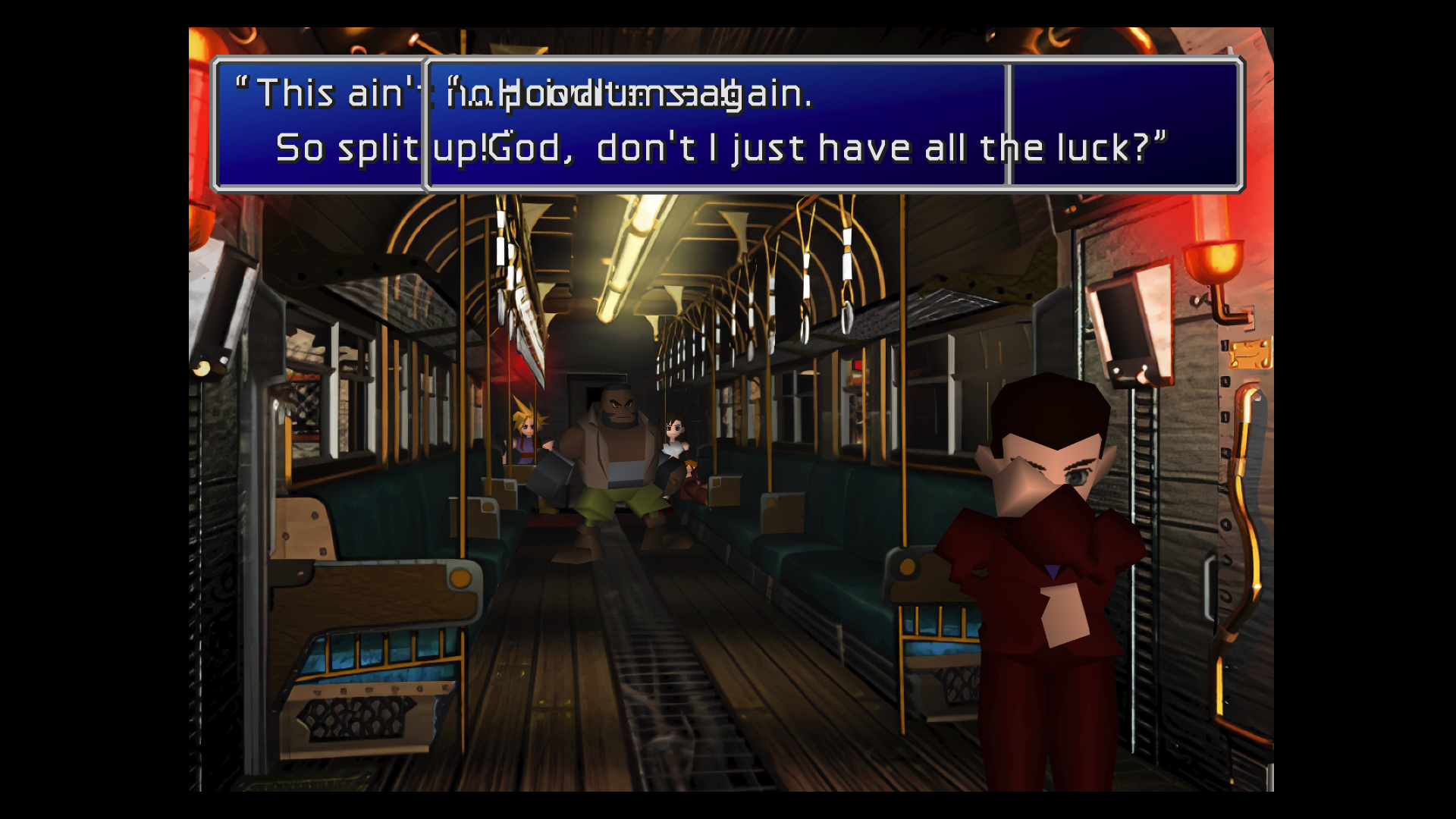
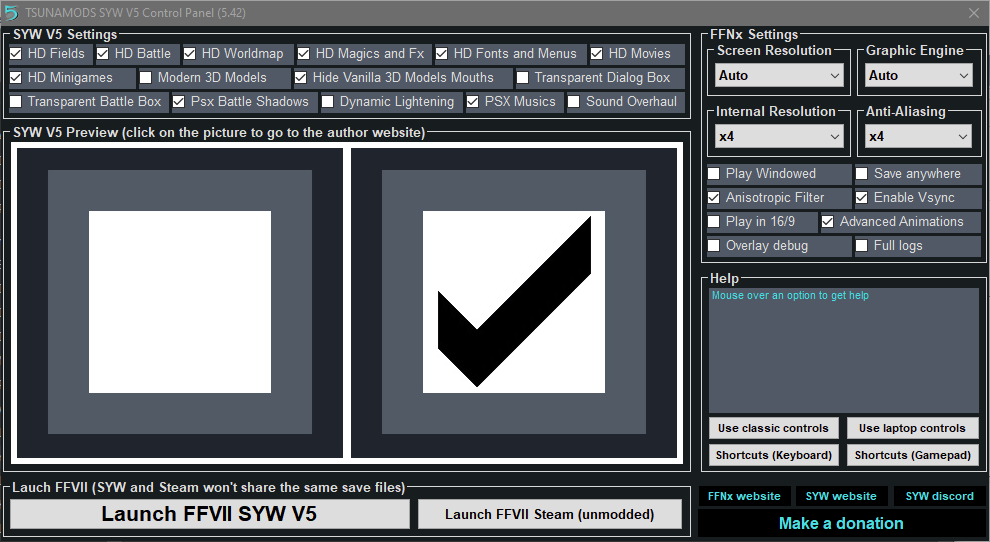
I went from 5.24 to latest with a full FF7 uninstall in the middle to hopefully stop this train text from overlapping but it's still happening. What am I doing wrong? My settings are as follows;

KDb28KO.png


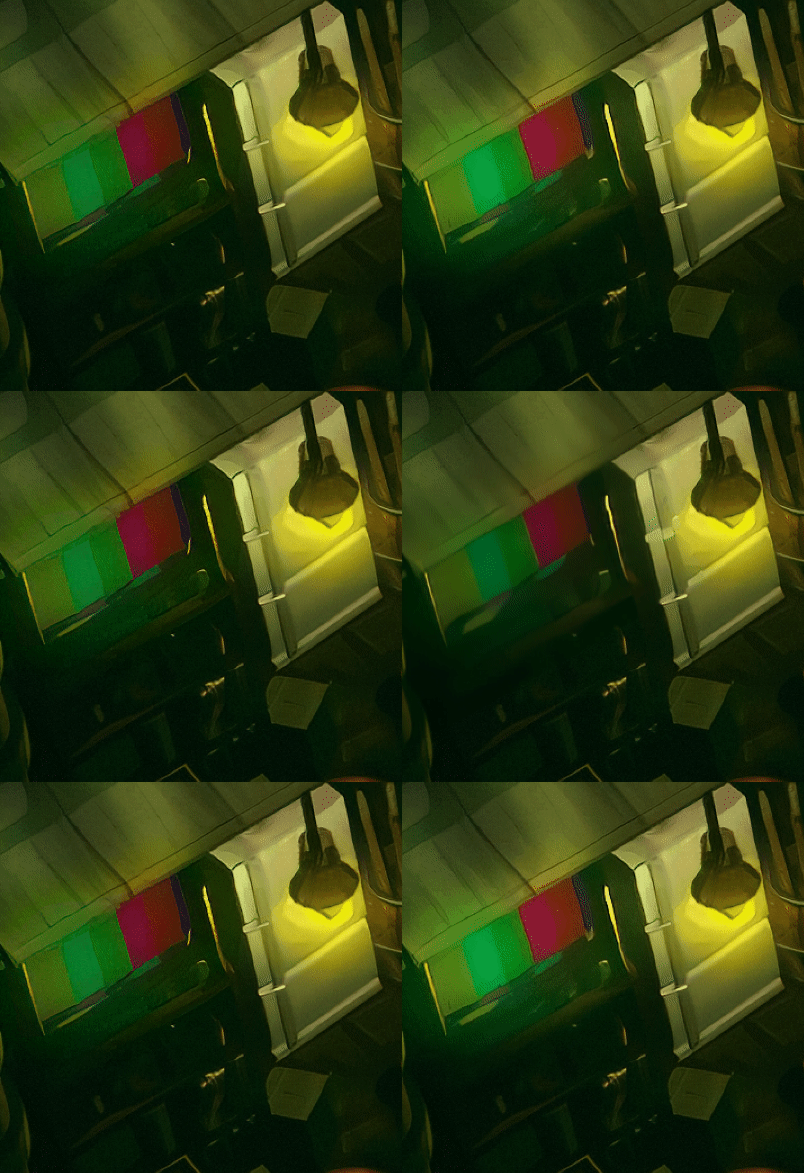
Also noticed that the upscale obliterates the area around the TV outside Don Corneo's.

Y3F6jCL.gif
 
Last edited:
Hello everyone,

I'm 38 years old and VERY new to PC gaming. I love FF VII though and got a steam account after discovering all the amazing mods that people have been creating for the game. I'm blown away that this kind of thing is being done by "amateurs"; it's truly awesome to see all the work and care that people are putting into preserving this piece of pop culture history.

My question: Is there a place where version 4 of the Satsuki mod is still available? I ask because my PC is a bit old and can't run the newest version of 7th Heaven or V5 of Satsuki. I'm currently using an older model of 7th Heaven and some of the Qhimm 3.0 mods and while those are a great upgrade on their own I'd still like to see what SWY can do.

Thanks in advance for any advice, and BIG thanks for all the work everyone's put into this!

EDIT: OMG! Figured out V5 on my computer. Please delete this post, and THANK YOU!
 
Last edited:
@olearyf2525
iro's are based on english version, Aavock part too.

@Sails
this text overlaping is realy strange, are you using anything other than my pack to mod the game ? could you try to change the "graphic engine" and check the result
the inconstitency of the animation in fields can appens, i thought i corrected them all, i'll correct than asap, i don't have much time atm ^^'

@jlewis6159
Have fun ^^
 
Hello there. Satsuki, your mod is awesome and the only one I get to work, but I'm getting some issues, probably related to my RX 580 ATI video card. The fact is, it only runs smooth with Vulkan api, with D3D11 the screen keeps flickering all the time that it makes impossible to see anything clearly, D3D12 get sound but no video, D3D9 it won't start at all and OpenGL it crashes on startup. The curious thing is, the first time I run the game after installation, with OpenGL it runs fine, as with Vulkan, but when I close and run again, it crashes. The problem with Vulkan is, as the message box says, it may crashes sometimes, and, no surprise, it does, a lot. Any solutions on short time, or just on future updates? And there is another problem, I have 40 years old, so, you could imagine I've played when was a teenager, so, today, grinding and farming is a nono, so I was trying to use some trainers, but no one works. Any tips? Thank you for everything.
 
@Sails
this text overlaping is realy strange, are you using anything other than my pack to mod the game ? could you try to change the "graphic engine" and check the result
I'm not using other mods.  I reinstalled again and the overlap bug still happens in Vulkan, D3D12, and D3D11. D3D9 and OpenGL aren't playable for me. I have an Nvidia GTX 1080 if that helps diagnose. Turning off "HD Fonts and Menus" works around it. I understand that fixes take time, hope you're having a happy holiday! :)
 
I updated the driver to the recommended version recently, and I agree, didn't know these problems with AMD drivers and kind of regret didn't get a Geforce card instead. Thanks for the help with the save editor. Hope you can solve the bug with the driver so everyone can enjoy your marvelous work. Thank you.
 
I updated the driver to the recommended version recently, and I agree, didn't know these problems with AMD drivers and kind of regret didn't get a Geforce card instead. Thanks for the help with the save editor. Hope you can solve the bug with the driver so everyone can enjoy your marvelous work. Thank you.
This issue is related to FFNx, not Satsuki's mod.
https://github.com/julianxhokaxhiu/FFNx/discussions/299
I don't think they'll fix it any time soon.
 
it's not FFNx related, it AMD driver related ^^, but yes it won't be fixed anytime soon T_T
 
Hallo @satsuki. Would downloading the latest version of FFNx and replacing it after installing SYW enable achievements? I'm guessing I would need to keep a copy of the original steam executable and replace the one that SYW uses with the original as well?

Is there a plan for a new version with the updated FFNx for the Steam Achievements and analog movement support planned?
 
Hello, I keep getting an error that says "No FF7_SYW V5 in this folder" when try to install using the AIO installer.
"TSUNAMODS.FF7.SYW_V5.Update.5.42.exe"

Could someone help?
 
Current version is 1998 exe based, not steam's , so you can't use achivement ATM.
I went from steam version to 1998 version to avoid some strange savegame file bugs.

I don't heve much free time ATM but i plan to update the pack when FFNx will be in a stable way (ATM lots of tests / release)
 
@satsuki
Was that also a reply to me?
So.. it won't install on the steam version?
 
@satsuki
Was that also a reply to me?
So.. it won't install on the steam version?
you need to install the full version then the update .... like explained : Download SYW V5.40 for Steam All-in-one Installer: HERE. {MIRROR} - Update 5.42 : HERE. {MIRROR}
 
Status
Not open for further replies.
Back
Top