[FF8PC-Steam] BerryMapper- texture replacement for Tonberry mod (2014-12-15)

  • Thread starter Thread starter Shunsq
  • Start date Start date
Status
Not open for further replies.
Also, so far this mod only replaces Squall, yes- I am currently working on Quistis, and hopefully by the end of next week will have the texture completed and hashed. I have a feeling this will take a good amount of time, so bare with!

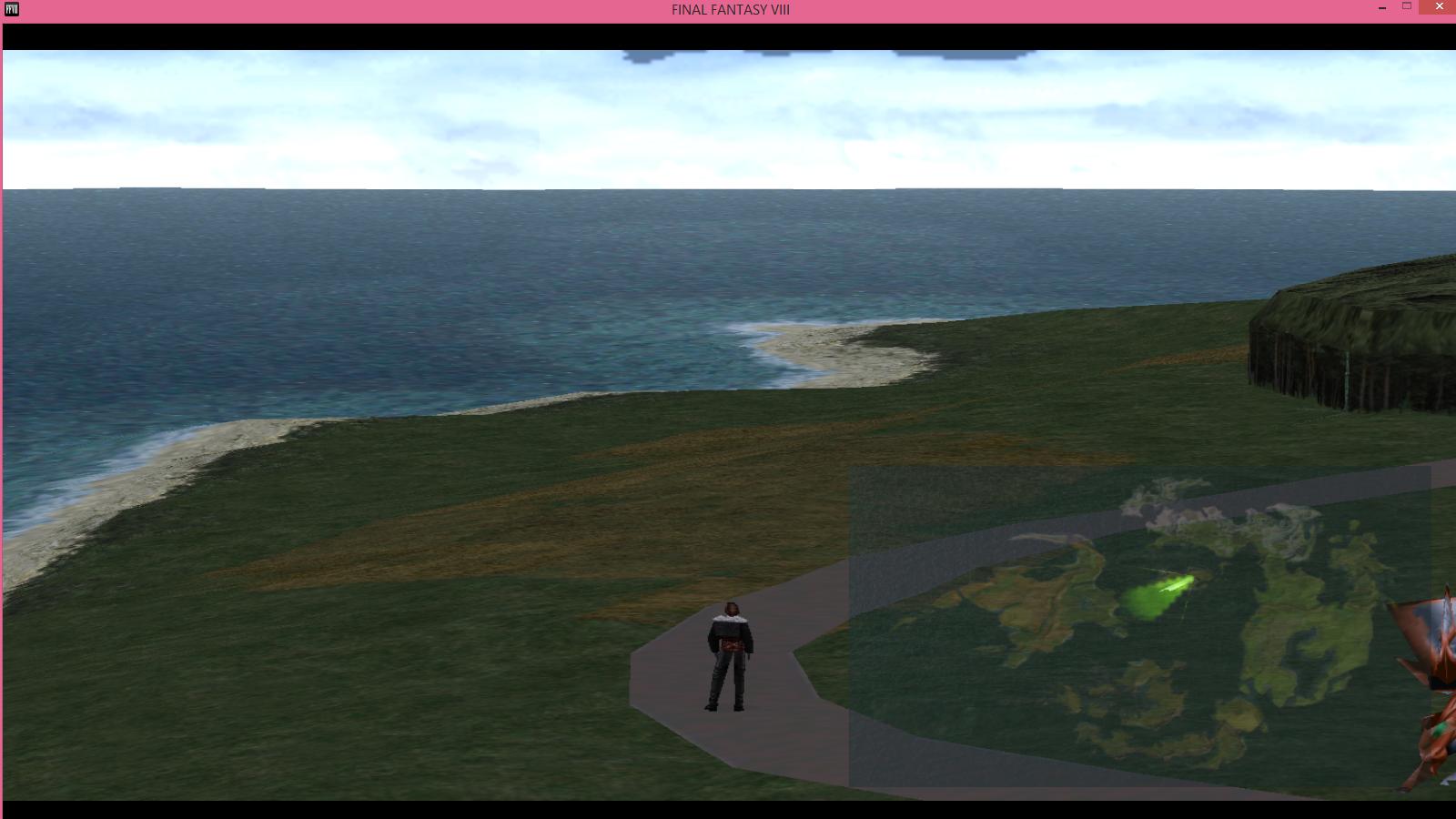
I have a map texture to replace the original one as well.. Not sure if I can use it IG because I haven't asked for permission yet, and I haven't worked out how to get it working as of yet.

worldmap1_13.png
I think I figured it out, Mortael.

Poked around at some hashes and then set to some photoshop smashing to make a derivative work to post for fun.

wmaptest1.png

wmaptest2.png


Hash codes:
wm_worldmap_13,18446744073707977386
wm_worldmap2_13,18446744073706928818
wm_worldmaptsp_13,18446744073707978427

worldmap2 should just be a copy of worldmap, but i separated them to show that they are pulled up in different instances. you could technicallly just name them both wm_worldmap_13.png and it would work great.
worldmaptsp is a transparency layer that I haven't messed with yet, but feel free to let us know what to do if you figure it out!

For testing:
wm_worldmap_13.png


Merry Christmas!
 
Last edited:
Oh god, that map looks GORGEOUS. I can't wait to see this finished...
 
It's my only explanation why the UV is messed up.
If you look at the area around 4 you can clearly see that the 'quad' UV mesh is broken by strange placed tris, so the tile map is wrongly placed on this.
The texture is properly the same as on psx, but it looks like that the UV is smaller as the tile texture and that's might be the reason why the textures aren't displayed seamless.
Is there any way to increase the UV size to match the PSX version?  As I replace textures, the walkmesh errors become increasingly more obvious.
 
Been testing your map Mcindus. I really like it.

aeug7ZV.jpg


But oddly enough, it only seems to work when it feels like it at times.
 
All you need to do is take Mcindus's test map, run it through whatever photo editing program you use (me, I use GIMP), and turn the opacity down to whatever you feel is suitable for you. I have mine set at 40%. Then just name the picture and the folder you're putting it in accordingly (wm_worldmaptsp) and it should work.
 
All you need to do is take Mcindus's test map, run it through whatever photo editing program you use (me, I use GIMP), and turn the opacity down to whatever you feel is suitable for you. I have mine set at 40%. Then just name the picture and the folder you're putting it in accordingly (wm_worldmaptsp) and it should work.
Thanks, Fated! I'm glad this works well for you guys... mostly.  I think I know why it's temperamental as well... read below.

A huge issue I think everyone should know about --  If you are hashing files, remember that different codes can correspond to the same images (or in most world textures, lower resolution images).  For example - the map, sky, and world textures all have different hash codes depending on being in the ragnarok or on foot.  Not sure if all vehicles have different hashcodes (yikes) but the largest issue facing us is finding these different instances and using the codes properly.
 
No problem. I figured it was something along the lines of that. Hopefully, that can all be sorted out. Besides, it only activates when you're in the Balamb area. So I just assumed there might be different codes for different areas. And I've ran into that issue with the codes already. Haven't figured out any way to work them out, though.
 
Okay, I've been hashing and using the textures given. So I want to post progress and whatnot.

So Mcindus, I've been using your test map and went around everywhere to gather the codes. Not sure if this is all of them(or if you already found them all) but here they are if you or anyone else needs them. This way the maps don't disappear anymore.

wm_worldmap_13,18446744073709025978
wm_worldmap_13,18446744073707452842
wm_worldmap_13,9223372036852153267
wm_worldmap_13,9223372036853201843
wm_worldmap_13,9223372036852677299
wm_worldmap_13,9223372036854250427
wm_worldmap_13,9223372036854250419
wm_worldmap_13,9223372036852153011
wm_worldmaptsp_13,18446744073707453883
wm_worldmaptsp_13,9223372036852154291
wm_worldmaptsp_13,9223372036854251451
wm_worldmaptsp_13,9223372036853202867
wm_worldmaptsp_13,9223372036852678323
wm_worldmaptsp_13,9223372036854251195
wm_worldmaptsp_13,9223372036854251443
wm_worldmaptsp_13,9223372036852154035

Second, after creating my own dummy low poly characters from Mago's textures, I believe I've found almost all the hash codes for every character...except Edea. Of course, some of these cause glitches... Like things going invisible. Not sure how to fix that.

And here are some pictures of other things...because why not?

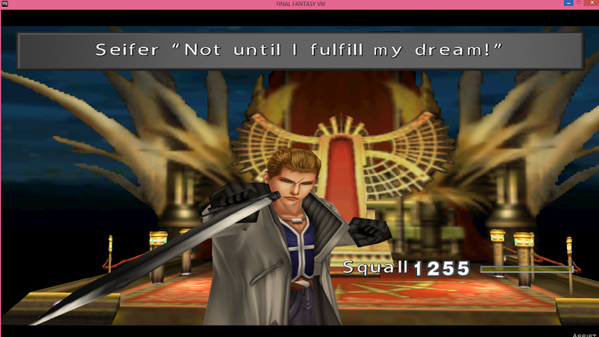
Seifer, in your first battle against him.
V6tO7RP.png


Squall with bandages(because I wanted to test out the code).
lfHND1v.png


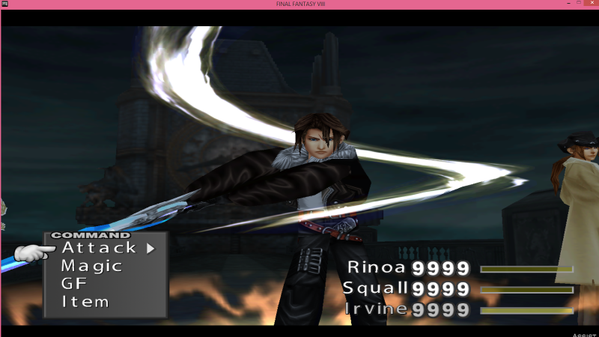
And Devina's Squall in battle. ...Just because I really like it.
plBvQsL.png
 
HashedSometextures.png


Crest's textures for the Ragnarok, not looking too bad! I've hashed only half so far, will have it fully hashed shortly :)
 
I believe I have found a reason for some of the transparency/misplaced texture issues.

In the hashing process, when you run across a jumbled mess of colors in one of the palettes, these palettes are either transparent in nature or RAM dumps not to be used.  It's easier to tell transparency vs. non-transparency because there is at least some part of the image that should be used vs. a RAM dump which is just a jumbled mess.  If it looks rainbowish, there are chances it's a RAM dump.  I think the transparency layers are greyscale in nature since varying degrees of Black = varying degrees of transparency, but the greyscale portion may only take up one of the two left image quadrants so don't be surprised if you have a texture that is half image and half RAM dump.  Also - I think that if we use these RAM codes, they cause collisions - or if they are transparency layers and are pointing to non-transparent textures, they fill in textures where there should be none.
This means that to correct this, you need debug dumps where there are errors - with your hash1map, objmap, and textures folders disabled (to get true debug dumps) so that we can sift through these textures and find the RAM dumps vs. the transparency layers.  If you find a RAM dump, berrymap it and then search your hash1map AND objmap files for that code and either remove/replace it with the correct one, or if it's a transparency, replace it accordingly.

I'm not too sure how the objmap codes work, but they seem to supercede any other hashing for texture placements.  If I use the worldmap objmap code instead of the hash1map code, it replaces every transparency layer that exists with the worldmap (the sky, the squaresoft logo, loooolz).  So if we have an incorrect objmap code somewhere, it would stick squall parts on other npcs in different areas, so that might be what's happening.

Okay, I've been hashing and using the textures given. So I want to post progress and whatnot.

So Mcindus, I've been using your test map and went around everywhere to gather the codes. Not sure if this is all of them(or if you already found them all) but here they are if you or anyone else needs them. This way the maps don't disappear anymore.
Code: [Select]
Code:
wm_worldmap_13,18446744073709025978wm_worldmap_13,18446744073707452842wm_worldmap_13,9223372036852153267wm_worldmap_13,9223372036853201843wm_worldmap_13,9223372036852677299wm_worldmap_13,9223372036854250427wm_worldmap_13,9223372036854250419wm_worldmap_13,9223372036852153011wm_worldmaptsp_13,18446744073707453883wm_worldmaptsp_13,9223372036852154291wm_worldmaptsp_13,9223372036854251451wm_worldmaptsp_13,9223372036853202867wm_worldmaptsp_13,9223372036852678323wm_worldmaptsp_13,9223372036854251195wm_worldmaptsp_13,9223372036854251443wm_worldmaptsp_13,9223372036852154035
Second, after creating my own dummy low poly characters from Mago's textures, I believe I've found almost all the hash codes for every character...except Edea. Of course, some of these cause glitches... Like things going invisible. Not sure how to fix that.
Thanks, Fated!  I had found a few, but this looks really thorough!
Hope some of what I stated above helps you with your hashing.
 
Last edited:
It seems like changing the world map textures causes a massive memory dump for some reason, I checked in my processes, and FF8 was running at 1.2GB of my memory... Whilst using the Ragnarok textures. Theory: It is likely because FF8 is re-reading the textures over and over and over again, a million times over. The world map is of course the biggest problem because it contains the most textures in one 'map' perhaps... It could be the case of conflicting hash codes..? Maybe, the game becomes confused and tries to duplicate the textures over and over instead of replacing the texture...? We'll have to test some more and find out what the problem is, I am certain it is fixable :) Field/Battle seems to have no problems, but the world map is definitely the issue here.

In other news, I'm going to rework the weapon textures that Crest gave me, feel free to help tweak them some more, worked hard on the revolver texture as it is the most important gunblade texture I feel!

http://www.mediafire.com/download/dri5j1gg9l2fqiu/FF8weaponsSqReplacement.rar

Revolver_3.png


Re-texturing the Punishment:

Punishment2.png


Punishment-1.png
 
Last edited:
It seems like changing the world map textures causes a massive memory dump for some reason, I checked in my processes, and FF8 was running at 1.2GB of my memory... Whilst using the Ragnarok textures. Theory: It is likely because FF8 is re-reading the textures over and over and over again, a million times over. The world map is of course the biggest problem because it contains the most textures in one 'map' perhaps... It could be the case of conflicting hash codes..? Maybe, the game becomes confused and tries to duplicate the textures over and over instead of replacing the texture...? We'll have to test some more and find out what the problem is, I am certain it is fixable :) Field/Battle seems to have no problems, but the world map is definitely the issue here.
I've noticed that anything with animations makes the game run like a tortoise.  I tried to replace the ocean and it lags so hard that the game is unplayable.  Are you using objmap codes or hash1map codes for the Ragnarok?  I think we should stick to hash1map codes whenever possible and only use objmap codes when it is absolutely necessary.  I also believe that the game may be replicating the textures as well instead of replacing them - look in your 'error' folder after you run a debug.  Also - Omzy had an issue with memory when he first released Tonberry - so maybe this is a question best answered by someone with some RAM knowledge??

It's my only explanation why the UV is messed up.
If you look at the area around 4 you can clearly see that the 'quad' UV mesh is broken by strange placed tris, so the tile map is wrongly placed on this.
The texture is properly the same as on psx, but it looks like that the UV is smaller as the tile texture and that's might be the reason why the textures aren't displayed seamless.
Kaldarasha -- here is an example of messed up UV/texture coordinates using Crestian's Railroad texture for Balamb town -

railroadbaduv.png
 
Last edited:
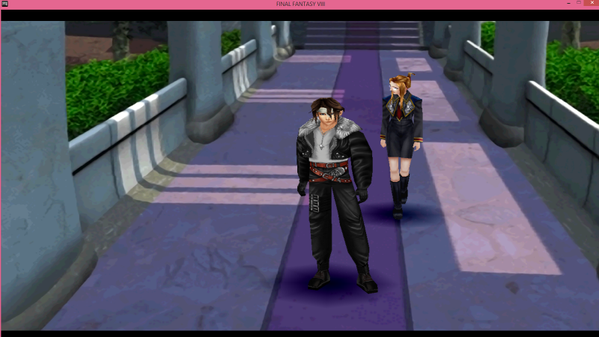
Squall and Rinoa have been the least glitchy of the bunch. The only issue I've had with Squall is one battle area gets replaced with his low poly texture. Other than that, he's fine for me. Perhaps I should try different methods, I guess. I'm still learning here. Any code that conflicts with the world map I don't use. And as for rainbow colored palettes... I've only ever found one. And I never bothered trying to hash it due to not knowing what it was.

No problem. Looking back, I probably missed the codes for the full screen map... So, I'm sure there are more I missed.
 
Last edited:
I have some problems with this mod.

As you can see in the images the textures of Zell are used on other NPCs.
This happened for the shumis in balamb garden and one time for Shou.
From time to time the correct texture is used for a short time.

I used these textures:
Squall: Mortael
Selphie: Shunsq
Zell: Shunsq

I copied the hash codes from the first post to the objmap.csv and to the end i copied Mortaels hash codes.
Maybe this was wrong?

See images:
2xhrcgpk.jpg

t37gsksz.jpg


Edit: I testet Shunsq textures for Squall and only used the hash codes in the first post and the prblem is the same.
If it matters, I use the german version of Final Fantasy 8 and the only other mod used is Seed Reborn(german).
 
Last edited:
Hello moundar,
You say you only use seed reborn, but i see that you also use Eden(upscaled background). Could you disable it( in texture folder change bg/ to bg0/). I don't think anything will change.

When i tried to replace lowpoly models with highpoly this problem appeard. Have you modified field.fs?
Try to disable zell hd texture( rename the ze/ folder to ze0/). If there is still a problem then tonberry is not involved. Maybe field.fs has been modified.

The last reason would be that the templars and zell texture share the same hashcode.
In tonberry folder change debug0 to debug then replay this part. After 5s change debug back to debug0.
Look into the debug/replaced folder. And see if you have the templar texture.
If it is the case then use berrymapper on it and show me the objmap codes.
 
Sorry you are right. Eden was enabled too.

I think the Problem is the german version of FF8.
I changed to english and Shou has the correct textures now.
This solved the problems which i had with eden as well.

Are the problems with the german version known?
Maybe the hash codes are different.

I can not test the exact same situation cause i dont have the save anymore.

Edit: I got another hash1map from norwin and now the textures seems to work in the german version.
 
Last edited:
Okay, after doing some more work, I've come to the conclusion that using the hashmap codes for the characters does resolve the issue with certain objects disappearing. Game will still lag no matter which codes are used though. The only issue with those codes is that it requires a lot of codes to keep the textures from disappearing. And that can be for just one area. So, I've been taking out the glitchy ones and trying to hash the areas those worked in for the hashmap ones.
 
Status
Not open for further replies.
Back
Top