[FF8PC-Steam]SeeDReborn v4.1 Multi-Language [NEW! More Options!] (5/22/19)

  • Thread starter Thread starter Mcindus
  • Start date Start date
Status
Not open for further replies.
I'm just curious as to why they changed the Font of character names in battle on PC and removed that font entirely. I've also never seen the character sheet for that font in either version of the game, it's very odd. The amount of strawberries they did to the PC version still makes me angry.

Japan's PC version had all it's font work and text stuff redone entirely because it previously wasn't out in Japan on PC, so now it looks quite nice for them even without the PSX font. But all we got was the rehashed garbage of the 1999 PC version. I don't know if their version had anything else done, like audio or FMV wise, getting ahold of it is surprisingly tough.

I would have paid a little bit more in price for the re-release had they just re-ported the PSX version again with the all the proper audio and everything, apparently what's even more baffling is even though the PC version uses lower quality assets in alot of places compared to the PSX version, the FMVs of the 1999 PC release are much higher res than the PSX FMVs (Which is awesome), but the Re-Release doesn't use the higher res FMVs for whatever reason.

I just don't understand.

Then you have this
RpRGmS.jpg

A wallpaper of CG Squall in Modern Day resolution, indicating that they clearly still have some sort of access to the FF8 CG stuff.
The screenshots on the site show really, really crisp screenshots from the cutscenes (Though they are fairly small)

As it stands, my copy of FF8 has
1. Restored PSX Music in Games and FMVs
2. Restored PSX Font (Still need to know more about berrymapper for Icons)
3. Fixed UV for world map stuff
4. 1999 release FMVs that were rendered at a bit higher resolution than the PSX and Steam releases

If someone manages to figure out how to restore the PSX buttons proper and such then I think I want to put together a guide or a list for people who want kind of the best version of the FF8 Vanilla experience.
 
Last edited:
Hello everyone,

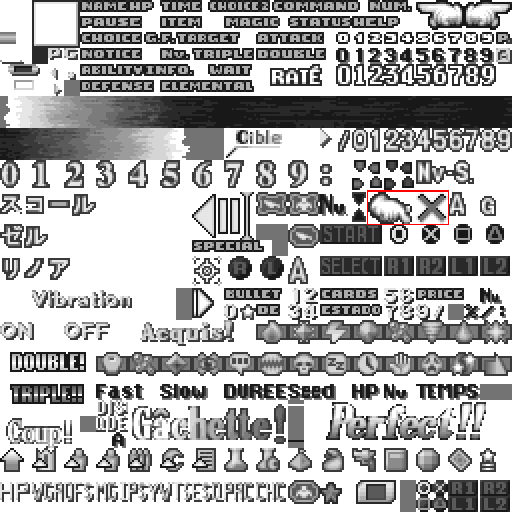
I want to thank you for this work and I've also a question. Is this mod replace the "turbo icon" as we see it in the first screenshot ? I would like to know if something is possible to delete this icon, because i've the same issue as the Shiva's eye.

Thanks for your help.
 
Hi bayer59, what is the issue exactly? Not sure I understand what you mean...

If you really want to delete the "turbo icon" go to \textures\ic\iconflmaster and find the "iconflmaster_15.png" file and delete that specific area:

yDURF9h.png
 
Hello Aavock,

Thanks for your help. When using the turbo,  the cross must twinkling before being permanent. I guess it's the same problem with shiva's eyes. I'm sorry, it's not simple to explain.

If I well understand, by editing this png and delete this section, the original animation will be restored ? I'm not sure because there is a lot of icon***.png in different colors. If I delete on the master one, will it be enough ?
 
Hello Aavock,

Thanks for your help. When using the turbo,  the cross must twinkling before being permanent. I guess it's the same problem with shiva's eyes. I'm sorry, it's not simple to explain.

If I well understand, by editing this png and delete this section, the original animation will be restored ? I'm not sure because there is a lot of icon***.png in different colors. If I delete on the master one, will it be enough ?
Hey bayer!  This might be due to the version of the mod you're using - are you using a different language other than English?  What you could try, is instead of deleting /textures/ic/iconflmaster/iconflmaster_15.png, just make it 50% transparent and see if that fixes the problem!  This might be preferable to just deleting it, anyway!  If this doesn't work, you can remove it completely --  This will also remove a lot of the upscaled text, but it will fix your issue. 

Right now, I would need to test a battle with your debug from your language version to see if I could actually 'fix' the issue with your language version of SeeD Reborn.  This is not a problem in the english version because iconfl03_15.png and iconflmaster_15.png handle the hi res/transparent text respectively, but since the 'foreign' versions don't use the hi-res textures, your version doesn't use a different texture page for transparent/non-transparent textures.
 
Last edited:
Hello Mcindus,

Thanks for your answer ! I’m playing with the french version ! I will see on my side to delete the master png and erase only the appropriate icons to see if there are some improvments !
 
Hello Mcindus,

Thanks for your answer ! I’m playing with the french version ! I will see on my side to delete the master png and erase only the appropriate icons to see if there are some improvments !
Don't just delete the icons - make the page 50% transparent.  if that doesn't work, then you have to delete the whole page and not just the icons or the icons will be blank.
 
EDIT: Nevermind, the thread was displaying weirdly and didn't see the other posts
 
Last edited:
Did you ever have any luck with making the menu coloured? I'm sure i seen a future post a long while back saying it was being worked on. Would love to see it
 
A faithfull hi-res PSX font restoration was already made here here. Hi-res PSX buttons should be easy too.

There's a mayor issue (in my opinion) about recreating a very accurate user interface: unlike FF7, there's only 1 type of texture for field and non-field. For example the game displays 1:1 text texture in dialogues on field, on the other hand, the text in menus is horizontally shrinked and same thing occurs with the rest of the textures which causes some artifacts. So even if you do manage to get perfect hi-res textures the menu UI will never look sharp and crisp.
This looks perfect but sadly, it doesn't replace the damage/healing numbers that appear during battles. Also I've noticed that, this doesn't work quite well with GeDoSaTo. When using gedosato and that, the menus will have some small artifacts
 
This looks perfect but sadly, it doesn't replace the damage/healing numbers that appear during battles. Also I've noticed that, this doesn't work quite well with GeDoSaTo. When using gedosato and that, the menus will have some small artifacts
What language version do you use?  The English version works just fine with healing/damage numbers.  If you're having issues seeing them, could you please pm me and we can go through a process to make that texture available to you and everyone else using your language pack! 

It depends on what text you use and what anti-aliasing settings you use when using GeDo.  My SeeD 3.2 and 3.5 text seems to work pretty dang well with Gedo, but this happens on many gedo apps, which is why there's normally a way to disable post processing effects on the UI - but there's no way to get the depth information in order to enable that feature.  Honestly, I just use Gedo for supersampling, and use reshade for anti-aliasing.  it works much better.
 
Hi, I was talking about the PSX look-alike font that was linked a few posts earlier. The font that comes with seed works perfectly without artifacting, but when you swap it in for that psx hd font, then there are some slight artifacts in the menus.  I am using the english version of the game and I guess that psx font doesn't replace the damage numbers because it only contains the two sy folders whereas the battle numbers are somewhere in the IC folder.
 
Hi, I was talking about the PSX look-alike font that was linked a few posts earlier. The font that comes with seed works perfectly without artifacting, but when you swap it in for that psx hd font, then there are some slight artifacts in the menus.  I am using the english version of the game and I guess that psx font doesn't replace the damage numbers because it only contains the two sy folders whereas the battle numbers are somewhere in the IC folder.
Oh!  I see!  I understand now.  Yeah - any stray semi-transparent pixels will 'pop-out' of the background when you anti-alias, when they don't when you aren't using it.  If you like that font, you can take some notes on where those artifacts appear (they will always be in the same place) and the creator of that mod can fix those if you bring it to their attention.  Also, if you download SeeD Reborn you can just install those PSX style sy folders instead of the ones that come with it.
 
I made a .bat script, to transfer new versions of Seed Reborn for
old version of FF8 (compatible with Aali's Driver)
https://drive.google.com/file/d/1dPOfCawdhlyjRAASEgcgCJL6AyXE7uKS/view?usp=sharing
Several palettes could not move from iconfl 0-1-2-3 because I do not know which numbers these colors have.
If anyone is interested, you can finalize.
==
I hope Mcindus and the others, you can write a document how to correctly redraw the texture, I manually redraw the 2.x version when often began to update, I just abandoned ..
For example, how to align, how to quickly make all palettes, and what font parameters of text, shadows and colors, so as not to select manually
Hi, this would allow to use the mod with the non steam pc version of the game?
 
Hi, this would allow to use the mod with the non steam pc version of the game?
Yes, to use this mod, with the PC version of 2000.
Via Aali's Custom Driver you can add this mod
 
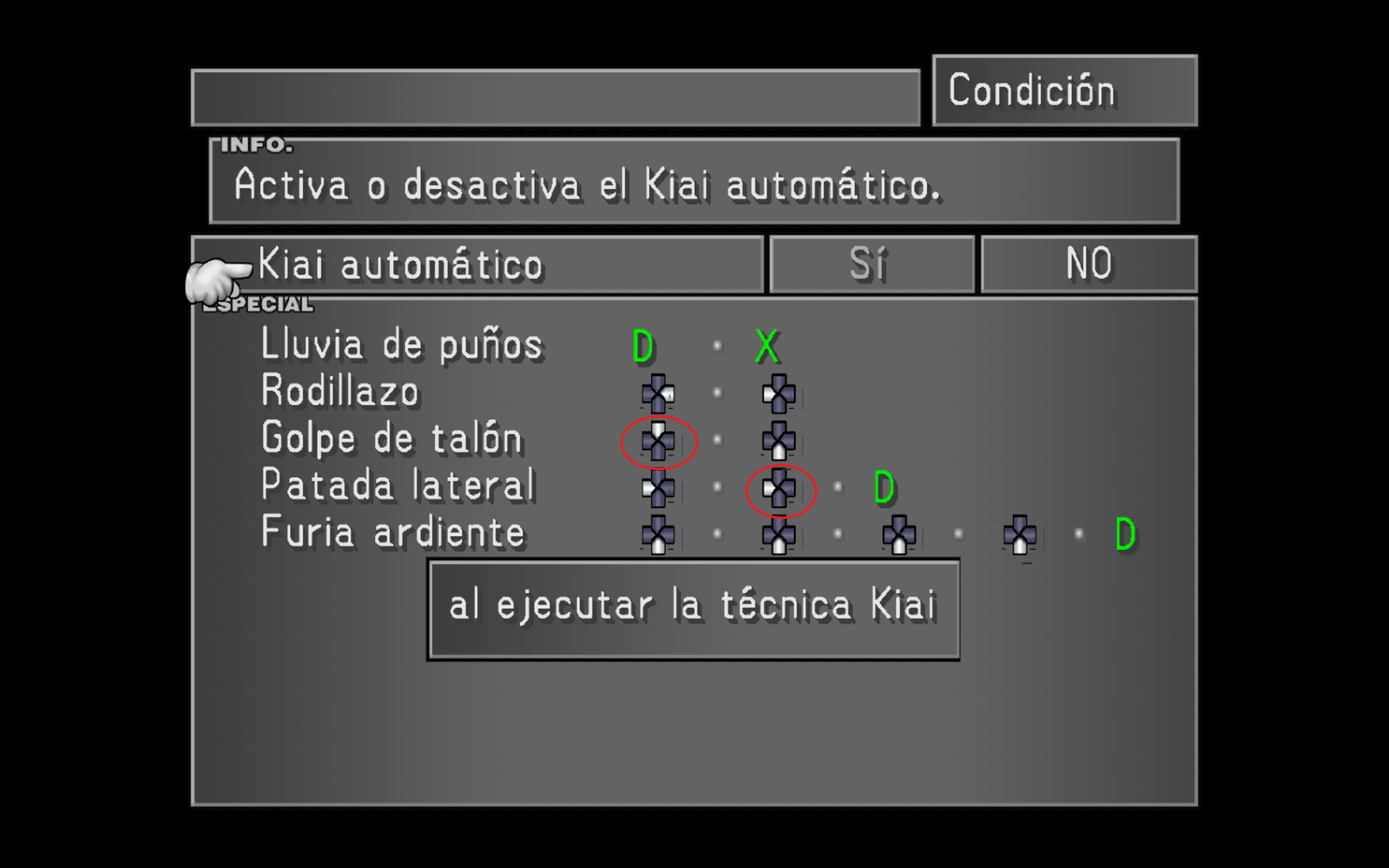
Hi from Spain, Mcindus

I want to notify about a glitch near area of arrow buttons. I use the ''Spanish Language Pack (v3.2)''. You can solve it please? Thanks

g3p8cl2.png
 
Last edited:
Will SeeD add in the future support for PSX style fonts and damage/healing numbers? The mod for the PSX style fonts that is out there, doesn't support the damage/healing numbers
 
Will SeeD add in the future support for PSX style fonts and damage/healing numbers? The mod for the PSX style fonts that is out there, doesn't support the damage/healing numbers
For the look you're trying to get, I would use SeeD Reborn 3.2 (which was made in an attempt to match the original as closely as possible) and use the PSX fonts on top of that.  You'll get better healing numbers, but they'll not be the 'newest' ones and will be closer to the Vanilla look.
 
"1. Install SeeD Reborn from the main post! (Italian users skip to step 2)"

Why we should skip to step 2?, Menu,GF, Character Faces and other things are missing from the italian pack, so the main pack i think it's necessary too ^^
 
Status
Not open for further replies.
Back
Top