Final Fantasy VIII - Graphical Update Mod (WIP)

  • Thread starter Thread starter blippyp
  • Start date Start date
Status
Not open for further replies.
Just a question, in order to actually edit these alpha layers, would I need specific software to do that? I've noticed the image files are in a weird blocky format, I guess that's what the hashmaps are for?
I was thinking, I'm quite efficient with Photoshop, as I'm an artist myself. And I don't really mind monkeywork like that, manually touching up tiny details :)
Alteast touching up on the worse alpha maps in specific scenes
 
Just a question, in order to actually edit these alpha layers, would I need specific software to do that? I've noticed the image files are in a weird blocky format, I guess that's what the hashmaps are for?
I was thinking, I'm quite efficient with Photoshop, as I'm an artist myself. And I don't really mind monkeywork like that, manually touching up tiny details :)
Alteast touching up on the worse alpha maps in specific scenes
The hashmaps afaik, are for Tonberry, which uses them to determine which images are being displayed and which images to replace those images with.

The only software you would need for what you're talking about is something like GIMP or Photoshop or whatever app you prefer. So if/when I get to the point of producing images for a final product, and you wish to go over the masking by hand, I would have no problem with that, I certainly have no desire to do it, and tbh, it really should be done, I'm simply trying to get as close to a match as I possibly can by generating them. We're trying to automate something that really needs to be re-done because the images are no longer even remotely what they were to begin with. The AI neural networking process basically destroys any hope of re-producing exact matches again for the masking (which tbh, was actually done horribly to begin with).

I've been trying as many different ways as I can find to rebuild these things, but tbh, the potrace method used by Satsuki looks to be the best method, and is probably what I'm going to go with. It's the only method that doesn't 'destroy' the image/'sprite' much.
 
Last edited:
Going over masks hand by hand will take months and you may end up with seam problems if the overlay isn't matching up.
@blippyp If you want, send me one complete Field with all the Layers, I'll go over my method and send them back to you. After that you can decide if that would be the better way to persue.
 
Going over masks hand by hand will take months and you may end up with seam problems if the overlay isn't matching up.
@blippyp If you want, send me one complete Field with all the Layers, I'll go over my method and send them back to you. After that you can decide if that would be the better way to persue.
actually, now that I look at it again, what I've been discussing is useless. I would love to see what you're suggesting though, since I'm still trying to figure this potrace process out atm.

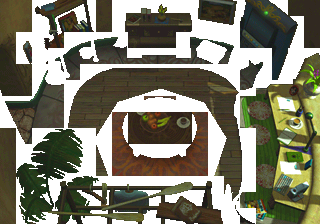
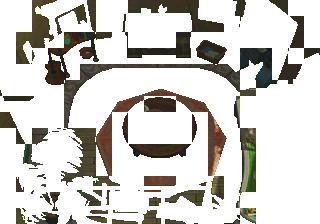
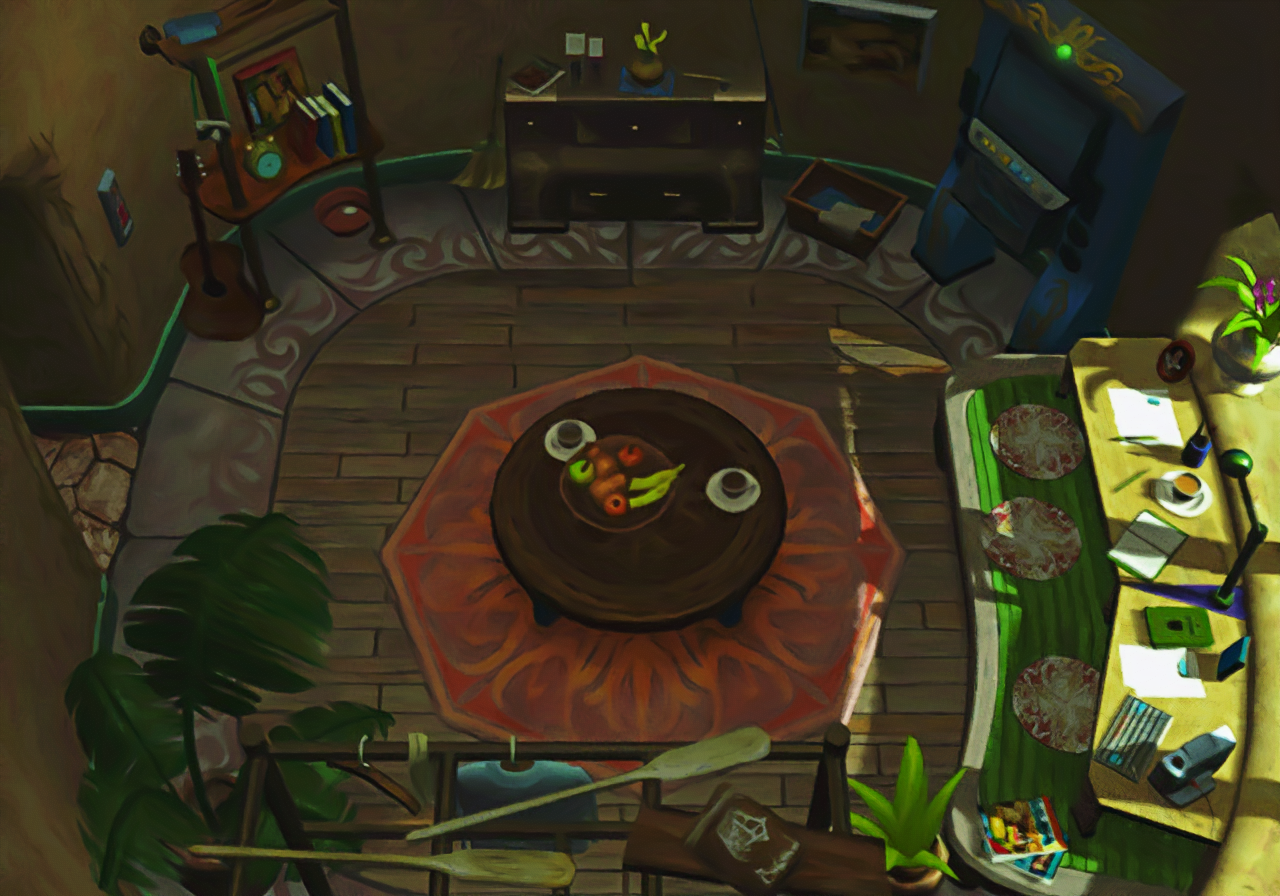
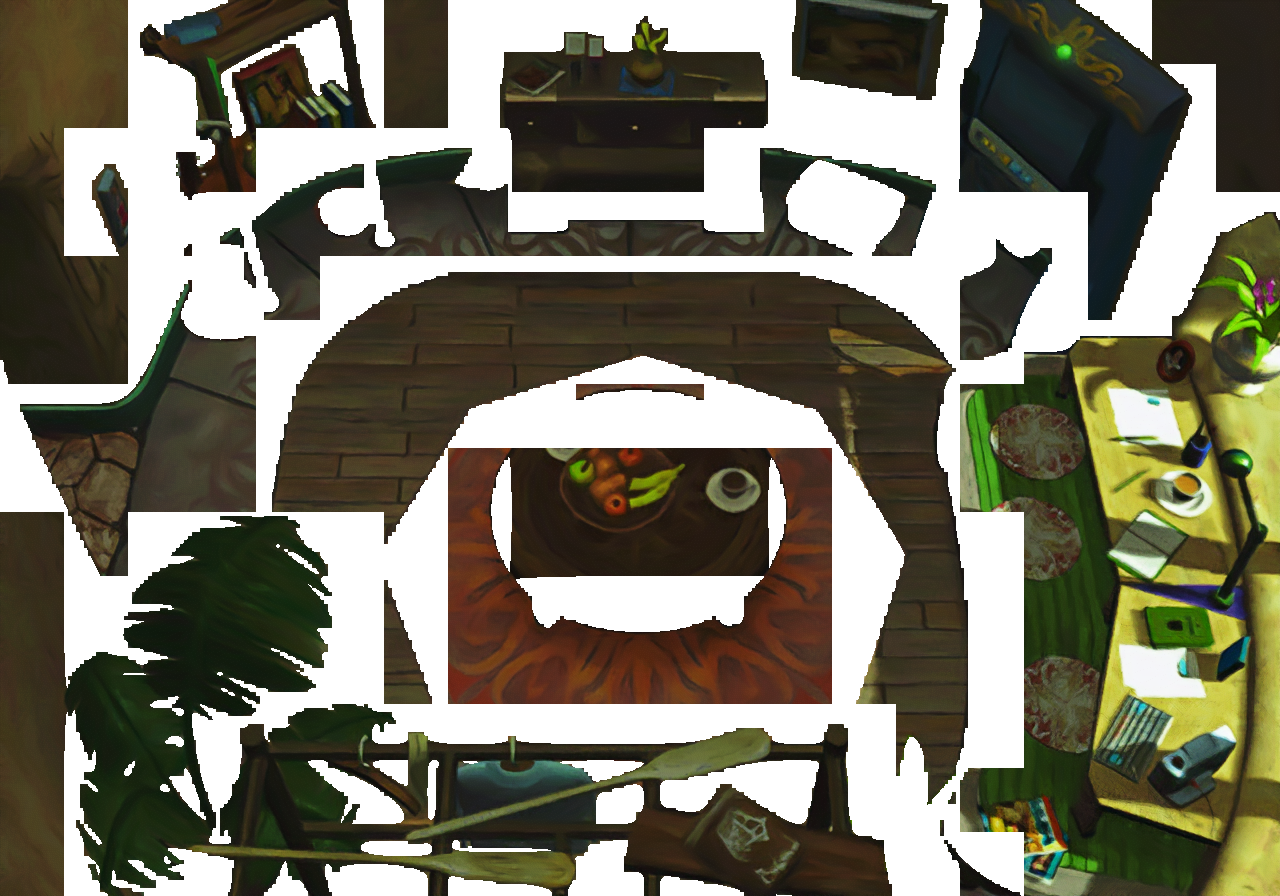
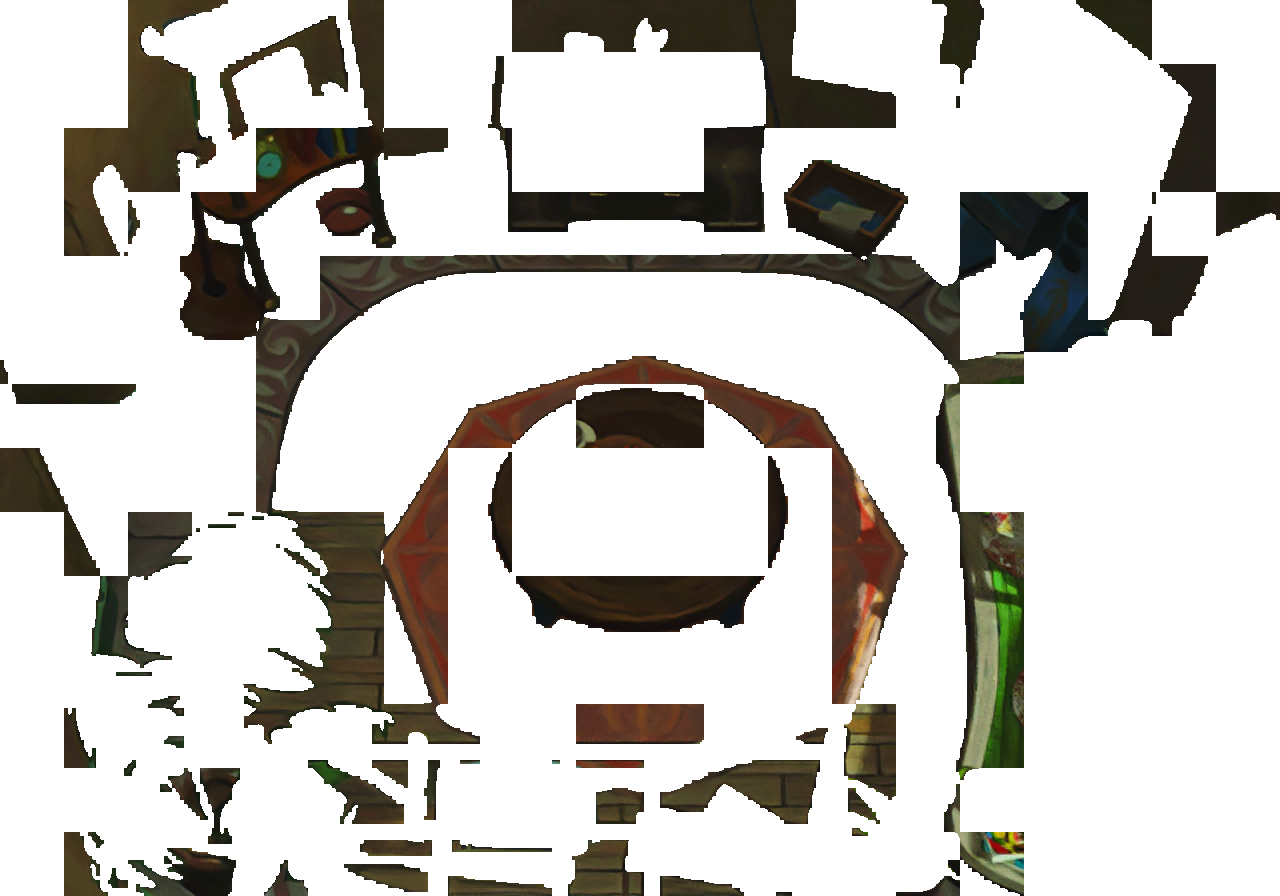
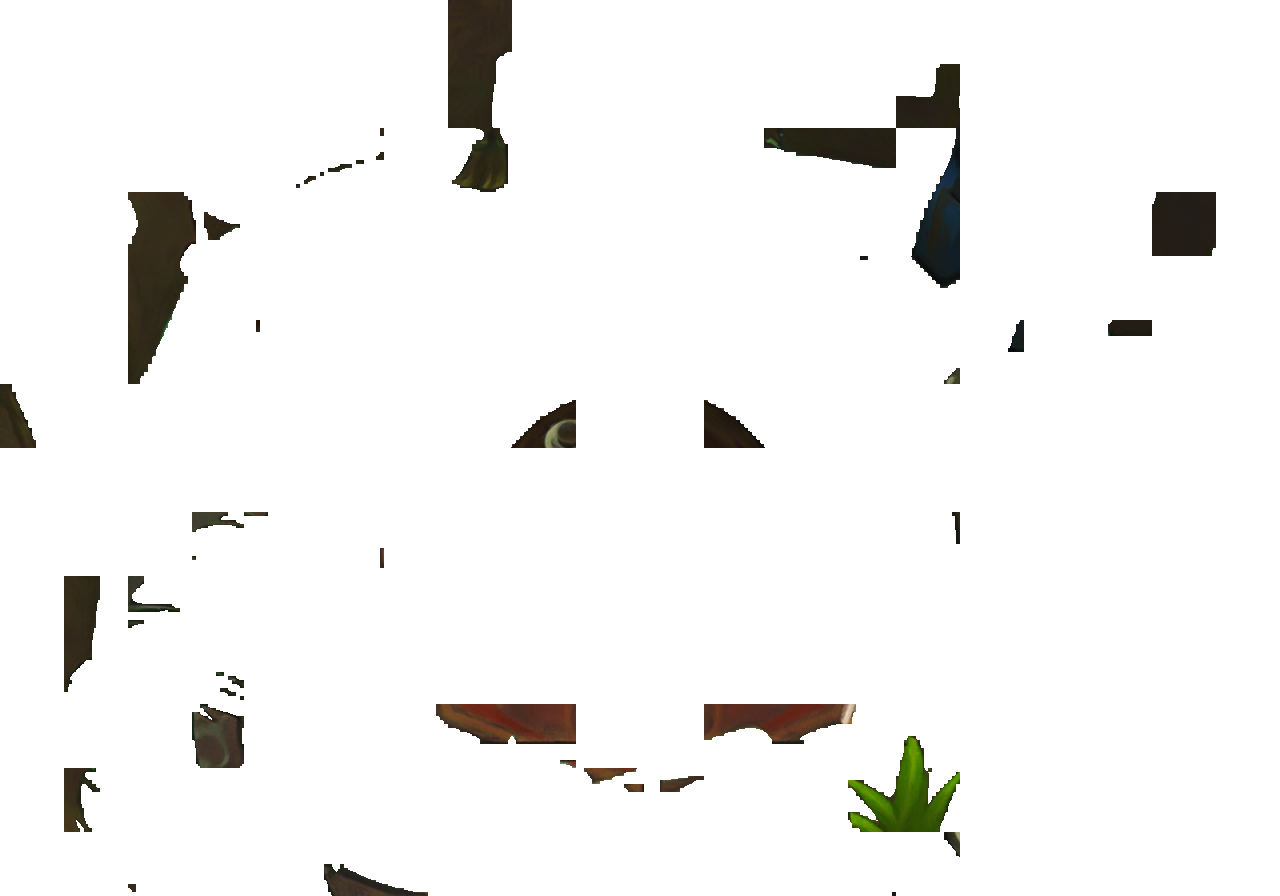
here is a small field which, every image is part of the background, so clearly ruins what I've been saying, and yet part of the image has crucial masking (the paddle for one) where the character(s) walk behind and the masking is crucial. if we can automate this screen's masking and keep that paddle nice, then I'd say the masking will be perfect for anything, I'm guessing. Just resize the images to whatever you want (like a lanzo4x or something would be fine I'd think) - the important part is rebuilding the mask again obviously.

653j2Y7.png

HFUOr7B.png

n62BOm5.png

lQD6MHK.png


potrace masks that paddle absolutely perfectly, but I still can't figure out how to get a good seam out of it. I've followed the steps Satsuki gave me, but there's something I'm missing/doing wrong about the process and would love to talk to him on discord or something to figure out what I'm doing wrong.
 
If it's helping you ^^
I don't know if you came up with this process on your own, but buddy, if you did - my hat's off to you. You got mad skills with image manipulation and I thank you for sharing them. :)


IBKZfnk.png


5KnfDEs.png

liqKUpf.png

2wQJlqC.png

LMMUOwQ.png


I still need to implement this into my process, but I'd say my masking issues are solved, this is awesome. I don't know how you figured this mess out, but it works pretty darn good.

@blippyp If you want, send me one complete Field with all the Layers, I'll go over my method and send them back to you. After that you can decide if that would be the better way to persue.
I'd still really like to compare what you were offering to this though, so please let me know. I won't bother implementing anything until I hear from you so that I can compare, you certainly also seem pretty passionate about your own process, so I'd really like to see the results. Also, if you wouldn't mind, could you post your script or send it to me? I would love to try it out.

I really appreciate the help I've gotten on this masking issue though. I honestly don't know if I'd of solved this one on my own.
 
Last edited:
I don't know if you came up with this process on your own, but buddy, if you did - my hat's off to you. You got mad skills with image manipulation and I thank you for sharing them. :)
...
I still need to implement this into my process, but I'd say my masking issues are solved, this is awesome. I don't know how you figured this mess out, but it works pretty darn good.
....
Thanks.
Yes it's a full process on my own.

By the may i think anyone how realy master imagemagik can probably do the same with less steps and without potrace, i just use many steps because it was easyer for me to understand and debug ^^, so no mastering but some try and die and RTFM of imagemagik ^^.

To avoid black pixels masking issues i merge potrace with a 400% un-interpoled mask, If ff8 don't need this you can try out without de 400% mask merged and the result will be even better.

To my mind, sharing skills is the most important part of the life, is anyone can share is skill freely, the workd will be realy better than it is now ....
 
I need to tweak my tools a bit as FFVIII is a bit different then IX, but still, give it a try.
Tell me what you think of the masks.
It's not bad, it certainly has less jaggies, but as is, it's not a perfect match and leaves transparency holes in the image which clearly won't work.
I tried to do like you described as well on my own, but I can't get it to fit properly either, I wouldn't mind seeing the script though, I might be able to figure something out if I had a base to work with, otherwise I'm just kind of guessing and it could take forever to find something that works with all the options available even with only the few basic steps you described, it leaves a lot to the imagination. I'm not sure how you ever got this to work tbh, but certainly like the idea of it.
 
I'm using a new gimp version where the algorithm is slightly different. I can give you my two scripts that I use and normally no holes should be visible.

Like I said, FF III is a bit different and gimp uses another upres algorithm.
I just wanted your opinion on general. If you like it, maybe you can tweak it a bit or use another gimp version for the old upres algorithm. :)
 
Thanks.
Yes it's a full process on my own.

By the may i think anyone how realy master imagemagik can probably do the same with less steps and without potrace, i just use many steps because it was easyer for me to understand and debug ^^, so no mastering but some try and die and RTFM of imagemagik ^^.

To avoid black pixels masking issues i merge potrace with a 400% un-interpoled mask, If ff8 don't need this you can try out without de 400% mask merged and the result will be even better.

To my mind, sharing skills is the most important part of the life, is anyone can share is skill freely, the workd will be realy better than it is now ....
Honestly, it's been so long since I used imagemagick, that I had to look up reference notes just to get a basic idea of what was happening and my first few attempts left me shaking my head trying to figure out what I was doing wrong. I still need to go over the script I made to fine tune it as well, I would love if you went over it if you're still familiar enough with imagemagick, you might notice some things I could easily alter.

I altered it a bit since our 'goals' were clearly different I think. I simply just wanted to produce a mask image, while I believe your original script actually merged it with the background in the end. So there's a few things I'd like to change. I'll figure it out on my own if it's been a while or it's too much of a hassle, but like I said, if simply taking a peek at what I've done you can easily notice some stuff, you could save me a headache or two ;-P

Code: [Select]
Code:
@echo offset infile=%1set blackImage=%2set workArea=workAreaset bwavector=%workArea%\bwavector.bmpset eps=%workArea%\bwavector.epsset vector4x=%workArea%\vector4x.bmpset vector4xblack=%workArea%\vector4xblack.pngset raw4x=%workArea%\raw4x.pngset raw4xcoupe=%workArea%\raw4xcoupe.pngset raw4xmix=%workArea%\raw4xmix.pngset raw4xbackmix=%workArea%\raw4xbackmix.pngset fullblack=%workArea%\fullblack.pngset calquedecoupe=%workArea%\calquedecoupe.pngset box25p=%workArea%\box25p.pngset x4novi=%workArea%\x4novi.pngset combi=%workArea%\combi.pngset mask=mask.pngcmd.exe /c start /B /wait /low " " convert -fill black -colorize 100%% -flatten %infile% %bwavector%cmd.exe /c start /B /wait /low " " potrace --turdsize 0 %bwavector% -o %eps%cmd.exe /c start /B /wait /low " " convert -density 288 -background #FF00FF -channel alpha -threshold 70%% -alpha remove -flatten %eps% %vector4x%cmd.exe /c start /B /wait /low " " convert  +transparent #000000 %vector4x% %vector4xblack%cmd.exe /c start /B /wait /low " " convert -scale 400%% -background #FF00FF -alpha remove -alpha off -fill black +opaque #FF00FF %infile% %raw4x%cmd.exe /c start /B /wait /low " " convert +transparent #FF00FF %raw4x% %raw4xcoupe%cmd.exe /c start /B /wait /low " " composite -gravity center %raw4xcoupe% %blackImage% %raw4xmix%cmd.exe /c start /B /wait /low " " convert -alpha remove -alpha off +transparent black %raw4xmix% %raw4xbackmix%cmd.exe /c start /B /wait /low " " composite -gravity center %raw4xbackmix% %vector4xblack% %fullblack%cmd.exe /c start /B /wait /low " " convert -background #FF00FF -alpha remove -alpha off -transparent #000000 %fullblack% %calquedecoupe%cmd.exe /c start /B /wait /low " " convert -define png:format=png32 -fuzz 01%% -fill #FE00FE -opaque #FF00FF %blackImage% %x4novi%rem cmd.exe /c start /B /wait /low " " composite -gravity center %calquedecoupe% %x4novi% %combi%rem cmd.exe /c start /B /wait /low " " convert -define png:format=png32 %combi% -transparent #FF00FF %mask%cmd.exe /c start /B /wait /low " " composite -gravity center %calquedecoupe% %x4novi% -negate %mask%
The two arguments I send it are the original file I'm masking and a black image the same size of that image, due to what I did to change it, I'm guessing there are steps here I can completely skip, since I'm only after the mask, which I'll then use in my own python script. I know it's still a bit messy, it produced what I wanted and haven't worked on it since, but I'm guessing there are things I could do/steps to take out that would speed it up. I tried to make sense of what you were doing, but tbh, I'm completely lost. I have no idea how this works.

Either way, good job, it's not perfect, but it's definitely better than what I was using, and the best part is that I can apply it to all the images.

I also completely agree with you about sharing info for sure. I haven't shared much about what I've done so far simply because it's still all kind of a mess, but when I'm done I'm sure I'll also post my python code and whatever else my process was so that others can use it if it's at all helpful, hell maybe it will just help someone with something completely unrelated, or in a couple of years a new filter will come out and someone will want to rebuild the screens again and for all I know what I've done/documented might help them along, which is great. And maybe no one would even care either, which is fine. haha

I do this for me more than anything, because I enjoy it, even I fail in the end or the results aren't as good as someone else's. I'll learn stuff along the way, with this project, I'm mostly learning about using python with GIMP, which tbh, has been a really good learning experience, especially since I had never even used python before this. :P
 
I'm using a new gimp version where the algorithm is slightly different. I can give you my two scripts that I use and normally no holes should be visible.

Like I said, FF III is a bit different and gimp uses another upres algorithm.
I just wanted your opinion on general. If you like it, maybe you can tweak it a bit or use another gimp version for the old upres algorithm. :)
I initially began with the latest GIMP as well myself, but there are definitely some changes in it that were messing with my filter process so I went back to 2.8. But I will say this for the new gimp, it's WAY faster, so once all this is done and over with, I'm excited to give it another go.

Ya, I would definitely love to see the scripts though, even if they don't help me now with what I'm doing, I might learn something from them :P
 
The part you can try to skip is the :
Code: [Select]
Code:
cmd.exe /c start /B /wait /low " " convert -scale 400%% -background #FF00FF -alpha remove -alpha off -fill black +opaque #FF00FF %infile% %raw4x%cmd.exe /c start /B /wait /low " " convert +transparent #FF00FF %raw4x% %raw4xcoupe%cmd.exe /c start /B /wait /low " " composite -gravity center %raw4xcoupe% %blackImage% %raw4xmix%
You'll get a way better mask, but if ff8 is as rigid than ff7 with the layering, you may have missing pixels
The other parts of your code seems right to me, maybe not speed optimized as imagemagik can chain lots of action in one command, but this type of optimisation is not my cup of tea ^^'
 
The part you can try to skip is the :
Code: [Select]
Code:
cmd.exe /c start /B /wait /low " " convert -scale 400%% -background #FF00FF -alpha remove -alpha off -fill black +opaque #FF00FF %infile% %raw4x%cmd.exe /c start /B /wait /low " " convert +transparent #FF00FF %raw4x% %raw4xcoupe%cmd.exe /c start /B /wait /low " " composite -gravity center %raw4xcoupe% %blackImage% %raw4xmix%
You'll get a way better mask, but if ff8 is as rigid than ff7 with the layering, you may have missing pixels
The other parts of your code seems right to me, maybe not speed optimized as imagemagik can chain lots of action in one command, but this type of optimisation is not my cup of tea ^^'
awesome, thx, that's helpful, I gotta go pick up my kid now, but I'll definitely try to make that change later as soon as I can :)
 
Post your resluts please as I#m maybe also opting to use that instead of my workflow for masking. :)
 
Unfortunatley, I still haven't gotten a chance to play with the script again, but a quick look shows that later lines in the code require the results of the lines Satsuki recommended I remove, so I'll have to do some testing with it first. I've been continuing testing out new methods in GIMP similar to what you've described, and have gotten some really nice results, but like you, always seem to end up with some holes in the image some where. I'm about to try messing around with that script again though and try to fine tune it as well as modify it if I can with some of the techniques I've been playing with in gimp, with a little luck I'll have an even better script soon, but if not, at least a more refined one if that's possible. Until then, that script I posted works perfectly fine as is tbh, and it really doesn't take long to run it (my filter takes much longer, so this is just an extra minor step tbh).

l8r :)
 
I just tried my scripts with Gimp 2.8 and ther're no holes there.
I hate the new algorithm in 2.9.

Well, here is the result.
Tell me if it's okay for you.

https://www.dropbox.com/s/dsd2ejuglrh36e9/FFVIII_Masktest_V2.psd?dl=0

Here's also my two scripts that I use after upressing:

https://www.dropbox.com/s/hdjr3dacff6237m/anim-settings-semiflatten.scm?dl=0
Filter Animations -> Semiflatten -> Settings with Semi Flatten -> Collor HTML Code: FF00FF
Leave everything else as it is.

Afterwards use this one
https://www.dropbox.com/s/vl2emavqxmkzusw/Delete alpha seams.py?dl=0
PKHG -> Select by Color -> Select by Color
Normally the Color should be automatically set to FF00FF. If not, set it to that and click ok.

After that you should heave many pink lines/seams.
Select from Alpha, copy from the ESRGAn image and paste it as a new Layer.
Do that four times and you have your layers without any holes if you use Gimp 2.8 with 400% Sin (Lanczos3) algorithm.
 
nice, that sounds promising. I played with that script a little yesterday but not much and didn't really make any progress. I got a buddy coming over today that I haven't seen in a while, so I'm not expecting to get much done today either unfortunately, but I will certainly take a look at those scripts you posted. they might identify what I've been lacking in my attempts also. I'm pretty sure the 'heart' of Satsuki's script is that gravity filter he was using, but haven't noticed it 'work' yet. I don't know of a way to get gimp to run a filter like that, but if I combine what you came up with with satsuki's script I might be able to come up with a less blocky mask (at least that's what I'm currently hoping).

thx :)
 
Last edited:
Satsuki, can you also give the FFVIII background a go? I want to see if your way of masking result in a fiber/better mask then my technique.
 
image looks solid btw, can't wait to look at this further, if I can apply the techniques I've been using, I think I can generate a much nicer mask if I can figure out how to close those holes. this is an example of what I've been coming up with so far (compare the paddle - it's really coming out nice)

Oyk6qs1.png


This mask isn't perfect and clearly needs to be cleaned up on the edges, I just pulled from one of the images I had in my gimp window atm, one of the images I was playing with yesterday, so I've been producing very similar masks, but when placed together I get those holes, so have been trying to figure out how to stop that.

Satsuki, can you also give the FFVIII background a go? I want to see if your way of masking result in a fiber/better mask then my technique.
I already posted using his technique, unless I messed up the script or simply did something wrong (it's the last message on the previous page). He didn't mention anything was wrong about it, so I'm guessing it's about what he would of expected.
 
Can you post a psd file of that so I can have a look on it or was it multilayered tiff?
 
Status
Not open for further replies.
Back
Top