[HD Remake] Nibel Mountains

  • Thread starter Thread starter Mayo Master
  • Start date Start date
Status
Not open for further replies.
so far I've not been able to find a free software which could generate 60 fps movies from still frames.
DaVinci Resolve might have this feature. It's primarily targeted at color grading and correction, but as I understand, it is a fully functional NLE, and a suitable substitute for applications like Adobe Premiere and Sony Vegas in a pinch. I haven't used it myself, and I cannot confirm that it has this feature, but I'd not be surprised if it does.
 
Thanks for that tip, Covarr. I'll give a check to the Free version and will let you know. I've already rendered all the frames for the 60 fps at 320 x 224 proof of concept, so if this software can do it, I'll have the video out in a matter of minutes.
 
So... quick update. I made a quick try to Da Vinci Resolve.
So far I've not been impressed because very basic operations (such as opening the directory containing your media files) didn't come as being very intuitive. One may argue that Blender 3d isn't exactly intuitive either, but when it takes you to browse online tutorials (I've not even found it in the User's Manual) to figure how to "Open/Import files", it's another level.
Once I managed to finally do that, after loading all the frames into my project, if I click on the media files to do anything, the software crashes. It crashes "automatically" (tried 6 times, 6 crashes). Right now I've decided to give it a rest, but the "Uninstall" function is very tempting  :-\
Any help would be appreciated :P
 
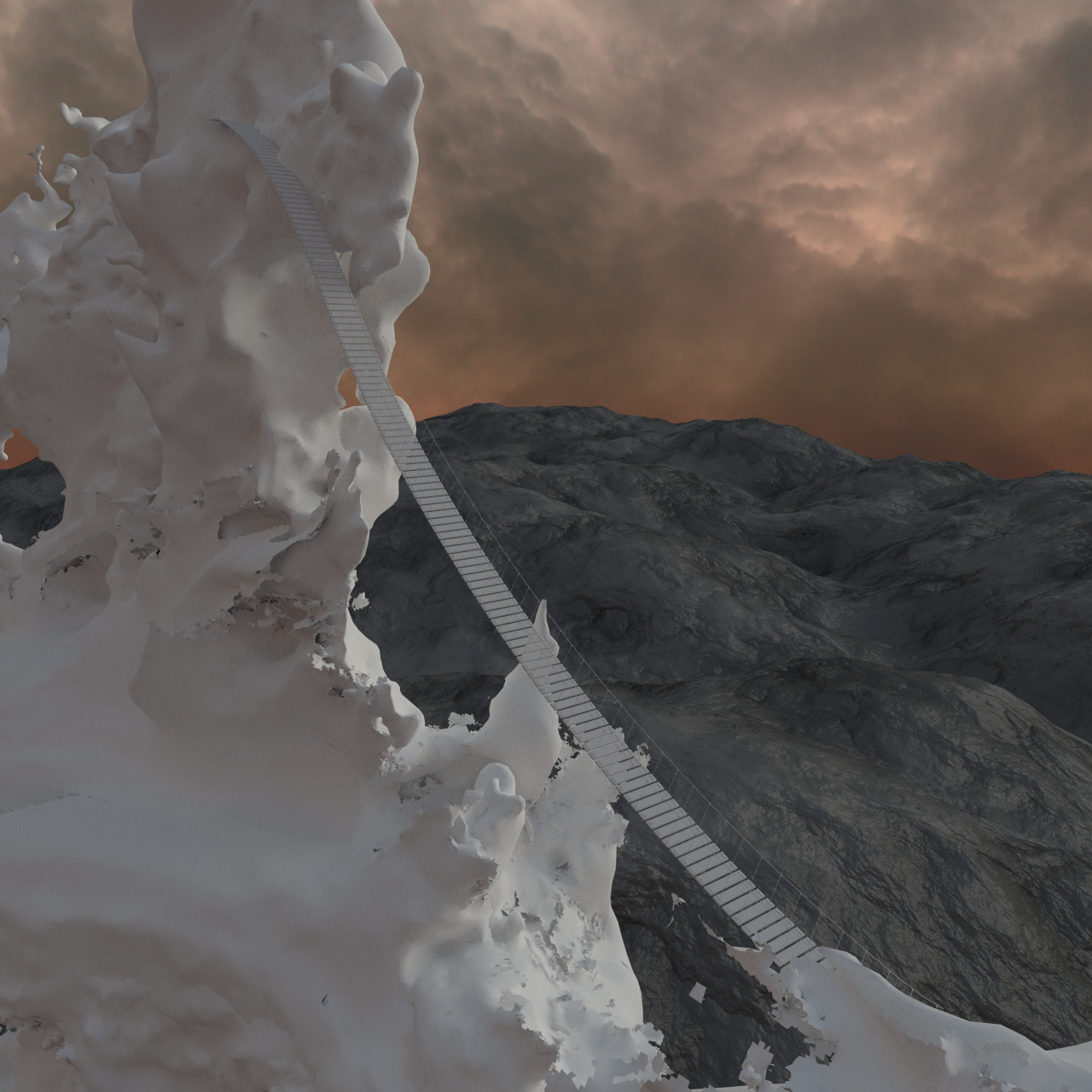
And now we have a bridge!

EUwU3O7.png


By the way, modelling that bridge got me thinking that this was probably one of the most idiotic bridges ever conceived. A bridge at a 45 degrees angle, really  ::)    Quite a way to make a restricted access to the reactor!
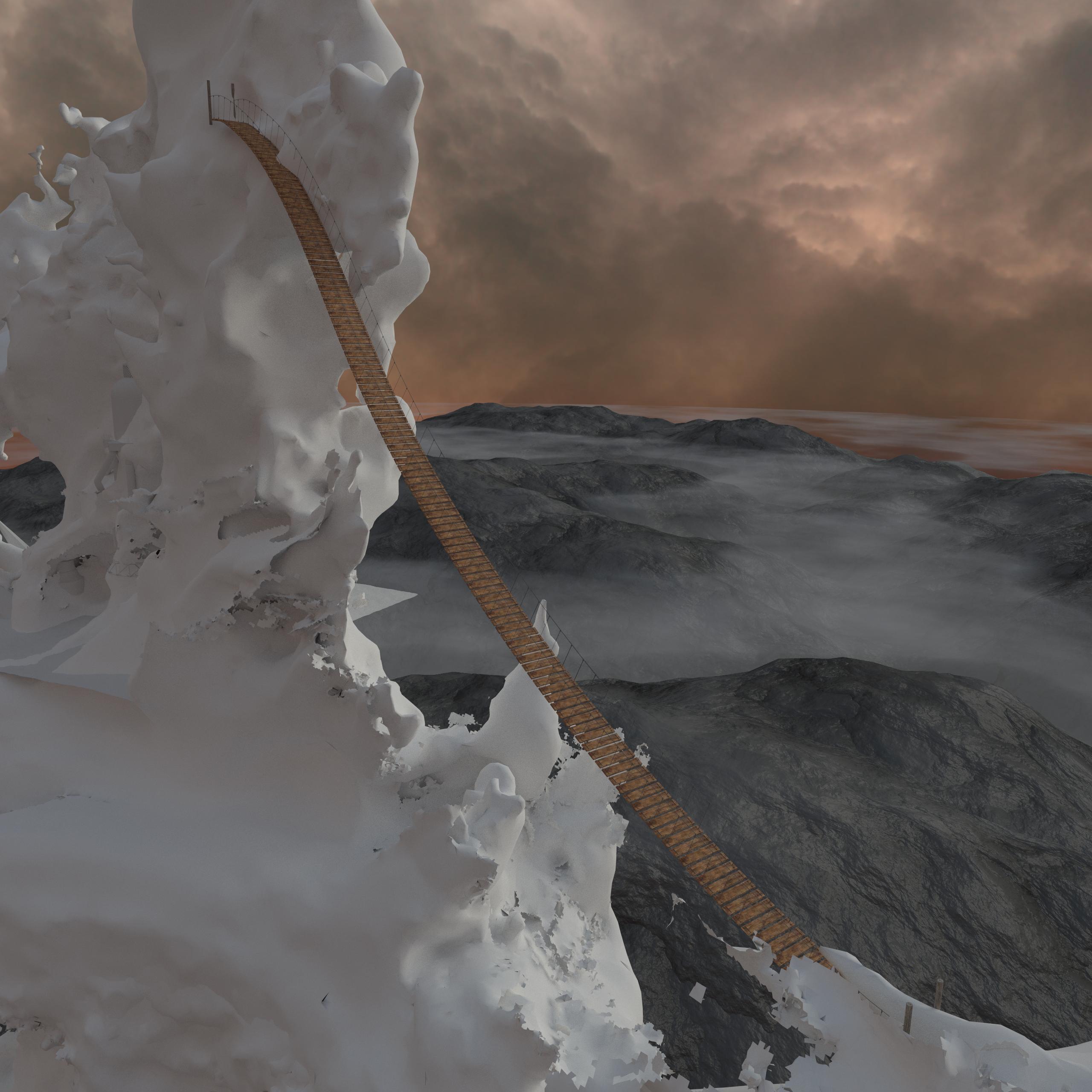

 
A bridge at a 45 degrees angle, really  ::)    Quite a way to make a restricted access to the reactor!
That's why Shin-Ra sent 1st class Soldier agents there.
Either that or the Jenova sample needed some peaceful sleep so it went out of the seal and changed the way the
bridge was built, then returned to its place of rest to dream with giving some love to Lavos (from Chrono Trigger).

BTW, you are doing some beautiful work with that scene.
 
Update!

Bridge is textured. I also worked on some atmospheric effects with low-altitude mist and clouds. It may look slightly odd because the mountain scape doesn't extend as far as the clouds do (which will be remedied, of course). What I'm quite happy about is that I managed to make the clouds and the mist without using any scattering shader, while scattering shaders are usually quite demanding in terms of computing power (and render times). In other words, the method I used (clouds are made with a plane with a properly crafted texture, the mist is made by a combination of Z-depth and height pass in the compositor) is rather quick to render.

iqqz7sR.jpg
 
Looks nice without the materials, bit like an iceberg, I'm glad you made progress.
 
Going down looks pretty challenging, might as well try to slide :)
 
Spent some time on the modelling and texturing of the mountain range which will make the horizon line... Maybe it will need some color/brightness adjustments, but I think I have a good base for it.

hFctRiO.png
 
You make this look so easy!
Well, if it makes you feel better, I spent more than 3 hours fiddling and experimenting with it :P
In more details: The model is based on a giant subdivided annulus, where the central circle of the annulus was given more elevation. Add to this more subsurf levels and 2 displacement modifiers using procedural textures.
For the texturing: the trick is that I wouldn't use UV mapping here, because of the insane size (the annulus being about 50 km in diameter!) of the object. So textures are a combination of procedurals with texture images, where images had to be mapped along a spherical mapping scheme. Unfortunately, the spherical mapping scheme isn't available by default in the Cycles render, but fortunately, it can be recreated (thankfully someone made it before because it's not obvious!). Now the other trick is that I found a good way to make texture functions depending on the slope of the mountain (as you can see, the cliff-like texture shows only on the near vertical areas of the mountain), using the scalar product of the surface normals with a vector along Z (which is pretty neat).
 
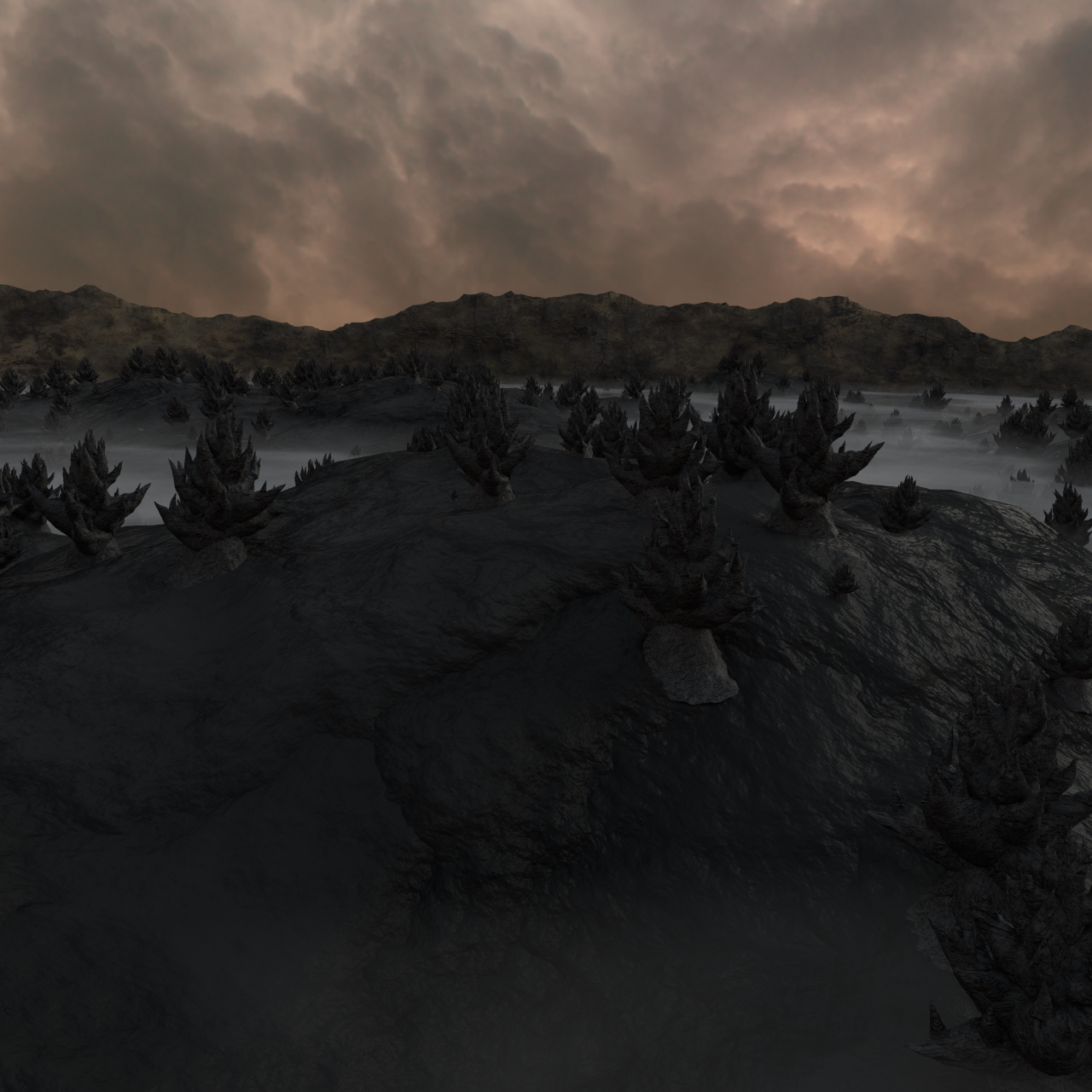
Quick update... still working on the background landscape. Here's the latest render...

IjrgDDy.png


However, I'm not really happy with the results, and I find it a bit difficult to put the finger on what "doesn't work". If you have some feedback on this, it would be much appreciated. Among the possibilities I'm considering:
- Have more variety in the shapes of the geological formations which stick out from the base level of the ground
- Harmonise the textures between the ground and the geological formations
- Introduce several layers of clouds and mist, not just one
- Introduce depth of field, to slightly blur the elements of the landscape located further away
- Reboot my background texture for the clouds, because at the moment it doesn't follow how perspective should stretch the clouds towards the horizon.

That's all I can think of for now, but if you have other ideas it will be good for me to have that input. Note that I'll be away for the next two weeks.
 
What does the background look like in relation to the scene?

Or in other words, what does the scene look like as a whole?
 
Last edited:
I know you have mentioned the shape of the geological formations, but also consider the size. They may not be, but to my eyes they all look a similar size.

also are they supposed to be fir tree shaped? I remember them being more weird shaped
 
Status
Not open for further replies.
Back
Top