[HD Remake] WIP Sector 5 slums

  • Thread starter Thread starter Mayo Master
  • Start date Start date
Status
Not open for further replies.
Micro-update.... details on mds5_1
jddfaJJ.png


Apologies to all the followers for the very low productivity of the moment... mostly because of the world cup   :lol:  (that's about 4 hours a day I am not spending on Blender  :P ). Hopefully my modelling should get back on track in a couple of weeks.
 
Apologies to all the followers for the very low productivity of the moment... mostly because of the world cup   :lol:  (that's about 4 hours a day I am not spending on Blender  :P ). Hopefully my modelling should get back on track in a couple of weeks.
lol, no worries, there is some breathing space untill friday...
 8-)
 
Hi folks,

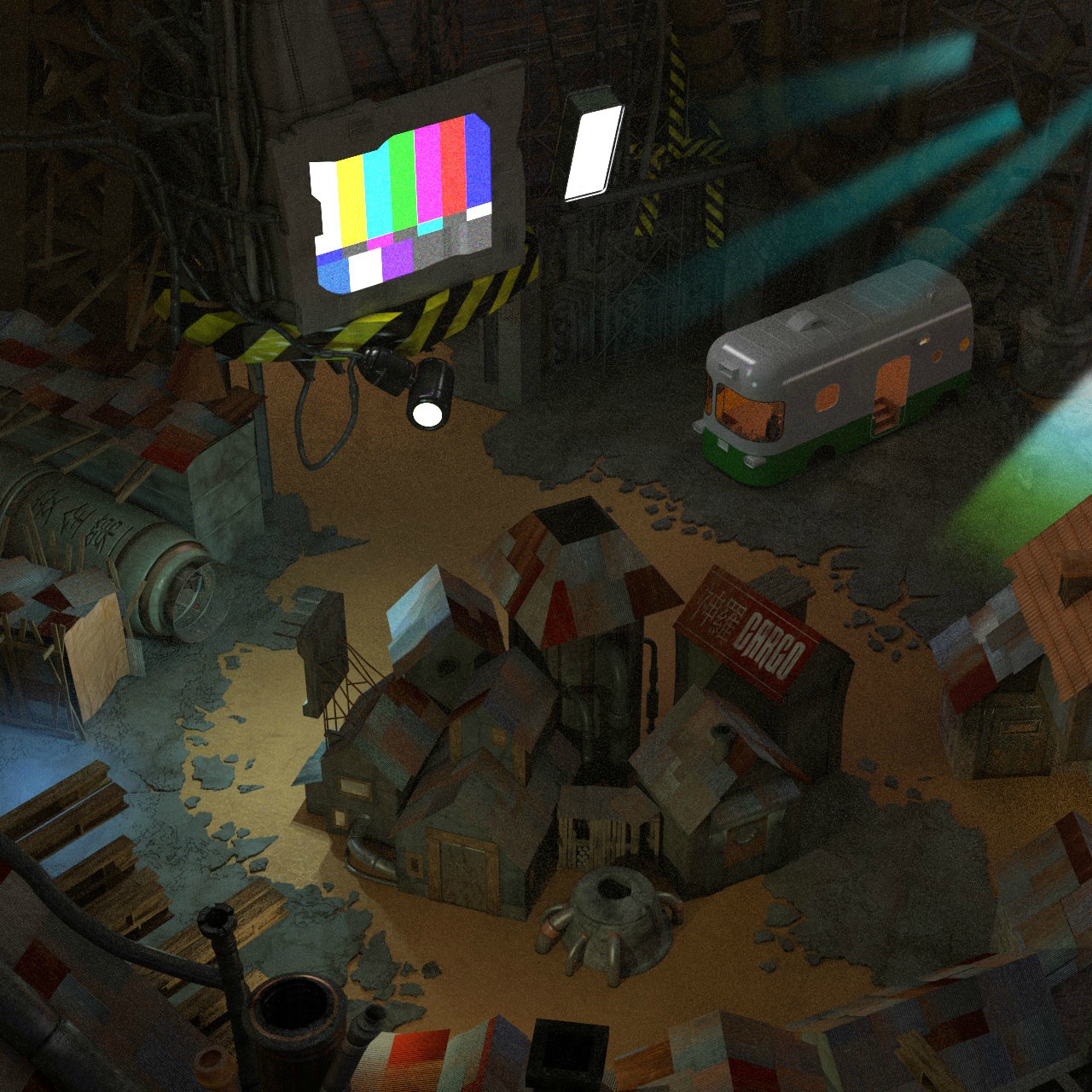
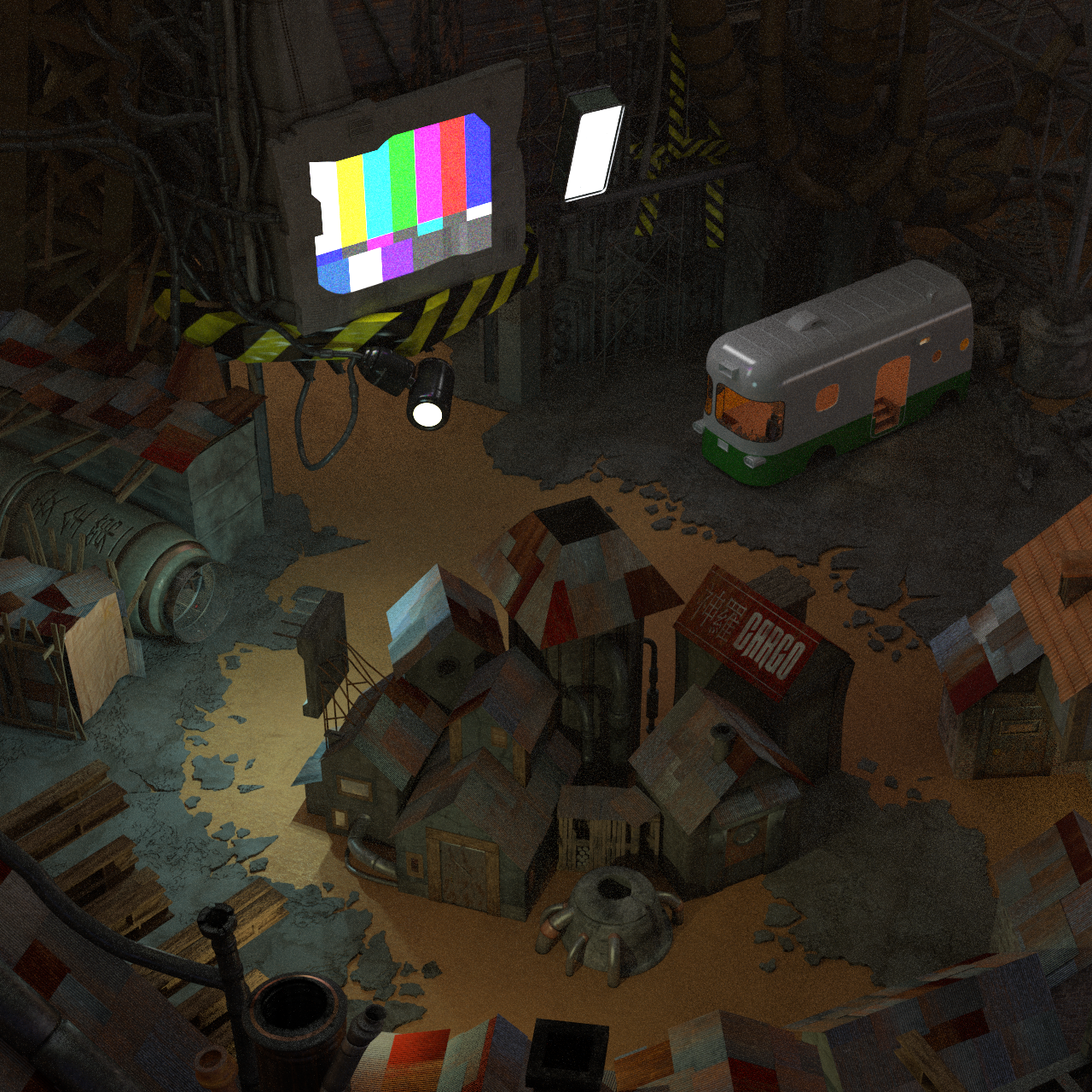
Quick update on the main scene (mds5_1) where I am tuning my lighting setup, and have included a volume scattering shader to create a dusty feel. (this is a 50% size render)
2RQqD5l.png

I think I'm getting close to my final lighting setup, however there's something which is bugging me. The original scene has a few light beams (namely, blue light beams in the top right corner) which are not on the "lights layer", they're baked into the environment if I may say so. I tried a few things to replicate these light beams (volume scatter cones, lights in post-processing like paintshop) but so far results have been poor (mostly, it looks blatantly unrealistic). There's one last thing I would like to try, which is to overlay some "cone lights" with the halo from the Blender Internal engine on a pre-rendered scene made with Cycles, although preliminary results have not been all that promising.
Would anyone have any suggestions regarding this detail?
At this point, if I cannot get a satisfying result when trying to recreate these light beams, I'm thinking of ditching them altogether (I think the scene can still look good without these).
 
So just for fun I had a go at adding the light beams in in photoshop. 3D modeling may still be beyond me, but I like to think I'm alright in 2D. IMHO I think the top right light beams came out alright, but the cone on the right and the blue area on the left definitely aren't great. Obviously being a test render I didn't want to waste a whole lot of time on it, but I thought I'd give it a shot. Yay? Nay?

4kibURV.jpg
 
Most of the original backgrounds had been edited in an image editor. My problem is that the design of ealin(?) is entirely against Aerith statement that the church is the only place where flowers grow in Midgar. Also from where is the lighting coming?
 
For reference
Sector5.jpg


I think what you have looks pretty good, the rays of light must be shining through cracks in the upper plate. The light rays also show how saturated with dense particles, the air is down there.
The only criticism that I have, which is really splitting hairs at this point because that render looks awesome, is that the 'light bulbs'
in the original give off a radiation sort of feeling or like there is fog around the light sources.
 
The only criticism that I have, which is really splitting hairs at this point because that render looks awesome, is that the 'light bulbs'
in the original give off a radiation sort of feeling or like there is fog around the light sources.
Correct me if I'm wrong, but I believe that the glow around the bulbs and the rays of light are essentially the same idea, which is volumetric lighting. It's something that's only recently been introduced to Blender/Cycles in the form of Volumetric shaders. I don't think it gives true volumetric lighting, but there are ways of faking it I think, which is what I believe Mayo is struggling with.

Again my knowledge of 3D is spotty, but I think that's the gist of it. Once I get a job and can afford to upgrade my rig, then I'm gonna invest some time in actually learning this stuff.  :wink:
 
Thanks for the feedback, people!
So just for fun I had a go at adding the light beams in in photoshop. 3D modeling may still be beyond me, but I like to think I'm alright in 2D. IMHO I think the top right light beams came out alright, but the cone on the right and the blue area on the left definitely aren't great. Obviously being a test render I didn't want to waste a whole lot of time on it, but I thought I'd give it a shot. Yay? Nay?
So... I think "Yay", and thanks for giving it a shot  :)  Indeed the top right beams are alright. If I cannot get a decent solution within Blender, I think I'll be able to safely hand my render to you for post-processing, which isn't really my forte.
Just letting you know: these light beams in the top right corner are meant to be on a proper "background layer", whereas the other beams of light (such as the yellow-greenish on the right and the purple one on the left) are on a separate "light" layers which would have to be made by post-processing (compositing within Blender, or Photoshop on your end). You can learn more about how the fields are layered if you open a field file using Palmer. In any case, I can guide you through whatever post-processing which would need to be done.
Most of the original backgrounds had been edited in an image editor.
That's true, and there's more. Pretty much any advanced CG art has some post-processing to it. It's actually recommended practice.
Correct me if I'm wrong, but I believe that the glow around the bulbs and the rays of light are essentially the same idea, which is volumetric lighting. It's something that's only recently been introduced to Blender/Cycles in the form of Volumetric shaders. I don't think it gives true volumetric lighting, but there are ways of faking it I think, which is what I believe Mayo is struggling with.
Again my knowledge of 3D is spotty, but I think that's the gist of it. Once I get a job and can afford to upgrade my rig, then I'm gonna invest some time in actually learning this stuff.  :wink:
As far as I'm aware, Blender doesn't really have a volumetric emission of light, and I'm not sure how to mimic this. Blender has a very nice volume scattering shader, but I was unable to use this shader in order to create the intended "light beam" effect, mostly for 2 reasons:
1- If you define a volume with many light scatterers in it, the density of scatterers is isotropic in the volume. Thus, it is difficult to have a lateral "fading" of the beam of light, and the result really feels unnatural.
2- The volume of scatterers will scatter all the light sources. Given the multiple light sources in my scene, this makes a weird result.
Maybe there's a solution out there, but I haven't found it.

Now, the light around the bulbs or just surrounding lamps are (in my opinion) a different effect - although the cause (scattering) may be similar. Often, we're talking about glow, or glare effects. These are meant to be done by post-processing, so it will be best if I leave these to you, as well. I'm not sure Blender users have tried to replicate glare effects by means of shaders, but I believe it would be overly complicated while it can be made easily via post-processing.

All in all: I'll keep investigating for solutions on my end, but I'll be sure to contact you when it comes to do the post-processing.

My problem is that the design of ealin(?) is entirely against Aerith statement that the church is the only place where flowers grow in Midgar. Also from where is the lighting coming?
I'm assuming you're referring to the field file describing the outdoors of Aerith's (and Elmyra's) house. As for "where is the lighting coming", I've always assumed it was daylight, which could be explained by a combination of
a/the house being located at the periphery of the city 
b/ the Plate construction being incomplete in some parts

As for the Flowers question: the presence of flowers can be explained from two angles, in my opinion:
- One angle is rather "symbolic": Aerith is a special character, her Cetra lineage grants her particular powers, such as "interacting with the Planet" (sure, it's a pretty vague term). The presence of flowers where Aerith lives symbolizes this interaction, in my view.
- One angle is more pragmatic: Aerith loves flowers, which only grew originally at the Church. She could have perfectly transplanted some in the backyard of her home (you'll notice there's plenty of water around, besides).

Well, that's my take on it. At least it allows for reconciling what she says with how the environment is like.
 
Just letting you know: these light beams in the top right corner are meant to be on a proper "background layer", whereas the other beams of light (such as the yellow-greenish on the right and the purple one on the left) are on a separate "light" layers which would have to be made by post-processing (compositing within Blender, or Photoshop on your end).
Haha yeah, right after I added those other two spots I realized they would be on different layers, but that shouldn't be a problem. I'll google around for tutorials specifically for post process lighting, since I'm just going off my general photoshop knowledge atm, and worry more the layering when the time comes.

I'm glad I can finally contribute something :)
 
In the original image some things seem more "shiny" and the air seems more "foggy" and "bright" if this makes sense?
Will this be applied to your render via the post processing? At the moment it looks a little off compared with the original (also in comparison with your other works which are true and better than the originals :)).
 
In the original image some things seem more "shiny" and the air seems more "foggy" and "bright" if this makes sense?
I understand the comment. I will try to tune a bit more the lighting to match this. Mostly, It will involve increasing the density of the volume scattering shader and also increasing the intensity of some lights, all within Blender. Then, the "light beams" and other glare effects will be made by post-processing (most likely, I'll give the renders to Dubular who'll do a Photoshop job).
One thing to consider: the lighting may not end up matching the original very well, because the original lighting is not realistic (think about this, in the original image: the environment has red-orange tones, while it's mostly concrete/metal, and the lights have blue glows). 
One thing I also realize is that my scene seems a bit more saturated than the original. Having more density in the main volume scattering shader will help that to some extent. However, desaturation can also be handled via post-processing too.
So... it goes to show I still have quite a bit of work to do on that scene. I'll also need to take care of the bus/weapon shop.
 
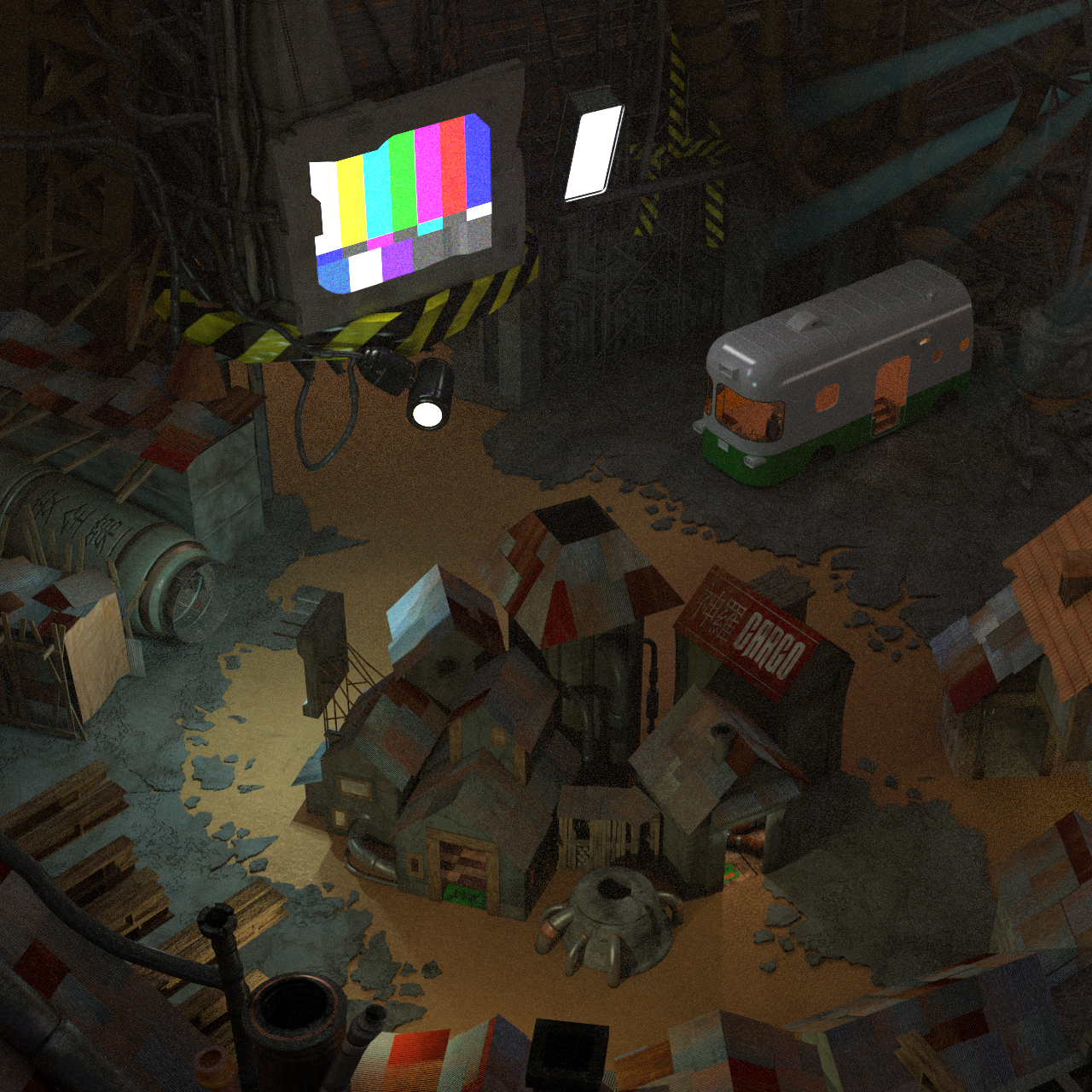
Ok, here's a small update after some more tuning... mostly: increased the volume scattering to have a bit more "dust mist" effect, increased the intensity of some of the lights. I also gave my best shot at creating volumetric lights in the top right corner (plugging an emission shader into the volume output of the object). The big problem is that there are very very few tools which enables to control the density of the emission over the volume, so that may be the best that can be done with the current nodes available. (again, this is a 50% res render)
wveOj2n.png

In all fairness, I think that Dubular photoshop job will look better. I don't think this render isn't useful, since the volumetric lights I made can serve as a very useful guide as to where the light beams are located with respect to the metallic beams of the big pylon.
Otherwise, I think the rest of the scene is pretty good - I don't think I'll want to increase the main volume scattering (i.e. dust mist effect) more than that. The overall level of brightness seems satisfying on my end (Covarr's feedback would be useful in that respect, given our earlier discussion), although it is a bit darker than the original.
Let me know if you have suggestions regarding the lighting or other stuff... next I'll probably move on to mds5_w (bus/weapon shop).
 
Last edited:
The overall level of brightness seems satisfying on my end (Covarr's feedback would be useful in that respect, given our earlier discussion), although it is a bit darker than the original.
It's not so dark as to cause loss of detail or visibility issues. It's right on the threshold; any lower would be too dark, but as it is, it's fine.
 
Update on mds5_1... (click for 100% res)

gaG85kC.png


I hope you like it!

Well... this means I don't have much left to do for mds5_1 except perhaps finalizing my lighting setup and importing the contents of mds5_w (bus/weapon shop). I'll be moving on to that scene (as mentioned in the past 4 posts  :P  ) at last.
 
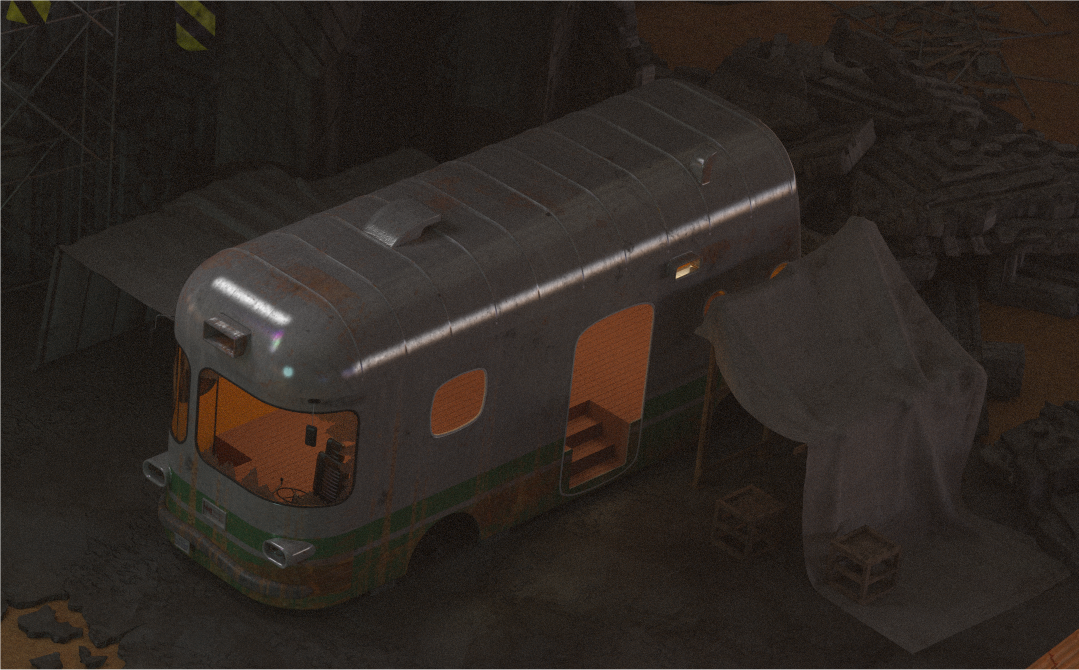
The bus needs scratches specially the green paint looks too clean at the moment. The reflection is too strong, there should more dust on it which would prevent most of the reflection of the car paint. The last thing is nitpicking, but the bus body looks very thin at the door.
Considering that this is a weapon shop I would add some bullet holes on it, maybe a target, too.
But it is overall great work and I can't wait to see it in game.
 
The bus needs scratches specially the green paint looks too clean at the moment. The reflection is too strong, there should more dust on it which would prevent most of the reflection of the car paint.
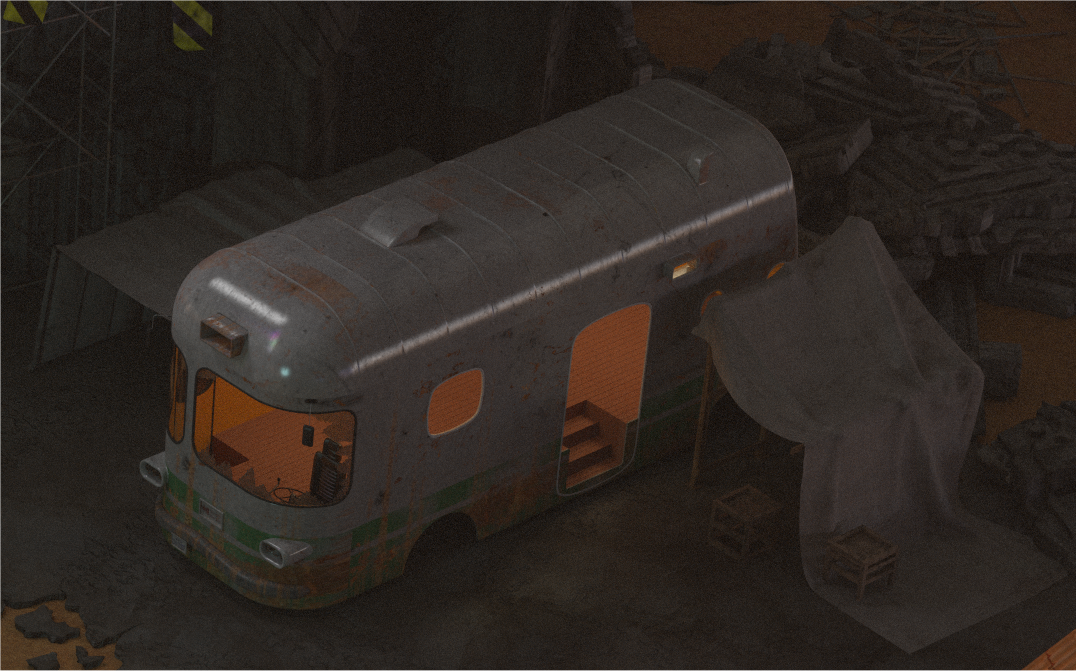
Based on your feedback, I made some adjustments on the texture. It's rather discreet. Namely, I added a map to fade the green paint over the grey paint a little, I enhanced the dirtmaps a bit, added a scratch map, and toned down the reflections. Below is the result.

H7LbrhA.png


At this point, I don't want to lower the glossy shader further, since I think it is necessary to have a minimum amount of glossy to convey the feeling of painted metal. I hope that's a satisfying update.

The last thing is nitpicking, but the bus body looks very thin at the door.
It's 2 cm thick. I based my design on the style of old buses, and I think it's consistent. I don't think the good oldie VW Samba bus has much thicker doors than that.

Considering that this is a weapon shop I would add some bullet holes on it, maybe a target, too.
I don't think that is a good idea. If you're the owner of the weapon shop, and you want your customers to have some practice shooting, I don't think you want them to aim at the bus or even risk an indirect bullet impact. If I had to place targets and a shooting range, maybe I'd try to set it up inside the tents, parallel to the bus (and they wouldn't be visible anyway). 

But it is overall great work and I can't wait to see it in game.
My personal goal was to finish the outdoor slum 5 marketplace and all related indoor scenes, plus outside and inside Aerith's house scene before the end of this year. I don't think I'm ahead of schedule  :-\
 
Status
Not open for further replies.
Back
Top