[PSX/PC] General editor - Hades Workshop (0.50b)

  • Thread starter Thread starter Tirlititi
  • Start date Start date
Status
Not open for further replies.
Unfortunately I have bad news, Android version has multiple bugs. Soon I will post several examples of bugs, what I found in the game.

 
Tirlititi, I added code to configuration, "RussianPirateRGR" appeared at Alphabet. I chose it. But bin file doesn't open as FF9 bin file. Could you check it yourself?

I have a question, if I will edit Spell animation, would it affect to enemies spell animations too or just foe parties spell animation?
Сконвертируй .bin в .iso например UltraISO. Поидее я так делал. ну или образ тем же UltraISO открой, и достать от туда FF9.img и уже его открывать в программе.
Кудос, хоть была плохая реализация, но зато переведено более живо. Я думал от туда шрифт от RGR вставить и текст переконвертировать под RGR формат таблицы, Но если заниматься, то в шрифте от RGR я тогда парочку косяков с тенью находил, и хотя бы упорядочить их.
Самая большая проблема пока что это импорт\экспорт  надеюсь Tirlititi все таки сделает.
хотя по мне самая важная вещь это увеличить количество букв под текст в PSX образе, к тому же я думаю версия steam далеко не всем понравиться. (мне например не понравились  upscaled  задники, еще со звуком не известно что будет)
 
Last edited:
Update to v0.32 :
- Added a file batching feature ; it allows to extract or import a lot of things in 1 shot :
-- Can export/import texts and UI texts (see below for more informations about the importation process),
-- Can export scripts (no importation yet),
-- Can export field backgrounds.
- Added a Mod Manager tool ; it allows to define which datas should be overwritten when you save (using any of the 3 save methods). Its main purpose is to allow you to create a Mod file (.hws) from an already modded version of the game : just check all the features that differ from the original game.
- Improved the Dialog box automatic resizing. I didn't test it thoroughly, but from what I saw, it seems to calculate the box size for the best result (it always fits the default size when you don't change the text).
- Deciphered quiet a few script opcodes. Some of them have been slightly renamed ("WalkEx" -> "WalkXZY" for instance, for the opcode that makes a character walk to a destination given by 3 coordinates).
- Fixed some UI text opcodes ; it was not normal to have figures in the middle of some UI texts. The figures in battle's UI texts are normal though (it might be the display time of the text).
- Fixed a bug making global declaration always giving the same base variable slot when the base variable was not specified.
- Added Russian RGR charmap in the .conf file. Hades Workshop can't scan the translated version directly though ; I guess shikulja's post was about that ^^"


So, in order to properly import text files, you need some formatting :
The .txt file must start with the following line. Everything before that will be ignored :
Code: [Select]
Code:
#HW filetype TEXT
For UI texts, it must be this instead :
Code: [Select]
Code:
#HW filetype UITEXT
After that, you need to specify to which text block corresponds your file using a line like this one :
Code: [Select]
Code:
#HW fileid [ID]
replacing [ID] by the number corresponding to the text block in the following list :
Code: [Select]
Code:
0 : Generic UI1 : Debug Room2 : Prima Vista3 : Alexandria Castle (1)4 : Evil Forest7 : Cleyra Trunk8 : Ice Cavern18 : Red Rose22 : Lindblum Castle (Disc 2)23 : Mist Gates30 : Terra31 : Mountain Path32 : Conde Petie33 : Alexandria (Disc 1)37 : Black Mage Village (Disc 2/3)38 : Mognet Central40 : Ruined Prima Vista42 : Quan's Dwelling44 : Cleyra47 : Dali50 : Dali Underground51 : Gizamaluke Grotto52 : Bran Bal53 : Observatory Mountain63 : Cargo Ship70 : Treno (Disc 2)71 : Qu's Marsh74 : South Gate77 : Burmecia88 : Alexandria Castle (3)89 : Alexander90 : Alexandria (Early Disc 3)91 : Alexandria By Night121 : Shrines124 : Oeilvert134 : Pinnacle Rocks166 : Daguerreo186 : Hilda Garde III187 : Ending189 : Invincible223 : Treno & Supersoft276 : Lindblum (Disc 1)289 : Alexandria Castle (2)290 : Stormless Cleyra344 : Pandemonium358 : Madain Sari (Disc 2/3)359 : Gargan Roo360 : Madain Sari (Disc 4)361 : Fossil Roo484 : Mount Gulug485 : Occupied Lindblum525 : Occupied Lindblum Castle595 : Lindblum (Disc 3/4)694 : Memoria738 : Iifa Tree Roots739 : Ipsen Castle740 : Desert Palace741 : Treno (Disc 3/4)754 : Ruined Alexandria Castle908 : Esto Gaza943 : Lindblum Castle (Disc 3/4)944 : Iifa Tree945 : Chocobo Places946 : Ruined Alexandria1073 : Black Mage Village (Disc 4)
Then, before each text, you need to write a line :
Code: [Select]
Code:
#HW newtext [POS]
replacing [POS] by the text's position in the text block.

If you used the "Export Text Block" feature, you only need to replace all the strings "// New Text :" by "#HW newtext" and add the right filetype and fileid at the start of the file.
I thought that it would be better to use "#HW" for the importation's syntax instead of just "//" because those slashs could be found inside the texts you'd want to import.

If you use the File Batching feature, everything is already formatted.

Note that you need to have texts with their opcode marks (the 'µ'). It'll throw a warning if the amount of µ mismatch from the default text's.
Also, dialog boxes can be automatically resized when you import your texts.


Fiou... Next version will likely be about making the program compatible with the Steam version. I don't know if I'll add an Android/iOS support but I don't think so. Steam version should allow to bypass the size limitations though ; I guess the priority after that will be about editing the backgrounds  8-)
 
Thank you very much for making such a wonderful tool, together with Memoria I feel again 11 years old playing FFIX  :-)

Update to v0.32 :
- Added a Mod Manager tool ; it allows to define which datas should be overwritten when you save (using any of the 3 save methods). Its main purpose is to allow you to create a Mod file (.hws) from an already modded version of the game : just check all the features that differ from the original game.
Question:
This means that it is possible to patch a patched game file with an other additional mod?
So for example I could patch the game file with the FFIX: Alternate Fantasy mod and then apply over it the modifications of God Save the Queen and Hidden Dialogs hacks?

Sorry if this is a stupid question or has been already addressed, I am using this tool since few days.

By the way, nice to see FFIX is out on PC and Android but still I prefer the original PS1 version.
 
Thanks !

Well, there are the mods that are compatible between each others and those which are not.

Mods are compatible with each other if they don't modify the same aspect of the game. These could already be used together before that update ; you can just apply the .ppf patches one after the other.

Mods that are not compatible with each other likely change the same things in different manners. So they can't be applied both at the same time. However, with this update, it is indeed possible to choose what you take from each mod and mix them together.
You simply need to open the modded binary files (or use "Open Mod" if you have it in a .hws format) and check/uncheck things in the "Mod Manager" tool. Export them as .hws and then re-open a normal game file and apply all the .hws one after the other.

However, Hidden Dialogs is basically included in Alternate Fantasy so there's no need to mix them.
The other example you gave shows that you can't go in the details because God Save the Queen change 2 things : the items and the (synthesis) shops. If you do this method, you'll have to remove all the other items/shops modifications of Alternate Fantasy. It's better in this case to see how God Save the Queen is made and do the changes directly with the program.

Here are (from memory) what each mod modifies, to check compatibility :
Code: [Select]
Code:
Hidden Dialogs : Texts (Cleyra) and Field scripts.God Save the Queen : Items and Shops.Vir's mods : Items, Stats, Texts (for some typo mistakes), Spells (Thunder Slash), Enemies (only the Pandemonium trio and Tantarian for the forced exp, I think).Unleashed : Spells, Stats, Items, Shops and Enemies. Maybe also Commands and Supporting Abilities (I don't remember that being changed).Alternate Fantasy : All those plus World Maps, a few Fields and Spell Animations.ATB Speedup : not something modifiable in HW. Compatible with everything else.
 
Last edited:
I think you were just speaking for example, but for our information, on top of what you mention my mod alters most active abilities and the stone price of most support abilities, characters, a few other monsters than the force exp (to make you fight proper dragons to up Dragon Crest), and text for that sort of thing in addition to fixing typos.

https://docs.google.com/spreadsheet...9ZosvTZdpm_fVKEnaE0c/edit?pli=1#gid=330958072


I came by to say I'm all for being able to mod one or other of the new versions, esp. PC! Let me know if I could do something to help down that line.
 
These who hoping for compatibility of Hades Workshop with Android version. I have bad news, second cache file - patch.22.com.square_enix.FFIXww.android_googleplay.obb is encrypted with key.
I tried decrypt/extract files with WinRAR and 7Zip but it didn’t work out.
I searched for info in the internet how to decrypt encrypted files with key, but don’t find anything useful.

Currently I know this things:
1 . There is a tool named “JOBB” build in android sdk, with this tool we can decrypt encrypted obb files with key, but we still need the key and tool works under “cmd” what made it hard for use.
2. Cache of the game is 3 nearly Gb. Obb file cannot exceed 2 Gb limit, that is main reason why Final Fantasy’s cache consists of 2 files.
They are:    main.22.com.square_enix.FFIXww.android_googleplay.obb – 1.11 Gb
                   patch.22.com.square_enix.FFIXww.android_googleplay.obb – 1.92 Gb
3. Adaptation for Android and iOS developed under Unity 3D game engine, perhaps Steam version of the game also developing under Unity 3D.
4. The version for iOS size – 1.84 Gb and it isn’t encrypted with key, but it has different data structure.

If someone knows how extract encrypted obb files with key please send a massage.
 
Last edited:
Сконвертируй .bin в .iso например UltraISO. Поидее я так делал. ну или образ тем же UltraISO открой, и достать от туда FF9.img и уже его открывать в программе.
Кудос, хоть была плохая реализация, но зато переведено более живо. Я думал от туда шрифт от RGR вставить и текст переконвертировать под RGR формат таблицы, Но если заниматься, то в шрифте от RGR я тогда парочку косяков с тенью находил, и хотя бы упорядочить их.
Самая большая проблема пока что это импорт\экспорт  надеюсь Tirlititi все таки сделает.
хотя по мне самая важная вещь это увеличить количество букв под текст в PSX образе, к тому же я думаю версия steam далеко не всем понравиться. (мне например не понравились  upscaled  задники, еще со звуком не известно что будет)
Я у него спрашивал о том что Hades Workshop не сканирует образы с переводом от RGR и не создает hwf файлы, на что получил ответ что по неизвестным причинам вышла такая ошибка в программе и легче заимствовать hwf от образов региона US и все пойдет.
В новой версии 0.32 появился импорт/экспорт.
Насчет количества букв в RGR версии ее увеличили до 30 символов вместо 26. В японской версии количество букв еще больше, в теории существует способ увеличить количество букв, но будет ли такой вариант совместим с Hades workshop не известно.
 
Update to v0.32 :
- Added Russian RGR charmap in the .conf file. Hades Workshop can't scan the translated version directly though
Hades Workshop can't scan the translated version directly. Perhaps it is because of increased Charmap. RGR version has for 8 character more than original US vesion.
 
In the game, there are 4 mini figures, 3 of which you can pick up (Cid, Burmecia and Brahne). I always thought it was stupid that you couldn't pick up the last one, it just sits there in the Tantalus hideout. In the key items tab, there seems to be enough blank spots to fill one with the mini Prima Vista Theater Ship, but I had no luck trying to make a script to pick up the ship and give some random key item just to test it.

Do you think it's possible? Also, is there a text limit in the game? Would it be impossible to create an NPC, for example?
 
Yes it is possible to make the Mini-Prima Vista catchable.
1 ) Go edit Hideout's script and seek the functions "Theater_Ship_Miniature" (any one of those),
2 ) Right-click on the function's name and choose "Add" to add a new function related to Prima Vista's entry,
3 ) In the properties, let the Entry Type to 2 and change the Type to 3 (for a Speak button event),
4 ) Copy-paste the following script in the newly created function :
Code: [Select]
Code:
Function Theater_Ship_Miniature_SpeakBTN    set VAR_GlobBool_158 = 0    if ( VAR_GlobBool_159 == 1 ) {        DisableMove(  )        if ( VAR_GlobBool_144 == 0 ) {            DisableMenu(  )        } else {            Wait( 1 )        }    }    0x27( 127 )    HideObject( 255, 0 )    SetTextVariable( 0, 326 )    AddItem( 326, 1 )    WindowSync( 7, 0, 61 )    set VAR_GlobBool_158 = 1    if ( VAR_GlobBool_159 == 1 ) {        if ( VAR_GlobBool_156 == 0 ) {            EnableMove(  )            0x27( 255 )            if ( VAR_GlobBool_144 == 0 ) {                EnableMenu(  )            }        }    }    TerminateEntry( 255 )    return
5 ) Change the "326" figures to your item ID ; 326 is the ID of the first unused Key item so you may use that slot to create your Mini-Prima Vista as well,
6 ) Go to the "Main_Init" function : you need to make it so the Ship won't appear again upon re-entering the field. Change these lines :
Code: [Select]
Code:
    if ( VARL_GenBool_2419 == 1 ) {        InitObject( 3, 0 )    }
into these :
Code: [Select]
Code:
    if ( ( VARL_GenBool_2419 == 1 ) && ( GetItemCount(326) == 0 ) ) {        InitObject( 3, 0 )    }
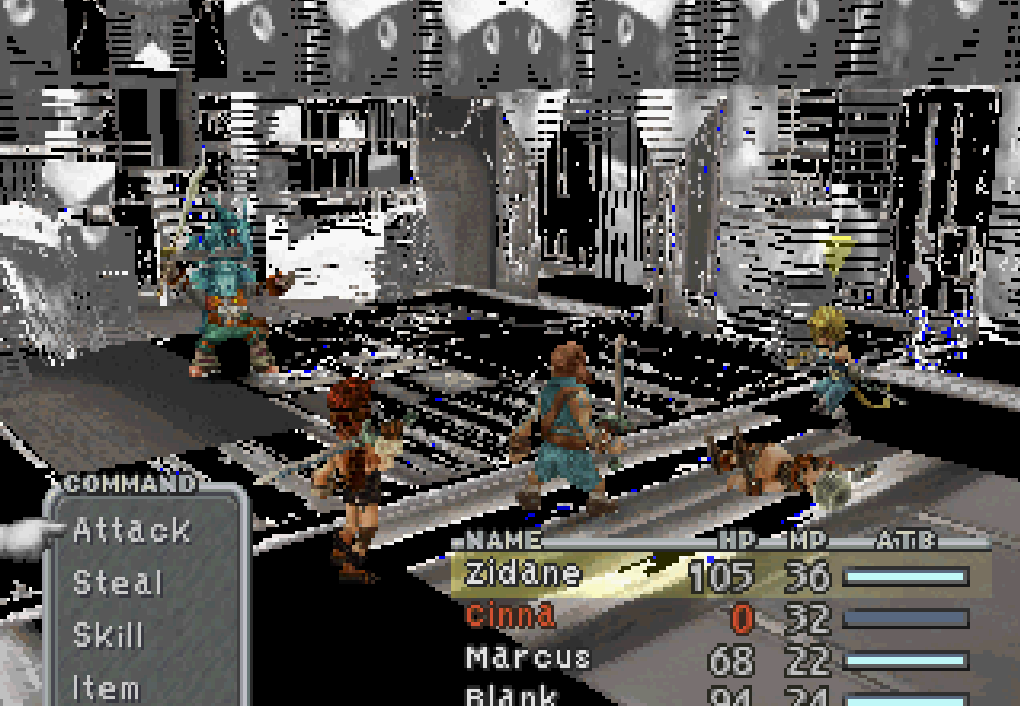
7 ) There's no 7th step,
8 ) Profit !
 
Last edited:
Nice! Thanks.

Unfortunately, the text space on those extra key items is minimal. I guess you could replace other key items only used in Disc 1 and 2. Any save files would still be compatible, there would be no difference. It's just flags telling you either got something or not, right?

One addition to the script, that nice sound when you get treasure, "Sound2( 53248, 108, 0, -128, 125 )", I put it right before " AddItem( 326, 1 " in the script, works fine. I assume the 108 is the ID of that sound, the other numbers are identical in chests script for example. Any idea what they are?

A simple tool for playing music/sfx inside HW would be cool to help identify those sounds. I wonder if there are any unused tracks or sfx in the game data.
 
Congrats for the sound, I didn't think of it ^^
108 indeed seems to be the sound ID. I don't have a clue for the other arguments but I suppose you'd expect the volume, pitch and maybe delay to be parameters. I won't add a tool for playing sounds and musics simply because I would need to convert their format (they are so-called "AKAO files", from the sound programmer's name) and I don't know of it.

However, I may do a list to easily identify them. It's only a matter of testing there.
 
Hey Tirlititi, first, brilliant work on HW so far. I've messed with it for a while, in a lurky fashion.

Second, I've done a lot of stuff with the file structure of FFIX... or at least enough to be familiar with what's where in a few cases.
That's where my question comes in:
Main character field models are stored globally on the disc... or at least separately from the models cached in the fields themselves.
With that in mind, I'm confused as to why I can't add Freya or Beatrix(characters who are in the party model folder) to the Preload list and load them up in script.
I understand with NPC models, as they're stored in the field itself.

The option to add models to the Preload list is present, but does nothing.
I guess my question most directly is "Is the preload list just a placeholder feature?"
Changing it doesn't actually do anything, except in the editor's internal memory?

Preloading an NPC from a different field, would obviously take a lot of work... but preloading a party member seemed like it should be something that works.
I'm just trying to find out if I'm misunderstanding something, or if the feature really does nothing at all yet.


On a slightly different note, do you have any theories (its listed as unknown, but I'm curious about conjecture) on what the second argument to SetModel does? the argument generally appears to be the same for party characters (that is, Zidane is usually given 93 as the second arg, and Vivi is given a different one, but its usually the same for the same character).

It occurs to me that the parameter might be a radius for the collision area, so models don't clip into each other.
 
Last edited:
Thanks Satoh !

About preloading models, yes, that's kind of strange. The preloading list does exist in the game's data and you really modify it by adding another model. However, it seems to be not sufficient... It might have to do with this 2nd parameter though, as I don't have a clue about what it does. It might be what you say, but the Moogle on the World maps actually have a 200 value, which is quiet large if it's a collision size...
 
I did some testing, I have an answer on the second parameter of setModel.
It determined the height adjustment for message windows, the 'player is here' pointing cursor, and probably some other 2D UI elements.

That's why the moogle's is so high, it's already a flying model.
Incidentally, you see similar things in pigeons, which fluctuate between 93 and 37, which I assume is for the ones that fly versus sitting on the ground.

It also seems to affect the head's up and down tilt for head-look operations. When I set Zidane's to 255 his speech bubbles appeared nearly at the top of the screen, and he looks up into the sky instead of straight ahead when talking to Blank, who is about the same height, right in front of him.

Hope that helps in some way.
 
Last edited:
This is very cool, love that you can edit the battle scene models. Will you make it possible to export and edit the character models too in the future? I was looking at the backgrounds and noticed some of them have animations, how exactly do these animations work. Are tiles being animated? I really wish I knew how they made those pre rendered backgrounds, it's so neat to be able to put unlimited amount of detail into an enviroment like that, I have tried to replicate it in various programs and it always ends up being a major hassle.

But looking at the backgrounds in this editor confuses me, anyone know how these work Textures on planes?

EDIT: I tried to add a sign to the first battle scene, when you fight the fat man. Exported the textures and the obj file then imported it into blender and added the sign, I edit one of the textures and applied that texture to the sign. Reimported it but it seemed to not work, is it even possible to edit the battle scene models/textures?

It broke, I see the parts of the texture is from my custom made texture but the uv's are messed up. I had a custom model but it seems to not have been loaded. I don't understand what the palettes are for, also there are so many texture slots, could anyone who understand how the scene editor works make a small video tutorial showing the process of replacing or editing the battle maps?
Y7W2kUA.png
 
Last edited:
HW doesn't truely need the option to export character models, as there are programs that do that already, and exporting them into a usable format would require a lot more effort than, say, making the preloading work.

In theory preloading would source a model and its animations from an existing field, and inject them into the archive that holds the field you're trying to change.

Which would of course be a complicated undertaking, but it wouldn't involve any format alteration. (I'm currently contemplating that issue myself)

That's not to speak for Tirlititi directly or anything. I'm just stating how I see it. There are more important features, and there's a lot of scripting opcodes which are indecipherable...

As for battle scene import, I think its likely that it doesn't work perfectly (as I said before, converting between model formats is no simple process), and possibly you may not have handled the textures correctly... I've never tried it myself. The textures the game uses are a specific 256 color palettized image format, so they can be recolored multiple times, while remaining very small on the disc. This means most images will not work, as they will be in raw 16million color formats.

Of course it's also just as likely that the feature is simply buggy, not for lack of effort, but just because PSX games are pretty strict about what they can and can't load, so any seemingly benign tweak may simply be impossible without better understanding the format.

Some games can only load vertices that fit in an area that is no more than 127 integer divisions away from 0 in any direction. Other games may go as high as 32767. It could simply be that whatever you tried to change, wasn't something the game could load, or possibly, wasn't something the conversion function could handle. There's a lot of possible points of failure with things like this.

It seems likely to me, that adding new vertices, probably won't work without first deleting an equal number from some other area in the scene, as well as counting triangles in the same way. The disc has limited space for storing these things (very very limited) The game also has specifics on what it can and can't do with UVs (some programs can't handle one vertex having multiple sets of UVs).

And as I said, you probably used the wrong kind of image.
 
Yes I'm just an amateur, programming isn't my thing. I prefer creating stuff, so all this is really nothing I can comment on. But still I think it's a very nice tool you've made, mostly because you can see how they made the backgrounds, something I would be very interested in knowing. The elements that are being animated in the backgrounds seem to act like gifs. I don't understand the technical stuff of how the they made the backgrounds work.

As far as I understand it to not mess up the perspective on the backgrounds the camera is static and it's the background textures on the plane that is being animated as the character moves around? But what about the collison mesh, it's so confusing anyone who knows how they made that prerendered stuff work? I think it might be a lost art, unlimited detail in a background is something that with the higher resolution that games can be run in today could look really neat.
 
First: I in no way intended to imply that I had anything to do with developing Hades Workshop. I'm just a technically minded guy who kinda understands how the game works.

Second, the backgrounds are static images, and there's a script function that replaces some of the tiles with other tiles stored in the same field map, waits a number of frames, and then replaces them with another tile. I don't comprehend 100% how that works yet, but I am quite certain I can spot it when I see it.

You're mostly right on how the camera works, except that it can be changed and moved in the game for specific things. There are a few scenes where the camera moves during a cutscene where the video replaces the background, like in the Evil Forest just after escaping Alexandria at the start of the game.
The camera also moves when looking at different angles of the same room in a map... this happens rarely, but is first seen when Baku (in a dragon mask) jumps from the door. That door is not a new room, just a different camera angle, with a different background image applied to it.

To properly comprehend how that works, I should explain that the walls of a map are actually determined by the shape of the floor... or in other words, you can walk anywhere there is floor, and you can't walk where there is no floor. This theoretical floor is called the walkmesh, and is a 3D model.... just an invisible one. You can actually view a map's walkmesh in HW by opening the script editor and switching the tabs down in the lower left corner.

I'm not sure on the practical side of replacing images, as I said I haven't tried it, but in theory, all you need to do is make a render or painting of the area you want to replace, cut out portions of that picture that need to layer on top of the character in the foreground, and probably some stuff with chopping the image into tiles... I don't think HW handles that yet... for the same reasons it doesn't do preloading models correctly: It would involve a lot of shuffling data around in a messy complicated way.
background images are stored as a collection of 16color palettized tiles that are 32x16 and there can be... I'm not sure exactly how many palettes for a full map. Part of me wants to say 32 per tile package... and some fields have multiple tile packages... The game is kind of a mess looking at it from a 'I want to make changes' standpoint. It was all done for hardware limitations of course, and it performs admirably as a game... but its certainly not user friendly for mods. I'm honestly astonished HW has so many working features.

About character models and such, most of that can be viewed by a program called noesis. You can look that up on your own, as I'm not totally sure how Qhimm handles that topic these days. Last time I came around it was kind of a hotbutton.

As for 'how they made the backgrounds' themselves... They did it in a 3D modeling program, put in loads of detail, rendered a high quality image, then shrunk it until it was small enough to fit in the game. No big mystery really. And actually, some of the stuff you see in the scene may actually be lower in actual quality than the models you see in realtime in modern games... even as old as early PS3 games. They only look nicer most of the time because you don't see them up close. A lot of them have really terrible texturing (there are a few original high definition renders floating around the internet, but only a few), but it looks nice enough when its pixelated. Its kind of like looking at 1990's 3D cartoons... they were amazing at the time, but you look back and realize how awful they really looked up close.

For an example of how the animated tiles work, you can look at Environment Tab > Field Tab > Prima Vista/Engine Room > Edit Script > Function Code1_Loop.
In Code1_loop you should see a number of SetTileAnimationFrame(...) calls. That's where I'd look to start understanding it.
It also helps to be able to run the game with the patch automatically loaded, rather than having to actually patch a copy of the game every time you edit something. I find frequently changing, exporting a PPF patch, and using an emulator that automatically loads the patch while running the game, is an effective way to learn how code works.
 
Status
Not open for further replies.
Back
Top