
[PSX/PC] General editor - Hades Workshop (0.50b)

  • Thread starter Thread starter Tirlititi
  • Start date Start date
Status
Not open for further replies.
Again sorry Tirlititi sometimes I get confused easily when I'm modding ^^''  :oops: You have a huge patience and i sincerely thank you about that

@ToraCarol: I don't know what could prevent the field to load (or the fading to happening). Have you properly setup Blank's init function?

So that's what I did

For the Init (I've added few things..but i don't know if they are necessary)

Code: [Select]
Code:
Function Blank_Init    if ( ( General_FieldEntrance == 4 ) && ( VAR_GlobUInt8_30 == 1 ) ) {        set VAR_GlobInt16_0 = 64956        set VAR_GlobInt16_4 = 273        set VAR_GlobInt16_6 = 224        set VAR_GlobInt16_2 = 64967    }    SetModel( 5467, 87 )    CreateObject( VAR_GlobInt16_0, VAR_GlobInt16_4 )    TurnInstant( VAR_GlobInt16_6 )    SetStandAnimation( 462 )    SetWalkAnimation( 5225 )    SetRunAnimation( 5222 )    SetLeftAnimation( 5223 )    SetRightAnimation( 5224 )    SetObjectLogicalSize( 20, 20, 30 )    SetAnimationStandSpeed( 14, 16, 18, 20 )    SetHeadAngle( 96, 61 )    RunSoundCode( 4616, 919 )    RunSoundCode( 4616, 914 )    RunModelCode( 16, 25, 4, 919 )    RunModelCode( 17, 25, 4, 914 )    RunModelCode( 18, 25, 4, 1 )    RunSoundCode( 4616, 919 )    RunSoundCode( 4616, 914 )    RunModelCode( 16, 25, 13, 919 )    RunModelCode( 17, 25, 13, 914 )    RunModelCode( 18, 25, 13, 1 )    RunSoundCode( 4616, 919 )    RunSoundCode( 4616, 914 )    RunModelCode( 16, 38, 0, 919 )    RunModelCode( 17, 38, 0, 914 )    RunModelCode( 18, 38, 0, 1 )    RunSoundCode( 4616, 919 )    RunSoundCode( 4616, 914 )    RunModelCode( 16, 38, 8, 919 )    RunModelCode( 17, 38, 8, 914 )    RunModelCode( 18, 38, 8, 1 )    DefinePlayerCharacter(  )    if ( VAR_GlobUInt8_30 != 1 ) {        set VAR_GlobBool_158 = 1        if ( VAR_GlobBool_159 == 1 ) {            if ( VAR_GlobBool_156 == 0 ) {                EnableMove(  )                0x27( 255 )                if ( VAR_GlobBool_144 == 0 ) {                    EnableMenu(  )                }            }        }    }    return
Fo the Loop

Code: [Select]
Code:
Function Blank_Loop    DisableShadow(  )    RunModelCode( 4, 1, -100, 0 )    Wait( 1 )    loop
And for the Main Init

Code: [Select]
Code:
  SetControlDirection( 0, 0 )    InitCode( 1, 0 )    InitCode( 2, 0 )    InitCode( 3, 0 )    InitCode( 4, 0 )    if ( VARL_GenBool_2432 == 1 ) {        ShowTile( 5, 0 )        ShowTile( 6, 0 )    }    SetRandomBattleFrequency( 128 )    SetRandomBattles( 1, 67, 67, 67, 67 )    if ( ( General_ScenarioCounter == 2010 ) && ( !VARL_GenBool_2432 ) ) {        set VAR_GlobUInt8_30 = 1        InitObject( 10, 0 )        InitObject( 7, 0 )        InitCode( 6, 0 )        InitRegion( 8, 0 )        InitRegion( 9, 0 )        set VARL_GenBool_2432 = 1    } else {        set VAR_GlobUInt8_30 = 0        if ( General_FieldEntrance != 10 ) {            InitObject( 10, 0 )            InitRegion( 8, 0 )            InitRegion( 9, 0 )        } else {                           InitObject( 17, 0 )                    }
And there this one on the Swamp after the cinematic

Code: [Select]
Code:
 0xA9( 250 )        FadeFilter( 2, 1, VAR_GlobUInt8_17, 255, 255, 255 )        if ( ( ( ( SyncCinematic & 127 ) != 17 ) && ( ( SyncCinematic & 128 ) == 0 ) ) && ( VAR_GlobBool_146 == 1 ) ) {            while ( ( SyncCinematic & 127 ) != 1 ) {                Wait( 1 )            }            Wait( 1 )        }        set VAR_GlobBool_162 = 1        set VAR_GlobBool_163 = 1        if ( VAR_GlobBool_167 == 1 ) {            RunSoundCode( 265, 65535 )            set VAR_GlobBool_167 = 0        }        if ( VAR_GlobBool_162 == 0 ) {            if ( VAR_GenUInt8_13 < 9 ) {                set VAR_GenUInt8_13 = 3            }            RunSoundCode1( 20864, 655, 0 )        }        if ( VAR_GlobBool_163 == 0 ) {        }        set General_FieldEntrance = 27        Field( 250 )
In this last one I simply changed the Field from 256 to 250. I was wrong something for sure..but I prefer to ask you and understand before i can mess everything

The script not reacting can be because Zidane is already moving, which cancels his animation to play? If he's walking and you use a "RunAnimation", I think that it doesn't work. You can also try to replace this line by a "RunAnimationEx( 4, ... )".
Now I've tried to make somtehing like that

Code: [Select]
Code:
   RunScript( 2, 2, 15 )        WindowSyncEx( 2, 0, 128, 86 )        Wait( 3 )        RunAnimationEx( 4, 3397 )        WindowSyncEx( 4, 0, 128, 276 )        WaitAnimationEx( 0 )        Wait( 3 )
But seems to not work anyway... :( Anyway the script is based on an extra that I wanted to add when Blank says that he "decides to join" instead of "the boss asked" so..the script is just an answer of Zidane..nothing particular..

And as I said..is strange..because on Steam works perfectly!
 
Last edited:
tril and tora come to discord would be ALOT ezer to talk there

also tril how did u even find that and how is it linked to setchar data?

hey trill in steam version is location of all the set VAR_GlobUInt8_24 variables ??

TRIL what about this "GetEntryProperty(0, 0)" where is set version?

whats these?  if ( VAR_GlobInt16_8 != 99 ) { ???? the 8 10 12 and 14 mean?
 
Last edited:
@resinate: Dagger also has 2 serial numbers but they are not handled differently than the others.
The variables "VAR_GenUInt16_19" have nothing to do with it. You can easily remove the "if" line so this variable doesn't appear anymore.
This lol FF9Play_Change is part of the game's source code. dnSpy is a tool that can omg access to this code and change it.

Your last post is incomprehensible. Please make some effort.

@ToraCarol: In Blank's Init, remove the block "if ( ( General_FieldEntrance == 4 ) && ( VAR_GlobUInt8_30 == 1 ) ) {" and instead setup the position you want to give to Blank by selecting the line "CreateObject" and the helper "Field" on the left of the window (showing the field's walkmesh).
In Blank's loop, what is the "RunModelCode( 4, 1, -100, 0 )"? You should probably remove that line and the "DisableShadow" (unless you want to hide Blank's shadow for some reason).
In the swamp's function, you still have the line "set General_FieldEntrance = 27" while it should be "set General_FieldEntrance = 10".

Ah, and the animation is not working on PSX because you can't use all the animations there. Each field has the datas of some animations linked to it (the animations that the devs used for that field) and you can't access to the others.
On Steam, you can access any model and any animation at any time.
 
@ToraCarol: In Blank's Init, remove the block "if ( ( General_FieldEntrance == 4 ) && ( VAR_GlobUInt8_30 == 1 ) ) {" and instead setup the position you want to give to Blank by selecting the line "CreateObject" and the helper "Field" on the left of the window (showing the field's walkmesh).
In Blank's loop, what is the "RunModelCode( 4, 1, -100, 0 )"? You should probably remove that line and the "DisableShadow" (unless you want to hide Blank's shadow for some reason).
In the swamp's function, you still have the line "set General_FieldEntrance = 27" while it should be "set General_FieldEntrance = 10".

Ah, and the animation is not working on PSX because you can't use all the animations there. Each field has the datas of some animations linked to it (the animations that the devs used for that field) and you can't access to the others.
On Steam, you can access any model and any animation at any time.
Yey! It works! Thanks a bunch!  ;D ;D

Oh...I got it. Ok...so I'll keep to work on Steam! Thanks for let me know  8)
 
Last edited:
uG18ZR3.gif


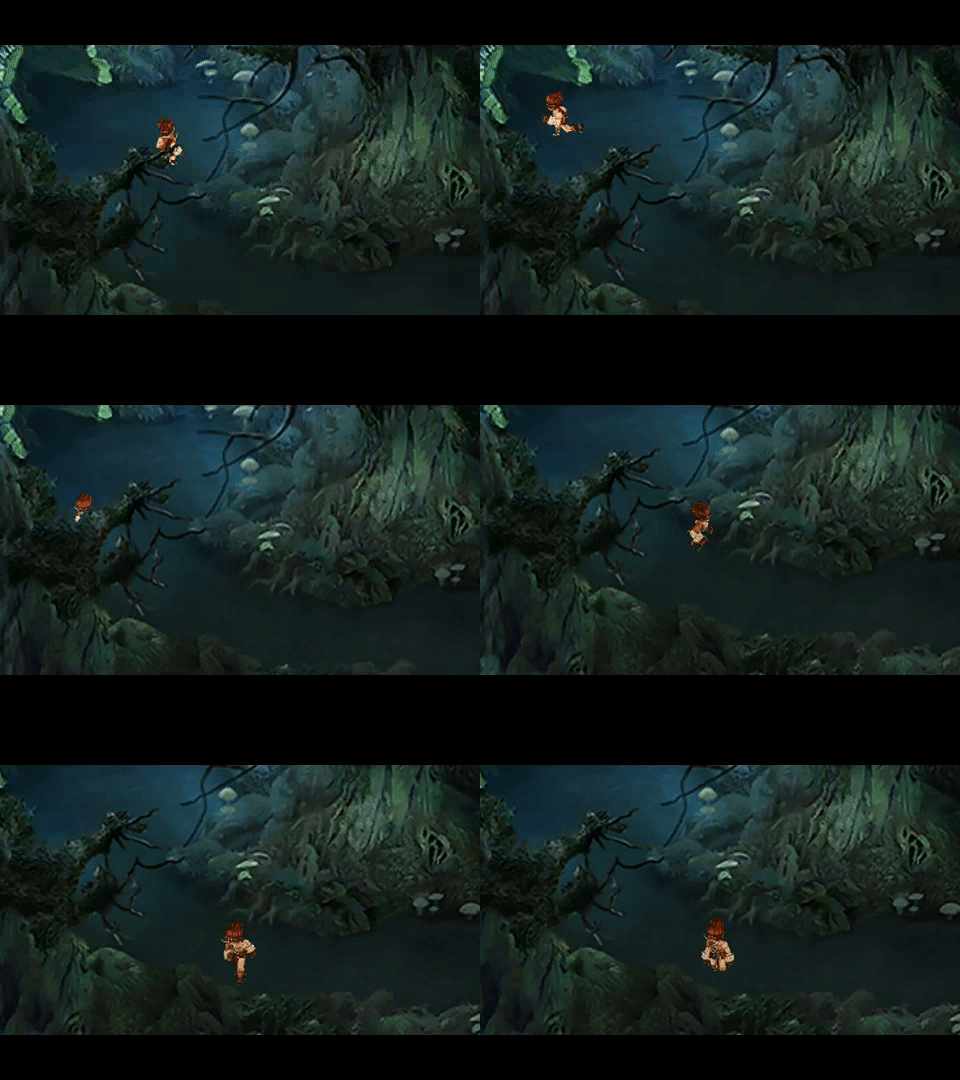
Tirlititi, why Blank is like he's not walking in the water?x''D  It's something related to the model?

(And what about the "texture" effects? Like the "Night Effect", "Light Of Branbal" on the model etc?  I'd like to solve somehow... it's kinda creepy to see Blank colorful x'D)
 
Last edited:
Apparently, the water effect is handled by the different functions "Code1_Loop", "CodeN_11" and "CodeN_12" (with N ranging through 2, 3 and 4). They are SPS effects.
The problem is that they are specifically made for Zidane (ObjectUID_10). You can change every instance of "ObjectUID_10" to "ObjectUID_250" in these functions: it will refer to the party's character (so Zidane most of the time and Blank in your modifications). It would be more difficult to have two characters in the water at the same time apparently.
 
i was more surprised the fact no char data can be fetched thru variables like how chocobo scripts work

so i was looking around at max level coding in game and found this line

ff9play.FF9Play_ChangeLevel(i, 99, false);

can this be used at all in psx version???

well for now im gonna use a boss rush script lol
 
Last edited:
Thanks for the reply, as always  ;)

Just want to ask...whats the best way to install the Dwight's "SFX & Missing Enemy Death Sounds Fix" to  be compatible with my Mod? (When i copypaste the resoruce.assets, obviously, the game
looks kinda corrupted)

It's necessary to start from a clean project?
 
@resinate: No, it's not accessible from the PSX version. Only the Steam version allows to modify its source code.

@ToraCarol: The missing death sounds is just a single file to import in the "resources.assets". You can get it there for instance. It can be imported either in your "resources.assets" before doing your stuff with HW or after generating the modded files, it doesn't matter.
I don't remember if that mod also update the sounds with better ones. If that's the case, it is files like p0data61, 62 or 63 that are not modified by HW so it's perfectly compatible.
 
Thanks for the reply, as always  ;)

Just want to ask...whats the best way to install the Dwight's "SFX & Missing Enemy Death Sounds Fix" to  be compatible with my Mod? (When i copypaste the resoruce.assets, obviously, the game
looks kinda corrupted)

It's necessary to start from a clean project?
You can use that resources.assets as a base before beginning your mod with HW!.
If you still have your .hws file, you can do so.

I don't remember if that mod also update the sounds with better ones. If that's the case, it is files like p0data61, 62 or 63 that are not modified by HW so it's perfectly compatible.
It does and is compatible!.
 
Thanks to both for the reply! For now i put the Enemy Death sound fix and works like  a charm!!!

Now I'm checkin for the SFX mod, I let you know for anything else  ;)
 
Last edited:
I am trying to add Garland to the silverdragon boss fight at disc 3 on the original ff9 steam version

and everytime i try to do so, the game softlocks on me, what am i doing wrong then
 
Last edited:
hey

this is the stuff i do not understand about adding enemies using the ff9 hades workshop

So, about adding enemies, there are a few constraints and some step-by-step method to follow:
1) Copy the enemy you want to add (right-click), then go to the battle where you want to add him and paste.
2) Copy some attacks for that enemy: it is advised to copy/paste attacks from its original battle since then the sequencing and animations will match. You can get any other spell as well though (but then you need to modify the spell sequence or the animations will look weird).
3) Select those new attacks you copied and change their field "Animations" -> select the new enemy.
4) Similarly, select the new enemy and change its "Default Attack" to one of those you added (it's only used for Berserk/Confuse),
5) Modify at least one of the enemy Groups to include the new enemy in it.
6) Click on "Edit Entries", select the last entry named "Object" in the list, Add one entry (it will pop between that Object and Zidane's entry) and change the entry type to 2,
7) Modify the AI script to include an AI for your enemy. You might copy/paste the AI of the original battle sometimes (for regular enemies mainly) but you can also use a very basic AI:

7-a) Function Main_Init
Add a line "InitObject" with the new enemy's entry for the first argument and 128, 129, 130 or 131 for the second (one that is not taken already). If you added more than once of the new enemy inside the enemy group, add more lines like these.
Example: I added 2 Abominations in a battle with 1 Adamantoise and so I added the two last "InitObject" lines
Code: [Select]

Function Main_Init
    InitObject( 1, 128 )
    InitObject( 2, 129 )
    InitObject( 2, 130 )
    return


7-b) Add a function of type 0 (Main) for your enemy's entry (right-click on the function list for that). Nothing absolutly required there so you can just write a single "return" and parse.
Example: I let this example so you don't forget to add a main function nor a "return" line.
Code: [Select]

Function Abomination_Init
    return


7-c) Add a function of type 5 (ATB).
You're not forced to make an AI as complicated as the ones the game has. You can go with something as simple as a "GetRandom" for selecting the attack and basic SV_Target selection.
Example: My Abomination has two different attacks: Silent Slap which is single-target and Fira which is Multi-target. I make it so Silent Slap is used 2/3 of the time and Fira the remaining third.
Code: [Select]

Function Abomination_ATB
    if ( GetRandom % 3 ) {
        set SV_Target = RandomInTeam(SV_PlayerTeam)
        Attack( 4 )
        return
    }
    set SV_Target = SV_PlayerTeam
    Attack( 5 )
    return


7-d) Counter, CounterEx, Loop and Death functions are optionnal.

i did number 1 fine about adding the enemy, i did number 2 fine, but the other stuff i do not understand very well and i tried your very old ff9 steam mod, but it froze at the title screen and nothing happen and when i tried to open up your very old ff9 steam mod on hades it crashed it each time
 
Tirlititi just want/need to ask you an interesting question.. What's the best way to add/replace sounds??? I have not seen a tutorial about it  ;D
 
You can use the Unity Assets Viewer and open the archives p0data61, p0data62 or p0data63: it's the archives containing the sounds and musics.
Right-click on the sound/music you want to replace and export it. It should convert it to a readable OGG file. Replace that file (where it was exported) by another OGG file and then, in the UAV, right-click on the sound/music and import it back.

You should be able to add a new music/sound, but it requires more work: listing it in a soundmetadata.txt (in the archive resources.assets) and making the source code use it (using dnSpy to modify the Assembly-CSharp.dll).

@Zara9: I can't help you; I don't know what you are doing (and so what you are doing wrong).
There is a .hws example in the description I linked in my last message. Have you tried it?
 
Great, thanks!

I've asked you about adding sound because i'm interested on adding voice to characters in battle for make something like "Opera Omnia" what do you think? It' too hard?

And tell me where I have to go exactly in DnSpy for making the source code?

ps: talking about sounds, is there a way to fix the reflex SFX (maybe adding another sound, instead of the sound of the magic is using..)
 
Tirlititi just want/need to ask you an interesting question.. What's the best way to add/replace sounds??? I have not seen a tutorial about it  ;D
Be weary! Some sounds ignore the pitch and frequency set in Sdlib.dll! What you initially replace as say 44100hz can be played at frequency 22050hz in game! I still haven't understood this doing.

Great, thanks!

I've asked you about adding sound because i'm interested on adding voice to characters in battle for make something like "Opera Omnia" what do you think? It' too hard?

And tell me where I have to go exactly in DnSpy for making the source code?

ps: talking about sounds, is there a way to fix the reflex SFX (maybe adding another sound, instead of the sound of the magic is using..)
Sounds good to me!
On terms of difficult, well, way back when when I attempted to add assets for Voice line in FF9 TZA, I too had to add those assets with Unity Asset Viewer, and later work the source to make it use it. I didn't get successful with that attempt. IIRC, even when I added the assets in the p0data61-63.bin archives, updated soundeffectmetadata.txt and added the necessary functions in Assembly CSharp.dll, the audio still refused to play. I then settled with using some UNUSED sounds of the game for the voice lines. Just so one could still archive their ultimate goal whilst keeping everything else intact.
 
Be weary! Some sounds ignore the pitch and frequency set in Sdlib.dll! What you initially replace as say 44100hz can be played at frequency 22050hz in game! I still haven't understood this doing.

Sounds good to me!
On terms of difficult, well, way back when when I attempted to add assets for Voice line in FF9 TZA, I too had to add those assets with Unity Asset Viewer, and later work the source to make it use it. I didn't get successful with that attempt. IIRC, even when I added the assets in the p0data61-63.bin archives, updated soundeffectmetadata.txt and added the necessary functions in Assembly CSharp.dll, the audio still refused to play. I then settled with using some UNUSED sounds of the game for the voice lines. Just so one could still archive their ultimate goal whilst keeping everything else intact.
Great, thanks for the reply Incinerator!  You know I've got this idea thanks to your FF9 TZA!  I've seen you used the voices from FFXII so I said..WOW! Maybe I can give a shot  :evil:


Can I ask you now two questions?

First of all..what are exactly the unused sounds? How can i recognize them?
And second...how did you put the sound to play exactly in the instant when, for example, a character die, or attack? I never tried something like this before :roll:
 
Last edited:
Great, thanks for the reply Incinerator!  You know I've got this idea thanks to your FF9 TZA!  I've seen you used the voices from FFXII so I said..WOW! Maybe I can give a shot  :evil:


Can I ask you now two questions?

First of all..what are exactly the unused sounds? How can I recognize them?
And second...how did you put the sound to play exactly in the instant when, for example, a character die, or attack? I never tried something like this before :roll:
Some of them from FFXII, (iirc fran for Freya and Balthier for Zach) the rest from some old colleagues.  8-)

The recent version of HW should identify Unknown Sounds in the Unity assets Viewer as much 37c does. I've only done when characters are KO'd, attacking was buggy for me.
I still have my notes from Tirlititi from then, I knew I kept it for a reason when porting Type-0!

Ah, sorry, my bad !
I've misread the engine code ; I thought that "SetEnforceHP0" was executed everytime a fighter dies.
So, "SetEnforceHP0" is executed in most situations, except for the most frequent: when a character dies because of damage and that its death animation is not delayed or canceled for some reason (when you attack yourself, the character doesn't do its "Death" animation right there because it's already doing its "Attack" animations).

I would say to keep the code in "SetEnforceHP0" but also add it in another place: "btl_para::SetDamage".
At the end of the method, you have something like this:
Code: [Select]
Code:
btl.fig = (short)damage;if (dmg_mot != 0){ btl_mot.SetDamageMotion(btl);}else if (btl.cur.hp == 0){ btl_calc.SetEnforceHP0(btl);}
Add the lines in the first of alternatives:
Code: [Select]
Code:
btl.fig = (short)damage;if (dmg_mot != 0){ btl_mot.SetDamageMotion(btl); if (btl_util.getPlayerPtr(btl).info.serial_no == 0 || btl_util.getPlayerPtr(btl).info.serial_no == 1)  btl_util.SetBattleSfx(btl, ZIDANE_SOUND_ID, 127); else if (btl_util.getPlayerPtr(btl).info.serial_no == 2)  btl_util.SetBattleSfx(btl, VIVI_SOUND_ID, 127); // etc...}else if (btl.cur.hp == 0){ btl_calc.SetEnforceHP0(btl);}
PS. : The way it compiled it in dnSpy is normal and perfectly fine. Even though it's not exactly the same C# code as you wrote, it is equivalent and leads to exactly the same CIL code.
Do this and now it should be finally ok:
Code: [Select]
Code:
btl.fig = (short)damage;if (dmg_mot != 0){ btl_mot.SetDamageMotion(btl); if ((btl.cur.hp == 0) && (btl.bi.player != 0) {  if (btl_util.getPlayerPtr(btl).info.serial_no == 0 || btl_util.getPlayerPtr(btl).info.serial_no == 1)   btl_util.SetBattleSfx(btl, ZIDANE_SOUND_ID, 127);  else if (btl_util.getPlayerPtr(btl).info.serial_no == 2)   btl_util.SetBattleSfx(btl, VIVI_SOUND_ID, 127);  // etc... }}else if (btl.cur.hp == 0){ btl_calc.SetEnforceHP0(btl);}
Really, I'm sorry, I got confused because there is not a single piece of code that is executed for sure when a character dies, and you have to add these lines in two different places (SetEnforceHP0 and SetDamage) that have different conditions to trigger.

I didn't do any more tests for the model importer. I've just decided to let the text auto-translation feature for the release after the next one because it'll take some time. I have a couple of things to fix for the text editing feature, then I go back to model exporter/importer to see what's wrong and then I release the next version of HW.

I really hope that the sound code works fine this time ^^'
 
Status
Not open for further replies.
Back
Top