A
Aavock
Guest
Try this one: midlmap_00The showstopper is that the scale is not right so wouldnt be shown accurately in the game...
It was made in a rush but shouldn't look too bad.

Try this one: midlmap_00The showstopper is that the scale is not right so wouldnt be shown accurately in the game...
Damn, that's sweet. Thank you for contributing to this!
Sweet! Those are more like it.The previous one was resized 400% compared to the original.
This one is 800% bigger than vanilla:
https://i.imgur.com/4zN6Sf8.png
Edit: Here's a massive 1600% scaled texture (for those using 8K monitors I guess):
https://i.imgur.com/5H5PDii.jpg

Trust me, you won't see any clear improvement compared to the 1600% scaled version.In case it was missed, the darker version of the map that I posted on the previous page (link: https://i.imgur.com/2JFpt65.jpeg) is in a whopping 6849x5093 resolution, at a pretty clear image quality (few artifacts, from what I can see).
This is how the game reads the texture yes.Oh, for my curiosity again, could you tell me why the maps linked in your post have a lot of white space around them? Is that something that the FF7 engine requires for the mod to work?
oh wow this is much better than the previous jpg! Nice.Edit: 1600% version with more vibrant colors and sharpened details:
https://www.sendspace.com/file/m8zt65 (imgur is not accepting big *.png files)
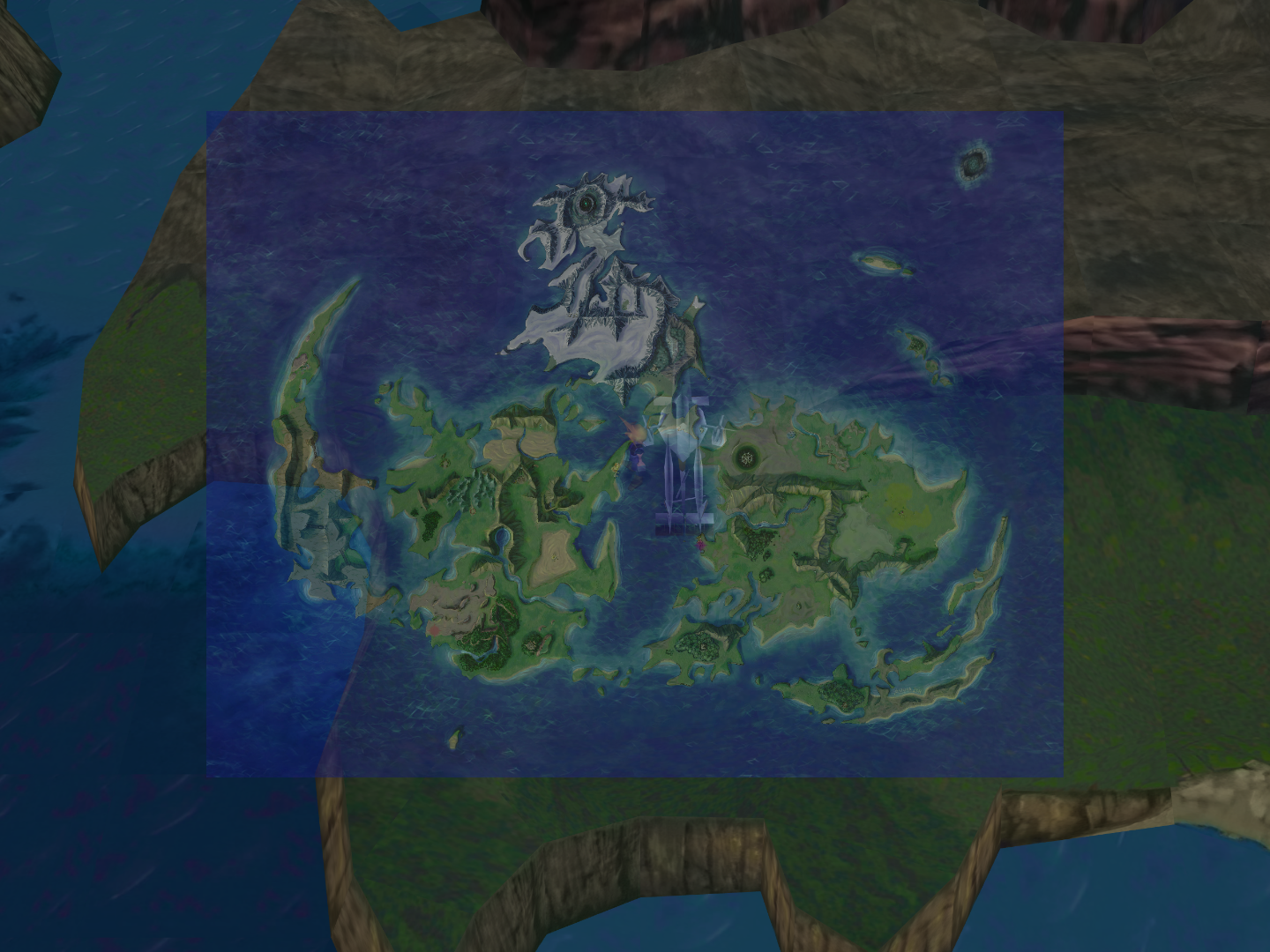
I like it! What about it do you not like?Not a fan but for those interested, this is how it looks:
In order to make it opaque you'll have to hex edit; maybe Chrysalis can help you.Would it be possible to make the map opaque instead of transparent?


You have to sort your mod load order, you have everything jumbled together. In 7H thats the 1^V9 button on the right hand sidethere is 1 problem I wanna ask you
Damn, that's a bummer.
If you intend on taking your time to make the map work, I say to you godspeed and thank you!
Do you want me to get in contact with the author of the map? I could tell her to get in contact with you so you could talk about this issue. Perhaps she'd be willing to help or contribute. Though do you have her twitter, so perhaps you don't need me as a middle-man.
Let me know!
No worries, it was a half an hour task. My only real contributions for the community is my UI 1:1Remastered where I've spent hundreds of hours.Thank you I can give it a try, are you happy for this to be part of ESUI? you would be credited of course.
No worries, it was a half an hour task. My only real contributions for the community is my UI 1:1Remastered where I've spent hundreds of hours.
You should instead credit the original author "Ahvia" if I remember correctly.
So I'm having this issue where the User Interface - Qhimm Catalog 7th heaven mod just doesn't seem to work even though I have it activated? I've tried the ESUI mod from the 7th heave catalog as well and it doesn't seem to work. Anyone have any reason why it would just refuse to work even though it's activated and other mods work fine?
 Hope some day we can have different (and good) UI for menu/battle.
I only pass by to say Thanks a lot for ESUI mod! There is a lot of info very difficult to find in other way.
I wanted to comment only a little thing. I was thinking in "separate" (but without luck), battle UI from menu/field/world UI. With this I pretend to be able to use a different frame for the boxes between both, and even background colors.
About the colors background I can do something with the Help/Status box in battle (the top and middle little boxes). But the left/right boxes (the ones with companion names and commands) is a bit more difficult, I had searched the .exe, but it seems to share the values of the menu ones if I'm not mistaken.
BUT, I had the hope to be able to use a different palette for (btl_win_c_l.png), and use, for example, btl_win_c_l_01.png in battle UI. This would permit to use a different frame of the menu one. I think that this is not possible without changing ff7.exe code.
Anyway, I had not luck either searching for the place where this could be achieved.
[00000099] TRACE: Renderer::createTexture: 60 => 51594840x51594844 from filename C:\Games\Final Fantasy VII/mods/textures/menu/btl_win_a_l_00.dds[00000099] TRACE: Using texture: C:\Games\Final Fantasy VII/mods/textures/menu/btl_win_a_l_00.dds[00000099] TRACE: Created external texture: 60 from C:\Games\Final Fantasy VII/mods/textures/menu/btl_win_a_l_00.dds[00001111] TRACE: gl_defer_sorted_draw: call with primitivetype: 4 - vertextype: 3 - vertexcount: 32 - count: 48 - clip: 1 - mipmap: 1[00001111] TRACE: gl_defer_sorted_draw: texture_set true for texture menu/btl_win_c_l0[00001111] TRACE: gl_defer_sorted_draw: return true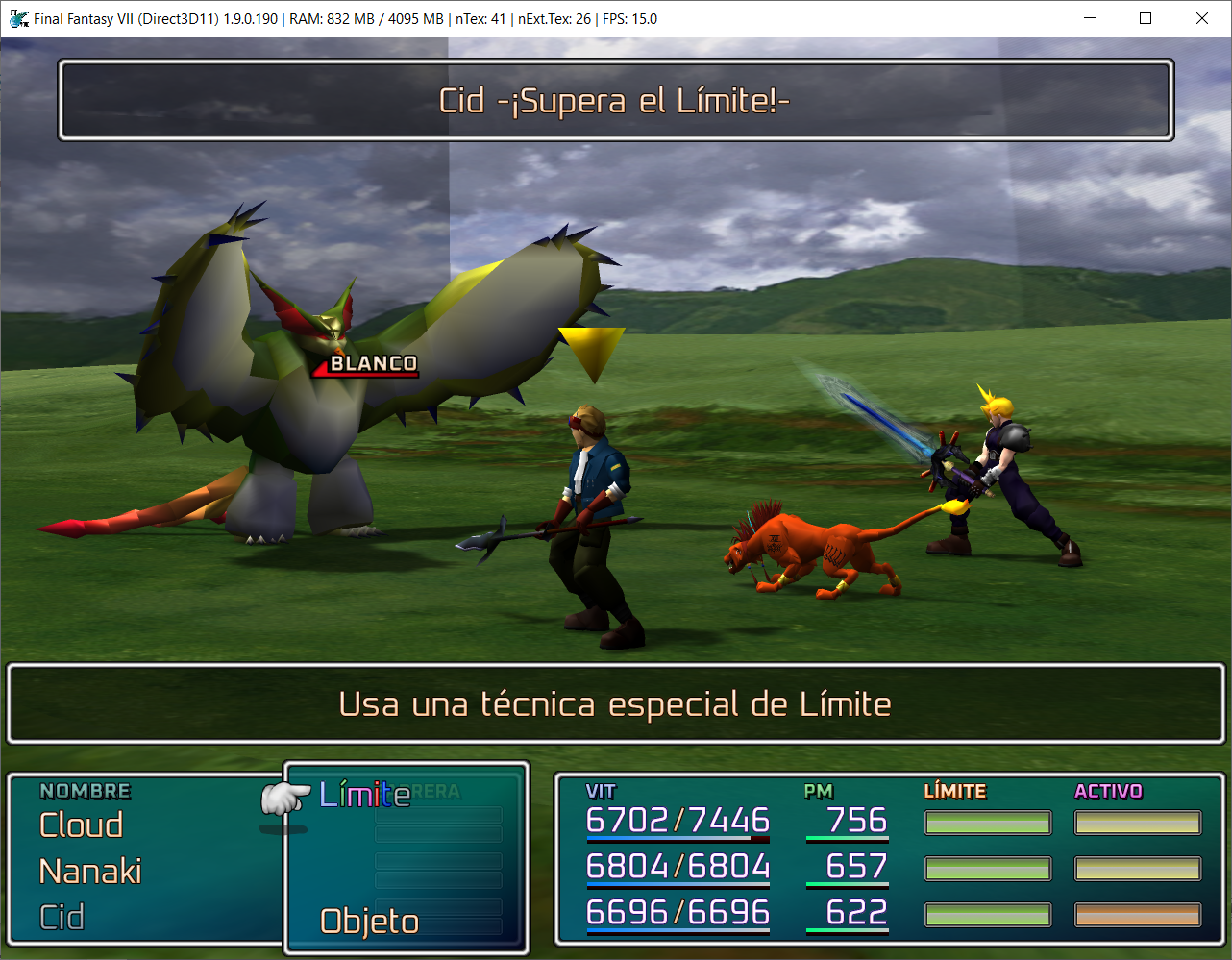
http://BATTLE MENU# Help Support -Middle- & Message -Up- Windows Top Left/Right/Top/Bottom Colors#.text:006D4EF7 mov ecx, dword_91EFC86D4EF7 = B9 00 00 00 7F 90#.text:006D4F7F mov ecx, dword_91EFCC6D4F7F = B9 00 00 00 7F 90#.text:006D5007 mov ecx, dword_91EFD06D5007 = B9 00 00 00 7F 90#.text:006D50A2 mov edx, dword_91EFD46D50A2 = BA 00 00 00 7F 90