
You are using an out of date browser. It may not display this or other websites correctly.
You should upgrade or use an alternative browser.
You should upgrade or use an alternative browser.
- Status
- Not open for further replies.
T
tigerae
Guest
Hi, i've been fighting with my ff8 for hours now and it still keeps on crushing maybe u can give me some advice please.
App
Code: [Select]
Config
Code: [Select]
ps. This wasnt the first one i had. One was at the end of cut scene in desert prison (just like here "end of movie") and one ealier just by walking in balamb
ps2. Tried for like 4th time to get past this point (posted app is about crash after Balamb garden lands in water this time game crashed just after the cut scene on observation deck before landing scene)
ps3. I have fixed that wrong line in shaders already for what its worth with crushing final xD
App
Code: [Select]
Code:
INFO: FF7/FF8 OpenGL driver version 0.7.11bINFO: Auto-detected version: FF8 1.2 US EnglishINFO: NVIDIA Corporation GeForce 9800 GT/PCIe/SSE2/3DNOW! 3.3.0INFO: OpenGL 2.0 support detectedINFO: Found swap_control extensionINFO: Max texture size: 8192x8192INFO: Number of texture units: 4INFO: Original resolution 640x480, window size 640x480, output resolution 640x480, internal resolution 640x480INFO: Shader limits: varying 60, vert uniform 4096, frag uniform 2048ERROR: failed to stat file e:\final/shaders/nolight/main.vertERROR: failed to load shaders, reverting to fixed functionMATRIX INITIALIZE INITIALIZING SOUND... initializing direct sound EAXDirectSoundCreate creating primary buffer creating 3D listener interface EAX: creating bogus sound buffer EAX: creating bogus 3D buffer EAX: Establishing listener property set interface EAX: Checking for EAX support EAX support initialized EAX: set global reverb initializing audio data OK initializing streamingSOUND INITIALIZEDDIRECT MUSIC - Enumerating Ports...PORT 0: Mapowanie MIDI [Emulowany]GUID={0xdb6eb796,0xed71,0x4855,0x85,0x58,0x76,0xe6,0xcb,0x1d,0x7e,0x19}PORT 1: Syntezator SW Microsoft GS Wave [Emulowany]GUID={0xee3a3342,0x24df,0x4d72,0x90,0x71,0x32,0x2,0x22,0xdb,0xd5,0x21}PORT 2: Microsoft SynthesizerGUID={0x58c2b4d0,0x46e7,0x11d1,0x89,0xac,0x0,0xa0,0xc9,0x5,0x41,0x29}Creating Port1... Microsoft Synthesizer Port1 supports XG dataBinkCloseSdMusicPlay ()sd_music_play (number=0, song_id=79, volume=0)midi_play...Stopping PerformanceLoading DLS...Playing Segmentmidi_play successfulMIDI stopCan't open file: h:\DISK1 SdMusicPlay ()sd_music_play (number=0, song_id=16, volume=0)midi_play...Stopping PerformancePlaying Segmentmidi_play successfulCan't open file: \ff8\data\eng\field\mapdata\bg\bgmd3_2\bgmd3_2.sfx SdMusicPlay ()sd_music_play (number=0, song_id=16, volume=127)Can't open file: \ff8\data\eng\field\mapdata\te\testbl3\testbl3.sfx SdMusicPlay ()sd_music_play (number=0, song_id=68, volume=127)MIDI stopmidi_play...Stopping PerformancePlaying Segmentmidi_play successfulBinkCloseCan't open file: \ff8\data\eng\field\mapdata\bg\bgmd4_1\bgmd4_1.sfx MIDI stopSdMusicPlay ()sd_music_play (number=0, song_id=87, volume=0)SdMusicPlay ()sd_music_play (number=0, song_id=78, volume=127)midi_play...Stopping PerformancePlaying Segmentmidi_play successfulBinkCloseBinkCloseBinkCloseCan't open file: \ff8\data\eng\field\mapdata\bg\bgsido_5\bgsido_5.sfx SdMusicPlay ()sd_music_play (number=0, song_id=78, volume=127)SdMusicPlay ()sd_music_play (number=0, song_id=78, volume=127)SdMusicPlay ()sd_music_play (number=0, song_id=72, volume=0)MIDI stopmidi_play...Stopping PerformancePlaying Segmentmidi_play successfulBinkClosesd_music_play (number=0, song_id=78, volume=0)MIDI stopmidi_play...Stopping PerformancePlaying Segmentmidi_play successfulSdMusicPlay ()sd_music_play (number=0, song_id=78, volume=127)BinkCloseBinkCloseMIDI stopSdMusicPlay ()sd_music_play (number=0, song_id=26, volume=0)midi_play...Stopping PerformancePlaying Segmentmidi_play successfulBinkCloseSdMusicPlay ()sd_music_play (number=0, song_id=27, volume=0)MIDI stopmidi_play...Stopping PerformancePlaying Segmentmidi_play successfulERROR: unhandled exceptionCode: [Select]
Code:
# ff7_opengl-0.7.10b config file## USER OPTIONS #### If you just want to play the game, these are the only options you'll want to change.# set the window size (or fullscreen resolution) of FF8# 0 means use original resolution (whatever ff7.exe provides)# preserve_aspect adds black borders as needed to preserve a 4:3 aspect ratiowindow_size_x = 0window_size_y = 0preserve_aspect = yesfullscreen = yes# mod directory# subdirectroy of mods/ where textures will be loaded from# does not affect the old external textures feature, those should still go in textures/mod_path = none# check your driver settings if this option doesn't seem to workenable_vsync = yes# allow FF8 to use linear filtering for its textures# some things look slightly better with this option on, but alot of textures just lose their detaillinear_filter = off## ENHANCEMENTS #### All the little extras that weren't part of the original game, default options include only trivial bug fixes.# post-processing shader, used to apply fullscreen effectspost_source = shaders/bloom2.postenable_postprocessing = no## ADVANCED OPTIONS #### Don't fiddle with these unless you know what you're doing.# use shaders, if available and supported# turn shaders off to use the OpenGL 1.1 backenduse_shaders = yes# prevent glitches due to rounding errors by rendering in the nearest (larger, if supported)# multiple of the original resolution and up/down-scalingprevent_rounding_errors = yes# enable alpha blending for textures without an existing blending effectfancy_transparency = on# display frames per second counter in upper right cornershow_fps = yes# display some real-time debug informationshow_stats = no# store external textures in a compressed cache for increased performance# compression is not lossless, some artifacts may appear when this option is in use# texture cache does NOT update automatically if the source image changes, however, deleting anything from the cache# will cause that file to be recreated from the sourcecompress_textures = yes# use pixel buffer objects to speed up texture loading# will probably crash horribly on ATI cards but should work for NVIDIA usersuse_pbo = no## MODDER OPTIONS #### These options are mostly useful to modders and should not be enabled during normal play.# show every failed attempt at loading a .png textureshow_missing_textures = nops2. Tried for like 4th time to get past this point (posted app is about crash after Balamb garden lands in water this time game crashed just after the cut scene on observation deck before landing scene)
ps3. I have fixed that wrong line in shaders already for what its worth with crushing final xD
Last edited:
A
ajthedj747
Guest
You have a better video card than me. I hope your computer is faster as well. It it 32-Bit or 64-Bit?i thought i would mention that I recently discovered windows 7 aero is incompatible with vsync unless u enable transparency
no idea if that issue affected ff7 or not, barely tested since redid my system. i had huge tearing issues even with vsync set to always on on my amd hd 6850, which enabling transparency in windows personalization>desktop color options fixed.
T
Template
Guest
I'm using windows 7 64 bit
I've tested this further and confirmed transitions and other aspects of FF7 pc were in fact being degraded by non active vsync until I enabled transparency in windows color settings. Totally silly.
As an example, when climbing the rope to Fort Condor, there is a moderate tearing and lurching effect as the screen transitions up, centered on Cloud. i had become grudgingly accustomed to that, and it manifests itself all throughout the game. Fixing vsync for me improved this effect.
I've tested this further and confirmed transitions and other aspects of FF7 pc were in fact being degraded by non active vsync until I enabled transparency in windows color settings. Totally silly.
As an example, when climbing the rope to Fort Condor, there is a moderate tearing and lurching effect as the screen transitions up, centered on Cloud. i had become grudgingly accustomed to that, and it manifests itself all throughout the game. Fixing vsync for me improved this effect.
K
Kompass63
Guest
Hi Template
I'm not sure but do you mean "enable_vsync =" in Aalis driver?
This option will work for me only in some mini-games (G-Bike, snowboard) and the battleswirl.
Use "show_fps = yes" and "enable_vsync = off" and play in Goldsaucer once G-Bike.
"transparency" on or off makes no difference to me.
Greetings Kompass63
I'm not sure but do you mean "enable_vsync =" in Aalis driver?
This option will work for me only in some mini-games (G-Bike, snowboard) and the battleswirl.
Use "show_fps = yes" and "enable_vsync = off" and play in Goldsaucer once G-Bike.
"transparency" on or off makes no difference to me.
Greetings Kompass63
K
Kindo
Guest
Greetings,
I seem to have utterly failed at installing this properly; I downloaded the latest version (0.7.11b) and unpacked it into the installation directory. I've tried leaving the config on default, but the results are the same. Basically, the graphics don't work. At all. A suspect title screen where most of the stuff is missing, and once in game, it's all white, like so:
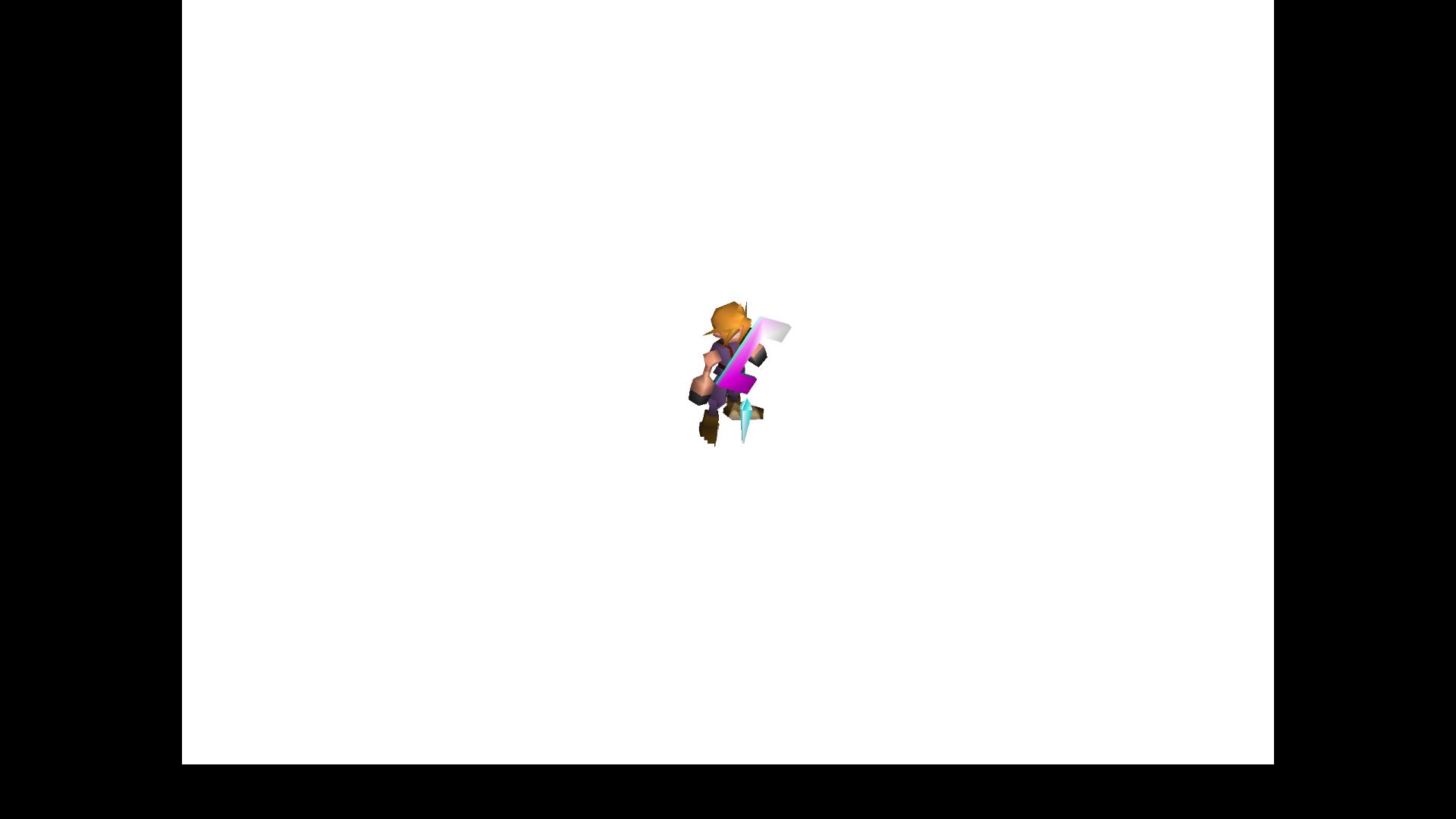
While selecting the custom driver in the FF7 Config, I do get the message that all should be okay, by the way.
Thank you in advance, and thank you, Aali, for all the work you've put into this.
Kindo
APP.LOG
Code: [Select]
ff7_opengl.cfg
Code: [Select]
I seem to have utterly failed at installing this properly; I downloaded the latest version (0.7.11b) and unpacked it into the installation directory. I've tried leaving the config on default, but the results are the same. Basically, the graphics don't work. At all. A suspect title screen where most of the stuff is missing, and once in game, it's all white, like so:
While selecting the custom driver in the FF7 Config, I do get the message that all should be okay, by the way.
Thank you in advance, and thank you, Aali, for all the work you've put into this.
Kindo
APP.LOG
Code: [Select]
Code:
INFO: FF7/FF8 OpenGL driver version 0.7.11bINFO: Auto-detected version: FF7 1.02 US EnglishINFO: NVIDIA Corporation GeForce GTX 470/PCIe/SSE2 4.2.0INFO: OpenGL 2.0 support detectedINFO: Found swap_control extensionINFO: Max texture size: 16384x16384INFO: Number of texture units: 4INFO: Original resolution 640x480, window size 1920x1080, output resolution 1440x1080, internal resolution 1920x1440INFO: FBO extension detected, using fast scaling/postprocessing pathINFO: Shader limits: varying 124, vert uniform 4096, frag uniform 2048INFO: FFMpeg movie player plugin loadedINFO: FFMpeg version SVN-r25886, Copyright (c) 2000-2010 Fabrice Bellard, et al.LOCK UNLOCK TEST MATRIX INITIALIZE INITIALIZE DD/D3D END initializing sound...creating dsound primary bufferreading audio fileloading static soundssound initializedINITIALIZING MIDI...selecting device 0:Microsoft GS Wavetable Synth, mid=1, pid=27,midi data type: GENERAL MIDIusing midi data file: C:\Program Files (x86)\Square Soft, Inc.\Final Fantasy VII\Data\midi\midi.lgpmidiOutGetVolume returned: ffffMIDI INITIALIZEDset music volume: 127MIDI set volume: 127100% of 127 = 127set music volume: 127MIDI set master volume: 100MIDI set volume: 127100% of 127 = 127Entering MAINExiting MAINSTART OF CREDITS!!!ERROR: couldn't open movie file: C:\Program Files (x86)\Square Soft, Inc\Final Fantasy VII\Movies\eidoslogo.aviINFO: C:\Program Files (x86)\Square Soft, Inc\Final Fantasy VII\Movies\sqlogo.avi; h264/aac 1280x896, 15.000000 FPS, duration: 14.533333, frames: 218set music volume trans: 127->0, step=60MIDI set volume trans: 127->0; step=60MIDI stop - OKMIDI stop - OKEND OF CREDITS!!!Entering MAINset music volume: 127MIDI set volume: 127100% of 127 = 127Exiting MAINSTART OF MENU SYSTEM!!!END OF MENU SYSTEM!!!Entering MAINExiting MAINField StartMIDI play: 28reading midi file: AYASI.midERROR: failed to find file midi/AYASI.mid (LGP) (path: )ERROR reading MIDI dataWM_CLOSE Field QuitMIDI stop - OKresetting MIDI driver volume - OKUNINITIALIZE DD END UNINITIALIZE DDCode: [Select]
Code:
# ff7_opengl-0.7.10b config file## USER OPTIONS #### If you just want to play the game, these are the only options you'll want to change.# set the window size (or fullscreen resolution) of FF7# 0 means use original resolution (whatever ff7.exe provides)# preserve_aspect adds black borders as needed to preserve a 4:3 aspect ratiowindow_size_x = 1920window_size_y = 1080preserve_aspect = yesfullscreen = yes# mod directory# subdirectroy of mods/ where textures will be loaded from# does not affect the old external textures feature, those should still go in textures/mod_path = none# check your driver settings if this option doesn't seem to workenable_vsync = yes# limit snowboard, coaster and highway minigames to refresh rate / 2, i.e. 30fps for a 60hz display mode# vsync must be enabled and working for this to have any effectminigame_framelimiter = on# same thing, but for the battle swirlbattleswirl_framelimiter = off# allow FF7 to use linear filtering for its textures# some things look slightly better with this option on, but alot of textures just lose their detaillinear_filter = off# plugin used to play music, the FF7Music plugin MUST be enabled for FF7Music to work.# If no music plugin is loaded the game will play MIDI as usual but FF7Music will NOT work.#music_plugin = plugins/ff7music.fgp## ENHANCEMENTS #### All the little extras that weren't part of the original game, default options include only trivial bug fixes.# make all dialog boxes transparent, same effect as the transparent dialog boxes YAMP patchtransparent_dialogs = on# allow max hp/mp to go over 9999, same effect as the YAMP patch by dziugobreak_9999limit = no# include armor in magic defense calculationmdef_fix = yes# expand battle viewport to cover entire screen and make the battle menu transparentnew_battle_interface = on# post-processing shader, used to apply fullscreen effectspost_source = shaders/bloom2.postenable_postprocessing = no## ADVANCED OPTIONS #### Don't fiddle with these unless you know what you're doing.# use shaders, if available and supported# turn shaders off to use the OpenGL 1.1 backenduse_shaders = yes# prevent glitches due to rounding errors by rendering in the nearest (larger, if supported)# multiple of the original resolution and up/down-scalingprevent_rounding_errors = yes# enable alpha blending for textures without an existing blending effectfancy_transparency = on# display frames per second counter in upper right cornershow_fps = no# display some real-time debug informationshow_stats = no# store external textures in a compressed cache for increased performance# compression is not lossless, some artifacts may appear when this option is in use# texture cache does NOT update automatically if the source image changes, however, deleting anything from the cache# will cause that file to be recreated from the sourcecompress_textures = yes# use pixel buffer objects to speed up texture loading# will probably crash horribly on ATI cards but should work for NVIDIA usersuse_pbo = no# replace FF7's default framelimiter timer sourceuse_new_timer = yes# use a more stable (but less accurate) timer to control FF7's framelimiter# this option has no effect unless the use_new_timer option is onuse_stable_timer = no# plugin used to play movies, FFMpeg is the only choice for nowmovie_plugin = plugins/ffmpeg_movies.fgp## MODDER OPTIONS #### These options are mostly useful to modders and should not be enabled during normal play.# read files directly instead of using LGP archives# for example; if FF7 is looking for aaab.rsd in char.lgp, this option will make it open direct/char/aaab.rsd first,# if this file doesn't exist it will look for the original in the LGP archivedirect_mode = off# show every failed attempt at loading a .png textureshow_missing_textures = no
E
EQ2Alyza
Guest
K
Kindo
Guest
Thanks for the tip - the download links are out of date, but at least now I know what's up and I can keep searching for a solution. I noticed it's a problem that's been posted many times already, but my keywords while searching proved insufficient. Sorry if it's annoying receiving the same questions over and over again...
EDIT: Found this post and followed its instructions, and now it's all working again. Thank you for your help, and thanks to all the modders and coders who help improve on this timeless classic!
Last edited:
I
InuRa
Guest
This might be a "weird" request as it's not directly related with the graphical part of the thing, but I'd love to have built in analog movement.
Analogs also make it much easier to run in diagonal, and at least we wouldn't need to press "X" ("Space bar") all the time. (Basically, like Final Fantasy VIII on the PlayStation)
All of this while not losing the digital controls, which are a unbeatable when it comes to navigate any menus.
Do have a Dualshock 2, Dualshock 3 and cabled Microsoft XB360 controller to test it all out.
I've tried JoyToKey with the 360 controller, but I've had really poor results so far.
Analogs also make it much easier to run in diagonal, and at least we wouldn't need to press "X" ("Space bar") all the time. (Basically, like Final Fantasy VIII on the PlayStation)
All of this while not losing the digital controls, which are a unbeatable when it comes to navigate any menus.
Do have a Dualshock 2, Dualshock 3 and cabled Microsoft XB360 controller to test it all out.
I've tried JoyToKey with the 360 controller, but I've had really poor results so far.
Last edited:
H
Hellbringer616
Guest
Hey Aali, Just curious what the state of the next release is (if you're even still working on it) haven't heard anything in a while. Soo i just thought i'd check 
K
KaidenJames
Guest
^^ Wondering about this myself.Hey Aali, Just curious what the state of the next release is (if you're even still working on it) haven't heard anything in a while. Soo i just thought i'd check
S
Salk
Guest
Same thing here.^^ Wondering about this myself.
A
Aali
Guest
Every time someone asks that it is delayed by two months.
E
EQ2Alyza
Guest
lol so expect a 2013 release? 
I
InuRa
Guest
Now that one just delayed the release for 2014, lol.lol so expect a 2013 release?
I'm positive that the accurate release date is "When It's ready".
He's a hobbyist not a company with tight dead lines.
H
Hellbringer616
Guest
Not sure that's fair.. I was simply curious if you were still working on it, Or if you had retired it.Every time someone asks that it is delayed by two months.
I'm sure you were kidding (at least i hope) I've no idea how often you get asked that, But if you are in fact just delaying the release because of people asking, That's pretty rude man.
Now i can't speak for anyone else, But I personally am not pushing you to release it, or even work on it. But you've had zero updates as to the state of if you are even working on it, So you've have to expect people to get curious.. Now i am sorry if my last post, or even this post, offended you in some way. But a response of "I'm working on it still, But i've no idea when i'll get around to getting a proper release out" is a lot better then "You asked a question because you love my work? Well screw you 2 months wait" because that's how i took your response.
T
Tenko Kuugen
Guest
The whole "Every time someone asks it gets delayed by X" is the oldest response to "when is X gonna be done?????" ever.
it's practically a joke and just means "No release date yet."
it's practically a joke and just means "No release date yet."
H
Hellbringer616
Guest
I figured he was, But it was a just in case type thing, I prefer the "When it's done" response, But i asked the state. So "Yeah i'm working on it" or "no i'm not reality is taken hold of me with a death grip, But i'll get to it when i can!" would have been a better response i feel.
D
DLPB_
Guest
Well it was supposed to be done a long time ago. I remember an update saying January looked good I thought my updates were bad! :evil:
But in all seriousness, I know how irritating it gets being asked, but we have been what 6 months or more now? So, this is to be expected and even I've asked. It would be good to know a time frame. "Within 2 months" would do. Or even an update on what has been done so far (I do this all the time, and so do most people).
I thought my updates were bad! :evil:But in all seriousness, I know how irritating it gets being asked, but we have been what 6 months or more now? So, this is to be expected and even I've asked. It would be good to know a time frame. "Within 2 months" would do. Or even an update on what has been done so far (I do this all the time, and so do most people).
Last edited:
T
Template
Guest
dude's pretty grumpy
- Status
- Not open for further replies.