ESRganResizer 1.1.5 (a simple GUI for ERSgan + prefilter) (11/09/2019)

  • Thread starter Thread starter satsuki
  • Start date Start date
Status
Not open for further replies.
Version 1.1.0 released :

Changelog:
-Corrected the split source function.
-Now the processed files keep theirs original name in and are put in an "esrgan" subfolder of the original file folder's.
-You can include the processing steps in the final filename (for exemple a file "test1" will be named "file1.(doublestep).(upresnet10-2-box).(modelSatsuki.v1.pth).(postfilter-0.5)"
-Added a link to the alsa64 esrgan model github to download more esrgan models.
 
Version 1.1.0 released :

Changelog:
-Corrected the split source function.
-Now the processed files keep theirs original name in and are put in an "esrgan" subfolder of the original file folder's.
-You can include the processing steps in the final filename (for exemple a file "test1" will be named "file1.(doublestep).(upresnet10-2-box).(modelSatsuki.v1.pth).(postfilter-0.5)"
-Added a link to the alsa64 esrgan model github to download more esrgan models.
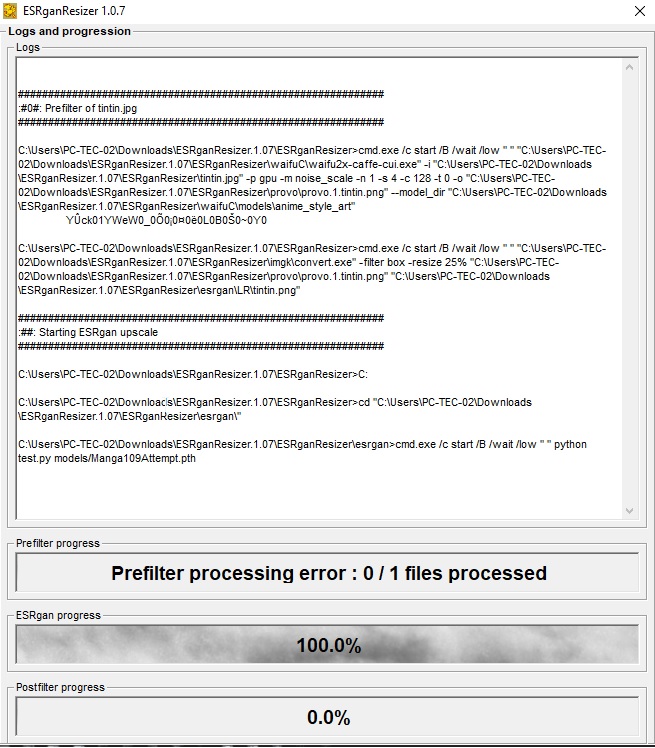
sorry for the delay, I saw now that you released a new version, I will test it and if it gives the same error back  ;)
 
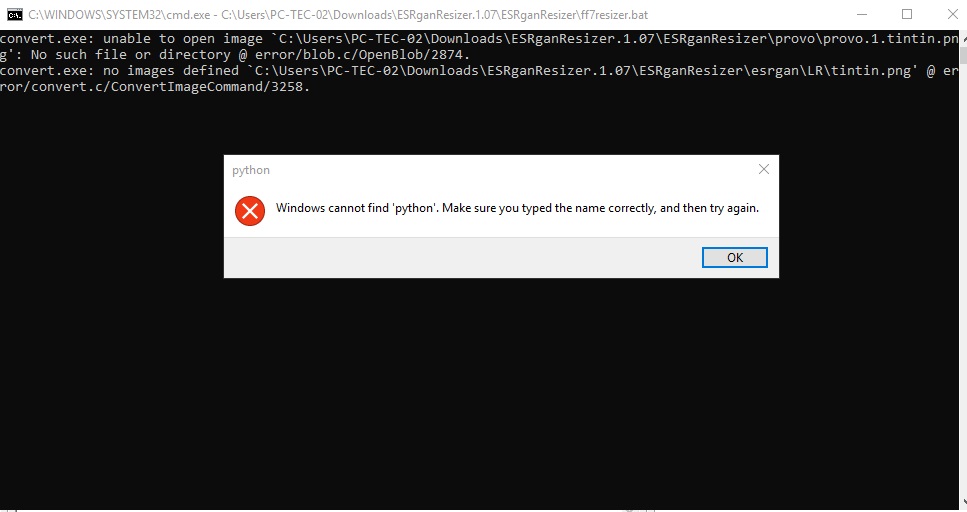
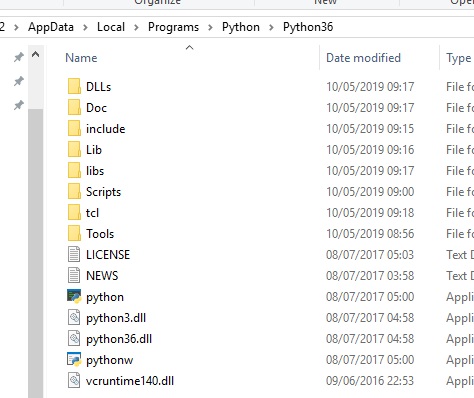
I'm getting an error message that keeps saying the program can't find Python, even though I literally installed Python. Any ideas?

y9dVfOa.jpg

vlcNLqG.jpg


uCrZUOv.jpg

[/q

so I tested this new version and now gives this error: https://i.imgur.com/MwEFJwR.png

first type goes, but if I just change the model or put another image then this erro.

already if I try to make 1080p images of this error: https://i.imgur.com/gsThUqB.png

this is the setting I put: https://i.imgur.com/L9JPJiD.png
 
-The runtime error i'll check it
-Your computer can't process the prefilter of your 1080p source, try to disable prefilter and you'll see it's work

ATM prefilter don't split source so if you'r low on gpu ram, big pictures won't be processed, i need to found a way to split source file before prefiltering.
May take me some time to do it
 
It seems like splitting works but it's a gamble on if the joining actually aligns.
also there is an issue where if you run consecutive batches it gives an error and you need to reboot the program. annoying.
 
Version 1.1.3 released :

Changelog:
-Corrected the split source function again (must be ok now).
-Corrected a file accès bug if you change settings between 2 batchs
-Removed the finish popup at the end of processing, you can browse the log before closing it
 
Version 1.1.5 released :

Changelog:
-Corrected issue with esrgan script and unicode characters.
-Reducted the real time log to 500 lines to optimise speed.
-Added video processing (beta but no bug so far with my tests)
 
If esrganresizer doesn't support changing the output codec and output file extension for video. I would like to request that.

We think that FF8 remaster requires a specific codec for video. So would like to make the output video generated by this tool the correct format to save from converting it afterwards.

I figure you have ffmpeg for that. So if we can alter the commands passed to ffmpeg. Then all done. :)

Thank you.
 
Not planned ATM.
I use x264 as output as it's a standard (and aali driver can play it with the ffmpeg plugin it provides).
If you want to use specific codec just don't use "output to video" option and convert the png back to the video format you want, with ffmpeg or vdub2 ... or use x264 crf 0 (losseless) then transcode it to your favorite codec after
 
Are there any plans to update this tool? It does not currently work with many filters (like any 1x model, which is all the noise/artifact removal ones) because the math for tile sizes/overlaps is broken for anything but the default 4x scale.

This is unfortunate because many of esrgan's 1x models are amazing, like the JPEG ones and dedither, and the only way to use them is to manually edit the bash scripts every time you want to change between models with different scales.

It's kind of amazing, really, how esrgan's JPEG models completely blow away any of the expensive commercial denoiser tools, even those that focus on jpeg specifically.
 
You can use any 1x model
-disable prefilter if you don't need it
-set up "esrgan model" type to the model size (from 1x to 16x)
 
Hello and thank you for this tool.  I have such error: 1 provonameforesragnprocess.0000000000000
ERROR: 1 provonameforesragnprocess.0000000000000
 
Status
Not open for further replies.
Back
Top