S
strife98
Guest
That still didn't help at all. I still get a completely black screen. I even tried it in compatibility mode and it's still not working


Yes multiple times and it didn't help, but I figured it out. I can't get it into full screen for some reason but I can at least play it, mods and allDid you uninstall and then reinstall?
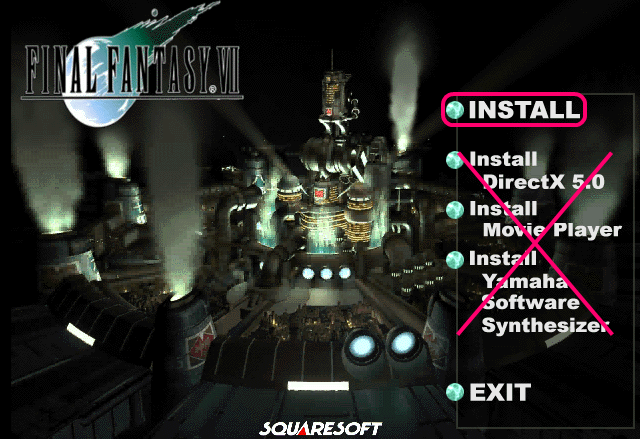
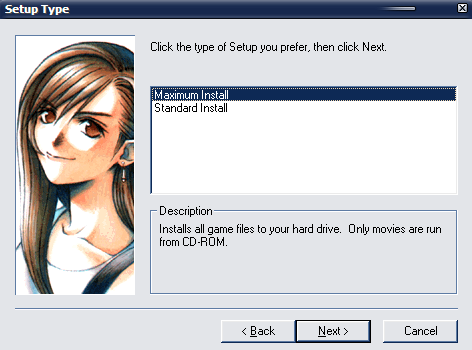
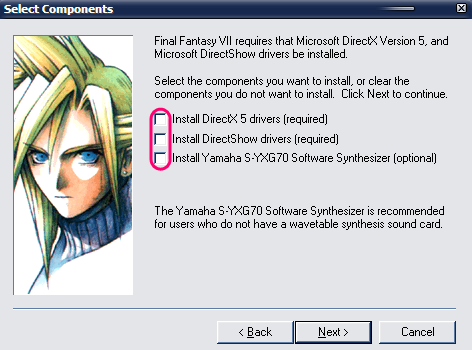
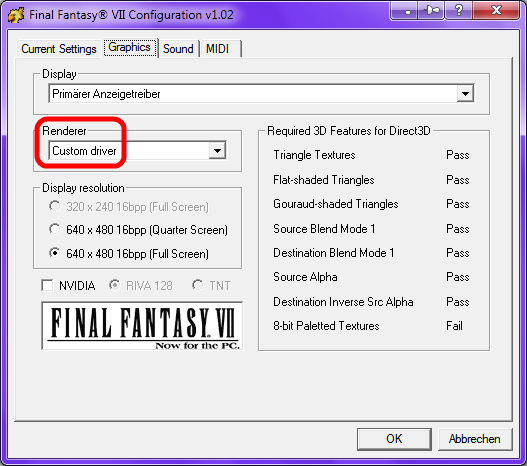
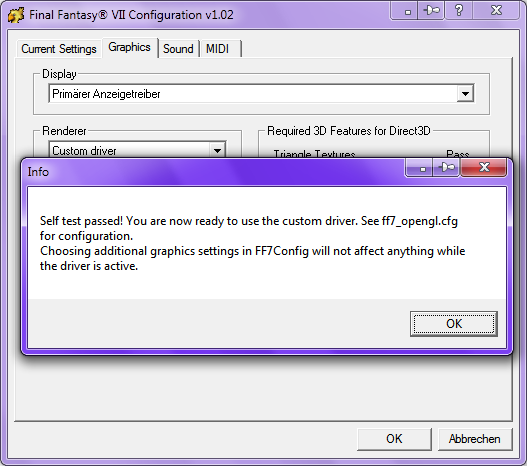
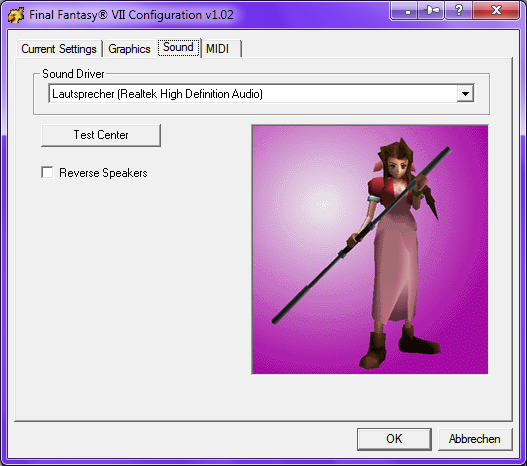
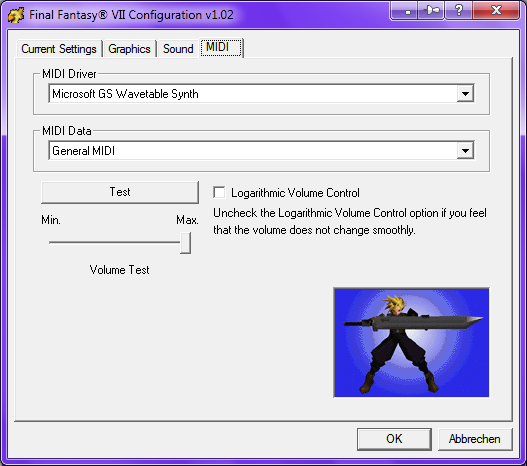
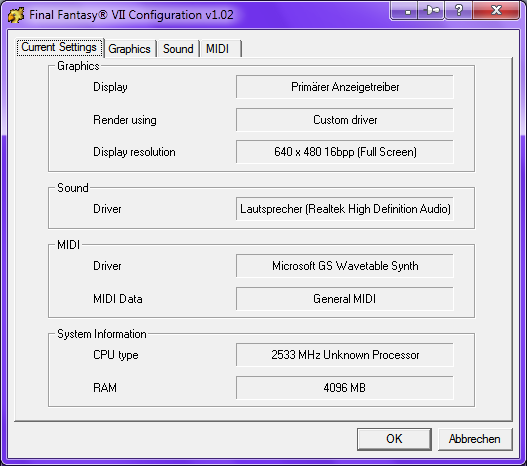
 o I have to disable my virus scanner?xDiag.txt
Thanks, I had already figured it out. I always did a maximum installation. I just had something that wasn't installed, thanks for your help, but now I have another problem. While I'm playing FF7 with mods, it runs fine, but it freezes after a while. When I open task manager I notice that it has been freezing when FF7 reaches 1.6mill k memory in the Processes tab. So far it's been constant, whenever it hits in between 1.6 mill kb and 1.7 mill kb the game freezes. Is there any way to fix this? It doesn't freeze at anything in particular, it just slowly starts increasing in memory starting from around 200,000 kb and freezing at around 1.6mill kbHi strife98,
your problems my solutions ...
I have a new issue with mine...upon opening the game again, no keyboard input seems to register for some reason. I'm trapped at the New Game/Continue page. Until now, I could use WASD, and the default was the arrow keys...
EDIT: I resolved the issue by finding a differently-edited ff7input.cfg file and copying it over the existing one. I have no idea why whatever happened happened.
All right, thanks, but where can I find another ff7input.cfg file to download?@Klaw117: I hope this helps (Laptop Keyboard Patch)

No problem, thanks for the help. Now...do you have a solution as to why on the other computer it starts at 200,000 KB memory in the task manager processes tab, and slowly grows until it hits somewhere between 1,600,000 and 1,700,000 KB mem and then freezes? I was told by a friend it might be my computer since it's about 5 years old, and that it may also be that I'm running windows 7 on it and it came with windows vista that running ff7 with the mods on windows 7 is just taxing out my computer. I don't have the best video card, and it -is- a laptop (tho thankfully one with the numberpad) So anything you need to figure this out or am I just SoL on playing FF7 continuously on this computer?@strife98: Thanks for sending me your files for analyzing.
A: This is the minimal installation to play the game with the movies:
[list type=decimal]
[*]Final Fantasy 7, english, Maximum Install
...
That's so great!!!!!!!! Please feel free to use my intros (if you agree of course) I will surely be honored https://www.ff7catalog.com/threads/8588/I'm adding features for the next release of Bootleg.
Here's what I've already done:
Updated Glitched Field Textures List
Added DLPB's Timing Patches for the Bombing Mission audio and the Coaster Minigame: BombingFix.exe and CoasterAimerFix.exe
Added Grimmy's PRP Addon Field Models (54 Improved Models), Battle Models (Hi Res Cloud and Shirtless Sephiroth), Huge Materias and Weapons Fixes: prp models.zip, Huge Materias.7z
Added Grimmy's Upscaled Magic Textures
Added Avatar Options-- Zendar's Round AC, Zendar's Round AC V2 and Singular Ones Transparent AC: AC Avatars By Zendar.exe and Singular One's Trasnparent Shadow Avatars.zip
Added New Menu Background Options-- Zendar's AC Buster Sword: AC Buster Sword at Midgar Menu Background By Zendar.exe
Added Support for Enhanced Movies 1 in 3 Parts and Enhanced Movies 2 in 4 Parts
Recovered Missing Rumbah Movies
Updated Millenia's, Slayersnext's and Mike's Weapons Mods with Grimmy Fixes
Updated Log File Formatting and Corrected Typos
+Fixed Missing Mod Errors
+Fixed JordieBo Credits Errors
Integrated Mods: BombingFix.exe, CoasterAimerFix.exe, AC Avatars By Zendar.exe, Singular One's Trasnparent Shadow Avatars.zip, AC (Round Edge) Avatars [Sephiroth Ver.1 Patch].exe, AC (Round Edge) Avatars [Tifa Ver.2b Patch].exe, AC (Round Edge) Avatars By Zendar [Ver.1.2].exe, AC (Round Edge) Avatars By Zendar [Ver.2].exe, AC Buster Sword at Midgar Menu Background By Zendar.exe, Huge Materias.7z, prp models.zip
I've quite a few more features on the TO DO list.
If you have any suggestions, please respond!
